The best Business Suite software in India, built to help your business grow. Contact us at +91-8882435276.
[ Contact ]
Phone number
Email address
Head office
Noida office
The right team at TriostackOne will get back to you.
Receive and answer WhatsApp conversations as Desk tickets on the official Cloud API, with ownership, history and SLAs just like email.
WhatsApp conversations handled as tickets
Positioning Assessment
Customers increasingly reach out on WhatsApp, but many helpdesks only see email. Agents juggle a phone and a ticket tool.
With the WhatsApp Cloud API connection, a chat becomes a ticket with an owner, notes and SLA, and replies go back through the same official channel. Triostack Wabiz can extend this with campaigns and flows.
“WhatsApp chats now sit in the same queue as email. Nobody has to check a second app.”
Sample team scenario
Illustrative example, not a customer testimonial
Illustrated Overview
Picture a WhatsApp message gliding through a gate and coming out as a ticket with a number, an owner and a timer.
No second app to watch.
Ownership, SLAs and history apply.
Built on Meta's Cloud API.
Platform Integrity
Meta's Cloud API
Owner, status and history
For business-initiated messages
Many agents, one number
How It Works
What changes when chats join the ticket queue.
| Dimension | Triostack Desk | Personal Phones |
|---|---|---|
| Ownership | Each chat is an owned ticket | Whoever holds the phone |
| SLAs | Timers apply to chats | Unmeasured |
| History | Stored on the customer record | On the device |
| Team Access | Several agents | One handset |
| Reporting | Included in support reports | Absent |
Our team can walk you through the connection, permissions and a first test ticket so you go live without guesswork.
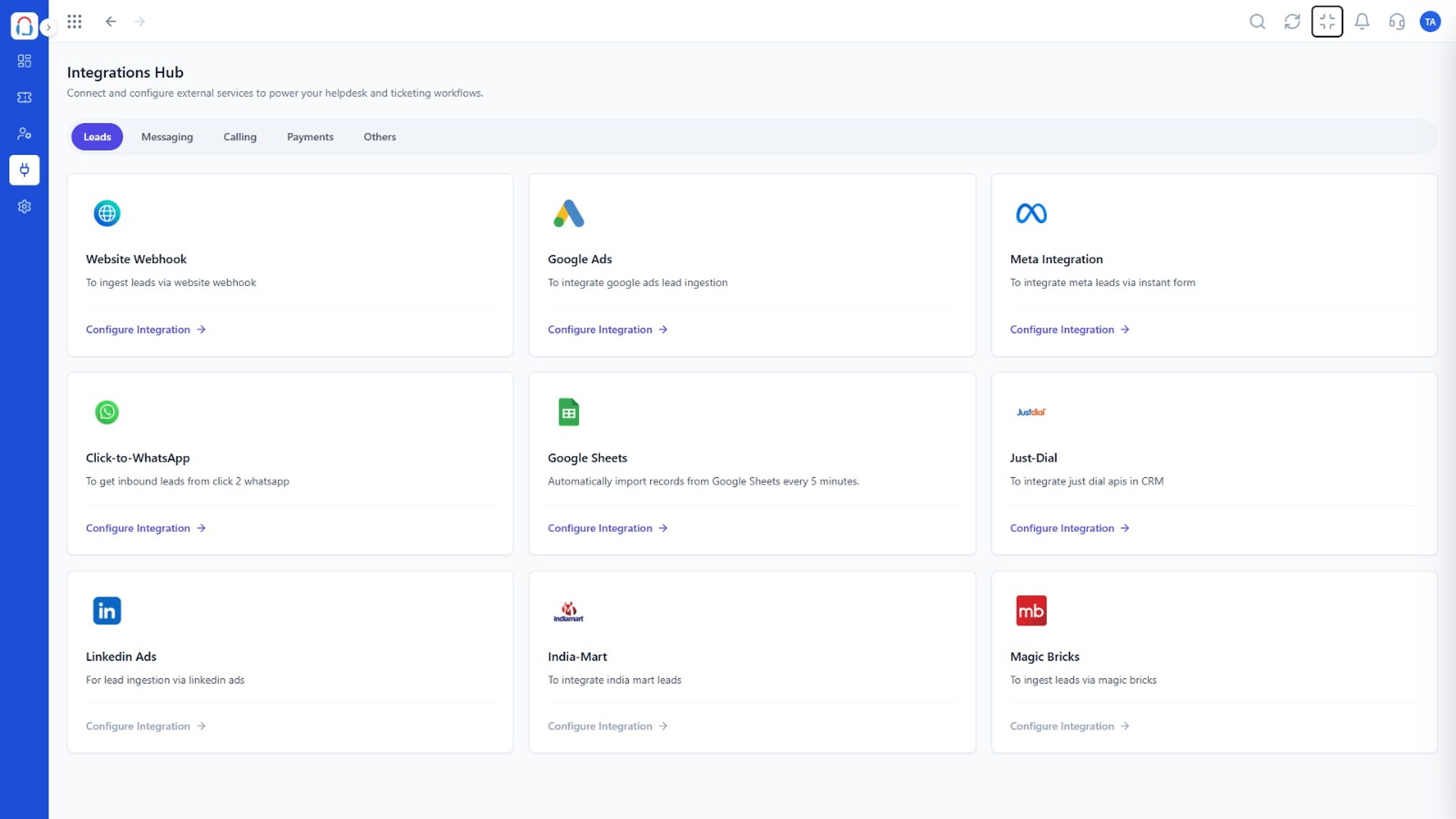
Live Interface Tour
Real screens captured directly from the Triostack Desk workspace.
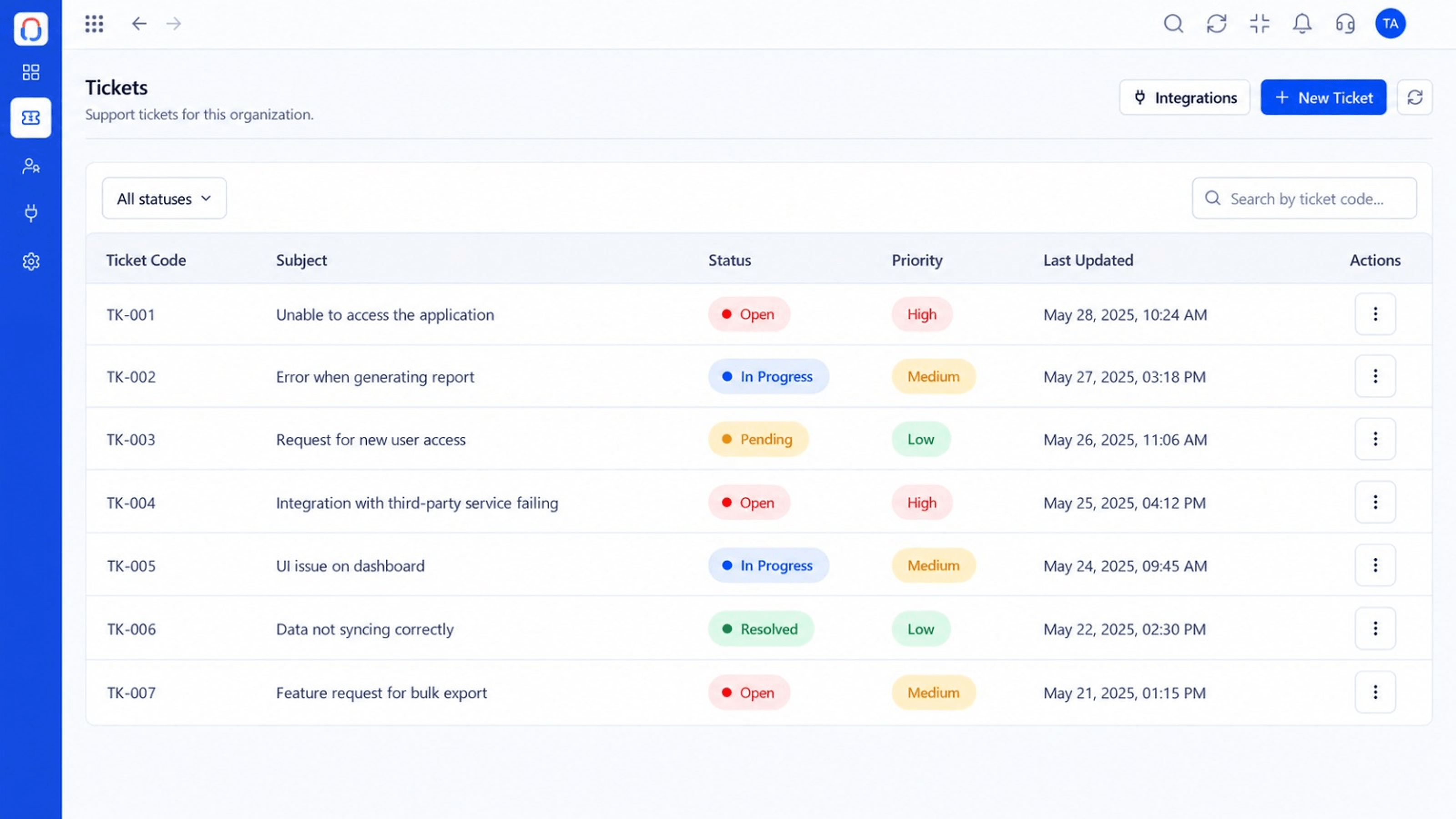 Tickets
Every request in one prioritised queue
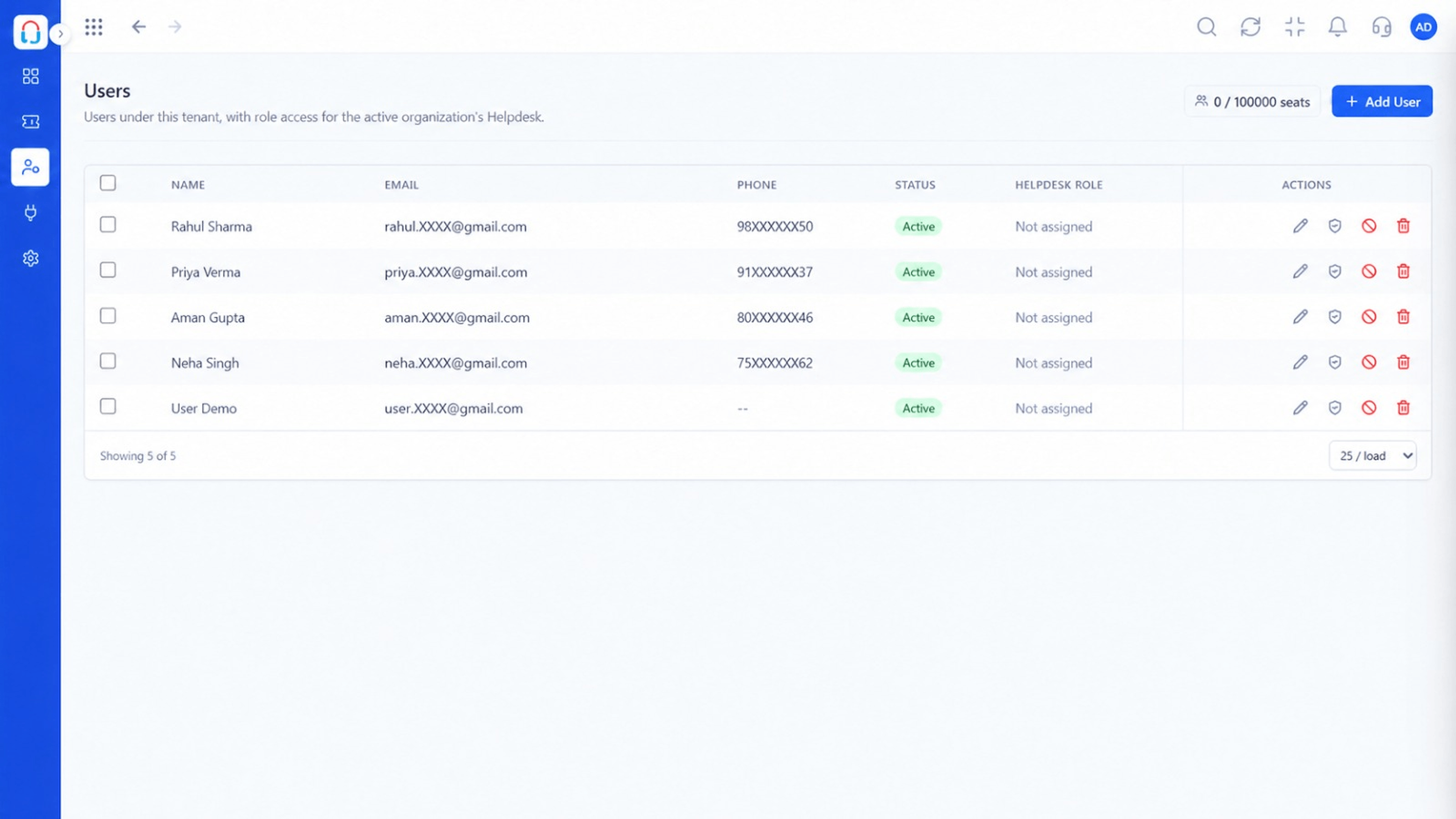 Team
TeamAgents, teams and roles in one place
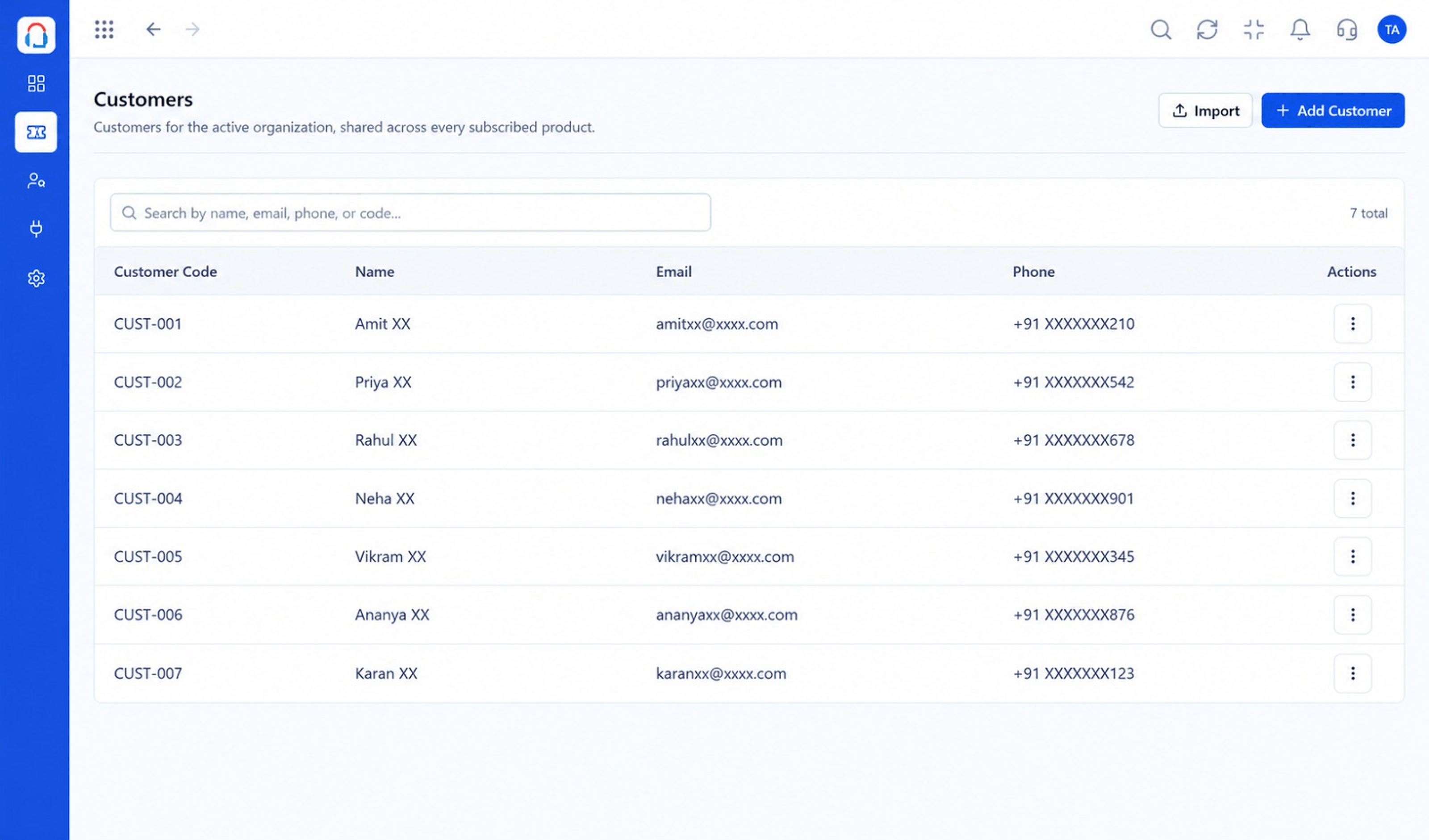 Customers
Every customer with their full ticket history
Feature Breakdown
Captured from the Triostack Desk workspace.
IntegrationsLink your WhatsApp number.
IntegrationsConversations in the queue.
IntegrationsChats tied to customers.
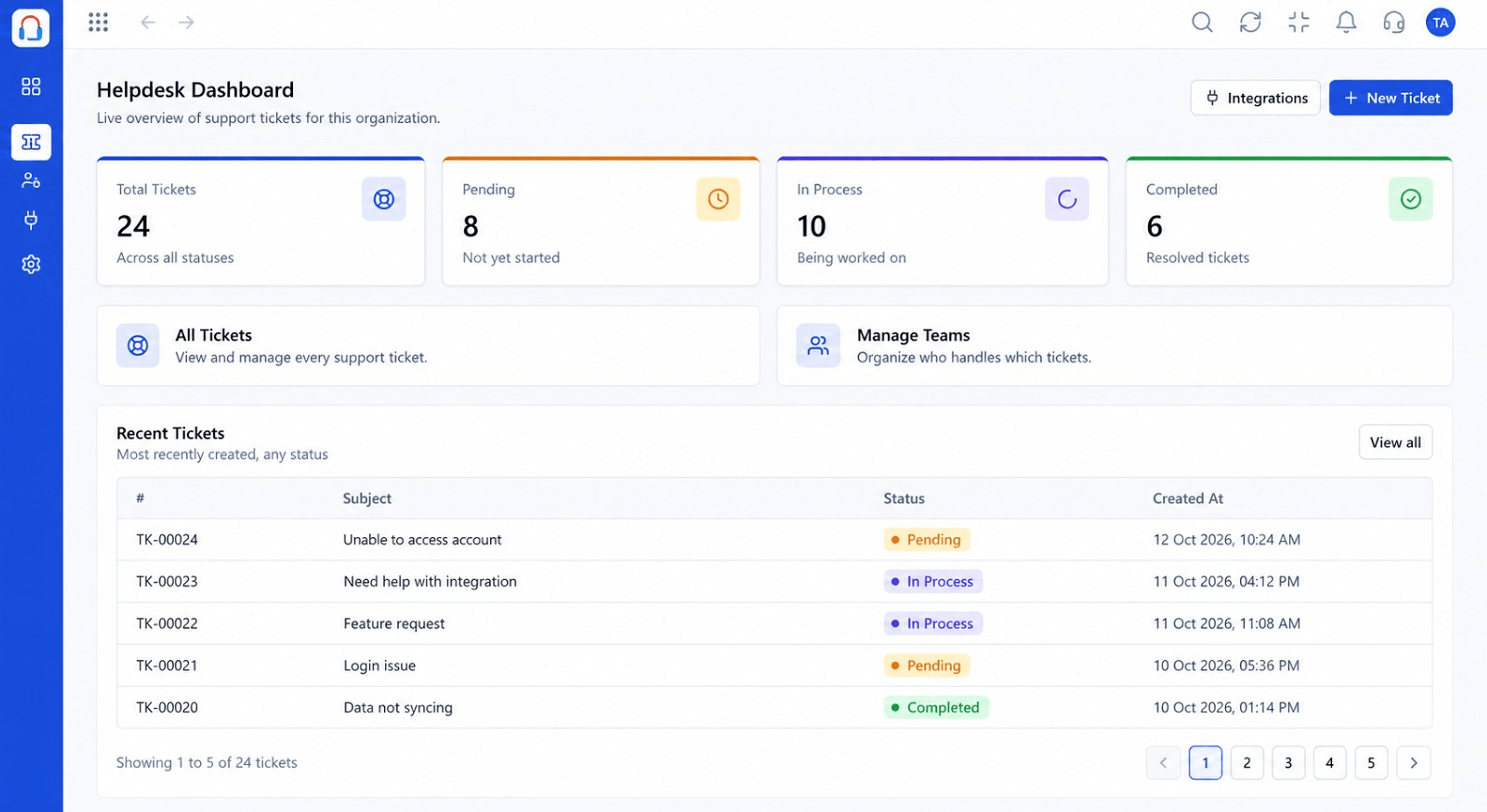 Integrations
See WhatsApp demand.
Execution Plan
Have your Meta business account and number ready.
Link the number to Desk.
Choose which team handles chats.
Agents reply from the ticket.
In Real Life
Scenario 01
A customer sends a photo of a damaged item and the agent resolves it in the thread.
Scenario 02
A quick question is answered without a ticket form.
Scenario 03
An approved template sends a case update.
Frequently Asked Questions
Yes, through the WhatsApp Cloud API.
No. Wabiz adds campaigns and flows if you want them.
Business-initiated messages outside the customer service window need approved templates.
Meta charges for conversations per its pricing.
Tickets, shared inbox, automation, SLAs, knowledge base and reports, built for support teams of every size.
