The best Business Suite software in India, built to help your business grow. Contact us at +91-8882435276.
[ Contact ]
Phone number
Email address
Head office
Noida office
The right team at TriostackOne will get back to you.
Support teams handle personal and commercial information daily. Desk gives admins role-based access, user management and a workspace the company controls.
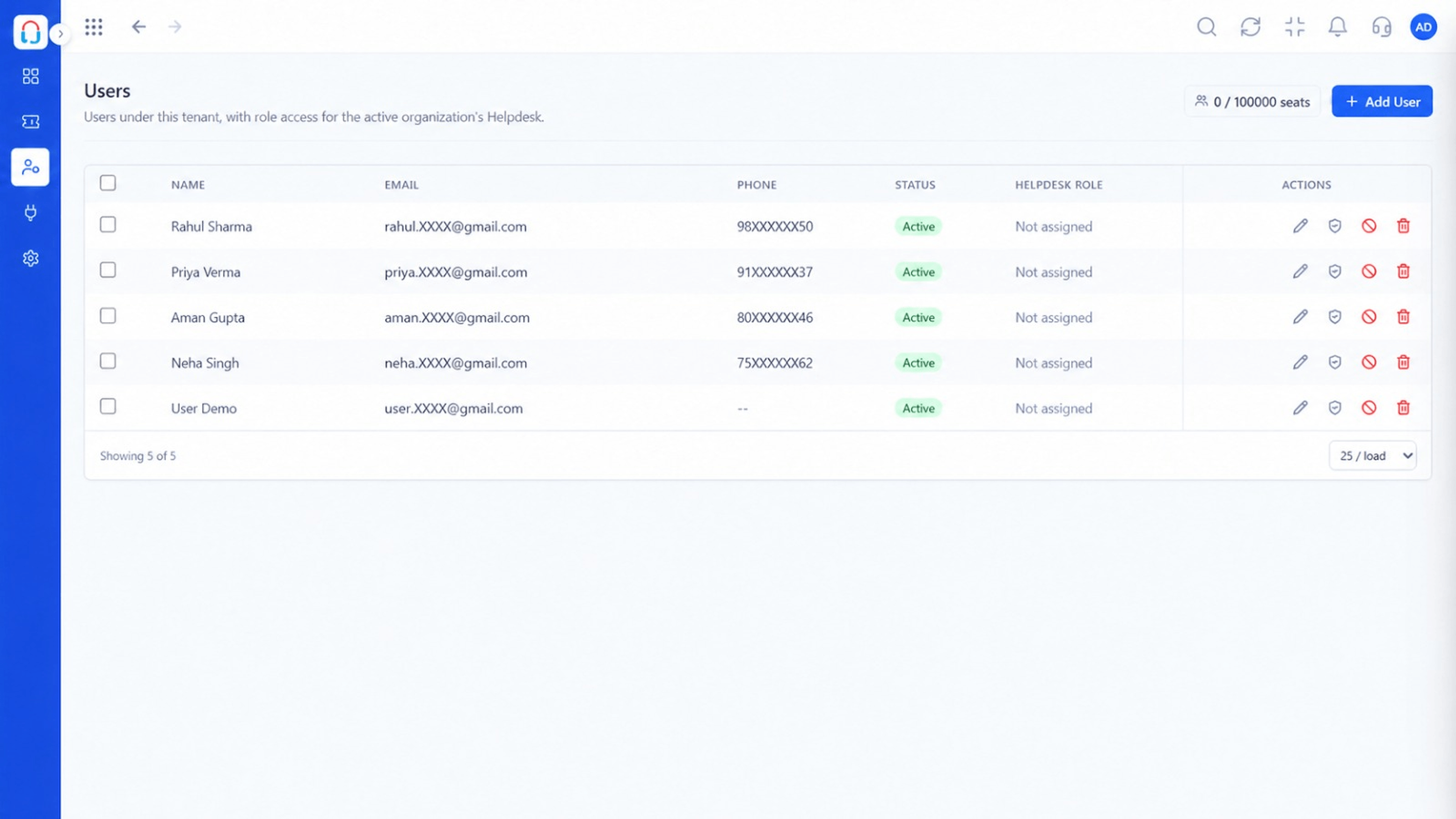
Agents see what their role allows
Positioning Assessment
Tickets contain names, orders, invoices and private details. Broad access increases the risk of misuse and mistakes.
In Desk, admins define roles and teams, add and deactivate users and control which areas each person can open. For compliance questions specific to your sector, talk to our team.
“When someone leaves, we deactivate one user. Their tickets stay with the company.”
Sample team scenario
Illustrative example, not a customer testimonial
Illustrated Overview
Imagine one strongroom where each employee's key opens only the drawers their job requires.
Agents, leads and admins differ.
Teams see their own queues.
Actions are tied to users.
Platform Integrity
Permissions per role
Limit visibility by team
Add and deactivate quickly
History stays in the workspace
How It Works
How controlled access compares with informal sharing.
| Dimension | Triostack Desk | Shared Logins |
|---|---|---|
| Access | Role-based | Everyone sees everything |
| Offboarding | Deactivate the user | Change passwords and hope |
| Accountability | Actions tied to users | Anonymous |
| Visibility | By team or role | All or nothing |
| Records | Held in the workspace | On personal devices |
Our team can walk you through the connection, permissions and a first test ticket so you go live without guesswork.
Live Interface Tour
Real screens captured directly from the Triostack Desk workspace.
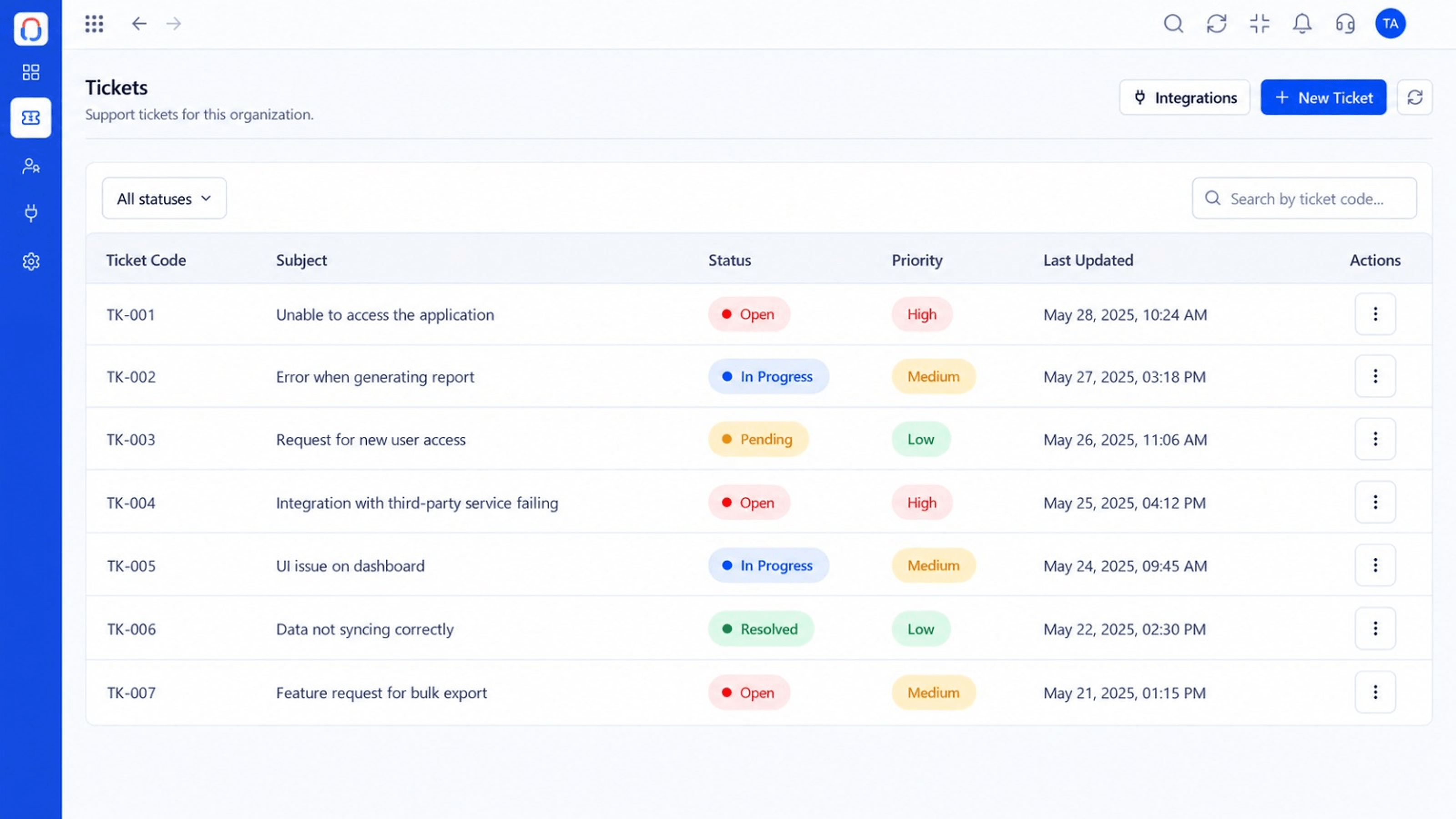 Tickets
Every request in one prioritised queue
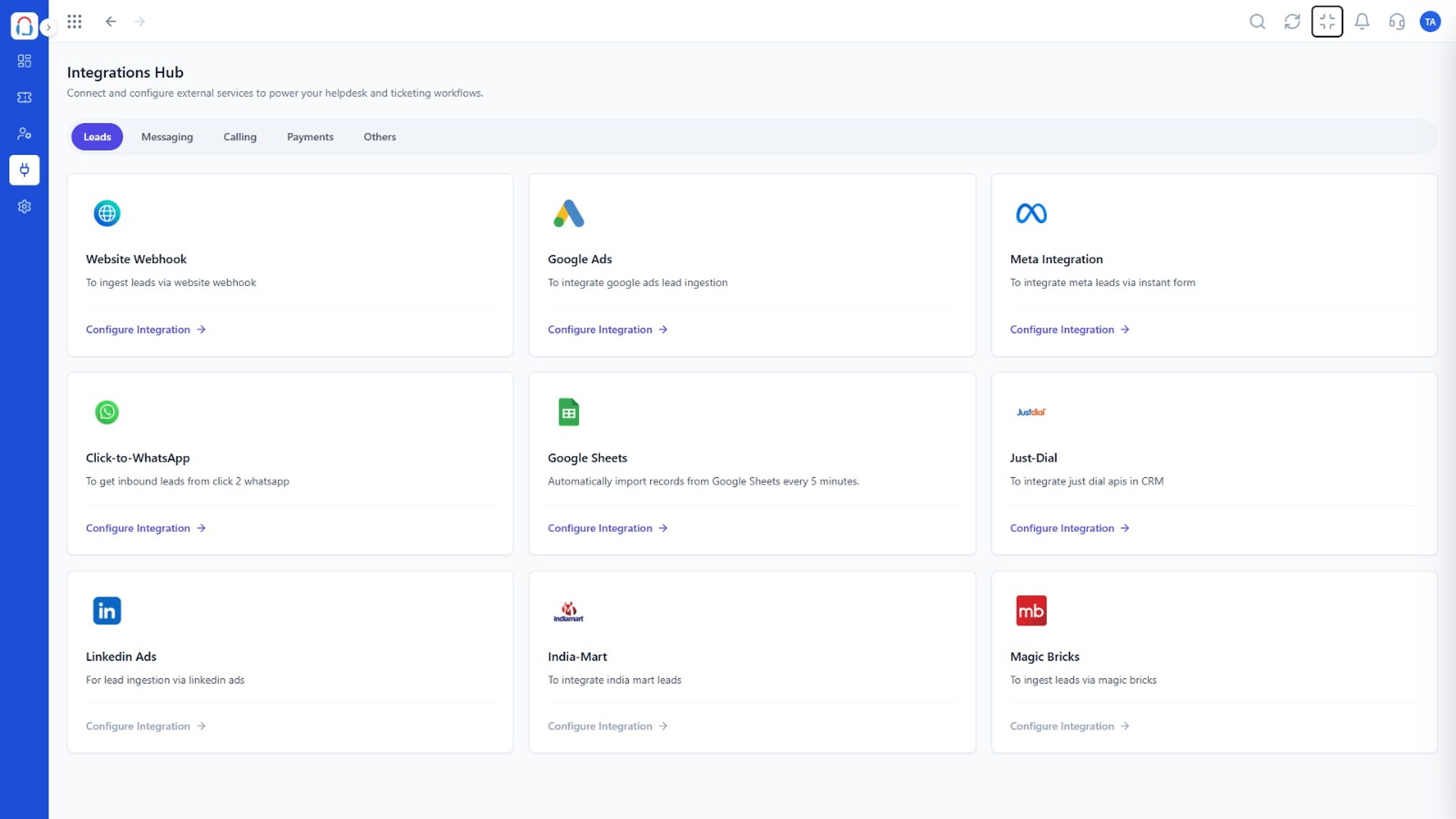 Integrations
Connect channels and tools to your helpdesk
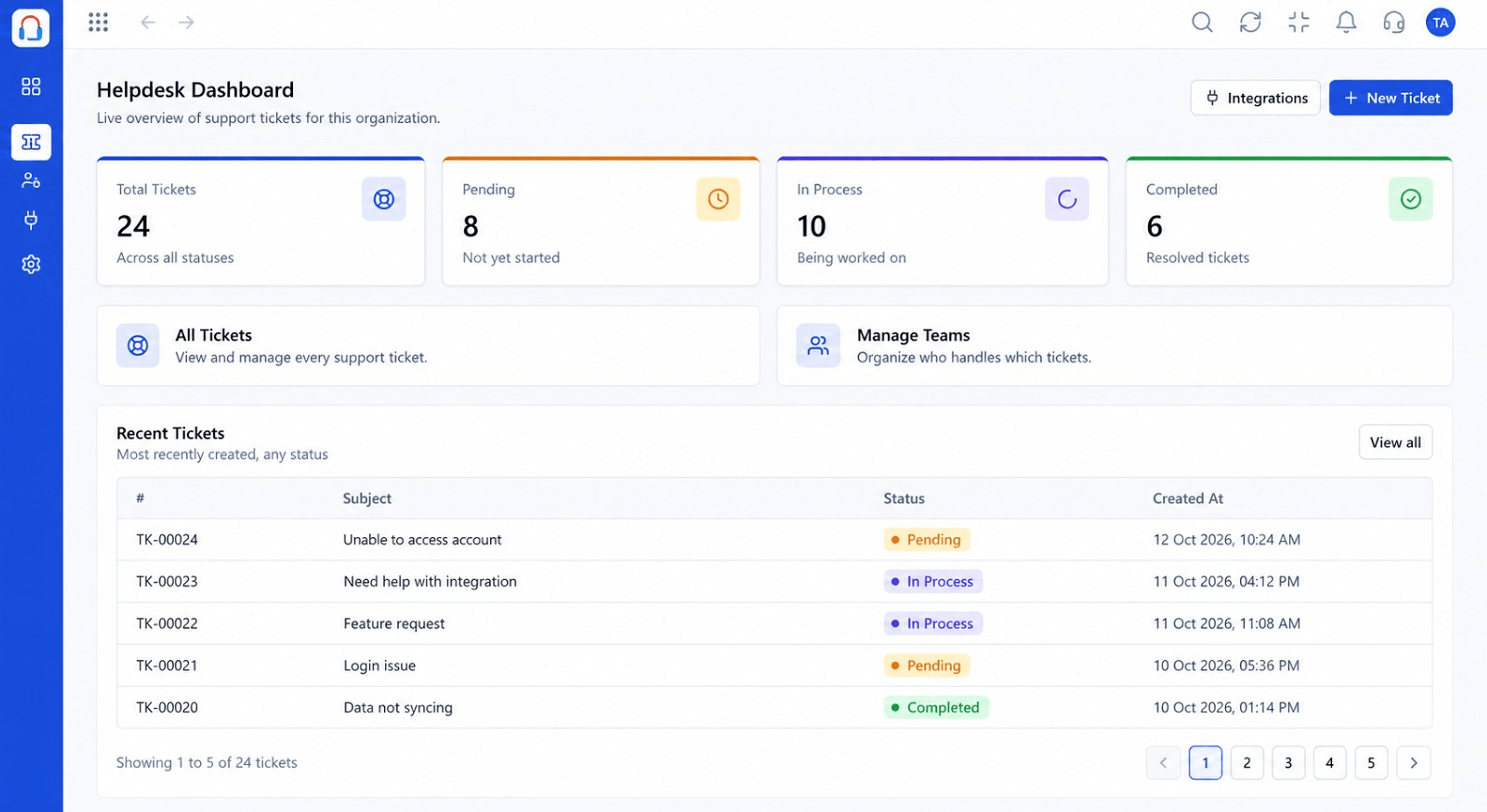 Dashboard
Live view of volume, backlog and response times
Feature Breakdown
Captured from the Triostack Desk workspace.
IntegrationsWho has access.
IntegrationsWhat each role may do.
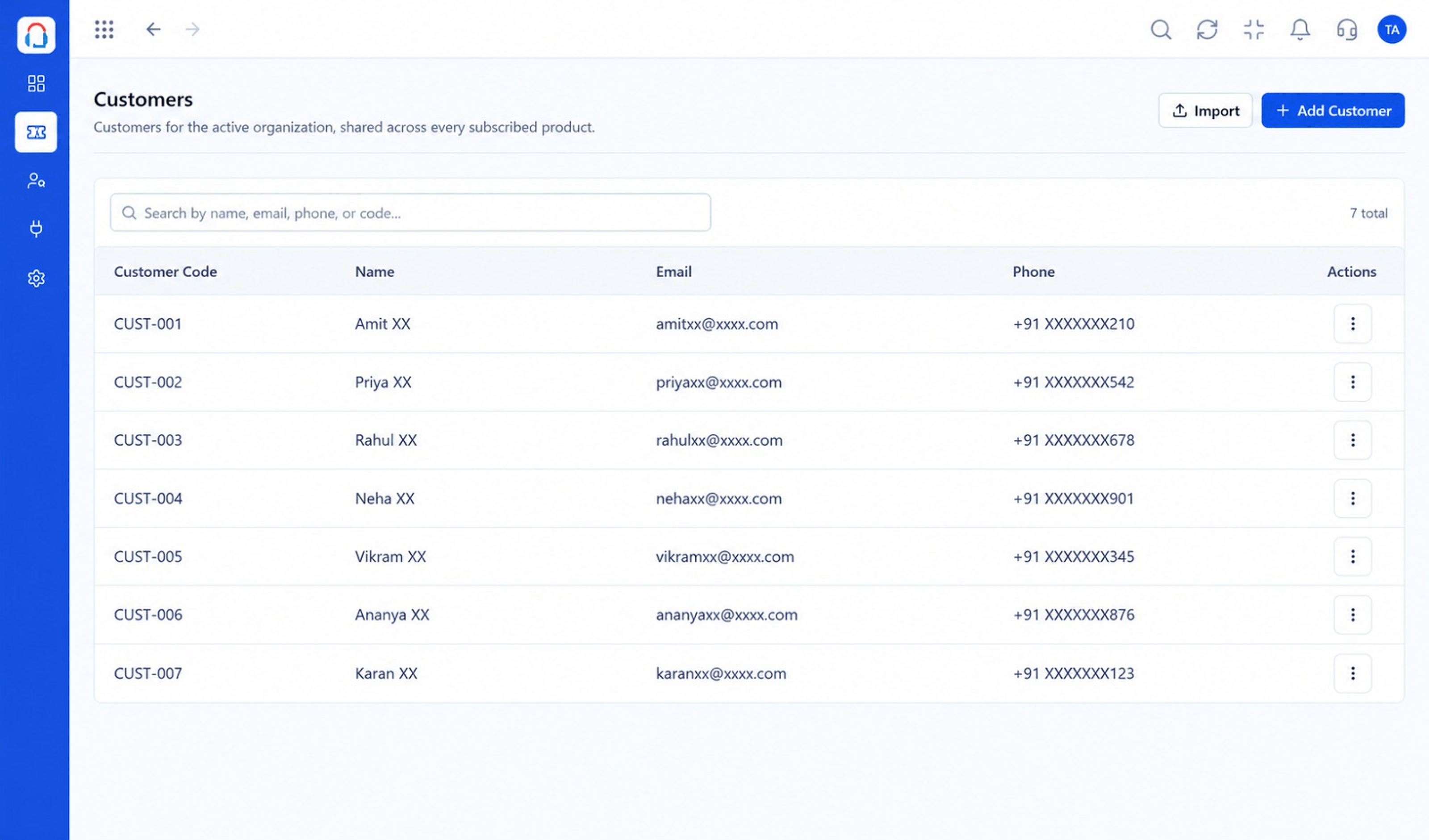 Integrations
Who can see it.
IntegrationsOversight at a glance.
Execution Plan
Decide what agents, leads and admins can do.
Invite your team.
Limit visibility by team.
Check access regularly.
In Real Life
Scenario 01
Starts with limited access and grows.
Scenario 02
Only a small team sees the largest customers.
Scenario 03
Access ends instantly, data stays.
Frequently Asked Questions
Yes. Roles and teams control visibility.
An admin deactivates the user and the tickets remain.
Admin roles.
See the platform Security page or contact our team.
Tickets, shared inbox, automation, SLAs, knowledge base and reports, built for support teams of every size.
