The best Business Suite software in India, built to help your business grow. Contact us at +91-8882435276.
[ Contact ]
Phone number
Email address
Head office
Noida office
The right team at TriostackOne will get back to you.
Use the API and webhooks to create tickets from your own apps, react to ticket events and keep systems in sync.
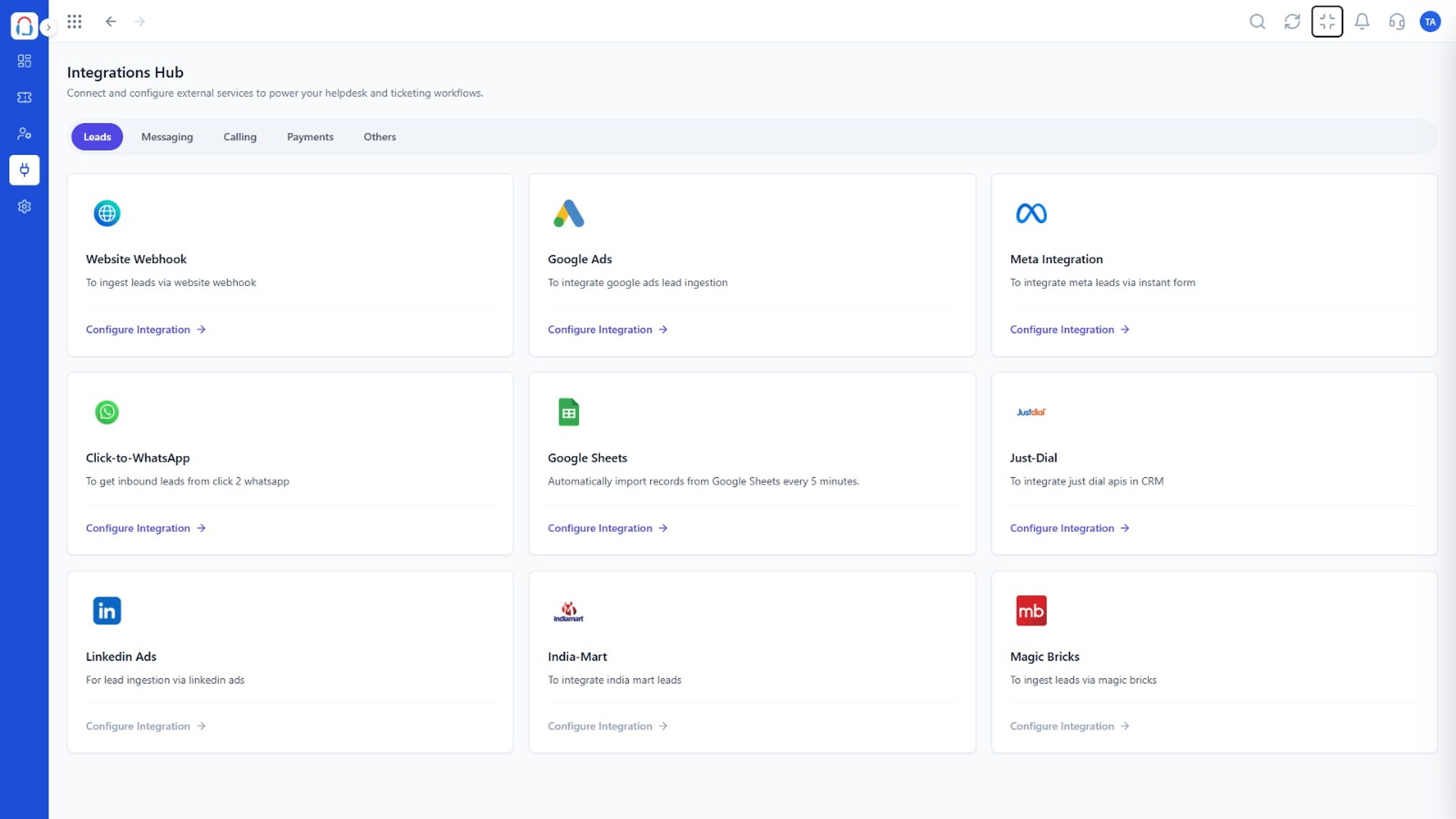
Your systems can talk to Desk
Positioning Assessment
Every business has a system that no off-the-shelf integration knows: an internal admin tool, a mobile app, a custom portal.
With the API your systems can create and update tickets and customers. With webhooks, Desk tells them when something happens. See the developer resources for specifics.
“Our app now creates a ticket with the user's details when they tap 'Report a problem'.”
Sample team scenario
Illustrative example, not a customer testimonial
Illustrated Overview
Imagine Desk with a clearly labelled port: send a request in, and receive a signal out whenever a ticket changes.
Create and update tickets from anywhere.
Webhooks on ticket events.
Keys and scopes limit access.
Platform Integrity
From your own apps
Be told when things change
Control access
Developer resources available
How It Works
What programmable support enables.
| Dimension | Triostack Desk | Manual Process |
|---|---|---|
| Ticket Creation | Automatic from your app | Customer emails support |
| Notifications | Webhook on events | Polling or checking |
| Data Sync | Programmatic | Copy and paste |
| Security | Keys and scopes | Shared logins |
| Flexibility | Any system | Only built-in tools |
Our team can walk you through the connection, permissions and a first test ticket so you go live without guesswork.
Live Interface Tour
Real screens captured directly from the Triostack Desk workspace.
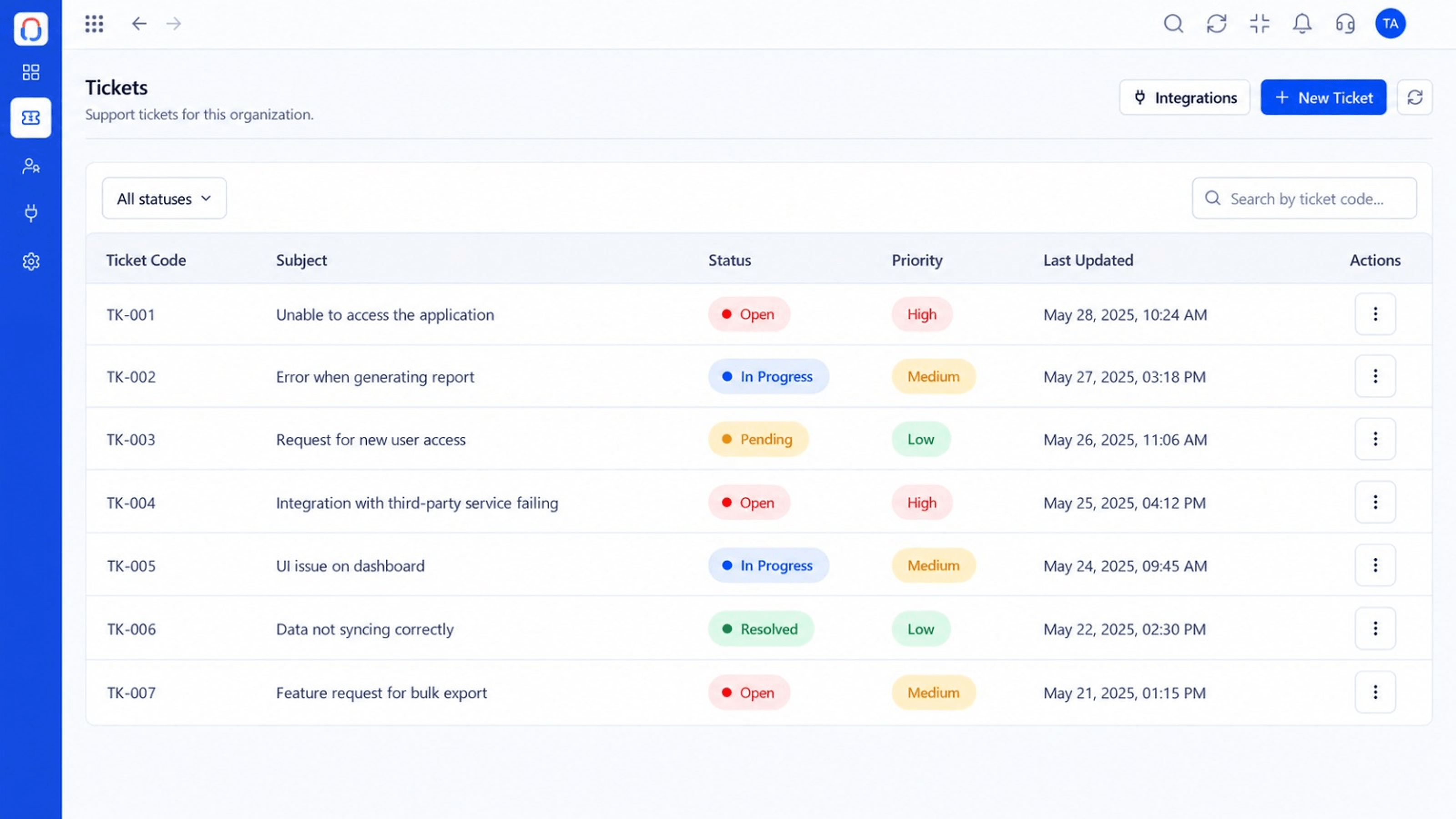 Tickets
Every request in one prioritised queue
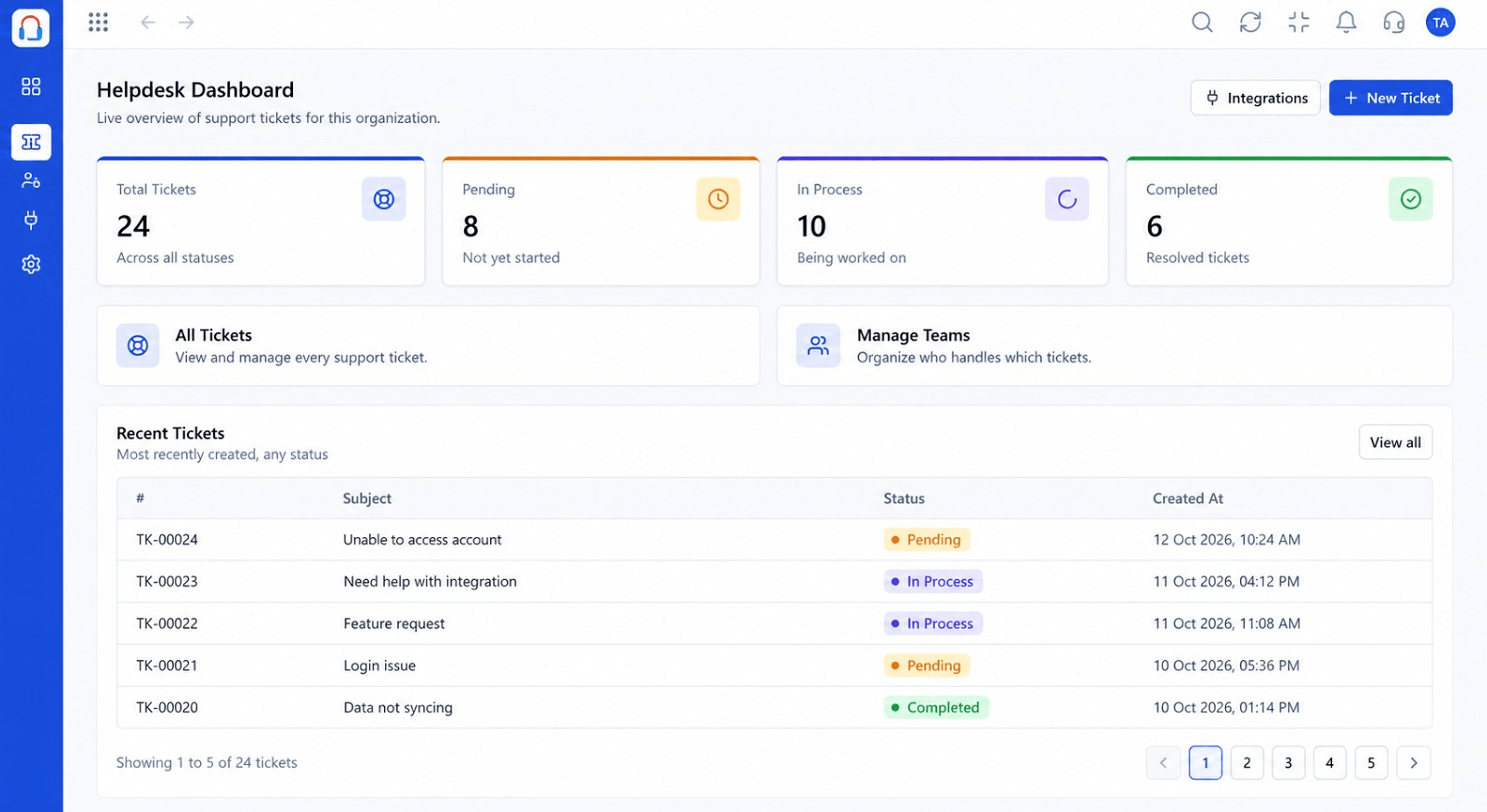 Dashboard
Live view of volume, backlog and response times
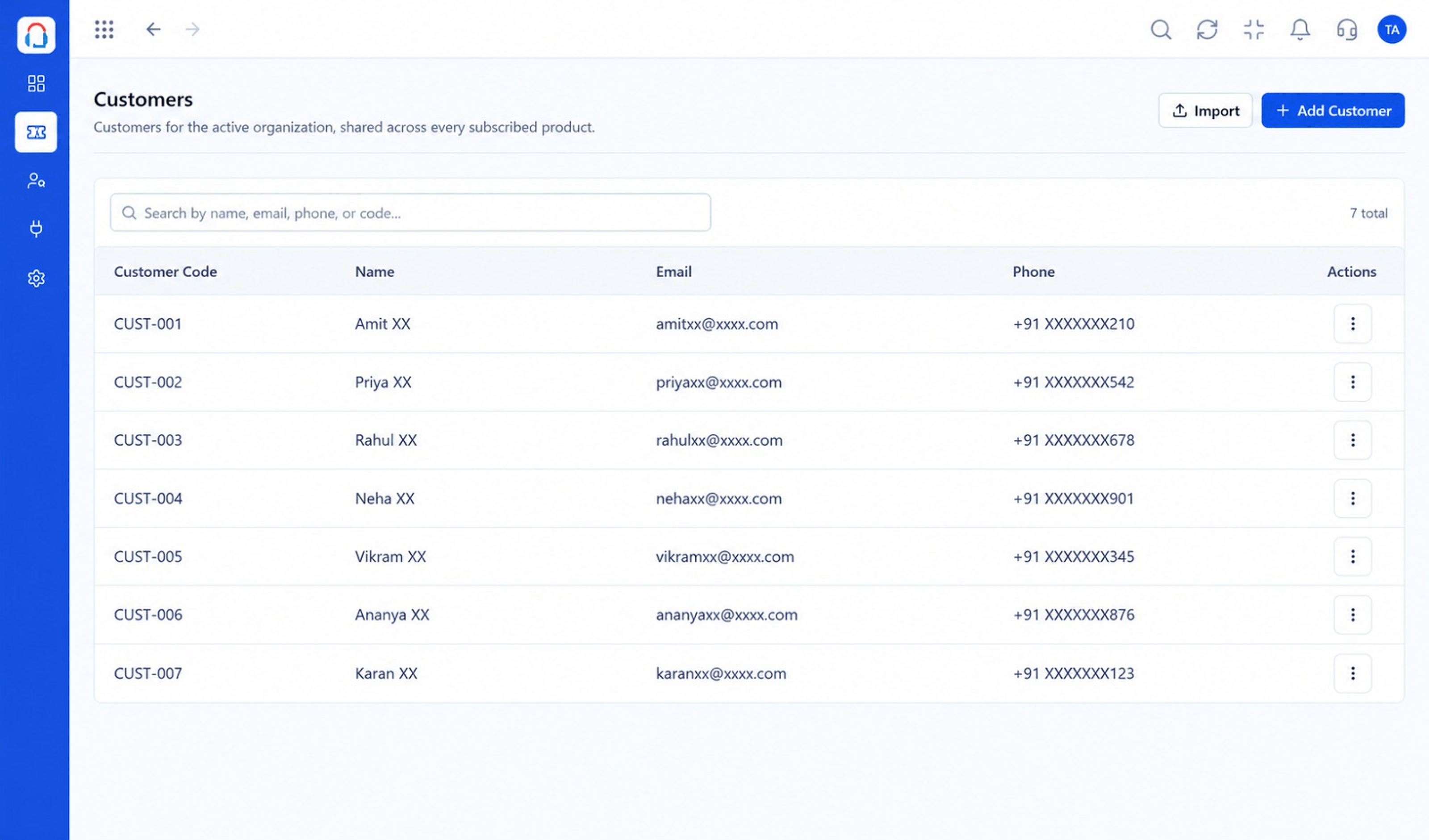 Customers
Every customer with their full ticket history
Feature Breakdown
Captured from the Triostack Desk workspace.
IntegrationsKeys and permissions.
IntegrationsWhat your system hears.
IntegrationsKeep records aligned.
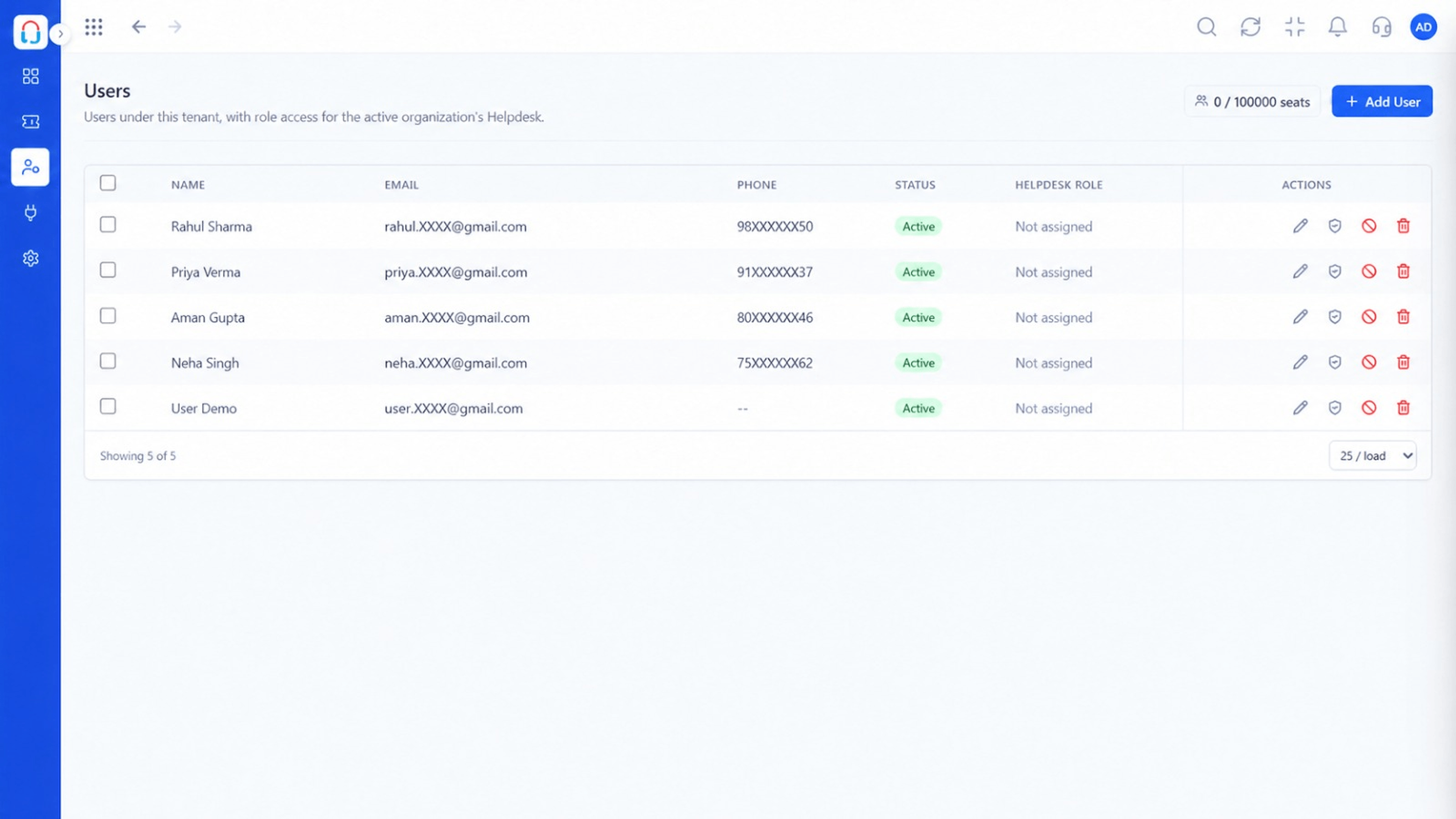 Integrations
Who owns integrations.
Execution Plan
Generate credentials with the right scope.
Create a ticket from your app.
Register a webhook for events.
Watch for failures and retries.
In Real Life
Scenario 01
A mobile app creates a ticket with device details.
Scenario 02
A shipped-late event opens a proactive ticket.
Scenario 03
Ticket events feed your analytics.
Frequently Asked Questions
Yes. See the developer resources for details.
Typical ticket events such as created, updated and resolved. Check the documentation for the full list.
With keys and scopes controlled by admins.
For custom integrations, yes.
Tickets, shared inbox, automation, SLAs, knowledge base and reports, built for support teams of every size.
