The best Business Suite software in India, built to help your business grow. Contact us at +91-8882435276.
[ Contact ]
Phone number
Email address
Head office
Noida office
The right team at TriostackOne will get back to you.
Bring email, chat and WhatsApp conversations into one shared queue, with every ticket connected to the customer's account so agents never start from scratch. Designed specifically for ambitious growing companies who refuse to pay punitive per-seat enterprise taxes.
The Reality of Legacy Software
Mainstream helpdesk platforms charge by the inbox and penalize collaboration by charging for every light agent who needs to look up a ticket.
Agents end up working with one eye closed, hopping between chat tools, email inboxes, and external billing databases just to understand who is asking for help.
Triostack Desk connects tickets directly to customer purchase histories, CRM records, and WhatsApp threads in one unified command center.
“We switched from an overpriced legacy ticketing tool to Triostack Desk and cut our first-response time in half. Our agents finally see the customer's full context without asking them to repeat themselves.”
Elena Rostova
Head of Customer Experience • Novaflow Logistics
Proven Reliability
Service Desk Awards 2026
Top Helpdesk Benchmark
Customer First Index
ISO 27001 Certified
Software Evaluation
As customer volume spikes, disconnected inboxes crumble under ticket backlog. Triostack Desk gives you automated queues, round-robin assignments, and SLA triggers that never miss a ticket.
Of customers switch brands after a single unresolved or delayed support interaction
Faster ticket turnaround when agent sees CRM & billing history in-ticket
Complex enterprise desk tools require specialized training and endless configuration just to set up basic routing rules. Triostack Desk is clean, fast, and ready from day one.
Direct Competitor Comparison
Industry Research Finding
“Support teams with simple, unified interfaces resolve tickets 40% faster and suffer significantly lower agent churn than those navigating fragmented enterprise consoles.”
Set priority tags, assign incoming tickets based on team skill sets, and trigger automated confirmations effortlessly.
Most helpdesks hike prices steeply once you connect multiple communication channels or add team members who occasionally need to assist.
Average savings compared to per-seat ticketing giants with tiered channel fees
Visual Workflow Progression
Each step feeds the next automatically. Explore how Desk handles the whole journey on a single canvas.
Messages from every channel become tickets in a single queue.
Tickets get an owner, a priority and a clear status.
Agents see account history next to the conversation and reply faster.
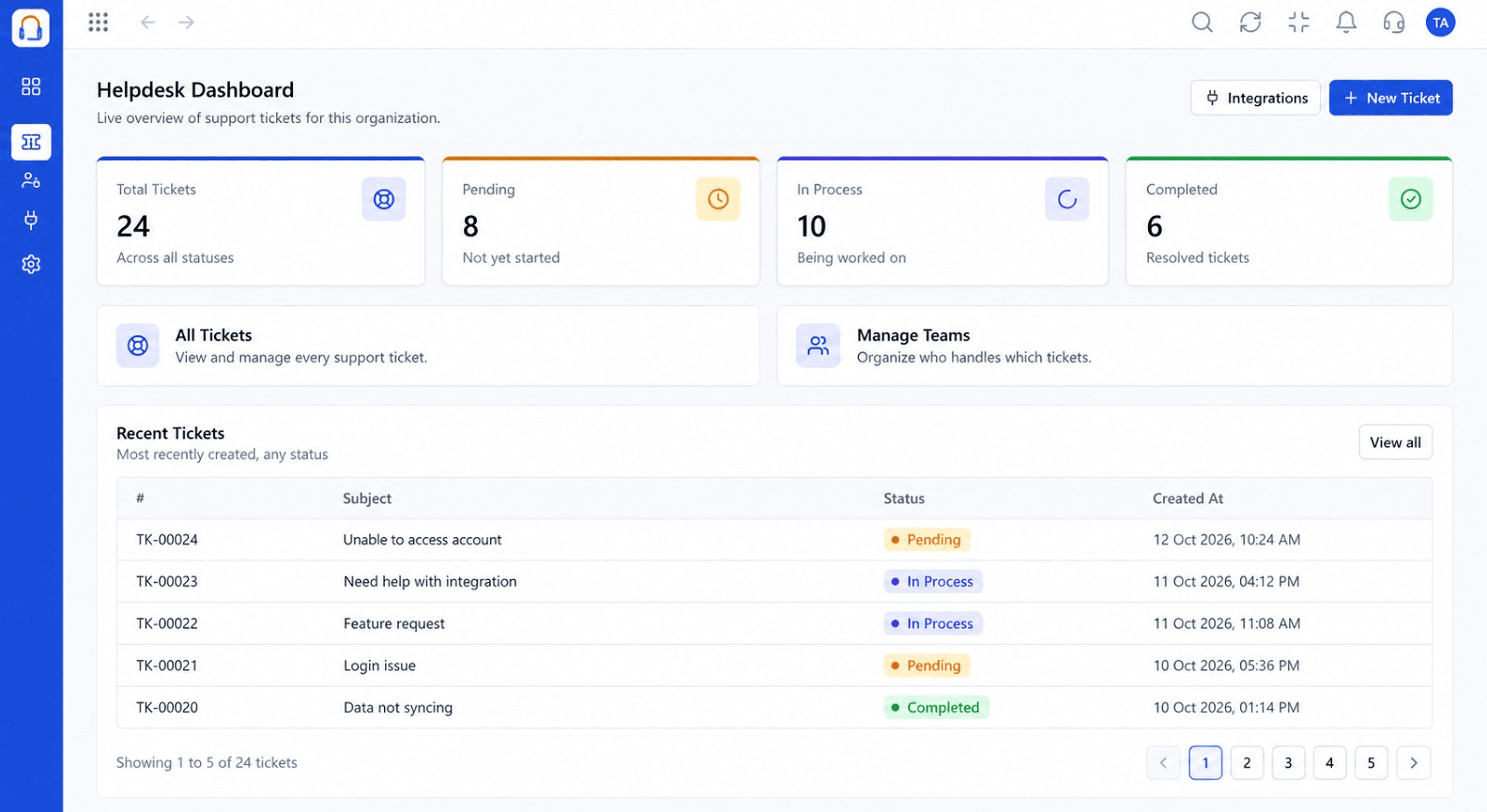
Dashboards show open, pending and completed tickets at a glance.
Head-to-Head Comparison
| Capability | Triostack Desk (Connected Suite) | Separate Disjointed Tools |
|---|---|---|
| Channels | Email, chat and WhatsApp in one queue | A separate inbox per channel |
| Customer context | Account details beside every ticket | Look-ups in other tools |
| Ticket overview | Live dashboard of ticket status | Counted by hand |
| Team access | Roles and users managed in one place | Per-tool permissions |
| Integrations | Lead sources and services in one hub | Custom connectors per tool |
| Setup | One login across the Business Suite | Separate accounts to maintain |
Module Deep-Dive
A live overview of support tickets for your organization: total, pending, in-process, and completed counts at a glance, plus the most recent tickets, so every agent starts the day knowing what needs attention.
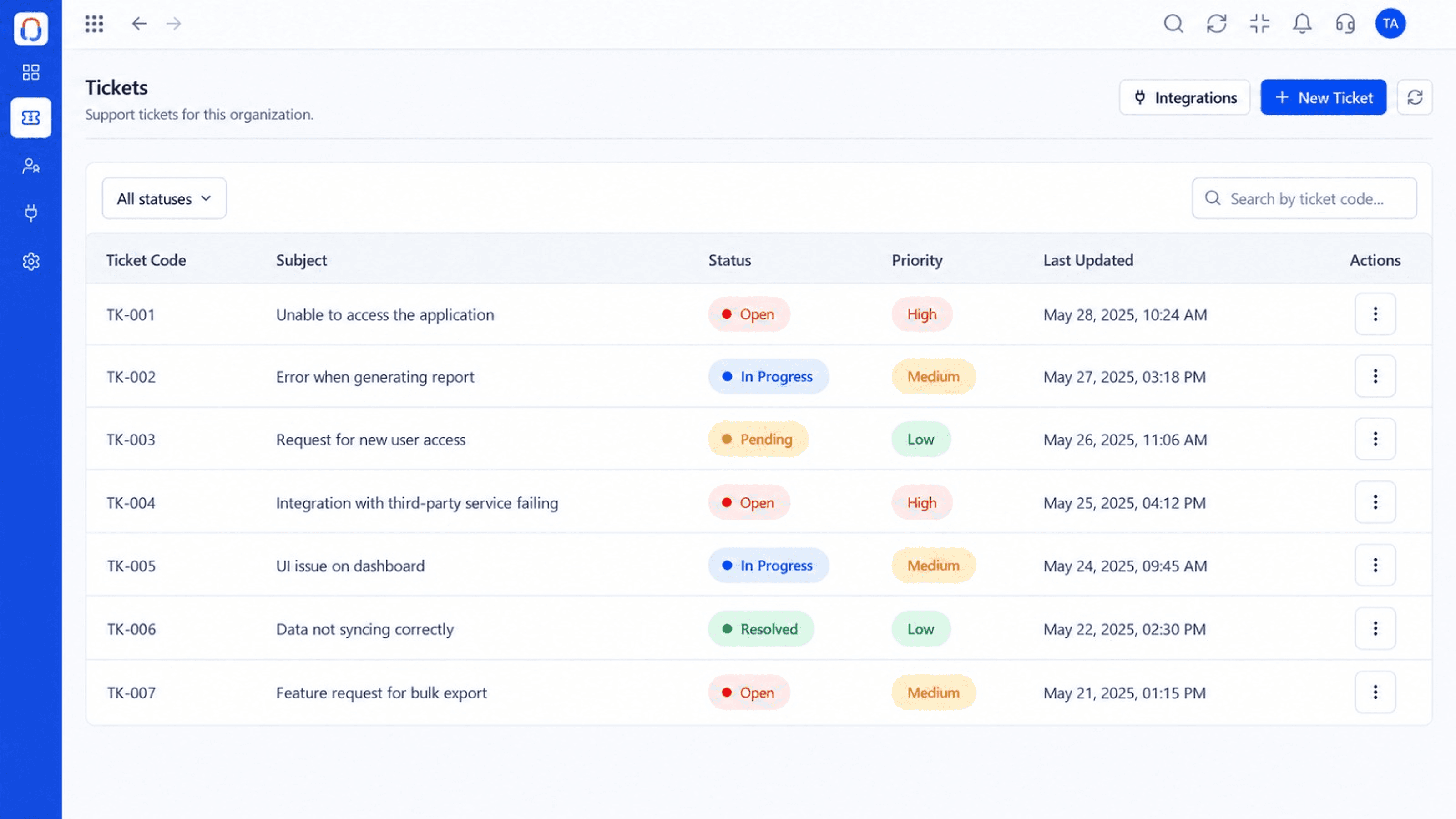
Every support ticket in one searchable list, with status, priority, and last-updated time, filterable by status or ticket code so agents can jump straight to what needs work.
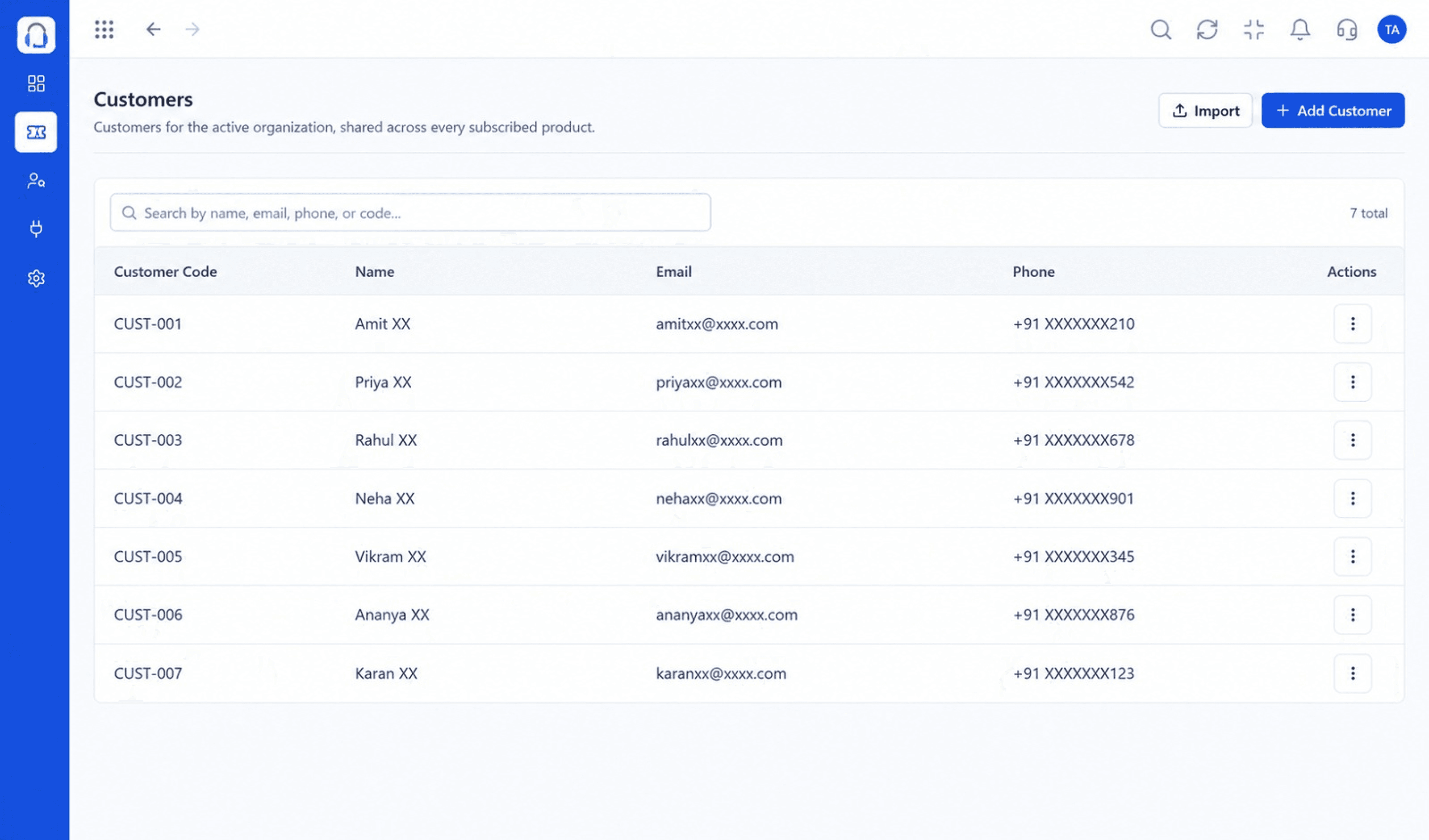
A shared customer directory, with code, name, email, and phone, kept consistent across every subscribed Triostack product so support works from the same record as sales.
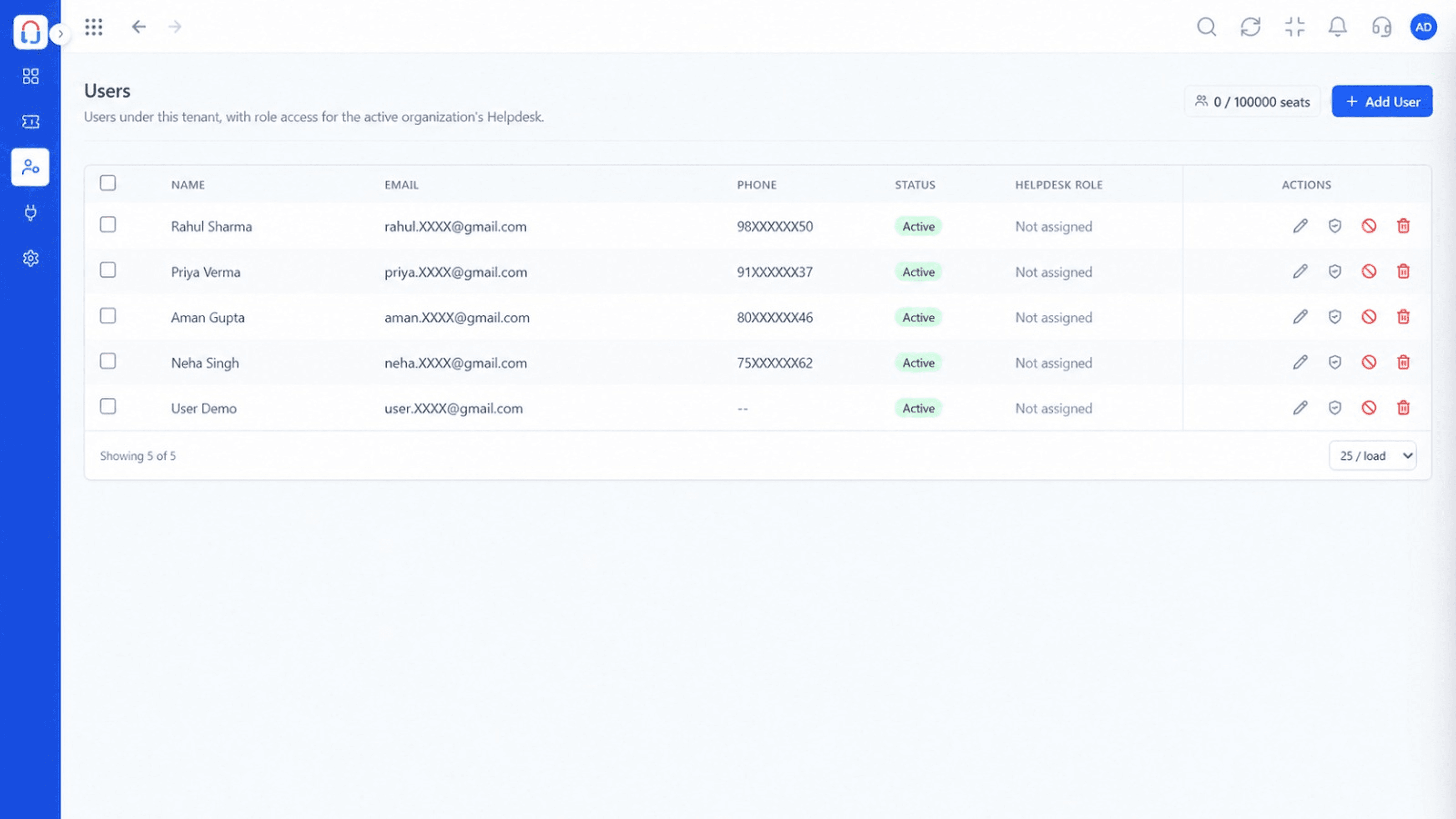
Manage the agents who handle your helpdesk, with account status and helpdesk role access for each user, and a clear view of seats in use.
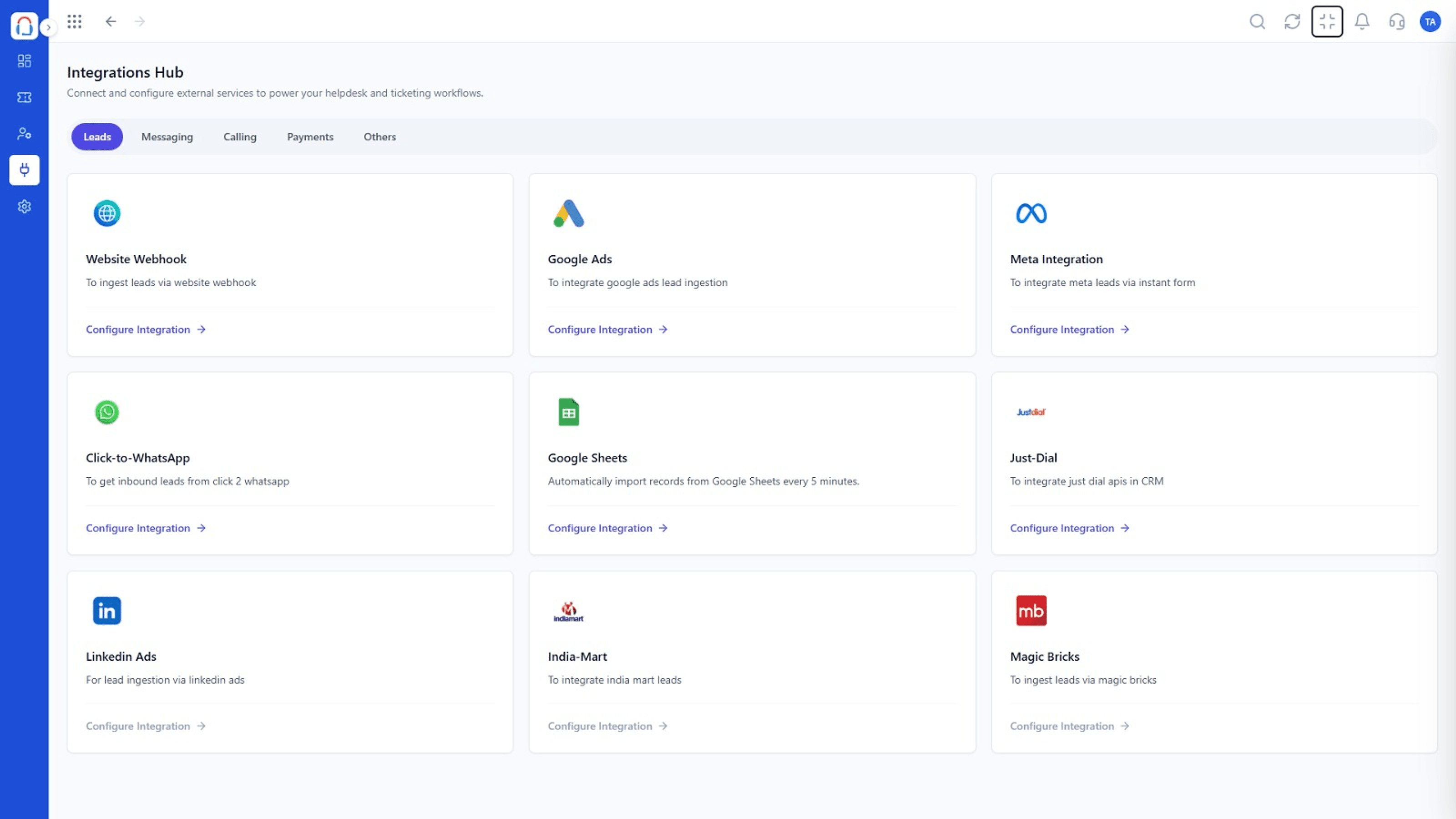
Connect lead sources and external services to power your helpdesk and ticketing workflows, all configured from one Integrations Hub organized by category.
Scenario 01
Handle email, chat, and WhatsApp support from a single queue.
Scenario 02
Route complex tickets to the right team automatically.
Scenario 03
Give agents full account context so customers don't repeat themselves.
Clear Answers
Triostack Desk is built from the ground up for modern growing teams. Unlike fragmented point tools that charge per user and require multiple integrations, Triostack Desk provides transparent pricing, intuitive daily workflows, and native real-time sync with customer accounts, billing, and support.
Triostack Desk includes helpdesk dashboard, tickets, customers, users, integrations hub. There are no hidden paywalls or surprise add-ons to access essential reporting and export features.
Yes. Desk natively shares data with Triostack Mail, Triostack Wabiz, Triostack CRM, ensuring customer information, project updates, and financial logs stay identical without manual exports.
Absolutely. You can subscribe to Desk individually to solve your immediate operational needs, then turn on additional Business Suite applications whenever your team is ready—no migrations or separate contract renegotiations required.
Free forever plan. Our team provides guided CSV/Excel import tools, step-by-step onboarding walkthroughs, and responsive technical support to get your entire staff up and running in days, not months.
Free forever plan. Experience seamless workflows with zero seat penalties and free migration support.
Explore More Workflows in “Run Your Business”
