The best Business Suite software in India, built to help your business grow. Contact us at +91-8882435276.
[ Contact ]
Phone number
Email address
Head office
Noida office
The right team at TriostackOne will get back to you.
Plan work on boards and timelines, assign tasks and track progress, so delivery stays visible from kickoff to handover. Designed specifically for ambitious growing companies who refuse to pay punitive per-seat enterprise taxes.
The Reality of Legacy Software
Developer-centric tools are too complicated for client managers, while simplistic to-do list apps lack milestones, budget tracking, and team capacity planning.
Project updates stay hidden in private Slack threads, so clients and executive stakeholders never know true delivery status.
Triostack Projects balances visual simplicity with enterprise depth: Kanban boards, Gantt timelines, time logging, and direct links to client accounts.
“Triostack Projects gave our delivery team the exact clarity we were missing. Everyone sees what is due today, managers spot bandwidth bottlenecks early, and our client billing stays linked to hours tracked.”
David Vance
Director of Delivery • Ascend Media Group
Proven Reliability
PM Tech Awards 2026
G2 Best Software for Projects
Resource Management Index
Role-Based Access & Audit Logs
Software Evaluation
Scale from a quick 3-person sprint to a multi-month enterprise rollout with nested task boards, milestone dependencies, and client-facing status portals.
Reduction in missed deadlines when teams collaborate on visual timelines
Visibility into team workload to prevent developer burnout and bottlenecks
You shouldn't need a multi-week certification course just to set up a project backlog or assign a due date. Triostack Projects keeps the interface fast, uncluttered, and friendly.
Direct Competitor Comparison
Industry Research Finding
“Complex project software that requires excessive manual status upkeep loses up to 45% of user compliance within three months of deployment.”
Set priority levels, track subtasks, attach mockups, and tag teammates with real-time notifications on every update.
Mainstream project platforms hide Gantt charts, advanced reports, and guest client access behind their most expensive enterprise tiers.
Lower software spend with timeline views, time-tracking, and reports included
Visual Workflow Progression
Each step feeds the next automatically. Explore how Projects handles the whole journey on a single canvas.
Break work into tasks and milestones.
Every task has an owner and a due date.
Boards and timelines show progress as it happens.
Hand over with the history of what was done.
Head-to-Head Comparison
| Capability | Triostack Projects (Connected Suite) | Separate Disjointed Tools |
|---|---|---|
| Task tracking | Boards and lists with owners | Notes and chats |
| Timelines | Plans and milestones | Calendars and sheets |
| Collaboration | Team workspace | Threads across tools |
| Customer link | Connected to CRM | Copied between tools |
| Progress view | Live status | Manual updates |
| Setup | One login across the suite | Separate accounts |
Module Deep-Dive
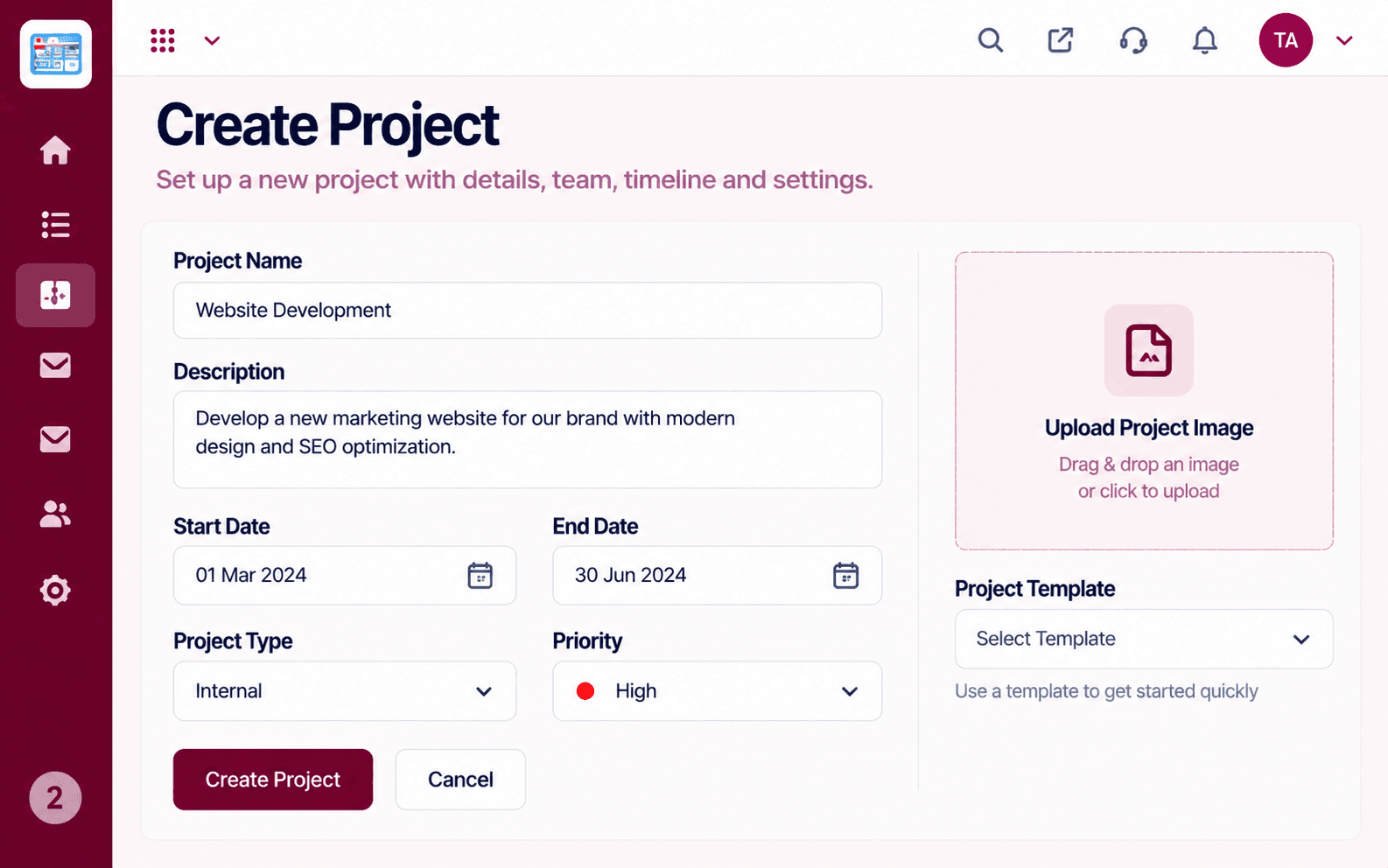
Create a project with a name, description, start and end dates, type, and priority. Pick a template to start quickly and add a cover image so every project is easy to spot.
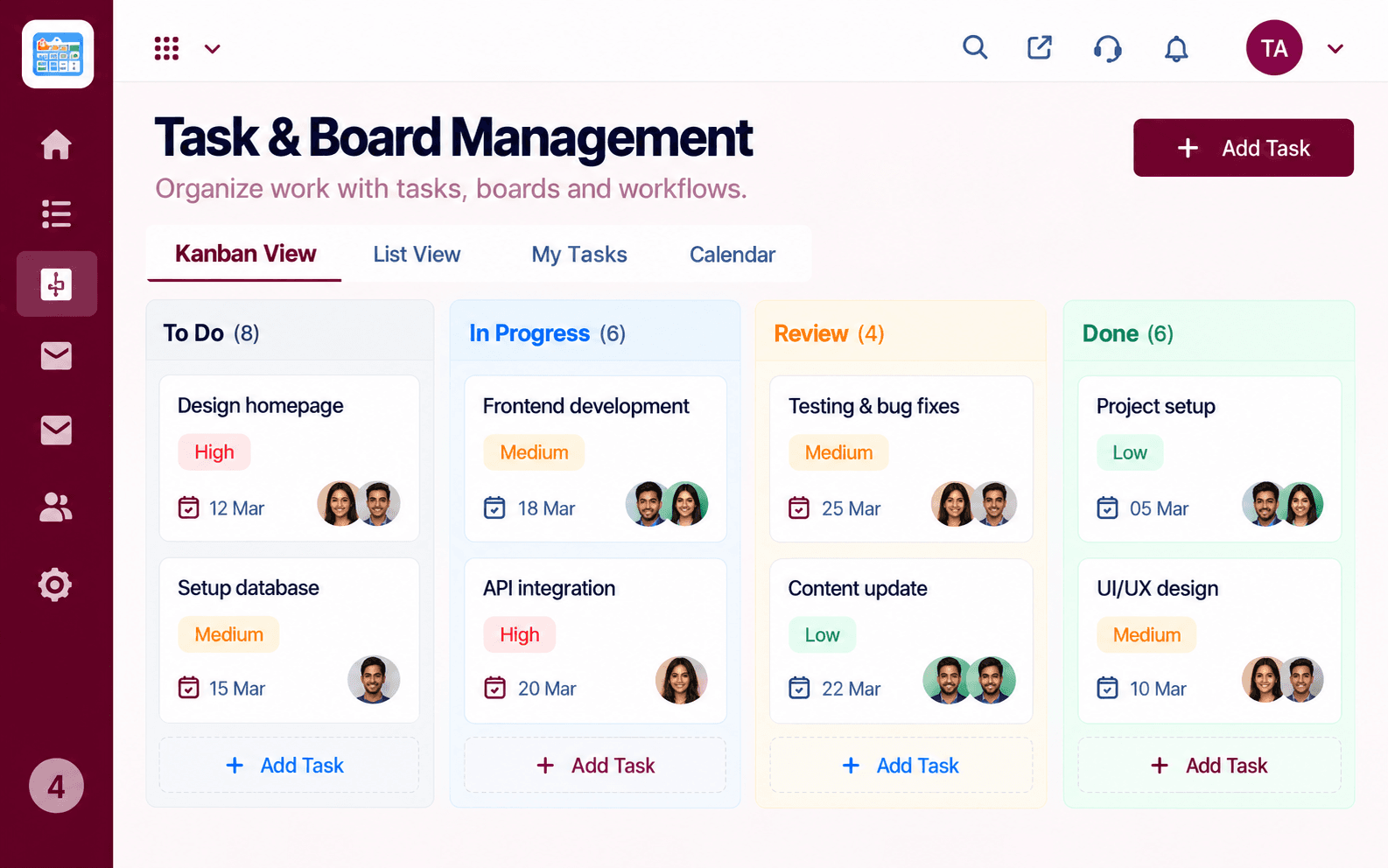
Run work on a Kanban board with To Do, In Progress, Review, and Done columns, or switch to list, my tasks, and calendar views. Each card shows its priority, due date, and assignees.
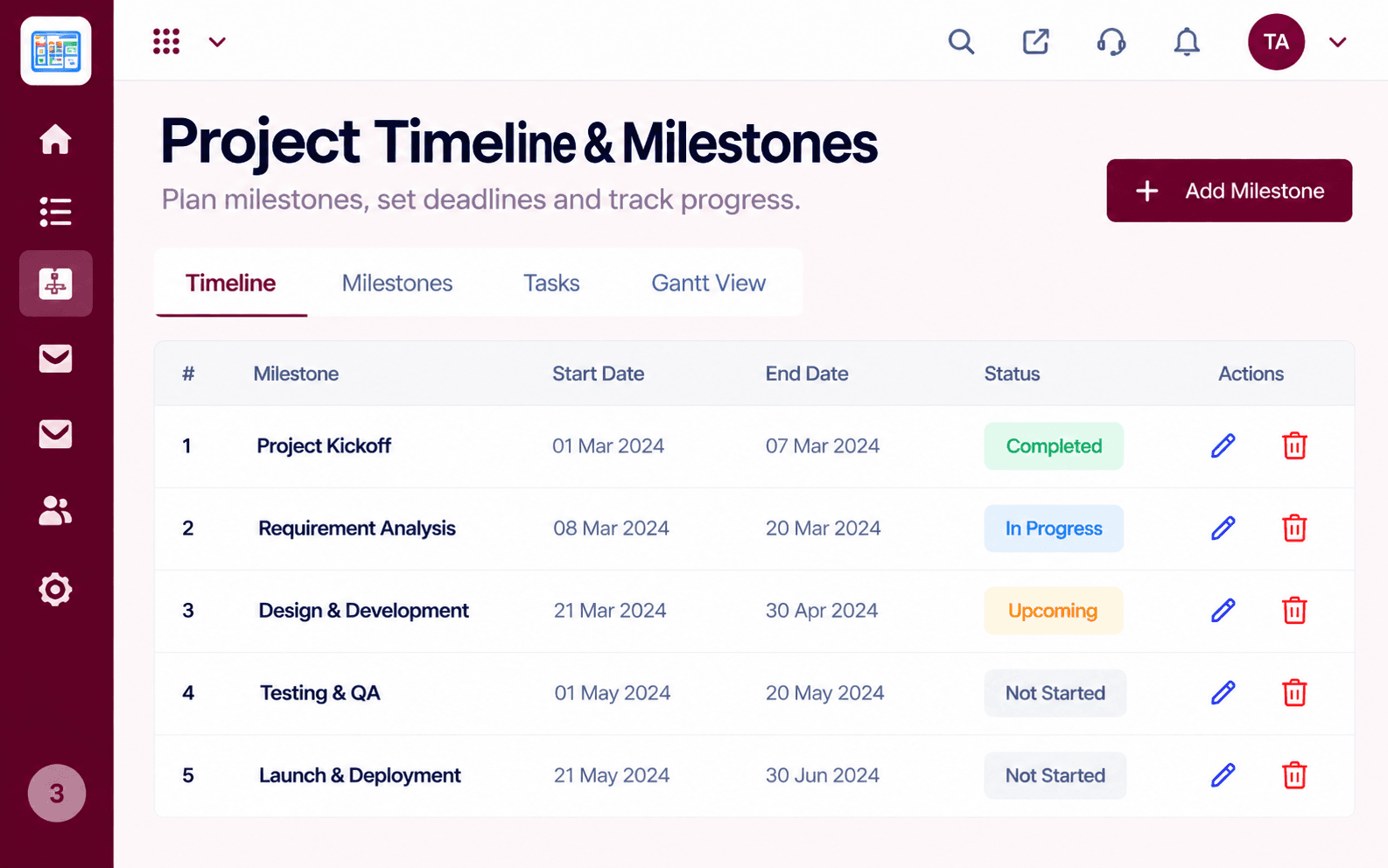
Break a project into milestones with start and end dates, then follow each one as completed, in progress, upcoming, or not started. Switch between timeline, milestone, task, and Gantt views.
Add team members and clients, assign roles such as project manager, developer, designer, or QA engineer, and manage permissions and project groups. Invited members show up until they accept.
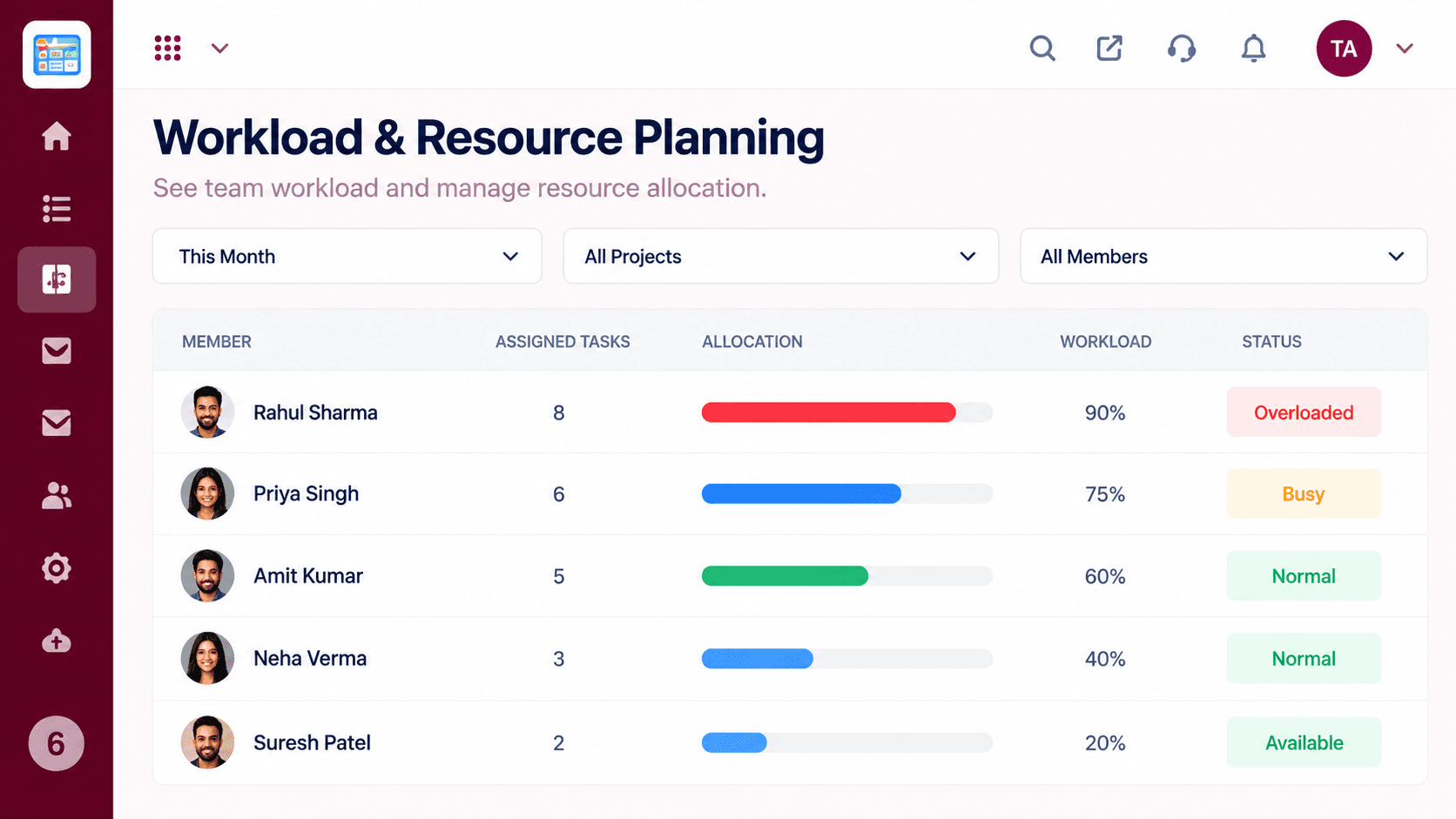
See every member's assigned tasks, allocation, and workload percentage for the month, flagged as overloaded, busy, normal, or available, so work gets assigned where there's capacity.
Link projects to the CRM deals and clients that created them. See the deal value, stage, and linked project in one list, with client details and invoices a tab away.
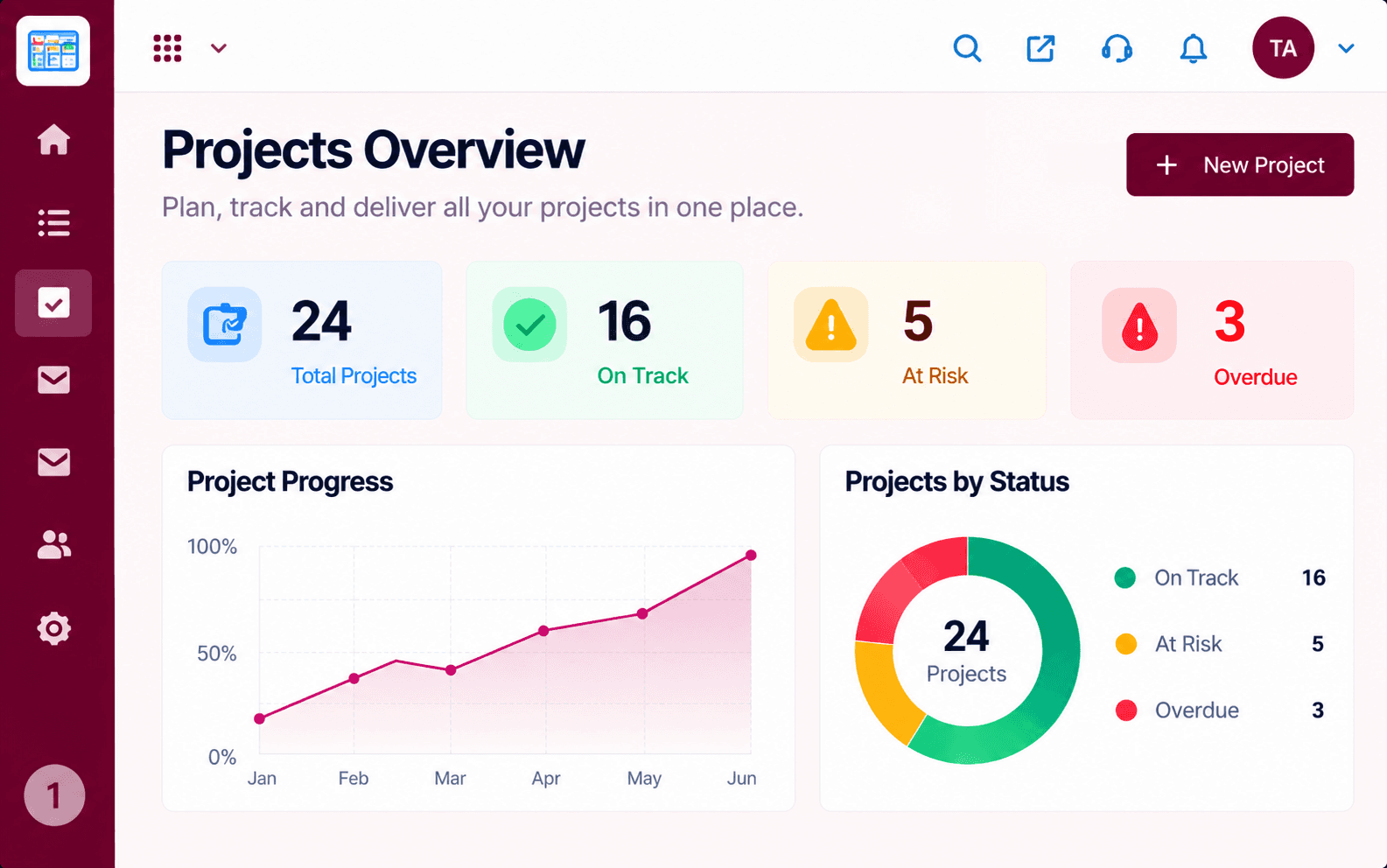
Track total, completed, in-progress, and overdue projects against the previous period, watch the completion rate over time, and break tasks down by status. Export a report when you need to share it.
Set defaults for each project, then configure its status workflow, task types, custom fields, notifications, and integrations. Control access, including guest access for external clients.
Scenario 01
Turn closed CRM deals into structured delivery projects instantly.
Scenario 02
Plan and track cross-functional internal projects with clear ownership.
Scenario 03
Balance workload across teams using a shared capacity view.
Clear Answers
Triostack Projects is built from the ground up for modern growing teams. Unlike fragmented point tools that charge per user and require multiple integrations, Triostack Projects provides transparent pricing, intuitive daily workflows, and native real-time sync with customer accounts, billing, and support.
Triostack Projects includes project setup, task & board management, timeline & milestones, team & permissions, workload & resource planning, client & deal linking, reports & analytics, project settings & access. There are no hidden paywalls or surprise add-ons to access essential reporting and export features.
Yes. Projects natively shares data with Triostack CRM, Triostack Finance, ensuring customer information, project updates, and financial logs stay identical without manual exports.
Absolutely. You can subscribe to Projects individually to solve your immediate operational needs, then turn on additional Business Suite applications whenever your team is ready—no migrations or separate contract renegotiations required.
Free plan with usage limits. Our team provides guided CSV/Excel import tools, step-by-step onboarding walkthroughs, and responsive technical support to get your entire staff up and running in days, not months.
Free plan with usage limits. Experience seamless workflows with zero seat penalties and free migration support.
Explore More Workflows in “Run Your Business”
