The best Business Suite software in India, built to help your business grow. Contact us at +91-8882435276.
[ Contact ]
Phone number
Email address
Head office
Noida office
The right team at TriostackOne will get back to you.
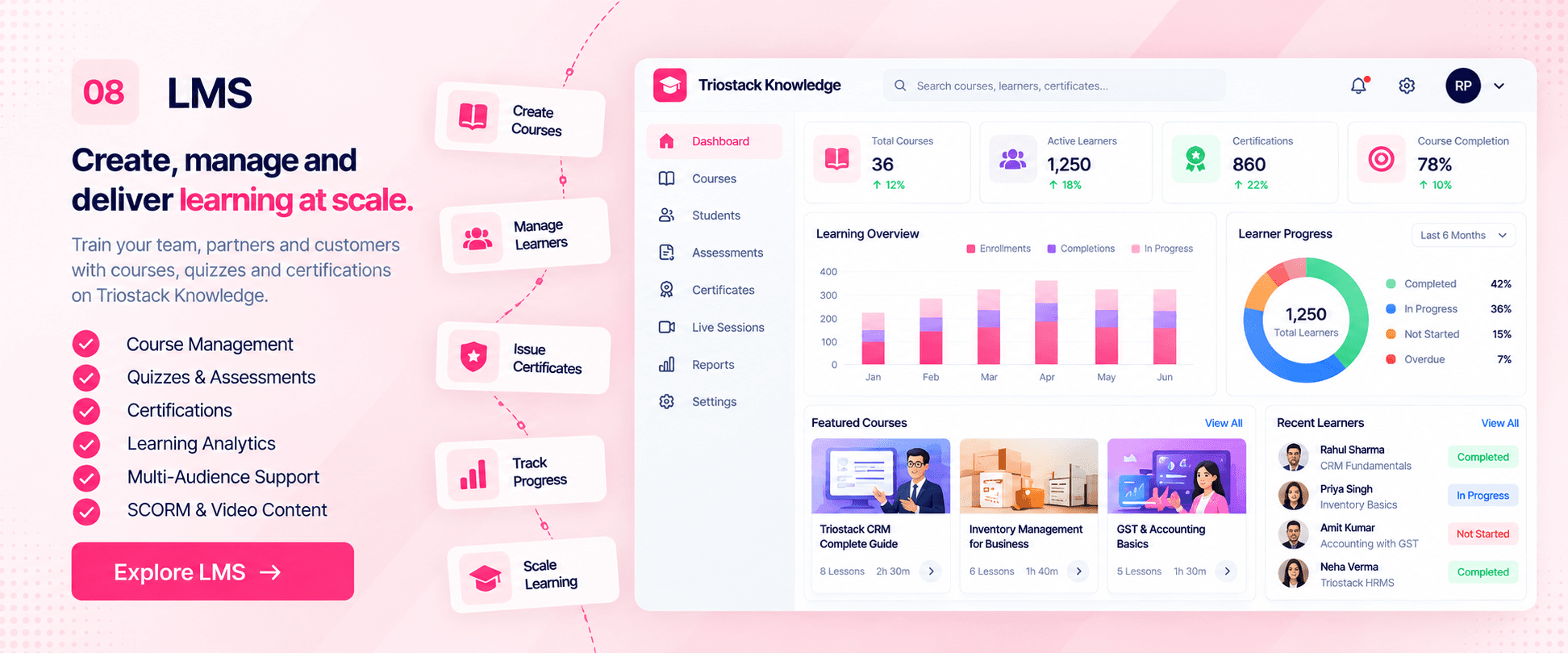
Build courses, assign them to learners and track completion and certifications, all connected to the rest of your Business Suite. Designed specifically for ambitious growing companies who refuse to pay punitive per-seat enterprise taxes.
The Reality of Legacy Software
Sharing training material through Google Drive folders leaves HR with zero proof of who actually read the material or understood standard operating procedures.
Enterprise LMS platforms are rigid, overpriced, and require months of instructional design setup just to launch a basic compliance course.
Triostack LMS lets you build interactive video courses, set automated onboarding paths, and issue verified certifications connected to employee HR profiles.
“Triostack LMS made our employee onboarding consistent across three branch offices. Every new hire completes standard compliance and technical training at their own pace, and HR tracks certs effortlessly.”
Farhan Siddiqui
Learning & Development Head • Crestview Technologies
Proven Reliability
EdTech Enterprise Award 2026
Corporate Learning Index
Training & Development Guild
Verifiable Digital Badges
Software Evaluation
Build private training tracks for employees or public educational courses for partners and customer onboarding with role-based access control.
Faster time-to-productivity for new hires with structured digital learning paths
Audit-ready compliance records with automatic certificate expiration tracking
You don't need to learn complex SCORM authoring software to build an engaging training program. If you can format a document, you can launch a course.
Direct Competitor Comparison
Industry Research Finding
“Companies offering continuous structured learning retain top talent at a 42% higher rate than organizations relying on ad-hoc on-the-job training.”
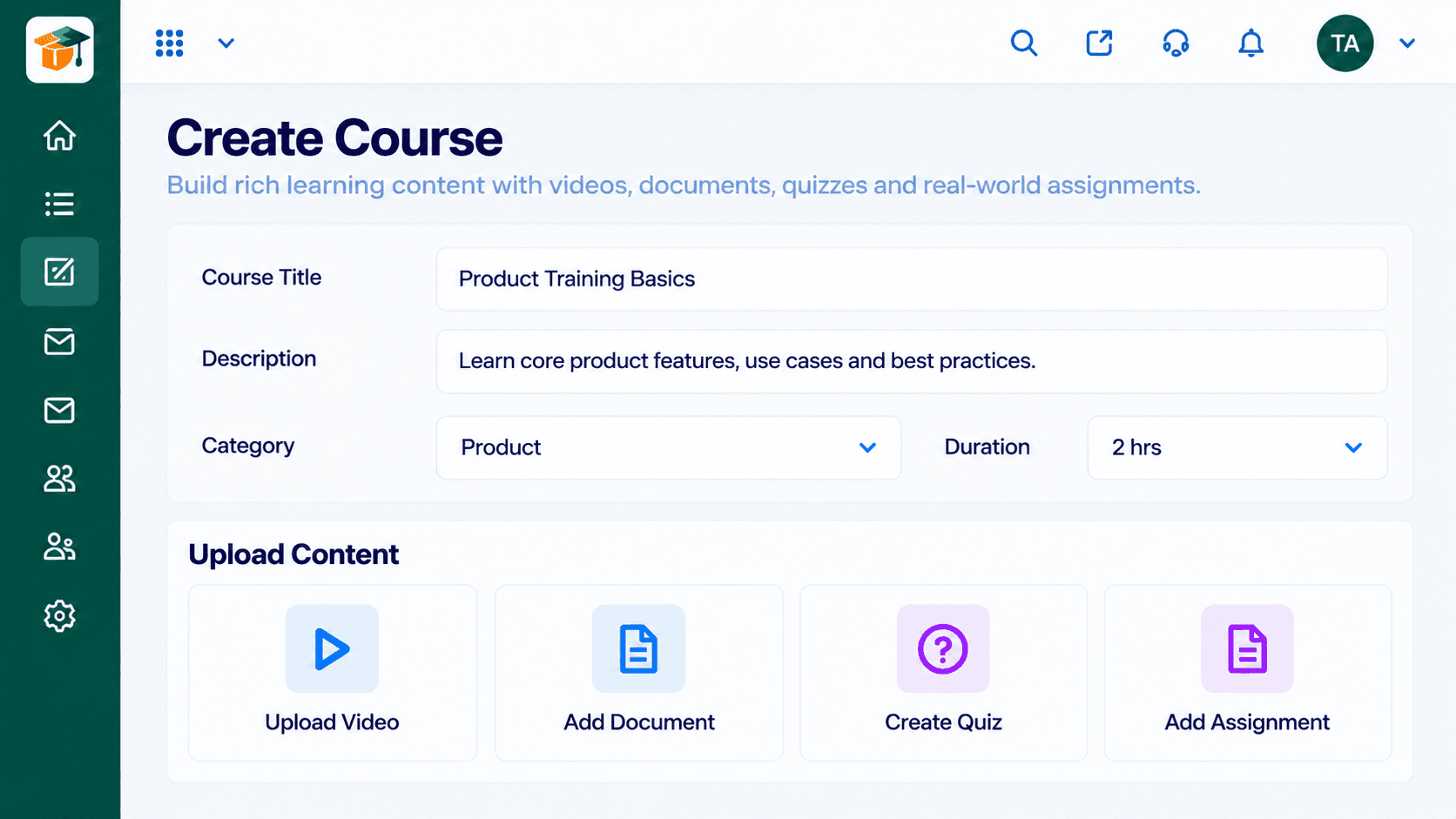
Organize lessons into modules, embed video walk-throughs, configure knowledge checks, and issue verifiable PDF certificates.
Traditional LMS systems charge punitive fees based on active monthly learners and bill extra for certification issuance.
Savings compared to enterprise LMS licensing with separate per-learner pricing
Visual Workflow Progression
Each step feeds the next automatically. Explore how LMS handles the whole journey on a single canvas.
Create courses and a content library.
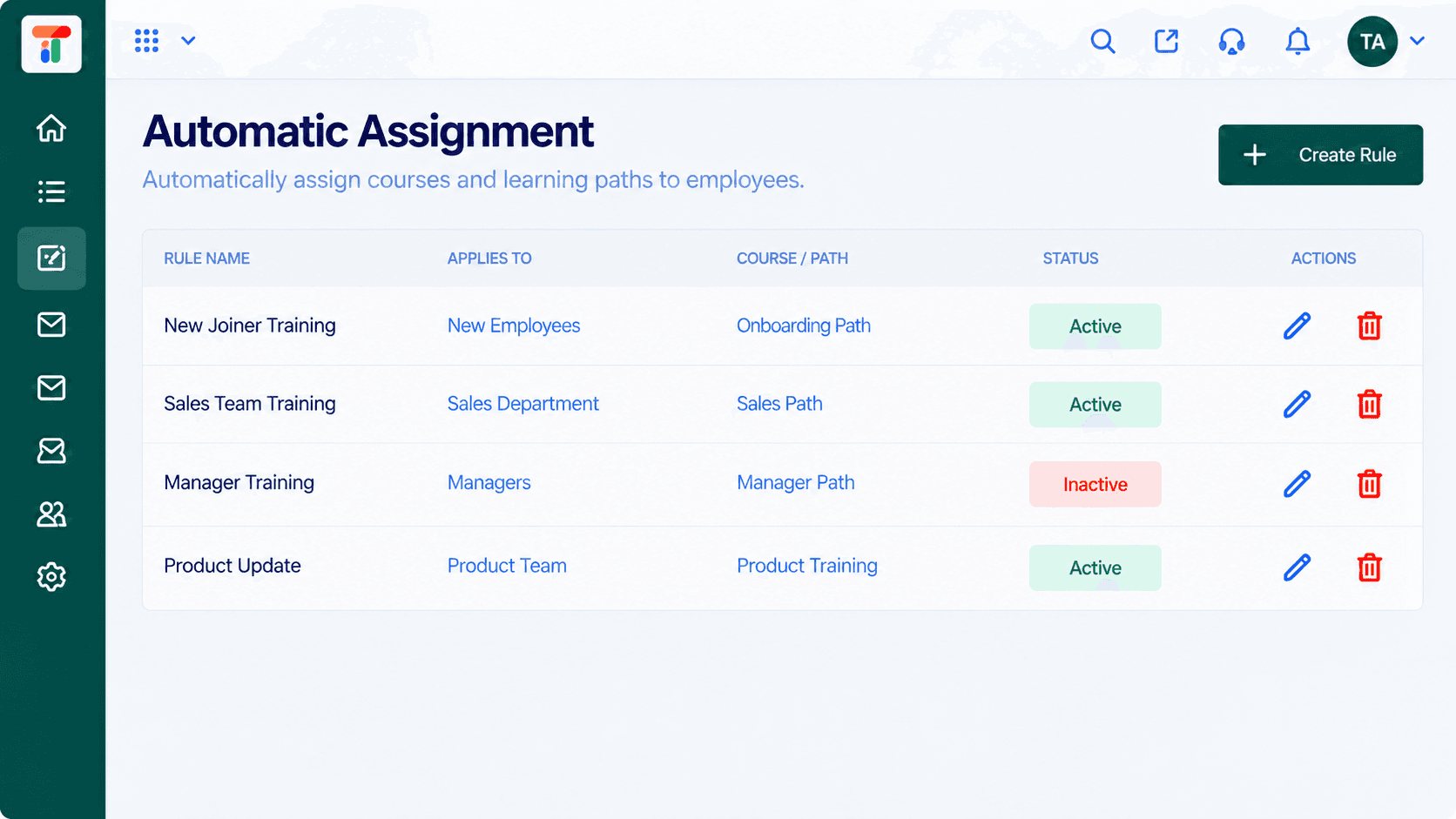
Enrol learners and teams in the right courses.
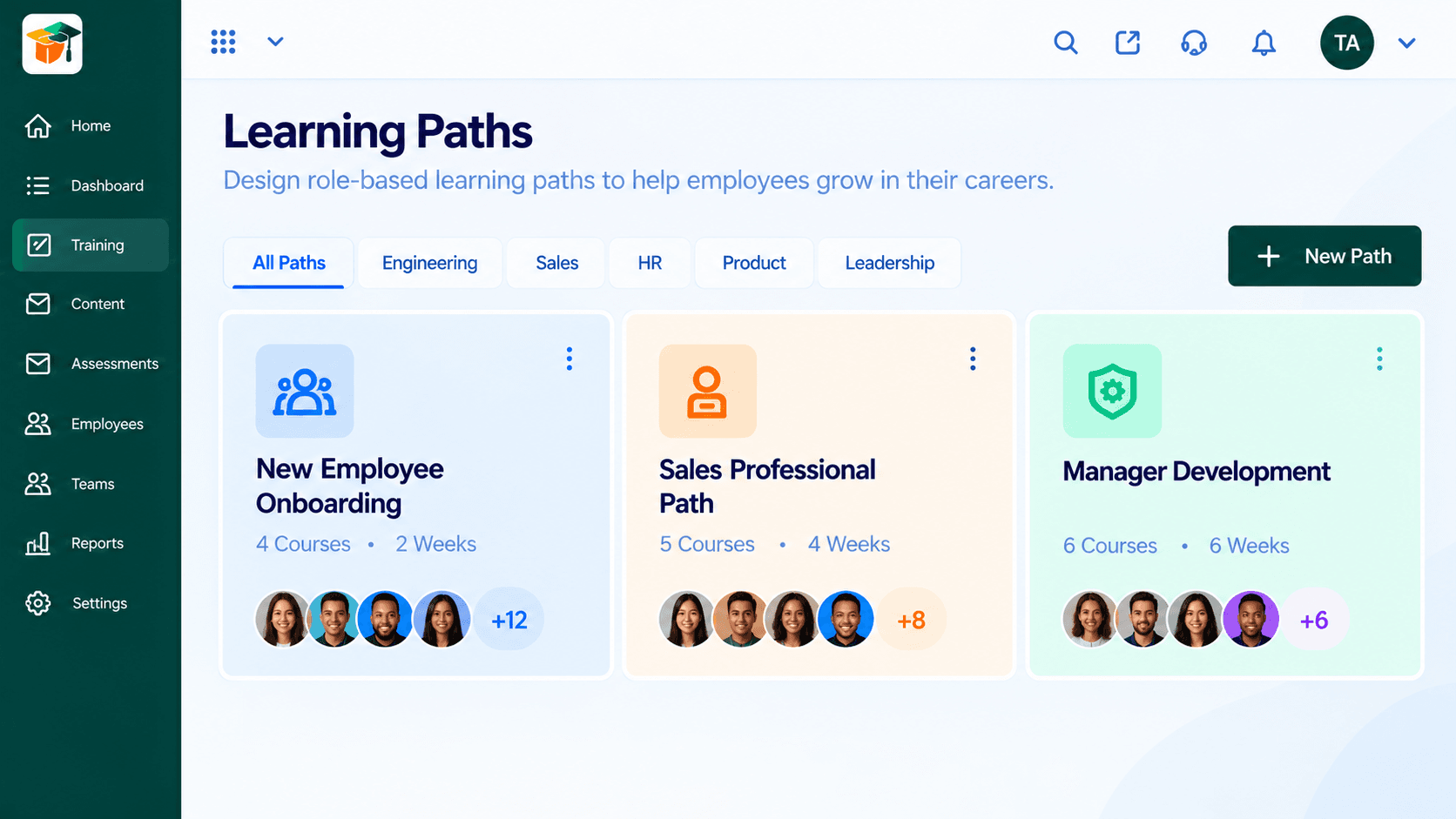
Learners progress at their own pace.
Track completion and issue certifications.
Head-to-Head Comparison
| Capability | Triostack LMS (Connected Suite) | Separate Disjointed Tools |
|---|---|---|
| Course creation | Course builder | Documents and slides |
| Assignment | Assign to learners and teams | Emails and reminders |
| Completion | Tracked per learner | Checked manually |
| Certifications | Tracked in the platform | Made by hand |
| Content | Central library | Shared drives |
| Setup | One login across the suite | Separate learning accounts |
Module Deep-Dive
Create a course with a title, description, category, and duration, then add videos, documents, quizzes, and real-world assignments in one place.
Group courses into paths for onboarding, sales, engineering, HR, product, or leadership. See each path's course count, duration, and enrolled learners at a glance.
Create rules that assign courses and learning paths to new employees, departments, managers, or teams. Switch a rule on or off, or edit it, without touching individual enrollments.
Define training programs with a code, category, and mode — in-person or online — then schedule sessions and enroll employees. Filter by name, category, or status: upcoming, ongoing, or completed.
Each employee sees assigned, in-progress, and completed courses with lesson progress and a clear next step — continue, start, or view the certificate.
Check what people have learned with quizzes, tests, and practical assignments. Set the number of questions, time limit, and pass score, and add multiple-choice questions as you go.
Track enrollments, completions, in-progress, and overdue training in one view. Filter by period, department, or program and watch the completion rate trend over time.
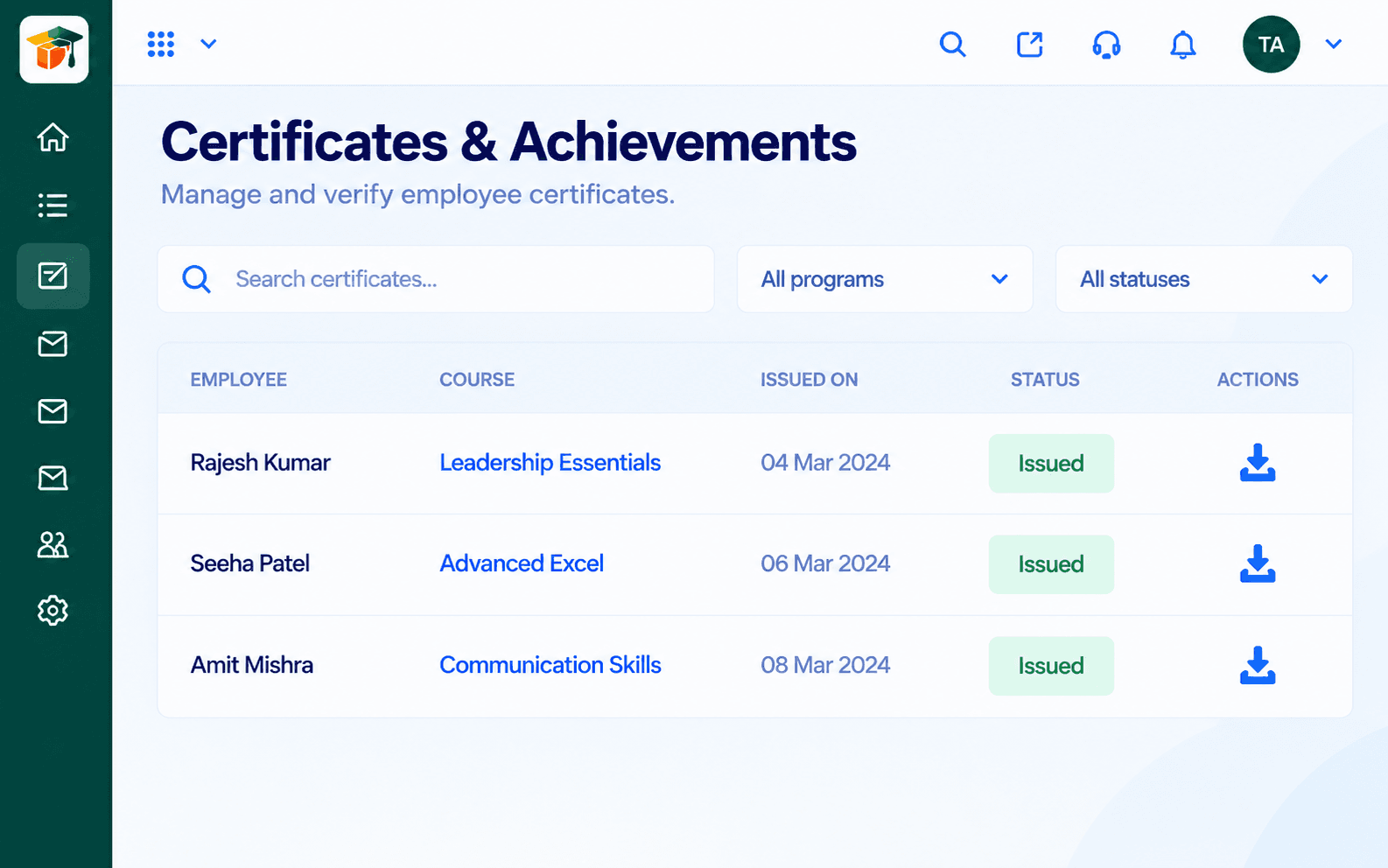
Issue certificates when an employee completes a course, then search, verify, and download them by employee, course, program, or status.
Keep reusable videos, documents, presentations, and links in one library. Search by type and reuse the same content across multiple courses.
Scenario 01
Pair onboarding checklists in HRMS with structured learning paths.
Scenario 02
Track required certifications and send renewal reminders automatically.
Scenario 03
Give teams a consistent path to build and track new skills.
Clear Answers
Triostack LMS is built from the ground up for modern growing teams. Unlike fragmented point tools that charge per user and require multiple integrations, Triostack LMS provides transparent pricing, intuitive daily workflows, and native real-time sync with customer accounts, billing, and support.
Triostack LMS includes course builder, role-based learning paths, automatic assignment rules, training programs & enrollment, employee learning dashboard, assessments & quizzes, completion tracking & analytics, certificates & achievements, content library. There are no hidden paywalls or surprise add-ons to access essential reporting and export features.
Yes. LMS natively shares data with Triostack HRMS, TriostackOne Identity, ensuring customer information, project updates, and financial logs stay identical without manual exports.
Absolutely. You can subscribe to LMS individually to solve your immediate operational needs, then turn on additional Business Suite applications whenever your team is ready—no migrations or separate contract renegotiations required.
Free plan with usage limits. Our team provides guided CSV/Excel import tools, step-by-step onboarding walkthroughs, and responsive technical support to get your entire staff up and running in days, not months.
Free plan with usage limits. Experience seamless workflows with zero seat penalties and free migration support.
Explore More Workflows in “Run Your Business”
