The best Business Suite software in India, built to help your business grow. Contact us at +91-8882435276.
[ Contact ]
Phone number
Email address
Head office
Noida office
The right team at TriostackOne will get back to you.
Capture attendance from biometric devices, assign shifts to teams and see a reliable daily picture of who is present, late or absent.
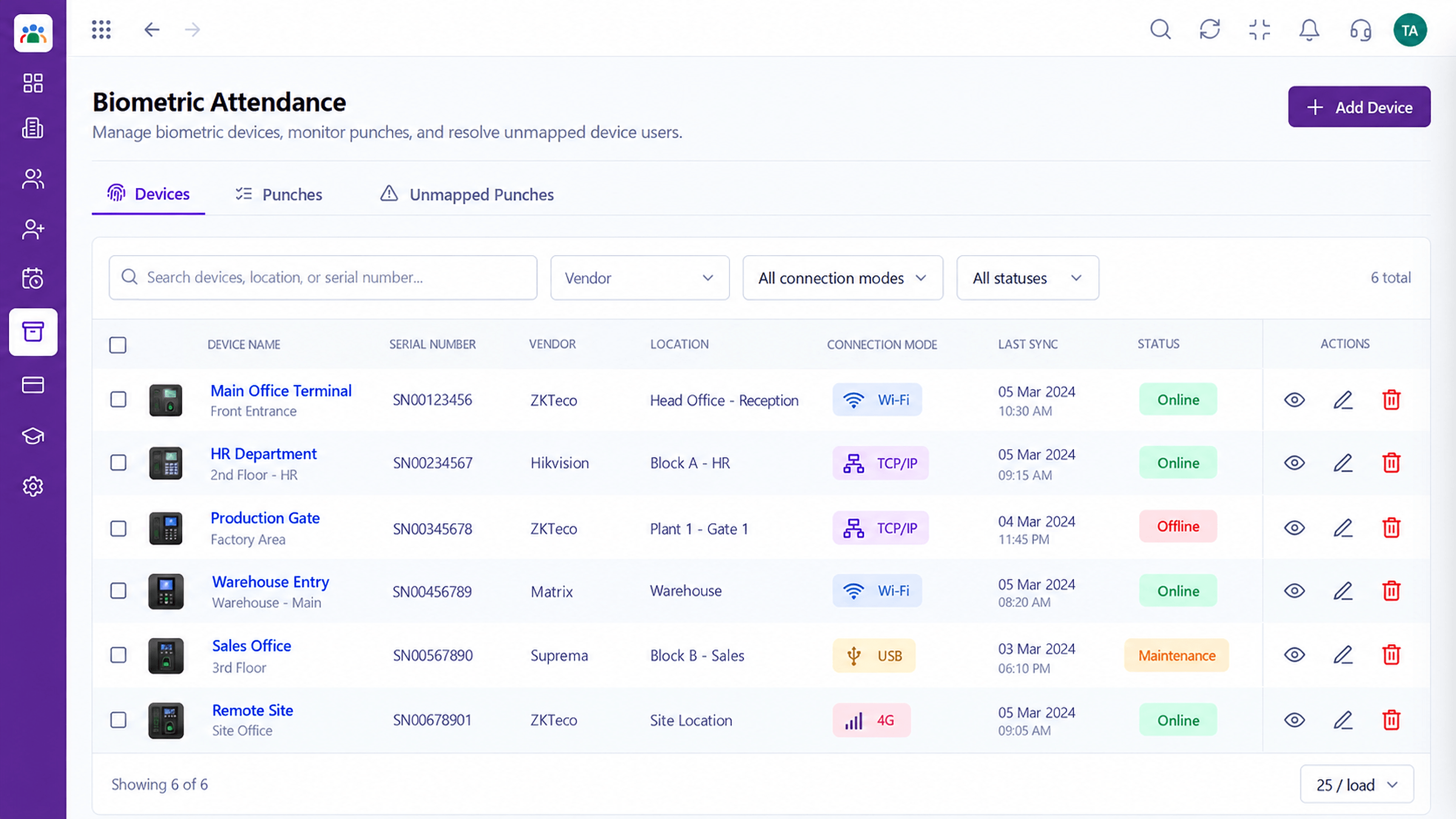
Attendance records built from real punches
Positioning Assessment
Paper registers and manual sheets invite errors and arguments. Managers cannot see who is actually in, and HR spends days reconciling at month end.
Triostack HRMS records attendance from biometric device punches, applies the shift each employee is on and shows a daily view. When a punch is missed, regularization keeps a clear approval trail.
“Once attendance came from the device and not from a register, the month-end arguments mostly disappeared.”
Sample team scenario
Illustrative example, not a customer testimonial
Illustrated Overview
Picture a single timeline where the shift is a coloured band and each punch lands on it, showing at once who is on time.
Lateness is measured against the right band.
Missed punches stand out at once.
Regularization records who approved what.
Platform Integrity
Biometric attendance captured
Late and early judged against the shift
Present, absent, late at a glance
Missed punches corrected with approval
How It Works
What a connected attendance record changes.
| Dimension | Triostack HRMS | Manual Registers |
|---|---|---|
| Capture | From biometric device punches | Signed on paper |
| Shift Rules | Judged against the assigned shift | Judged by whoever checks |
| Visibility | Live daily view for managers | Found at month end |
| Corrections | Regularization with approval trail | Verbal fixes |
| Reconciliation | Minutes | Days |
Book a walkthrough and we will set up a sandbox with your branches, shifts and leave types so you can try it before you commit.
Live Interface Tour
Real screens captured directly from the Triostack HRMS workspace.
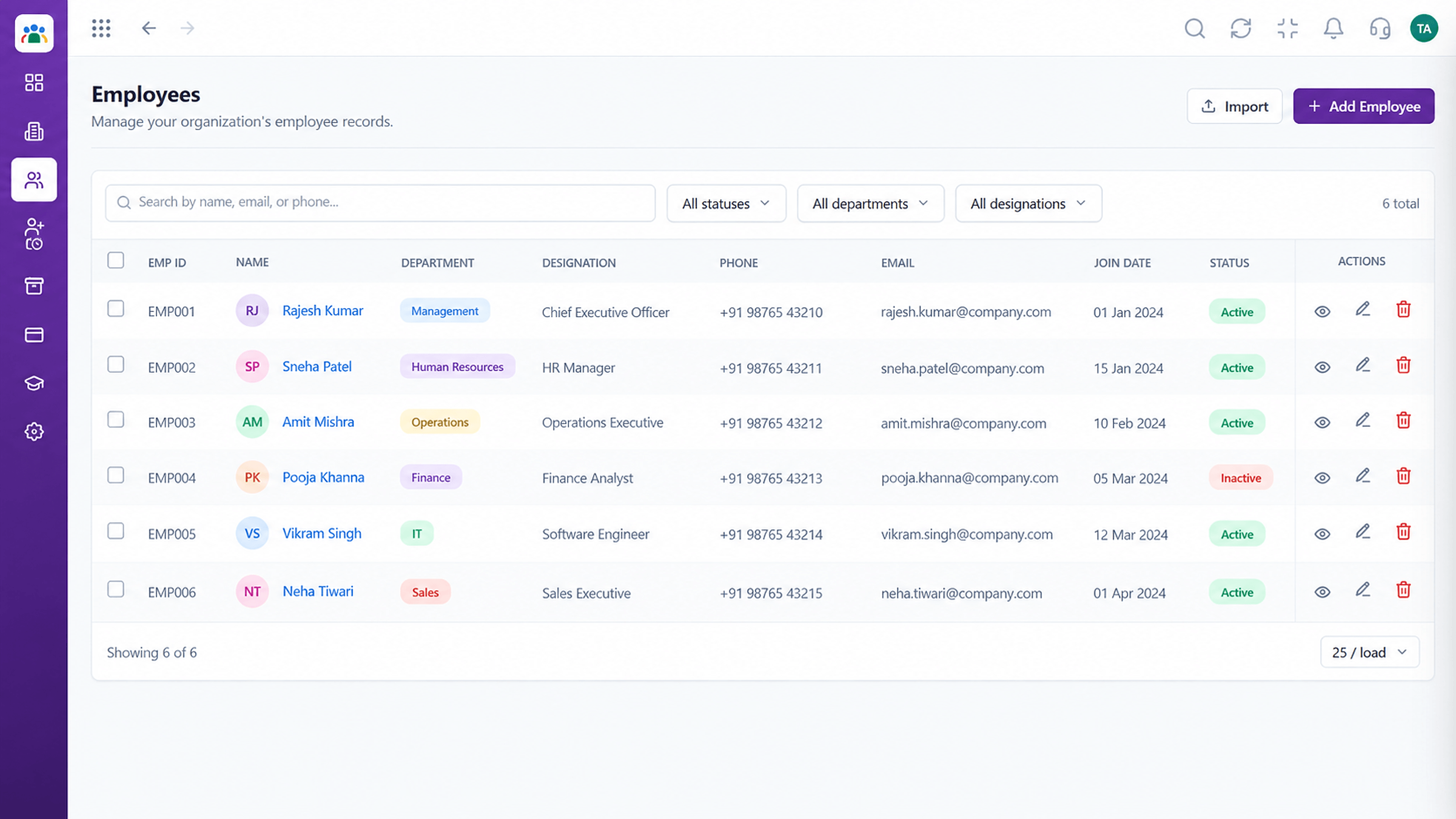 Employees
Every employee with ID, department, designation and status
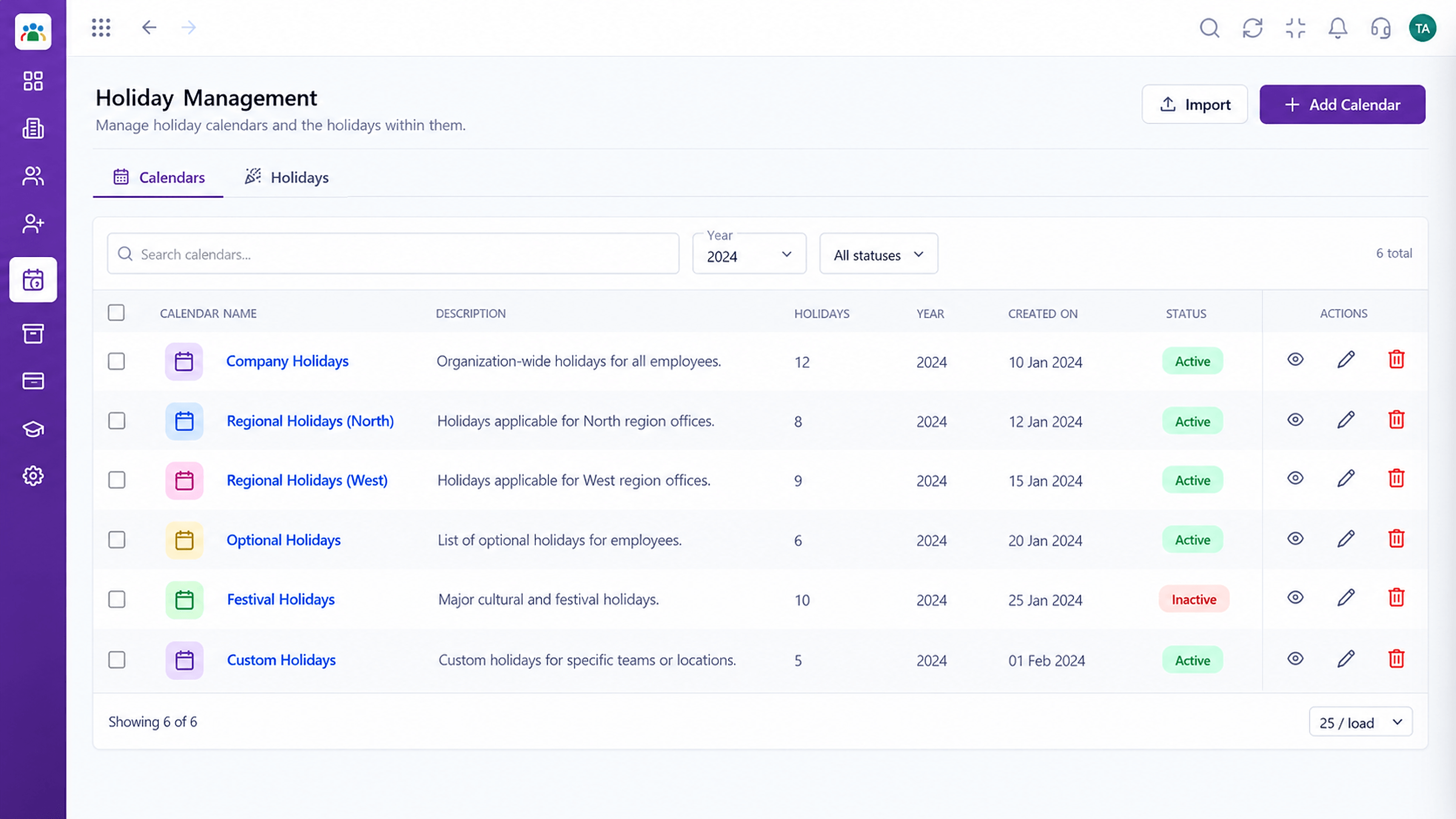 Time
TimeCompany holidays by year and location
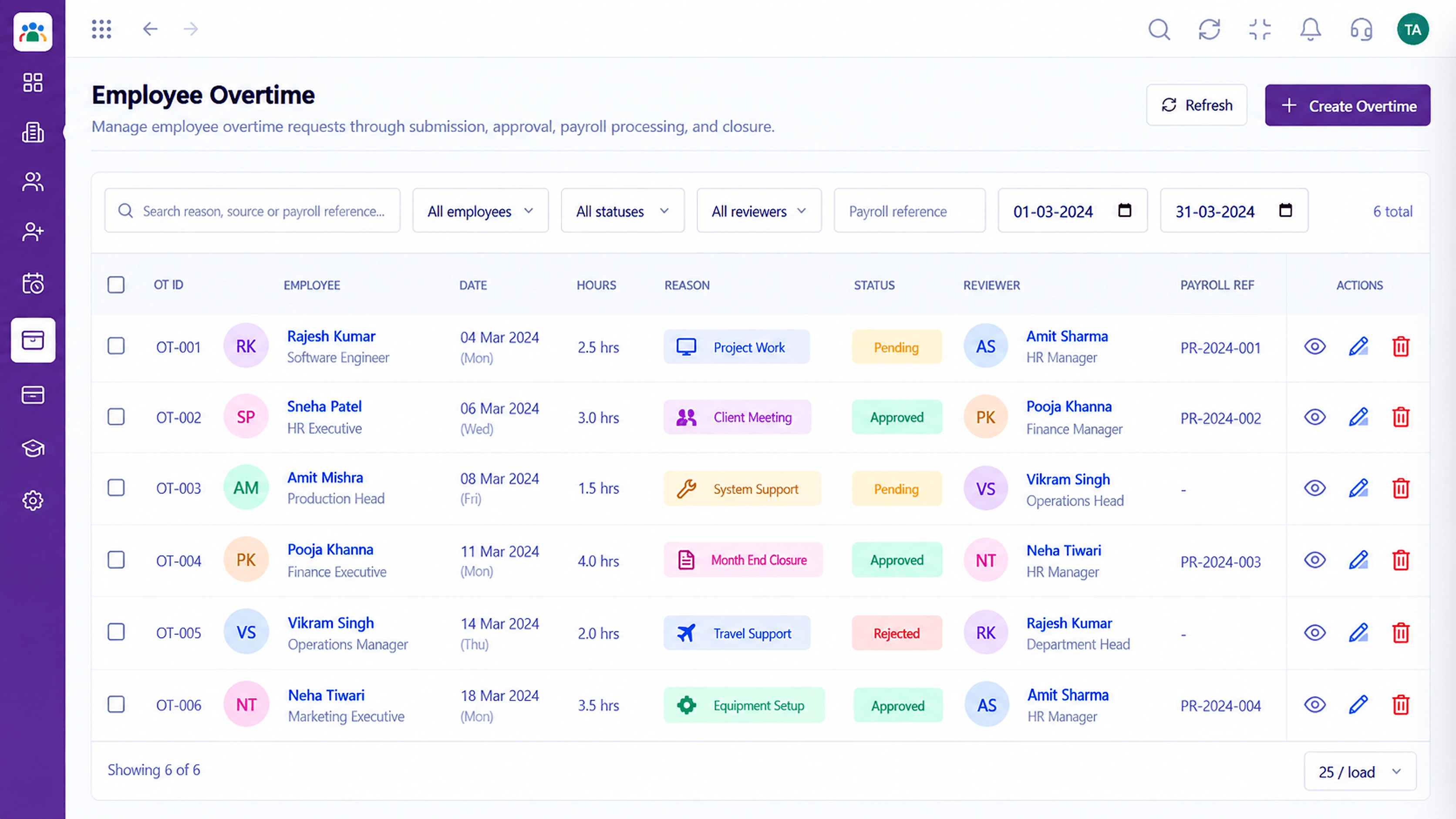 Time
TimeTrack and approve extra hours worked
Feature Breakdown
Captured from the Triostack HRMS workspace.
HRMS FeaturesPunches captured from devices.
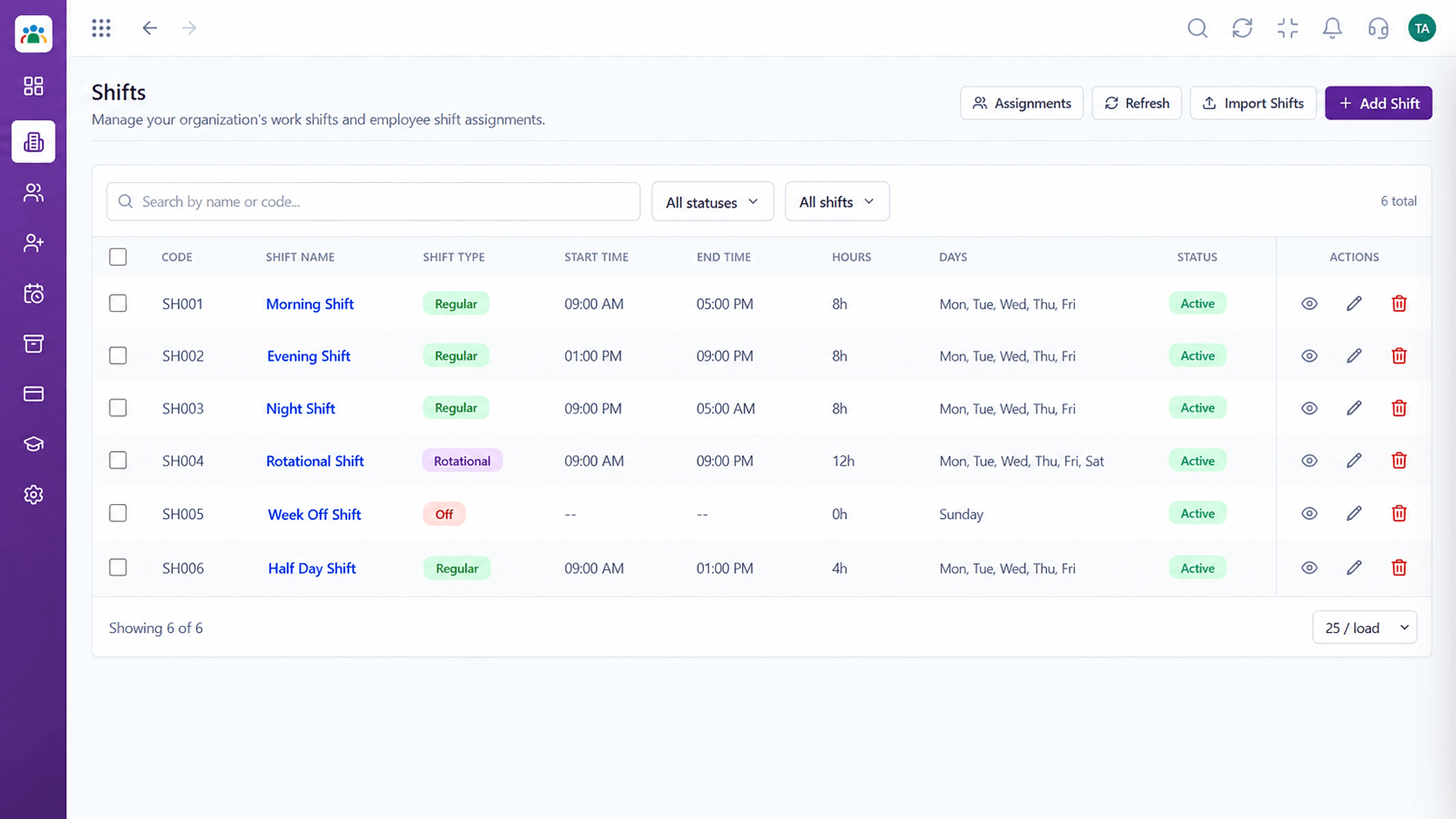 HRMS Features
Define and assign shifts.
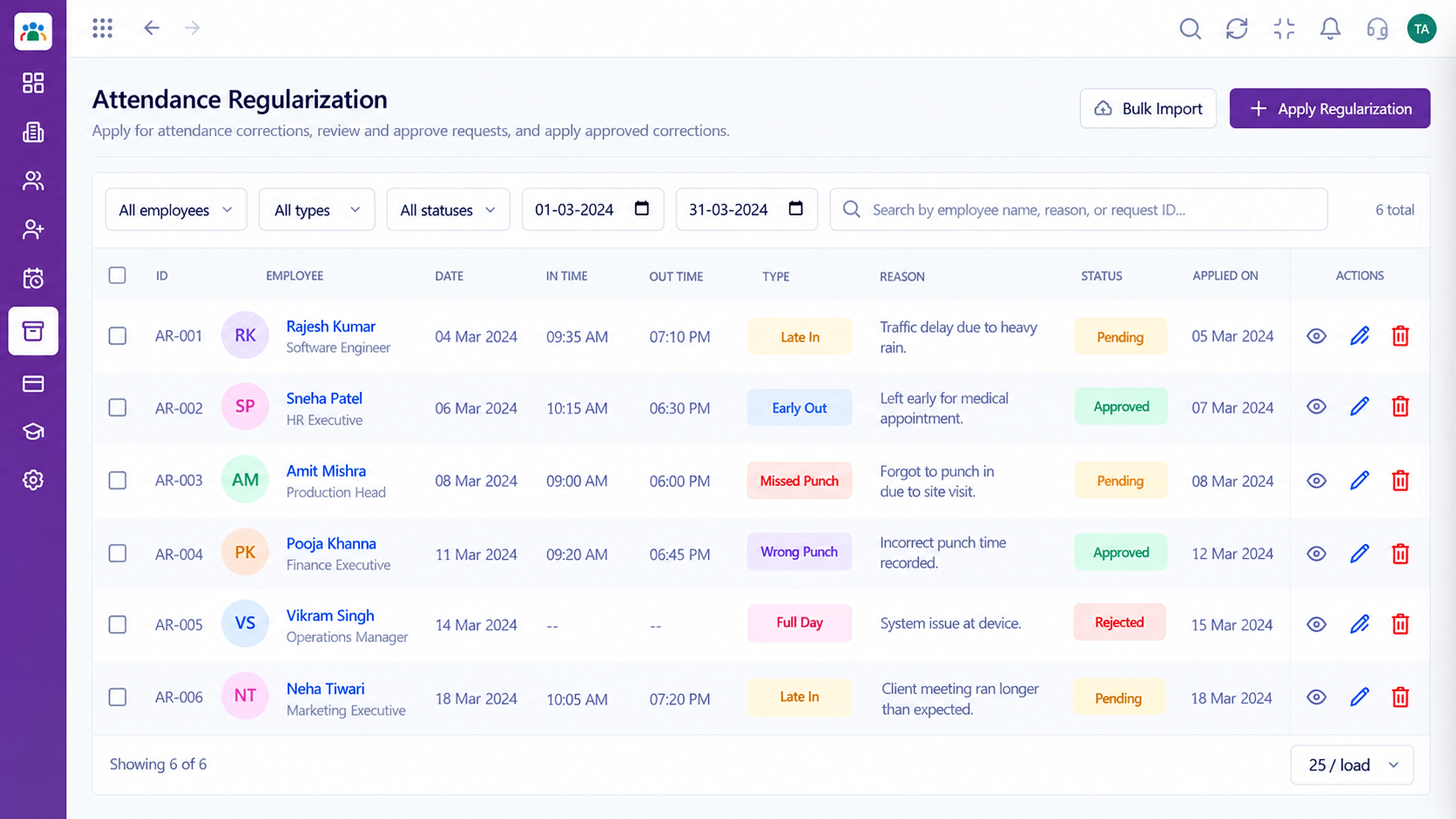 HRMS Features
Fix missed punches properly.
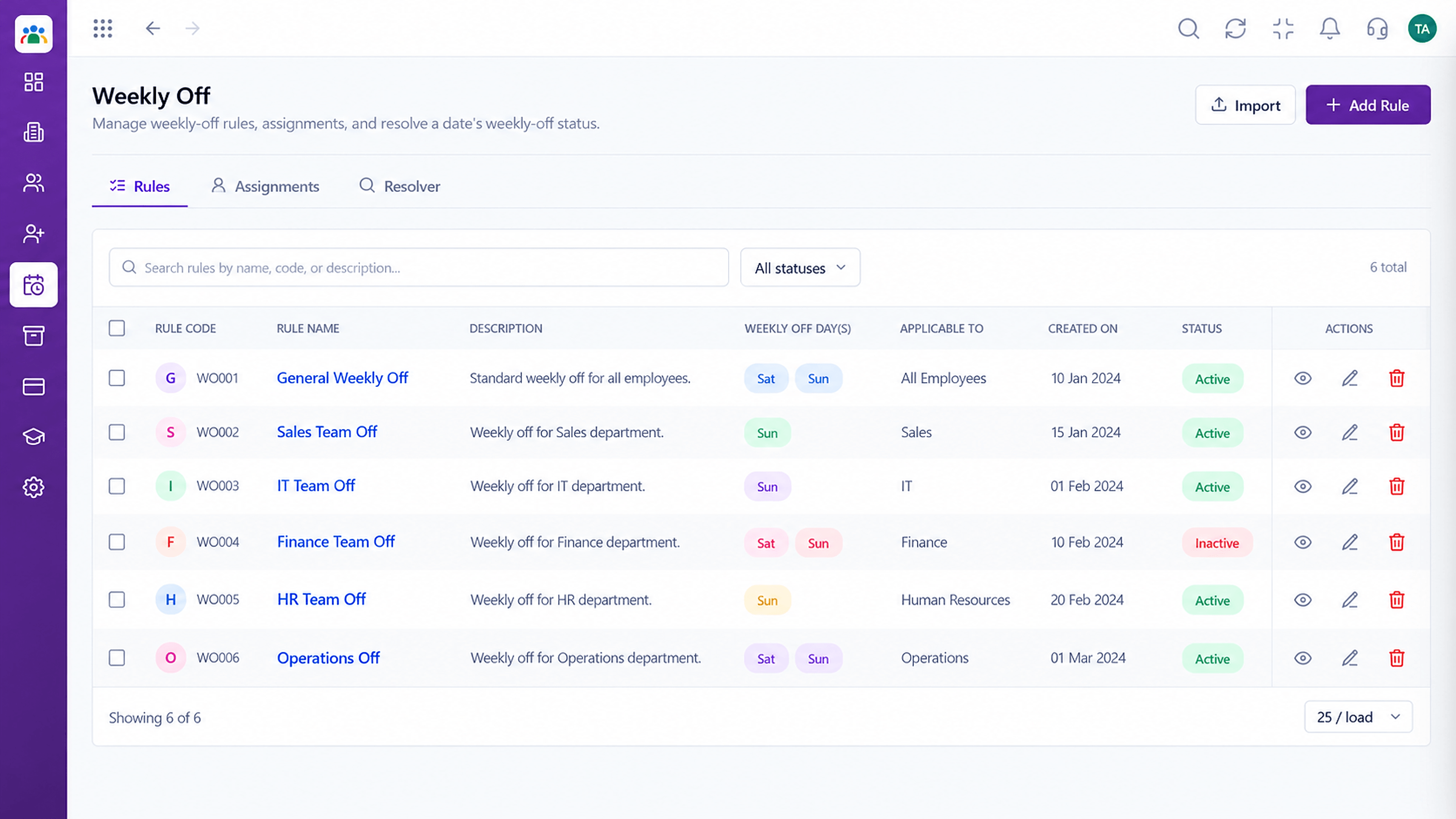 HRMS Features
Mark rest days by pattern.
Execution Plan
The employee punches in on the device.
HRMS compares the punch with the assigned shift.
Managers see present, late and absent.
Missed punches go through regularization.
In Real Life
Scenario 01
Three shifts run with clear assignments and punches.
Scenario 02
A manager checks who is in before the morning meeting.
Scenario 03
HR closes attendance without chasing every team.
Frequently Asked Questions
Yes. Biometric device punches feed attendance. Ask us about your device model.
Yes. Shifts are defined and assigned by team or employee.
They request regularization, and an approver reviews it.
Yes, through the daily attendance view, subject to permissions.
Employee records, attendance, leave, shifts and approvals in one workspace, built for HR teams and the people they serve.
