The best Business Suite software in India, built to help your business grow. Contact us at +91-8882435276.
[ Contact ]
Phone number
Email address
Head office
Noida office
The right team at TriostackOne will get back to you.
Keep every employee's ID, department, designation, contact details, join date and status in a single, searchable system of record that the rest of HR builds on.
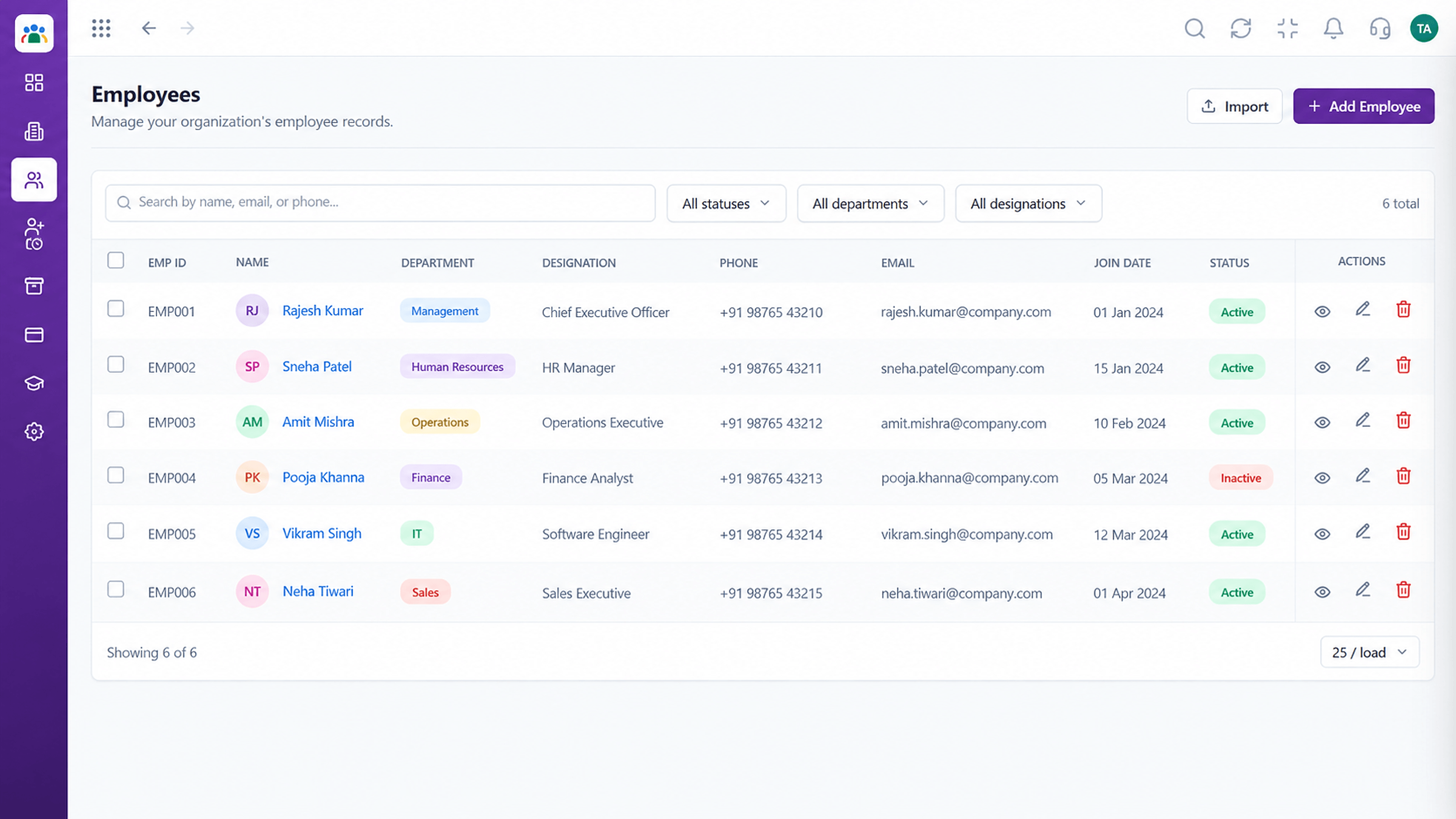
Every employee's details in a single place
Positioning Assessment
Joining dates in one file, contact numbers in another, designations in an email. Each update has to be repeated, and each copy drifts out of date.
Triostack HRMS keeps one employee record with ID, department, designation, contact details, join date and status. Attendance, leave and approvals all point back to it, so a correction made once is correct everywhere.
“We stopped asking 'which sheet is the latest?' The employee list is the latest.”
Sample team scenario
Illustrative example, not a customer testimonial
Illustrated Overview
Imagine every employee holding one neat file card. Attendance, leave and approvals all stamp that same card instead of keeping their own copies.
No duplicates, no conflicting copies.
Attendance and leave refer to the same record.
A change made once is visible to all.
Platform Integrity
One profile per employee
Find people by name, ID or department
Active, on notice or inactive at a glance
Attendance and leave use the same record
How It Works
What changes when people data has one home.
| Dimension | Triostack HRMS | Spreadsheets |
|---|---|---|
| Source of Truth | One live employee record | Several copies that drift |
| Updates | Change once, applies everywhere | Edit every file by hand |
| Search | Filter by department, designation or status | Scroll and hope |
| Status | Clear status on every profile | Colour codes and memory |
| Linked Processes | Attendance and leave tie to the record | Re-typed names in each sheet |
Book a walkthrough and we will set up a sandbox with your branches, shifts and leave types so you can try it before you commit.
Live Interface Tour
Real screens captured directly from the Triostack HRMS workspace.
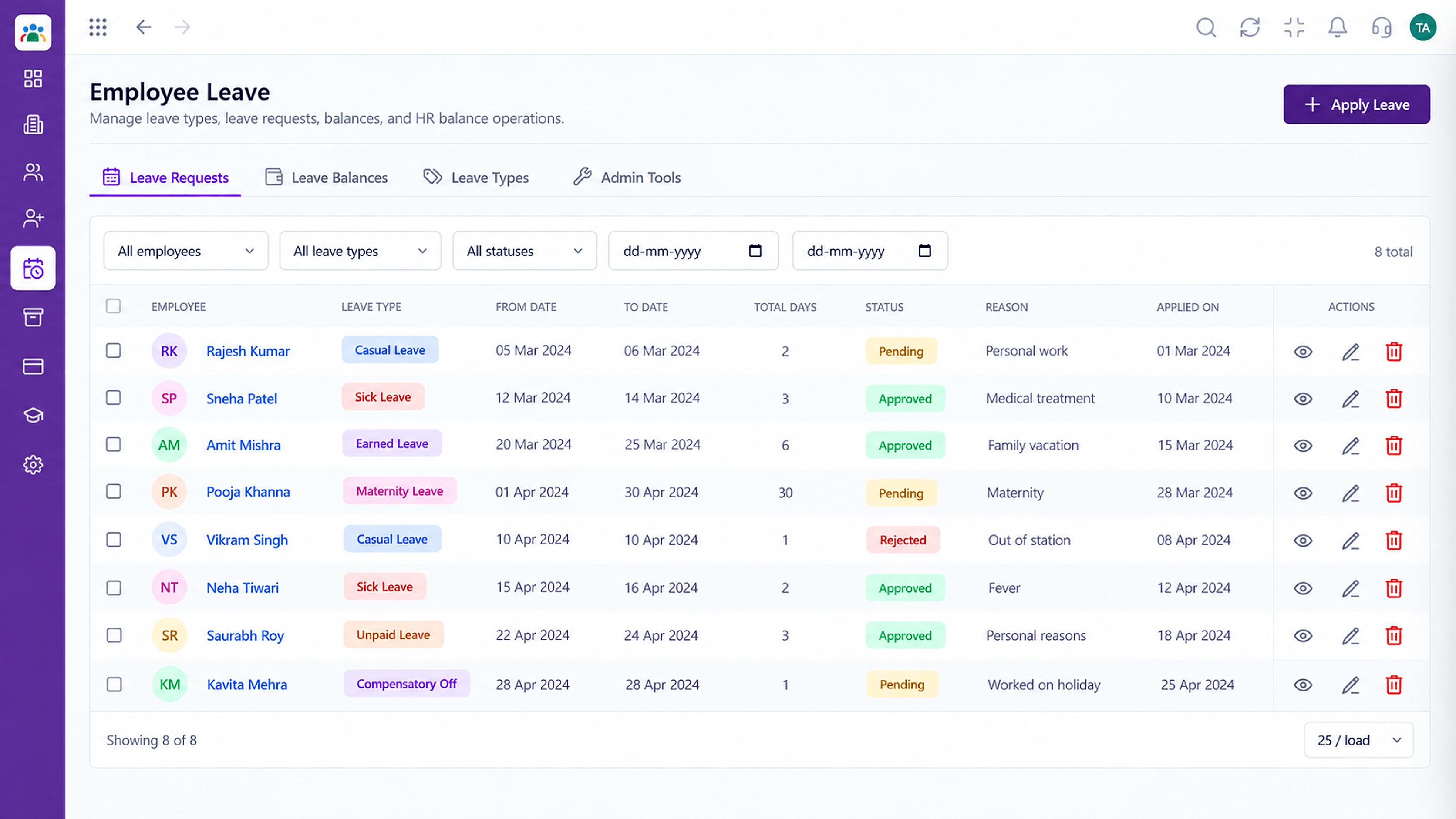 Leave
LeaveLeave types, balances and requests in one place
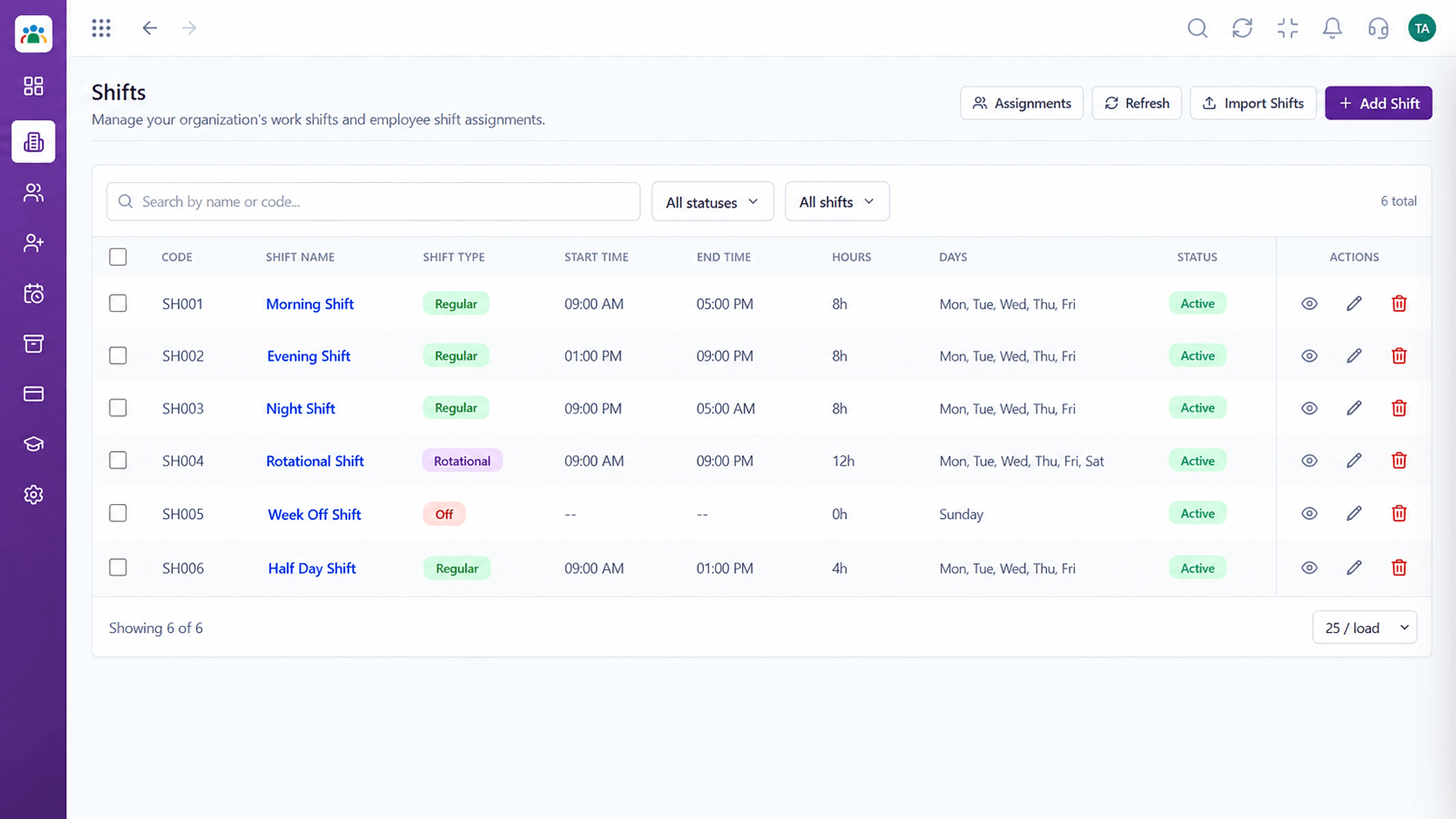 Time
TimeDefine shifts and assign them to teams
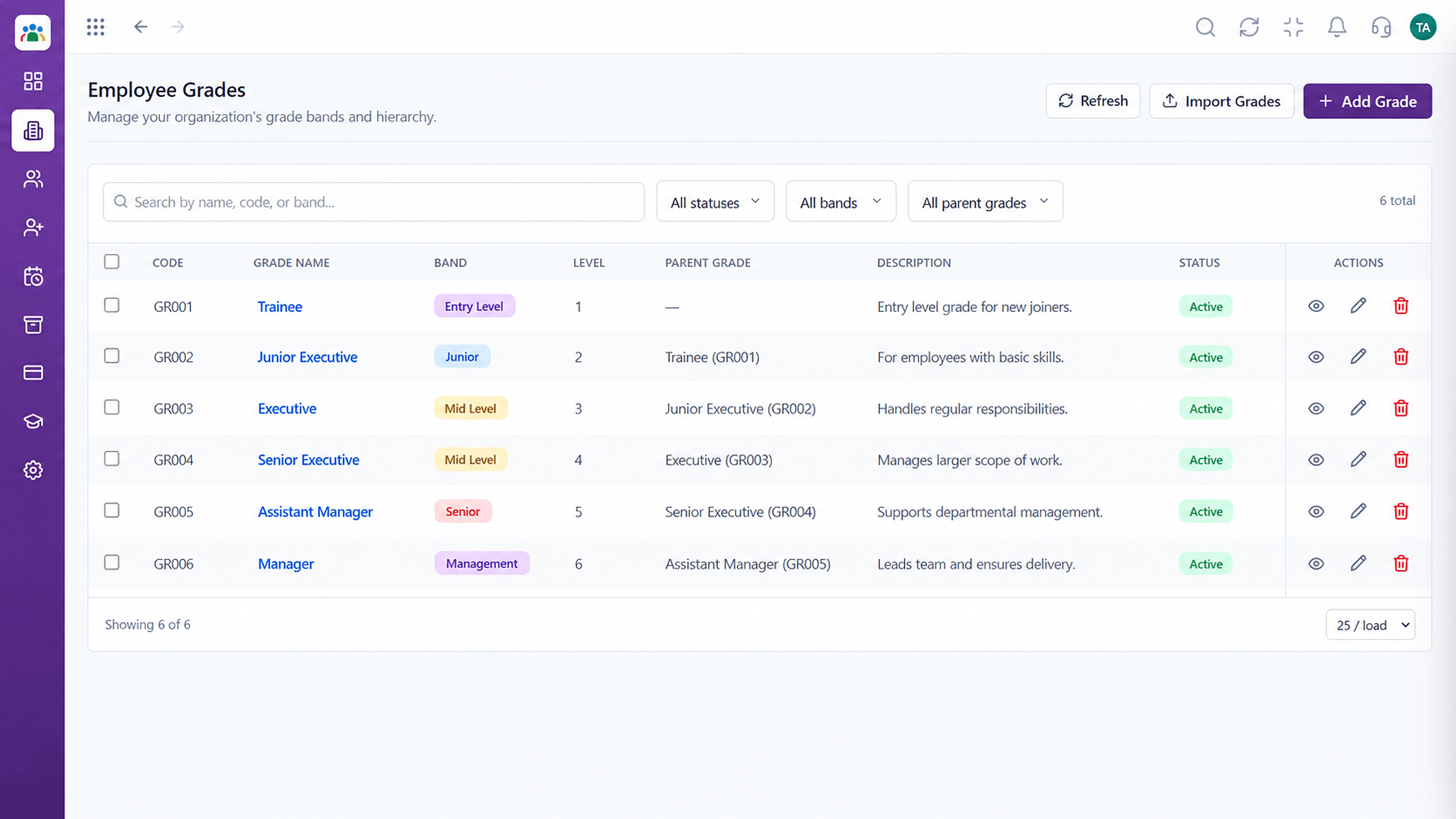 Organisation
Grade structure for your organisation
Feature Breakdown
Captured from the Triostack HRMS workspace.
HRMS FeaturesSee everyone in one list.
 HRMS Features
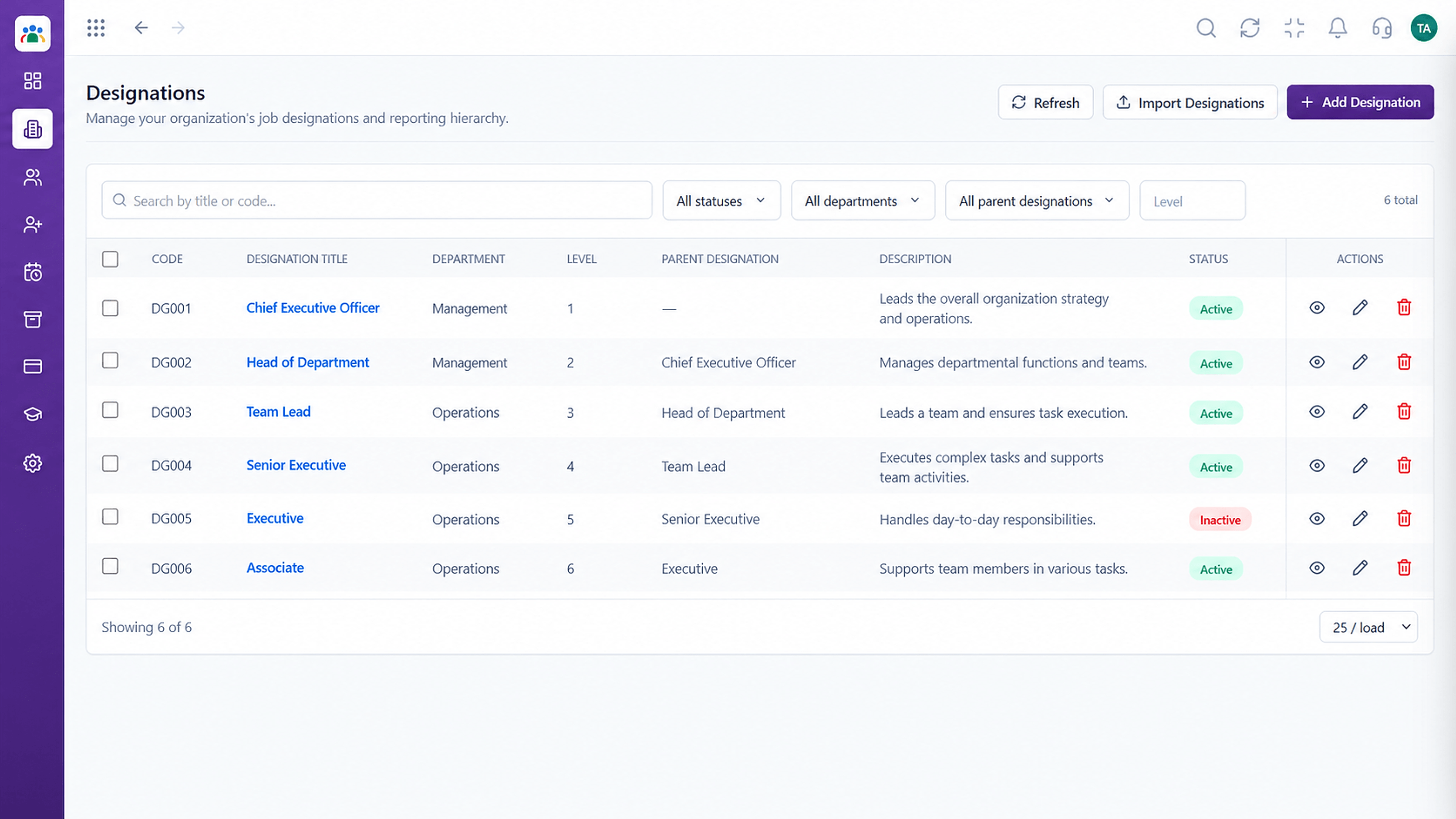
Keep job titles consistent.
 HRMS Features
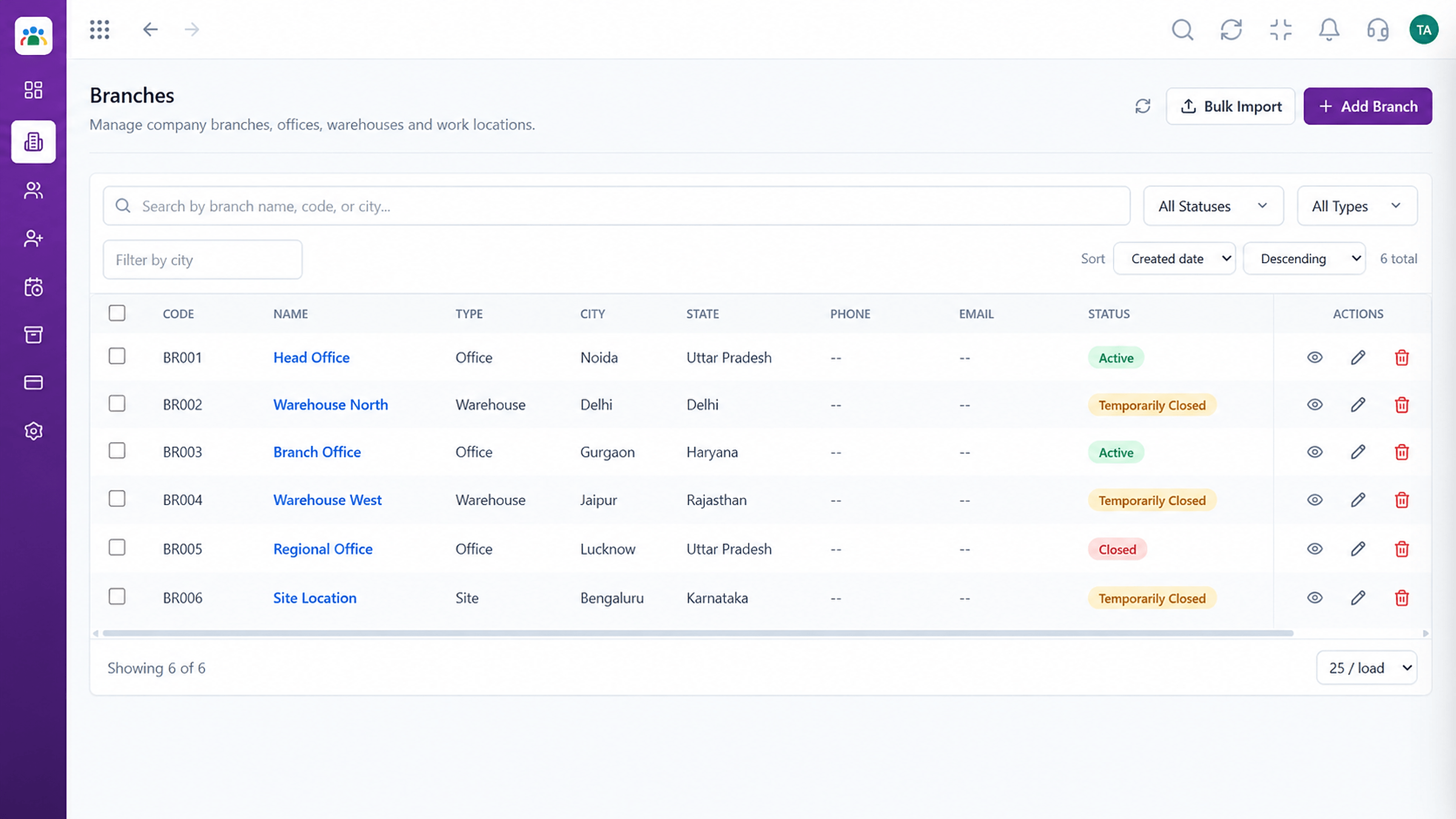
Know where people work.
 HRMS Features
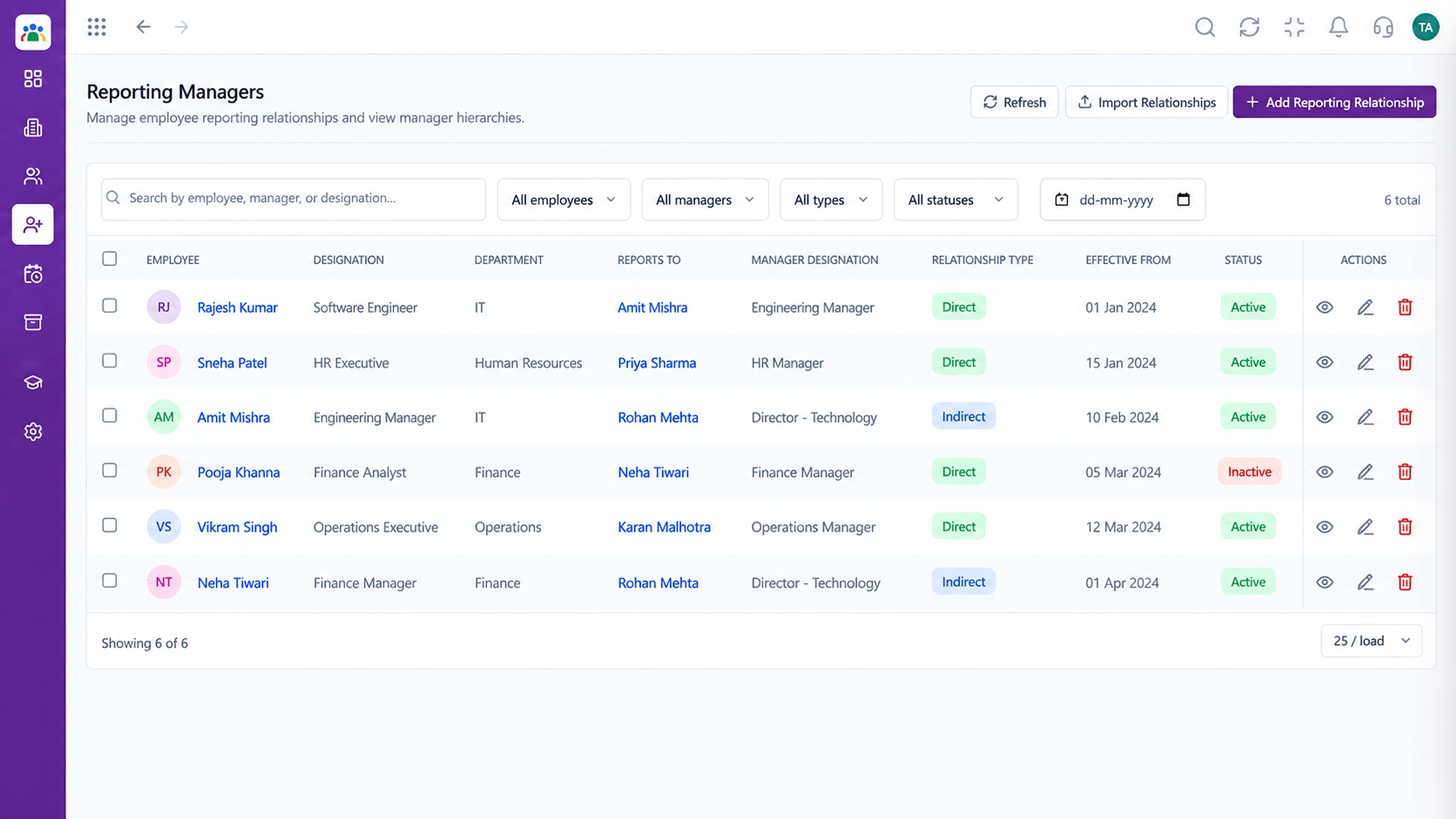
Show who reports to whom.
Execution Plan
Add the employee with ID, department and designation.
Fill contact details and join date.
Assign branch, manager and shift.
Update status and details as things change.
In Real Life
Scenario 01
HR adds one record and the person appears in every process.
Scenario 02
A designation change updates once and flows through.
Scenario 03
A clean list of employees and statuses is ready in minutes.
Frequently Asked Questions
Employee ID, department, designation, contact details, join date and status, with links to attendance and leave.
Yes. Filter by department, designation, status and more.
Ask our team about importing from your current spreadsheets.
Access follows the roles and permissions you set.
Employee records, attendance, leave, shifts and approvals in one workspace, built for HR teams and the people they serve.
