The best Business Suite software in India, built to help your business grow. Contact us at +91-8882435276.
[ Contact ]
Phone number
Email address
Head office
Noida office
The right team at TriostackOne will get back to you.
Define company holidays and weekly-off patterns once, so attendance and leave calculations respect them automatically.
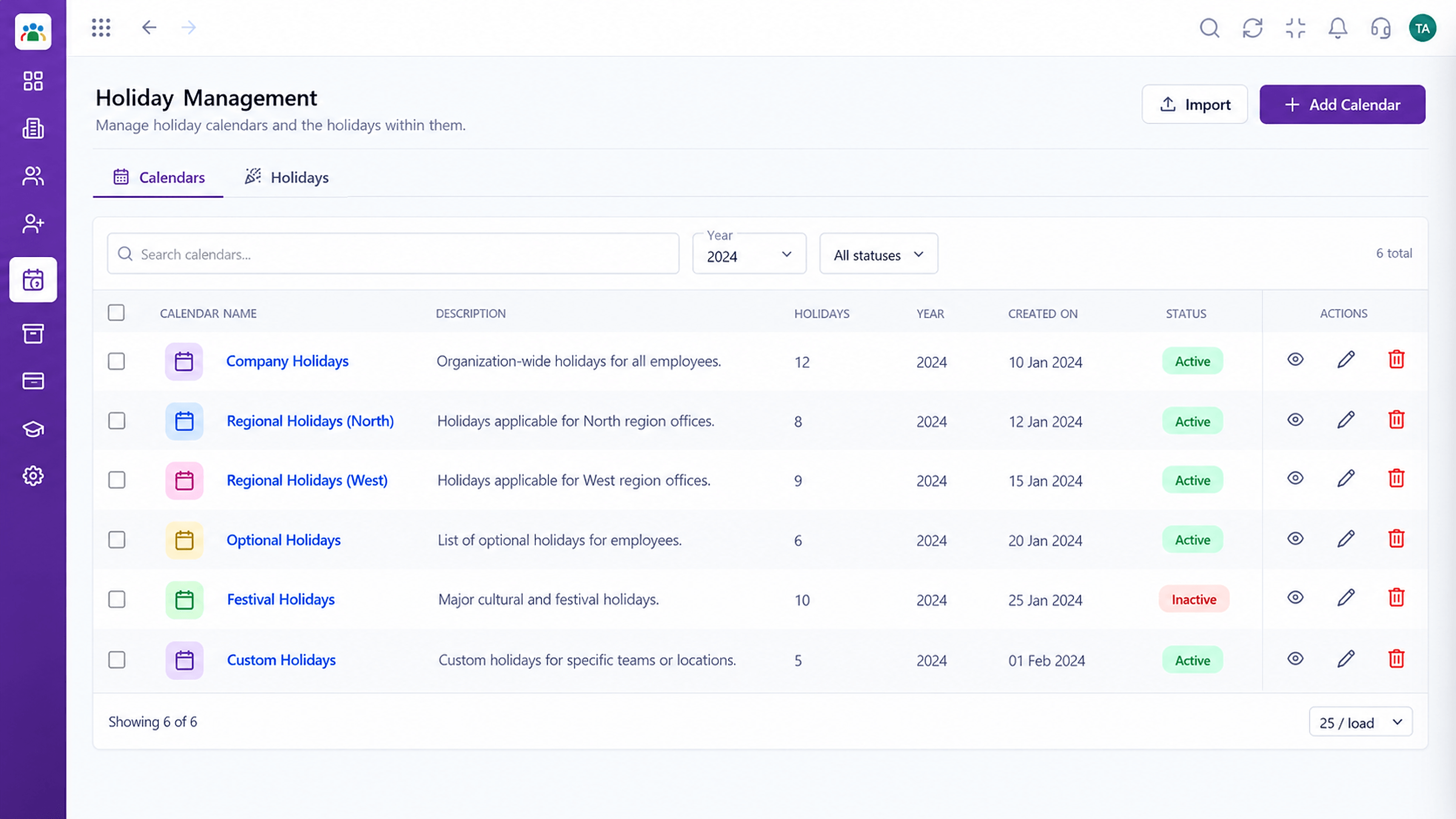
Holidays and rest days applied everywhere
Positioning Assessment
Different teams rest on different days, and holidays vary by location. When these live in a notice or a memory, attendance and leave counts go wrong.
Triostack HRMS holds the holiday calendar and weekly-off patterns centrally. Attendance and leave use them, so a holiday is not counted as absence and a weekly off is not charged to leave.
“Once weekly offs and holidays were in the system, the 'why was I marked absent?' conversations nearly stopped.”
Sample team scenario
Illustrative example, not a customer testimonial
Illustrated Overview
Imagine a wall calendar where holidays glow and each team's weekly-off column is shaded. Every system reads the same wall.
Mark the days in one place.
Attendance and leave use the same grid.
A new holiday updates all calculations.
Platform Integrity
Company holidays by year
Rest days by group
Attendance and leave honour them
Change in one place
How It Works
What happens when holidays and rest days are in the system.
| Dimension | Triostack HRMS | Notice Board Calendars |
|---|---|---|
| Holidays | Stored in the system | Posted on a notice |
| Weekly Off | Defined per group | Assumed |
| Attendance | Not marked absent on holidays | Corrected by hand |
| Leave Counting | Skips holidays and rest days | Counted manually |
| Updates | Edit once | Re-announce and re-correct |
Book a walkthrough and we will set up a sandbox with your branches, shifts and leave types so you can try it before you commit.
Live Interface Tour
Real screens captured directly from the Triostack HRMS workspace.
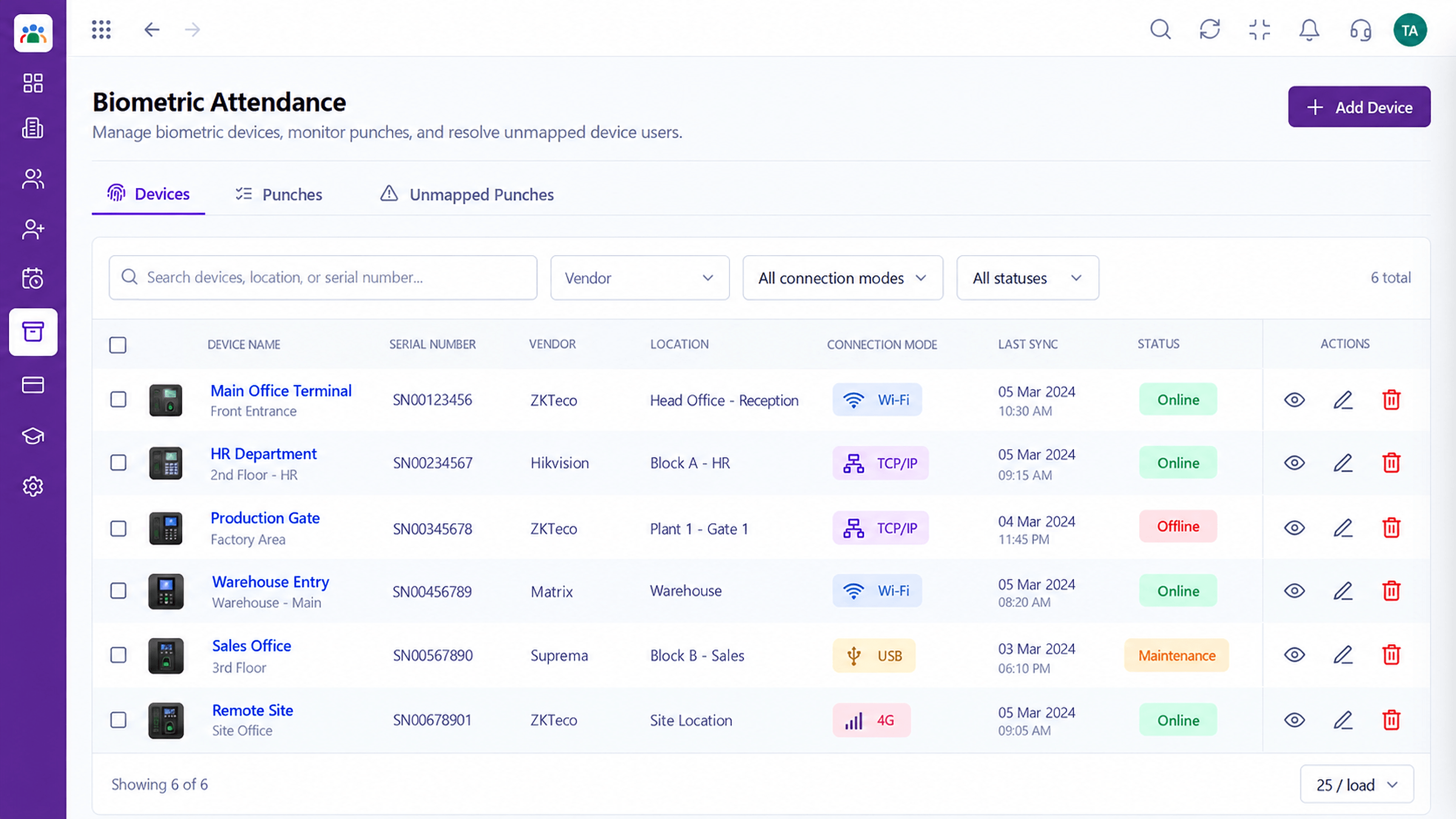 Attendance
Device punches captured into attendance records
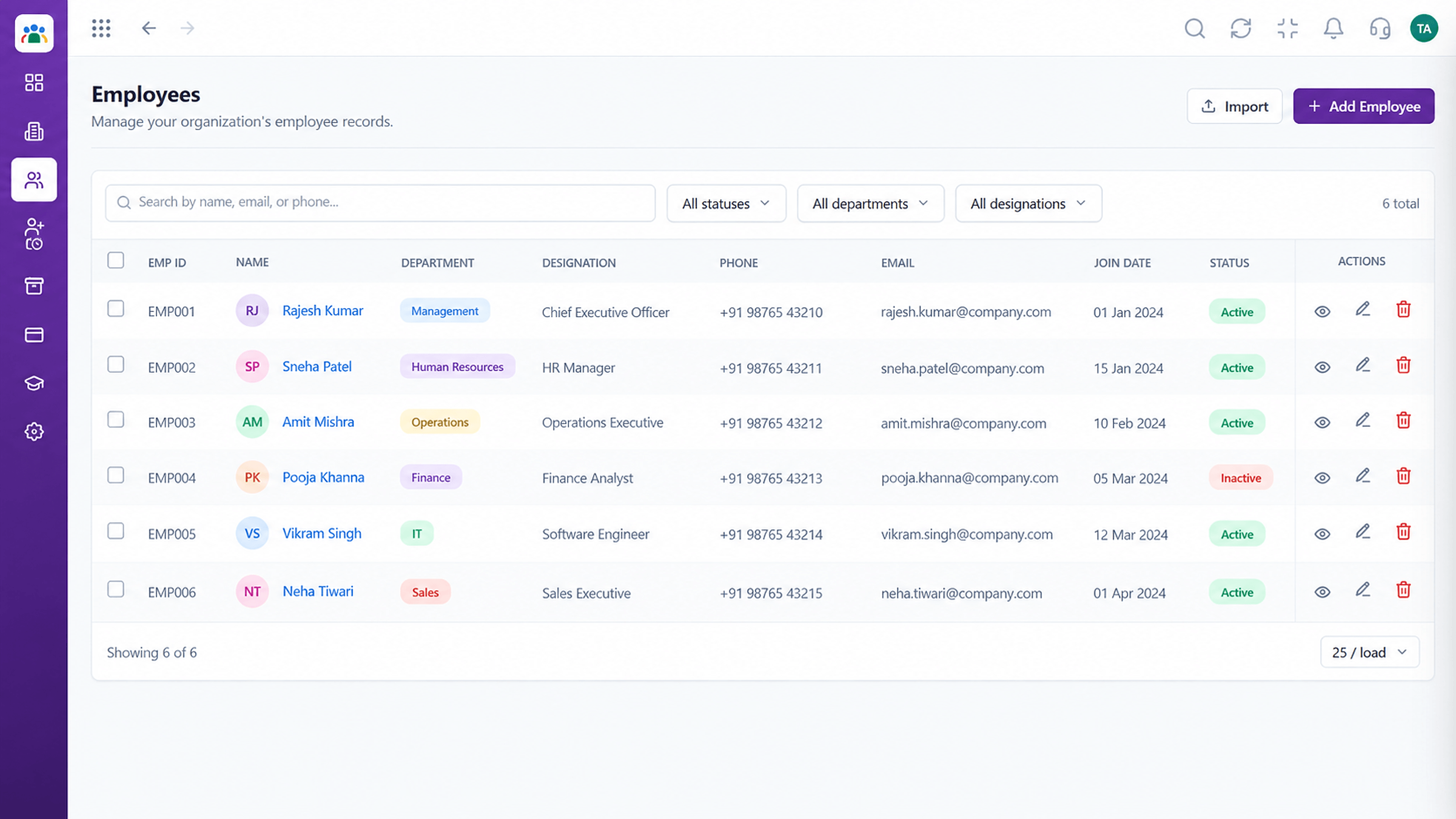 Employees
Every employee with ID, department, designation and status
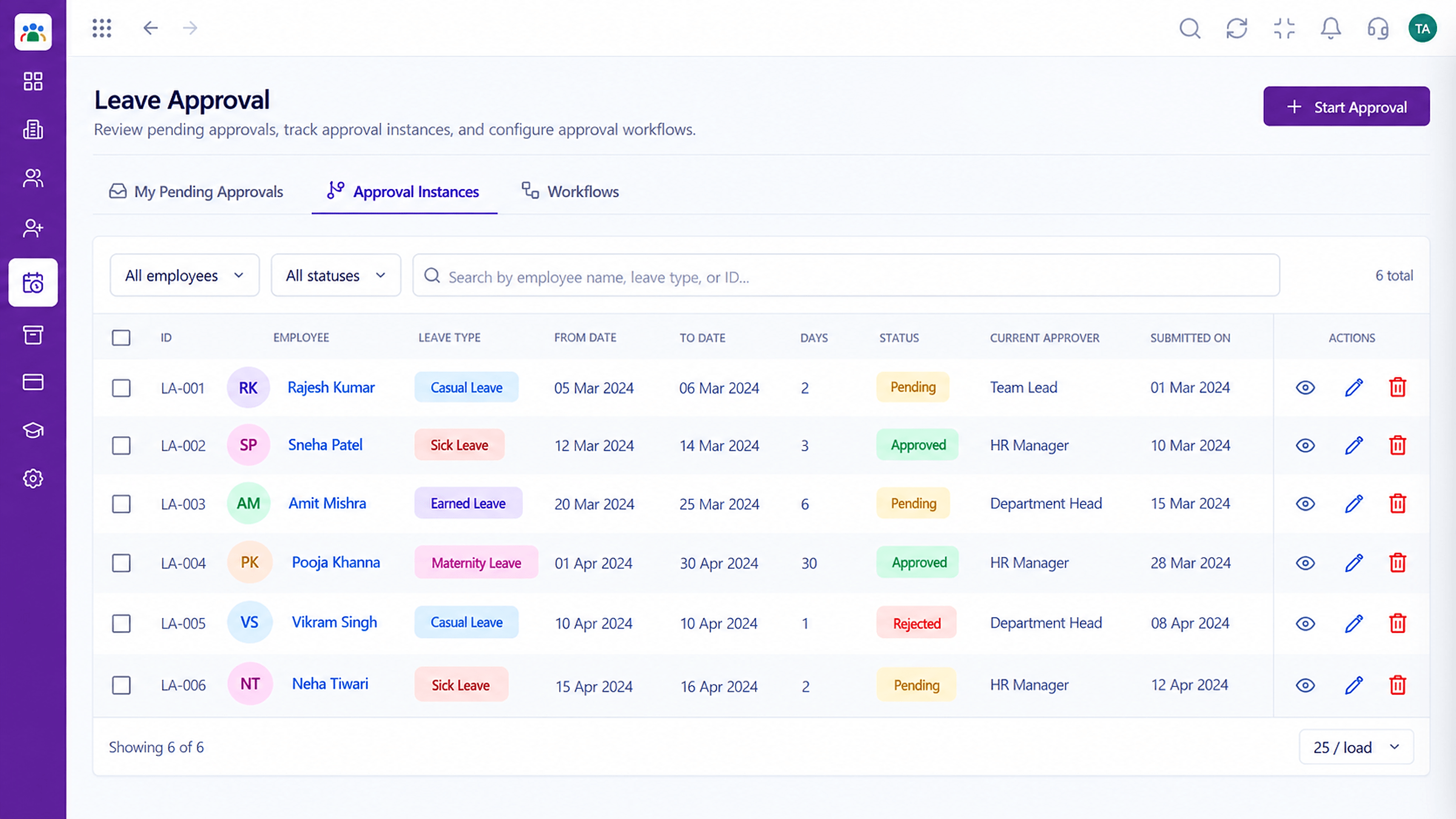 Leave
LeaveApproval instances with current approver and status
Feature Breakdown
Captured from the Triostack HRMS workspace.
HRMS FeaturesThe year's holidays in one list.
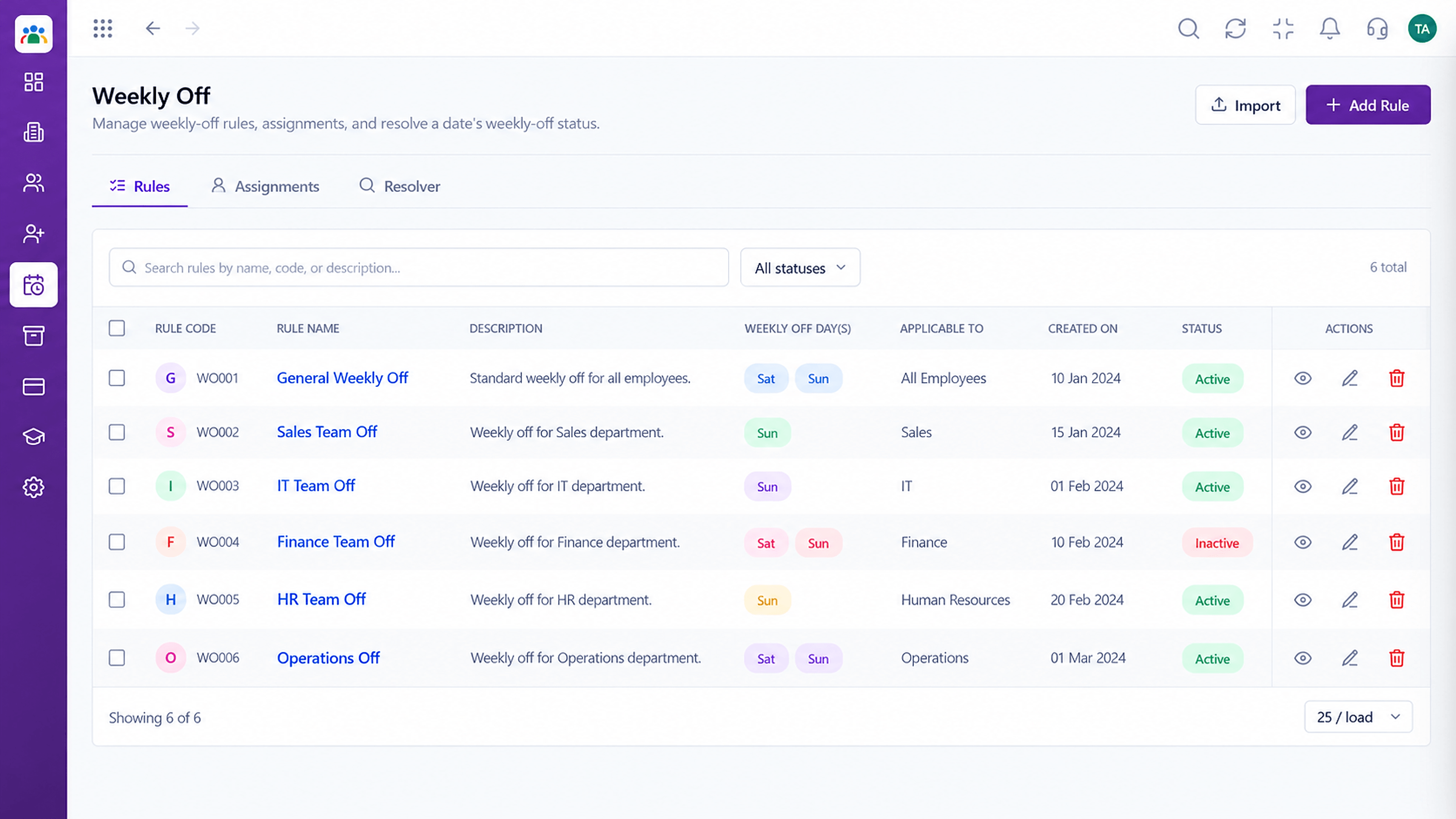 HRMS Features
Rest-day patterns.
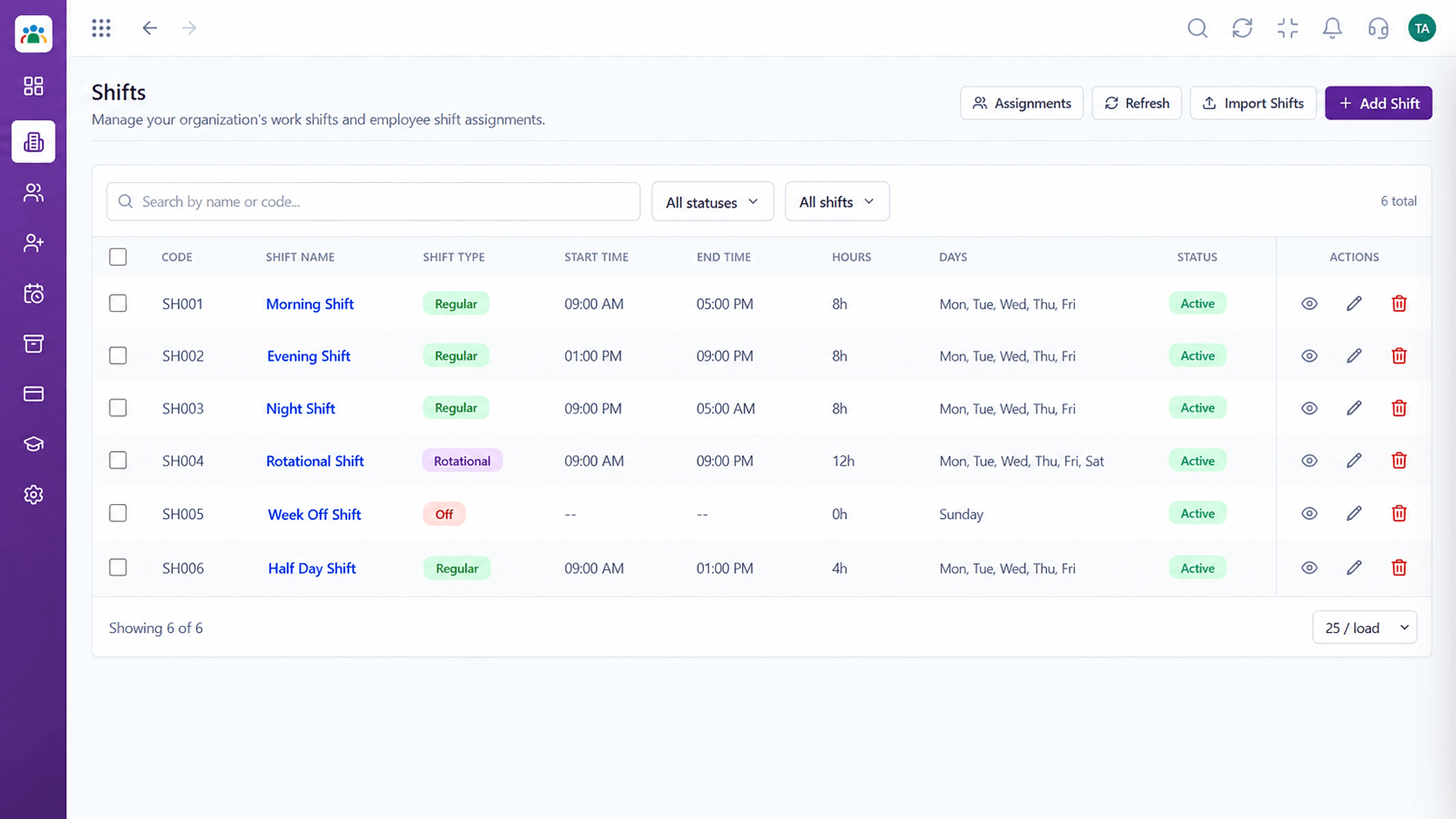 HRMS Features
Align rest days with shifts.
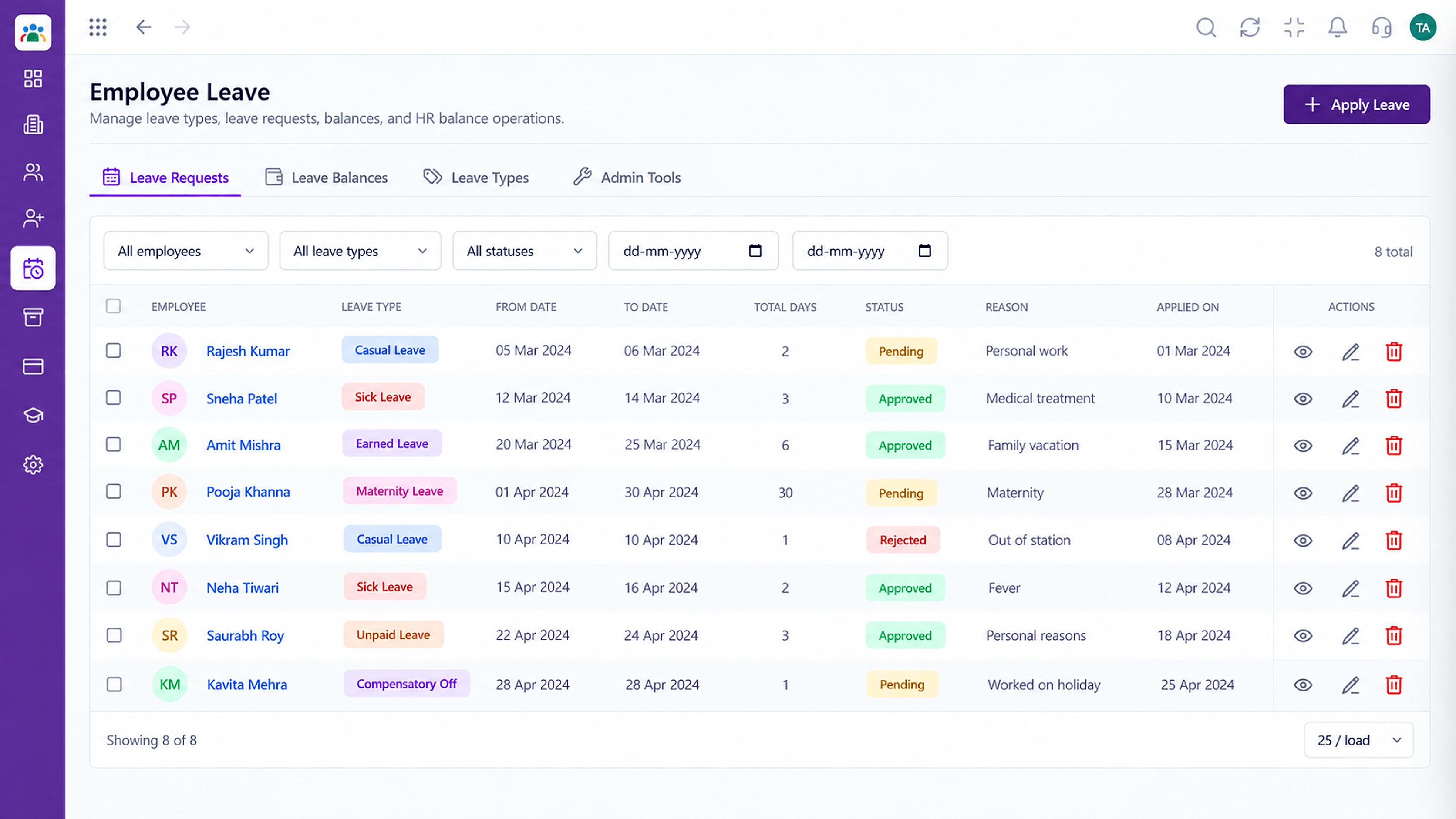 HRMS Features
Count leave days correctly.
Execution Plan
Add the year's company holidays.
Set weekly-off patterns by group.
Link patterns to teams or employees.
Update for the next year.
In Real Life
Scenario 01
Each group's rest days are respected.
Scenario 02
Holidays are not counted as leave.
Scenario 03
HR loads the calendar in one sitting.
Frequently Asked Questions
Yes. Patterns are defined per group and assigned to employees.
They are taken into account when calculating leave days. Ask us about your policy.
Ask us how to set up location-specific calendars for your branches.
Yes, the holiday list is visible to employees.
Employee records, attendance, leave, shifts and approvals in one workspace, built for HR teams and the people they serve.
