The best Business Suite software in India, built to help your business grow. Contact us at +91-8882435276.
[ Contact ]
Phone number
Email address
Head office
Noida office
The right team at TriostackOne will get back to you.
Define leave types, let employees apply, route requests to the right approver and keep balances accurate, all with a clear status on every request.
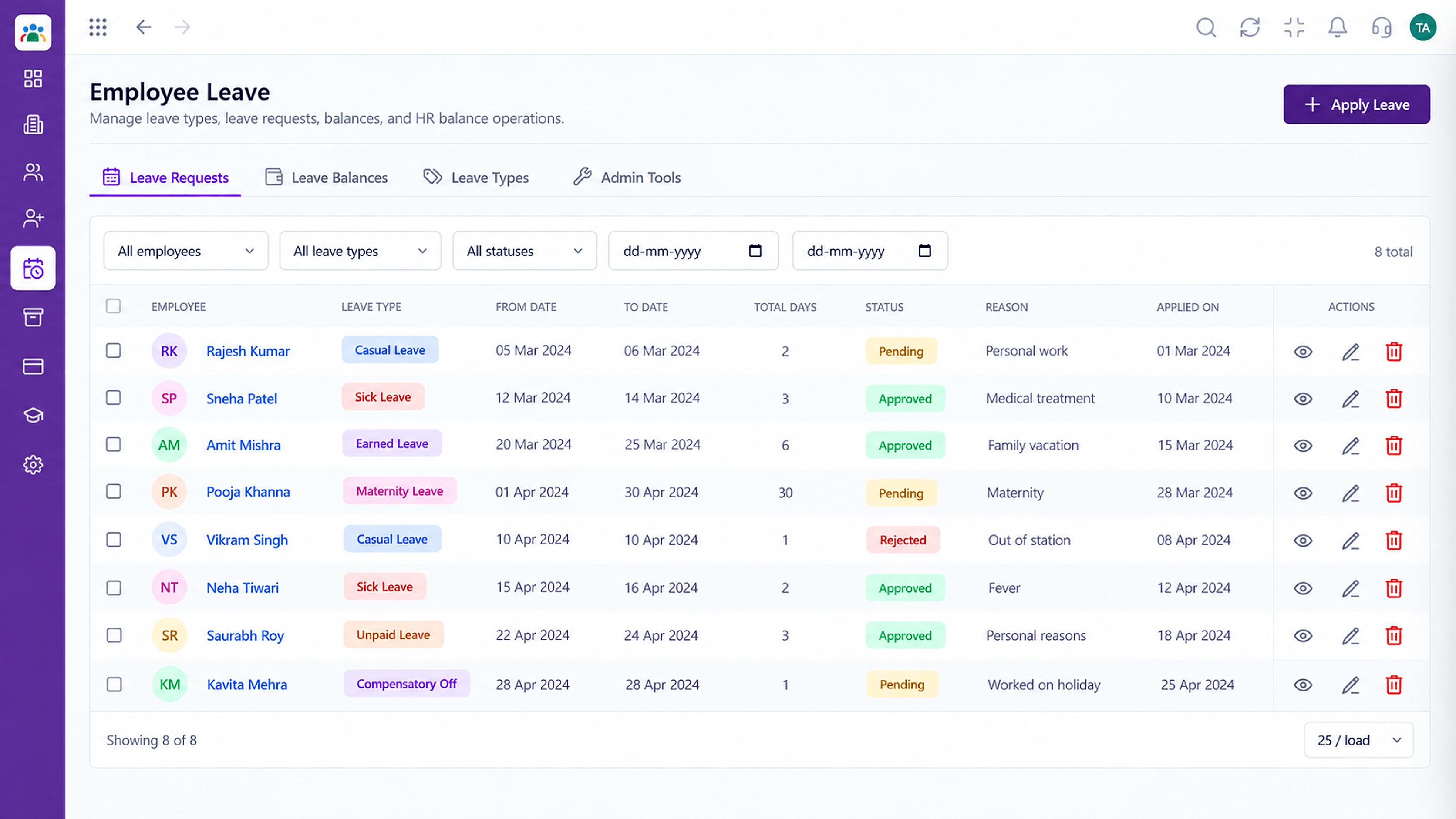
Every request visible from applied to approved
Positioning Assessment
An employee asks on a messaging app, the manager forgets, and HR finds out at month end. Balances are wrong and nobody is sure what was approved.
Triostack HRMS gives leave a proper flow. Employees apply against defined leave types, the request goes to the current approver, and balances update as decisions are made.
“Every leave request now has a status. Nobody has to ask 'did you approve my leave?'”
Sample team scenario
Illustrative example, not a customer testimonial
Illustrated Overview
Imagine a leave request as a small token rolling from the employee to the approver and back, with each stop clearly lit.
Everyone can see where a request is.
No separate counting.
Every decision is stored.
Platform Integrity
Define each kind of leave
Route to the right approver
Kept current as decisions land
Pending, approved or rejected
How It Works
Why a proper leave flow beats informal requests.
| Dimension | Triostack HRMS | Chat & Email |
|---|---|---|
| Request | Applied against a leave type | Free-text message |
| Approver | Routed to the current approver | Whoever was messaged |
| Balance | Updated automatically | Counted by hand |
| Visibility | Status visible to both sides | Unclear |
| Record | Stored against the employee | Buried in threads |
Book a walkthrough and we will set up a sandbox with your branches, shifts and leave types so you can try it before you commit.
Live Interface Tour
Real screens captured directly from the Triostack HRMS workspace.
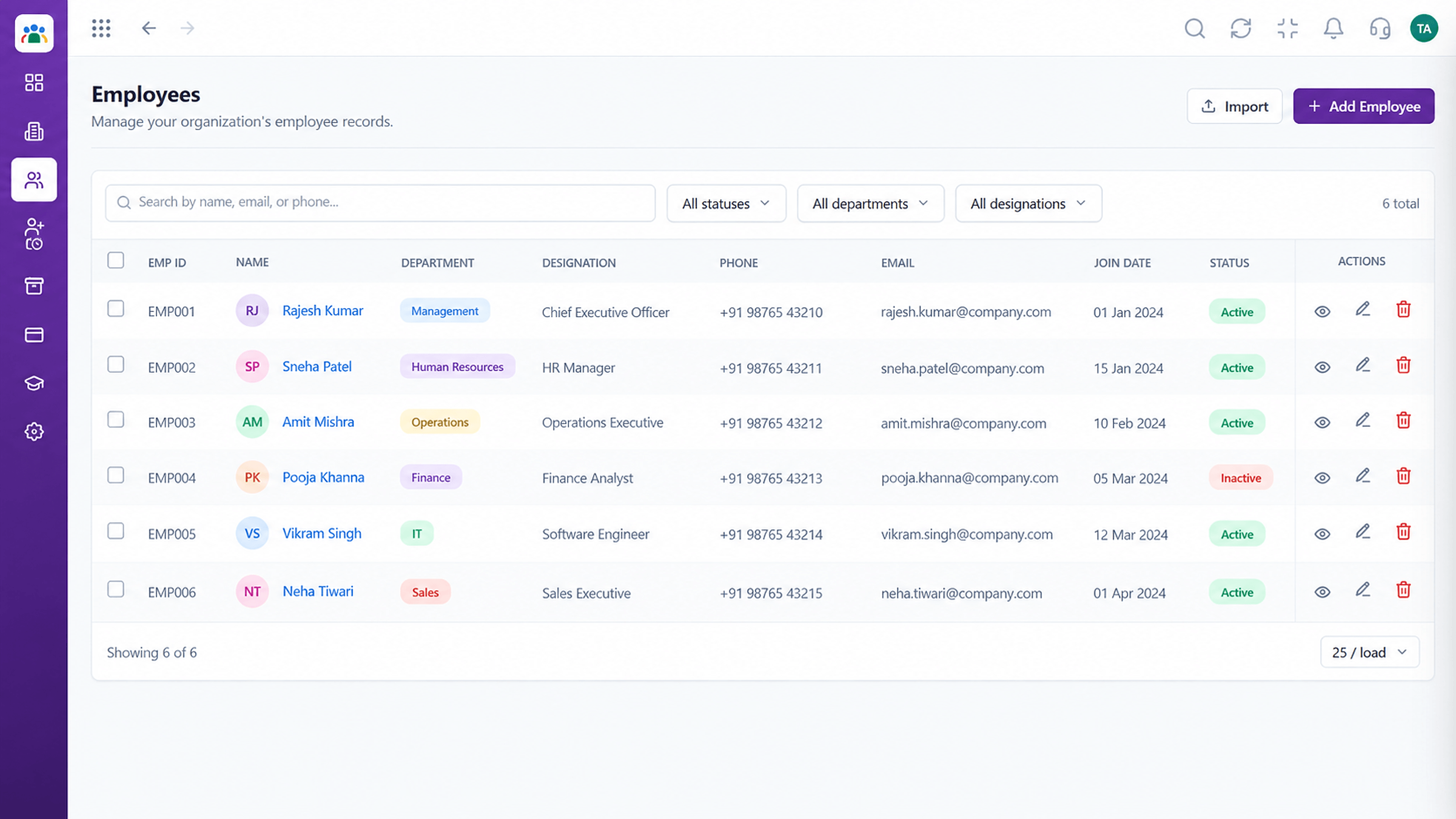 Employees
Every employee with ID, department, designation and status
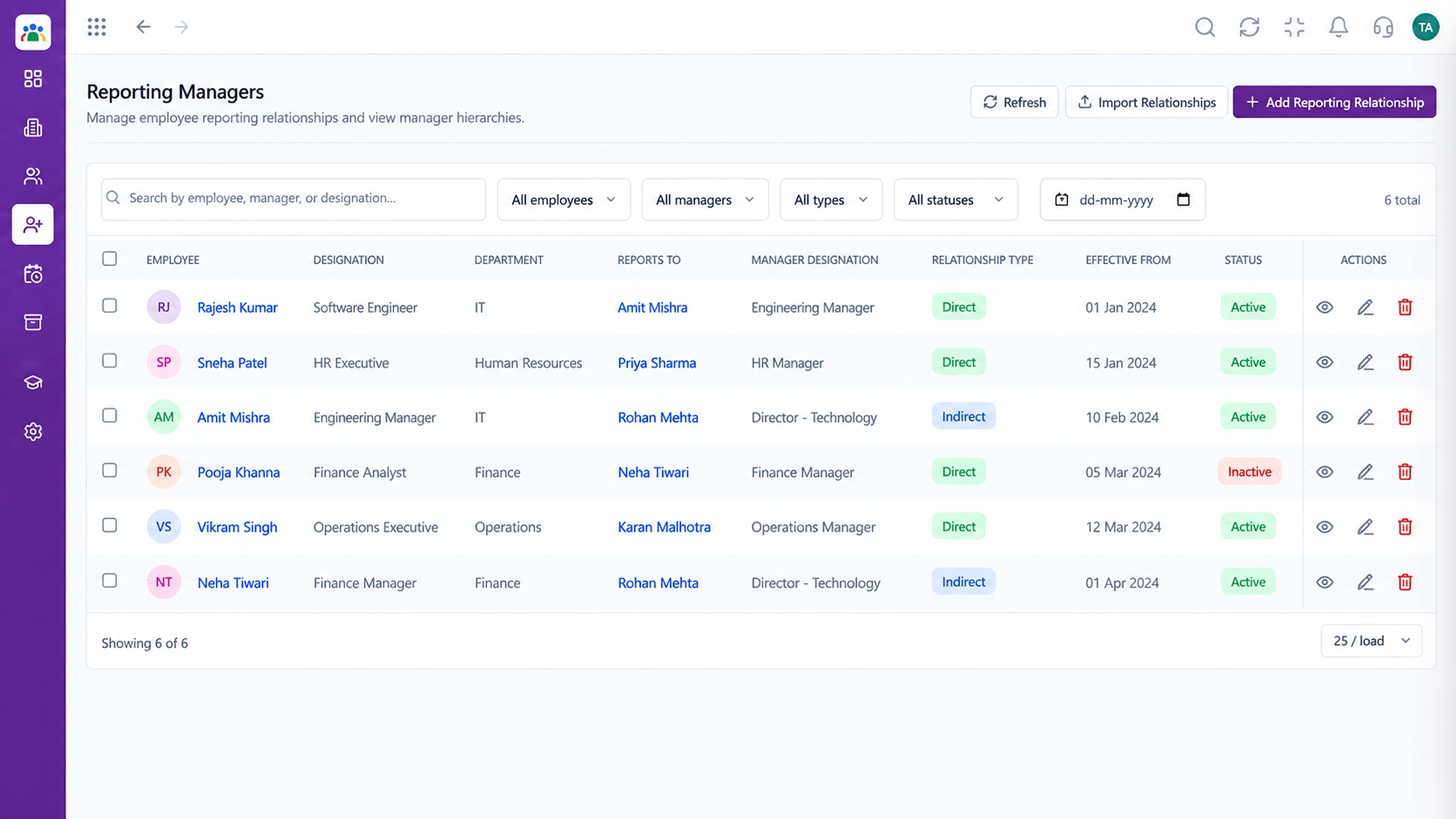 Organisation
Who reports to whom across the company
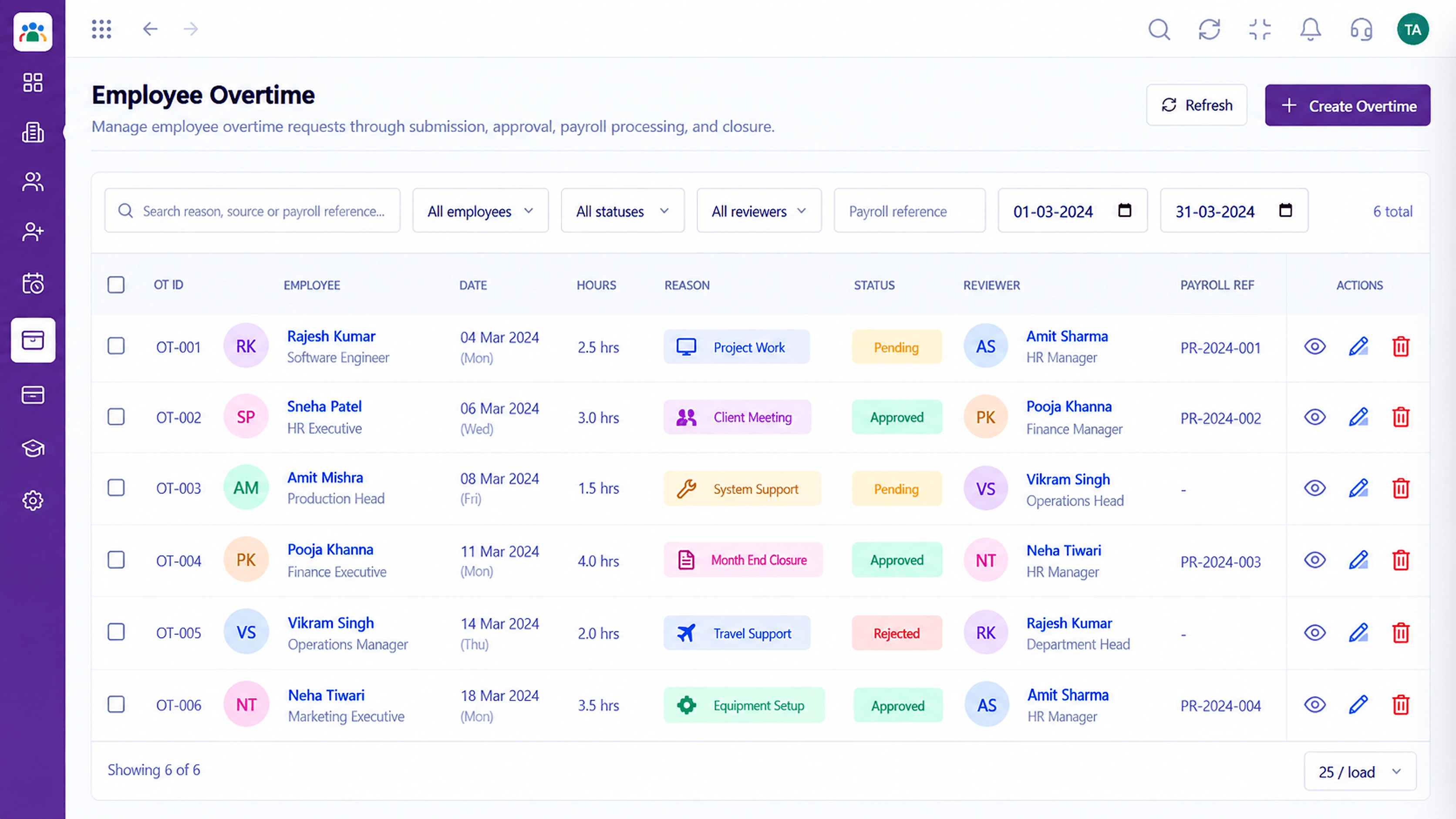 Time
TimeTrack and approve extra hours worked
Feature Breakdown
Captured from the Triostack HRMS workspace.
HRMS FeaturesAll requests in one view.
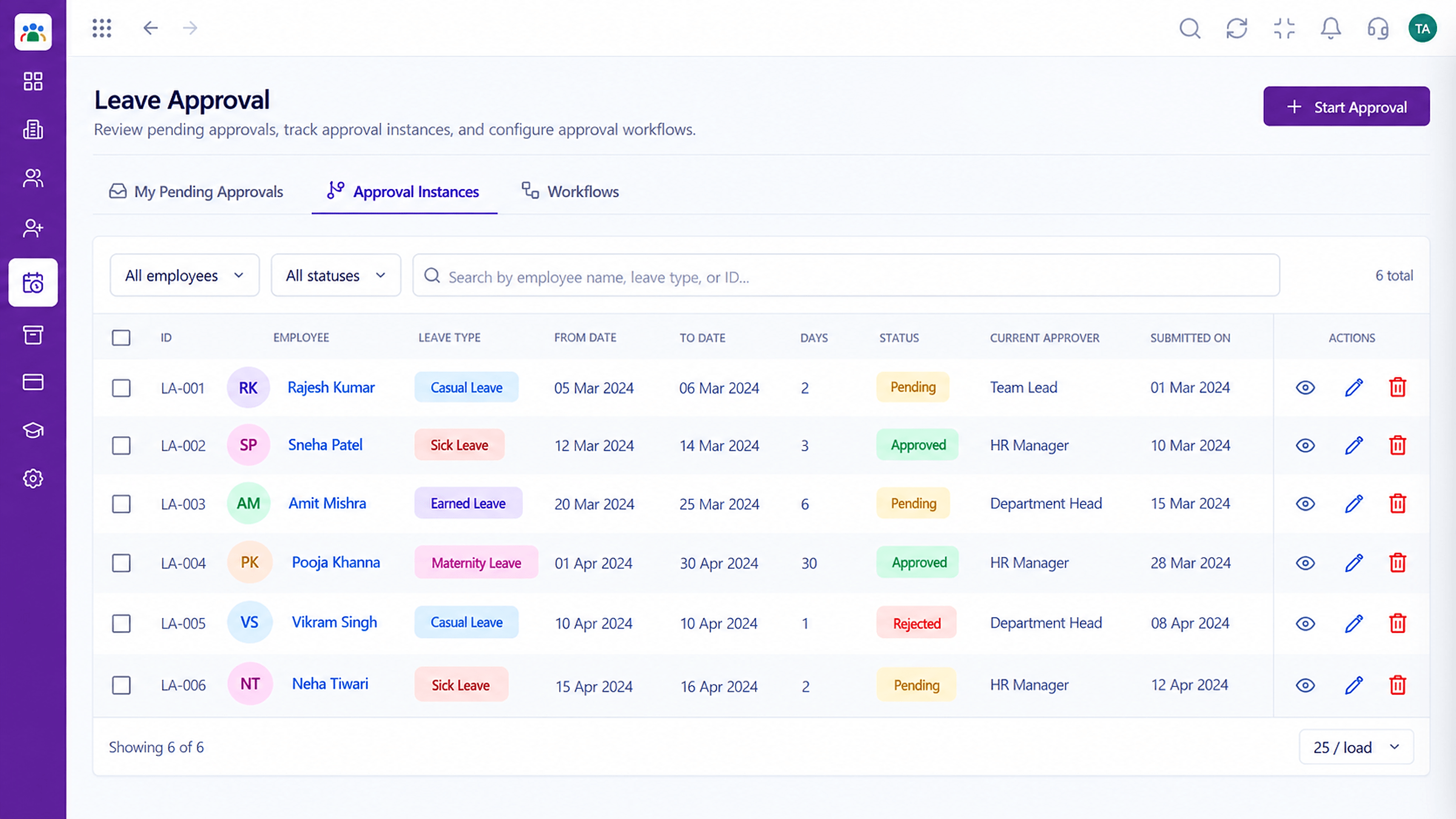 HRMS Features
See who must approve next.
 HRMS Features
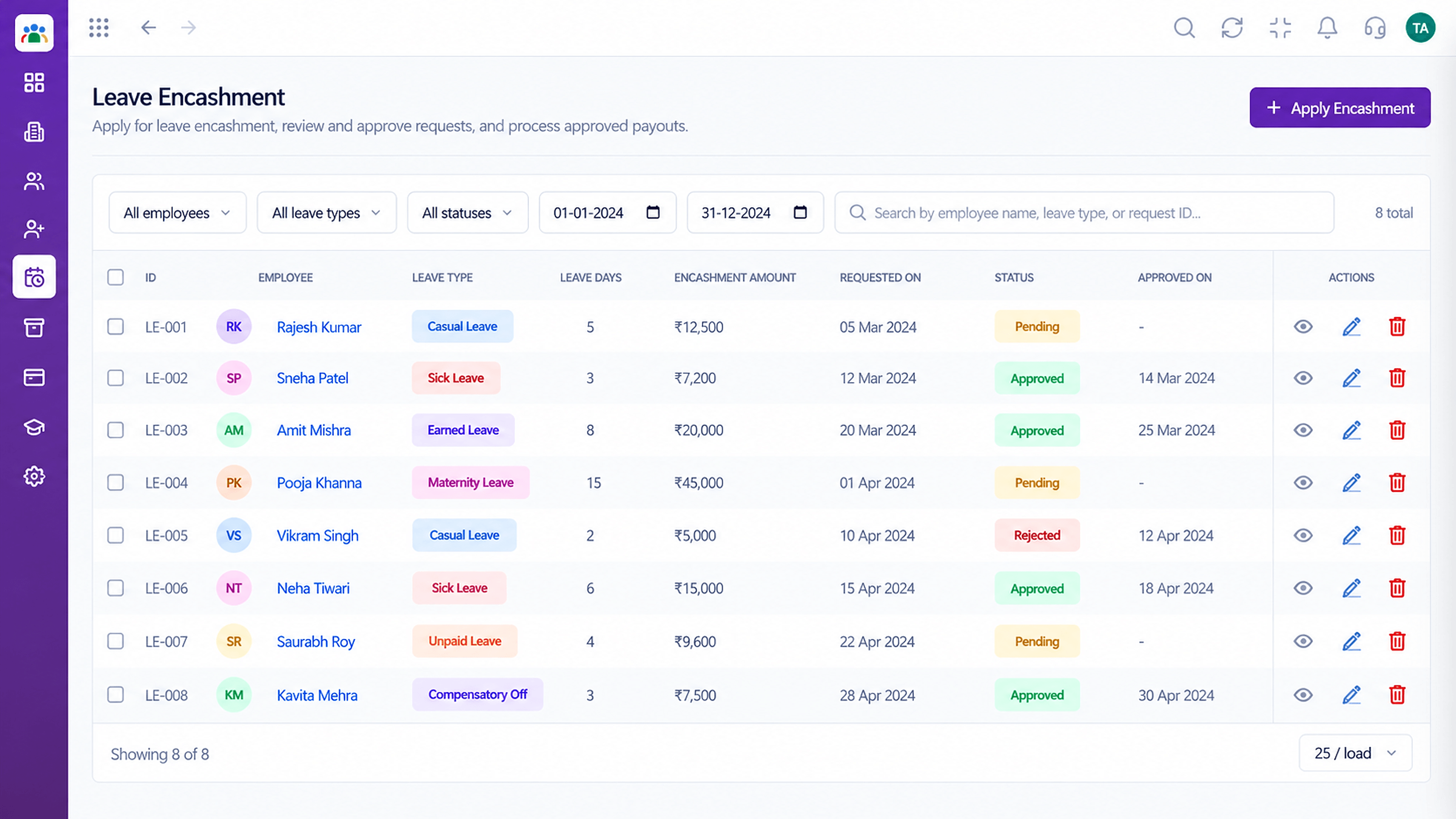
Convert eligible balances.
 HRMS Features
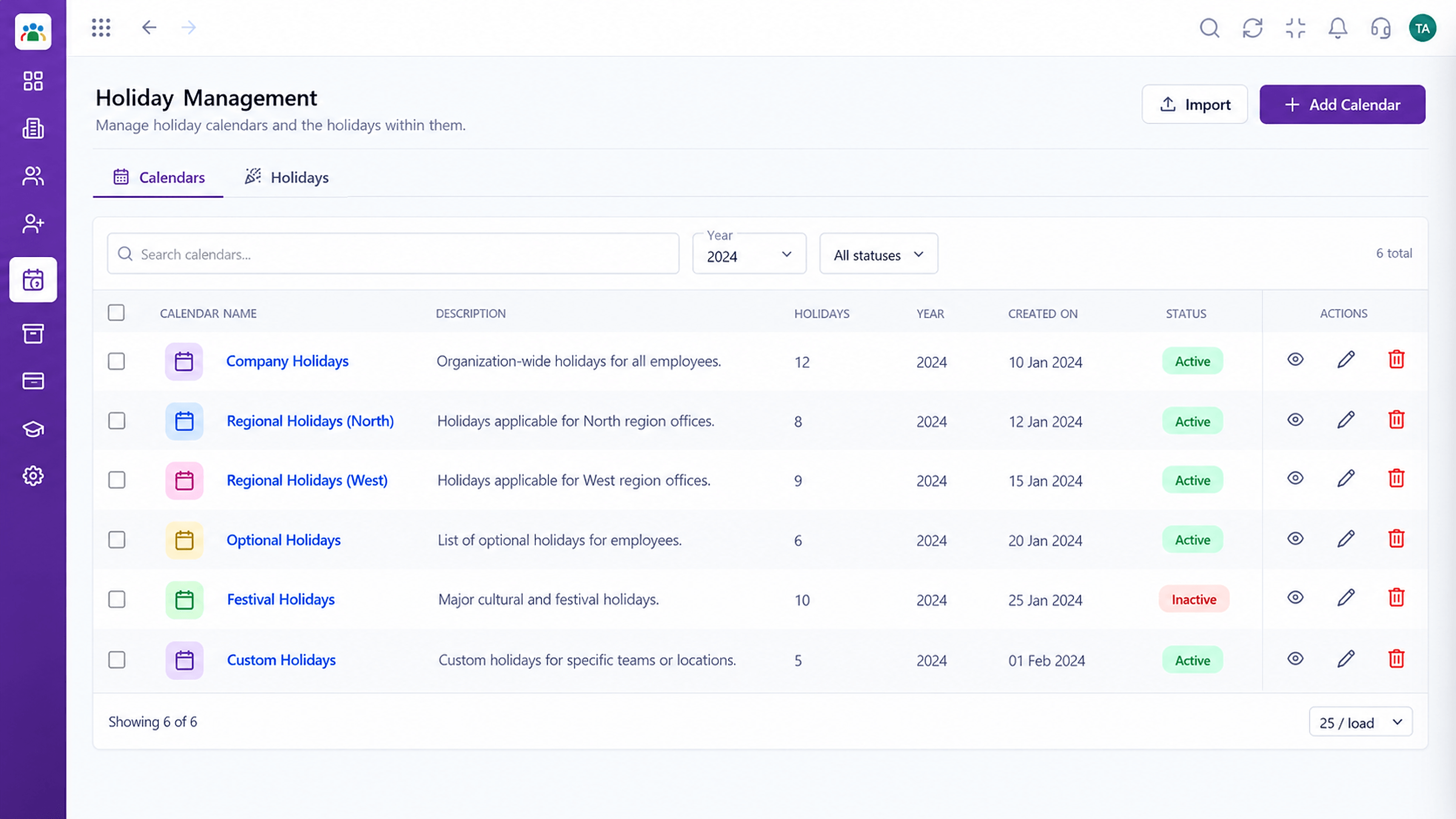
Keep holidays in the picture.
Execution Plan
The employee picks a type and dates.
The request reaches the current approver.
The approver approves or rejects.
Balance and calendar reflect the decision.
In Real Life
Scenario 01
Many requests arrive at once and approvers clear them from one view.
Scenario 02
Requests route to the current approver, not to a silent inbox.
Scenario 03
HR checks balances and encashment requests cleanly.
Frequently Asked Questions
Yes. Define the leave types your company offers.
The current approver in the approval instance, usually the reporting manager.
Balances update as requests are approved. Ask us about your policy rules.
Leave encashment requests are supported with approval and a clear record.
Employee records, attendance, leave, shifts and approvals in one workspace, built for HR teams and the people they serve.
