The best Business Suite software in India, built to help your business grow. Contact us at +91-8882435276.
[ Contact ]
Phone number
Email address
Head office
Noida office
The right team at TriostackOne will get back to you.
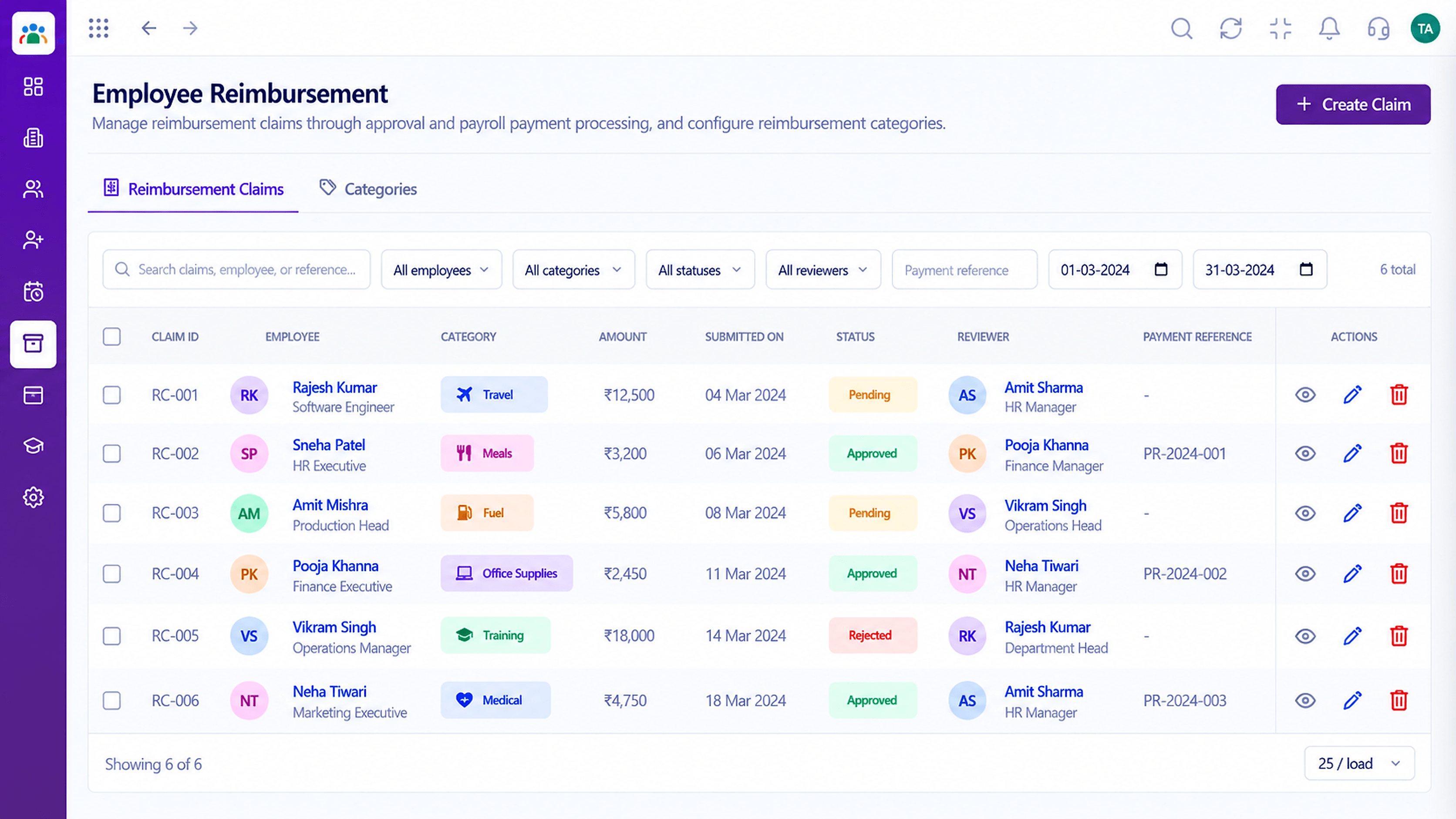
Capture overtime worked and expense claims submitted, route them for approval and keep a clear record of what was requested, approved and settled.
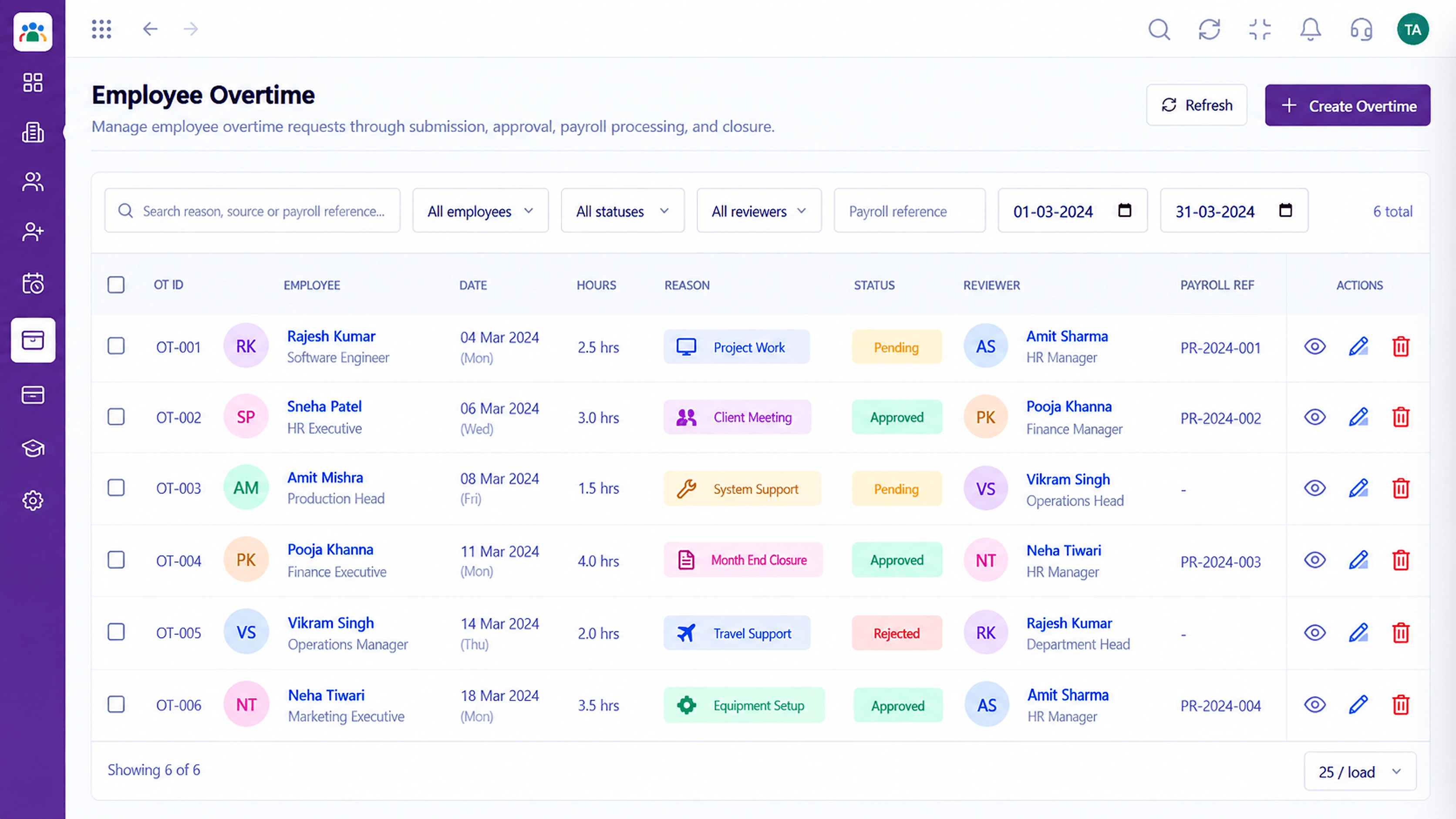
Every claim and extra hour on the record
Positioning Assessment
A manager says 'put it in next month'. A receipt gets lost. Overtime is remembered differently by each side, and disputes follow.
Triostack HRMS records overtime and reimbursement claims as proper requests. Each goes to an approver, carries its details and leaves a status trail HR can rely on.
“Claims used to be a pile of receipts. Now each one has a status and an approver.”
Sample team scenario
Illustrative example, not a customer testimonial
Illustrated Overview
Picture two small tickets, one with a clock and one with a receipt. Both end up with a stamp that says who approved them.
Nothing is promised in a corridor.
Decisions are attributable.
Reports come from the record.
Platform Integrity
Extra hours captured
Submitted with details
Reviewed before settlement
Who approved what and when
How It Works
Why a request-and-approve flow protects both sides.
| Dimension | Triostack HRMS | Informal Handling |
|---|---|---|
| Overtime | Recorded as a request | Remembered verbally |
| Expenses | Claim with details and status | Receipts passed around |
| Approval | Approver on every claim | Whoever is asked |
| Disputes | Resolved from the record | Argued from memory |
| Reporting | Totals by period and team | Manual tallies |
Book a walkthrough and we will set up a sandbox with your branches, shifts and leave types so you can try it before you commit.
Live Interface Tour
Real screens captured directly from the Triostack HRMS workspace.
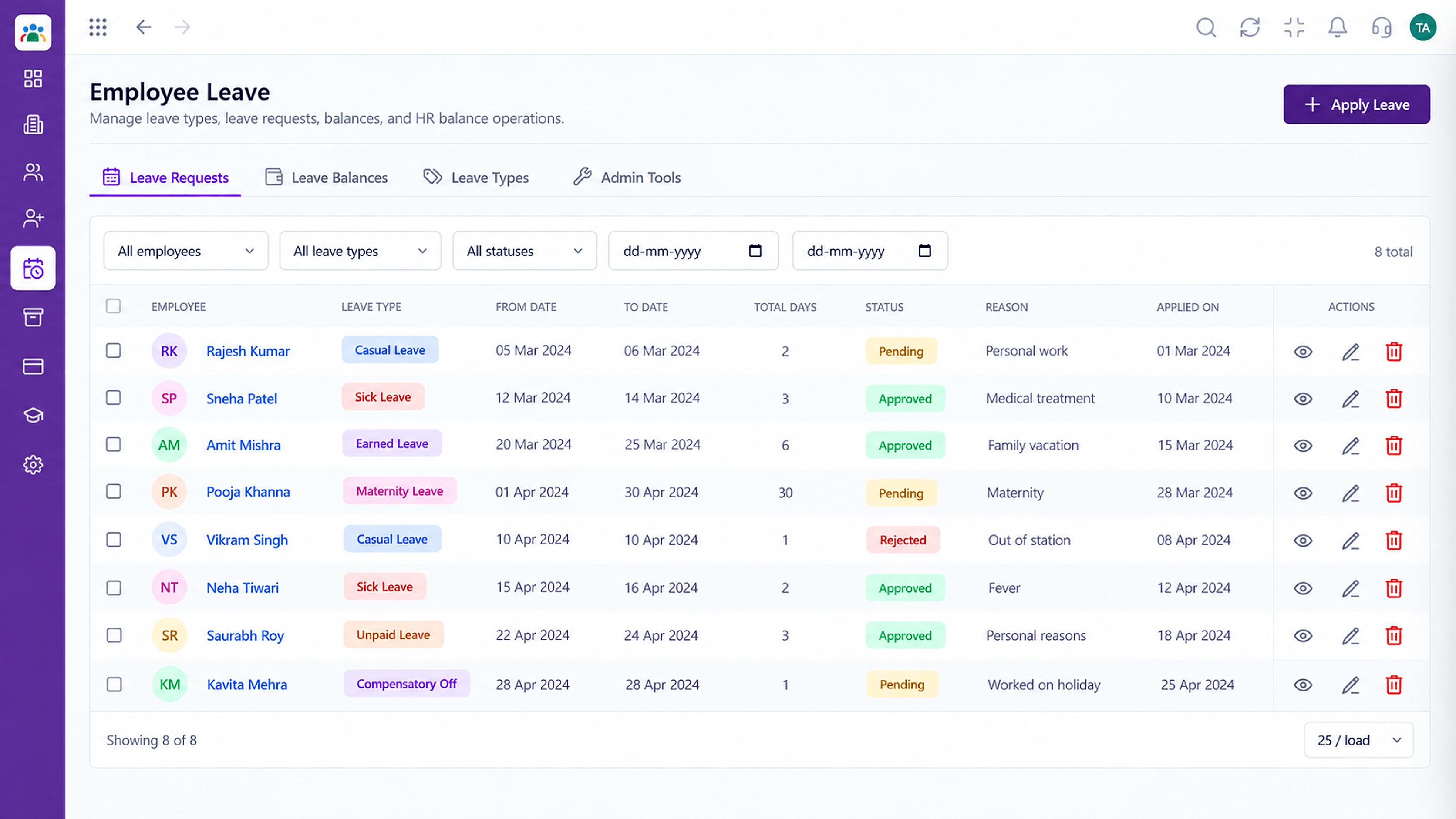 Leave
LeaveLeave types, balances and requests in one place
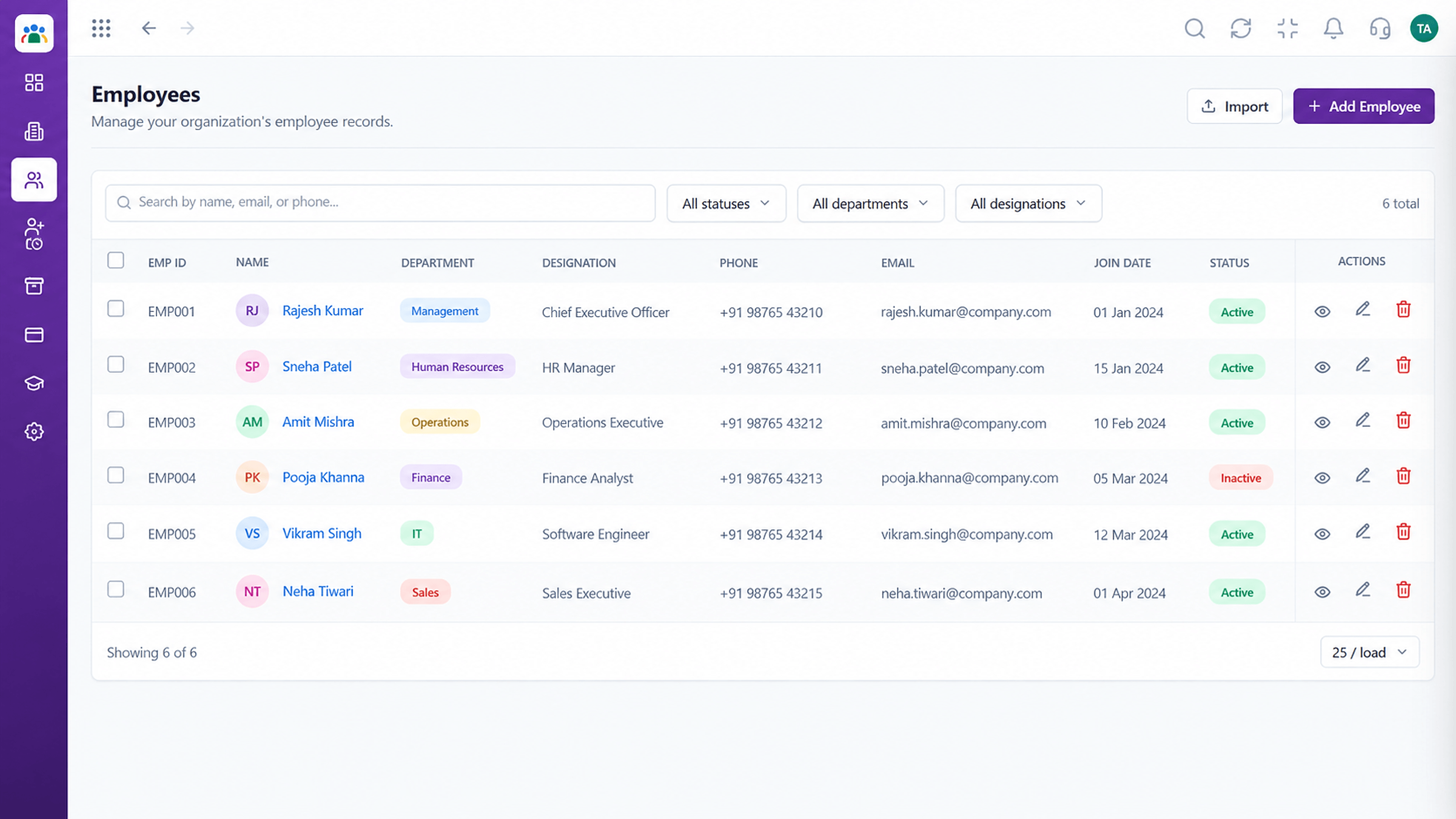 Employees
Every employee with ID, department, designation and status
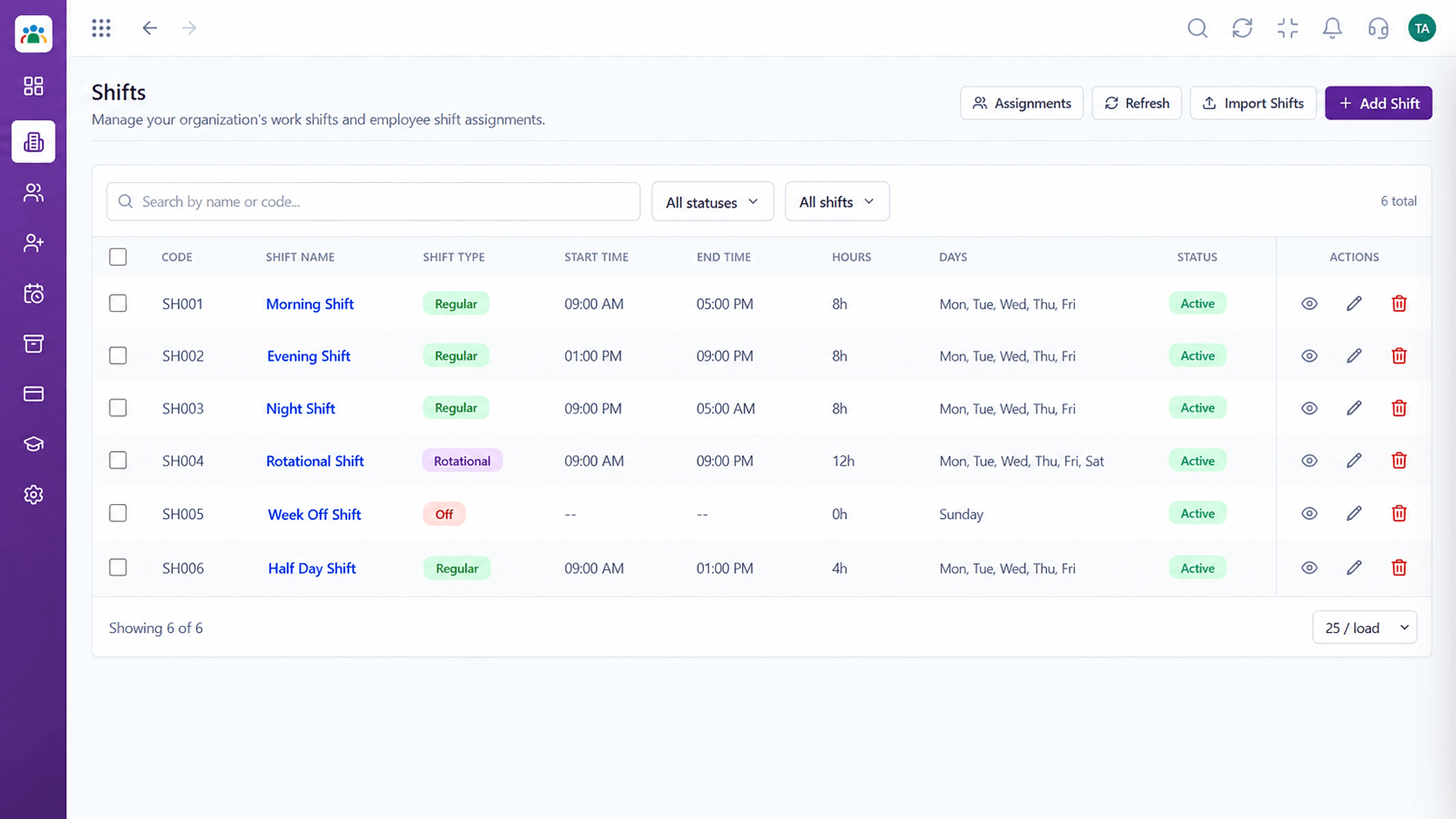 Time
TimeDefine shifts and assign them to teams
Feature Breakdown
Captured from the Triostack HRMS workspace.
HRMS FeaturesTrack extra hours worked.
 HRMS Features
Handle expense claims.
 HRMS Features
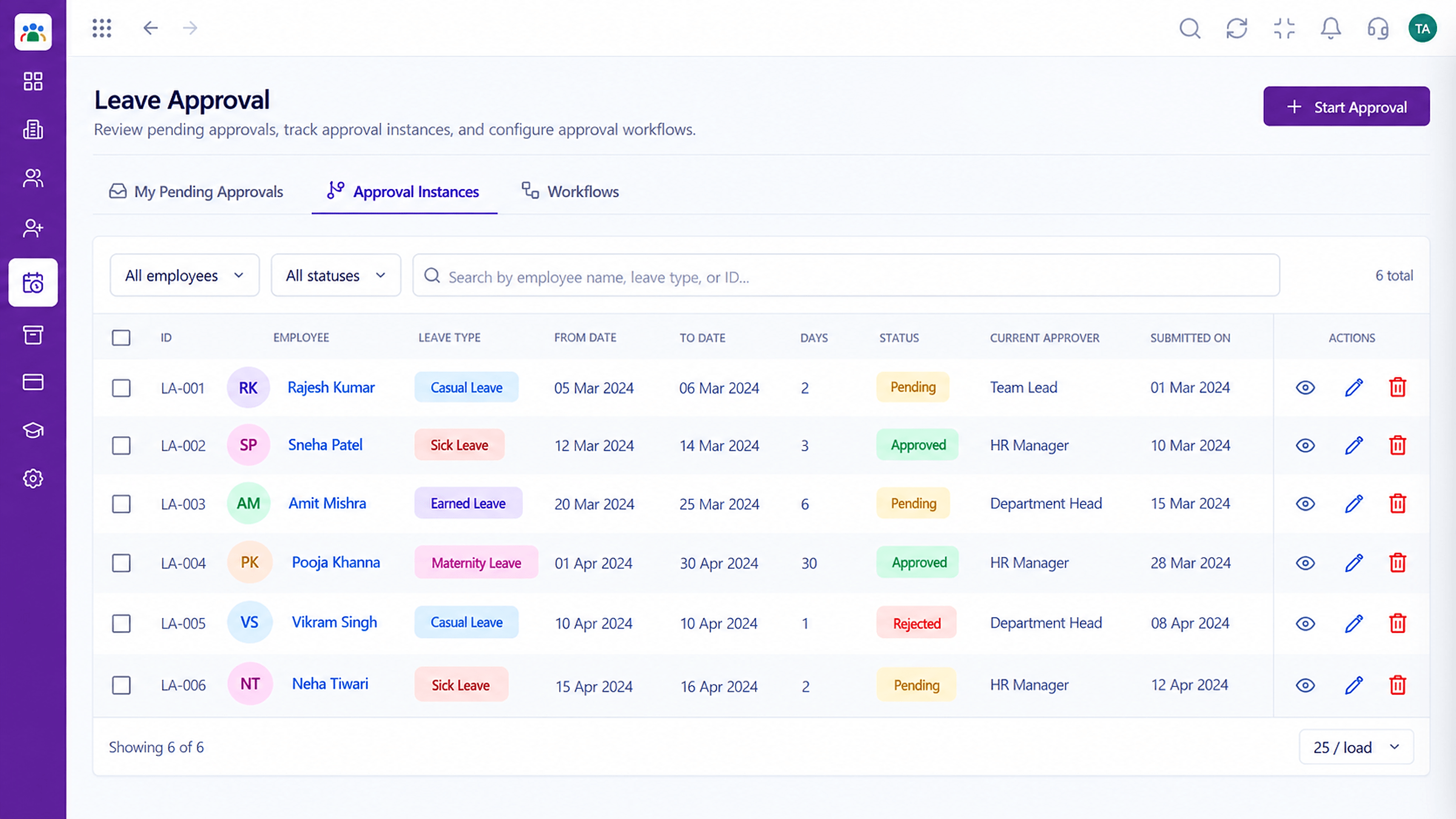
See what awaits decision.
 HRMS Features
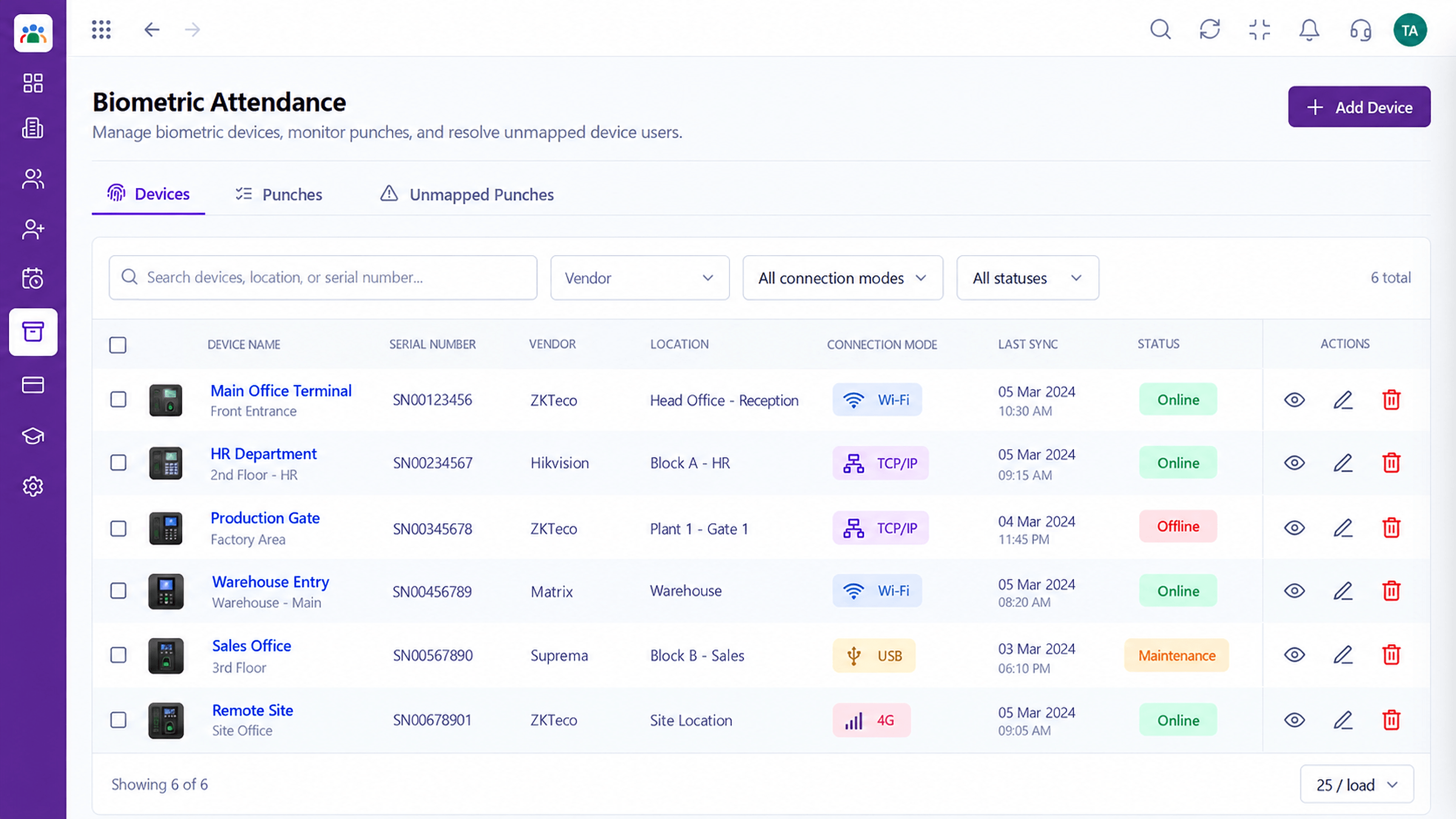
Tie hours to real attendance.
Execution Plan
The employee raises an overtime or expense request.
The approver checks the details.
The claim is approved or rejected with a note.
The outcome is recorded for payroll or finance.
In Real Life
Scenario 01
Overtime is reviewed from a list, not from memory.
Scenario 02
Travel claims arrive with details and wait for approval.
Scenario 03
HR points to the record instead of a recollection.
Frequently Asked Questions
Yes. Claims go to an approver and carry a status.
Overtime can be reviewed alongside punch and shift data.
Yes, through reports. Ask us about the views you need.
Approved items can feed payroll through the suite. Ask us how it fits your setup.
Employee records, attendance, leave, shifts and approvals in one workspace, built for HR teams and the people they serve.
