The best Business Suite software in India, built to help your business grow. Contact us at +91-8882435276.
[ Contact ]
Phone number
Email address
Head office
Noida office
The right team at TriostackOne will get back to you.
Model branches, designations, grades and reporting managers so approvals follow your real chain of command and everyone knows who reports to whom.
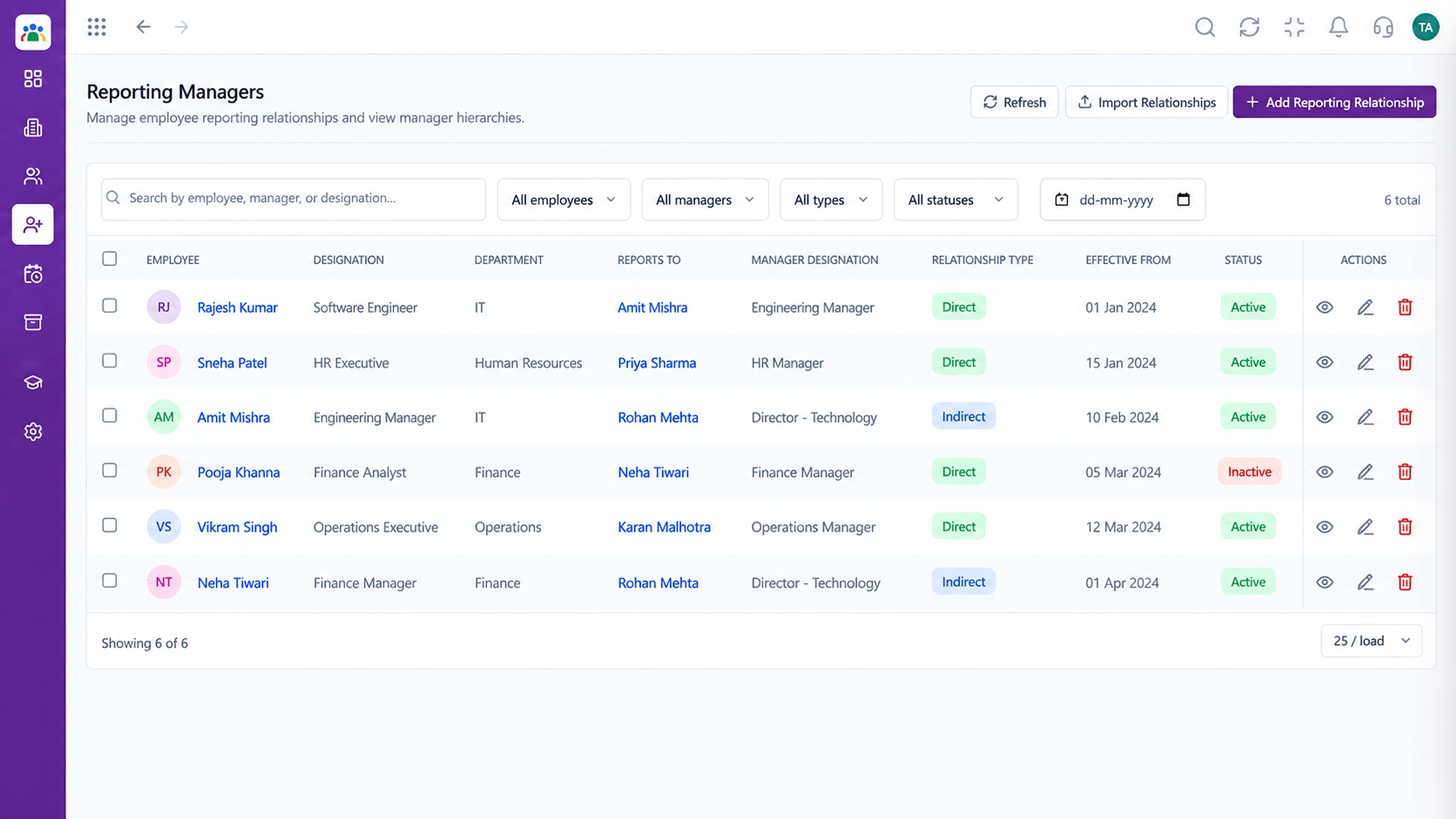
Approvals follow your real structure
Positioning Assessment
Who approves this leave? Who is this person's manager? In many companies the answer depends on who you ask, and requests stall or reach the wrong desk.
Triostack HRMS lets you define branches, designations and grades, and assign a reporting manager to each employee. Approval routing then follows that structure.
“When reporting managers were set in the system, approvals started reaching the right person on their own.”
Sample team scenario
Illustrative example, not a customer testimonial
Illustrated Overview
Picture a tree of names where each branch is a line that approvals travel along, so a request never loses its way.
Approvals follow the chart.
One list of designations and grades.
Move a manager and routing follows.
Platform Integrity
Where people work
Consistent job titles
A clear grade structure
Manager per employee
How It Works
What happens when the org structure is in the system.
| Dimension | Triostack HRMS | Informal Hierarchy |
|---|---|---|
| Reporting Line | Manager set per employee | Assumed |
| Approvals | Routed by the structure | Forwarded by hand |
| Titles | One list of designations | Variants and typos |
| Grades | Defined and assigned | Spreadsheet notes |
| Change | Update the manager, routing follows | Re-explain to everyone |
Book a walkthrough and we will set up a sandbox with your branches, shifts and leave types so you can try it before you commit.
Live Interface Tour
Real screens captured directly from the Triostack HRMS workspace.
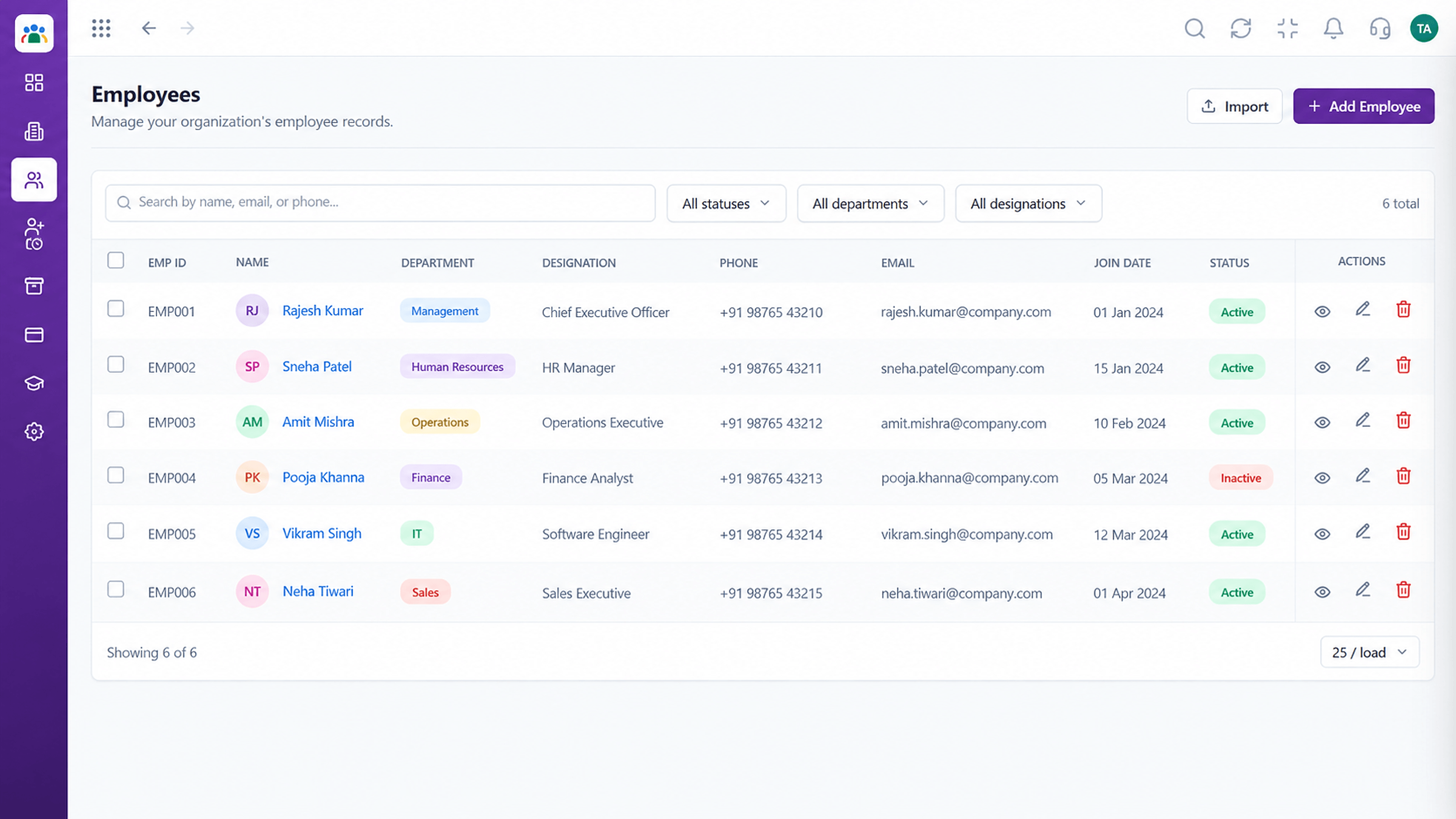 Employees
Every employee with ID, department, designation and status
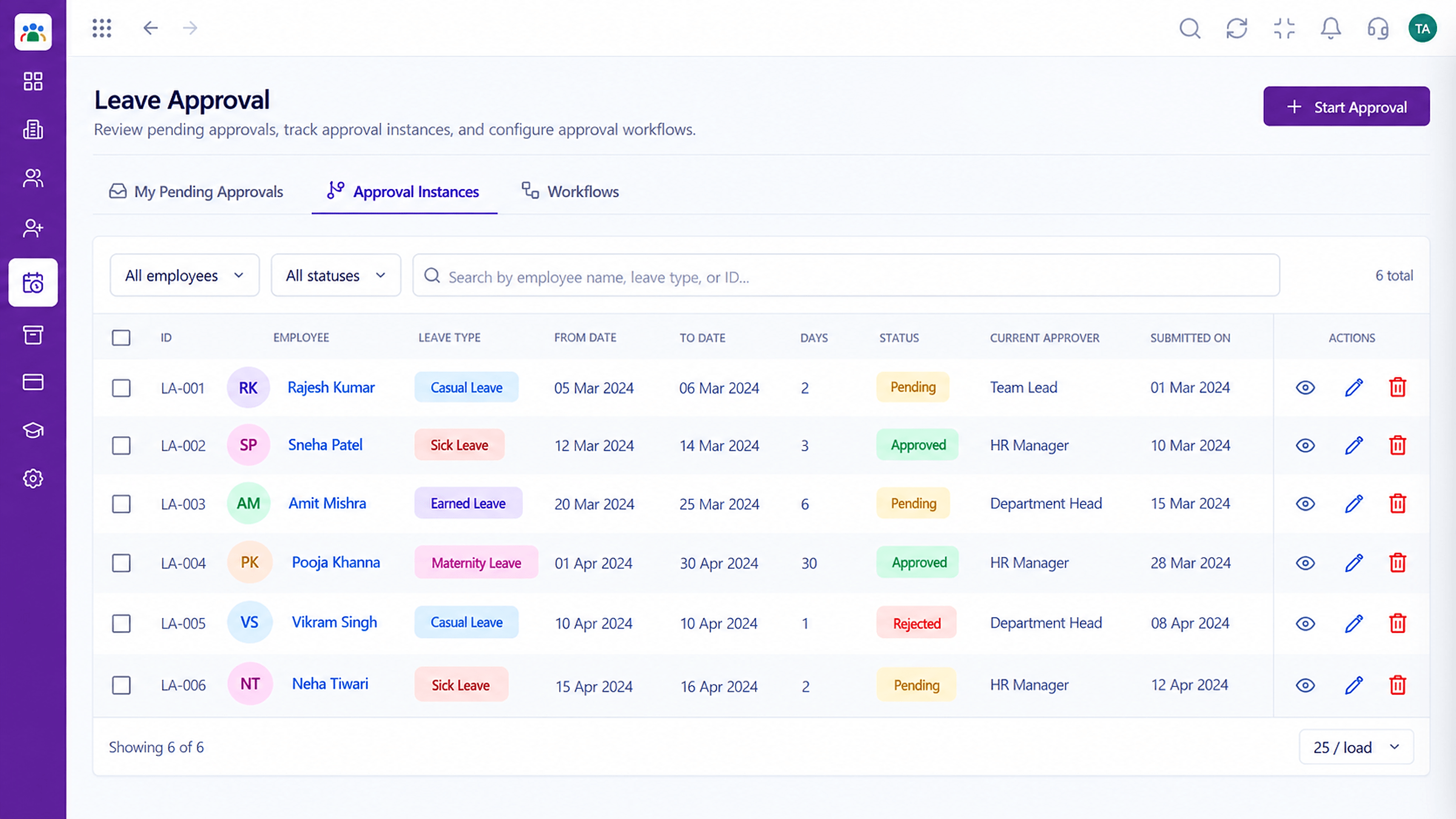 Leave
LeaveApproval instances with current approver and status
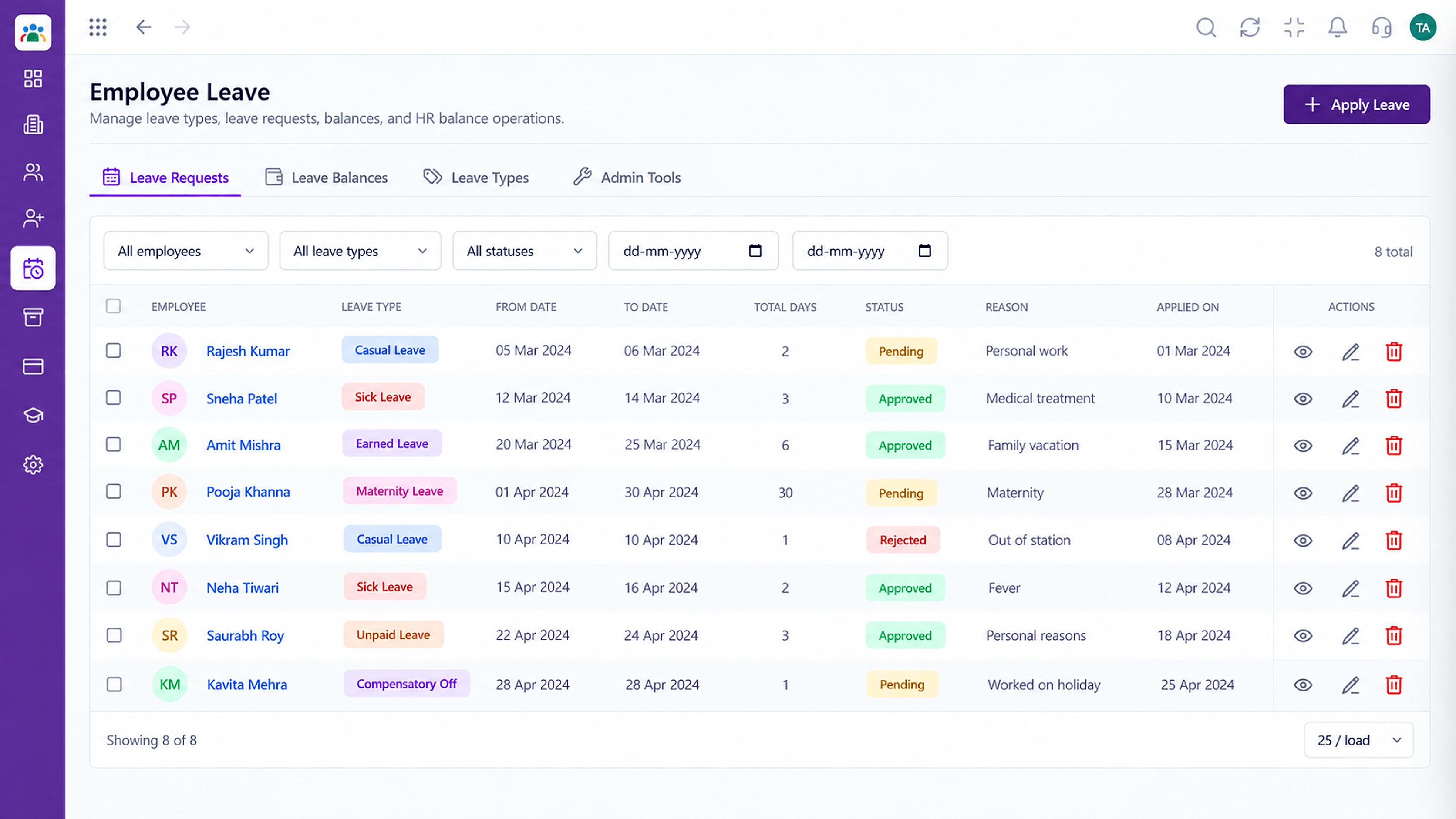 Leave
LeaveLeave types, balances and requests in one place
Feature Breakdown
Captured from the Triostack HRMS workspace.
HRMS FeaturesAssign who reports to whom.
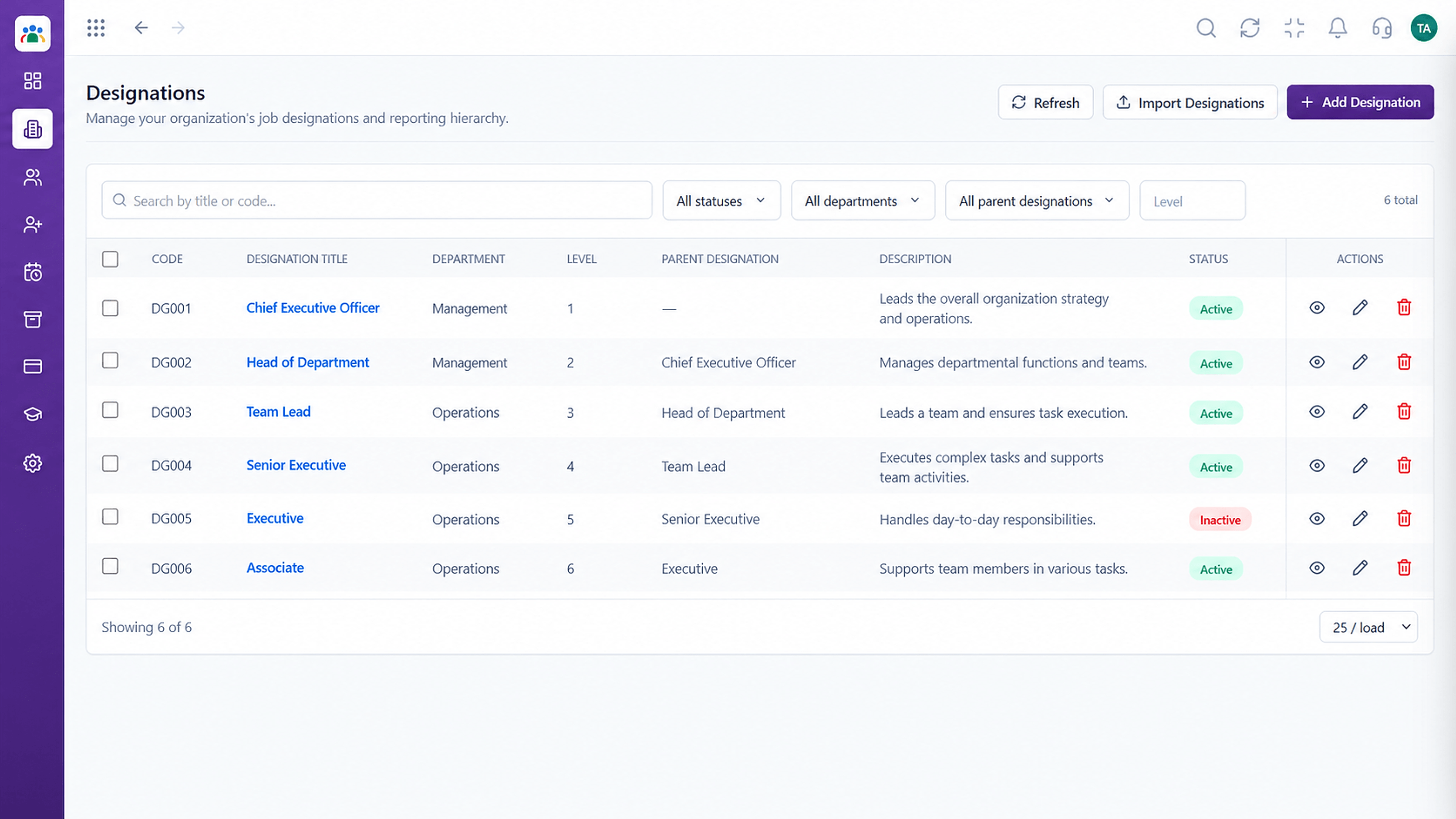 HRMS Features
Standardise job titles.
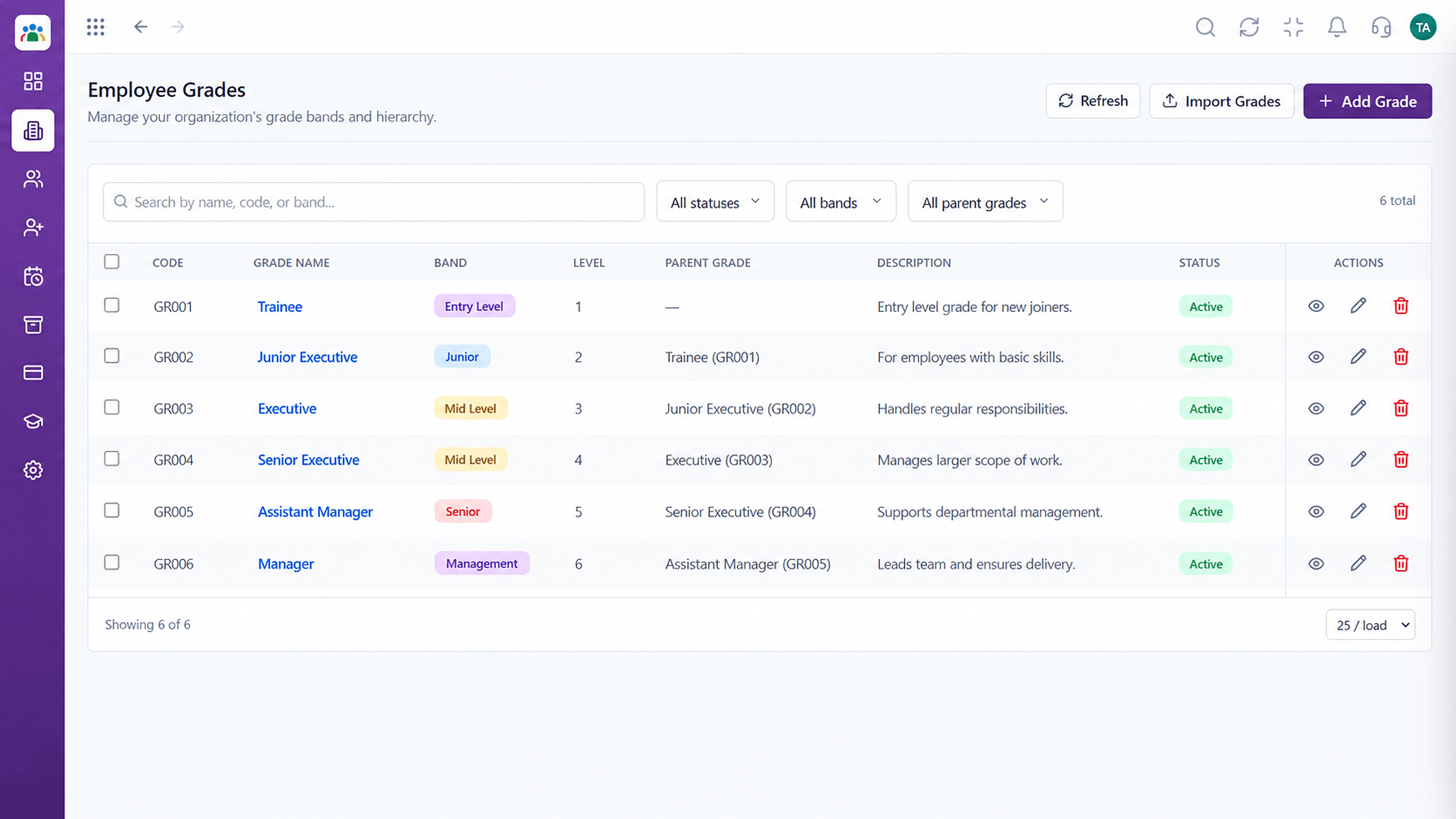 HRMS Features
Define your grade structure.
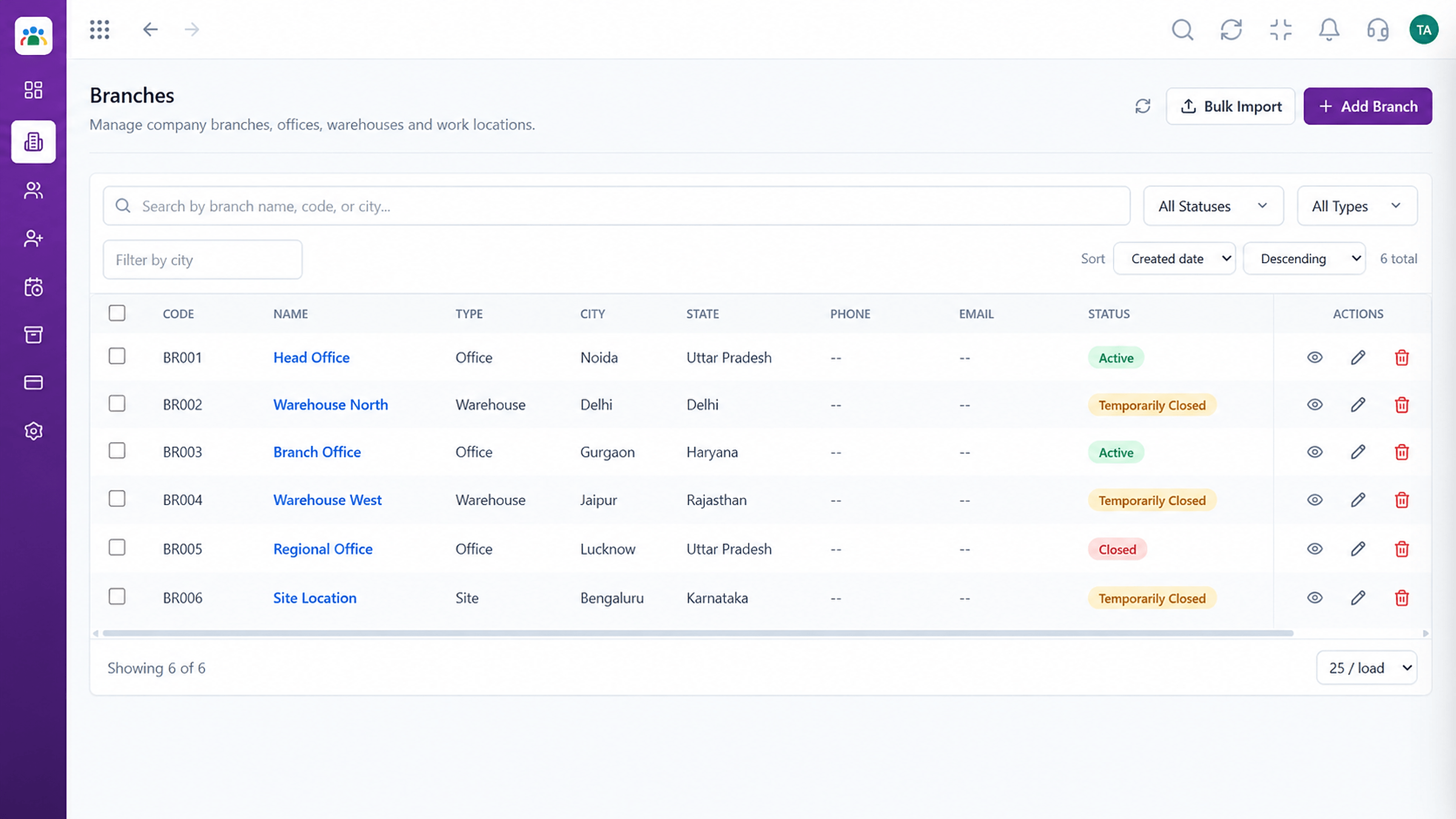 HRMS Features
Map your locations.
Execution Plan
List your locations.
Create designations and grades.
Set each employee's reporting manager.
Requests follow the structure.
In Real Life
Scenario 01
Add the location and its people in minutes.
Scenario 02
Update managers and approvals follow.
Scenario 03
Reassign reports and nothing stalls.
Frequently Asked Questions
Yes, per employee.
Requests route to the current approver based on your setup.
Yes. Branches are defined and assigned to employees.
Yes. Updates apply going forward.
Employee records, attendance, leave, shifts and approvals in one workspace, built for HR teams and the people they serve.
