The best Business Suite software in India, built to help your business grow. Contact us at +91-8882435276.
[ Contact ]
Phone number
Email address
Head office
Noida office
The right team at TriostackOne will get back to you.
Let business and delivery teams see how engineering issues relate to project tasks and milestones, without asking engineers to update two tools.

Engineering and delivery work seen together
Positioning Assessment
Software teams often manage detailed issues in a tool built for engineering, while the wider project plan lives elsewhere. Project managers ask for updates, engineers re-type them and the two views drift.
Connecting Jira lets project tasks and milestones relate to the issues behind them, so the wider team can see progress without interrupting engineers. What can be linked or synced depends on your plan and setup, so ask us before you plan around it.
“Delivery can finally see where an issue sits against a milestone without pinging the engineers.”
Sample team scenario
Illustrative example, not a customer testimonial
Illustrated Overview
Imagine small roads of issues merging onto a highway of milestones, so anyone on the highway can see what is coming.
The detail stays where it belongs.
Dates sit beside real work.
Less manual status writing.
Platform Integrity
Connect issues to tasks
Non-engineers see progress
See issues against dates
Engineers stay in their tool
How It Works
What changes when engineering and project views relate.
| Dimension | Triostack Projects | Two Separate Plans |
|---|---|---|
| Visibility | Issues visible beside tasks | Ask an engineer |
| Status Reports | Compiled from linked work | Re-typed by hand |
| Milestones | Tied to underlying issues | Dates with no evidence |
| Engineer Time | Stay in their own tool | Interrupted for updates |
| Accuracy | One source per fact | Two versions of the truth |
Our team can walk you through the connection, permissions and a first test so projects fit into the tools your team already uses.
Live Interface Tour
Real screens captured directly from the Triostack Projects workspace.
 Overview
Status, progress and key numbers at a glance
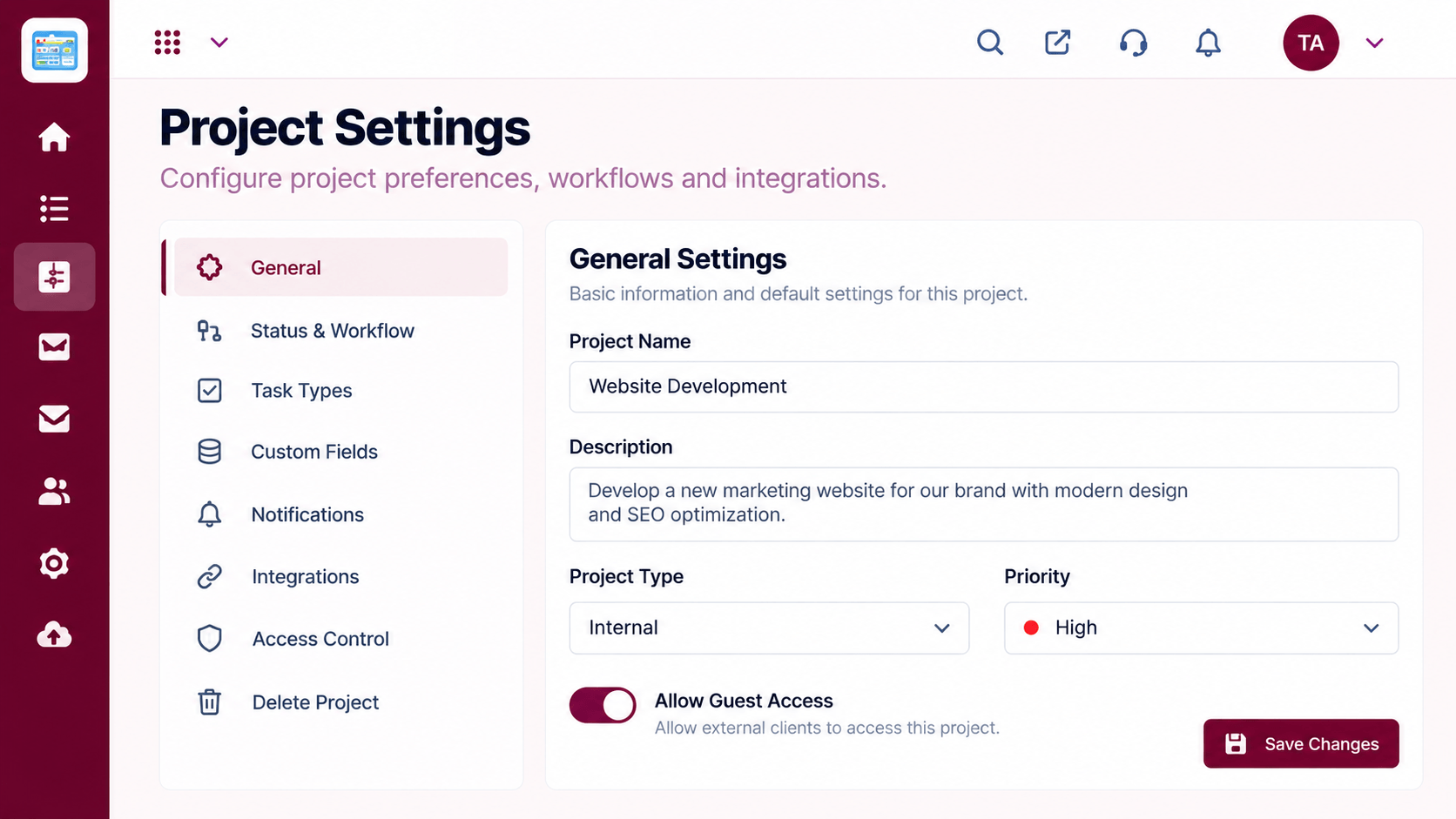 Settings
Configure statuses, access and preferences
 Team
TeamWho is on the project and what they own
Feature Breakdown
Captured from the Triostack Projects workspace.
IntegrationsDelivery tasks and their status.
 Integrations
Milestones with context.
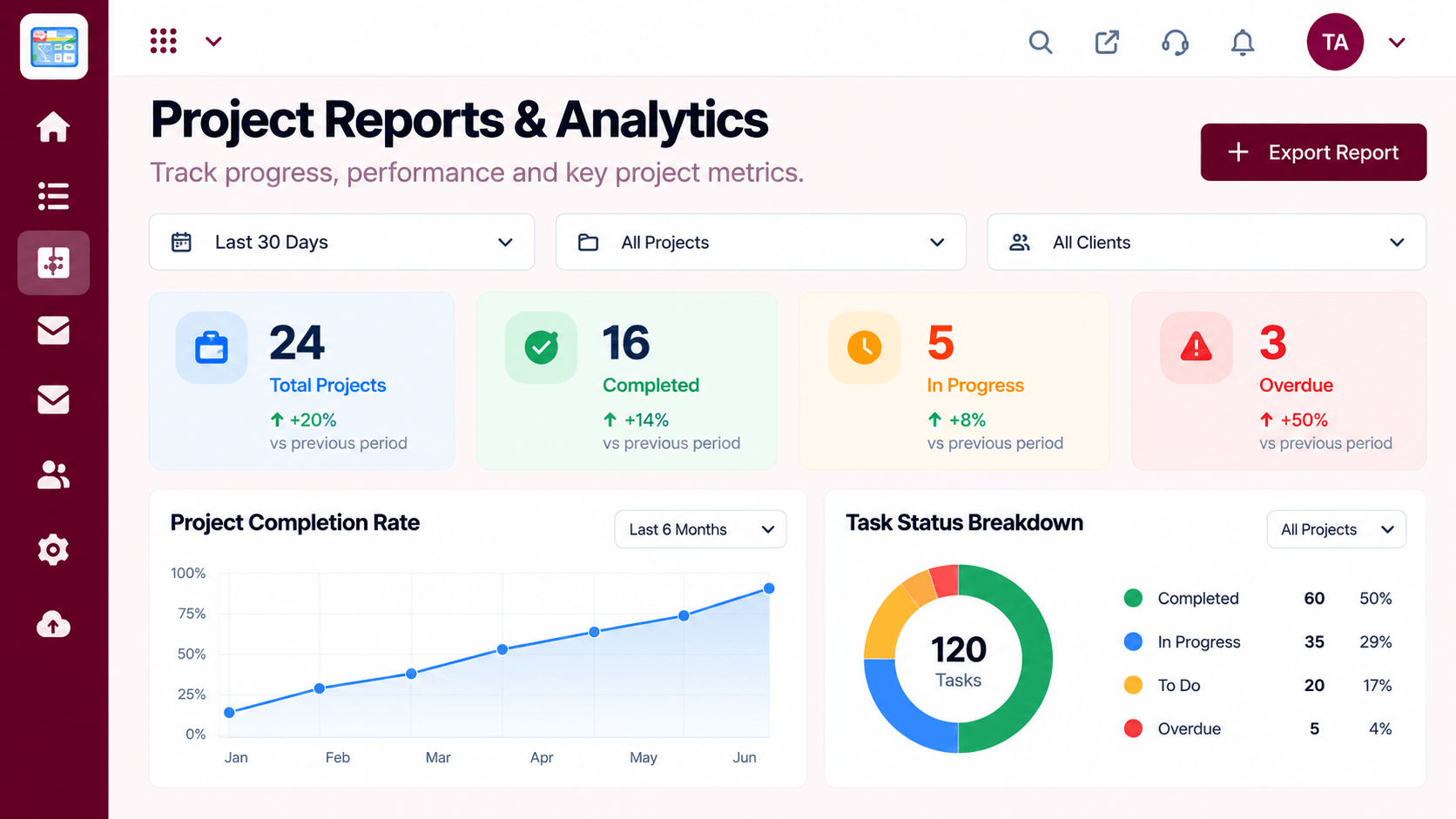 Integrations
Progress without chasing.
 Integrations
Who has capacity.
Execution Plan
An admin links the two tools.
Decide which projects relate to which issues.
Attach issues to tasks and milestones.
Use the shared view for status.
In Real Life
Scenario 01
A milestone shows the issues that still block it.
Scenario 02
Status is read from linked work, not requested.
Scenario 03
Design sees the engineering item it waits for.
Frequently Asked Questions
It can relate project work to issues. What can be linked or synced depends on your plan, so ask us.
No. They can stay in their own tool.
Linked work lets the wider team see status.
An admin, with help from our team.
Tasks, boards, timelines, workload and reports in one workspace, built for teams who deliver on time.
Explore All Integrations
