The best Business Suite software in India, built to help your business grow. Contact us at +91-8882435276.
[ Contact ]
Phone number
Email address
Head office
Noida office
The right team at TriostackOne will get back to you.

Positioning Assessment
A company with its own Android app for field staff or customers may want that app to start calls and to report what happens, without asking users to switch to another application. A client library lets the app do this through the CRM's API instead of every team building its own plumbing.
The Android SDK is intended to let your app start a GSM call to a lead's number, read the call's duration and outcome when it ends, and send them to the CRM against that lead. It can also send custom in-app events, such as a form submitted or a product viewed, so they appear on the lead's timeline. It authenticates with an API credential, needs the usual phone permissions, which the user must grant, and sends data over HTTPS. This page describes what the SDK is for; the availability, packaging and supported Android versions are confirmed by our developer team before you build.
“Our field app placed the call and the duration appeared on the lead before the rep got back to the car.”
Sample team scenario
A made-up scenario about Mobile SDK for Android Developers, not a customer testimonial

All Leads
Mobile SDK for Android Developers: every lead with its source, status and owner
In the Product
Imagine every call your app places appearing on the lead.
Logged.
On the timeline.
To users.
Platform Integrity
Started from your app
Outcome too
On the timeline
With API credentials
At a Glance
What changes for an app team.
| Dimension | Triostack CRM | Hand-Built API Calls |
|---|---|---|
| Starting calls | Library call with a lead | Custom dialer code |
| Call result | Duration and outcome synced | Parsed from call logs yourself |
| App events | Sent to the lead's timeline | A separate analytics system |
| Permissions | Standard, requested from the user | The same, handled by you |
| Maintenance | Library updated | Your code to keep |
Book a walkthrough of Mobile SDK for Android Developers. We set up a sandbox so you can try GSM calling, Call duration sync and App events before you commit.
Live Interface Tour
The screens below belong to Mobile SDK for Android Developers: All Leads, Lead Pipeline and Lead Follow-Ups, all from the product.
Call Logs
Mobile SDK for Android Developers: calls and events logged without a second app
Feature Breakdown
4 screens from the live product that show Mobile SDK for Android Developers at work.

The API behind it.
How it fits the plan
Add. Add the library to your Android project.
Authenticate. Initialise it with your API credential.
Practical tip
Explain why the app needs call permissions before asking for them. Users who understand the reason say yes.
Where calls land.
How it fits the plan
Authenticate. Initialise it with your API credential.
Call. Start a call for a lead from your app.
In real life
Field apps
Visits and calls land in one place.
Numbers to call.
How it fits the plan
Call. Start a call for a lead from your app.
Report. Sync the duration, outcome and app events.
Watch out for
Shipping the API credential inside the app where it can be extracted. Use a restricted, revocable credential.
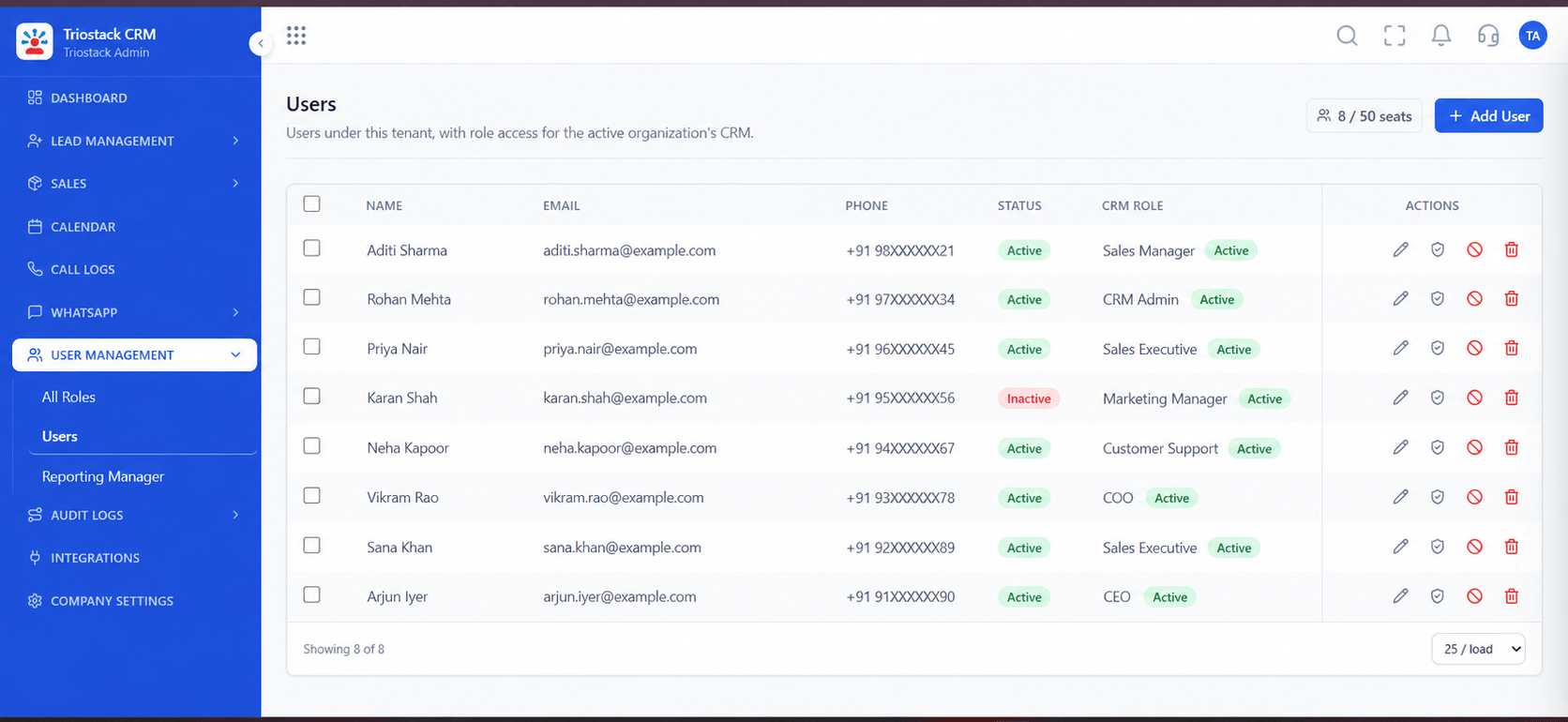
Who is authenticated.
How it fits the plan
Report. Sync the duration, outcome and app events.
Add. Add the library to your Android project.
Before you start
Execution Plan
Add the library to your Android project.
Initialise it with your API credential.
Start a call for a lead from your app.
Sync the duration, outcome and app events.
Practical Guide
Before you start
A tip that helps
Explain why the app needs call permissions before asking for them. Users who understand the reason say yes.
A common mistake
Shipping the API credential inside the app where it can be extracted. Use a restricted, revocable credential.
Availability: What Mobile SDK for Android Developers covers can depend on your plan and setup. Please confirm with our team which parts are live for your account, and any prerequisites, before you plan around it.
In Real Life
Scenario 01
Visits and calls land in one place.
Scenario 02
No second application.
Scenario 03
A fast route to logging calls.
Straight answers about Mobile SDK for Android Developers, from setup to what happens next.
Have a question about Mobile SDK for Android Developers?
Book a free callIt lets your Android app start GSM calls, sync call results and send app events to the CRM.
Yes, the usual phone permissions.
Ask our developer team to confirm availability and supported versions.
The REST API can do the same work without the library.
Client library integration for Android apps to start GSM calls, sync call duration and outcome, and capture in-app events into Triostack CRM.
It runs in 4 steps: Add, Authenticate, Call and Report. Add the library to your Android project.
The real screens on this page include All Leads, Lead Pipeline, Lead Follow-Ups and Webhooks and APIs, all captured from the product.
Request a demo and ask to see Mobile SDK for Android Developers. Our team can also walk you through setup, so your first session ends with something working.
We will walk you through Mobile SDK for Android Developers, from GSM calling, Call duration sync and App events, on sample data shaped like yours.

