The best Business Suite software in India, built to help your business grow. Contact us at +91-8882435276.
[ Contact ]
Phone number
Email address
Head office
Noida office
The right team at TriostackOne will get back to you.
Built for
Enterprise CRM Edition Overview
Built to scale
Roles, routing and reporting for many teams

Positioning Assessment
Larger businesses have more of everything: leads, teams, branches, approval steps and integrations. They also have more at stake when something is unclear, such as who sees what or where a lead went.
Triostack CRM gives large teams the building blocks: roles and permissions, reporting hierarchies, lead assignment rules, an Integrations Hub for ads, calling and payments, audit logs, and a dashboard that rolls everything up. For particular needs, such as custom development, white-label options or priority support, our team will talk through what applies.
This page is an overview. We deliberately do not publish performance or uptime guarantees here; ask us and we will discuss what your organisation requires.
“Our structure was complicated. The first call was a conversation about the structure, not a demo script.”
Sample team scenario
Illustrative example, not a customer testimonial

All Leads
Every lead with its source, status and owner
In the Product
Imagine seeing every flight at once, and guiding each one.
One system.
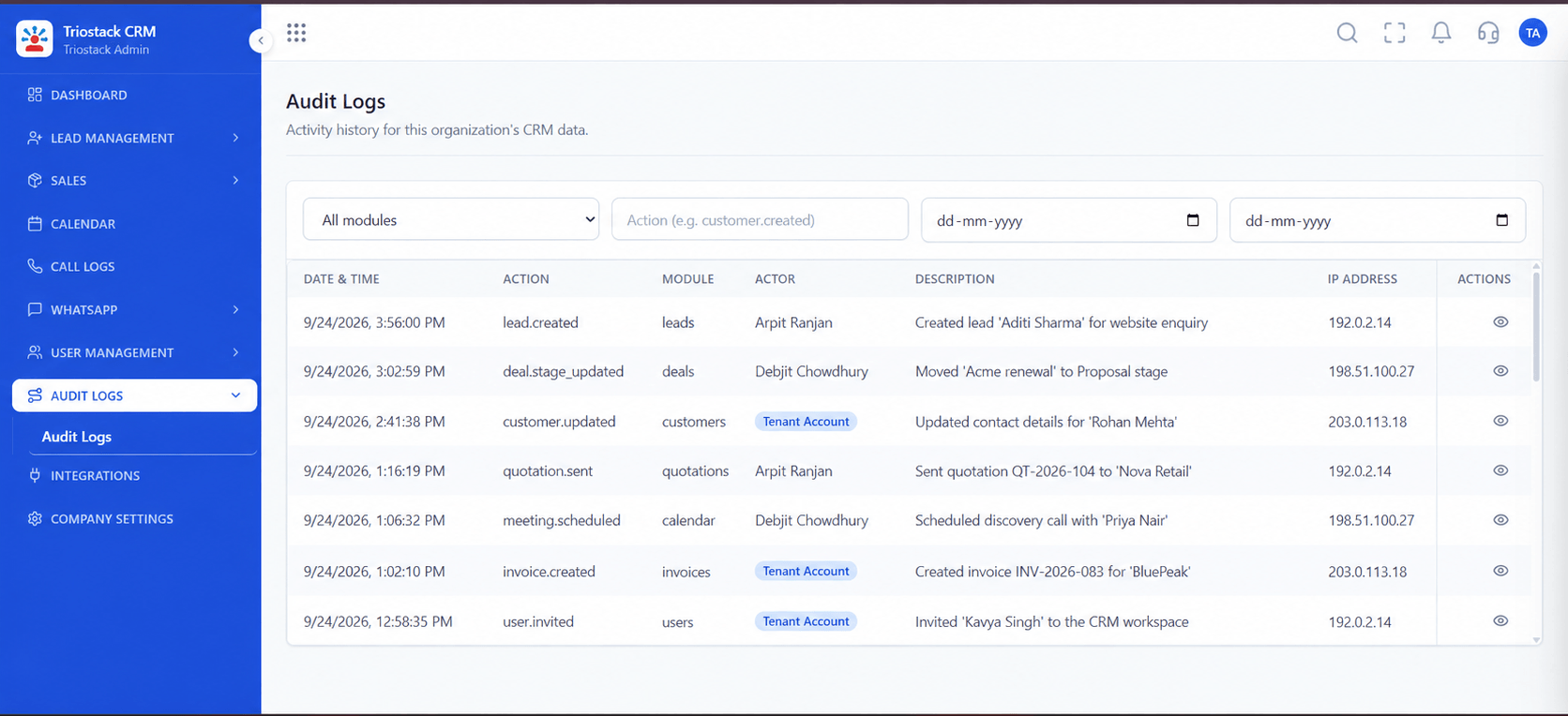
Audit logs.
Ask us what you need.
Platform Integrity
Many teams
Rules for each team
Ads, calling, payments
Traceable, supported
At a Glance
What larger teams typically ask for.
Many teams
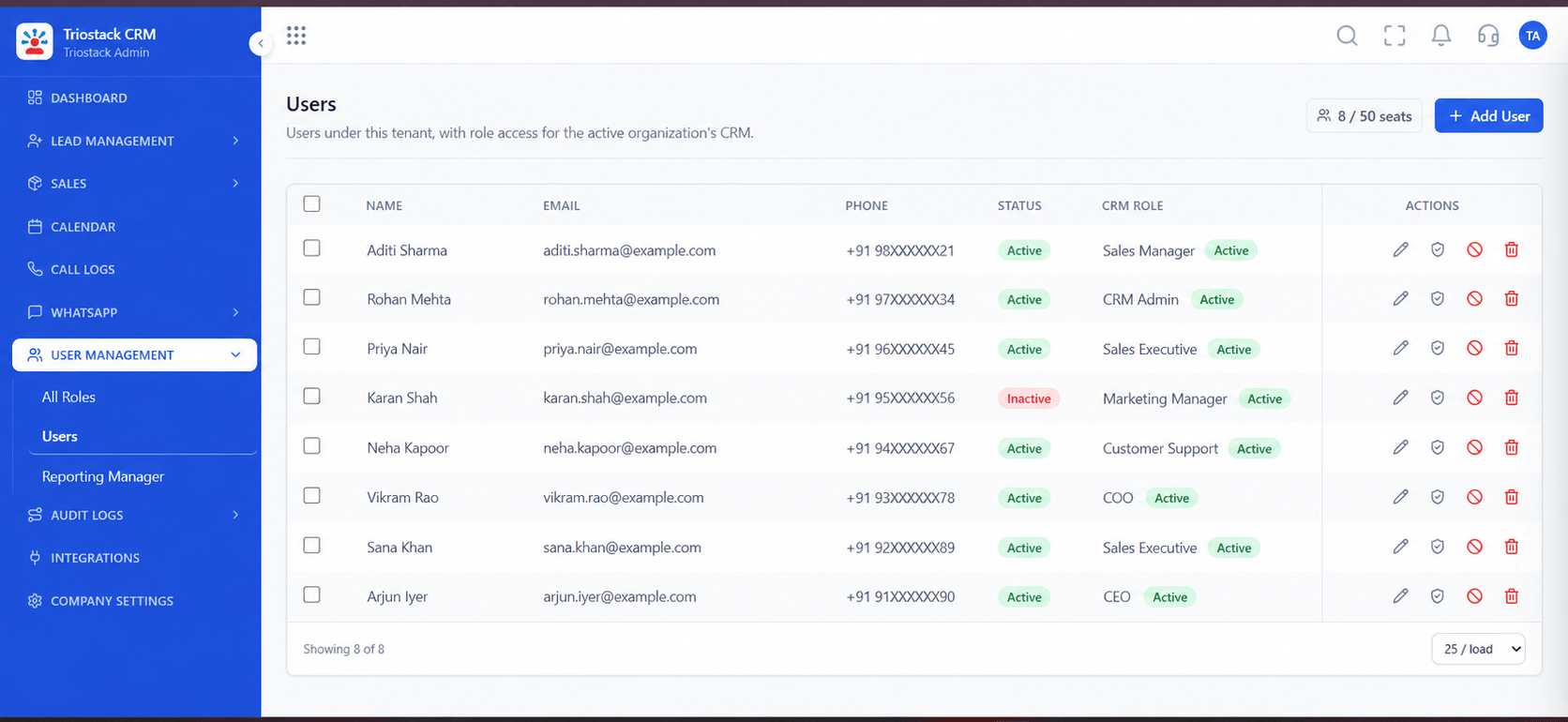
Roles and reporting hierarchy
Typical Enterprise Need: One flat structure
Lead distribution
Assignment rules by source, city, team
Typical Enterprise Need: Manual
Connections
Integrations Hub and webhooks
Typical Enterprise Need: Point-to-point
Traceability
Audit logs
Typical Enterprise Need: Spreadsheet trails
Tailoring and support
Ask us about custom work and priority support
Typical Enterprise Need: Varies
Book a walkthrough and we will set up a sandbox with sample leads, a WhatsApp inbox and a pipeline, so you can try it before you commit.
Live Interface Tour
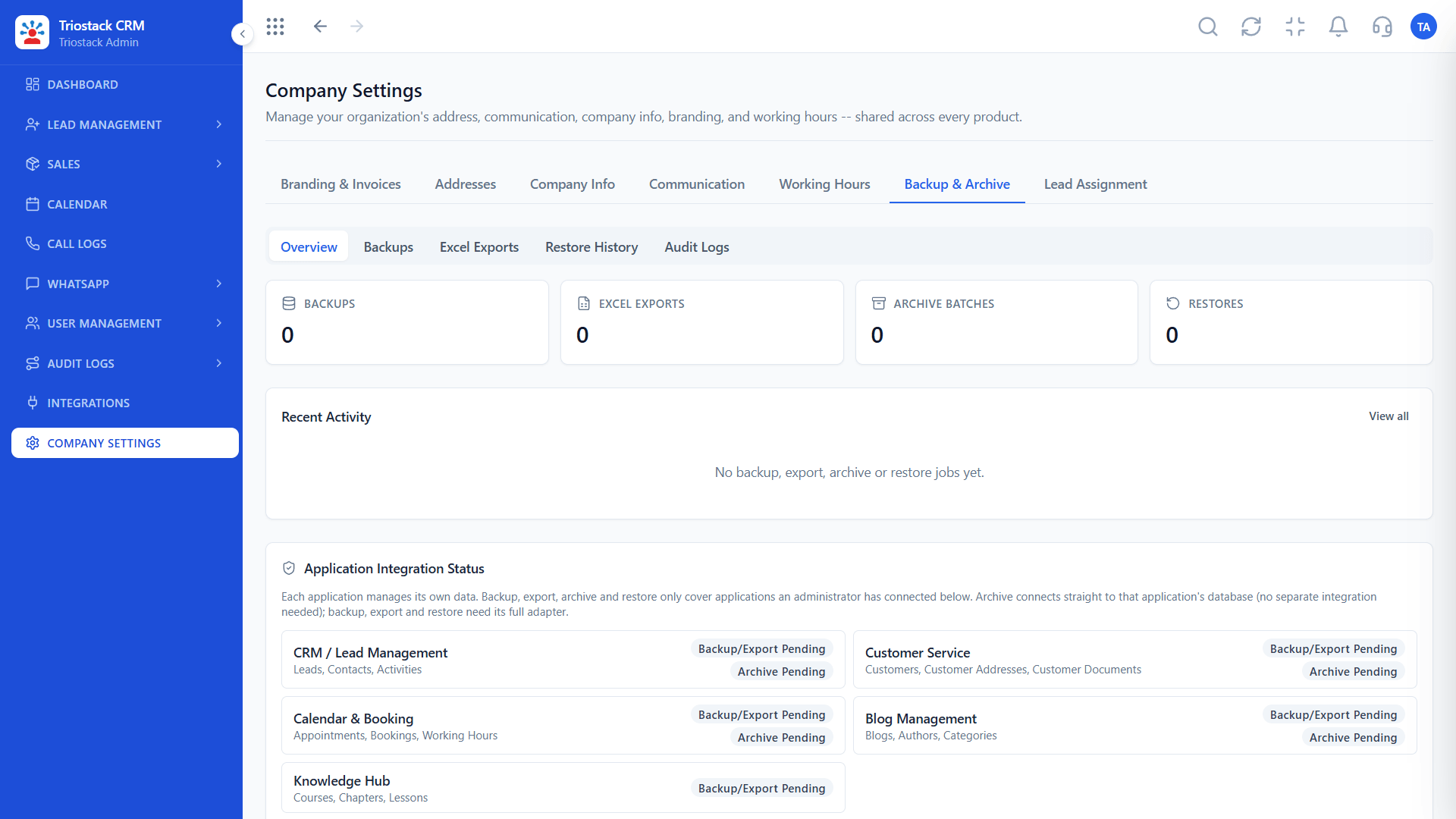
Real screens captured directly from the production Triostack CRM interface.
Sales Dashboard
Roles, routing and reporting for many teams
Feature Breakdown
Captured directly from the production Triostack CRM interface.
The roll-up.
On this screen: Leads, deals and follow-ups at a glance.
How it fits the plan
Map. Describe your teams, branches and approvals.
Test. See roles, routing and integrations on your case.
Practical tip
Bring the one process that worries you most to the first meeting. It shows quickly whether the fit is real.
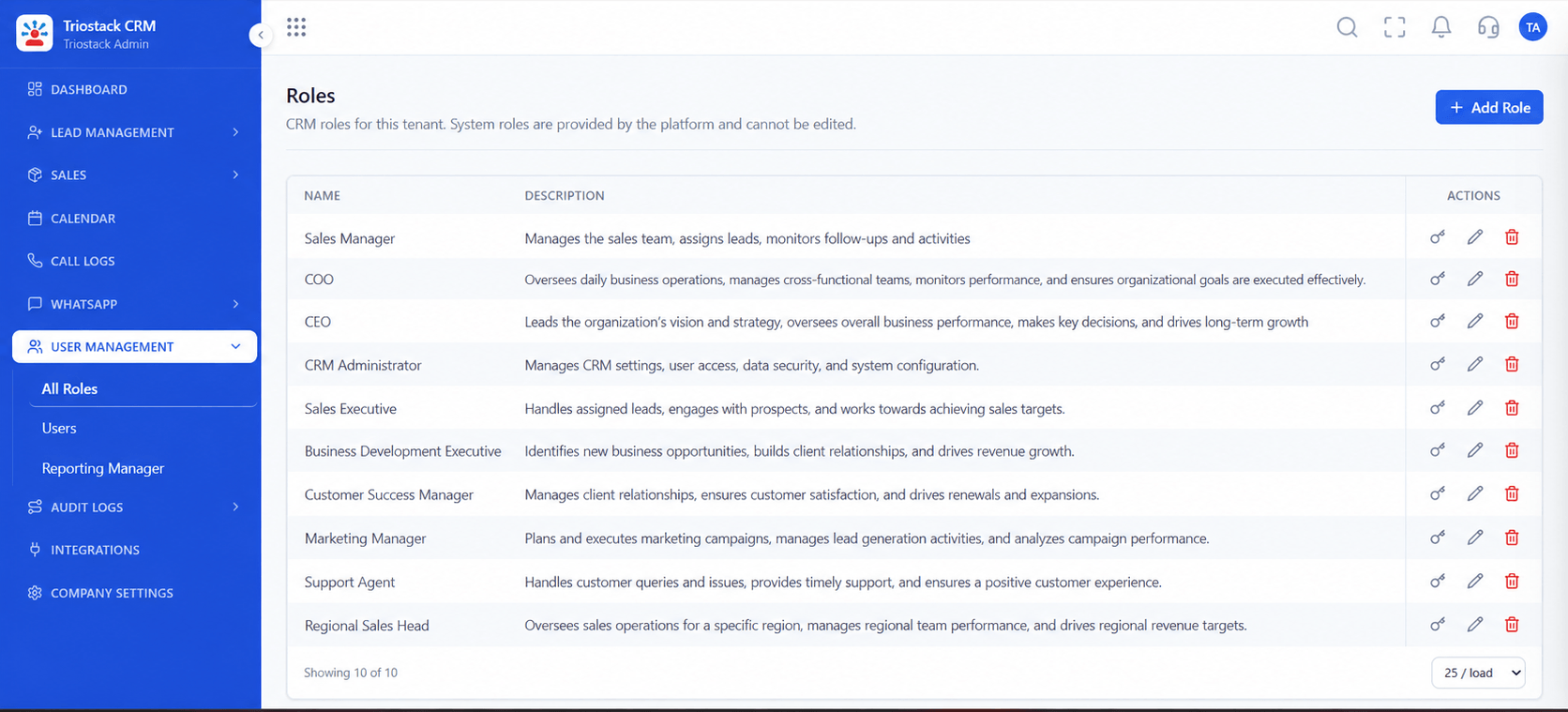
Access across teams.
In real life
Several branches
Head office sees all, branches see theirs.
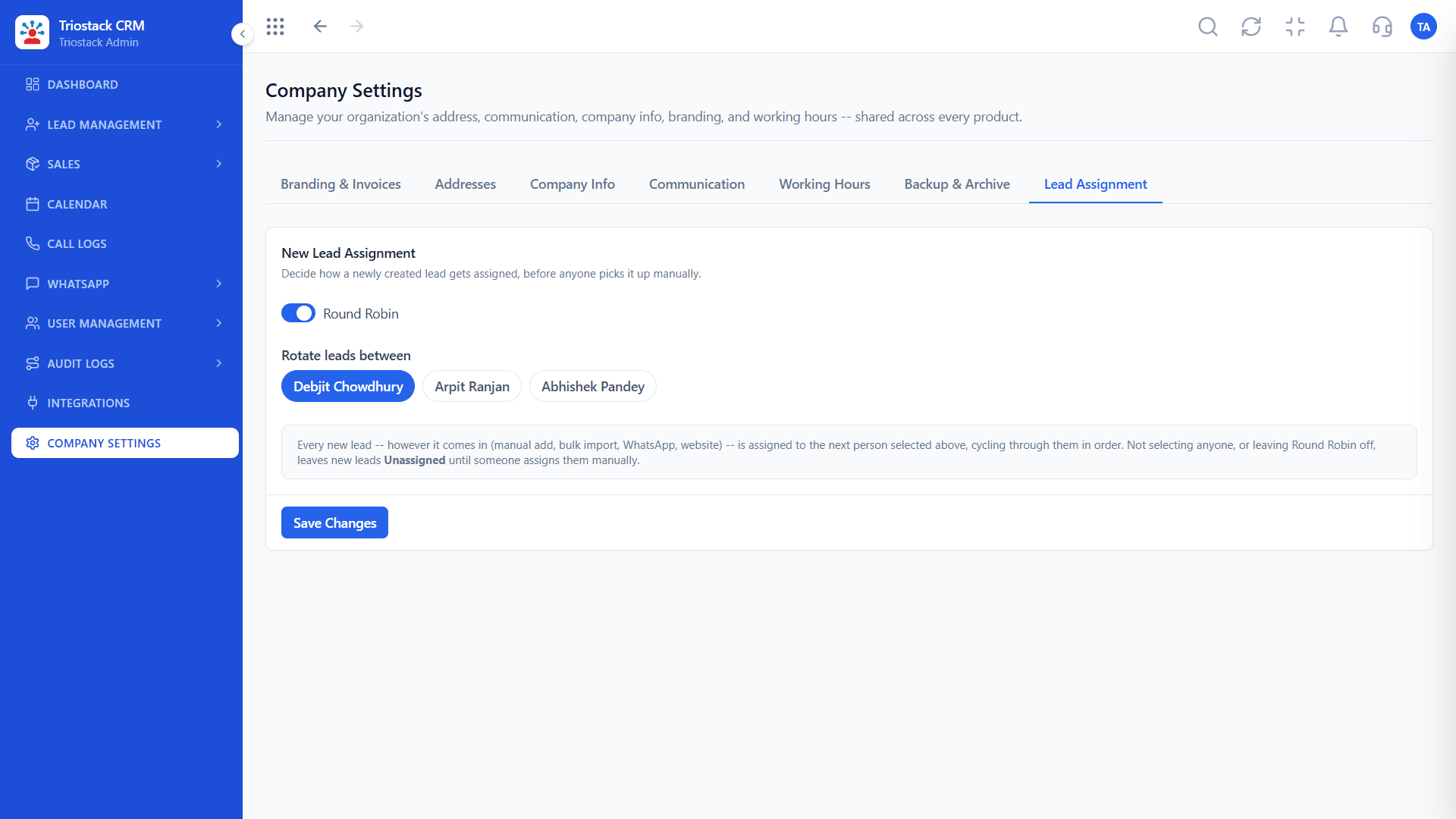
Routing at scale.
Watch out for
Judging an enterprise rollout by a feature list rather than by how your hardest process would run.

Connect everything.
Before you start
Execution Plan
Describe your teams, branches and approvals.
See roles, routing and integrations on your case.
Discuss any custom work or priority support.
Plan onboarding and training by team.
Practical Guide
Before you start
A tip that helps
Bring the one process that worries you most to the first meeting. It shows quickly whether the fit is real.
A common mistake
Judging an enterprise rollout by a feature list rather than by how your hardest process would run.
Availability: Availability can depend on your plan and setup. Please confirm with our team which capabilities are live for your account, and any prerequisites, before you plan around this page.
In Real Life
Scenario 01
Head office sees all, branches see theirs.
Scenario 02
Everything lands in one list.
Scenario 03
Activity is traceable.
Straight answers about Enterprise CRM Edition Overview, from setup to what happens next.
Have a question about Enterprise CRM Edition Overview?
Book a free callTriostack CRM can be configured for larger teams. Ask us what your organisation needs.
Ask our team. We will discuss your requirements directly.
The Integrations Hub and webhooks cover many sources. Ask us about yours.
Ask us. See the Custom CRM Development page.
An overview of Triostack CRM for multi-tier enterprises with high-volume pipelines: roles, hierarchy, integrations, support and what to ask for.
It runs in 4 steps: Map, Test, Tailor and Roll out. Describe your teams, branches and approvals.
The real screens on this page include All Leads, Lead Pipeline, Lead Follow-Ups and Sales Dashboard, all captured from the product.
Request a demo or start a free trial. Our team can also walk you through a guided setup, so your first session ends with something working.
Keep Exploring
Unify Meta leads, WhatsApp conversations, Android SIM calls, and GST invoices without per-seat price taxes.
Explore All Enterprise CRM