The best Business Suite software in India, built to help your business grow. Contact us at +91-8882435276.
[ Contact ]
Phone number
Email address
Head office
Noida office
The right team at TriostackOne will get back to you.

Positioning Assessment
Most CRM problems are setup problems: pipelines that do not match the sales process, users with the wrong permissions, templates that were never approved.
Triostack's team helps with the first session, so that your first call ends with something working, and stays available afterwards through the help centre, documentation and direct contact. Ask us about the support options and response times for your plan.
“The first session ended with our pipeline built and two reps already logging calls.”
Sample team scenario
Illustrative example, not a customer testimonial

All Leads
Every lead with its source, status and owner
In the Product
Imagine a colleague who has set this up a hundred times, sitting next to you.
Not just a login.
Documentation and help centre.
Direct contact.
Platform Integrity
Built with you
Guides and answers
Self-serve when you want it
People who reply
At a Glance
Questions worth asking any CRM vendor.
| Dimension | Triostack CRM | Typical Support |
|---|---|---|
| First week | A guided setup session | A knowledge base |
| Questions | Documentation and a help centre | Ticket queue |
| Customisation | Pipelines and roles set up with you | Self-configured |
| Contact | Our team directly | Ask the vendor |
| Plan details | Ask us about response times | Varies |
Book a walkthrough and we will set up a sandbox with sample leads, a WhatsApp inbox and a pipeline, so you can try it before you commit.
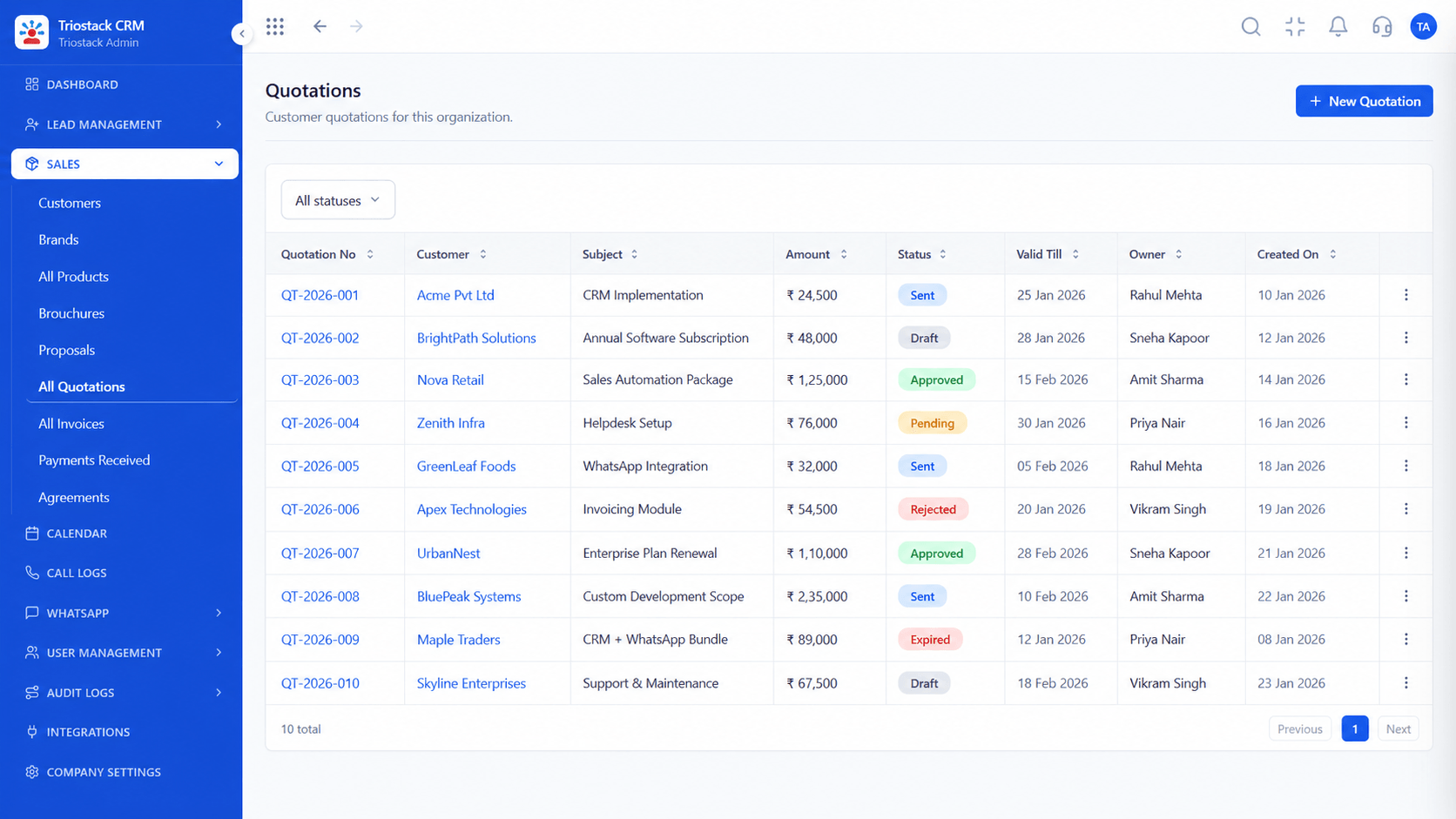
Live Interface Tour
Real screens captured directly from the production Triostack CRM interface.
Sales Dashboard
Setup help from the first session
Feature Breakdown
Captured directly from the production Triostack CRM interface.
What you will see first.
On this screen: Leads, deals and follow-ups at a glance.
How it fits the plan
Book. Request a demo or guided setup.
Set up. Build pipelines, roles and templates together.
Practical tip
Bring three real leads and your last quotation to the first session. Setup then reflects how you actually sell.

Connections we help with.
On this screen: Lead sources and tools connected in one place.
How it fits the plan
Set up. Build pipelines, roles and templates together.
Learn. Use the documentation and help centre.
In real life
New team
Setup is done together in a session.
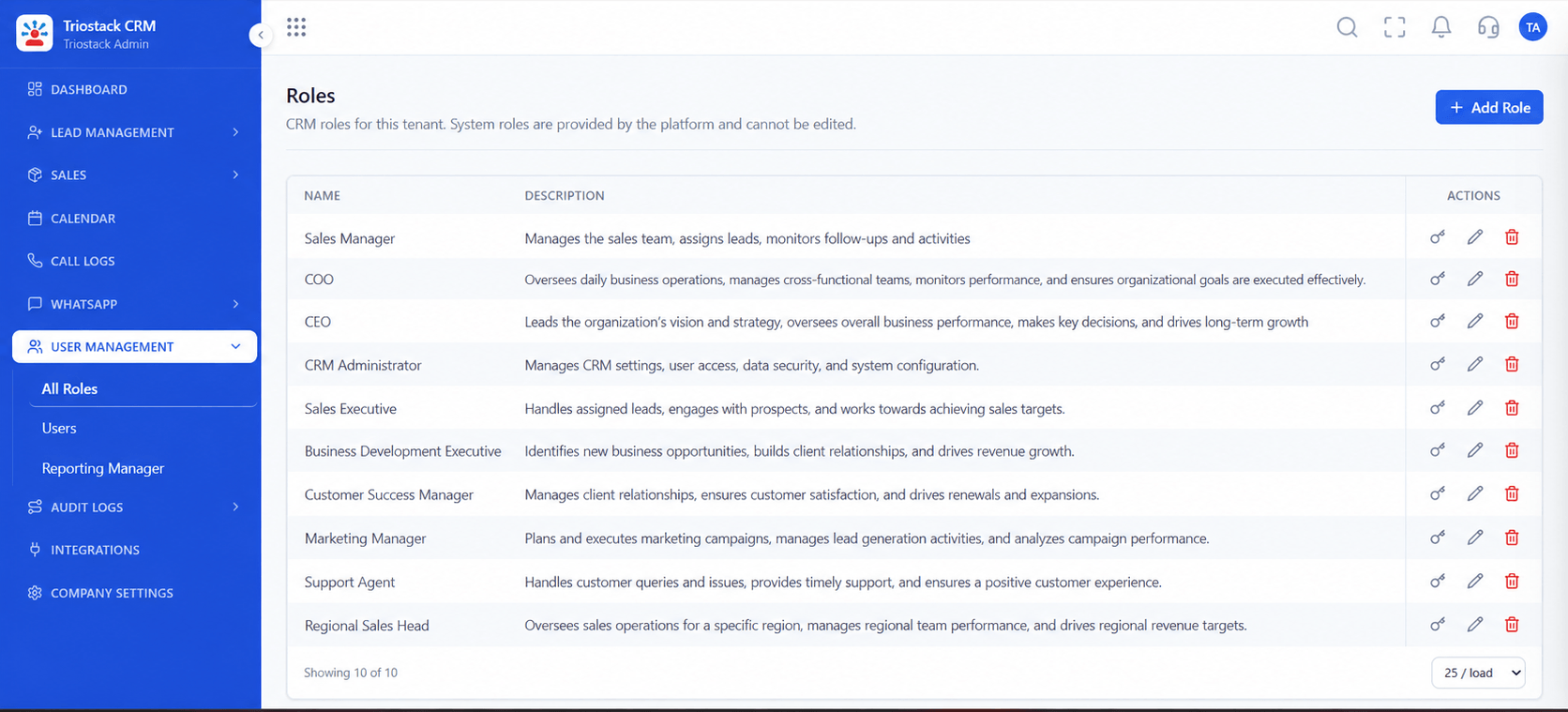
Set up properly.
On this screen: Control what reps, managers and admins can see.
How it fits the plan
Learn. Use the documentation and help centre.
Ask. Contact the team when something is unclear.
Watch out for
Waiting until something breaks before asking for help.

Book a session.
On this screen: Meetings and follow-ups on one calendar.
How it fits the plan
Ask. Contact the team when something is unclear.
Book. Request a demo or guided setup.
Before you start
Execution Plan
Request a demo or guided setup.
Build pipelines, roles and templates together.
Use the documentation and help centre.
Contact the team when something is unclear.
Practical Guide
Before you start
A tip that helps
Bring three real leads and your last quotation to the first session. Setup then reflects how you actually sell.
A common mistake
Waiting until something breaks before asking for help.
In Real Life
Scenario 01
Setup is done together in a session.
Scenario 02
Approval status is explained.
Scenario 03
Roles are corrected quickly.
Straight answers about Top Class Support, from setup to what happens next.
Have a question about Top Class Support?
Book a free callThrough the help centre, documentation and by contacting our team directly.
Yes. We offer guided setup so your first session produces a working pipeline.
Ask us about the support options and response times for your plan.
Yes. Ask about onboarding sessions for your team.
How Triostack supports customers: guided setup, a demo that uses your own data, documentation and a team that answers. See how to reach us and what to expect.
It runs in 4 steps: Book, Set up, Learn and Ask. Request a demo or guided setup.
The real screens on this page include All Leads, Lead Pipeline, Lead Follow-Ups and Sales Dashboard, all captured from the product.
Request a demo or start a free trial. Our team can also walk you through a guided setup, so your first session ends with something working.
Keep Exploring
Unify Meta leads, WhatsApp conversations, Android SIM calls, and GST invoices without per-seat price taxes.
Explore All CRM Guides