The best Business Suite software in India, built to help your business grow. Contact us at +91-8882435276.
[ Contact ]
Phone number
Email address
Head office
Noida office
The right team at TriostackOne will get back to you.
Positioning Assessment
Quotations usually live in a spreadsheet or a word file on someone's laptop. The price changes by email, three versions float around, and nobody is sure which one the customer accepted.
In Triostack CRM, a quotation is created from the customer record, with items, discounts and terms, and shared with the prospect. The quote stays linked to the lead, so the next person sees exactly what was offered and when. A won deal can move straight on to a GST invoice.
Products and brands are set up once, so every quote comes out looking the same.
“The customer asked what we had offered in March. Anyone in the team could open it in ten seconds.”
Sample team scenario
Illustrative example, not a customer testimonial
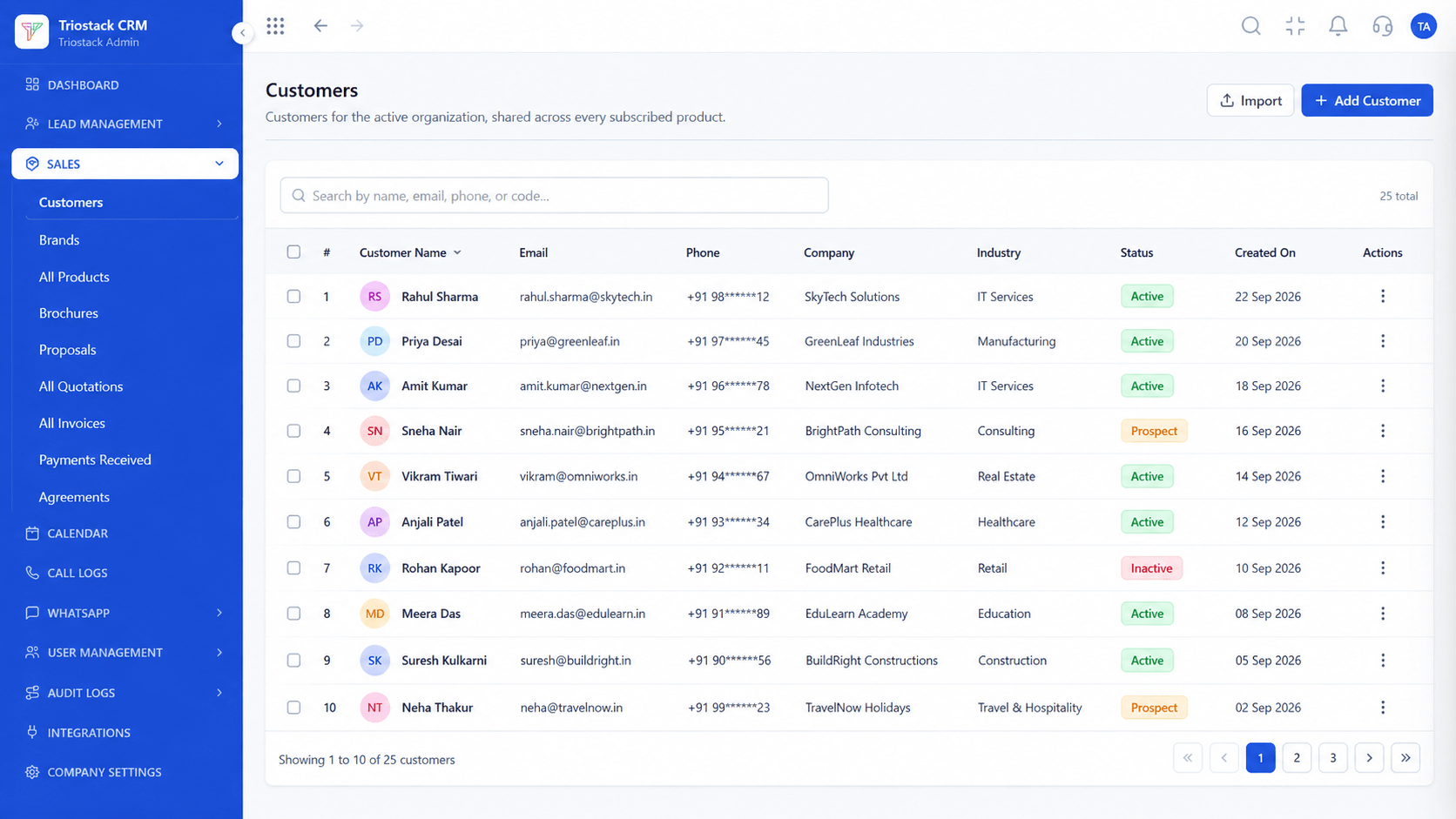
Customers
Customer records shared across every subscribed product
In the Product
Imagine every number you ever quoted, filed under the right customer.
Pick items, not retype.
One current version.
No retyping.
Platform Integrity
Items, discounts, terms
On the record
Send to the prospect
From a won deal
At a Glance
What changes when quotes live next to the customer.
| Dimension | Triostack CRM | Spreadsheet Quotes |
|---|---|---|
| Creation | From the customer record | From a template, by hand |
| Versions | One record, history kept | Several files |
| Sharing | Sent from the CRM | Attached to an email |
| Visibility | Whole team can see it | On one laptop |
| After the yes | On to a GST invoice | Retype it |
Book a walkthrough and we will set up a sandbox with sample leads, a WhatsApp inbox and a pipeline, so you can try it before you commit.
Live Interface Tour
Real screens captured directly from the production Triostack CRM interface.
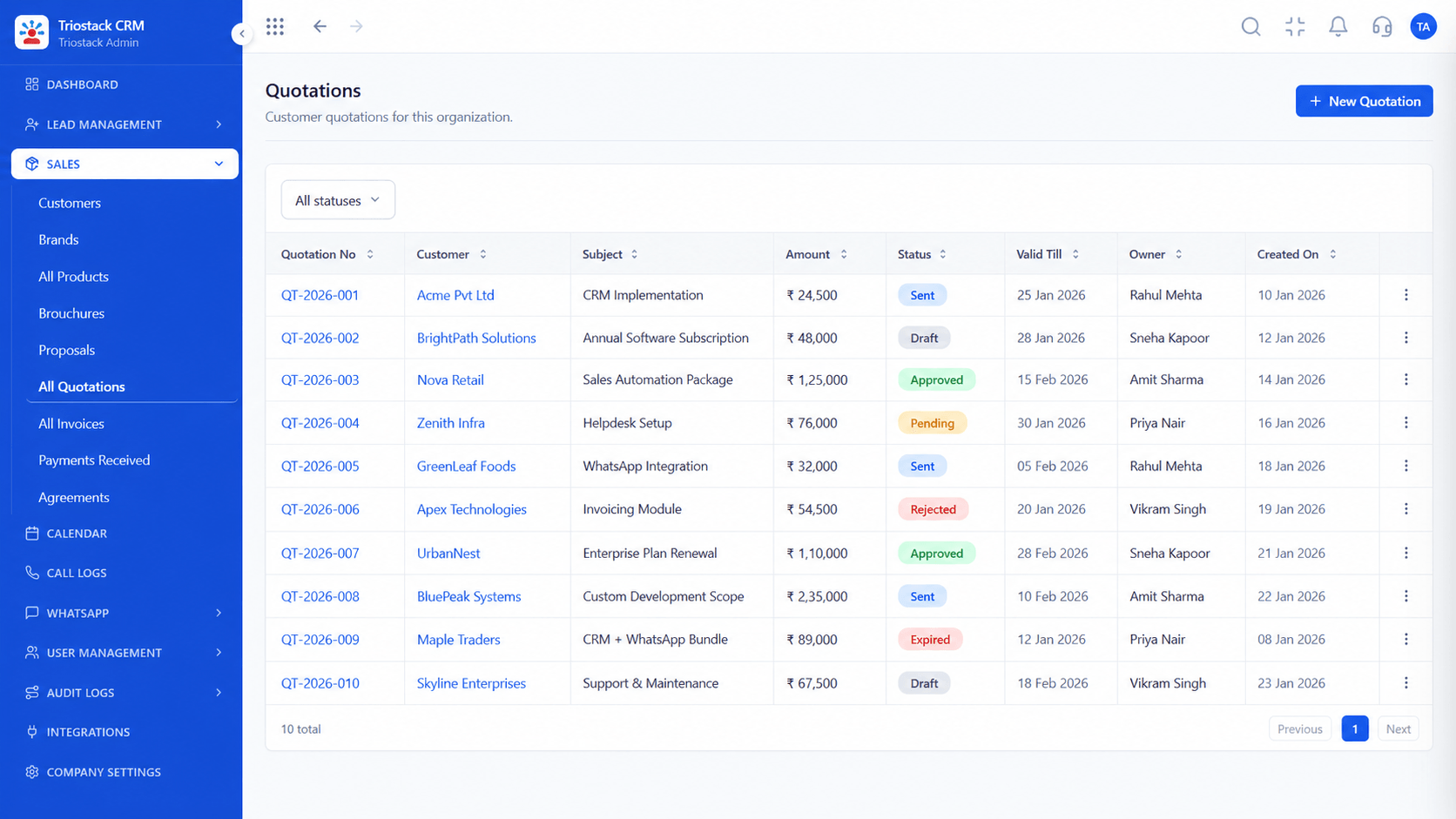
Quotations
A quote built from the customer record, not a blank file
Feature Breakdown
Captured directly from the production Triostack CRM interface.
Itemised quotes.
On this screen: Itemised quotes with discounts and terms.
How it fits the plan
Select. Open the customer or lead record.
Build. Add items, discounts and terms.
Practical tip
Set up products and brands once, and quoting turns into picking from a list.
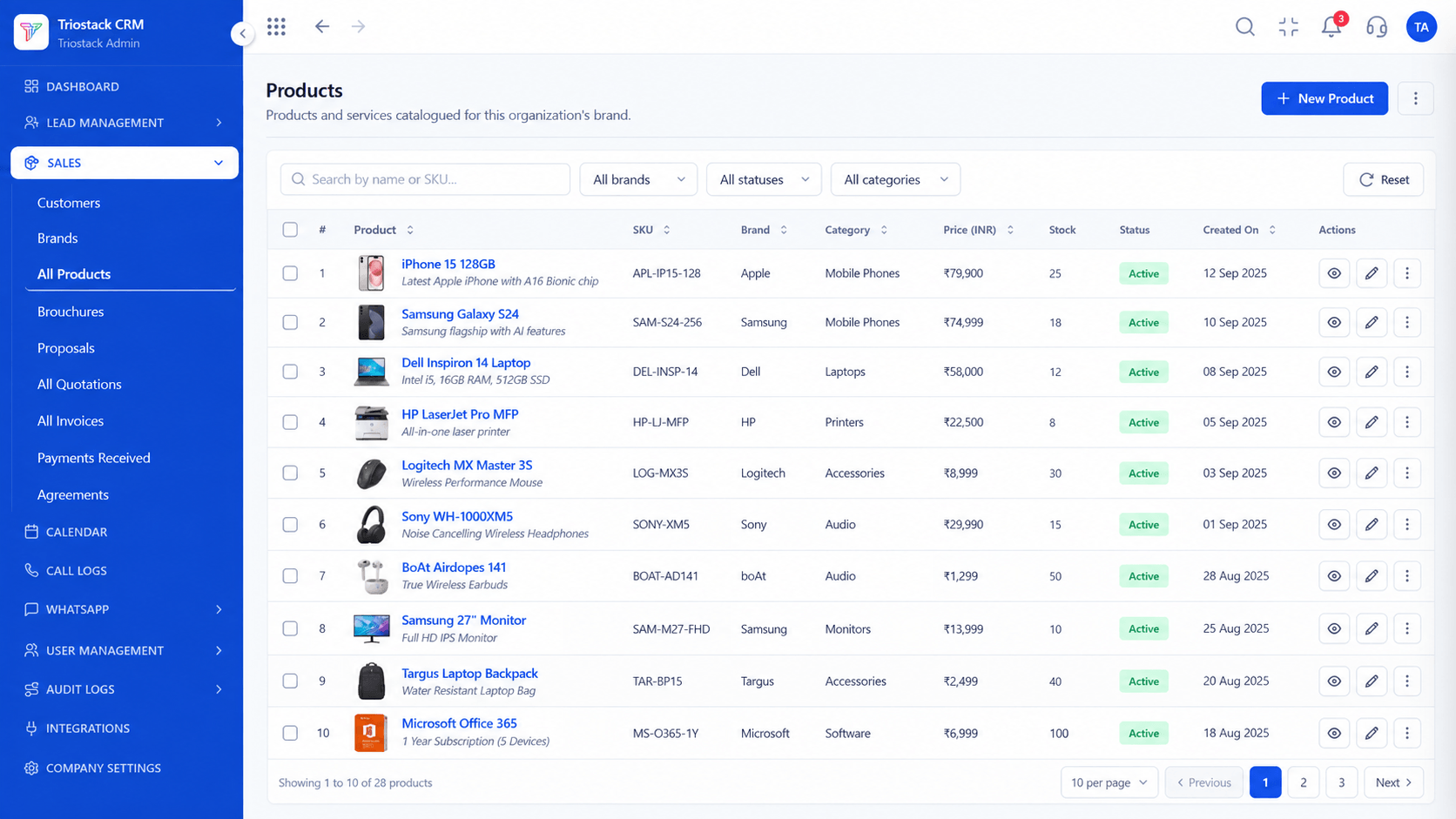
Your catalogue.
On this screen: The product and service catalogue used in quotes.
How it fits the plan
Build. Add items, discounts and terms.
Share. Send the quotation to the prospect.
In real life
Repeat customer
You start from the last quote.
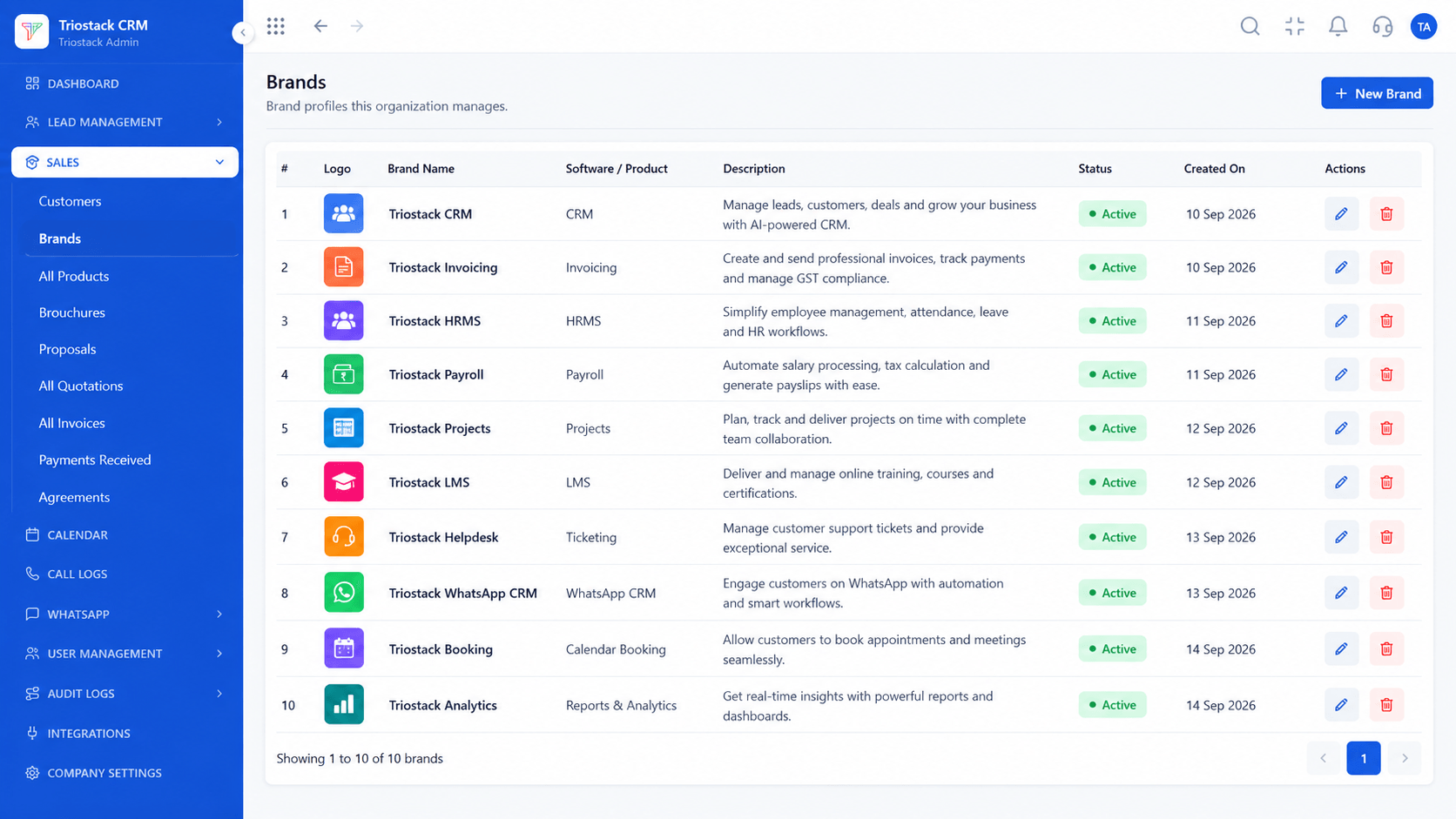
A consistent look.
On this screen: Brands set up for your quotes and invoices.
How it fits the plan
Share. Send the quotation to the prospect.
Convert. Turn the accepted quote into an invoice.
Watch out for
Editing a quote after sending without telling the customer which version is current.
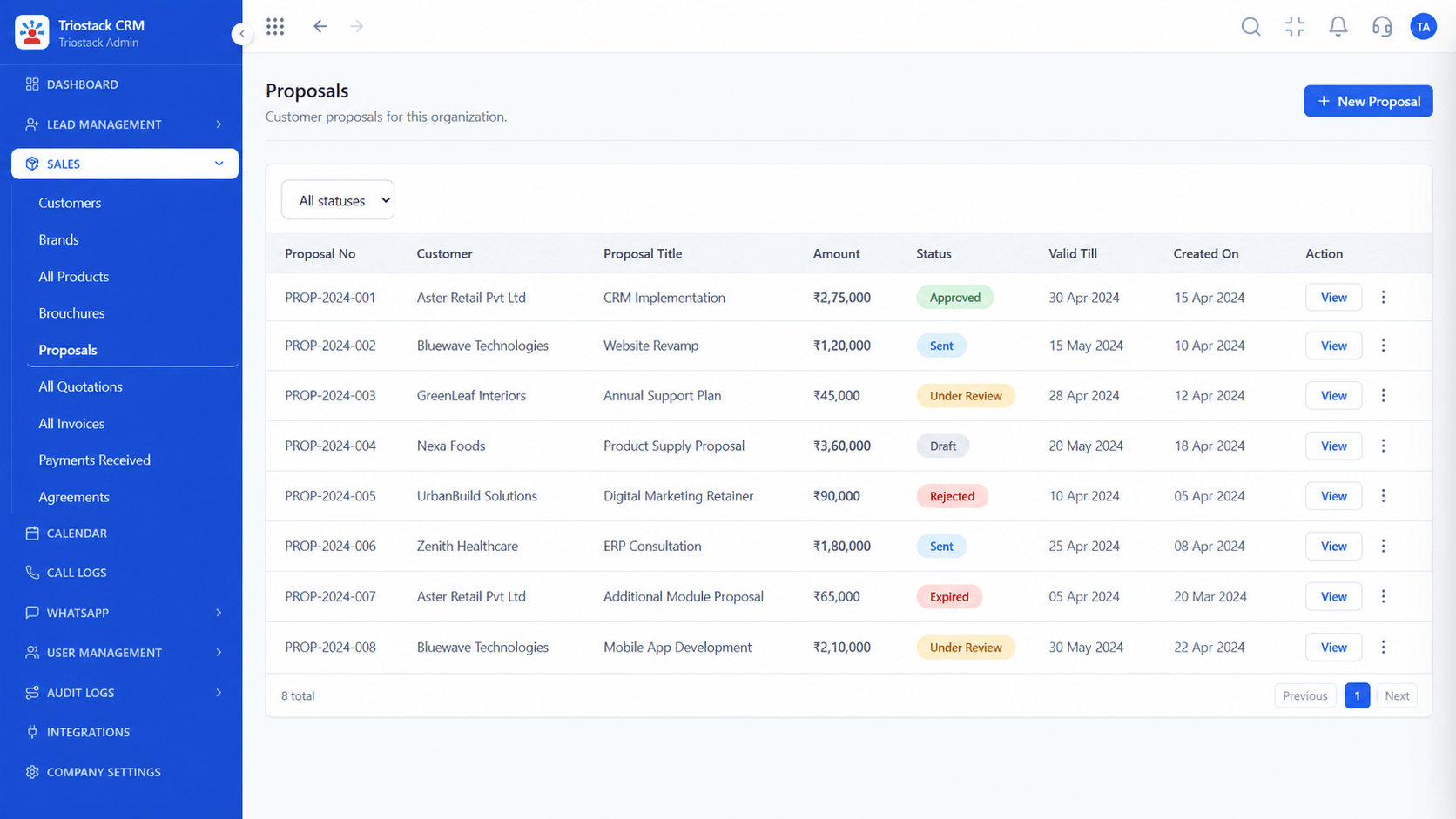
For bigger deals.
On this screen: Proposals prepared and shared with prospects.
How it fits the plan
Convert. Turn the accepted quote into an invoice.
Select. Open the customer or lead record.
Before you start
Execution Plan
Open the customer or lead record.
Add items, discounts and terms.
Send the quotation to the prospect.
Turn the accepted quote into an invoice.
Practical Guide
Before you start
A tip that helps
Set up products and brands once, and quoting turns into picking from a list.
A common mistake
Editing a quote after sending without telling the customer which version is current.
Availability: Availability can depend on your plan and setup. Please confirm with our team which capabilities are live for your account, and any prerequisites, before you plan around this page.
In Real Life
Scenario 01
You start from the last quote.
Scenario 02
You see all open quotes.
Scenario 03
You show exactly what was offered.
Straight answers about Sales Quotation Management, from setup to what happens next.
Have a question about Sales Quotation Management?
Book a free callYes, with items, discounts and terms.
Yes. The quotation sits on the customer record.
Yes. A won deal can move on to a GST invoice.
Yes. Set up your catalogue under All Products.
Explain how teams prepare quotations, share them with prospects and keep commercial details linked to customer records.
It runs in 4 steps: Select, Build, Share and Convert. Open the customer or lead record.
The real screens on this page include Customers, Agreements, Lead Pipeline and Quotations, all captured from the product.
Request a demo or start a free trial. Our team can also walk you through a guided setup, so your first session ends with something working.
Keep Exploring
Unify Meta leads, WhatsApp conversations, Android SIM calls, and GST invoices without per-seat price taxes.





