The best Business Suite software in India, built to help your business grow. Contact us at +91-8882435276.
[ Contact ]
Phone number
Email address
Head office
Noida office
The right team at TriostackOne will get back to you.
Positioning Assessment
Customer history is scattered: calls in a phone log, notes in a notebook, chats in WhatsApp, quotes in an email thread. To get ready for a call, you have to be a detective.
The customer activity timeline puts it in one line on the record: calls with duration and outcome, notes, WhatsApp messages, quotations, invoices and follow-ups. A glance tells you where things stand, and the activity feed tells your manager the same.
Because the timeline belongs to the customer, not to a person, it survives staff changes.
“I opened the customer, read ten lines and walked into the call knowing everything that had happened.”
Sample team scenario
Illustrative example, not a customer testimonial

All Leads
Every lead with its source, status and owner
In the Product
Imagine opening a customer and finding the entire story laid out in order.
No detective work.
Even when staff change.
You know where you left off.
Platform Integrity
With outcome
In order
On the record
Quotes and invoices
At a Glance
What you gain when the history is in one place.
| Dimension | Triostack CRM | Scattered History |
|---|---|---|
| Getting ready | One glance | Search five places |
| Calls | Logged with outcome | Phone log |
| Chats | On the record | In a phone |
| Documents | Linked | In emails |
| Staff change | History stays | History leaves |
Book a walkthrough and we will set up a sandbox with sample leads, a WhatsApp inbox and a pipeline, so you can try it before you commit.
Live Interface Tour
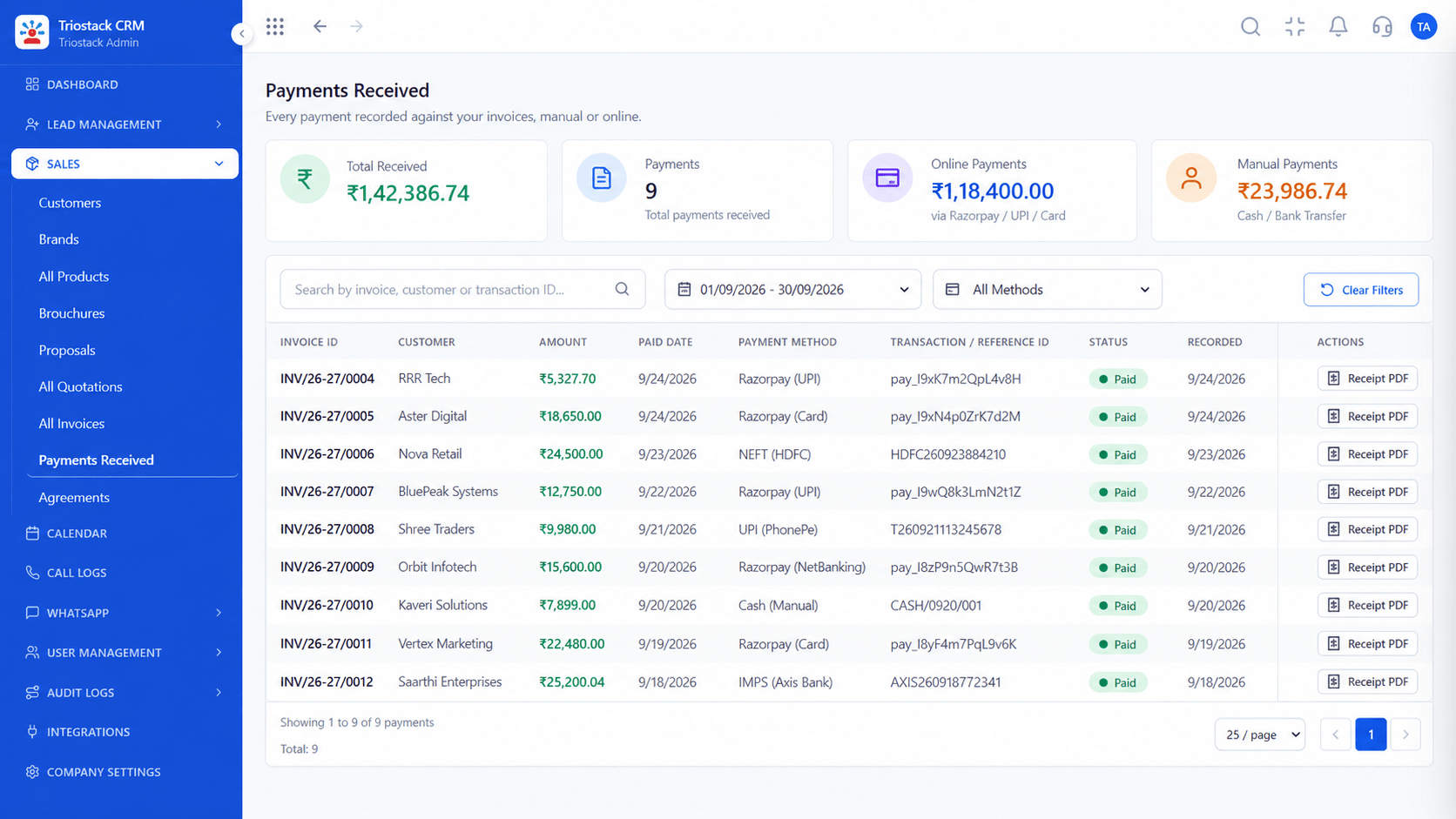
Real screens captured directly from the production Triostack CRM interface.
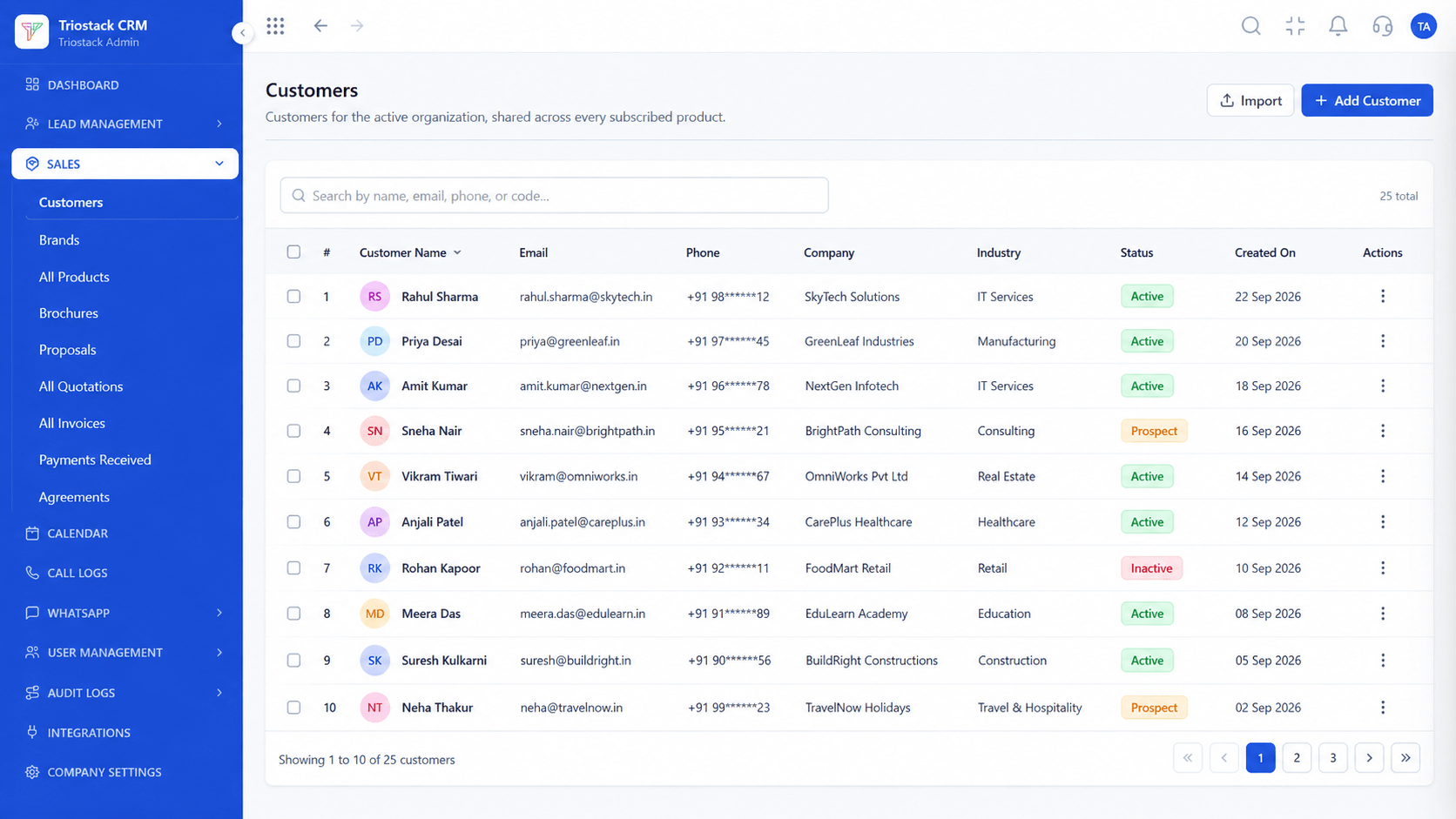
Customers
Everything that happened with this customer, in order
Feature Breakdown
Captured directly from the production Triostack CRM interface.
The record behind the timeline.
On this screen: Customer records shared across every subscribed product.
How it fits the plan
Open. Find the customer or lead.
Read. Scan the latest activity.
Practical tip
Open the timeline before every call, even a short one. It is the cheapest preparation there is.

Calls in order.
On this screen: Calls from Android phones logged against the lead.
How it fits the plan
Read. Scan the latest activity.
Act. Call, message or send a quote.
In real life
Account review
A manager sees the full story.
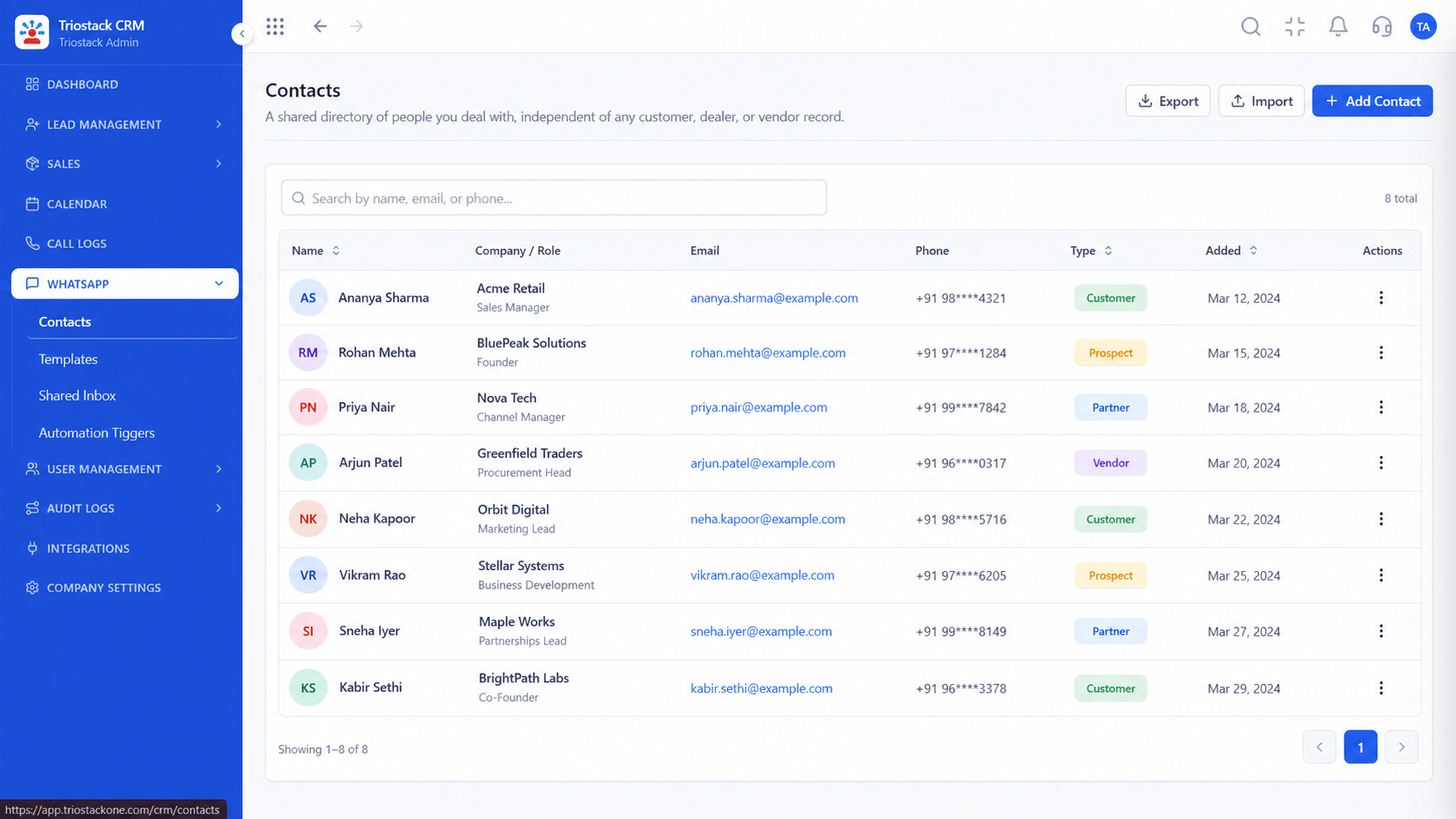
Chats on the record.
On this screen: WhatsApp contacts and their conversations.
How it fits the plan
Act. Call, message or send a quote.
Add. Your action joins the timeline.
Watch out for
Keeping important notes in a personal notebook, so the timeline is incomplete.
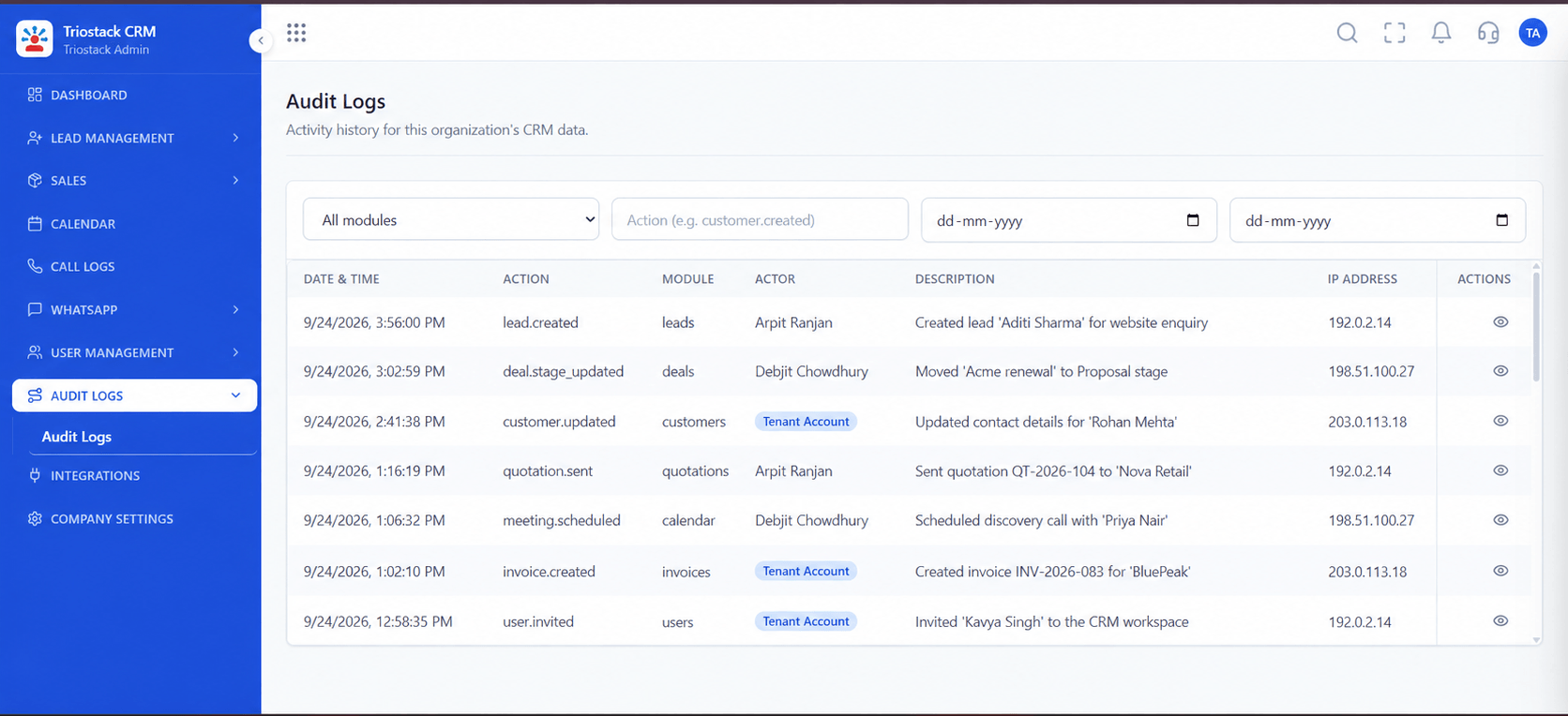
A trail of changes.
On this screen: A record of who did what in the workspace.
How it fits the plan
Add. Your action joins the timeline.
Open. Find the customer or lead.
Before you start
Execution Plan
Find the customer or lead.
Scan the latest activity.
Call, message or send a quote.
Your action joins the timeline.
Practical Guide
Before you start
A tip that helps
Open the timeline before every call, even a short one. It is the cheapest preparation there is.
A common mistake
Keeping important notes in a personal notebook, so the timeline is incomplete.
Availability: Availability can depend on your plan and setup. Please confirm with our team which capabilities are live for your account, and any prerequisites, before you plan around this page.
In Real Life
Scenario 01
A manager sees the full story.
Scenario 02
Takes over a customer cleanly.
Scenario 03
The record shows who said what.
Straight answers about Customer Activity Timeline, from setup to what happens next.
Have a question about Customer Activity Timeline?
Book a free callCalls, notes, chats, quotations, invoices and follow-ups linked to the customer.
Yes, it belongs to the customer record, not to a person.
Ask us about the filters available on your plan.
Yes, subject to the roles and permissions you set.
Explain how customer-linked notes, calls and sales activities give teams context before their next conversation.
It runs in 4 steps: Open, Read, Act and Add. Find the customer or lead.
The real screens on this page include All Leads, Lead Pipeline, Lead Follow-Ups and Customers, all captured from the product.
Request a demo or start a free trial. Our team can also walk you through a guided setup, so your first session ends with something working.
Keep Exploring
Unify Meta leads, WhatsApp conversations, Android SIM calls, and GST invoices without per-seat price taxes.