The best Business Suite software in India, built to help your business grow. Contact us at +91-8882435276.
[ Contact ]
Phone number
Email address
Head office
Noida office
The right team at TriostackOne will get back to you.
Built for
White-Label Mobile CRM
Your brand
Ask us what branding options your plan includes
Positioning Assessment
An agency or partner serving clients may want those clients to see the partner's brand, not ours. A business with a large field team may want its own name and colours on the tool reps open every day.
Triostack CRM works on the phone: Android calling logged on the lead, follow-ups in view and WhatsApp on the same record. Brand settings such as company details and logos are part of the workspace. Whether fully branded mobile apps are available, and for which platforms, depends on your plan and agreement.
Ask us about white-label options before you plan around them, and we will tell you plainly what is possible.
“We asked what we could brand and what we could not. The answer was clear, and we planned around it.”
Sample team scenario
Illustrative example, not a customer testimonial

All Leads
Every lead with its source, status and owner
In the Product
Imagine every tool your team opens carrying your own look.
Ask us what applies.
Built for reps on the move.
No surprises later.
Platform Integrity
Logo and details
Calls and follow-ups
Ask us about white-label
What is and is not possible
At a Glance
What to ask about before choosing white-label.
Logo and brand details
Set in the workspace
Standard Product: Vendor's brand
Mobile experience
Phone-first calling and follow-ups
Standard Product: Desk-first
Branded mobile apps
Ask us what is available
Standard Product: Not offered
Client view
Ask us about partner options
Standard Product: Vendor's name
Terms
Agreed with our team
Standard Product: Standard terms
Book a walkthrough and we will set up a sandbox with sample leads, a WhatsApp inbox and a pipeline, so you can try it before you commit.
Live Interface Tour
Real screens captured directly from the production Triostack CRM interface.
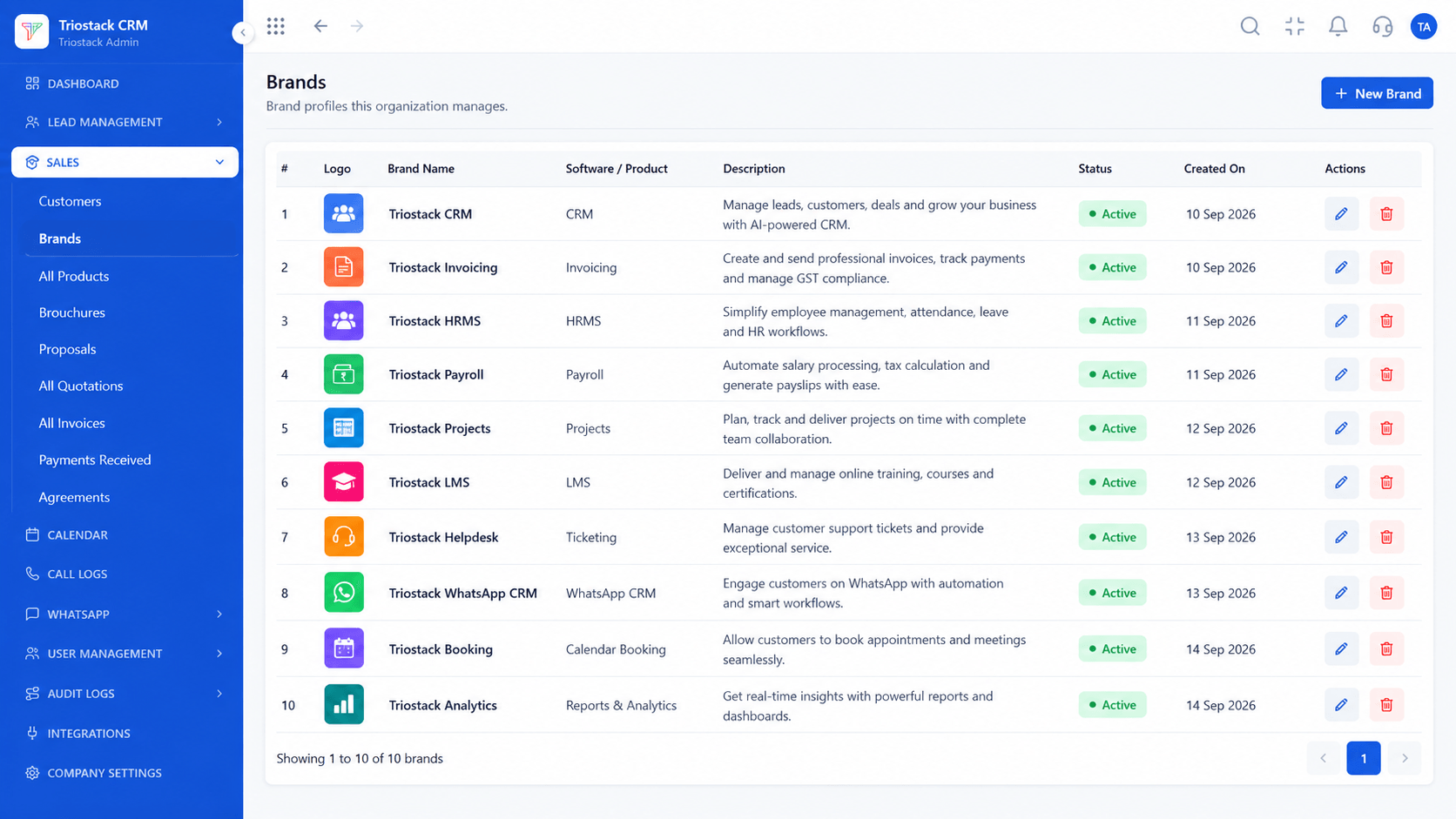
Brands
Ask us what branding options your plan includes
Feature Breakdown
Captured directly from the production Triostack CRM interface.
Brand setup.
On this screen: Brands set up for your quotes and invoices.
How it fits the plan
Tell us. Describe who the brand is for and why.
Check. We confirm what is available for you.
Practical tip
Be clear on whether you need branded apps or just branded documents and workspace. The two are different projects.

Workspace identity.
In real life
Agency
Clients see the agency's brand.

Phone-first work.
Watch out for
Promising clients a branded app before confirming that it is available for your plan.

Chats on the lead.
Before you start
Execution Plan
Describe who the brand is for and why.
We confirm what is available for you.
Configure the branding that applies.
Roll it out to your team or clients.
Practical Guide
Before you start
A tip that helps
Be clear on whether you need branded apps or just branded documents and workspace. The two are different projects.
A common mistake
Promising clients a branded app before confirming that it is available for your plan.
Availability: Availability can depend on your plan and setup. Please confirm with our team which capabilities are live for your account, and any prerequisites, before you plan around this page.
In Real Life
Scenario 01
Clients see the agency's brand.
Scenario 02
Reps open a tool with your name.
Scenario 03
Partners present a branded offer.
Straight answers about White-Label Mobile CRM, from setup to what happens next.
Have a question about White-Label Mobile CRM?
Book a free callAsk our team. Options depend on your plan and agreement.
Ask us what mobile options exist and for which platforms.
Brands are set up in the workspace for quotes and invoices. Ask us for details.
Partners should ask the partner team about branding options.
Present branded CRM apps with client logos, custom splash screens and customised brand colour themes.
It runs in 4 steps: Tell us, Check, Set up and Launch. Describe who the brand is for and why.
The real screens on this page include All Leads, Lead Follow-Ups, Sales Dashboard and Brands, all captured from the product.
Request a demo or start a free trial. Our team can also walk you through a guided setup, so your first session ends with something working.
Keep Exploring
Unify Meta leads, WhatsApp conversations, Android SIM calls, and GST invoices without per-seat price taxes.
Explore All CRM Customisation