The best Business Suite software in India, built to help your business grow. Contact us at +91-8882435276.
[ Contact ]
Phone number
Email address
Head office
Noida office
The right team at TriostackOne will get back to you.

Positioning Assessment
Teams that run SAP usually want the CRM and the ERP to agree on three things: who the customer is, what was ordered, and what has been invoiced. Without a connection, someone retypes data, and the two systems drift.
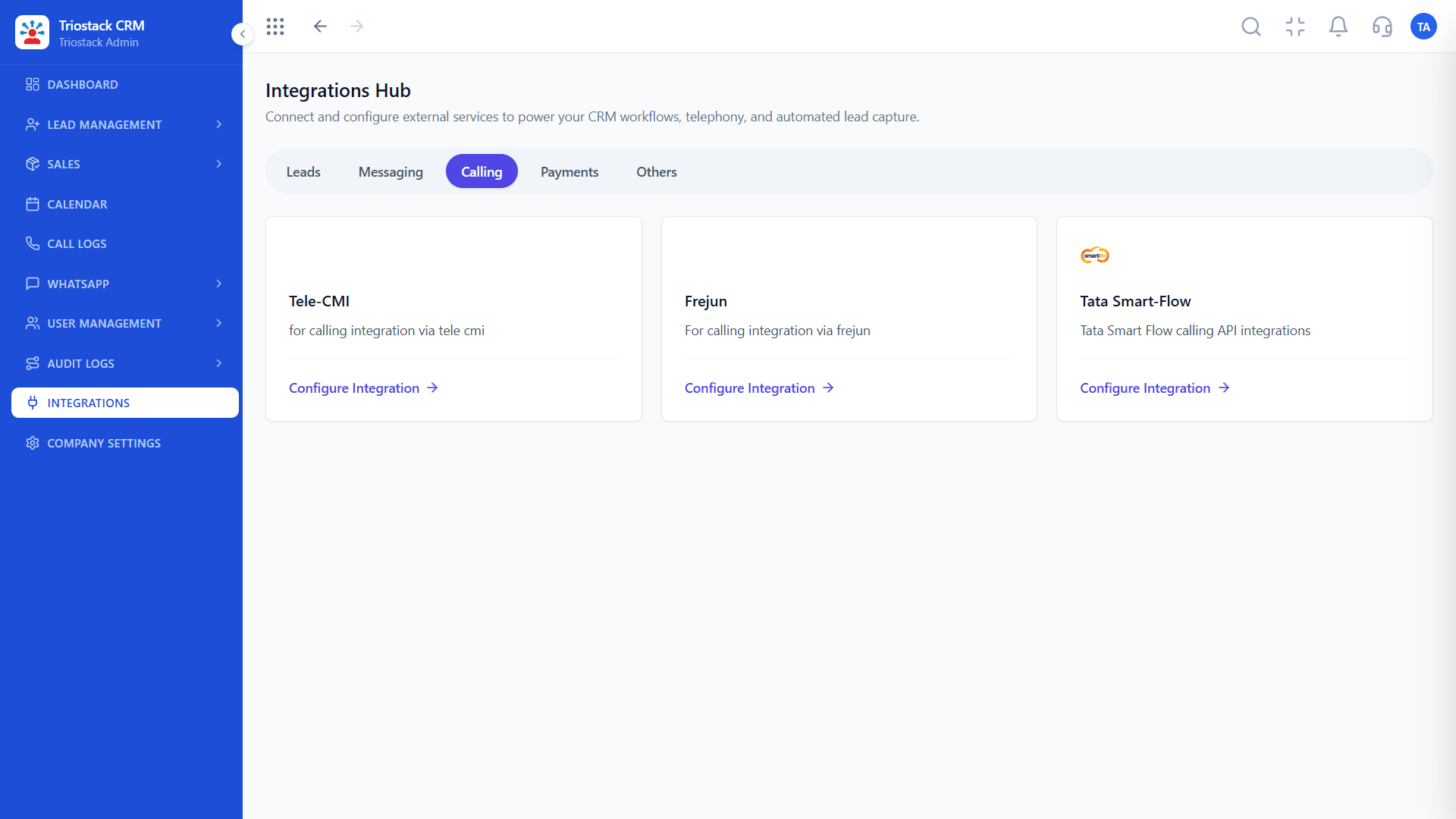
SAP is not among the connections listed in the Triostack CRM Integrations Hub, so we describe this as a custom engagement. The CRM offers webhooks and APIs, including an invoicing API, that a connection could be built on. Scope, direction of sync, objects, authentication and timelines are agreed with our team, and nothing here should be read as a live integration.
“We wrote the three objects we cared about on one page. The scoping call was short.”
Sample team scenario
Illustrative example, not a customer testimonial

All Leads
Every lead with its source, status and owner
In the Product
Imagine measuring both banks before laying a single plank.
Not listed.
Before building.
With sample data.
Platform Integrity
Custom engagement
Building blocks
Usual starting point
Written agreement
At a Glance
What a connection is meant to fix.
| Dimension | Triostack CRM | Manual Re-entry |
|---|---|---|
| Customer details | Agreed single source | Entered twice |
| Orders and invoices | Visible where sales works | Ask finance |
| Direction of sync | Decided up front | Unclear |
| Status | Custom engagement | Not applicable |
| Support | Agreed with our team | Ad hoc |
Book a walkthrough and we will set up a sandbox with sample leads, a WhatsApp inbox and a pipeline, so you can try it before you commit.
Live Interface Tour
Real screens captured directly from the production Triostack CRM interface.
Webhooks and APIs
Not in the Integrations Hub today
Feature Breakdown
Captured directly from the production Triostack CRM interface.

01
CRMWhat is listed today.
On this screen: Lead sources and tools connected in one place.
How it fits the plan
Describe. Name the objects and the direction of sync.
Estimate. Share volumes and how often data must move.
Practical tip
Decide which system is the source of truth for each field. Two-way sync without that rule creates conflicts.
02
CRMBuilding blocks.
On this screen: Appointment webhook, Google Calendar, Invoicing, Tickets, Blogs and Expense APIs.
How it fits the plan
Estimate. Share volumes and how often data must move.
Scope. Agree what is built and who supports it.
In real life
Order-to-cash
Sales sees invoice status.
03
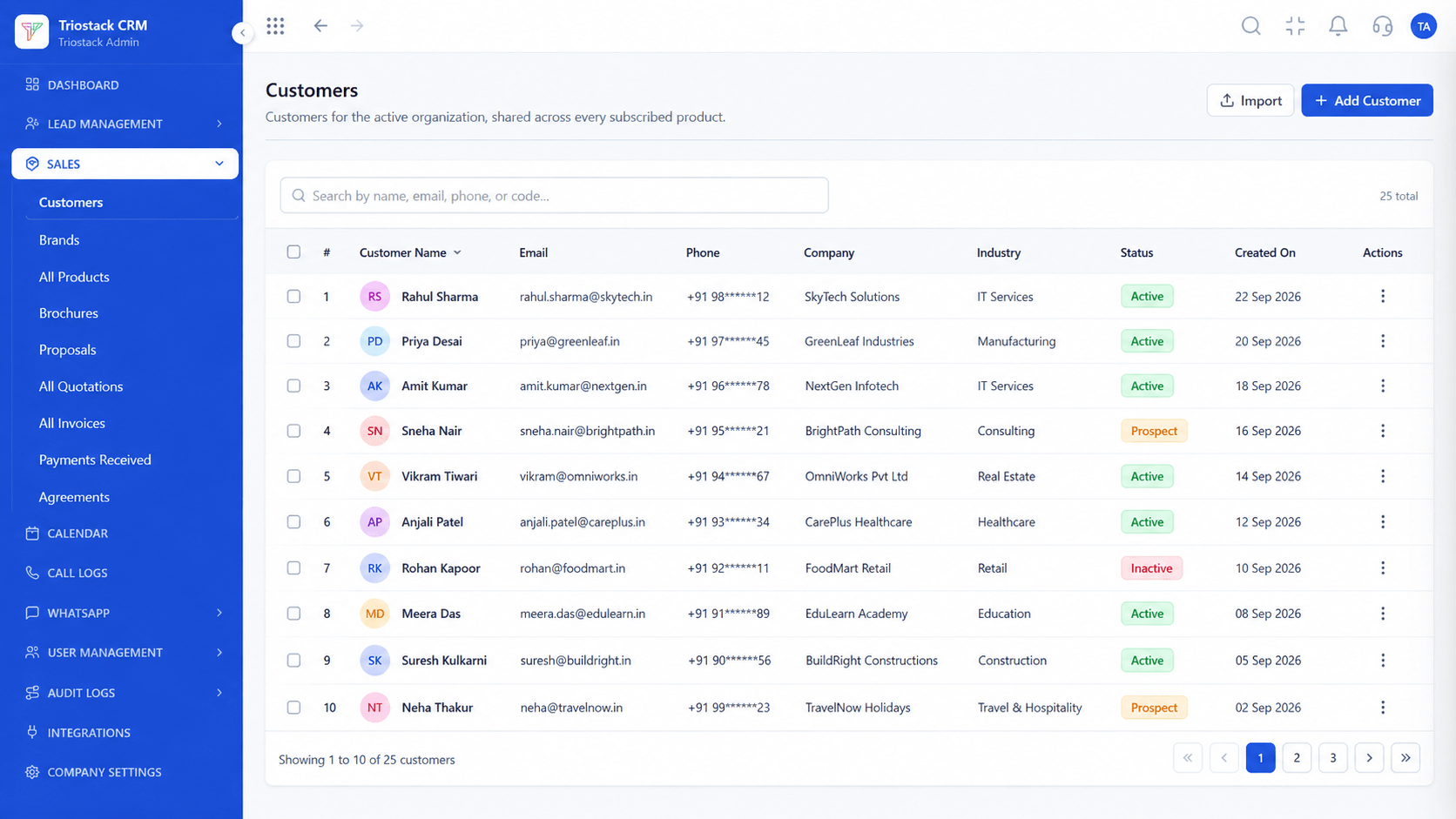
CRMCustomer records.
On this screen: Customer records shared across every subscribed product.
How it fits the plan
Scope. Agree what is built and who supports it.
Validate. Test with sample data before going live.
Watch out for
Assuming a connection exists because the ERP is widely used.

04
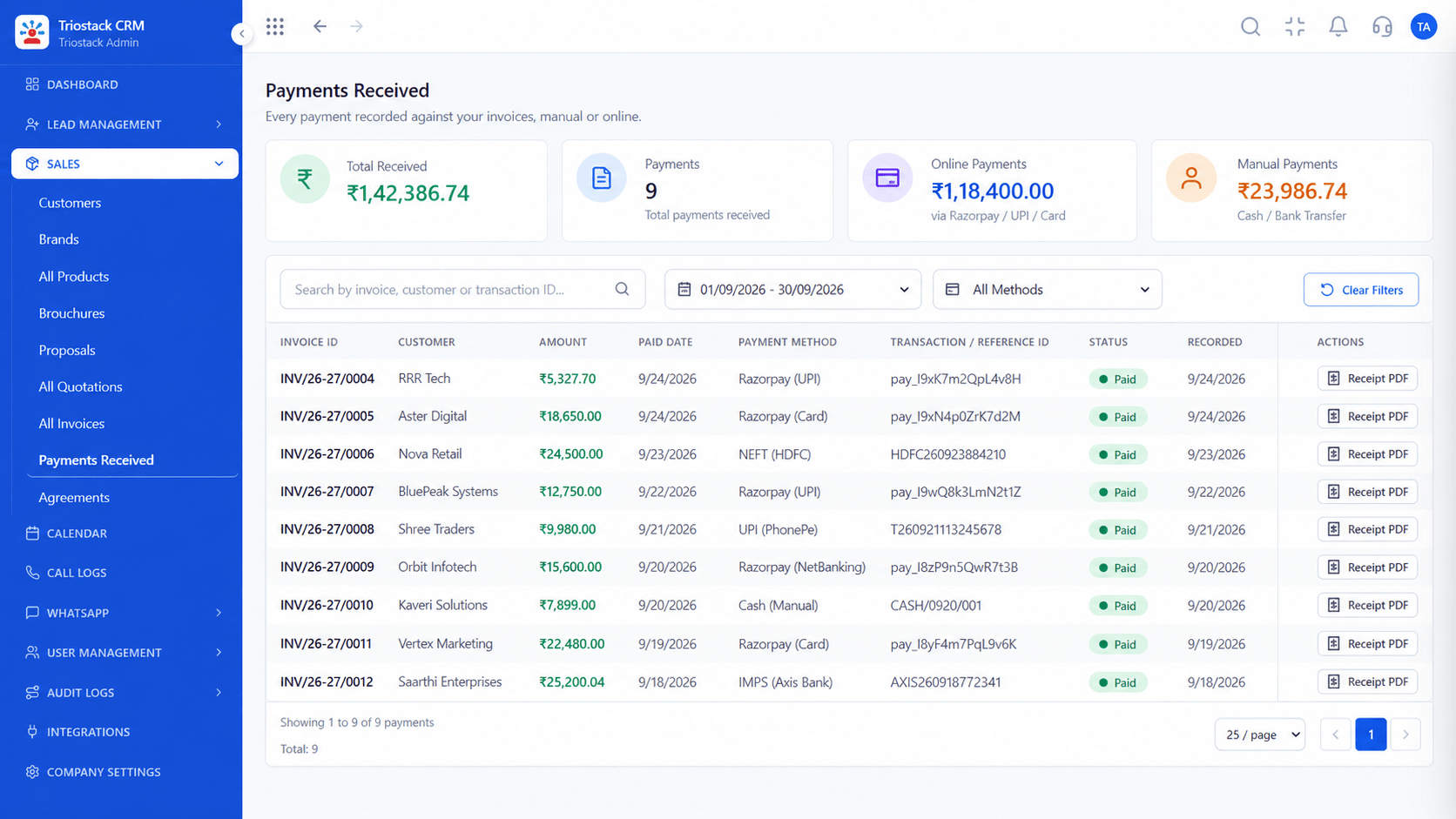
CRMInvoices in the CRM.
On this screen: Tax invoices raised straight from a won deal.
How it fits the plan
Validate. Test with sample data before going live.
Describe. Name the objects and the direction of sync.
Before you start
Execution Plan
Name the objects and the direction of sync.
Share volumes and how often data must move.
Agree what is built and who supports it.
Test with sample data before going live.
Practical Guide
Before you start
A tip that helps
Decide which system is the source of truth for each field. Two-way sync without that rule creates conflicts.
A common mistake
Assuming a connection exists because the ERP is widely used.
Availability: Availability can depend on your plan and setup. Please confirm with our team which capabilities are live for your account, and any prerequisites, before you plan around this page.
In Real Life
Scenario 01
Sales sees invoice status.
Scenario 02
One agreed master record.
Scenario 03
Teams stop retyping.
Straight answers about SAP ERP Integration, from setup to what happens next.
Have a question about SAP ERP Integration?
Book a free callNot as a listed connection. It would be a custom engagement scoped with our team.
Typically customer masters, orders and invoice status. The actual scope is agreed per project.
The CRM's webhooks and APIs. Ask us what applies.
Contact our team with the objects, direction and volume.
SAP is not in the CRM's Integrations Hub. This page covers what teams usually want to connect between an ERP and a CRM, and how to ask us to scope it.
It runs in 4 steps: Describe, Estimate, Scope and Validate. Name the objects and the direction of sync.
The real screens on this page include All Leads, Lead Pipeline, Call Logs and Integrations Hub, all captured from the product.
Request a demo or start a free trial. Our team can also walk you through a guided setup, so your first session ends with something working.
Keep Exploring
Unify Meta leads, WhatsApp conversations, Android SIM calls, and GST invoices without per-seat price taxes.