The best Business Suite software in India, built to help your business grow. Contact us at +91-8882435276.
[ Contact ]
Phone number
Email address
Head office
Noida office
The right team at TriostackOne will get back to you.

Positioning Assessment
When one person owns the WhatsApp number, every sick day, holiday and resignation is a risk. And when two people reply to the same customer, it looks careless.
The shared team inbox puts the conversations in front of the whole team. Each chat can have an owner, and the lead's history, notes and tags sit beside it. Managers can see unanswered chats and balance the load before customers feel the wait.
It runs on the WhatsApp Cloud API, so message templates are approved by Meta and agents work from the CRM, not from a phone.
“When Karan went on leave, nothing was lost. The chats were in the inbox, each one with an owner and a history.”
Sample team scenario
Illustrative example, not a customer testimonial

All Leads
Every lead with its source, status and owner
In the Product
Imagine three colleagues answering one phone line without ever talking over each other.
Chats belong to the company.
One agent per chat.
The lead sits beside the thread.
Platform Integrity
One number
Assigned and clear
Lead on the right
Compliant messaging
At a Glance
Why a team inbox works better than passing a handset.
| Dimension | Triostack CRM | A Shared Phone |
|---|---|---|
| Access | Each agent has a login | One phone, one person at a time |
| Ownership | Chats assigned | Whoever grabs it |
| Context | Lead profile beside the chat | Scroll up and hope |
| Templates | Meta-approved, one click | Retyped each time |
| Oversight | Manager sees unanswered chats | Ask around |
Book a walkthrough and we will set up a sandbox with sample leads, a WhatsApp inbox and a pipeline, so you can try it before you commit.
Live Interface Tour
Real screens captured directly from the production Triostack CRM interface.
WhatsApp Team Inbox
Many agents, one conversation list
Feature Breakdown
Captured directly from the production Triostack CRM interface.
Where chats happen.
On this screen: Shared conversations with customer context beside them.
How it fits the plan
Connect. Link your WhatsApp Business number via the Cloud API.
Invite. Add agents and choose their roles.
Practical tip
Assign a chat the moment it arrives. A message with a named owner gets answered; one that belongs to everyone waits.
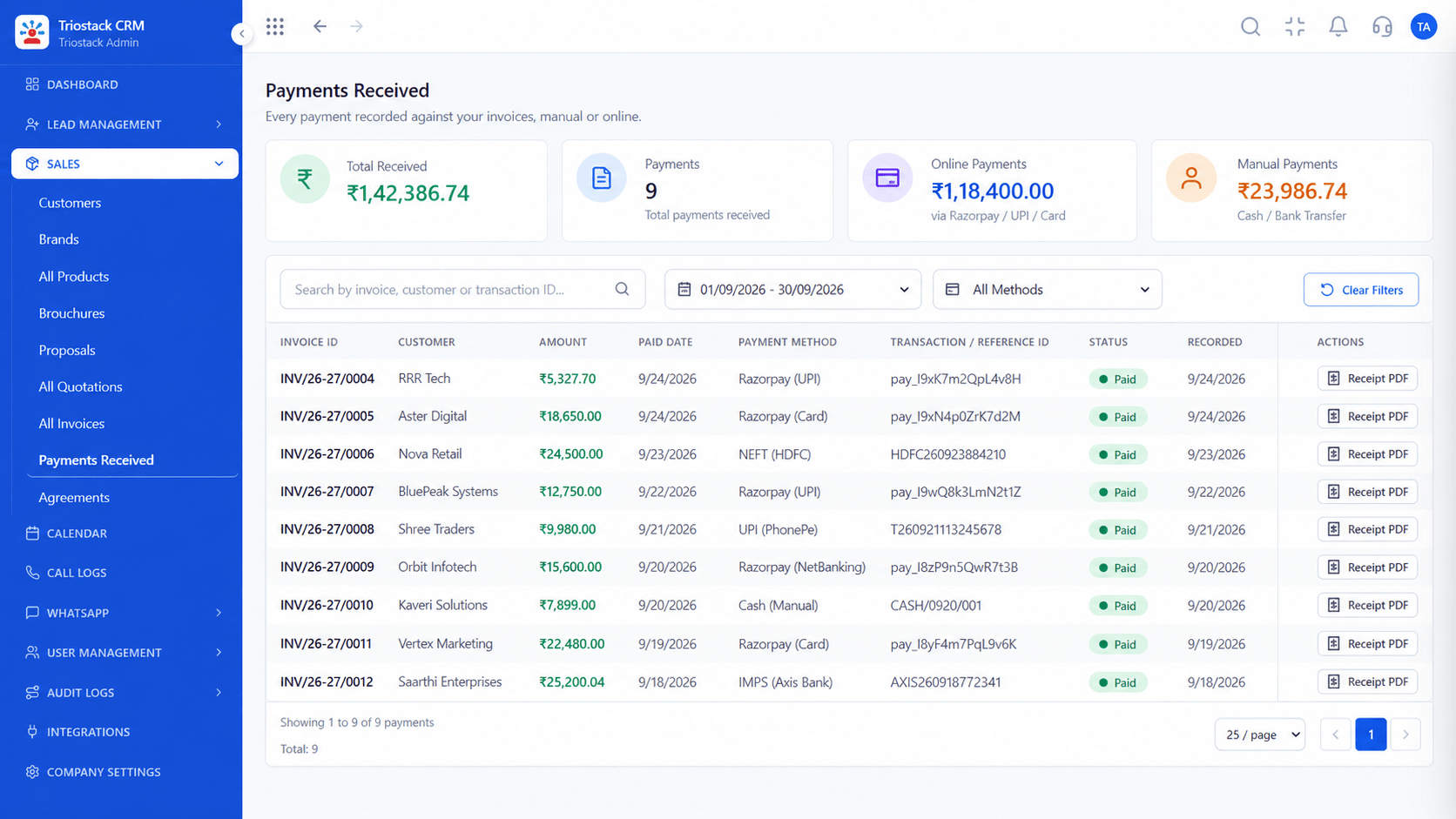
One owner per chat.
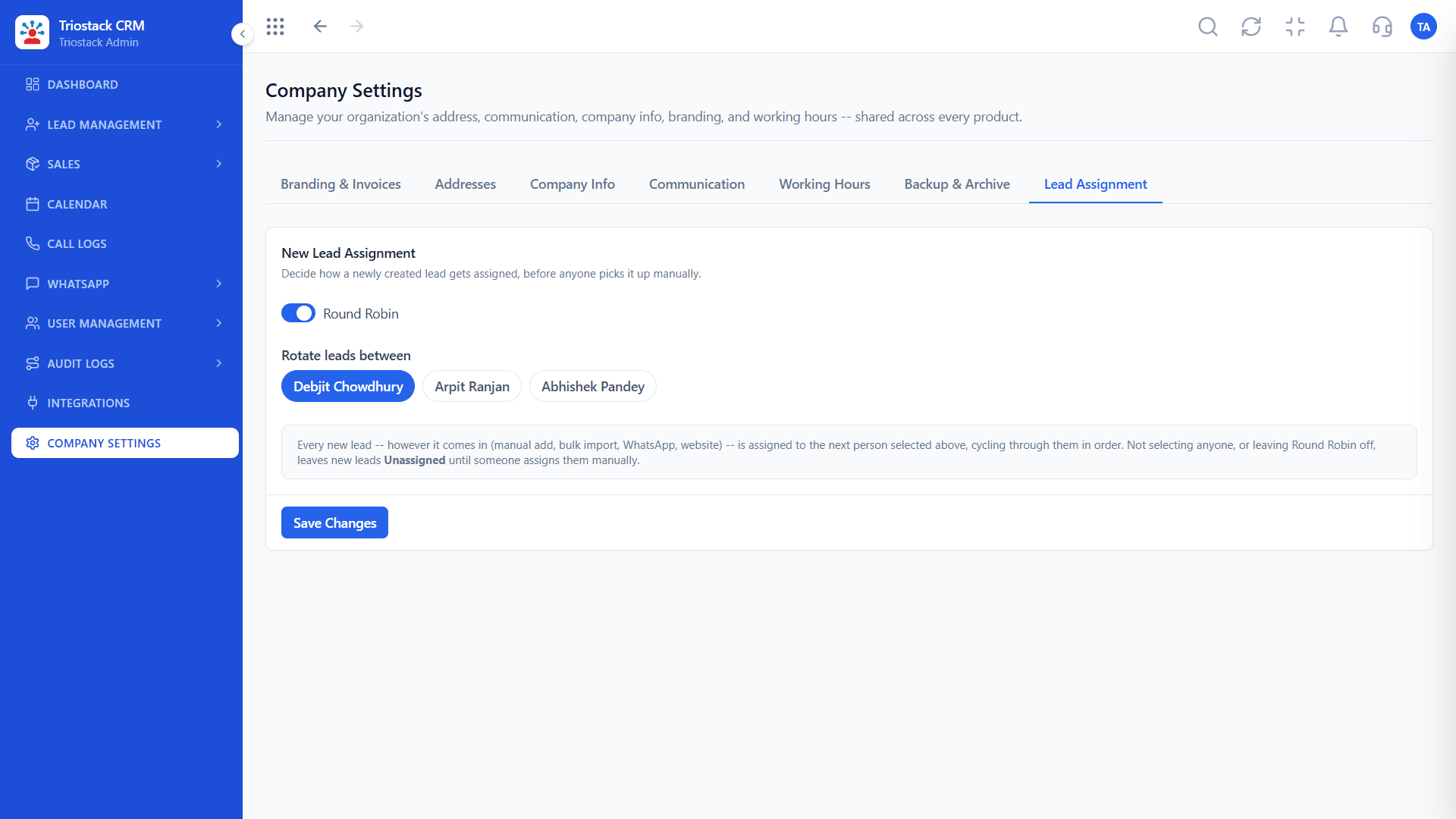
On this screen: Route new leads to the right rep automatically.
How it fits the plan
Invite. Add agents and choose their roles.
Assign. Set how new chats are routed.
In real life
Lunchtime rush
Three agents split the queue.
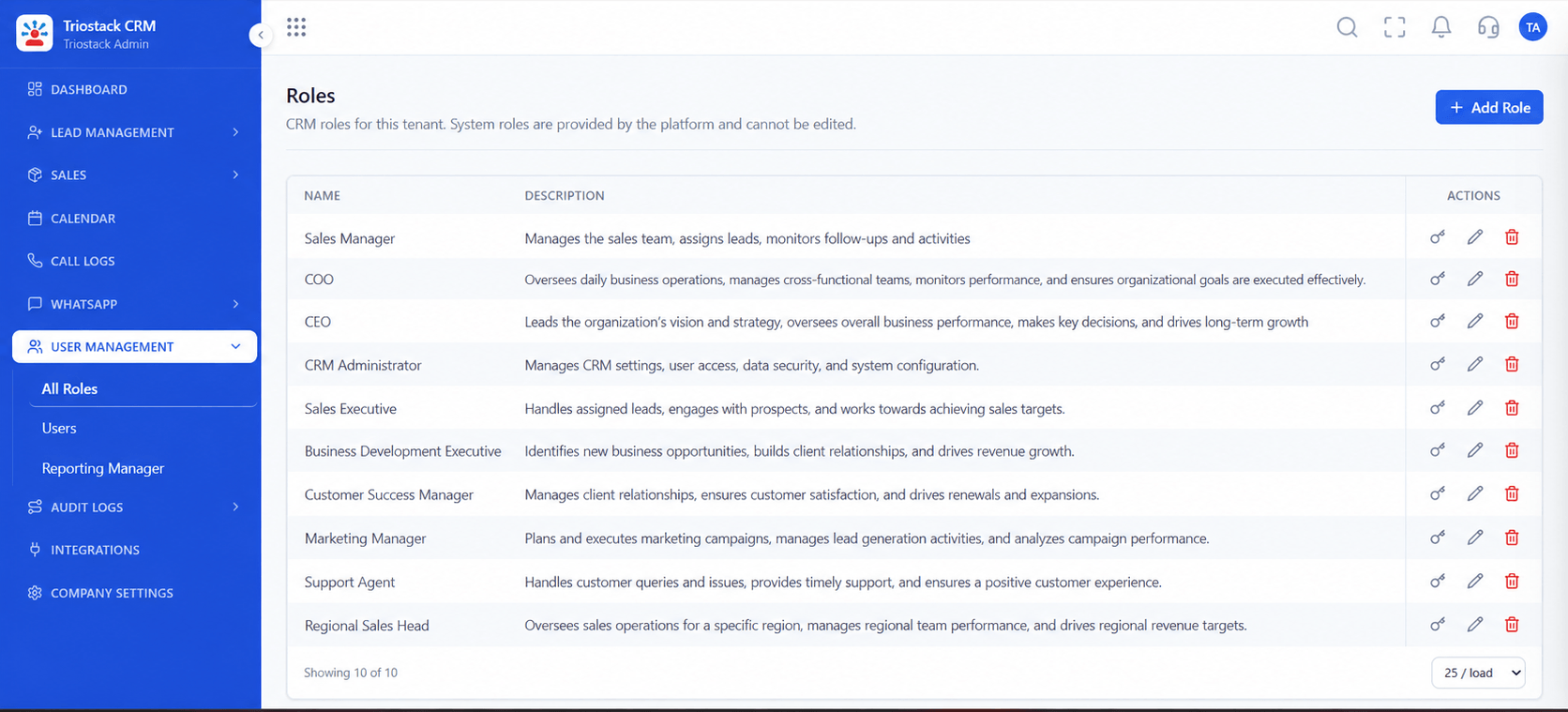
Who sees what.
On this screen: Control what reps, managers and admins can see.
How it fits the plan
Assign. Set how new chats are routed.
Reply. Answer from the inbox with templates and context.
Watch out for
Letting several agents answer the same customer because nobody can see who has the chat.

Triggers that send.
On this screen: Trigger template messages on stage changes and form fills.
How it fits the plan
Reply. Answer from the inbox with templates and context.
Connect. Link your WhatsApp Business number via the Cloud API.
Before you start
Execution Plan
Link your WhatsApp Business number via the Cloud API.
Add agents and choose their roles.
Set how new chats are routed.
Answer from the inbox with templates and context.
Practical Guide
Before you start
A tip that helps
Assign a chat the moment it arrives. A message with a named owner gets answered; one that belongs to everyone waits.
A common mistake
Letting several agents answer the same customer because nobody can see who has the chat.
Availability: Availability can depend on your plan and setup. Please confirm with our team which capabilities are live for your account, and any prerequisites, before you plan around this page.
In Real Life
Scenario 01
Three agents split the queue.
Scenario 02
The evening agent sees where the morning agent stopped.
Scenario 03
Nothing is stuck on a handset.
Straight answers about WhatsApp Shared Team Inbox, from setup to what happens next.
Have a question about WhatsApp Shared Team Inbox?
Book a free callYes. The shared inbox lets multiple agents work on one WhatsApp Business number.
Yes, each chat can have an owner, and you can reassign it as work moves.
Yes. Meta approves templates, and the CRM shows their status.
Customers see your business number. Ask us how agent names are shown.
Explain how multiple team members manage business WhatsApp conversations, assign chats and maintain customer context in one shared inbox.
It runs in 4 steps: Connect, Invite, Assign and Reply. Link your WhatsApp Business number via the Cloud API.
The real screens on this page include All Leads, Lead Follow-Ups, Sales Dashboard and WhatsApp Team Inbox, all captured from the product.
Request a demo or start a free trial. Our team can also walk you through a guided setup, so your first session ends with something working.
Keep Exploring
Unify Meta leads, WhatsApp conversations, Android SIM calls, and GST invoices without per-seat price taxes.