The best Business Suite software in India, built to help your business grow. Contact us at +91-8882435276.
[ Contact ]
Phone number
Email address
Head office
Noida office
The right team at TriostackOne will get back to you.
Positioning Assessment
Leads arrive from ads, websites and listings at all hours. Handing them out by hand means some wait, some are chased twice and some reps are overloaded while others sit idle.
Triostack CRM routes leads automatically. Set the rules that fit your team: by lead source, by city or team, and with a fair split across reps so the load stays even. You can reassign when work moves, and managers see who holds what.
Rules based on deal value, rep availability or weighted quotas may need extra configuration. Ask us what is supported on your plan.
“Every ad lead has an owner before it has a name. The first call happens in minutes.”
Sample team scenario
Illustrative example, not a customer testimonial

Lead Pipeline
Drag deals across your own sales stages
In the Product
Imagine every incoming job being sent to the right driver at once.
Every lead has an owner.
Nobody overloaded.
Routing takes no time.
Platform Integrity
Source, city, team
Even load across reps
When work moves
Managers see ownership
At a Glance
What changes when rules choose the owner.
| Dimension | Triostack CRM | Manual Assignment |
|---|---|---|
| Speed | On arrival | When a manager looks |
| Fairness | Even split | Favourites and gaps |
| Rules | By source, city, team | By memory |
| Coverage | Reassign in a click | Leads stuck with absent reps |
| Visibility | One view of ownership | Ask around |
Book a walkthrough and we will set up a sandbox with sample leads, a WhatsApp inbox and a pipeline, so you can try it before you commit.
Live Interface Tour
Real screens captured directly from the production Triostack CRM interface.
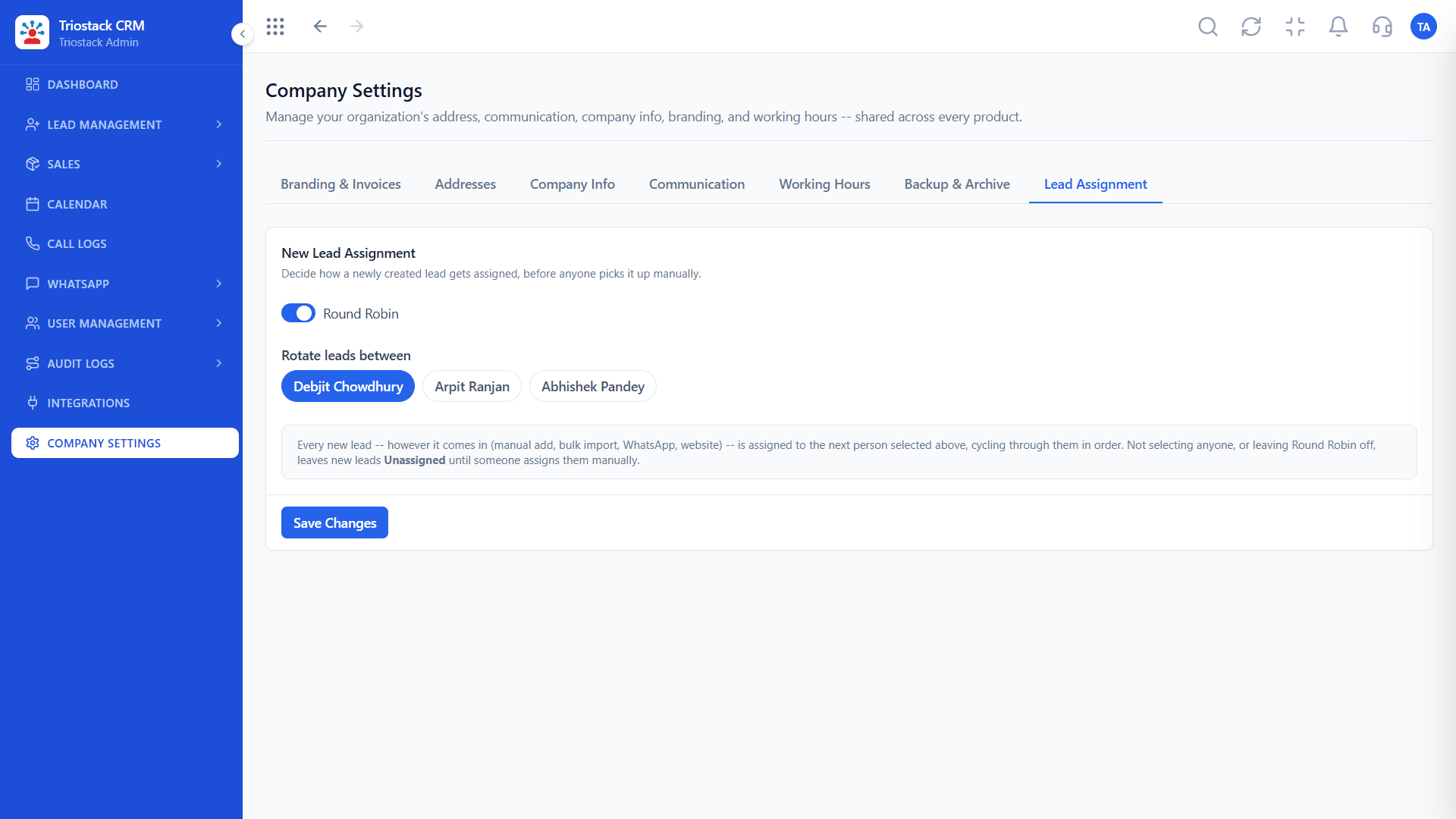
Lead Assignment
Each new lead gets an owner by your rules
Feature Breakdown
Captured directly from the production Triostack CRM interface.
The rules.
On this screen: Route new leads to the right rep automatically.
How it fits the plan
List. Write down who handles which leads.
Set. Create the assignment rules.
Practical tip
Start with one simple rule, such as city, and add others only when the first one is working.

Ownership at a glance.
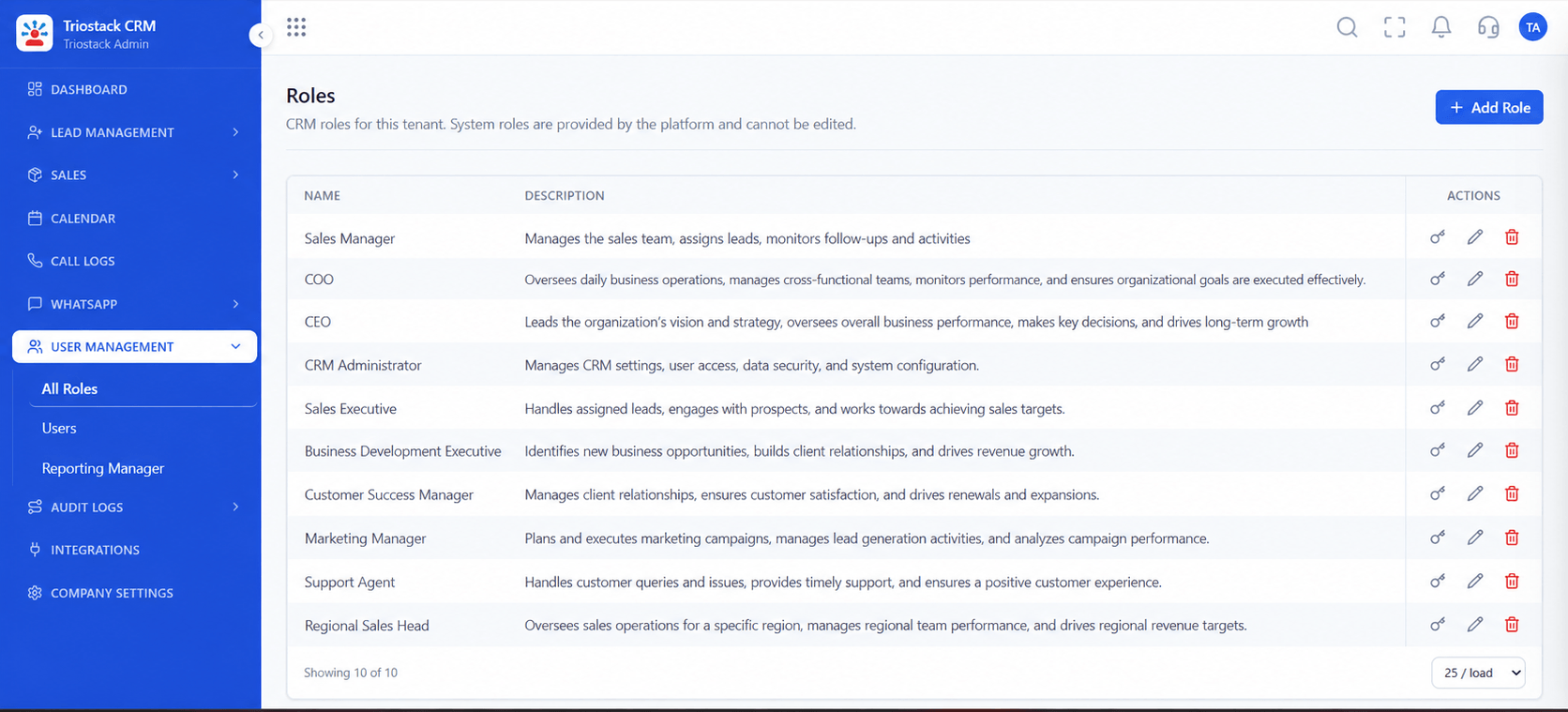
On this screen: Every lead with its source, status and owner.
How it fits the plan
Set. Create the assignment rules.
Test. Send a lead through and check the owner.
In real life
Multi-city team
Each city's leads go to its own reps.
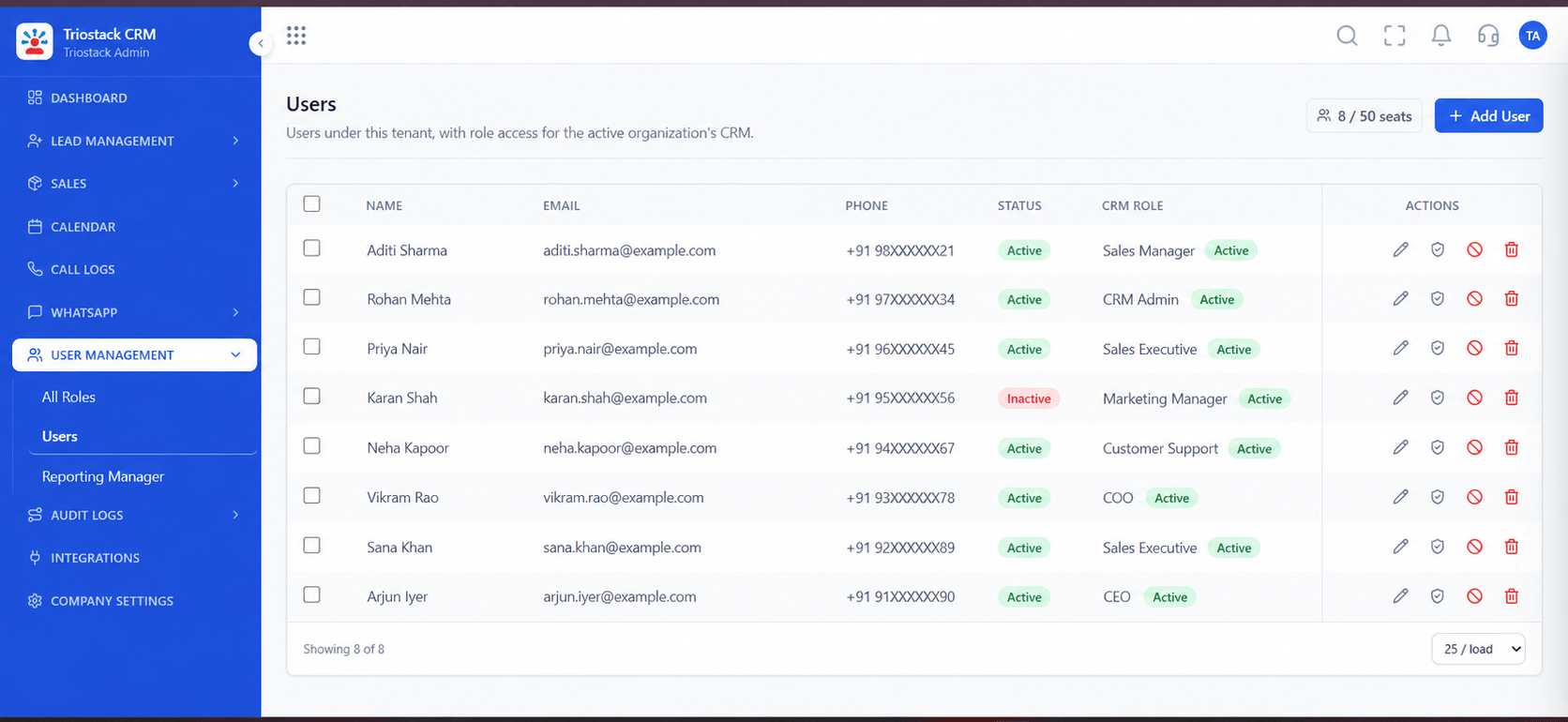
Your reps.
On this screen: Team members and their access.
How it fits the plan
Test. Send a lead through and check the owner.
Tune. Adjust as the team changes.
Watch out for
Building a complex rule set before knowing how leads actually arrive.
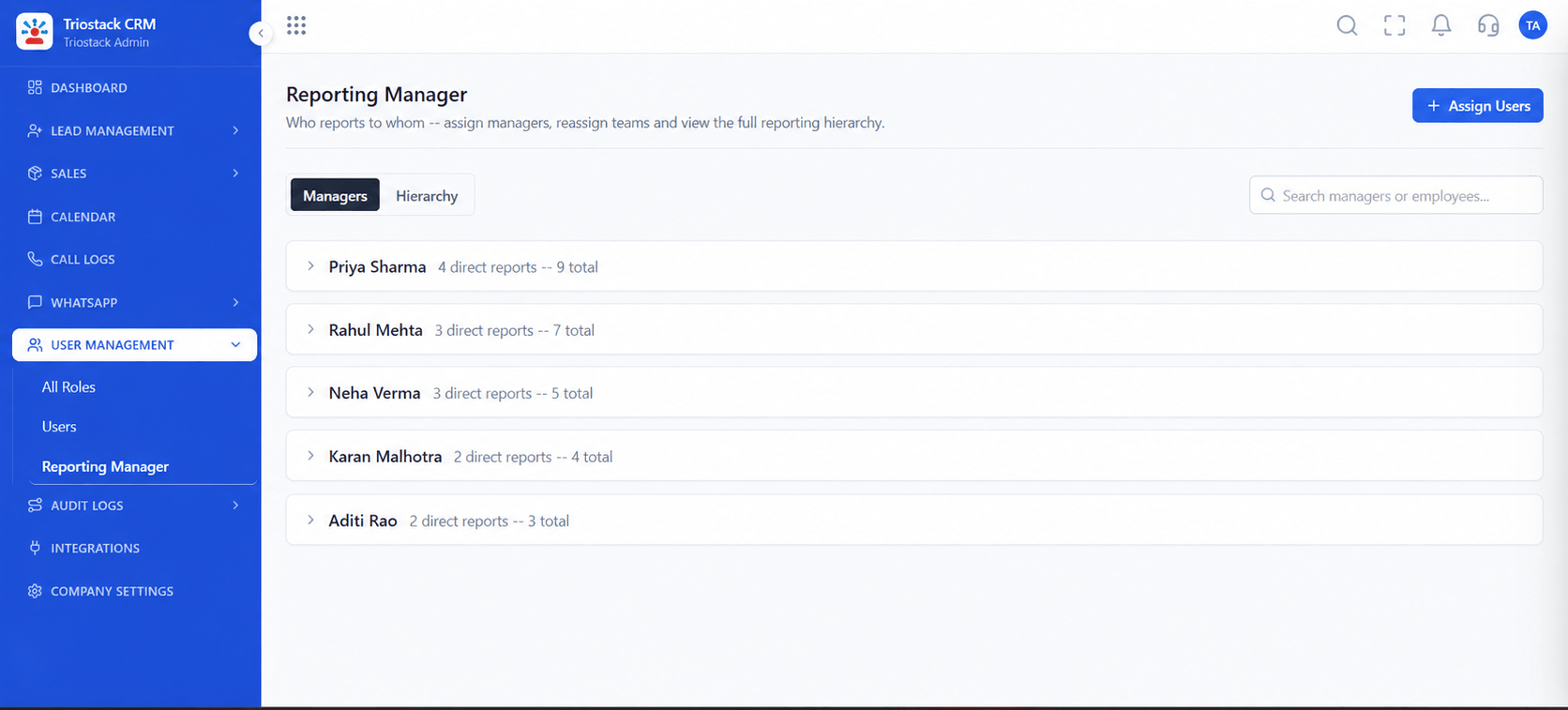
Who oversees whom.
On this screen: Who reports to whom.
How it fits the plan
Tune. Adjust as the team changes.
List. Write down who handles which leads.
Before you start
Execution Plan
Write down who handles which leads.
Create the assignment rules.
Send a lead through and check the owner.
Adjust as the team changes.
Practical Guide
Before you start
A tip that helps
Start with one simple rule, such as city, and add others only when the first one is working.
A common mistake
Building a complex rule set before knowing how leads actually arrive.
Availability: Availability can depend on your plan and setup. Please confirm with our team which capabilities are live for your account, and any prerequisites, before you plan around this page.
In Real Life
Scenario 01
Each city's leads go to its own reps.
Scenario 02
Leads spread evenly.
Scenario 03
Leads go to cover.
Straight answers about Custom Lead Routing and Distribution, from setup to what happens next.
Have a question about Custom Lead Routing and Distribution?
Book a free callYes. Lead assignment rules route each new lead to an owner.
Yes. Ask us to confirm the conditions available for your plan.
Yes. Use a fair split across reps.
Ask us what is supported for your setup.
Detail automated lead assignment rules by source, city, team and availability, with a fair split across your reps.
It runs in 4 steps: List, Set, Test and Tune. Write down who handles which leads.
The real screens on this page include Lead Pipeline, Call Logs, Sales Dashboard and Lead Assignment, all captured from the product.
Request a demo or start a free trial. Our team can also walk you through a guided setup, so your first session ends with something working.
Keep Exploring
Unify Meta leads, WhatsApp conversations, Android SIM calls, and GST invoices without per-seat price taxes.
Explore All CRM Customisation