The best Business Suite software in India, built to help your business grow. Contact us at +91-8882435276.
[ Contact ]
Phone number
Email address
Head office
Noida office
The right team at TriostackOne will get back to you.
Built for
Enterprise Single Sign-On
Confirmed per account
Providers and protocols are agreed before you plan around them
Positioning Assessment
Large teams want one login, central control and fast offboarding. Single sign-on delivers that when the identity provider, the protocol and the way users and roles are provisioned all line up.
Single Sign-On appears in TriostackOne's administration documentation. Which identity providers and protocol versions are supported, whether users are provisioned automatically, and how roles map to your groups are confirmed with our team for your account. We do not list providers or provisioning standards on this page.
Roles and permissions inside the CRM, and the audit log, are where SSO meets day-to-day control. Plan those at the same time.
“The IT team gave us a short identity questionnaire. We got straight answers instead of a feature list.”
Sample team scenario
Illustrative example, not a customer testimonial

All Leads
Every lead with its source, status and owner
In the Product
Imagine a single, well-guarded identity opening every system.
One place to manage access.
One switch.
Confirmed, not assumed.
Platform Integrity
Yours to choose
Confirm with our team
Groups to roles
Where available
At a Glance
What central identity changes.
Login
One identity, central control
Separate Logins: A password per tool
Offboarding
Disable in one place
Separate Logins: Remove from each tool
Roles
Mapped from your groups
Separate Logins: Set by hand
Protocols and providers
Confirmed with our team
Separate Logins: Not applicable
Audit
Activity in the audit log
Separate Logins: Scattered
Book a walkthrough and we will set up a sandbox with sample leads, a WhatsApp inbox and a pipeline, so you can try it before you commit.
Live Interface Tour
Real screens captured directly from the production Triostack CRM interface.
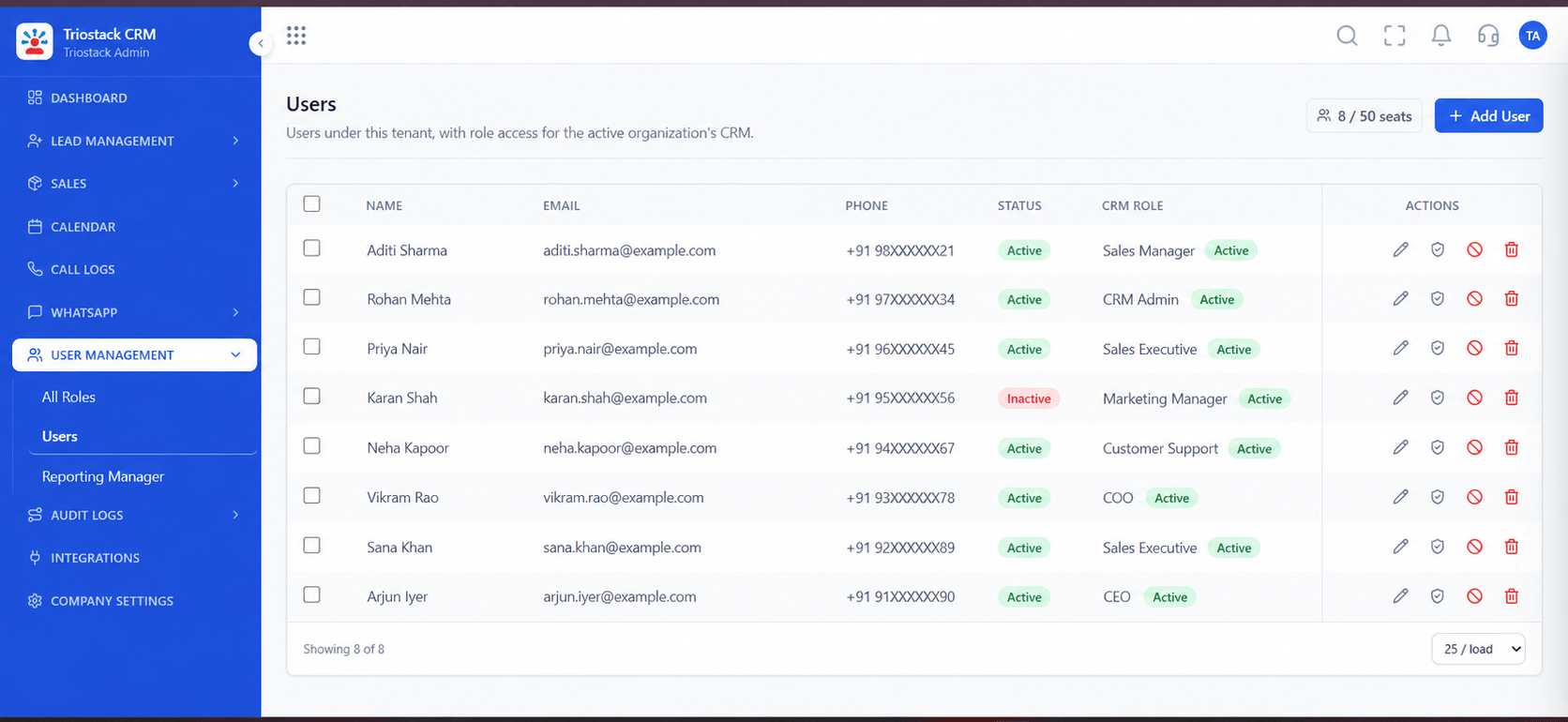
Users
Providers and protocols are agreed before you plan around them
Feature Breakdown
Captured directly from the production Triostack CRM interface.
Your team.
On this screen: Team members and their access.
How it fits the plan
Inventory. List your identity provider and groups.
Confirm. Check protocol and provisioning with our team.
Practical tip
Pilot with one team and keep a break-glass admin login, so a mistake in the identity setup cannot lock everyone out.
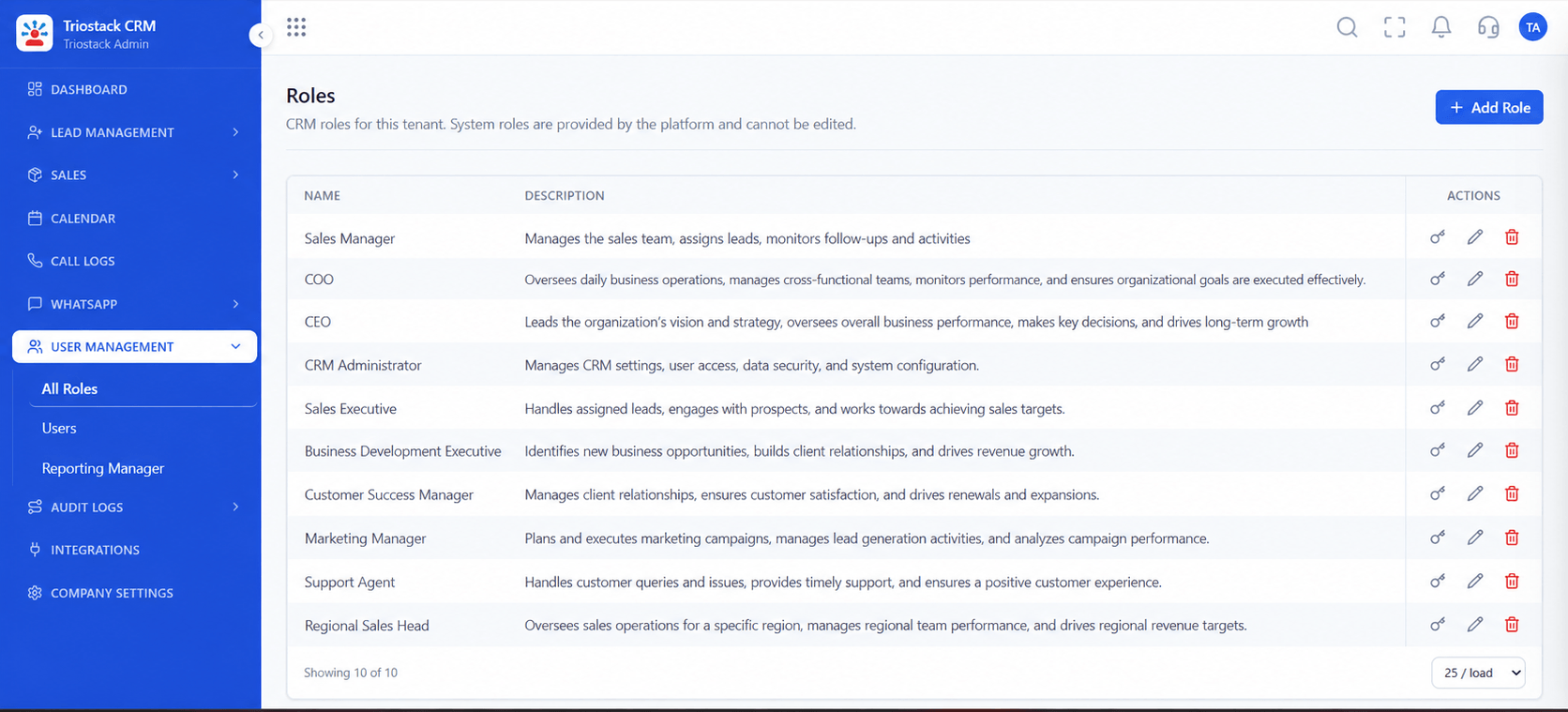
What each role can do.
In real life
Large team
One login for everyone.
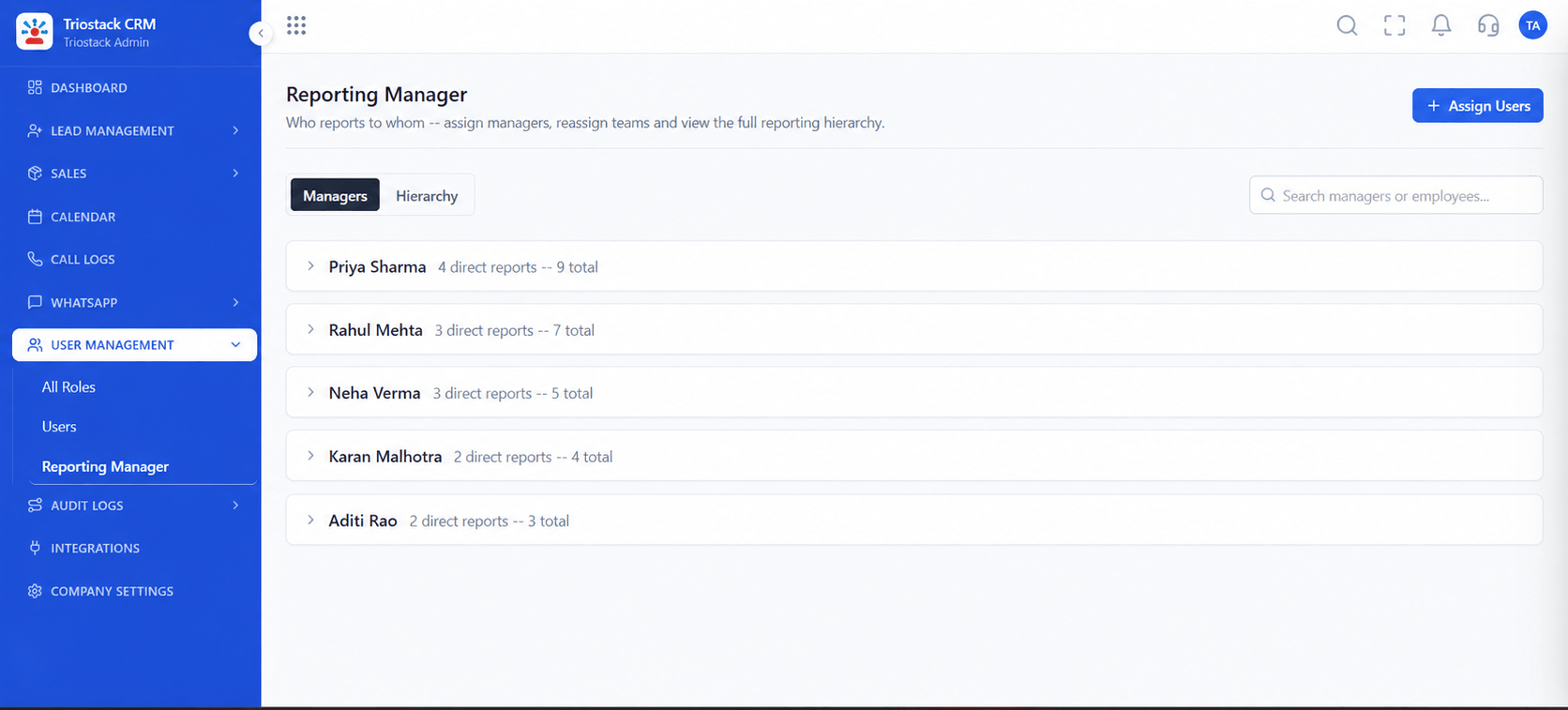
Who sees whose data.
Watch out for
Planning a rollout around an identity provider before confirming it is supported for your account.
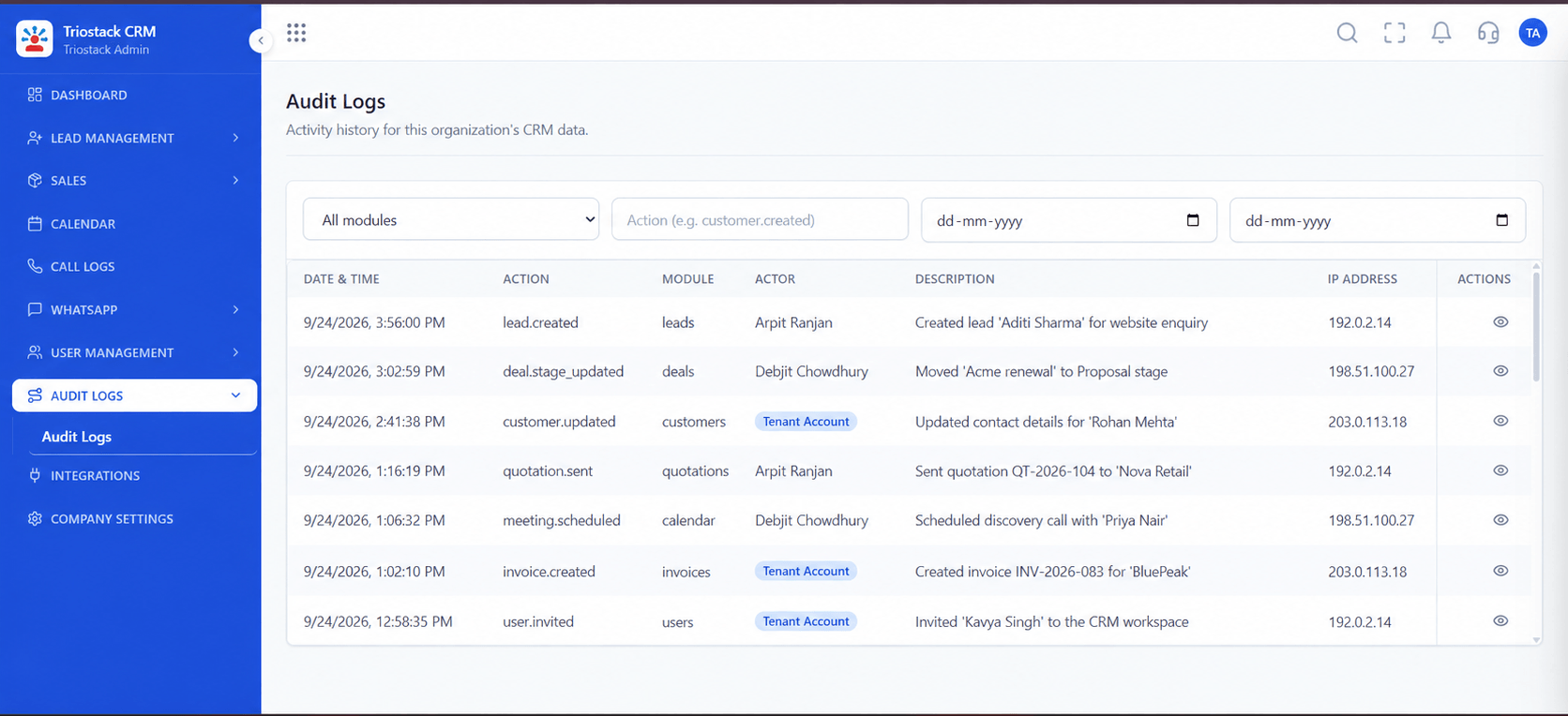
Who did what.
Before you start
Execution Plan
List your identity provider and groups.
Check protocol and provisioning with our team.
Map groups to CRM roles.
Pilot with one team, then everyone.
Practical Guide
Before you start
A tip that helps
Pilot with one team and keep a break-glass admin login, so a mistake in the identity setup cannot lock everyone out.
A common mistake
Planning a rollout around an identity provider before confirming it is supported for your account.
Availability: Availability can depend on your plan and setup. Please confirm with our team which capabilities are live for your account, and any prerequisites, before you plan around this page.
In Real Life
Scenario 01
One login for everyone.
Scenario 02
Access follows HR changes.
Scenario 03
Identity questions answered up front.
Straight answers about Enterprise Single Sign-On, from setup to what happens next.
Have a question about Enterprise Single Sign-On?
Book a free callSingle Sign-On appears in our administration documentation. Ask our team what applies to your account.
We do not list providers here. Confirm yours with our team.
Ask us. Do not assume it until confirmed.
Ask our team what authentication options apply to your account.
What to plan for single sign-on with a CRM: identity provider, protocol, provisioning, role mapping and MFA, and how to confirm what applies to your account.
It runs in 4 steps: Inventory, Confirm, Map and Roll out. List your identity provider and groups.
The real screens on this page include All Leads, Lead Follow-Ups, Sales Dashboard and Users, all captured from the product.
Request a demo or start a free trial. Our team can also walk you through a guided setup, so your first session ends with something working.
Keep Exploring
Unify Meta leads, WhatsApp conversations, Android SIM calls, and GST invoices without per-seat price taxes.
Explore All Enterprise CRM