The best Business Suite software in India, built to help your business grow. Contact us at +91-8882435276.
[ Contact ]
Phone number
Email address
Head office
Noida office
The right team at TriostackOne will get back to you.
Name
Choose the address and its owner.
Ask
Confirm availability for your account.
Plan
Write the DNS change and a rollback.
Switch
Change DNS, then check login and email.
Positioning Assessment
Some organisations want their CRM on their own domain, such as crm.yourcompany.com. It builds trust with staff and customers, and it needs someone to own the domain, manage DNS, keep certificates valid and check that email still works.
We do not state on this page whether custom domains, wildcard certificates or CDN acceleration are available, because that depends on your plan and agreement. Ask our team, and use the steps below to prepare. Brand details such as logos and company information are set up in your workspace.
“We named one owner for the domain and one for the certificate. Nothing expired silently.”
Sample team scenario
Illustrative example, not a customer testimonial

All Leads
Every lead with its source, status and owner
In the Product
Imagine your own name above the entrance, and someone responsible for keeping the sign lit.
Named people.
With a rollback.
Not assumed.
Platform Integrity
A named person
Planned
Who renews
Check deliverability
At a Glance
What to settle before the switch.
| Dimension | Triostack CRM | Improvised Setup |
|---|---|---|
| Ownership | Named owner | Whoever set it up |
| DNS | Change plan and rollback | Edit and hope |
| Certificates | Renewal owner | Expires unnoticed |
| Checked before the change | Broken after | |
| Availability | Confirmed with our team | Assumed |
Book a walkthrough and we will set up a sandbox with sample leads, a WhatsApp inbox and a pipeline, so you can try it before you commit.
Live Interface Tour
Real screens captured directly from the production Triostack CRM interface.
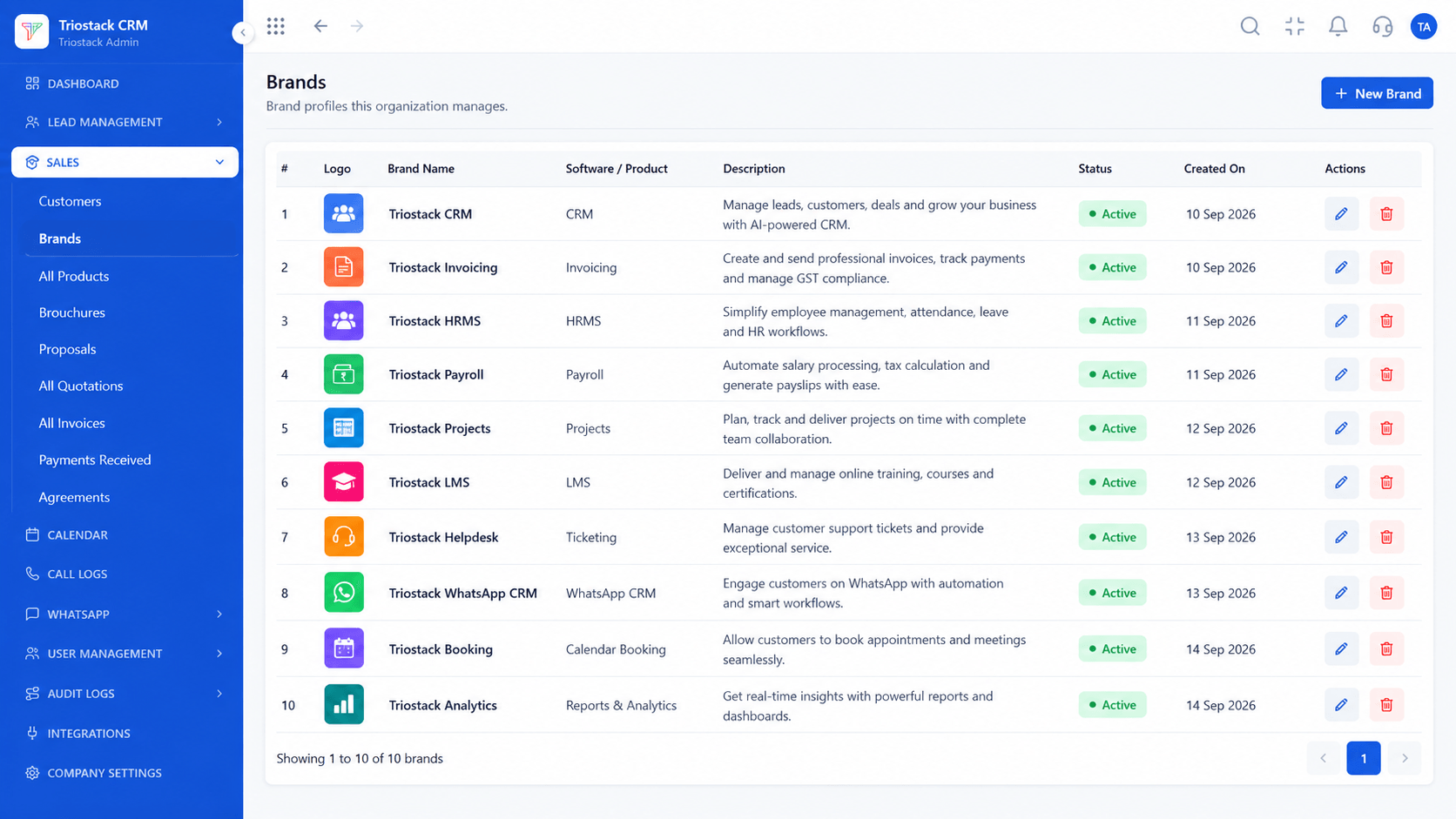
Brands
Availability depends on your account
Feature Breakdown
Captured directly from the production Triostack CRM interface.
Brand details.
On this screen: Brands set up for your quotes and invoices.
How it fits the plan
Name. Choose the address and its owner.
Ask. Confirm availability for your account.
Practical tip
Change DNS at a quiet hour and keep the old address working until the new one is confirmed.

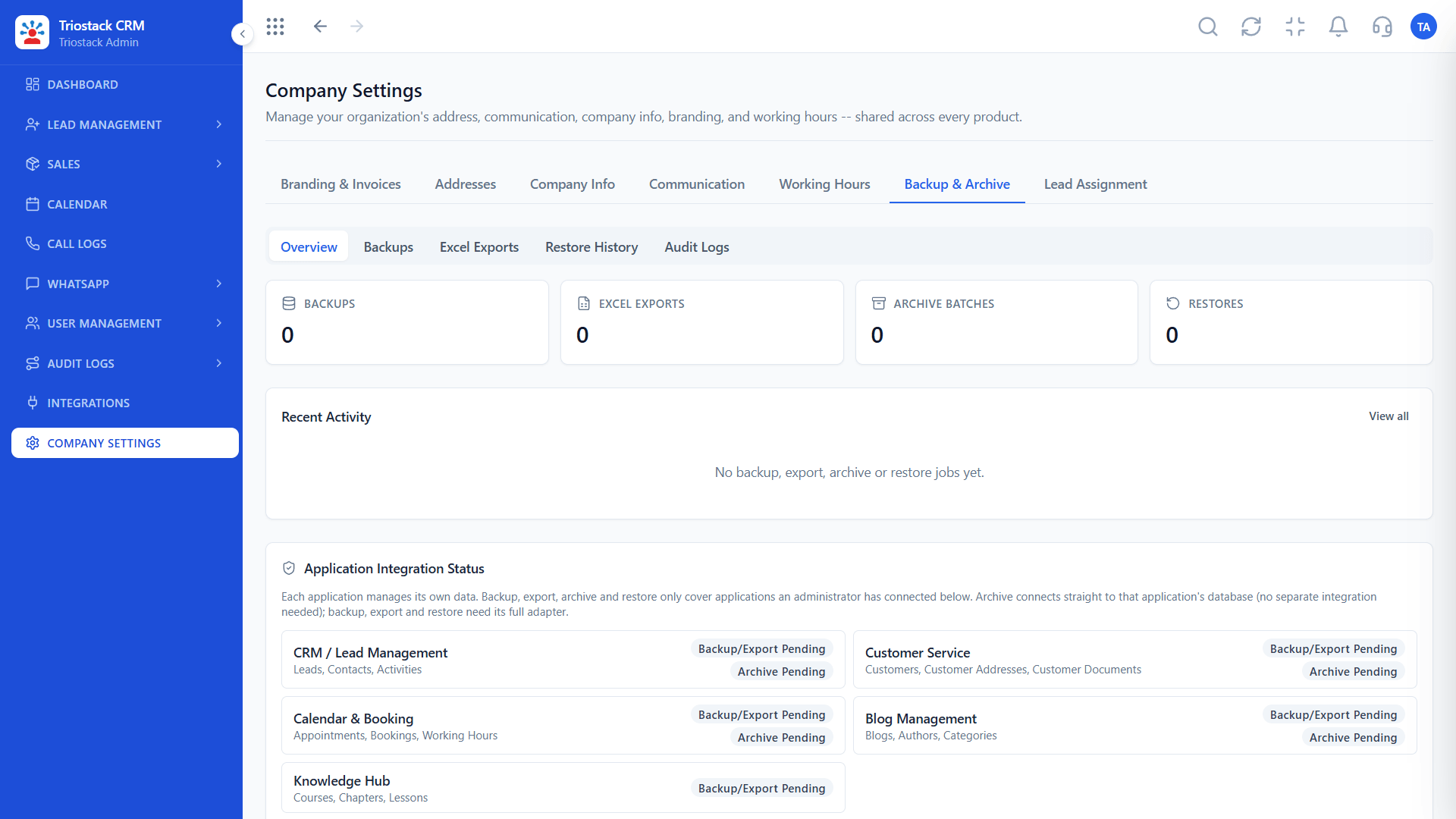
Workspace identity.
On this screen: Company-wide settings in one place.
How it fits the plan
Ask. Confirm availability for your account.
Plan. Write the DNS change and a rollback.
In real life
Brand-led rollout
Staff see your address.
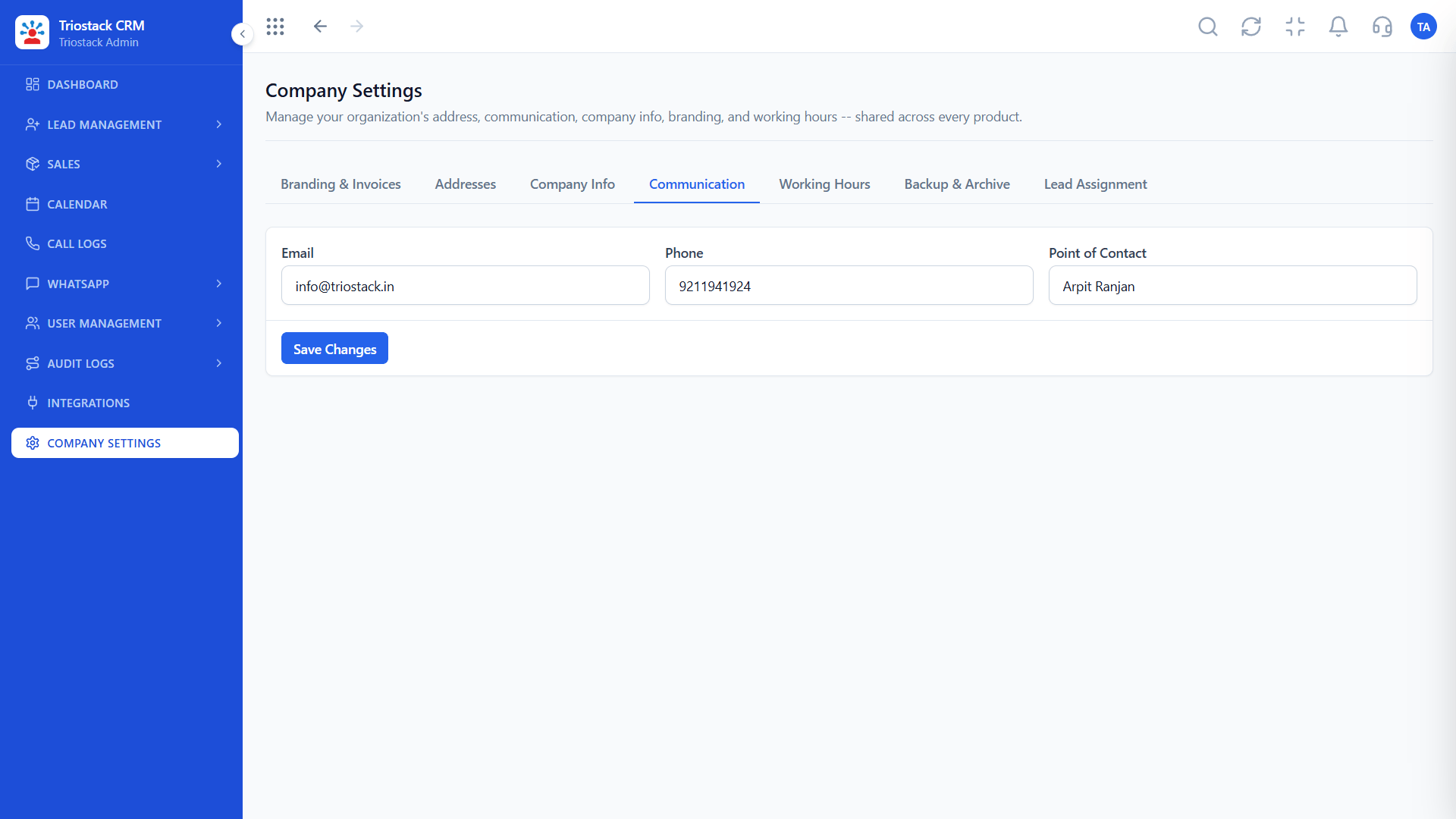
Email and messaging.
On this screen: Communication settings for the workspace.
How it fits the plan
Plan. Write the DNS change and a rollback.
Switch. Change DNS, then check login and email.
Watch out for
Letting a certificate expire because nobody was named to renew it.
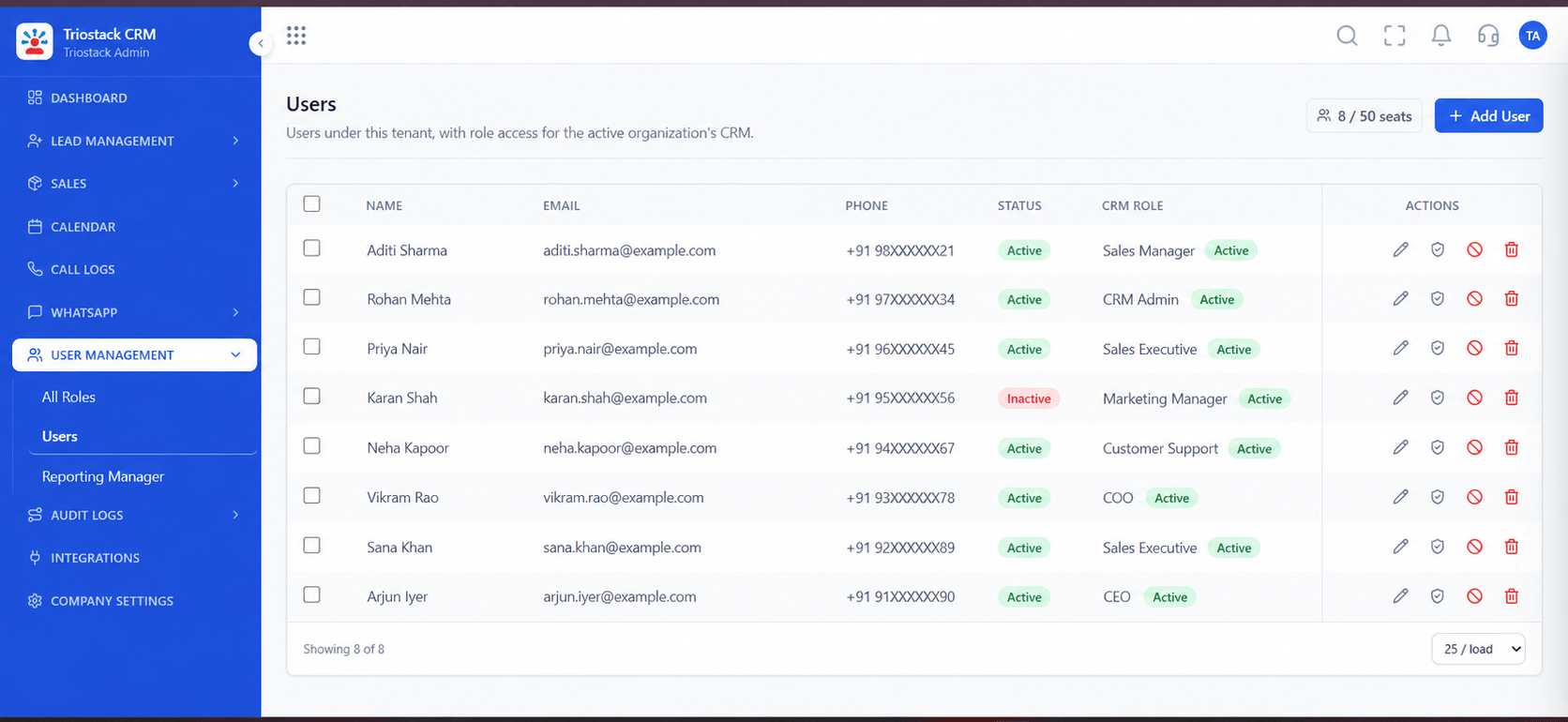
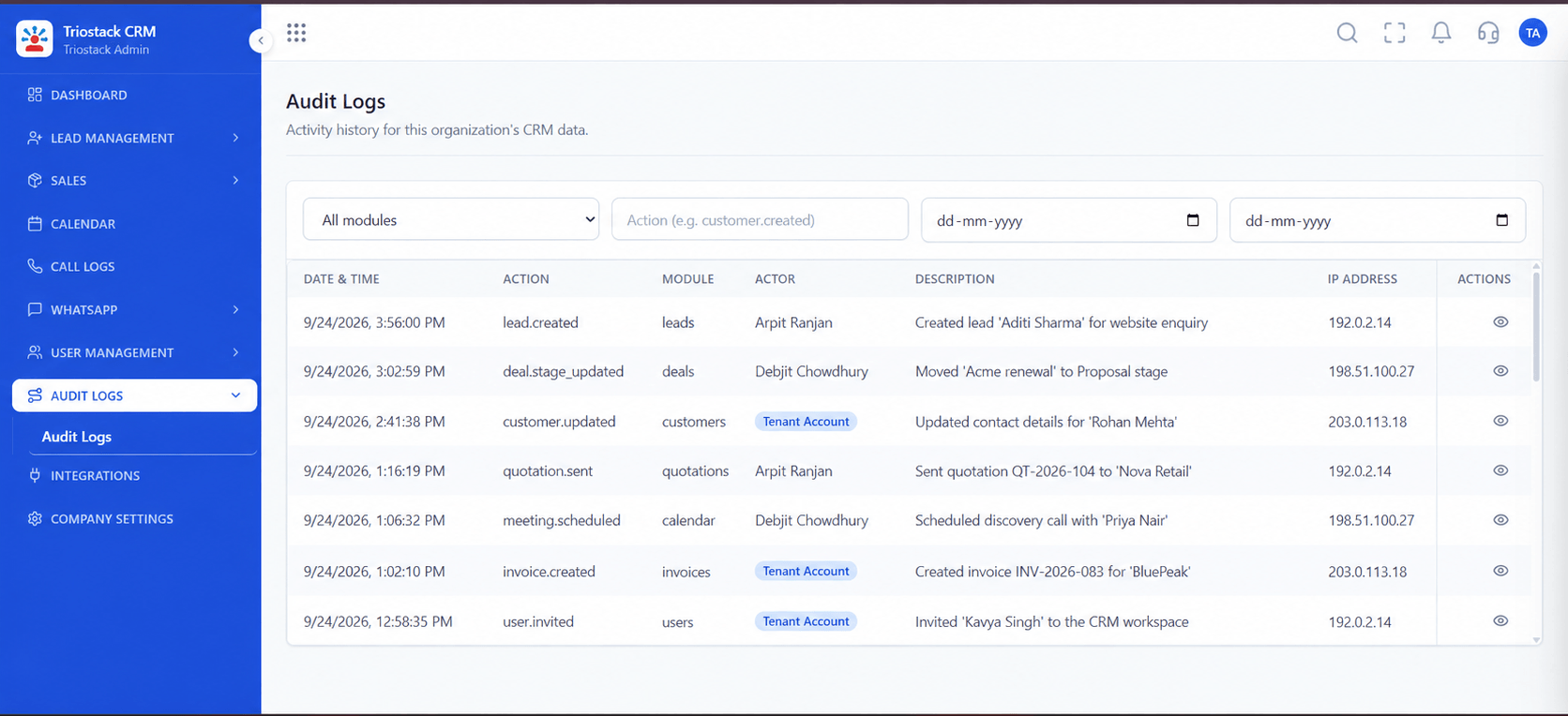
Who is affected.
On this screen: Team members and their access.
How it fits the plan
Switch. Change DNS, then check login and email.
Name. Choose the address and its owner.
Before you start
Execution Plan
Choose the address and its owner.
Confirm availability for your account.
Write the DNS change and a rollback.
Change DNS, then check login and email.
Practical Guide
Before you start
A tip that helps
Change DNS at a quiet hour and keep the old address working until the new one is confirmed.
A common mistake
Letting a certificate expire because nobody was named to renew it.
Availability: Availability can depend on your plan and setup. Please confirm with our team which capabilities are live for your account, and any prerequisites, before you plan around this page.
In Real Life
Scenario 01
Staff see your address.
Scenario 02
A consistent look for clients.
Scenario 03
DNS and certificates are planned.
Straight answers about Enterprise Custom Domain and SSL, from setup to what happens next.
Have a question about Enterprise Custom Domain and SSL?
Book a free callAsk our team. We do not state this here.
We do not claim either here. Ask what applies to your account.
You do, for your domain. We tell you what records are needed.
It can. Check email authentication before and after the change.
What to settle before asking for a branded CRM domain: ownership, certificates, DNS changes, email deliverability, and what is confirmed for your account.
It runs in 4 steps: Name, Ask, Plan and Switch. Choose the address and its owner.
The real screens on this page include All Leads, Lead Follow-Ups, Lead Pipeline and Brands, all captured from the product.
Request a demo or start a free trial. Our team can also walk you through a guided setup, so your first session ends with something working.
Keep Exploring
Unify Meta leads, WhatsApp conversations, Android SIM calls, and GST invoices without per-seat price taxes.
Explore All Enterprise CRM