The best Business Suite software in India, built to help your business grow. Contact us at +91-8882435276.
[ Contact ]
Phone number
Email address
Head office
Noida office
The right team at TriostackOne will get back to you.

Positioning Assessment
Sales and service work is full of small, repeated steps: send a welcome message, create a follow-up, move a lead, tell the manager. Done by hand, they are done late or not at all.
Triostack CRM automates them. A trigger, such as a new lead, a stage change or a form fill, starts a set of actions, such as sending an approved WhatsApp template, scheduling a follow-up or assigning an owner. Conditions let the path differ by source, stage or any detail you hold on the lead.
Ask us how far automation goes on your plan, and we will help you map the first workflows.
“A new ad lead gets a welcome, a follow-up and an owner before anyone has opened the CRM.”
Sample team scenario
Illustrative example, not a customer testimonial

All Leads
Every lead with its source, status and owner
In the Product
Imagine one tap and the whole routine runs itself.
The rule never forgets.
Seconds, not hours.
Consistent handling.
Platform Integrity
Stage, form, new lead
Messages, tasks, owners
Different paths by detail
Meta-approved WhatsApp
At a Glance
What a trigger saves, every day.
| Dimension | Triostack CRM | Manual Steps |
|---|---|---|
| First response | Sent automatically | When someone remembers |
| Follow-ups | Created by a rule | Typed in by hand |
| Routing | By condition | By who is free |
| Manager alerts | On stalled deals | At the weekly review |
| Consistency | Same every time | Varies by person |
Book a walkthrough and we will set up a sandbox with sample leads, a WhatsApp inbox and a pipeline, so you can try it before you commit.
Live Interface Tour
Real screens captured directly from the production Triostack CRM interface.
WhatsApp Automation
Stage changes and form fills kick off the next step
Feature Breakdown
Captured directly from the production Triostack CRM interface.
Triggers that send messages.
On this screen: Trigger template messages on stage changes and form fills.
How it fits the plan
Pick. Choose the trigger, such as a new lead.
Act. Add the actions that should follow.
Practical tip
Automate one painful step first, like the welcome message, and watch it for a week before adding more.
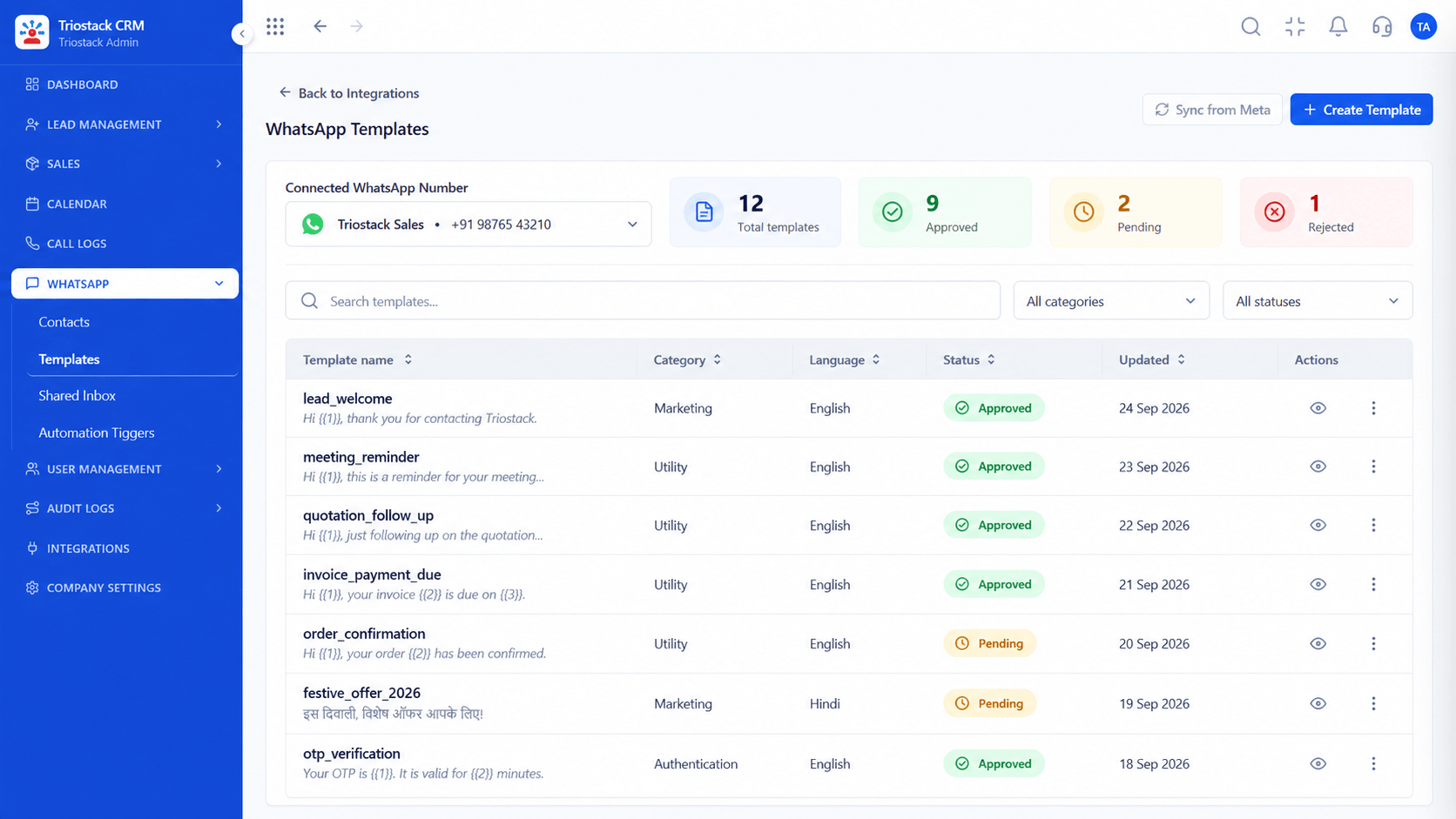
Approved messages.
On this screen: Message templates and their approval status.
How it fits the plan
Act. Add the actions that should follow.
Branch. Add conditions where paths differ.
In real life
Ad leads
A welcome goes out at once.

Tasks the rules create.
On this screen: Never miss the next call or message.
How it fits the plan
Branch. Add conditions where paths differ.
Watch. Review what ran and adjust.
Watch out for
Building long chains before testing a single trigger.

Stage changes that trigger.
On this screen: Drag deals across your own sales stages.
How it fits the plan
Watch. Review what ran and adjust.
Pick. Choose the trigger, such as a new lead.
Before you start
Execution Plan
Choose the trigger, such as a new lead.
Add the actions that should follow.
Add conditions where paths differ.
Review what ran and adjust.
Practical Guide
Before you start
A tip that helps
Automate one painful step first, like the welcome message, and watch it for a week before adding more.
A common mistake
Building long chains before testing a single trigger.
Availability: Availability can depend on your plan and setup. Please confirm with our team which capabilities are live for your account, and any prerequisites, before you plan around this page.
In Real Life
Scenario 01
A welcome goes out at once.
Scenario 02
A follow-up appears in three days.
Scenario 03
A manager gets a nudge.
Straight answers about Custom Workflow Automation, from setup to what happens next.
Have a question about Custom Workflow Automation?
Book a free callNew leads, stage changes and form fills, among others. Ask us for the list on your plan.
Send approved WhatsApp templates, create follow-ups and assign owners.
Ask us about conditional logic on your plan.
Ask us how much is configurable without a developer.
Explain triggers, multi-step actions and conditional business logic for sales and service automation, with no manual follow-up.
It runs in 4 steps: Pick, Act, Branch and Watch. Choose the trigger, such as a new lead.
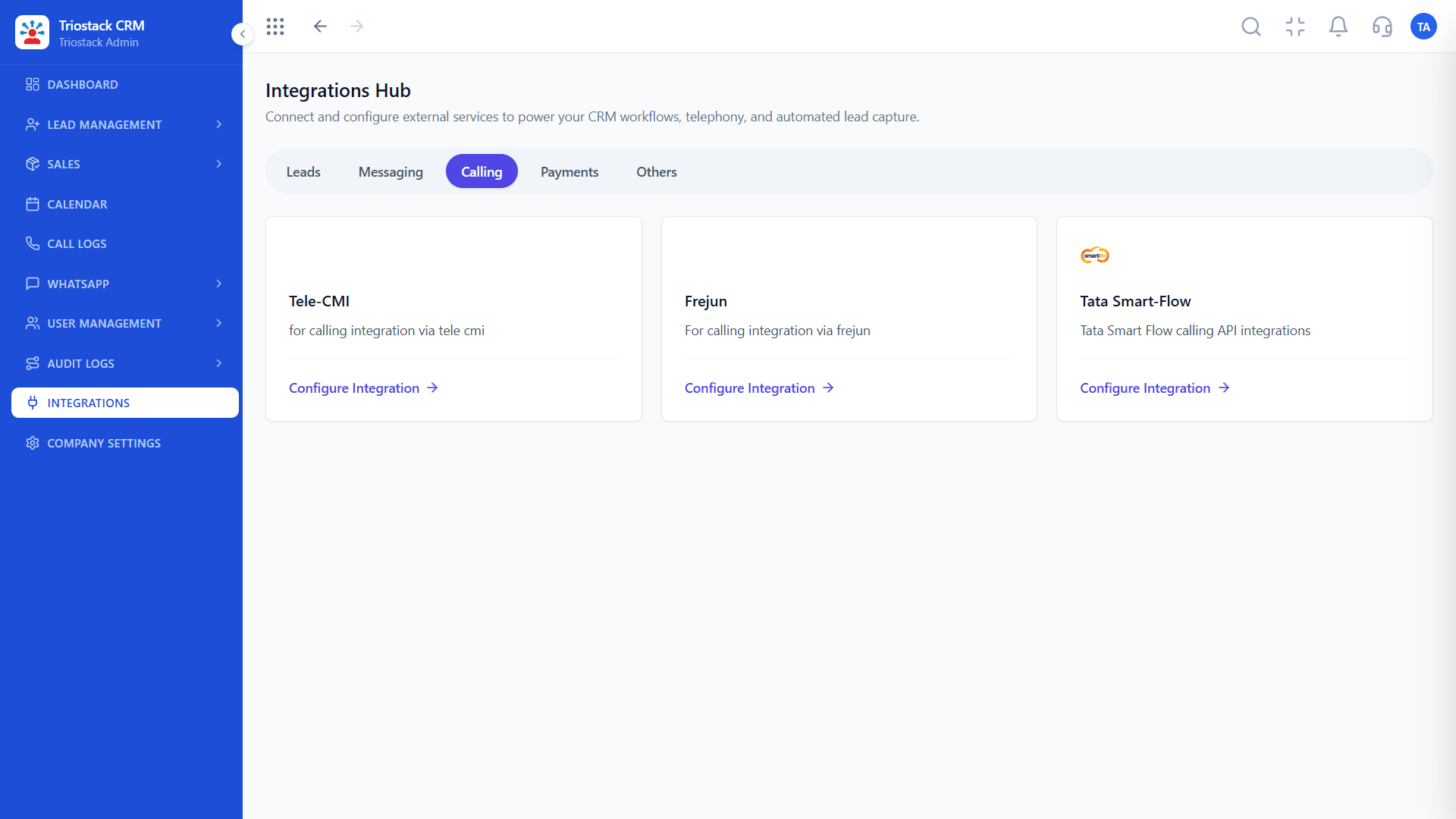
The real screens on this page include All Leads, Call Logs, Messaging Integrations and WhatsApp Automation, all captured from the product.
Request a demo or start a free trial. Our team can also walk you through a guided setup, so your first session ends with something working.
Keep Exploring
Unify Meta leads, WhatsApp conversations, Android SIM calls, and GST invoices without per-seat price taxes.
Explore All CRM Customisation