The best Business Suite software in India, built to help your business grow. Contact us at +91-8882435276.
[ Contact ]
Phone number
Email address
Head office
Noida office
The right team at TriostackOne will get back to you.
Built for
Outstanding Payment Tracking
Due list
Unpaid invoices and balances in one view
Positioning Assessment
Sales teams close a deal and move on. Meanwhile an invoice sits unpaid, and nobody is sure whose job it is to remind the customer.
Triostack CRM keeps invoices and payments against the customer. Review unpaid invoices and balances, see which are largest and oldest, and set a follow-up on each so the right person calls the right customer first. When the payment arrives, the status updates and the invoice drops off the list.
Combine it with invoice magic links and partial payments so the customer can pay as soon as they have called.
“Every Monday we open one list: who owes what, since when. We cleared a quarter's backlog in a fortnight.”
Sample team scenario
Illustrative example, not a customer testimonial
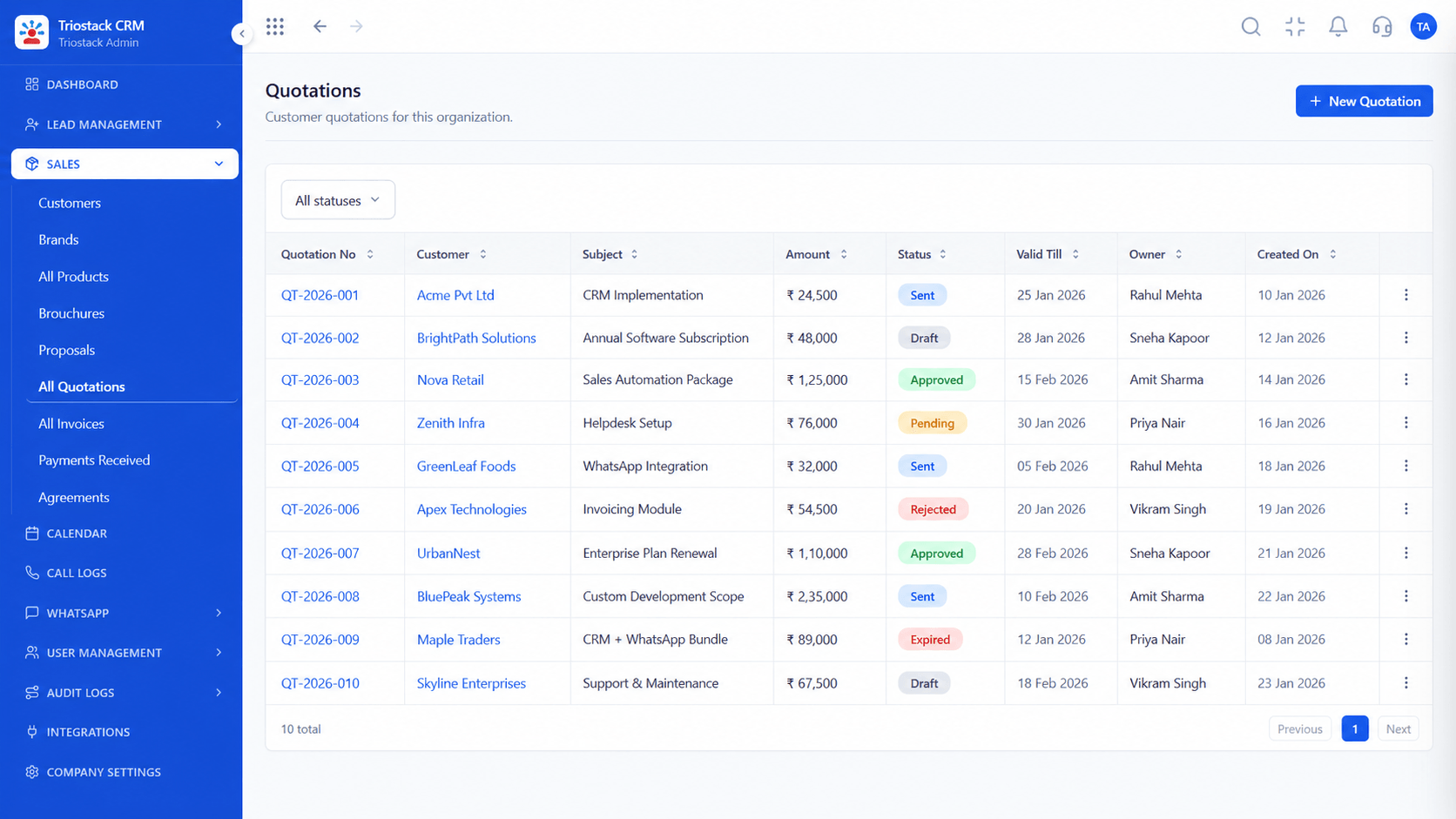
Quotations
Itemised quotes with discounts and terms
In the Product
Imagine a list that gently reminds you who has not paid yet.
No hidden balances.
Biggest and oldest first.
Paid invoices disappear.
Platform Integrity
In one list
Per customer
On each invoice
Updates on payment
At a Glance
What changes when outstanding money is visible.
Who owes
Visible list
Memory and Spreadsheets: Whoever remembers
How much
Per customer, per invoice
Memory and Spreadsheets: Estimated
Priority
Largest and oldest first
Memory and Spreadsheets: Loudest first
Follow-up
Reminder on the invoice
Memory and Spreadsheets: None
Payment arrives
Status updates itself
Memory and Spreadsheets: Someone tells you
Book a walkthrough and we will set up a sandbox with sample leads, a WhatsApp inbox and a pipeline, so you can try it before you commit.
Live Interface Tour
Real screens captured directly from the production Triostack CRM interface.
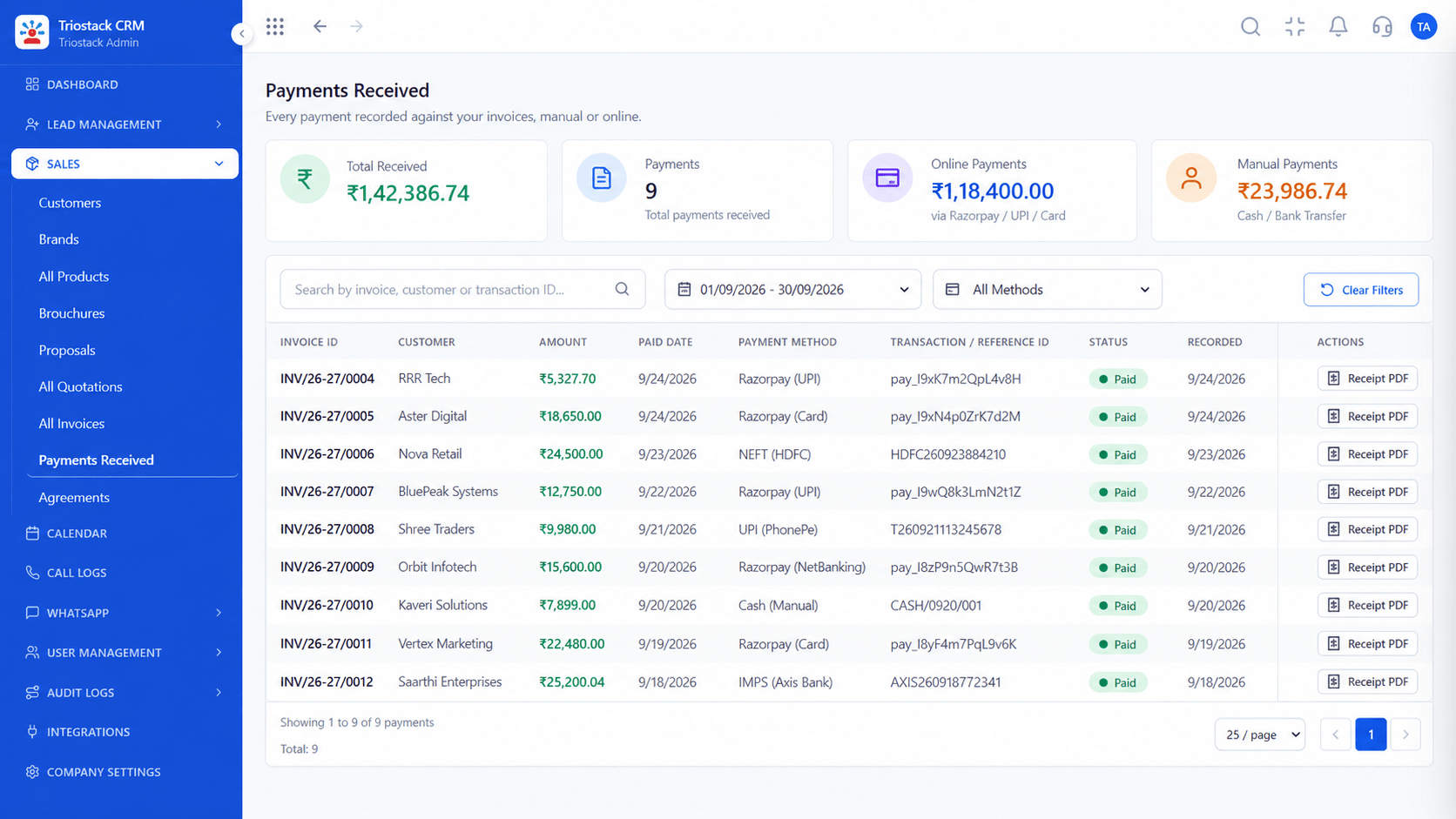
Payments Received
Unpaid invoices and balances in one view
Feature Breakdown
Captured directly from the production Triostack CRM interface.

What is owed.
On this screen: Tax invoices raised straight from a won deal.
How it fits the plan
List. Open the unpaid invoices.
Sort. Order by amount and age.
Practical tip
Agree who chases which invoices. A reminder nobody owns is a reminder nobody sends.
What has come in.
In real life
Month-end
You clear the backlog.

Chase on time.
Watch out for
Treating every unpaid invoice the same, instead of starting with the biggest and oldest.
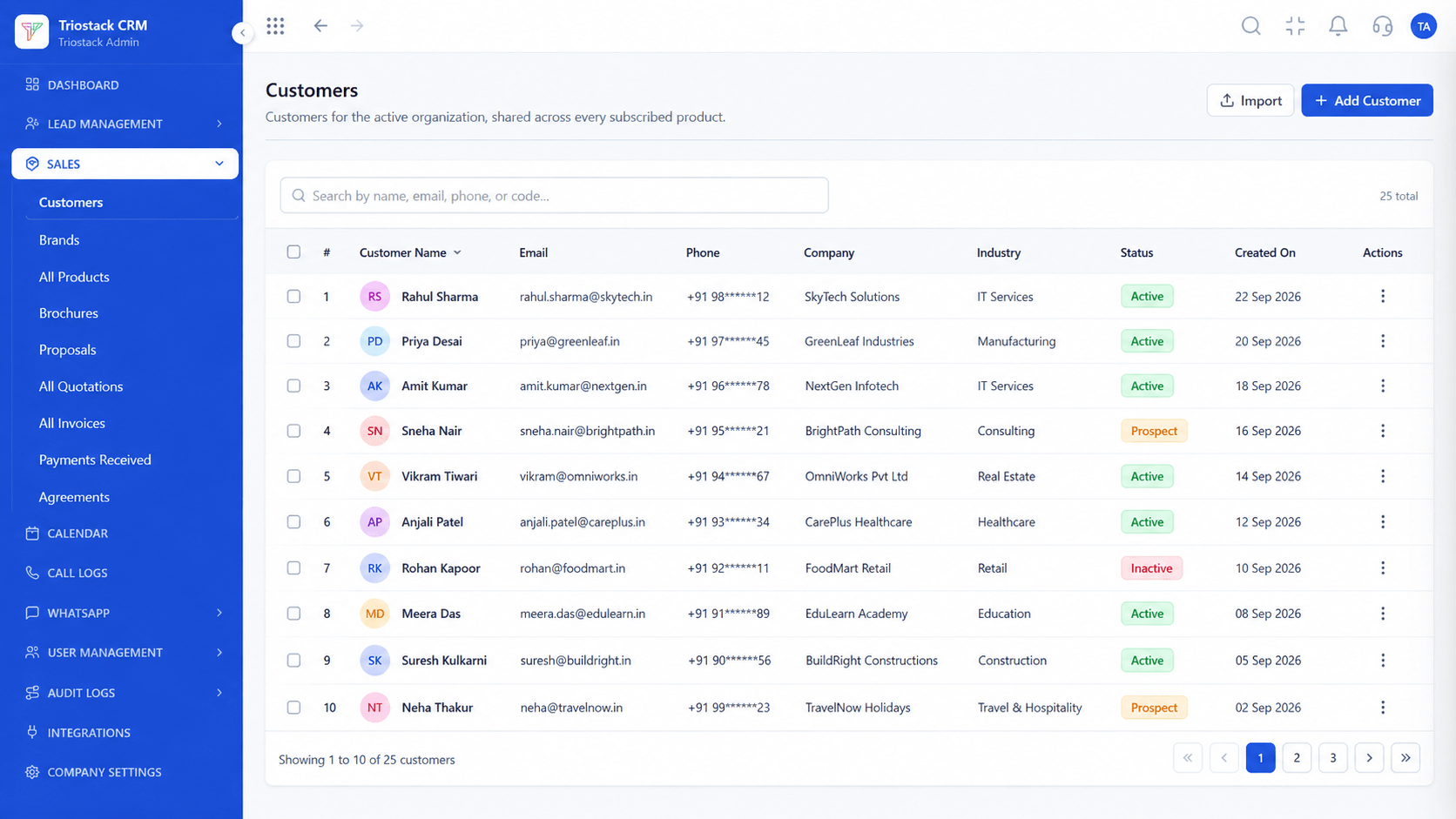
Balance per customer.
Before you start
Execution Plan
Open the unpaid invoices.
Order by amount and age.
Call or message, and set a follow-up.
The status updates when payment arrives.
Practical Guide
Before you start
A tip that helps
Agree who chases which invoices. A reminder nobody owns is a reminder nobody sends.
A common mistake
Treating every unpaid invoice the same, instead of starting with the biggest and oldest.
Availability: Availability can depend on your plan and setup. Please confirm with our team which capabilities are live for your account, and any prerequisites, before you plan around this page.
In Real Life
Scenario 01
You clear the backlog.
Scenario 02
Reviews a customer's balance before a call.
Scenario 03
Finance sees what is due.
Straight answers about Outstanding Payment Tracking, from setup to what happens next.
Have a question about Outstanding Payment Tracking?
Book a free callYes. Review invoices and balances in one place.
Yes. Set a follow-up on any outstanding invoice.
Yes. Payments are recorded against the invoice and the status updates.
Yes, through invoice magic links. See the Sales Payment Links page.
Show how sales teams review unpaid invoices and outstanding balances to prioritize customer payment follow-ups.
It runs in 4 steps: List, Sort, Chase and Close. Open the unpaid invoices.
The real screens on this page include Quotations, Sales Dashboard, Call Logs and GST Invoices, all captured from the product.
Request a demo or start a free trial. Our team can also walk you through a guided setup, so your first session ends with something working.
Keep Exploring
Unify Meta leads, WhatsApp conversations, Android SIM calls, and GST invoices without per-seat price taxes.


