The best Business Suite software in India, built to help your business grow. Contact us at +91-8882435276.
[ Contact ]
Phone number
Email address
Head office
Noida office
The right team at TriostackOne will get back to you.
Built for
Education Admissions CRM
Enquiry to seat
Every stage of the admissions journey tracked

Positioning Assessment
An admissions season brings a rush of enquiries from ads, walk-ins, referrals and phone calls. The counsellor has to remember who asked about which course, who was promised a call back and which parent still has questions about fees.
Triostack CRM gives each student enquiry a record with the course, the source, the counsellor and the stage: enquiry, counselling, campus visit, application, enrolled. Calls from Android phones, WhatsApp chats with parents and follow-up reminders sit on the same record.
Stages and fields are yours to set, so the pipeline follows your own admissions process.
“By the second week of the season, every counsellor could open a list and see exactly whom to call that morning.”
Sample team scenario
Illustrative example, not a customer testimonial
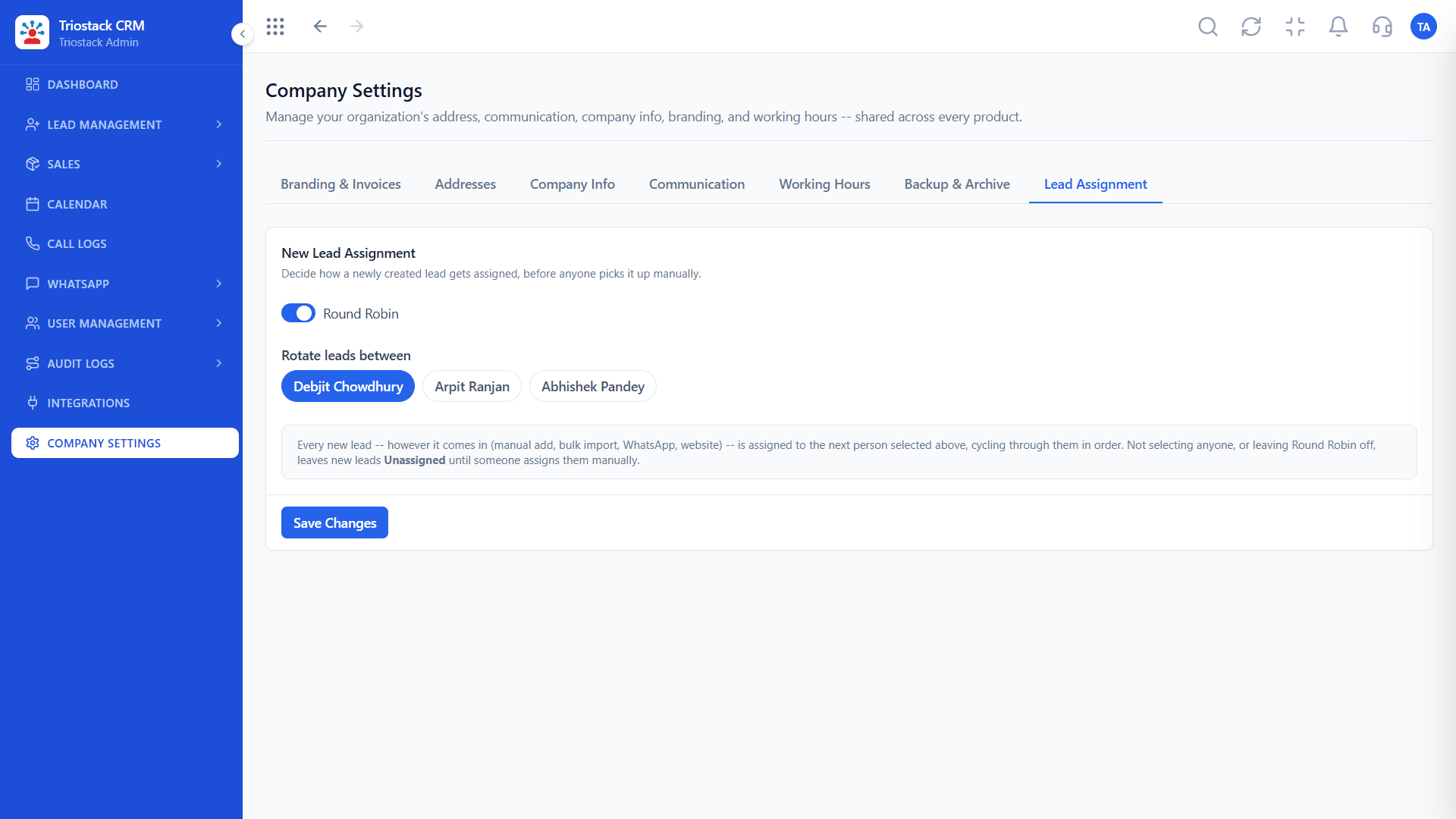
Lead Assignment
Route new leads to the right rep automatically
In the Product
Imagine the counsellor who remembers every parent's question and every promised callback.
From first call to seat.
Reminders on the list.
See which sources bring enrolments.
Platform Integrity
Course, source, counsellor
Your admissions pipeline
Calls and WhatsApp
Which campaign worked
At a Glance
What changes in the middle of a busy season.
Enquiries
One record per student
Sheets and Notebooks: Rows across several sheets
Stages
Enquiry to enrolled, tracked
Sheets and Notebooks: A status column
Follow-ups
Reminders to the counsellor
Sheets and Notebooks: Sticky notes
Parents
Calls and chats on the record
Sheets and Notebooks: Phone logs
Reports
Source and stage dashboards
Sheets and Notebooks: Hand-built at month end
Book a walkthrough and we will set up a sandbox with sample leads, a WhatsApp inbox and a pipeline, so you can try it before you commit.
Live Interface Tour
Real screens captured directly from the production Triostack CRM interface.
Lead Pipeline
Every stage of the admissions journey tracked
Feature Breakdown
Captured directly from the production Triostack CRM interface.
From enquiry to enrolment.
On this screen: Drag deals across your own sales stages.
How it fits the plan
Define. List your courses, sources and admission stages.
Import. Bring in enquiries from sheets and ad forms.
Practical tip
Treat the parent as part of the lead. Note their questions on the record so the next counsellor does not ask them again.

Every student enquiry.
In real life
Admission season
A flood of enquiries is spread fairly.

Calls back on time.
Watch out for
Using one generic stage list for every course, so the pipeline hides where students actually drop.

Campus visits and counselling slots.
Before you start
Execution Plan
List your courses, sources and admission stages.
Bring in enquiries from sheets and ad forms.
Route students to counsellors by course or city.
Work from each counsellor's daily call list.
Practical Guide
Before you start
A tip that helps
Treat the parent as part of the lead. Note their questions on the record so the next counsellor does not ask them again.
A common mistake
Using one generic stage list for every course, so the pipeline hides where students actually drop.
Availability: Availability can depend on your plan and setup. Please confirm with our team which capabilities are live for your account, and any prerequisites, before you plan around this page.
In Real Life
Scenario 01
A flood of enquiries is spread fairly.
Scenario 02
Visits are booked and followed up.
Scenario 03
Counsellors see who is still undecided.
Straight answers about Education Admissions CRM, from setup to what happens next.
Have a question about Education Admissions CRM?
Book a free callYes. Each enquiry carries its course, source and counsellor.
Yes. Android calls are logged on the record.
Yes. Calls and WhatsApp chats stay on the lead.
Yes. Build the pipeline to match your admissions process.
Explain how admissions teams organize student enquiries, track counselling stages and manage calls and follow-ups with students and parents.
It runs in 4 steps: Define, Import, Assign and Follow. List your courses, sources and admission stages.
The real screens on this page include Lead Assignment, Call Logs, Sales Dashboard and Sales Pipeline, all captured from the product.
Request a demo or start a free trial. Our team can also walk you through a guided setup, so your first session ends with something working.
Keep Exploring
Unify Meta leads, WhatsApp conversations, Android SIM calls, and GST invoices without per-seat price taxes.