The best Business Suite software in India, built to help your business grow. Contact us at +91-8882435276.
[ Contact ]
Phone number
Email address
Head office
Noida office
The right team at TriostackOne will get back to you.

Duplicates
Carried across
Fields
Guessed
History
Everything or nothing
Check
Discovered by reps
Check each vendor's current plans.
Positioning Assessment
Years of leads and customers sit in an old system, some of them duplicated, some half-filled and some nobody remembers. Importing it all as it is only moves the mess.
A careful migration has four steps: export from the old system, clean and de-duplicate, map the old fields to the new ones, and check the result before the team switches. Triostack CRM imports Excel and CSV files and checks for duplicates on import. Our team can look at your files and advise.
For large or complex moves, such as from Salesforce, Zoho or Pipedrive, see our switch guides and ask us about your fields, volumes and history.
“We removed forty thousand dead contacts before importing. The new CRM felt fast from day one.”
Sample team scenario
Illustrative example, not a customer testimonial

Lead Follow-Ups
Never miss the next call or message
In the Product
Imagine every box labelled, checked and set down in the right room.
No mess carried over.
Nothing lost in translation.
Samples before the full move.
Platform Integrity
From the old CRM
Checked on import
Old to new
Check before go-live
At a Glance
What care adds to a data move.
Triostack CRM
Straight Import
Duplicates
Removed first
Duplicates
Carried across
Fields
Mapped on purpose
Fields
Guessed
History
Decided what to keep
History
Everything or nothing
Check
Validated before go-live
Check
Discovered by reps
Help
Our team can advise
Help
Alone
Book a walkthrough and we will set up a sandbox with sample leads, a WhatsApp inbox and a pipeline, so you can try it before you commit.
Live Interface Tour
Real screens captured directly from the production Triostack CRM interface.
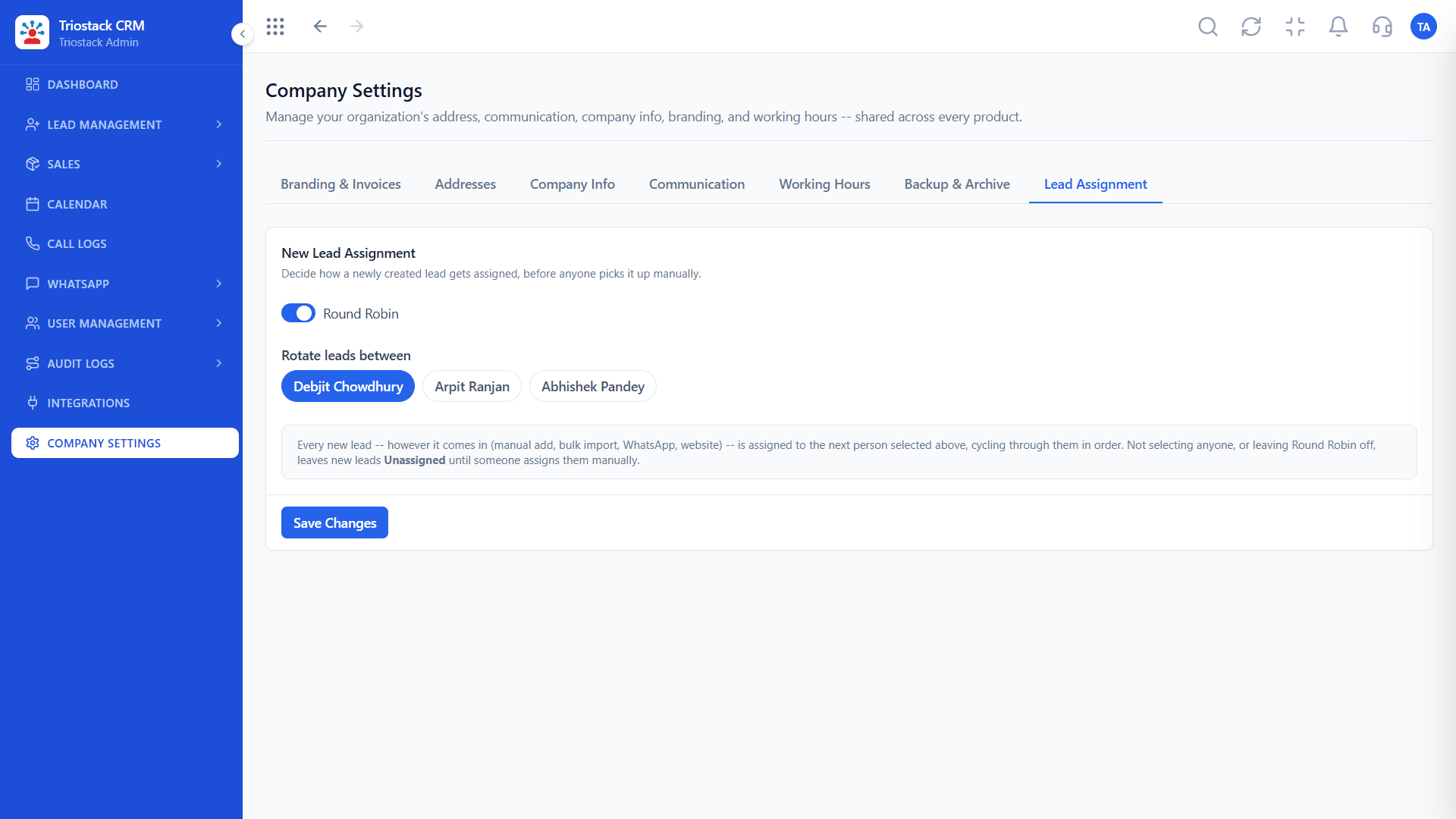
All Leads
Export, map, import, check
Feature Breakdown
Captured directly from the production Triostack CRM interface.
Where leads land.
On this screen: Every lead with its source, status and owner.
How it fits the plan
Export. Take a full export from the old CRM.
Clean. Remove duplicates and fix formats.
Practical tip
Migrate in two passes: a small test, then the rest. Mistakes in the mapping show up in ten rows, not ten thousand.
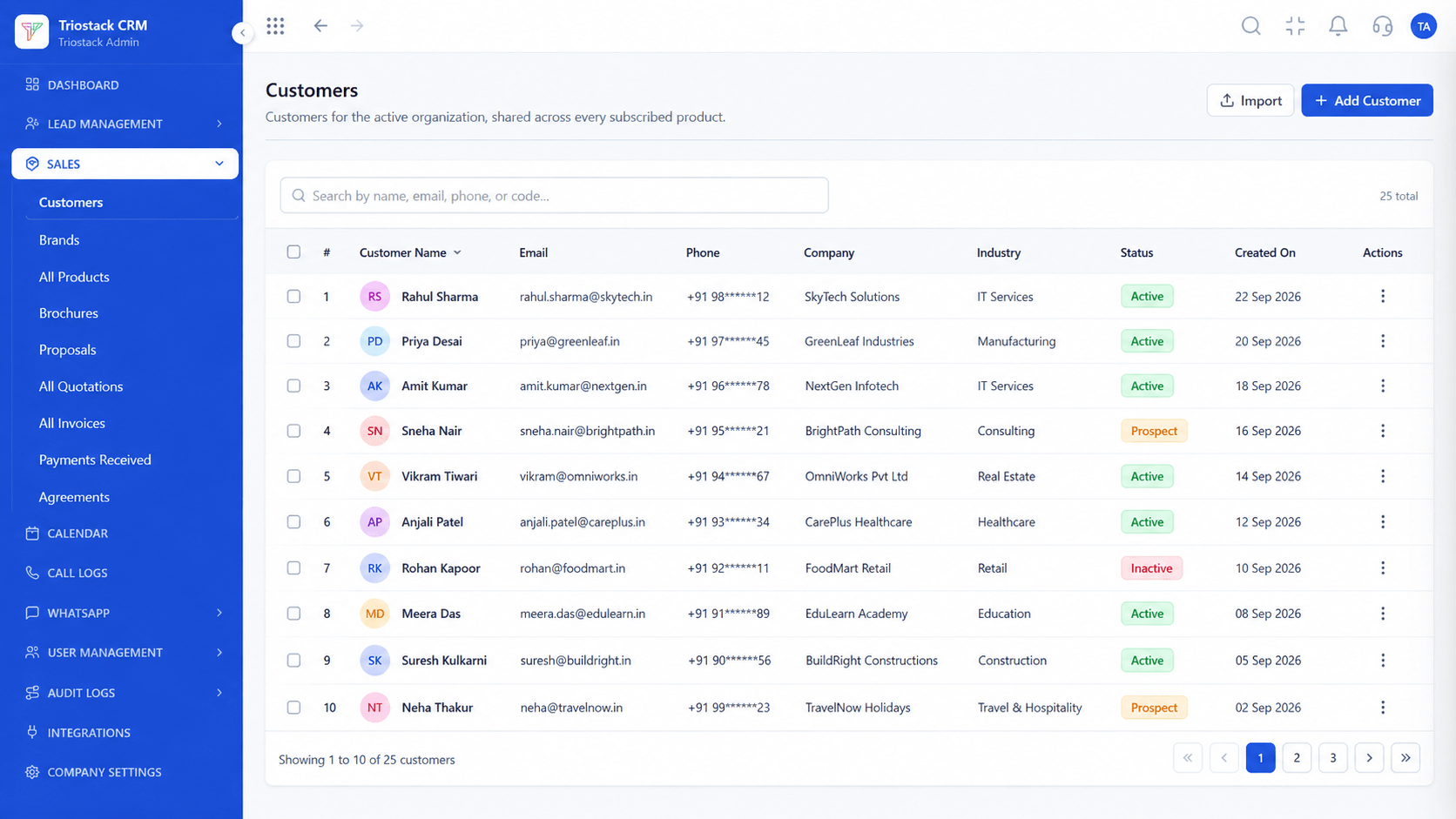
Customer records.
On this screen: Customer records shared across every subscribed product.
How it fits the plan
Clean. Remove duplicates and fix formats.
Map. Match old fields to new ones.
In real life
Switching from Salesforce
Fields and owners mapped.
Deals brought across.
On this screen: Drag deals across your own sales stages.
How it fits the plan
Map. Match old fields to new ones.
Check. Import a sample, review, then the rest.
Watch out for
Bringing in every record ever created and then wondering why the CRM feels cluttered.

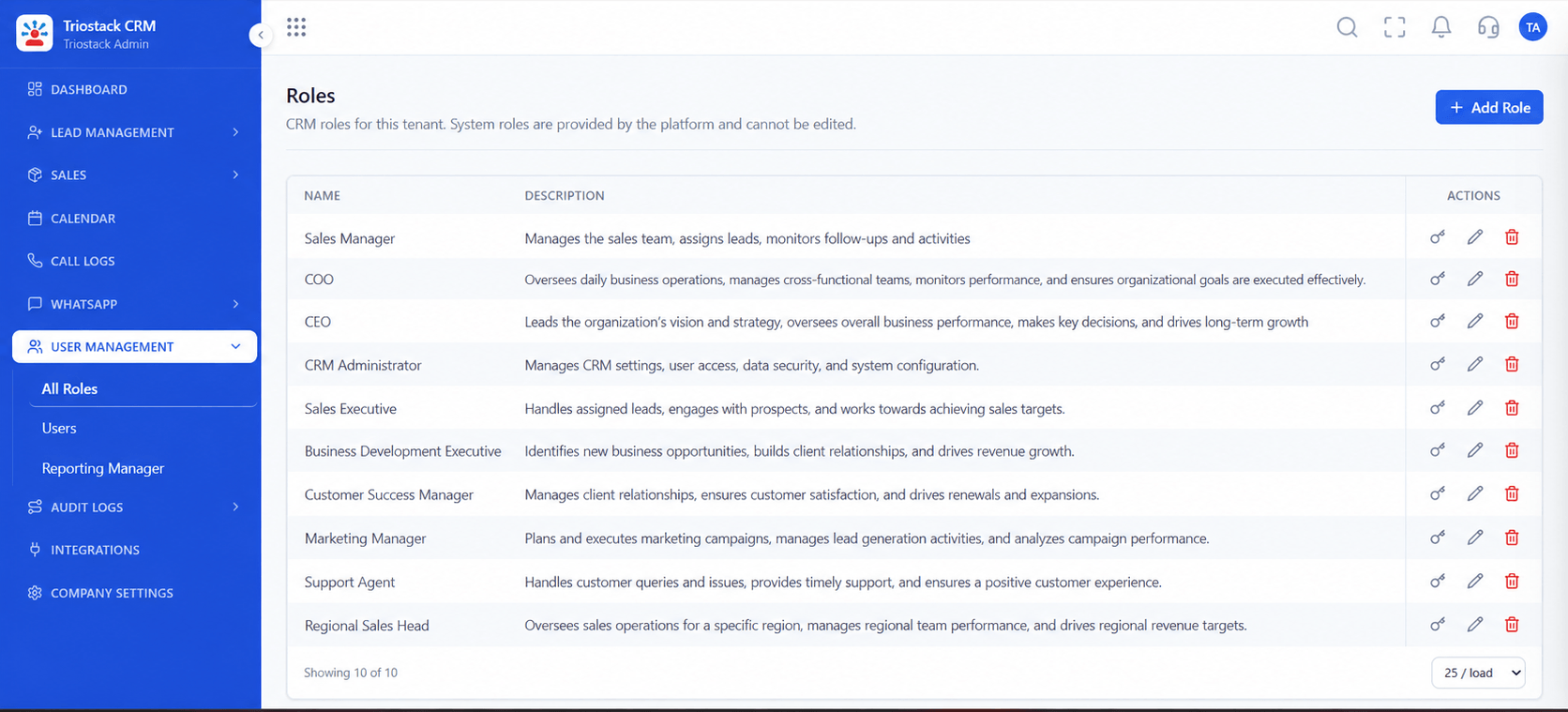
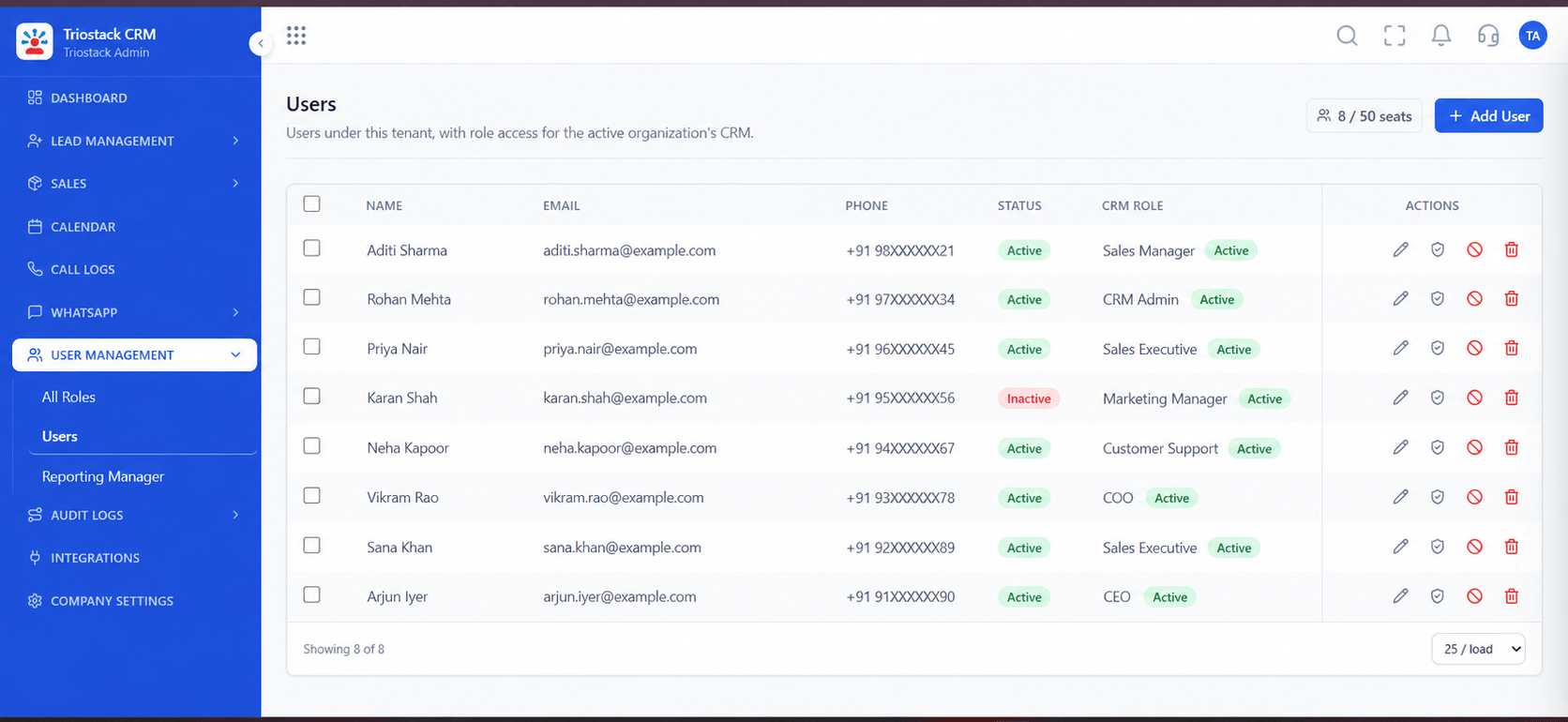
Owners mapped.
On this screen: Team members and their access.
How it fits the plan
Check. Import a sample, review, then the rest.
Export. Take a full export from the old CRM.
Before you start
Execution Plan
Take a full export from the old CRM.
Remove duplicates and fix formats.
Match old fields to new ones.
Import a sample, review, then the rest.
Practical Guide
Before you start
A tip that helps
Migrate in two passes: a small test, then the rest. Mistakes in the mapping show up in ten rows, not ten thousand.
A common mistake
Bringing in every record ever created and then wondering why the CRM feels cluttered.
Availability: Availability can depend on your plan and setup. Please confirm with our team which capabilities are live for your account, and any prerequisites, before you plan around this page.
In Real Life
Scenario 01
Fields and owners mapped.
Scenario 02
Dead records dropped first.
Scenario 03
Merged into one clean list.
Straight answers about Legacy CRM Data Migration, from setup to what happens next.
Have a question about Legacy CRM Data Migration?
Book a free callSalesforce, Zoho, Pipedrive and spreadsheets are common. Ask us about yours.
Duplicates are checked on import.
Ask us what history can be brought across for your source.
Ask us about migration help for your volumes.
Outline data extraction, de-duplication, field mapping and validation for moving from other CRMs or sheets.
It runs in 4 steps: Export, Clean, Map and Check. Take a full export from the old CRM.
The real screens on this page include Lead Follow-Ups, Call Logs, Sales Dashboard and All Leads, all captured from the product.
Request a demo or start a free trial. Our team can also walk you through a guided setup, so your first session ends with something working.
Keep Exploring
Unify Meta leads, WhatsApp conversations, Android SIM calls, and GST invoices without per-seat price taxes.
Explore All CRM Customisation