The best Business Suite software in India, built to help your business grow. Contact us at +91-8882435276.
[ Contact ]
Phone number
Email address
Head office
Noida office
The right team at TriostackOne will get back to you.
Built for
Affordable CRM for Small Business
Total cost
Compare seats, add-ons and setup, not just the headline price

Positioning Assessment
A small team needs a few things done well: capture leads, follow up, send quotes and keep WhatsApp conversations and calls with the customer. The cost of a CRM for a small team usually hides in add-ons, in seats that grow faster than the team, and in the time it takes to configure.
Triostack CRM puts leads, pipeline, follow-ups, quotations, invoices and a WhatsApp inbox in one workspace, with guided setup so a small team can be working in a session. Plans differ in seats, limits and support, not in which modules you get, and there is a free trial so you can try it on your own leads first. We do not quote prices on this page because they change; the pricing page always shows the current ones.
“We priced the add-ons we would need on the other tool. The total was very different from the headline.”
Sample team scenario
Illustrative example, not a customer testimonial

Lead Follow-Ups
Never miss the next call or message
In the Product
Imagine checking the final amount, taxes and extras included, before choosing the restaurant.
Seats, add-ons and setup together.
Free trial on every module.
Know what is not included.
Platform Integrity
No feature gating
Try it on your own leads
Pay for the team size you have
Ask what costs extra
At a Glance
Six things to compare on price, for any CRM including ours.
Cost model
Every module on every plan; plans differ by seats, limits and support
A Typical CRM Quote: Tiers, seats and add-ons priced separately
Small-team setup
Guided setup, a few users to start
A Typical CRM Quote: Self-configure or pay for onboarding
Messaging
WhatsApp Cloud API inbox in the CRM; Meta charges conversations by its own pricing
A Typical CRM Quote: Often an add-on or a separate tool
Invoicing
Quotations and GST invoices from a deal
A Typical CRM Quote: A separate billing tool
Setup
Guided setup session
A Typical CRM Quote: Self-configured or paid onboarding
Trial
Free trial on every module
A Typical CRM Quote: Check what the trial includes
Book a walkthrough and we will set up a sandbox with sample leads, a WhatsApp inbox and a pipeline, so you can try it before you commit.
Live Interface Tour
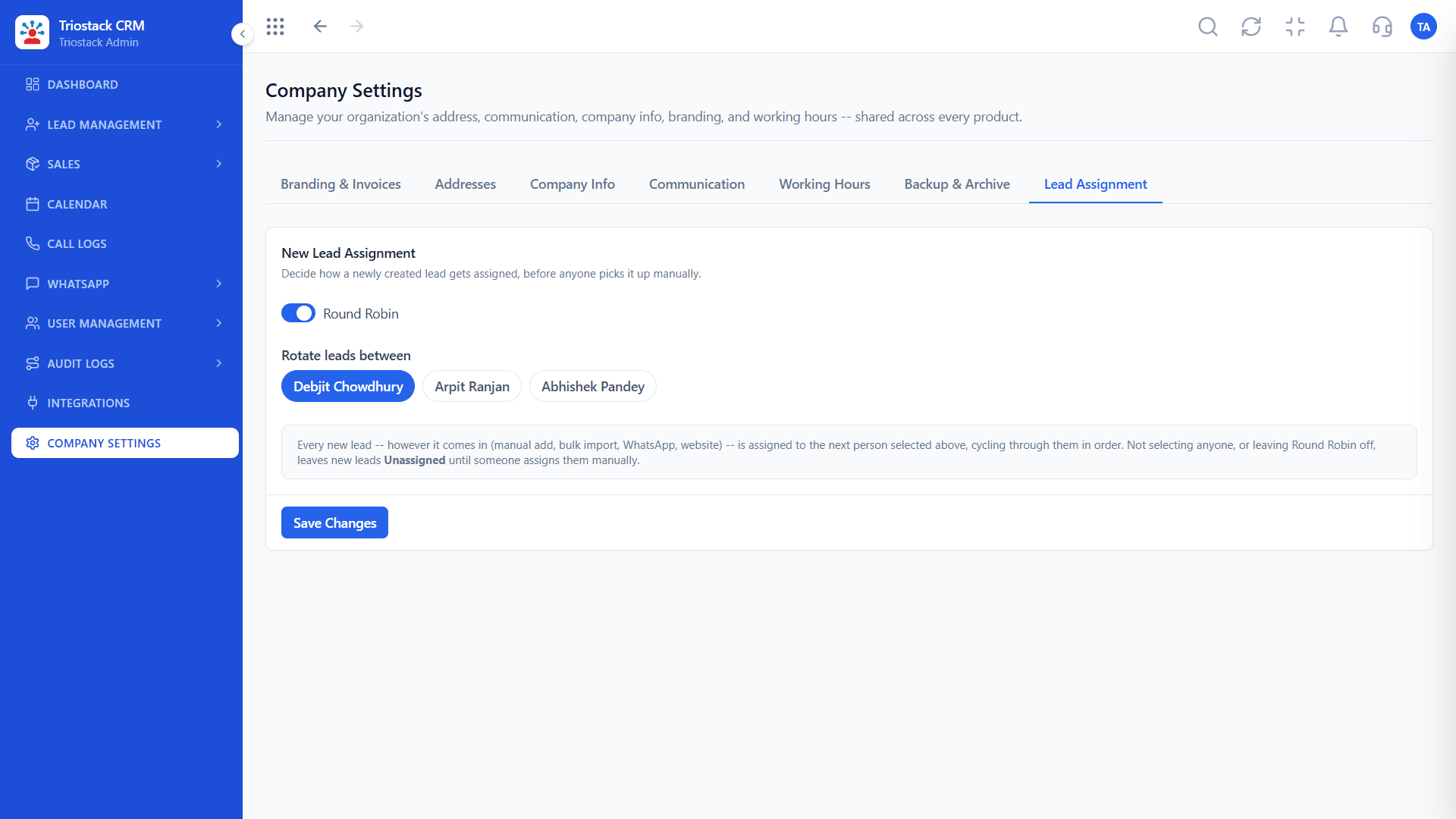
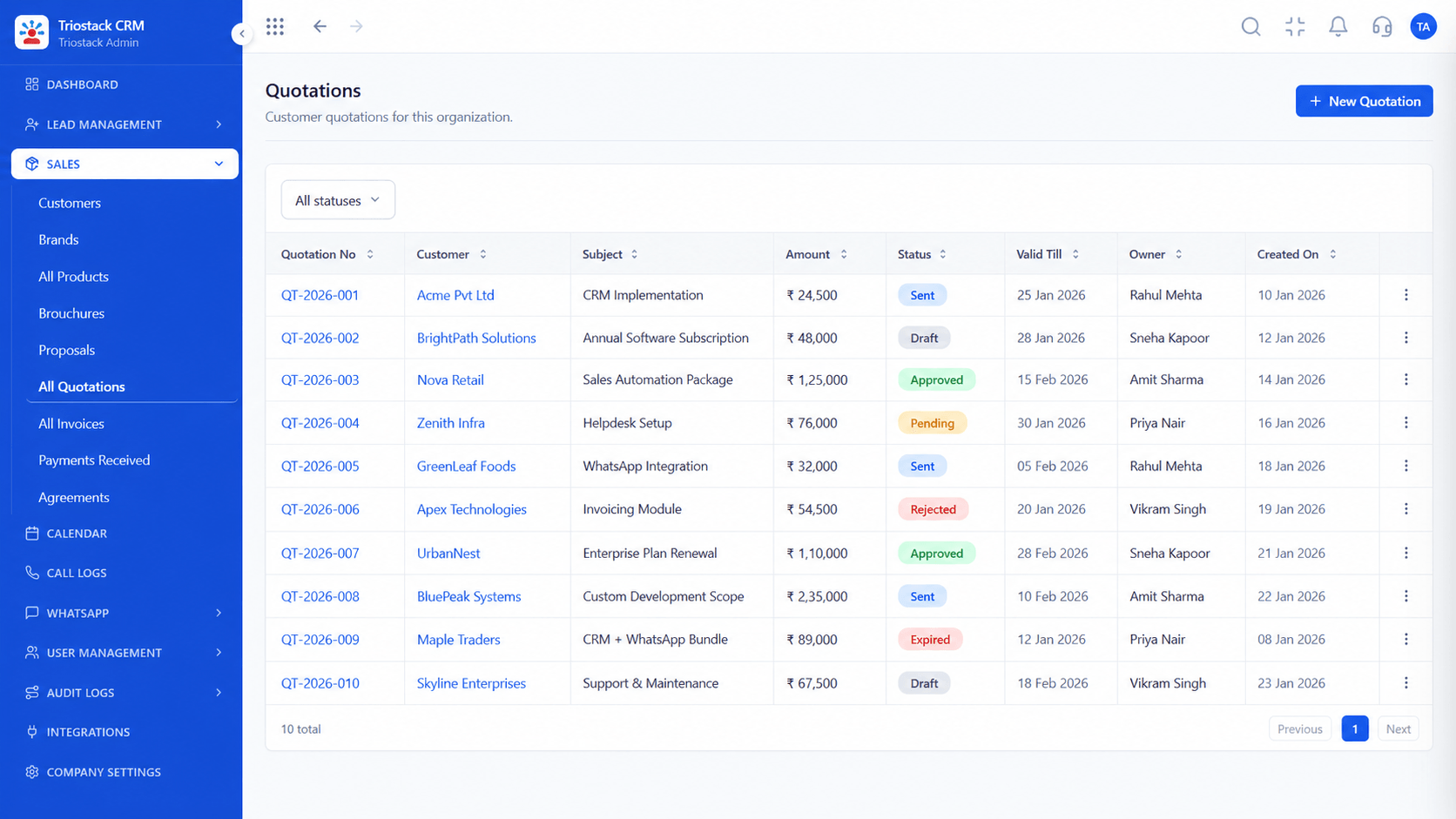
Real screens captured directly from the production Triostack CRM interface.
Sales Dashboard
Compare seats, add-ons and setup, not just the headline price
Feature Breakdown
Captured directly from the production Triostack CRM interface.

Every source in one list.
On this screen: Every lead with its source, status and owner.
How it fits the plan
Count users. Who needs a seat today, and next year?
List extras. What would you buy on top?
Practical tip
Start with the people who sell every day. Add seats as the team grows.

How deals move.
In real life
Owner-run business
The owner sets up the CRM in a session.
Close with paperwork.
Watch out for
Buying seats for everyone on day one, including people who will not log in.

Phone-first selling.
Before you start
Execution Plan
Who needs a seat today, and next year?
What would you buy on top?
Use your own leads on the free trial.
Add it up per month and per year.
Practical Guide
Before you start
A tip that helps
Start with the people who sell every day. Add seats as the team grows.
A common mistake
Buying seats for everyone on day one, including people who will not log in.
In Real Life
Scenario 01
The owner sets up the CRM in a session.
Scenario 02
A seat is added and a pipeline is shared.
Scenario 03
Seats grow with the team, not ahead of it.
Straight answers about Affordable CRM for Small Business, from setup to what happens next.
Have a question about Affordable CRM for Small Business?
Book a free callYes. Every CRM module is available on the free trial, so you can test it with your own leads before you pay.
Plans differ in seats, limits and support, not in which modules are available.
Yes. Start small and add seats as the team grows.
On the CRM pricing page, which always shows the latest figures.
Affordable CRM for Small Business? Here is where the real cost of a CRM hides, what to compare, and how Triostack CRM keeps every module on every plan. See the pricing page for current prices.
It runs in 4 steps: Count users, List extras, Trial and Compare totals. Who needs a seat today, and next year?
The real screens on this page include Lead Follow-Ups, WhatsApp Team Inbox, GST Invoices and All Leads, all captured from the product.
Request a demo or start a free trial. Our team can also walk you through a guided setup, so your first session ends with something working.
Keep Exploring
Unify Meta leads, WhatsApp conversations, Android SIM calls, and GST invoices without per-seat price taxes.
Explore All CRM Guides