The best Business Suite software in India, built to help your business grow. Contact us at +91-8882435276.
[ Contact ]
Phone number
Email address
Head office
Noida office
The right team at TriostackOne will get back to you.

Positioning Assessment
This page is the companion to the webhooks engine overview. That page explains delivery, signing and retries; this one explains what is inside each event. Treat the samples as illustrations of structure, and confirm the exact field list against the schema in your workspace, since fields can be added over time.
Each delivery is an HTTPS POST with a JSON body containing the event name, a unique event id, a timestamp and a data object. A lead.created event describes a new lead with its source and owner. A call.completed event describes a finished call with its direction, duration and outcome, and references the lead. A payment.received event describes a payment with the amount, currency, invoice reference and method. Handlers should be idempotent, using the event id to ignore a repeated delivery, and should respond quickly with a success status.
“Using the event id to skip repeats made our handler safe to retry, and the retries stopped worrying us.”
Sample team scenario
A made-up scenario about Webhook Events and Payload Reference, not a customer testimonial

Lead Pipeline
Webhook Events and Payload Reference: drag deals across your own sales stages
In the Product
Imagine every field labelled before you write a line.
Clearly.
As JSON.
By id.
Platform Integrity
New lead
Finished call
Payment recorded
For idempotency
At a Glance
What a developer needs from a reference.
| Dimension | Triostack CRM | Guessing Fields |
|---|---|---|
| Event names | Listed with their meaning | Discovered in logs |
| Structure | Sample JSON per event | Reverse-engineered |
| Repeats | Event id lets you dedupe | Duplicates processed twice |
| Signature | Verified before parsing | Trusted |
| Changes | Confirm against your workspace schema | Silent breakage |
Book a walkthrough of Webhook Events and Payload Reference. We set up a sandbox so you can try lead.created, call.completed and payment.received before you commit.
Live Interface Tour
The screens below belong to Webhook Events and Payload Reference: Lead Pipeline, Sales Dashboard and Lead Follow-Ups, all from the product.
Webhooks and APIs
Webhook Events and Payload Reference: event names and fields, with samples
Feature Breakdown
4 screens from the live product that show Webhook Events and Payload Reference at work.
The engine.
How it fits the plan
Verify. Check the signature on the raw body.
Parse. Read the event name and id.
Practical tip
Acknowledge first, process after. A slow handler triggers retries, and retries trigger duplicates.

lead.created.
How it fits the plan
Parse. Read the event name and id.
Dedupe. Skip an event id you have already processed.
In real life
New integration
You map fields correctly the first time.

call.completed.
How it fits the plan
Dedupe. Skip an event id you have already processed.
Respond. Return success quickly and process asynchronously.
Watch out for
Parsing and trusting the body before verifying the signature.
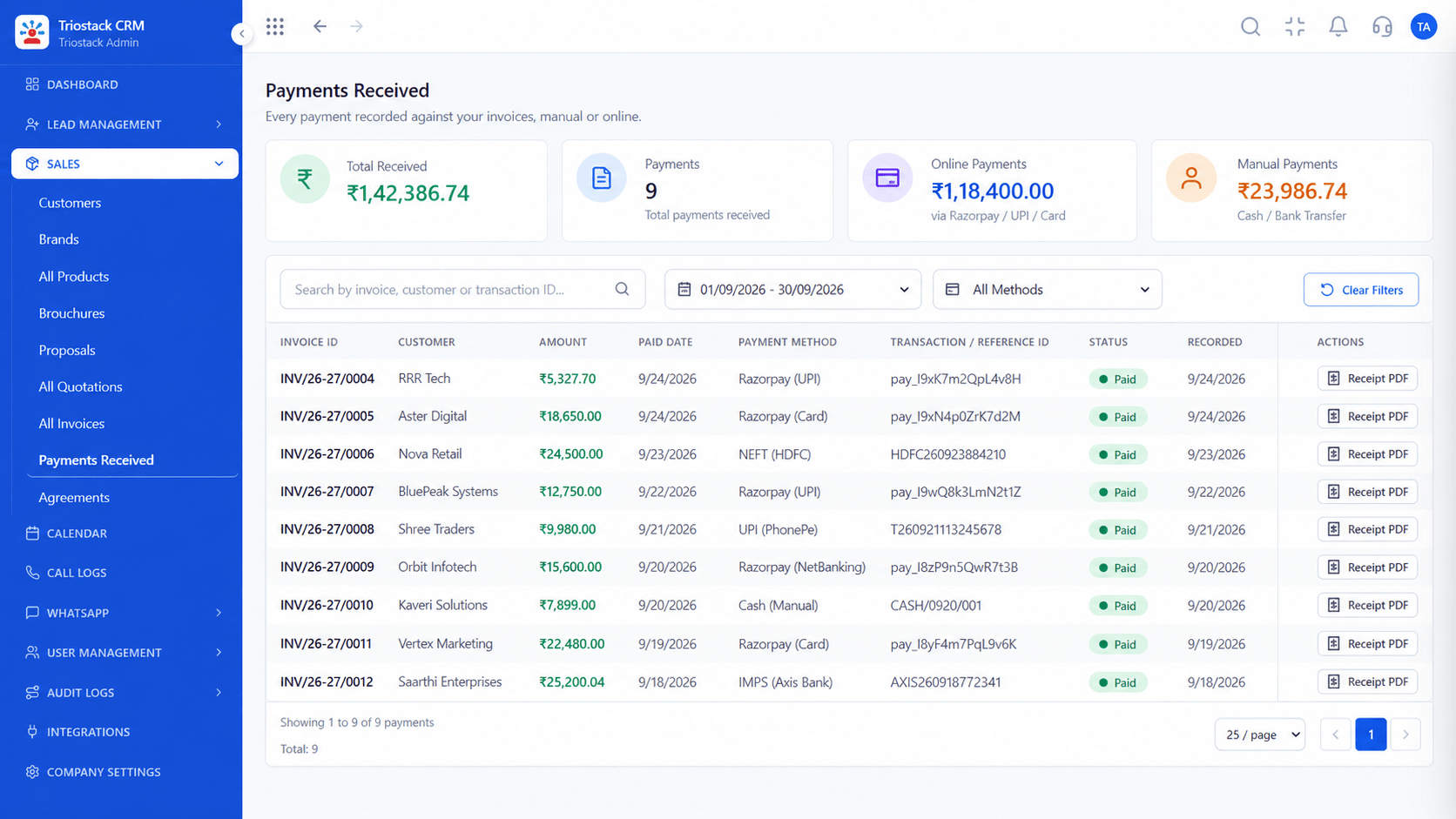
payment.received.
How it fits the plan
Respond. Return success quickly and process asynchronously.
Verify. Check the signature on the raw body.
Before you start
Execution Plan
Check the signature on the raw body.
Read the event name and id.
Skip an event id you have already processed.
Return success quickly and process asynchronously.
Practical Guide
Before you start
A tip that helps
Acknowledge first, process after. A slow handler triggers retries, and retries trigger duplicates.
A common mistake
Parsing and trusting the body before verifying the signature.
Availability: What Webhook Events and Payload Reference covers can depend on your plan and setup. Please confirm with our team which parts are live for your account, and any prerequisites, before you plan around it.
In Real Life
Scenario 01
You map fields correctly the first time.
Scenario 02
You know what a field should hold.
Scenario 03
Handlers are checked against a reference.
Straight answers about Webhook Events and Payload Reference, from setup to what happens next.
Have a question about Webhook Events and Payload Reference?
Book a free calllead.created, call.completed and payment.received, with sample JSON.
They show structure. Confirm field lists against the schema in your workspace.
Store and check the event id.
On the webhooks engine page.
A technical reference for outgoing Triostack webhooks: lead.created, call.completed and payment.received events, with sample JSON payloads and handling tips.
It runs in 4 steps: Verify, Parse, Dedupe and Respond. Check the signature on the raw body.
The real screens on this page include Lead Pipeline, Sales Dashboard, Lead Follow-Ups and Webhooks and APIs, all captured from the product.
Request a demo and ask to see Webhook Events and Payload Reference. Our team can also walk you through setup, so your first session ends with something working.
We will walk you through Webhook Events and Payload Reference, from lead.created, call.completed and payment.received, on sample data shaped like yours.

