The best Business Suite software in India, built to help your business grow. Contact us at +91-8882435276.
[ Contact ]
Phone number
Email address
Head office
Noida office
The right team at TriostackOne will get back to you.
Choose
Pick a template.
Assemble
Add the sections you need.
Preview
Check how it looks.
Publish
Go live on your domain.
Positioning Assessment
Campaign pages wait for design and development slots, and by the time they are live the moment has passed.
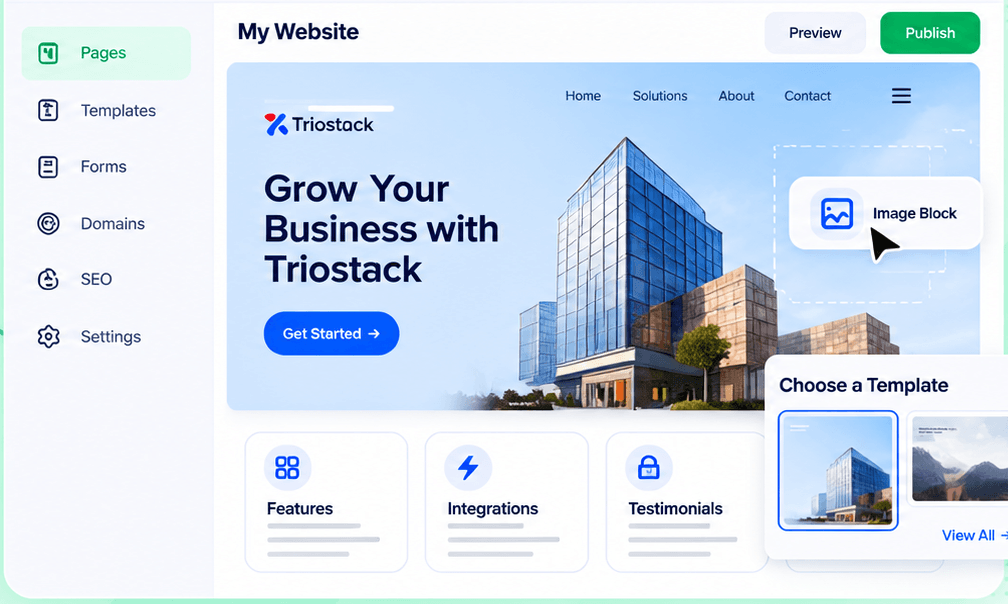
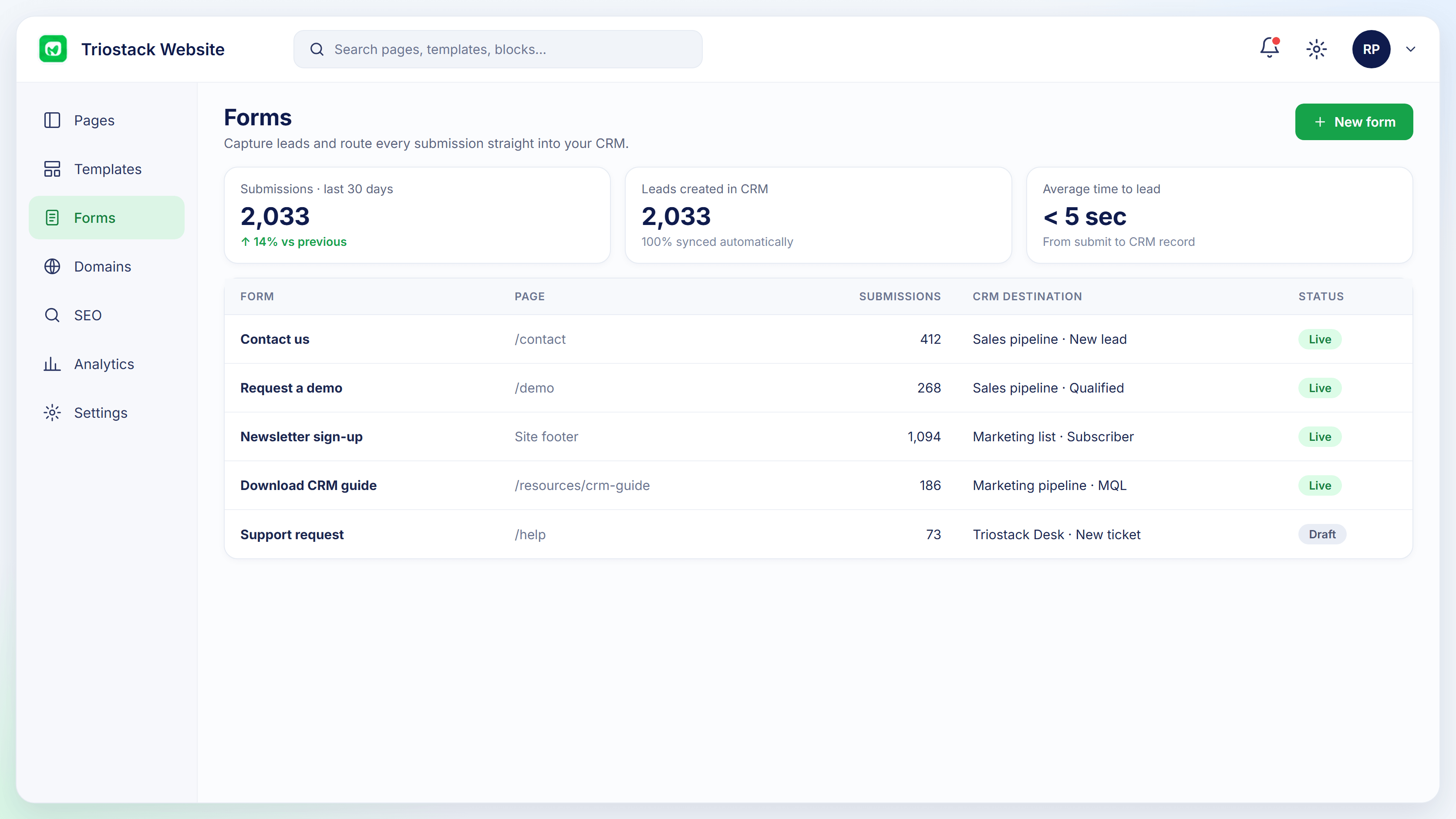
In Triostack Website, pick a template from the gallery, assemble the page from sections such as features, integrations and testimonials, drag image blocks into place, preview the result and publish. Connect a form and each submission becomes a CRM lead.
“We built, previewed and published a launch page between two meetings.”
Sample team scenario
Illustrative example, not a customer testimonial
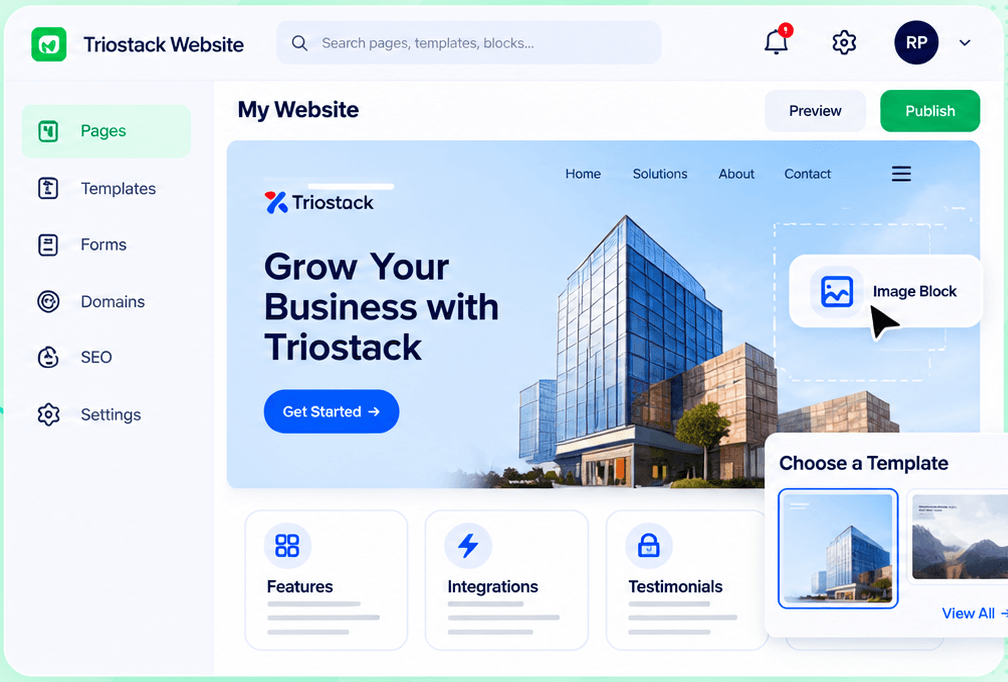
Website Builder
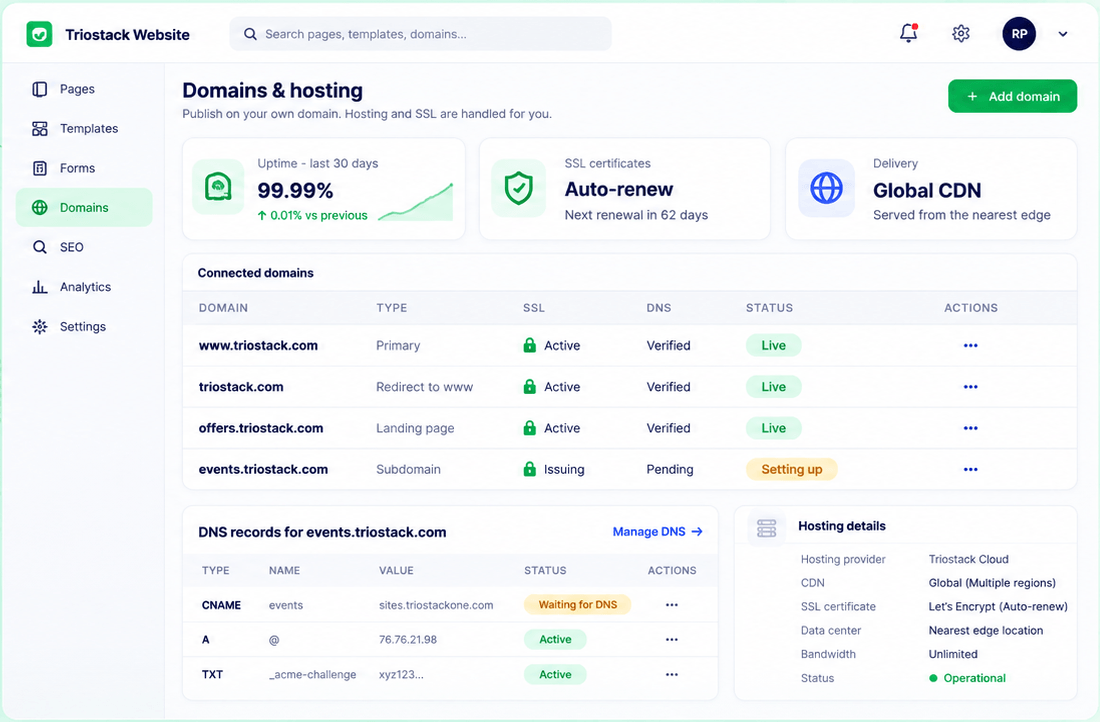
Pages, templates, forms, domains and SEO in one workspace
In the Product
Imagine rolling out a backdrop, placing the props and opening the curtain, all before lunch.
Template to publish.
You own every step.
Leads go to CRM.
Platform Integrity
A designed starting point
Ready-made blocks
Drag into place
One click
How It Works
What changes when you own the page.
| Dimension | Triostack Website | Waiting for Development |
|---|---|---|
| Start | A template | A brief |
| Build | Drag and drop | Code |
| Review | Preview in the editor | A staging link |
| Publish | When ready | At a release |
| Leads | Form feeds CRM | A separate integration |
We will help you build your first page, connect a form to CRM and publish on your domain in your first session.
Live Interface Tour
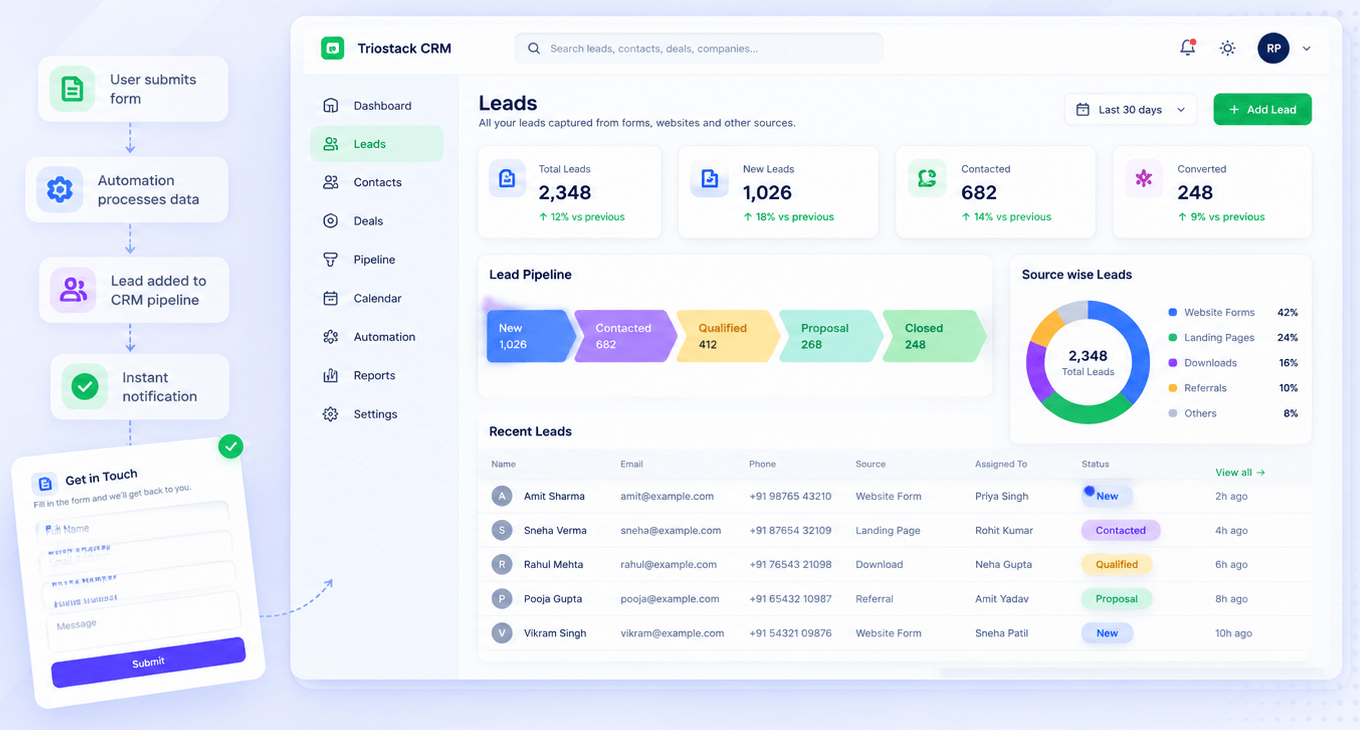
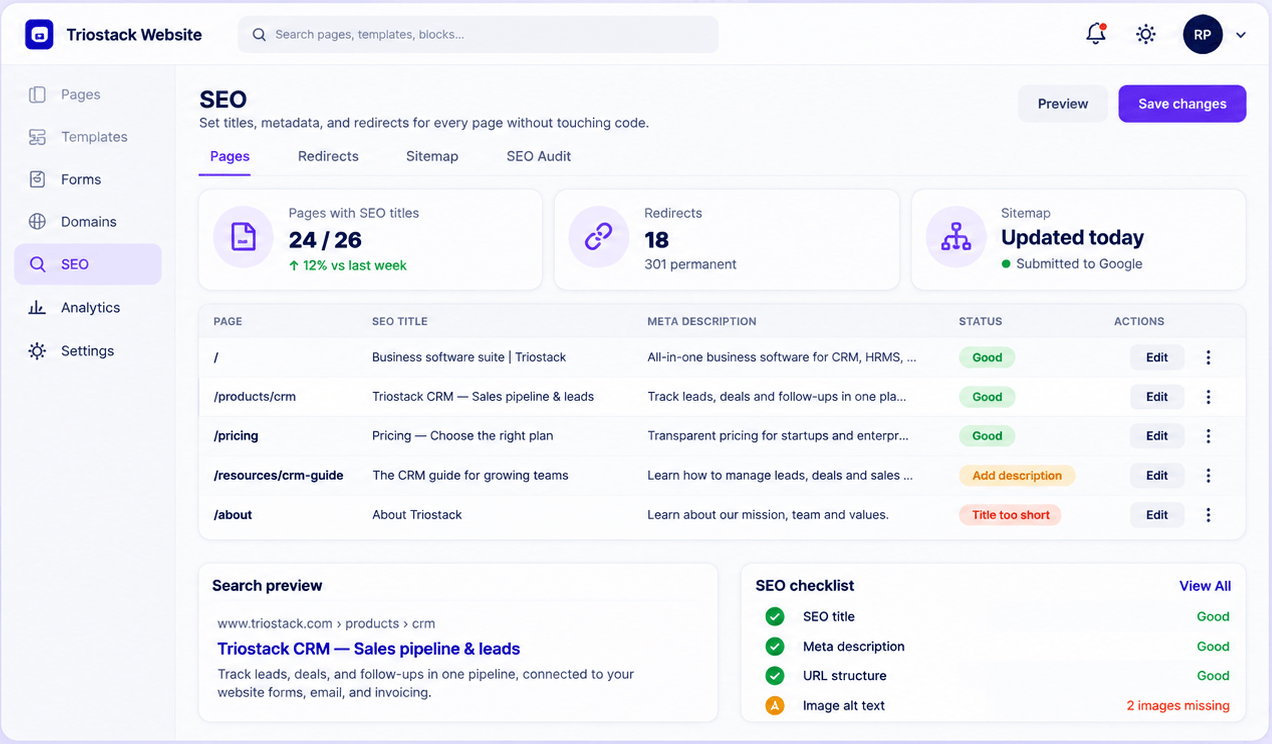
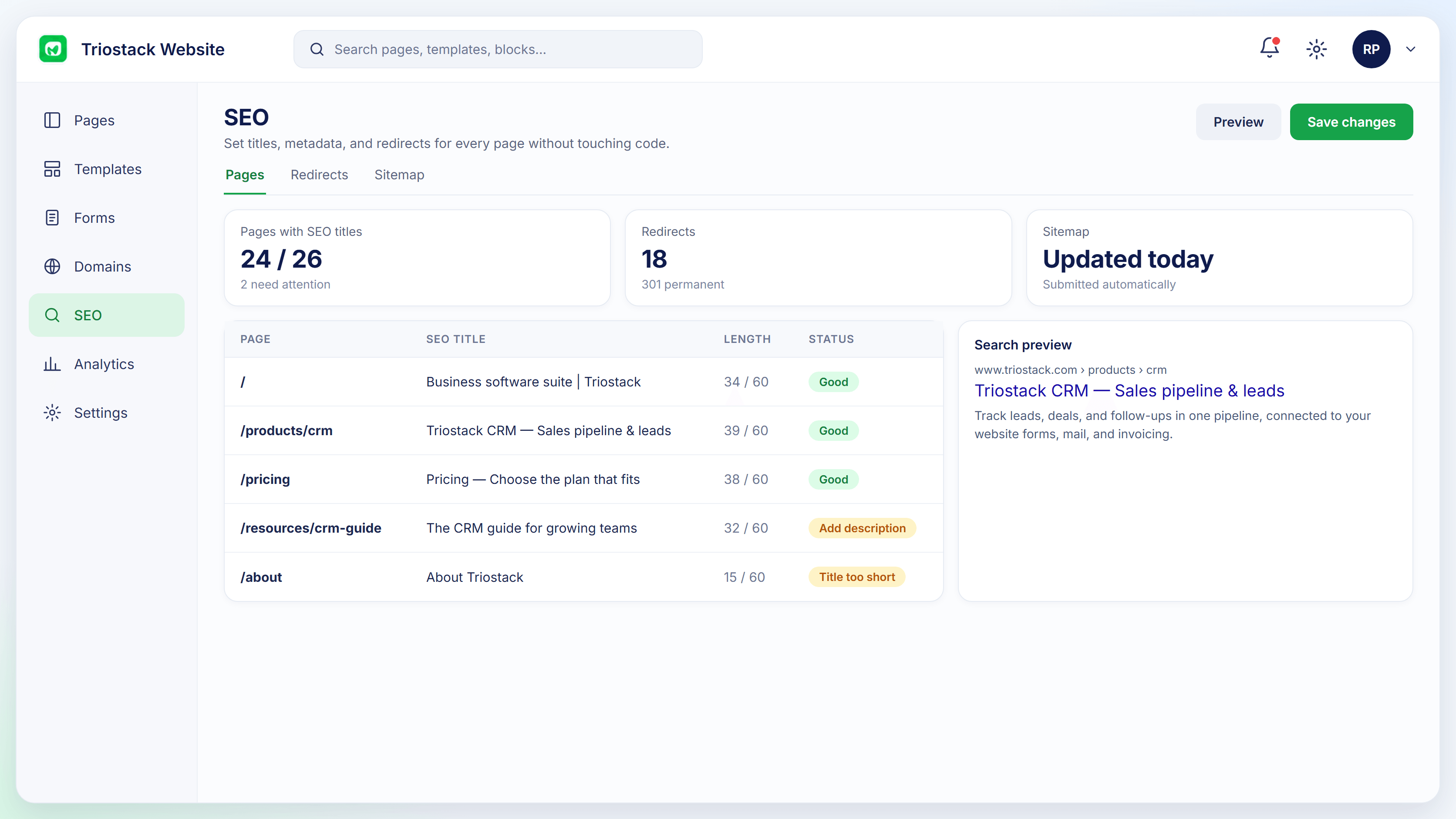
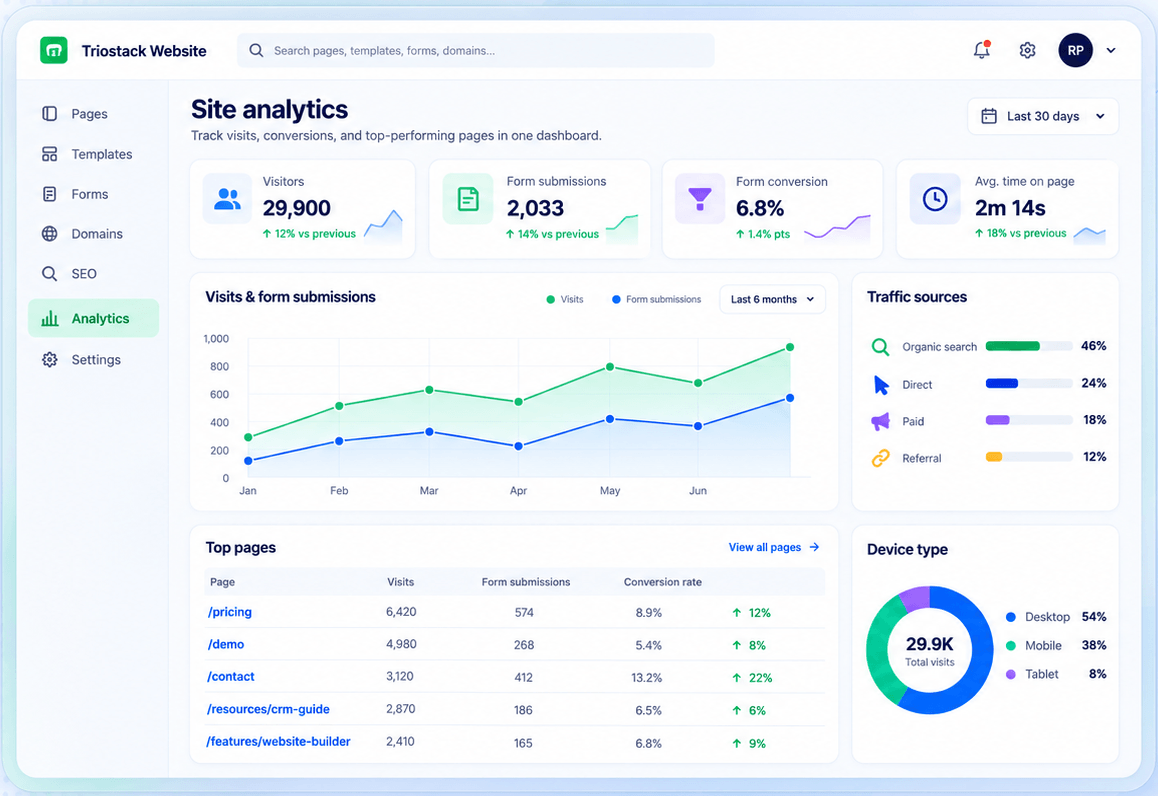
Real screens captured directly from the Triostack Website workspace.
Drag-and-Drop Editor
Template, sections, preview, publish
Feature Breakdown
Captured from the Triostack Website workspace.
Build the page.
How it fits the plan
Choose. Pick a template.
Assemble. Add the sections you need.
Practical tip
Write the headline and button text first, then choose the template that fits them.
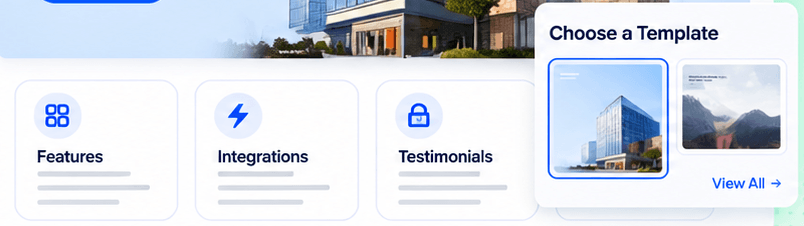
Choose the start.
How it fits the plan
Assemble. Add the sections you need.
Preview. Check how it looks.
In real life
Product launch
A page is live on launch day.
Add the form.
How it fits the plan
Preview. Check how it looks.
Publish. Go live on your domain.
Watch out for
Adding sections because they exist rather than because the page needs them.
Go live.
How it fits the plan
Publish. Go live on your domain.
Choose. Pick a template.
Before you start
Execution Plan
Pick a template.
Add the sections you need.
Check how it looks.
Go live on your domain.
Practical Guide
Before you start
A tip that helps
Write the headline and button text first, then choose the template that fits them.
A common mistake
Adding sections because they exist rather than because the page needs them.
In Real Life
Scenario 01
A page is live on launch day.
Scenario 02
A sign-up page goes up quickly.
Scenario 03
A promo page is built for the weekend.
Straight answers about Build Landing Pages, from setup to what happens next.
Have a question about Build Landing Pages?
Book a free callOften an afternoon, depending on content.
No.
Yes, and submissions become CRM leads.
Yes. Start the next one from the last.
Choose a template, assemble ready-made sections, drop in your images and publish, with the form already connected to your CRM.
It runs in 4 steps: Choose, Assemble, Preview and Publish. Pick a template.
The real screens on this page include Website Builder, Form-to-CRM Automation, Site Analytics and Editor, all captured from the product.
Request a demo or start a free trial. Our team can also walk you through a guided setup, so your first session ends with something working.
Keep Exploring
Pages, forms, SEO and hosting in one workspace, with every form submission landing in your CRM.