The best Business Suite software in India, built to help your business grow. Contact us at +91-8882435276.
[ Contact ]
Phone number
Email address
Head office
Noida office
The right team at TriostackOne will get back to you.
Build
Create the form.
Place
Add it to a page.
Capture
A visitor submits.
Alert
The lead appears and the team is told.
Positioning Assessment
A lead that waits a day for follow-up is a lead that has probably talked to someone else.
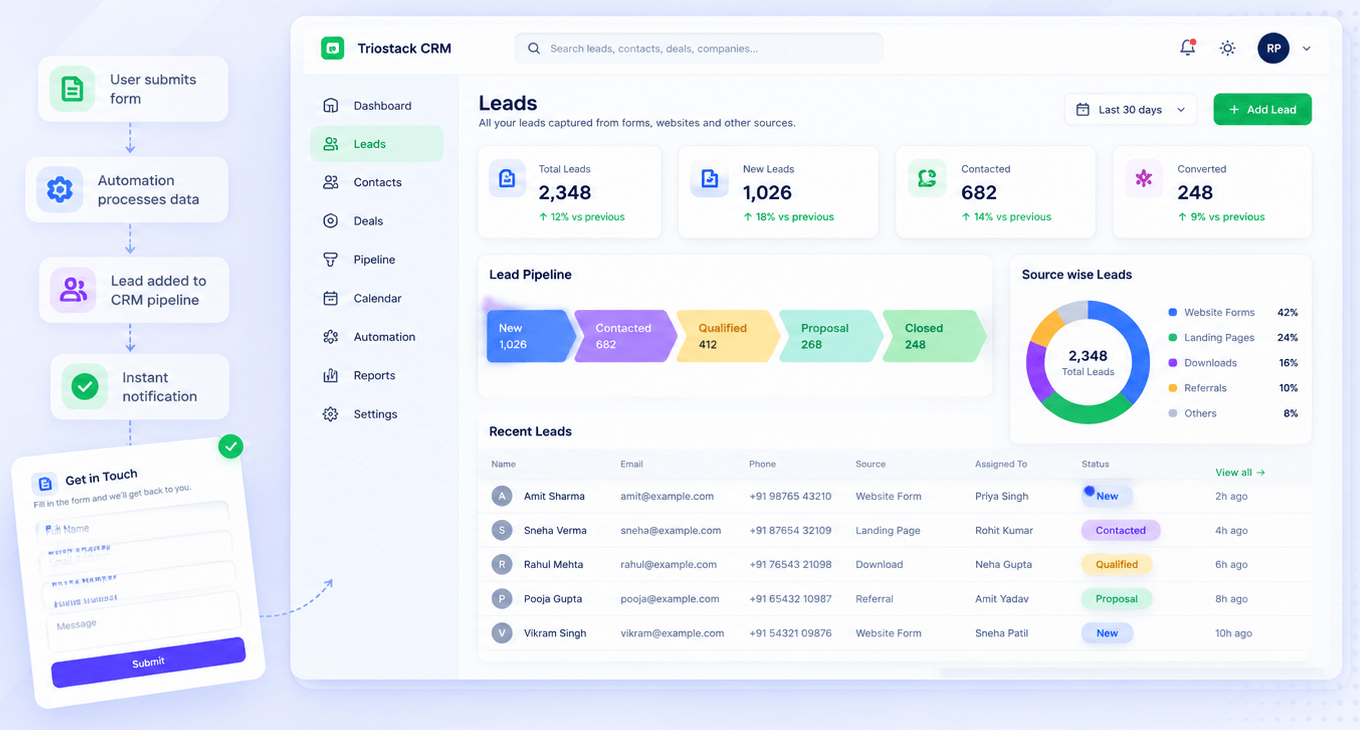
In Triostack Website, build forms with the fields you need, place them on a page, and every submission becomes a tracked CRM lead, tagged by source and assigned to the right pipeline. Your team is notified instantly.
“Our reps now call within minutes. The alert arrives before the visitor has closed the tab.”
Sample team scenario
Illustrative example, not a customer testimonial
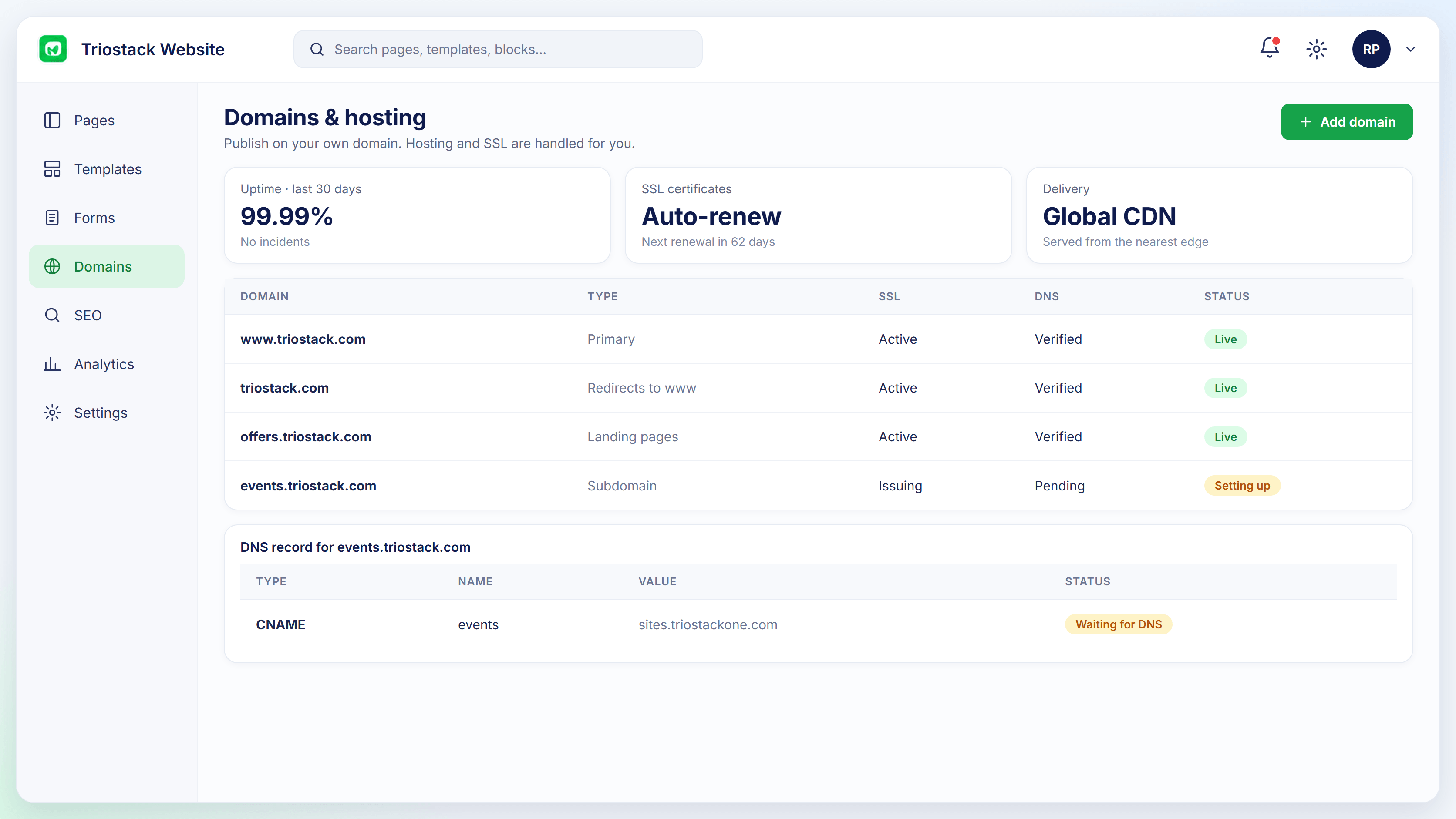
Connected Domains
Domains with SSL and DNS status
In the Product
Imagine the bell ringing in exactly the office that can help.
Captured and tracked.
To the right pipeline.
Alerts go out at once.
Platform Integrity
Ask what matters
Source recorded
Assigned for you
Team notified
How It Works
What changes when forms feed CRM.
| Dimension | Triostack Website | Emailed Forms |
|---|---|---|
| Capture | A tracked lead | An email |
| Routing | To a pipeline | Forwarded |
| Speed | Instant alert | When read |
| History | On the lead record | In an inbox |
| Reporting | Conversion by form | Not tracked |
We will help you build your first page, connect a form to CRM and publish on your domain in your first session.
Live Interface Tour
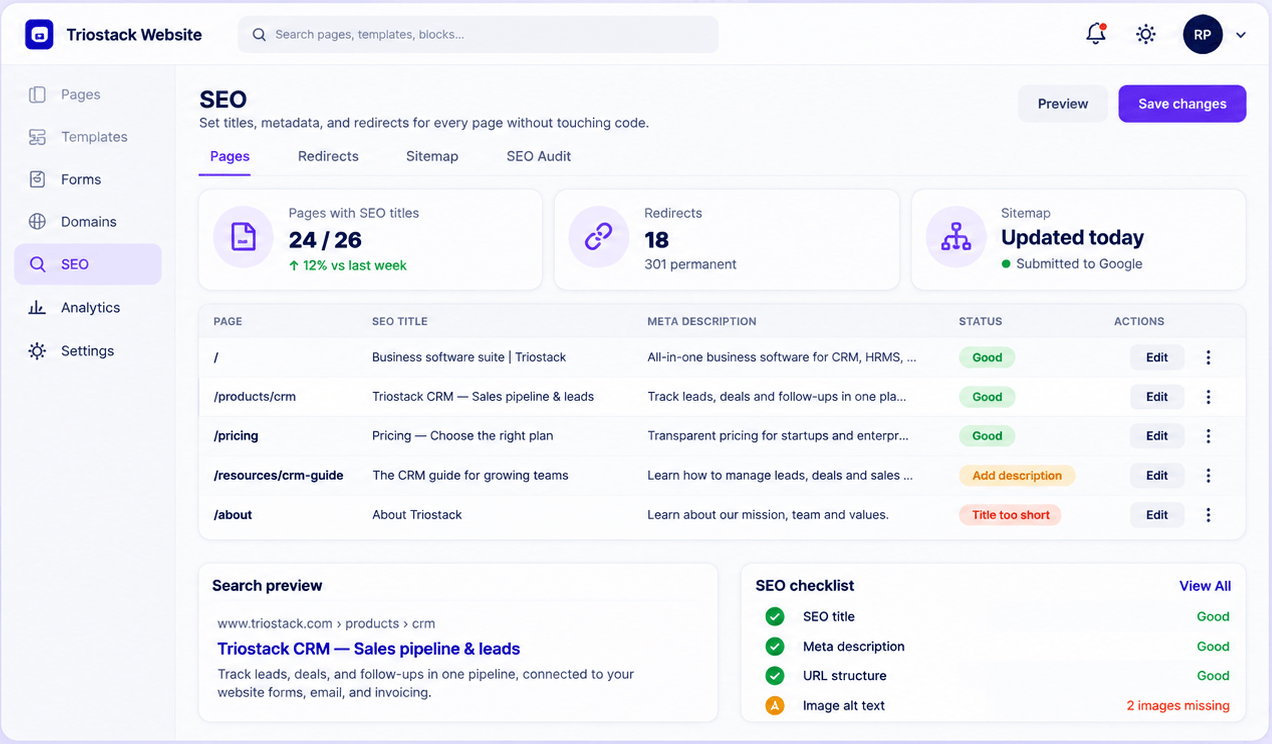
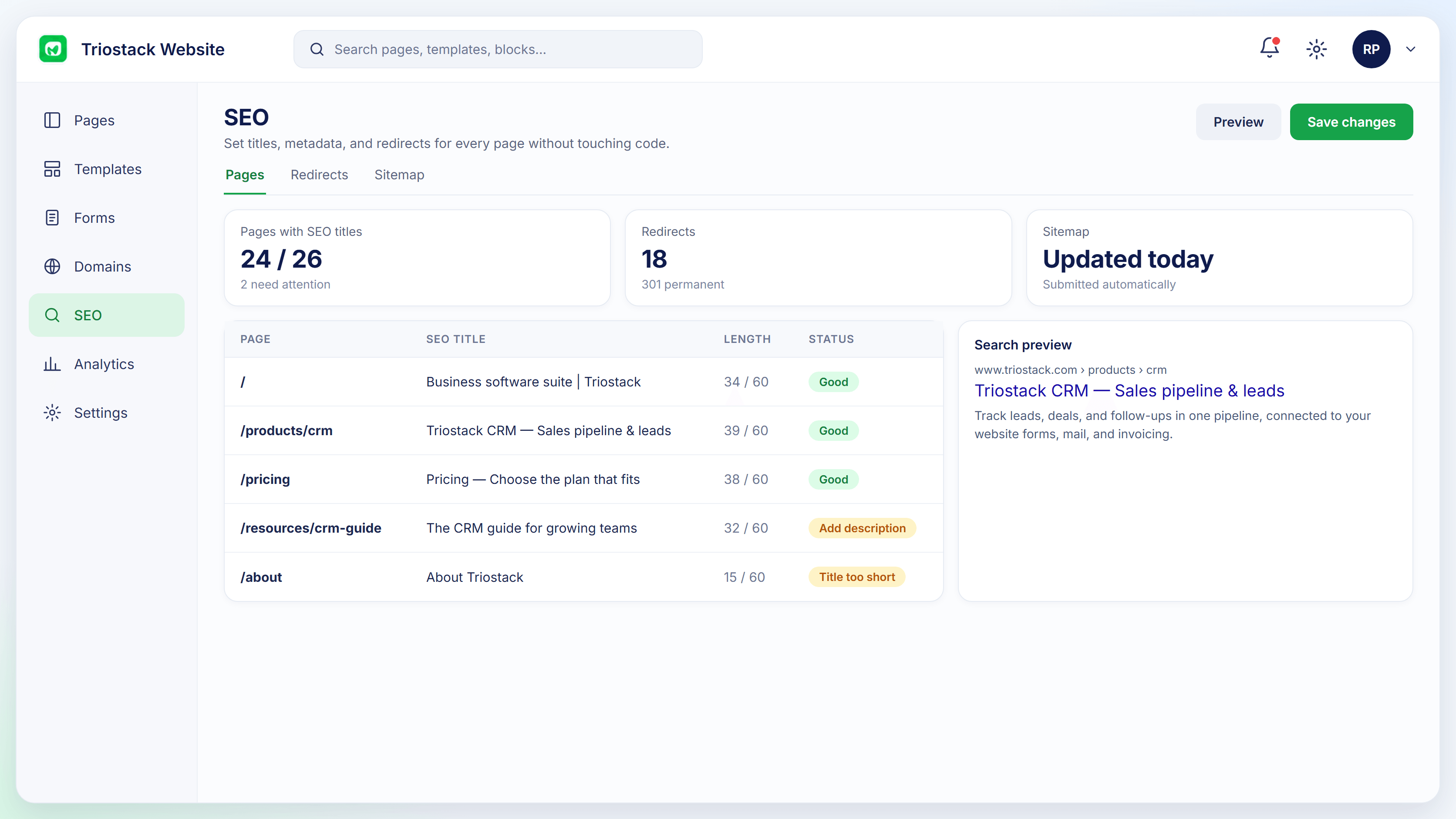
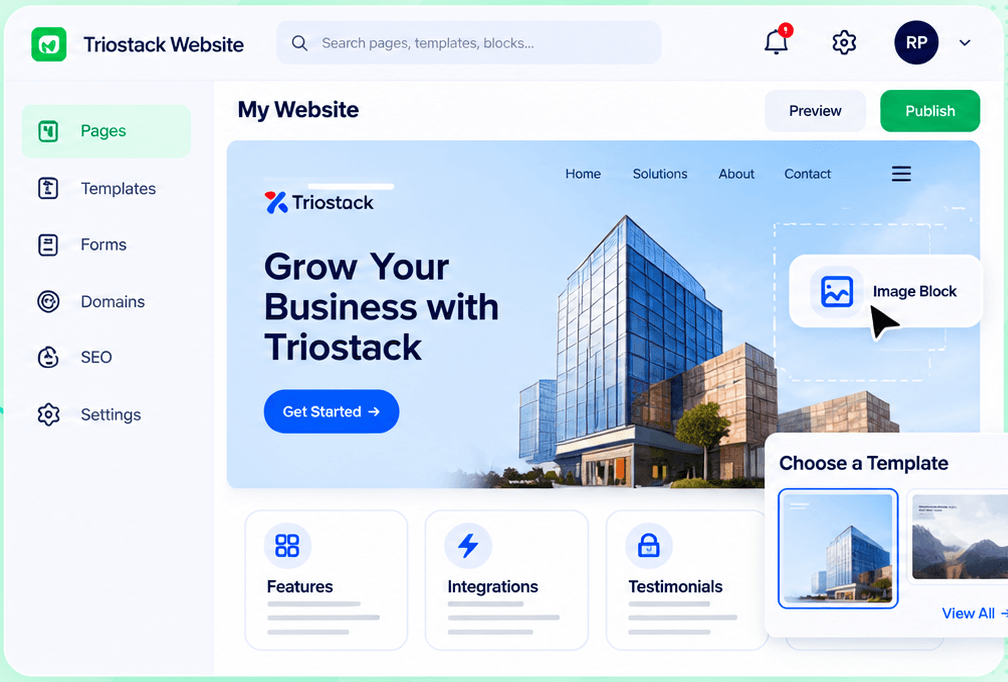
Real screens captured directly from the Triostack Website workspace.
Form-to-CRM Automation
A lead the moment someone submits
Feature Breakdown
Captured from the Triostack Website workspace.
The flow.
How it fits the plan
Build. Create the form.
Place. Add it to a page.
Practical tip
Decide who calls the lead and how fast before you switch the form on.
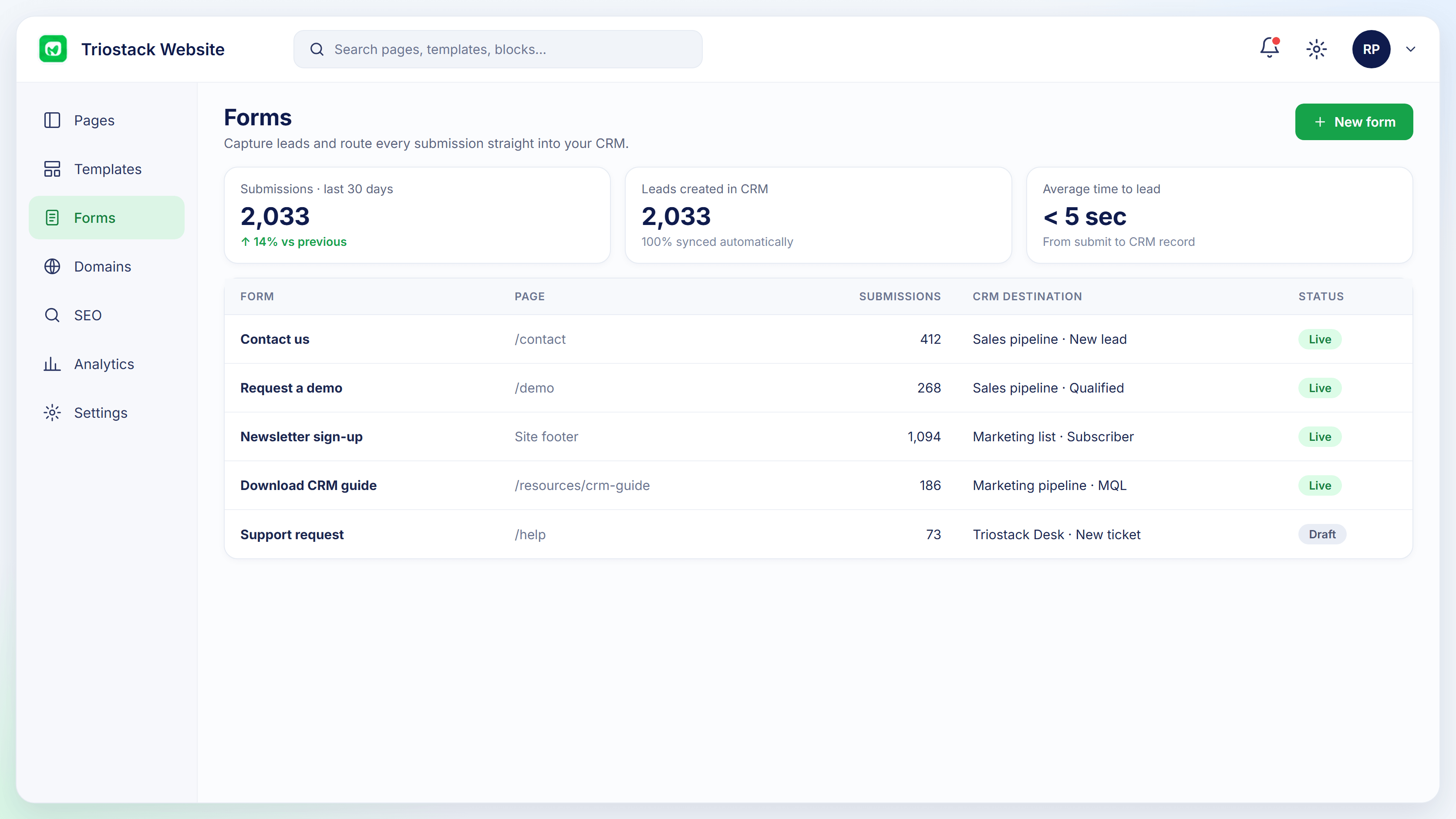
All your forms.
How it fits the plan
Place. Add it to a page.
Capture. A visitor submits.
In real life
Demo request
A rep calls within minutes.
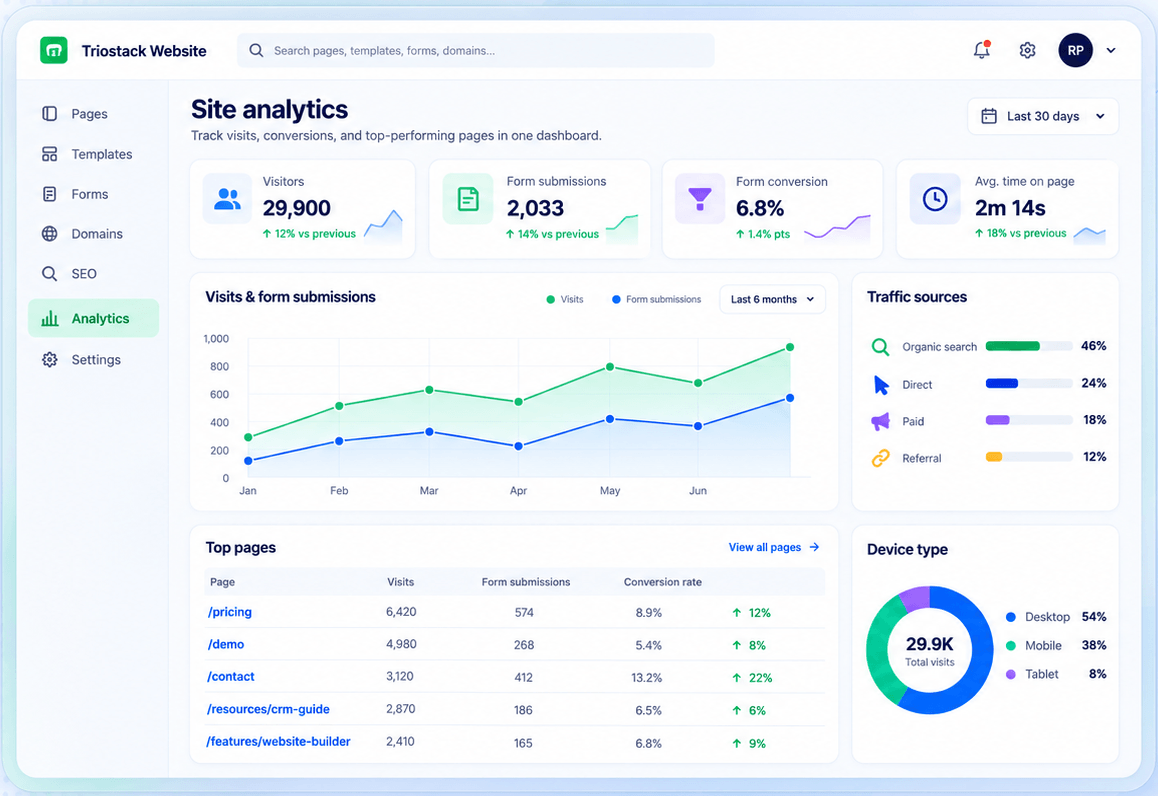
Which pages convert.
How it fits the plan
Capture. A visitor submits.
Alert. The lead appears and the team is told.
Watch out for
Building the form and forgetting to say who follows up.
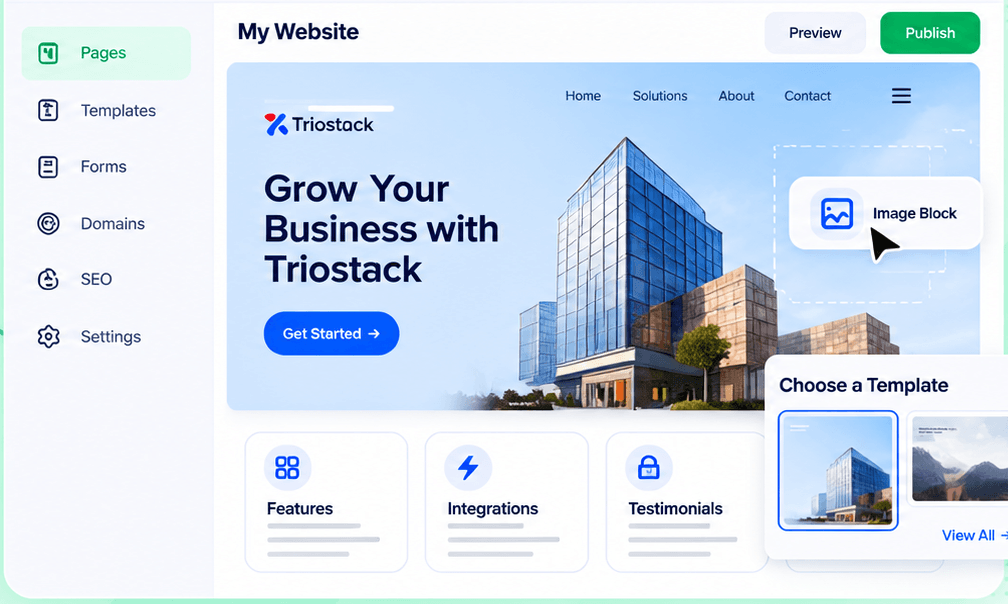
Place the form.
How it fits the plan
Alert. The lead appears and the team is told.
Build. Create the form.
Before you start
Execution Plan
Create the form.
Add it to a page.
A visitor submits.
The lead appears and the team is told.
Practical Guide
Before you start
A tip that helps
Decide who calls the lead and how fast before you switch the form on.
A common mistake
Building the form and forgetting to say who follows up.
In Real Life
Scenario 01
A rep calls within minutes.
Scenario 02
A download becomes a lead.
Scenario 03
Sign-ups appear in a pipeline.
Straight answers about Capture Leads, from setup to what happens next.
Have a question about Capture Leads?
Book a free callYes.
Yes, custom fields.
Your team, instantly.
Yes, in forms and analytics.
Build forms with custom fields, place them on any page and every submission is captured, tagged, assigned to a pipeline and announced to your team.
It runs in 4 steps: Build, Place, Capture and Alert. Create the form.
The real screens on this page include Connected Domains, Website Builder, SEO Audit and Form-to-CRM, all captured from the product.
Request a demo or start a free trial. Our team can also walk you through a guided setup, so your first session ends with something working.
Keep Exploring
Pages, forms, SEO and hosting in one workspace, with every form submission landing in your CRM.