The best Business Suite software in India, built to help your business grow. Contact us at +91-8882435276.
[ Contact ]
Phone number
Email address
Head office
Noida office
The right team at TriostackOne will get back to you.
Positioning Assessment
Automation tools like Zapier connect apps that have no direct integration. Teams use them to send new leads to a spreadsheet, a chat channel or a niche tool.
TriostackOne offers APIs and webhooks for connecting your own systems. Ask us whether a Zapier connection fits your needs, and how Website form events can be sent onward on your plan.
“We asked first, and were shown the cleanest way to pass new leads onward.”
Sample team scenario
Illustrative example, not a customer testimonial
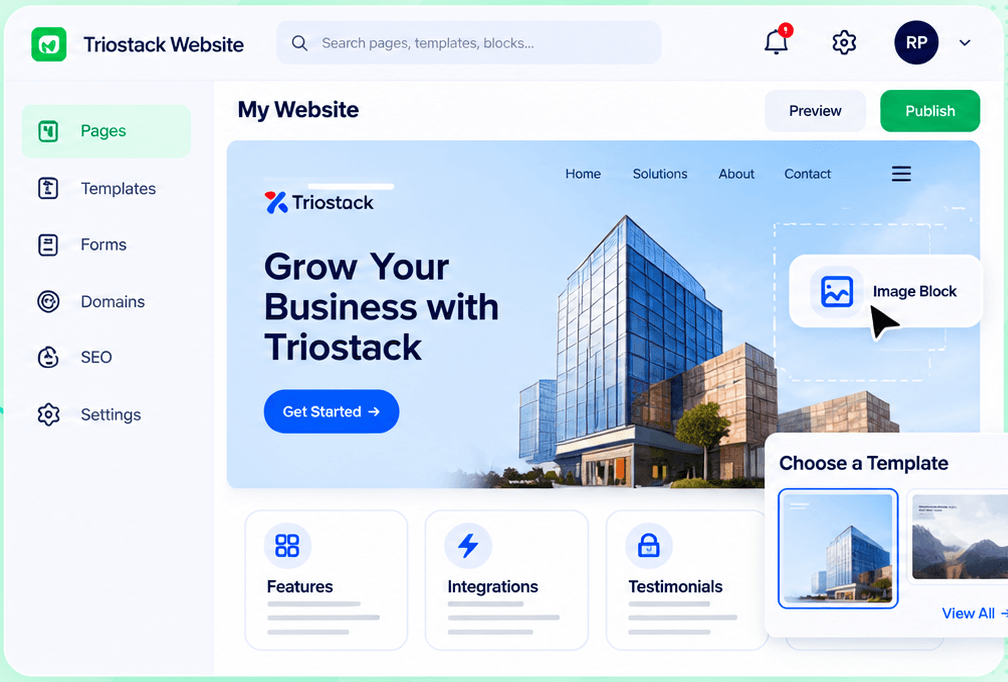
Website Builder
Pages, templates, forms, domains and SEO in one workspace
In the Product
Imagine every new lead flipping a switch somewhere else.
Fits unusual stacks.
No guesswork.
Controlled access.
Platform Integrity
Send events out
For your systems
We advise
Confirm what is included
How It Works
What a connection adds.
| Dimension | Triostack Website | Manual Hand-Offs |
|---|---|---|
| New leads | Passed to other tools | Copied by hand |
| Events | Via webhooks and APIs | Not available |
| Setup | Guided by our team | DIY |
| Security | Credentials kept server-side | Shared logins |
| Zapier details | Ask us about your plan | Varies |
Our team can walk you through the connection, permissions and a first test so your website fits into the tools your team already uses.
Live Interface Tour
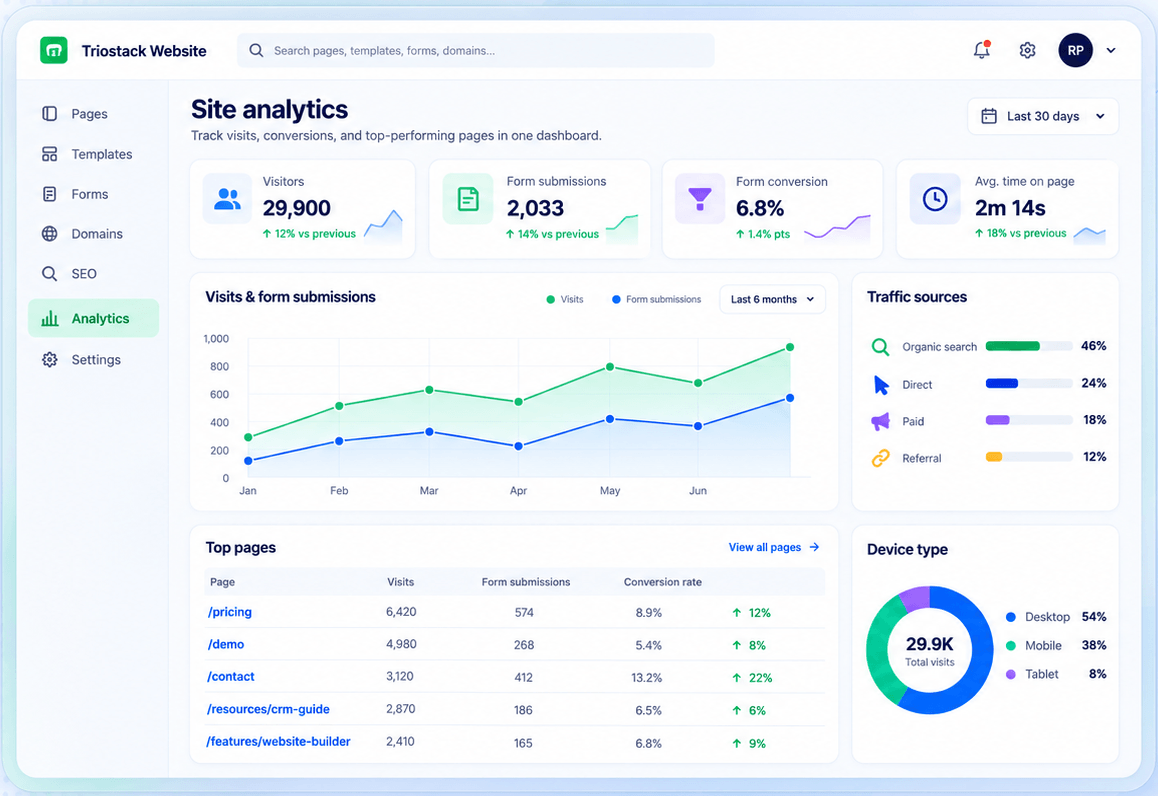
Real screens captured directly from the Triostack Website workspace.
Forms
Confirm the options available for your plan
Feature Breakdown
Captured from the Triostack Website workspace.
01
IntegrationsThe event source.
How it fits the plan
Define. List what should trigger what.
Ask. Confirm the available options.
Practical tip
Write down the trigger and the result in one sentence before asking. It makes the answer quicker.
02
IntegrationsWhat triggers.
How it fits the plan
Ask. Confirm the available options.
Build. Connect with guidance.
In real life
Niche CRM
Leads also go to a legacy tool.
03
IntegrationsYour site.
How it fits the plan
Build. Connect with guidance.
Test. Send a sample lead.
Watch out for
Building an automation for a task that happens twice a year.
04
IntegrationsWhat you track.
How it fits the plan
Test. Send a sample lead.
Define. List what should trigger what.
Before you start
Execution Plan
List what should trigger what.
Confirm the available options.
Connect with guidance.
Send a sample lead.
Practical Guide
Before you start
A tip that helps
Write down the trigger and the result in one sentence before asking. It makes the answer quicker.
A common mistake
Building an automation for a task that happens twice a year.
In Real Life
Scenario 01
Leads also go to a legacy tool.
Scenario 02
Submissions ping a channel.
Scenario 03
A row is added for each lead.
Straight answers about Zapier, from setup to what happens next.
Have a question about Zapier?
Book a free callAsk us whether a Zapier connection is available for your plan.
Ask us about APIs and webhooks.
We can guide you.
Keep credentials on your server and grant only the access you need.
If you use Zapier or a similar automation tool, talk to us about how Website events can reach it, through webhooks and APIs.
It runs in 4 steps: Define, Ask, Build and Test. List what should trigger what.
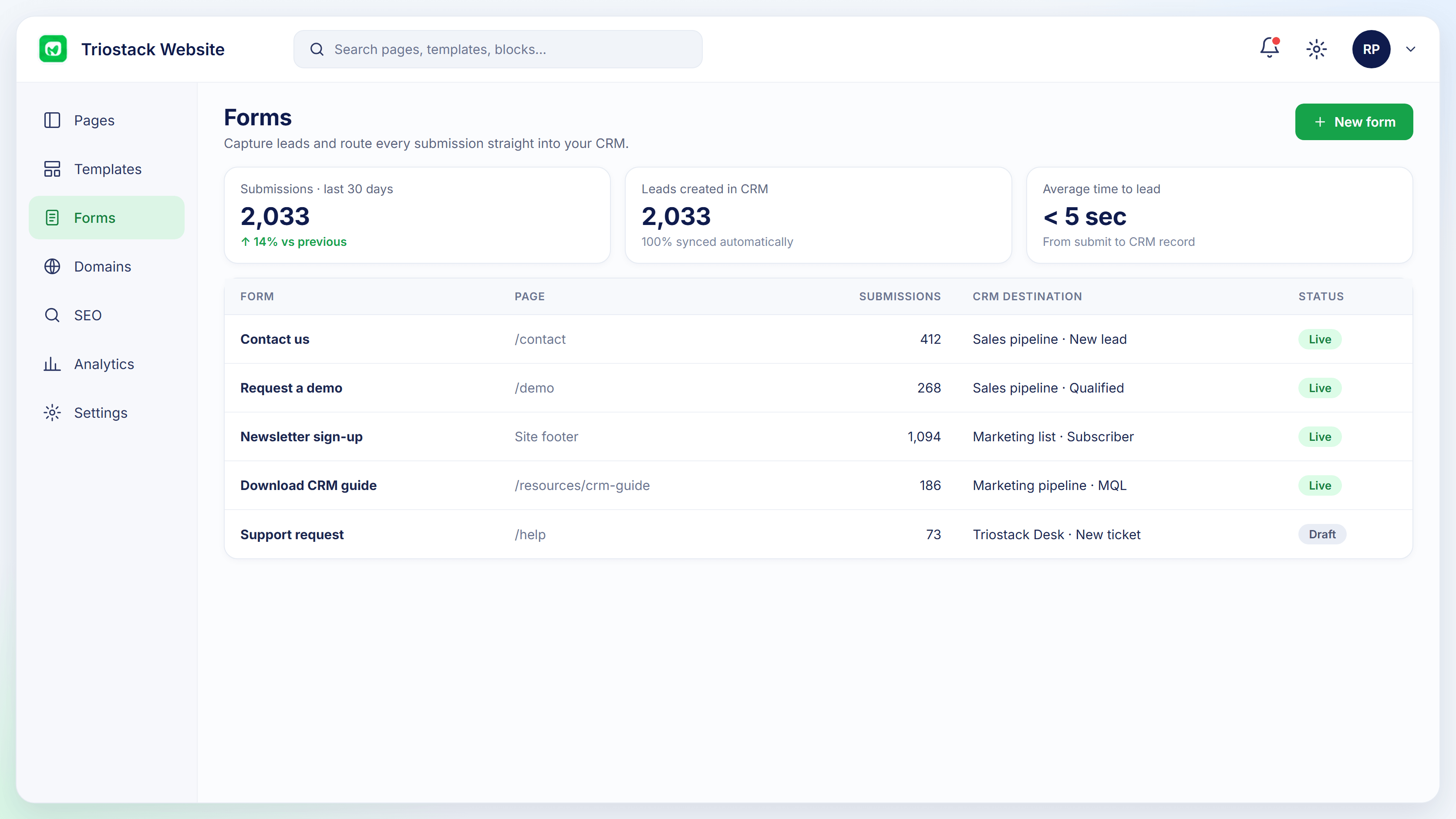
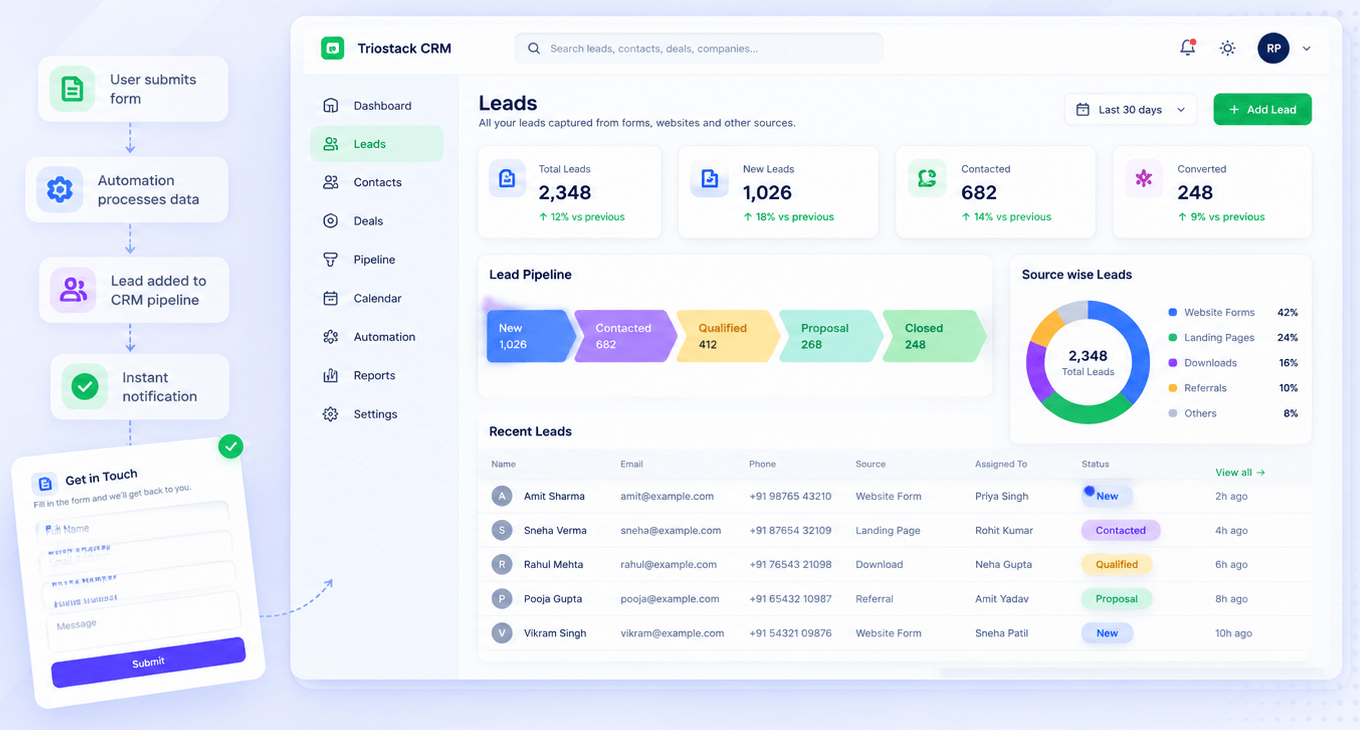
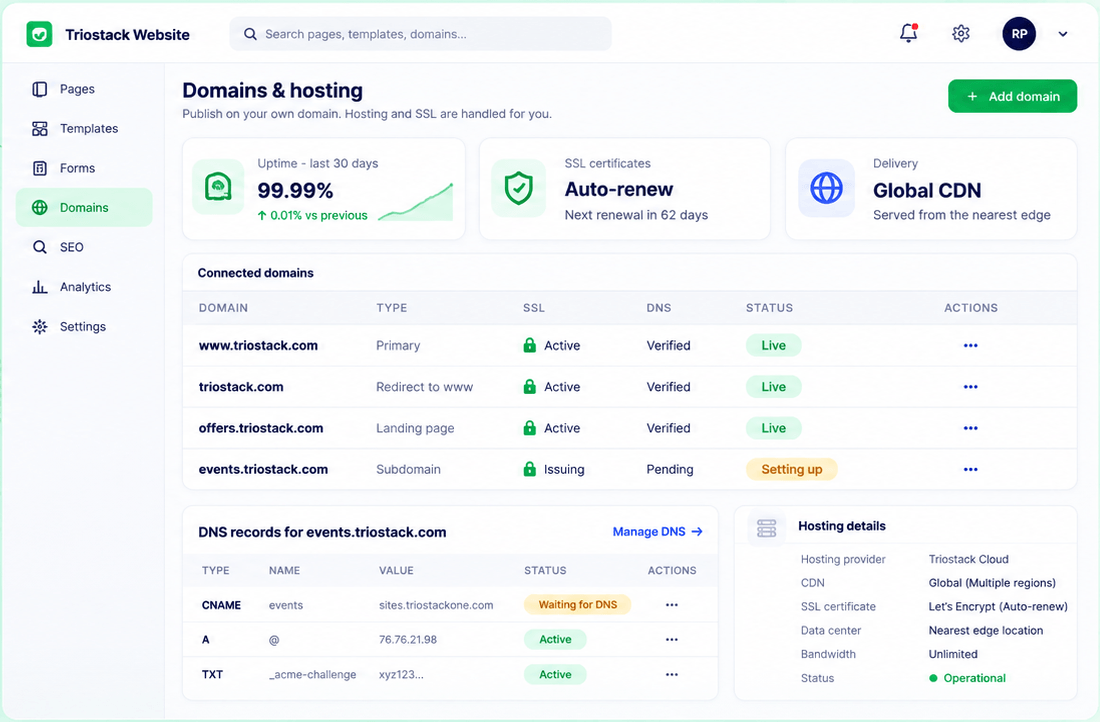
The real screens on this page include Website Builder, Connected Domains, SEO Audit and Form-to-CRM, all captured from the product.
Request a demo or start a free trial. Our team can also walk you through a guided setup, so your first session ends with something working.
Keep Exploring
Pages, forms, SEO and hosting in one workspace, with every form submission landing in your CRM.
