The best Business Suite software in India, built to help your business grow. Contact us at +91-8882435276.
[ Contact ]
Phone number
Email address
Head office
Noida office
The right team at TriostackOne will get back to you.
Positioning Assessment
A visitor fills in a form, the team sends a quote and invoice, and the customer needs somewhere to pay.
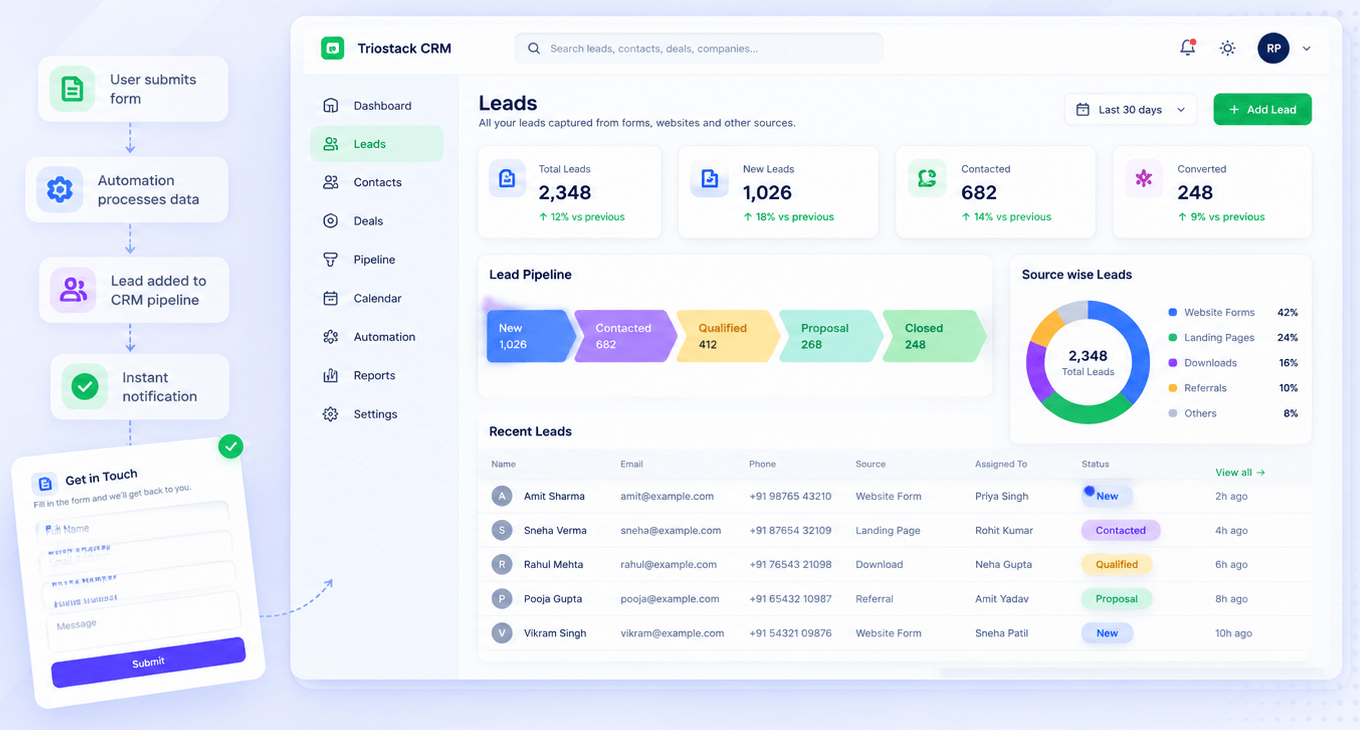
Triostack Website captures the lead in CRM. Triostack Finance can then send invoices that are paid online or marked paid and recorded against the invoice. Ask us what payment-on-site options are available for your plan.
“A web enquiry became a quotation, an invoice and an online payment in one connected flow.”
Sample team scenario
Illustrative example, not a customer testimonial
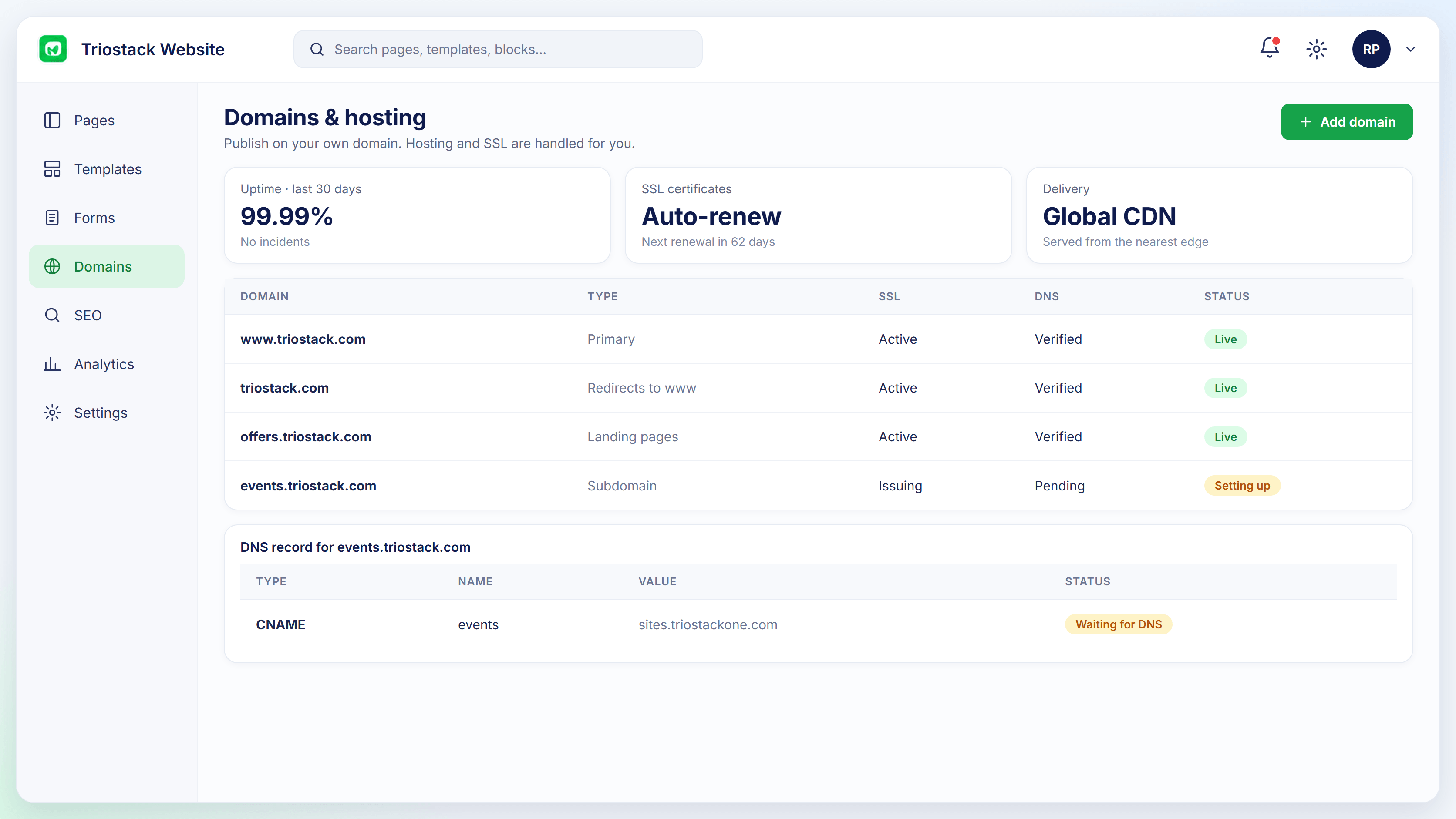
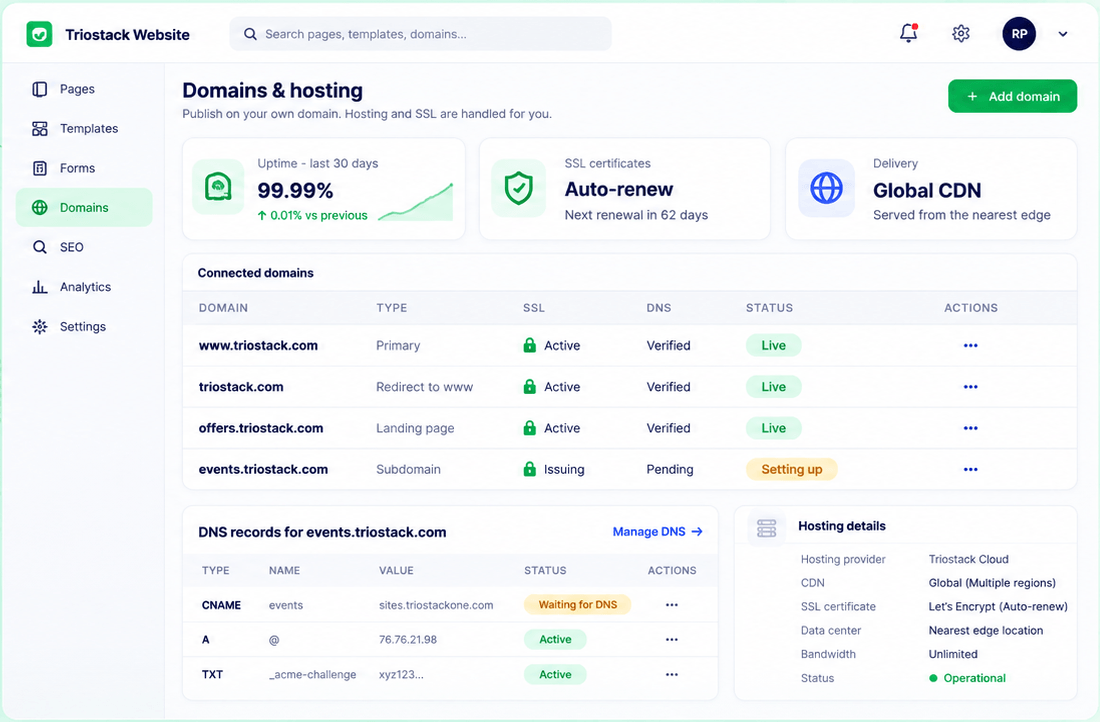
Connected Domains
Domains with SSL and DNS status
In the Product
Imagine the enquiry, the quote and the payment all happening along one corridor.
Lead to paid.
SSL on every site.
Payments tied to invoices.
Platform Integrity
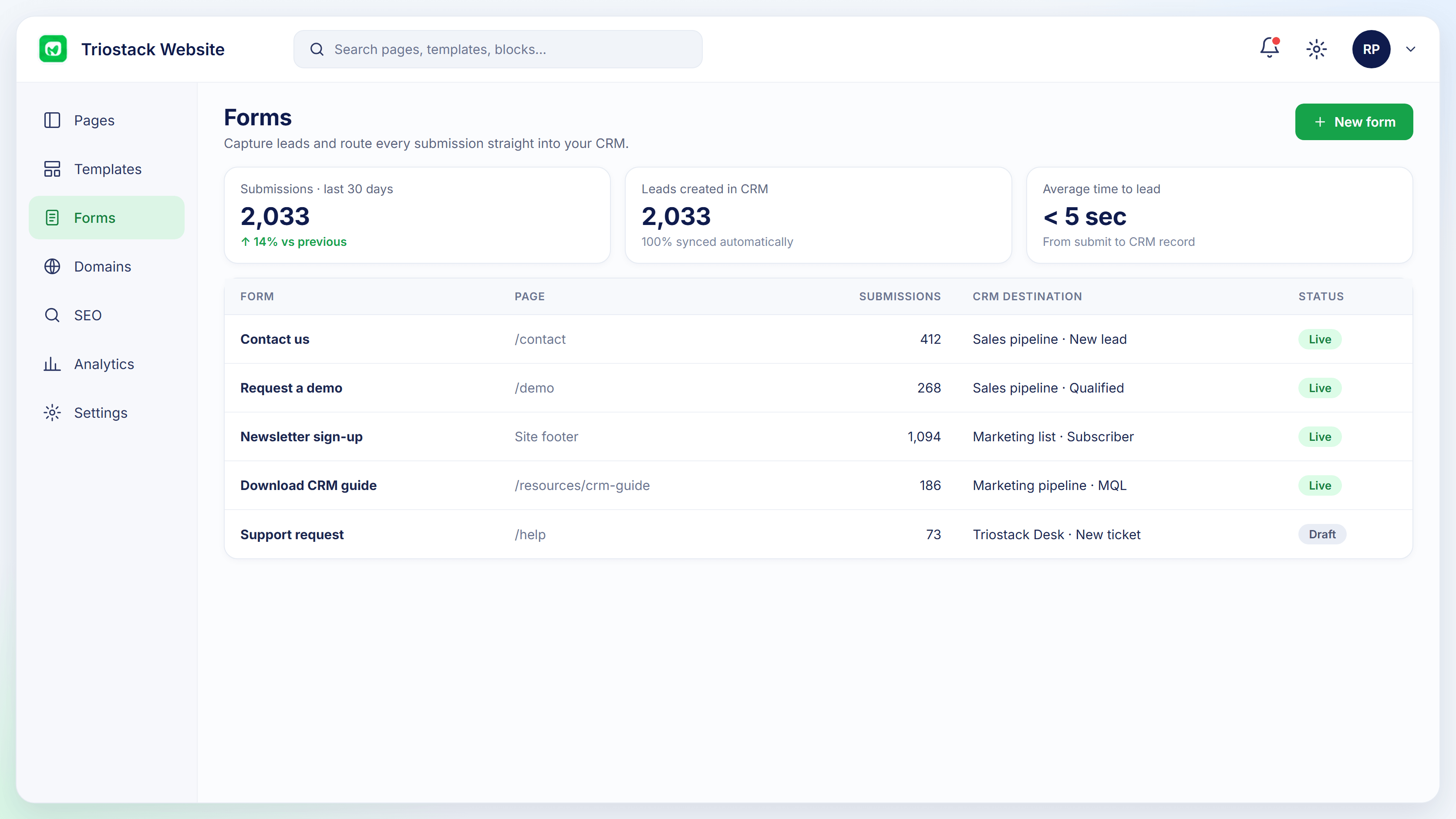
Form to CRM lead
Finance quotations
Branded and sent
Online checkout
How It Works
What changes when sales and payment connect.
| Dimension | Triostack Website | Separate Tools |
|---|---|---|
| Lead | CRM lead from the form | Spreadsheet |
| Invoice | Finance invoices | A billing tool |
| Payment | Online checkout on the invoice | A payment link |
| Records | Recorded against the invoice | Matched later |
| On-site checkout | Ask us about your plan | Varies |
Our team can walk you through the connection, permissions and a first test so your website fits into the tools your team already uses.
Live Interface Tour
Real screens captured directly from the Triostack Website workspace.
Form-to-CRM Automation
Website enquiry to online payment
Feature Breakdown
Captured from the Triostack Website workspace.
01
IntegrationsThe lead.
How it fits the plan
Capture. A form creates a lead.
Quote. Sales sends a quotation.
Practical tip
Keep the website for the enquiry and the invoice for the payment. The simplest flow is usually the safest.
02
IntegrationsThe start.
How it fits the plan
Quote. Sales sends a quotation.
Invoice. An invoice is issued.
In real life
Service enquiry
Quote, invoice and payment follow the lead.
03
IntegrationsA secure site.
How it fits the plan
Invoice. An invoice is issued.
Pay. The customer pays online.
Watch out for
Promising online checkout on the site before confirming it for your plan.
04
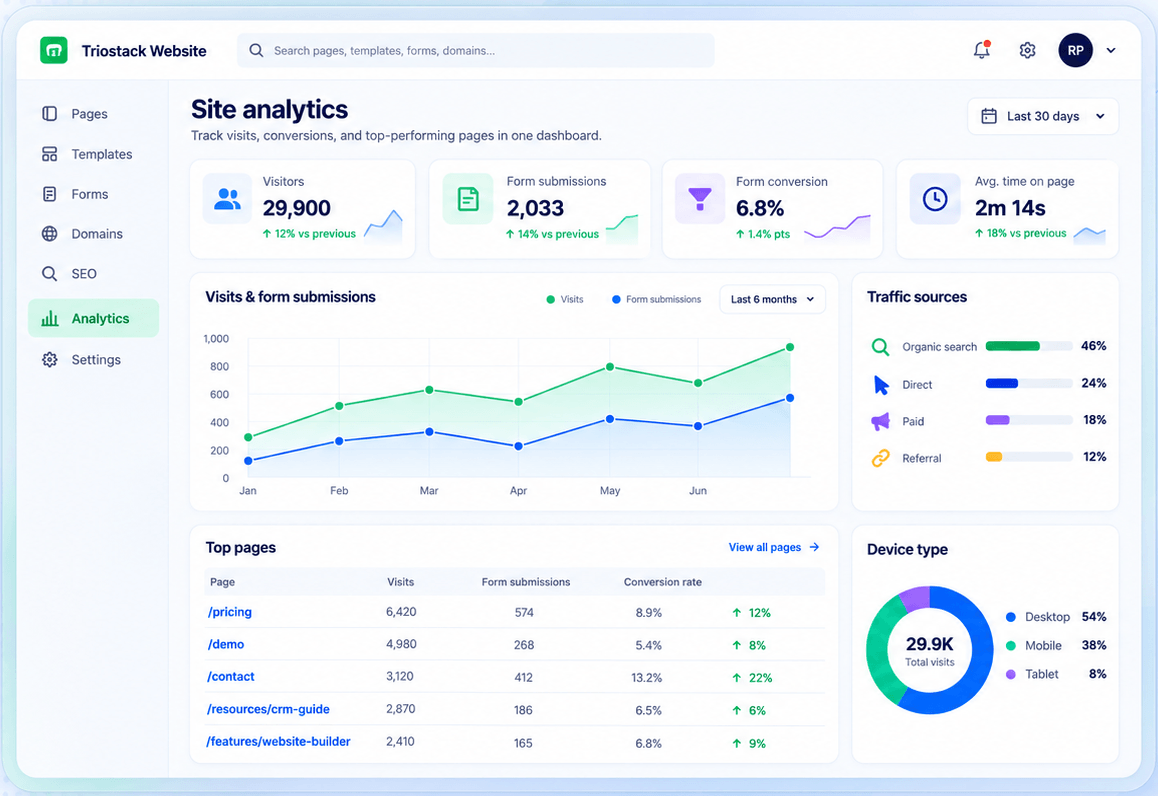
IntegrationsWhat converts.
How it fits the plan
Pay. The customer pays online.
Capture. A form creates a lead.
Before you start
Execution Plan
A form creates a lead.
Sales sends a quotation.
An invoice is issued.
The customer pays online.
Practical Guide
Before you start
A tip that helps
Keep the website for the enquiry and the invoice for the payment. The simplest flow is usually the safest.
A common mistake
Promising online checkout on the site before confirming it for your plan.
In Real Life
Scenario 01
Quote, invoice and payment follow the lead.
Scenario 02
An invoice is paid online.
Scenario 03
Finance sees what has been paid.
Straight answers about Payment Gateways, from setup to what happens next.
Have a question about Payment Gateways?
Book a free callAsk us what on-site payment options are available for your plan.
Yes, through Triostack Finance's online checkout.
Ask us which gateways are available.
Hosting includes a free SSL certificate.
Collect online payments through Triostack Finance's online checkout and capture the leads that start on your website. Ask us about payment options for site-based sales.
It runs in 4 steps: Capture, Quote, Invoice and Pay. A form creates a lead.
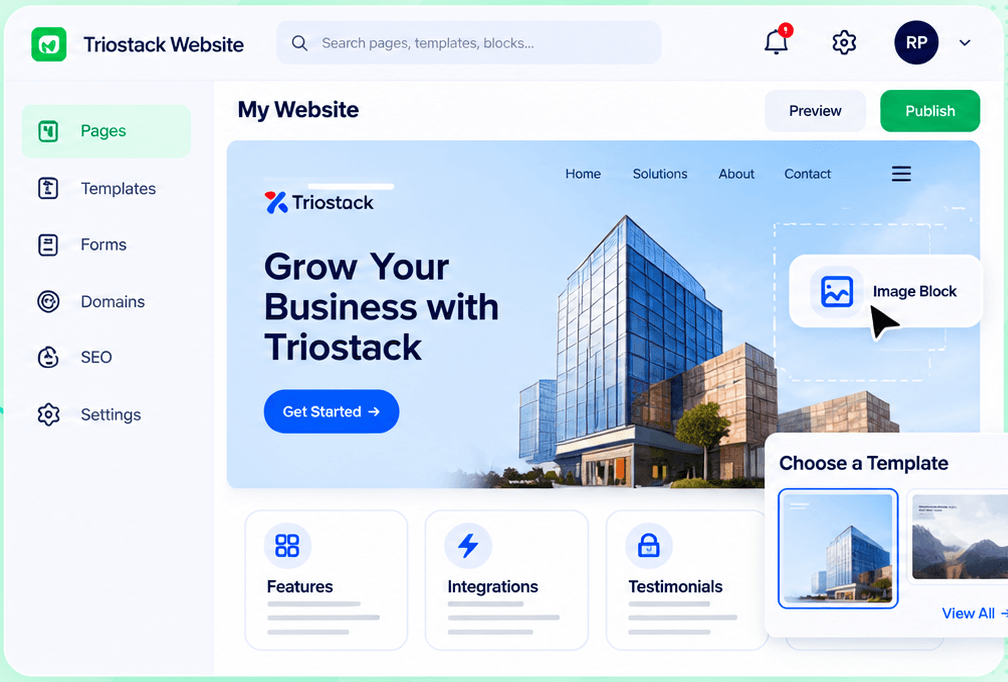
The real screens on this page include Connected Domains, SEO Controls, Website Builder and Form-to-CRM, all captured from the product.
Request a demo or start a free trial. Our team can also walk you through a guided setup, so your first session ends with something working.
Keep Exploring
Pages, forms, SEO and hosting in one workspace, with every form submission landing in your CRM.