The best Business Suite software in India, built to help your business grow. Contact us at +91-8882435276.
[ Contact ]
Phone number
Email address
Head office
Noida office
The right team at TriostackOne will get back to you.
Positioning Assessment
Visitors who fill in a form on your site and get a reply from a free-mail address wonder if they reached the right company.
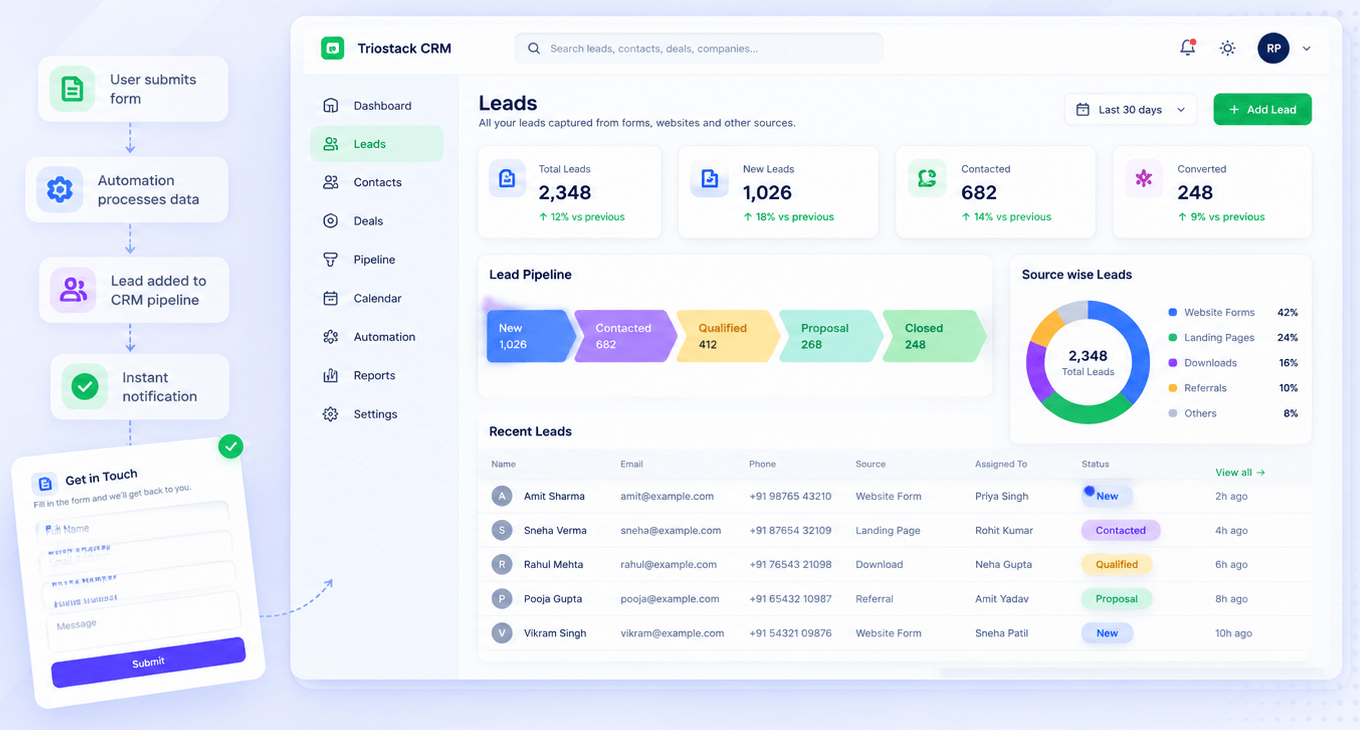
Triostack Mail provides custom-domain email with shared inboxes, linked to CRM leads and contacts. Together with Triostack Website, a form submission can be followed up from an address that matches your brand. Ask us how your domain is set up for both.
“Leads from the site got replies from the same domain they had just visited. It looked professional.”
Sample team scenario
Illustrative example, not a customer testimonial
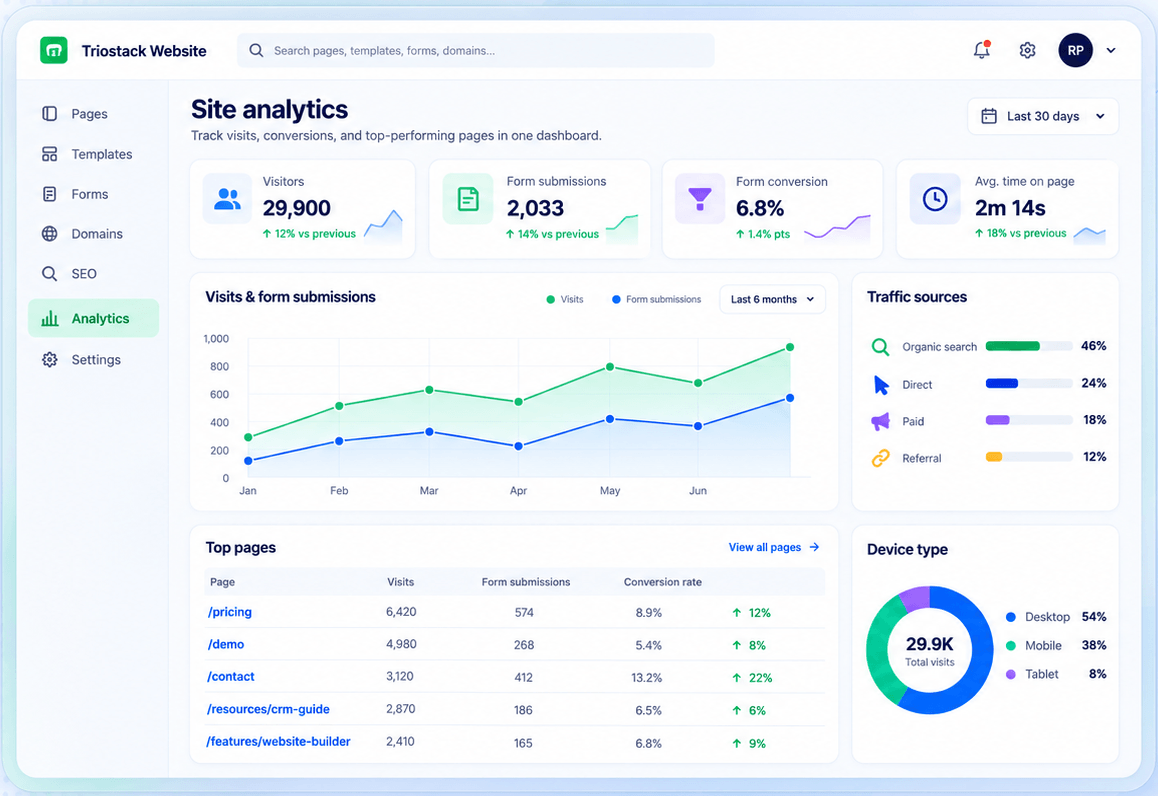
Site Analytics
Visitors, submissions, sources and top pages
In the Product
Imagine the name above the door being the same as the name on the card.
One domain everywhere.
Reply from the lead.
One suite.
Platform Integrity
Site and email match
sales@, info@
Context on every reply
Fewer tools
How It Works
What changes when site and email are aligned.
| Dimension | Triostack Website | Mismatched Tools |
|---|---|---|
| Domain | Same for site and email | Different providers |
| Follow-up | From a branded address | From a free address |
| Context | Linked to the CRM lead | Searched |
| Admin | One suite | Several vendors |
| Setup | Ask us about both | DIY |
Our team can walk you through the connection, permissions and a first test so your website fits into the tools your team already uses.
Live Interface Tour
Real screens captured directly from the Triostack Website workspace.
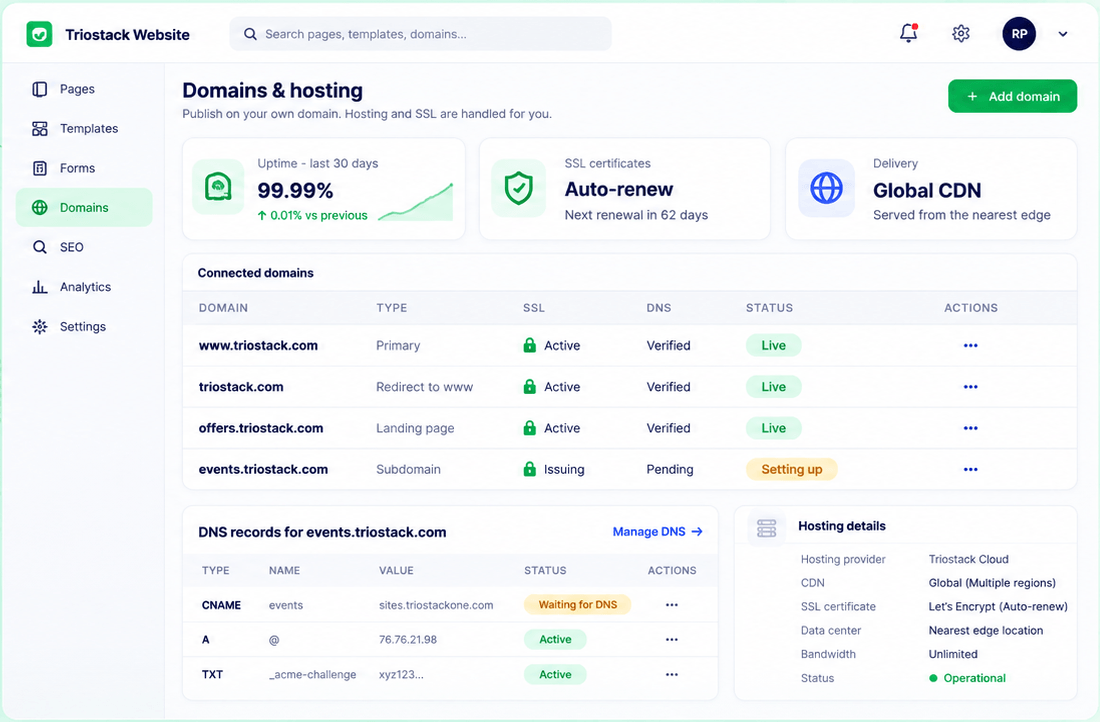
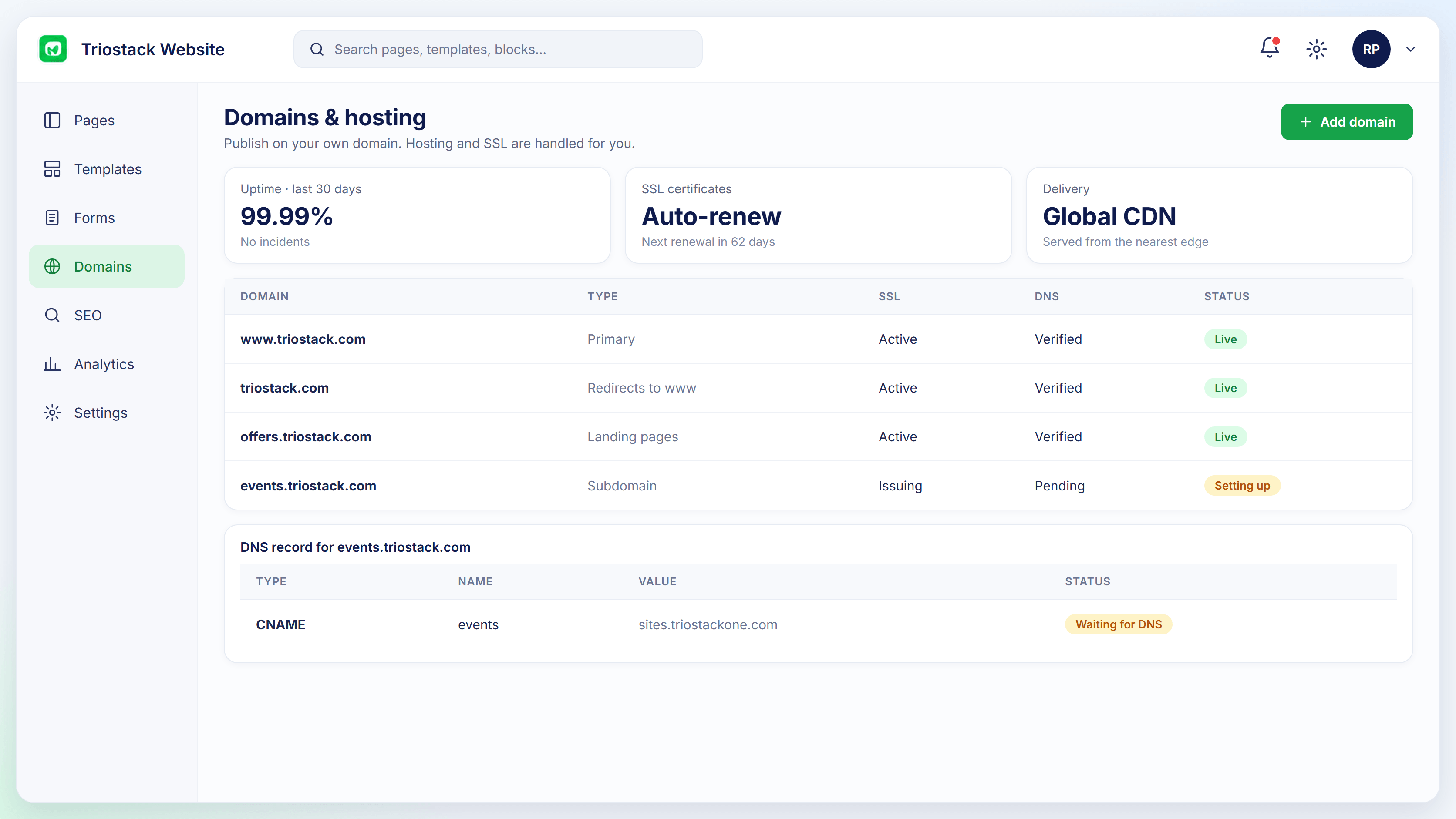
Domains & Hosting
Replies from addresses that match your site
Feature Breakdown
Captured from the Triostack Website workspace.
01
IntegrationsYour domain.
How it fits the plan
Connect. Point your domain at your site.
Add mail. Create mailboxes on the same domain.
Practical tip
Create the sales address before the site goes live. Replies should come from the same name as the site.
02
IntegrationsStatus.
How it fits the plan
Add mail. Create mailboxes on the same domain.
Capture. Forms create leads.
In real life
New site launch
Domain, site and mail go live together.
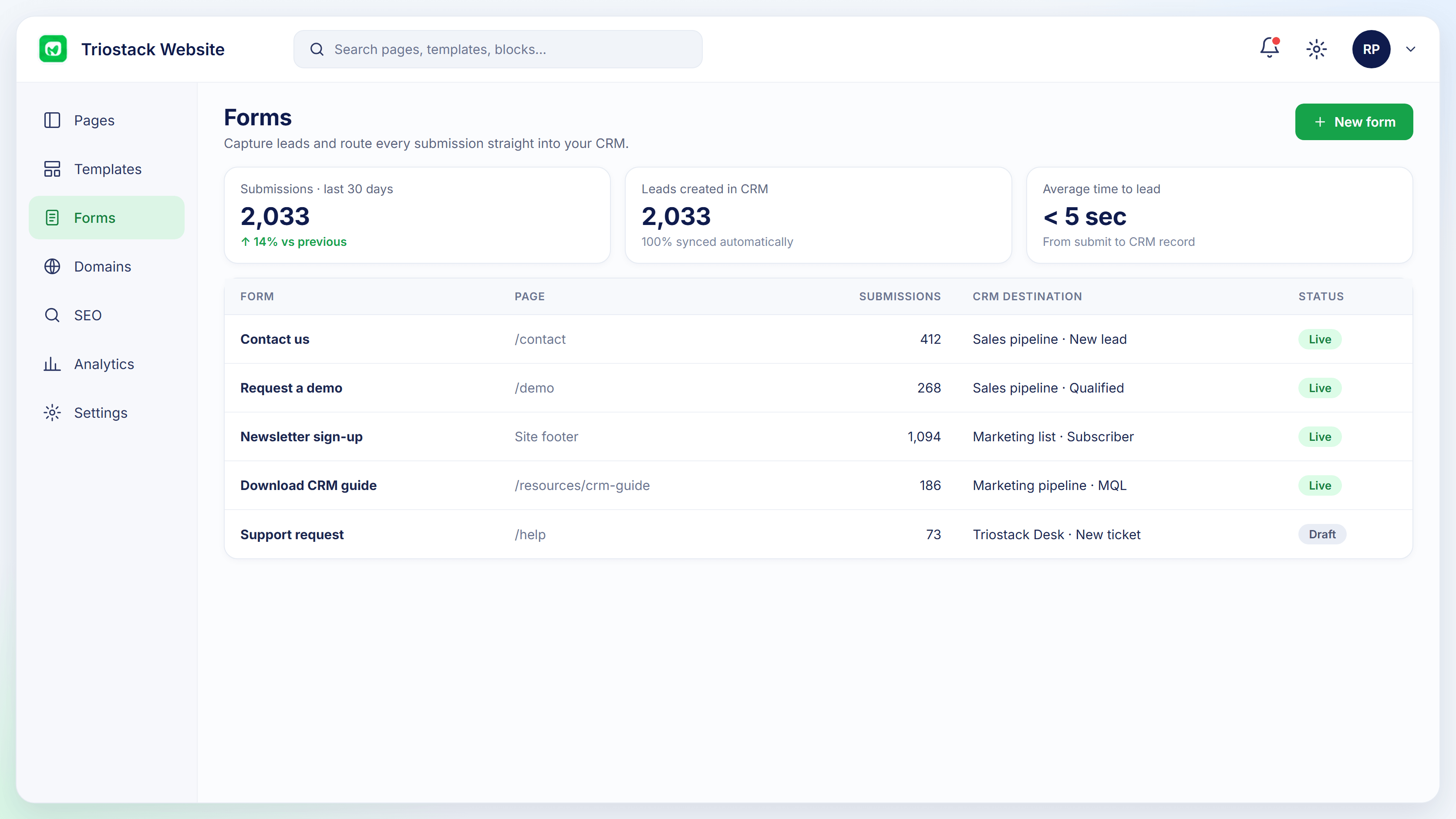
03
IntegrationsWhere enquiries begin.
How it fits the plan
Capture. Forms create leads.
Reply. Follow up from your own address.
Watch out for
Launching the site on your domain while still replying from a free-mail address.
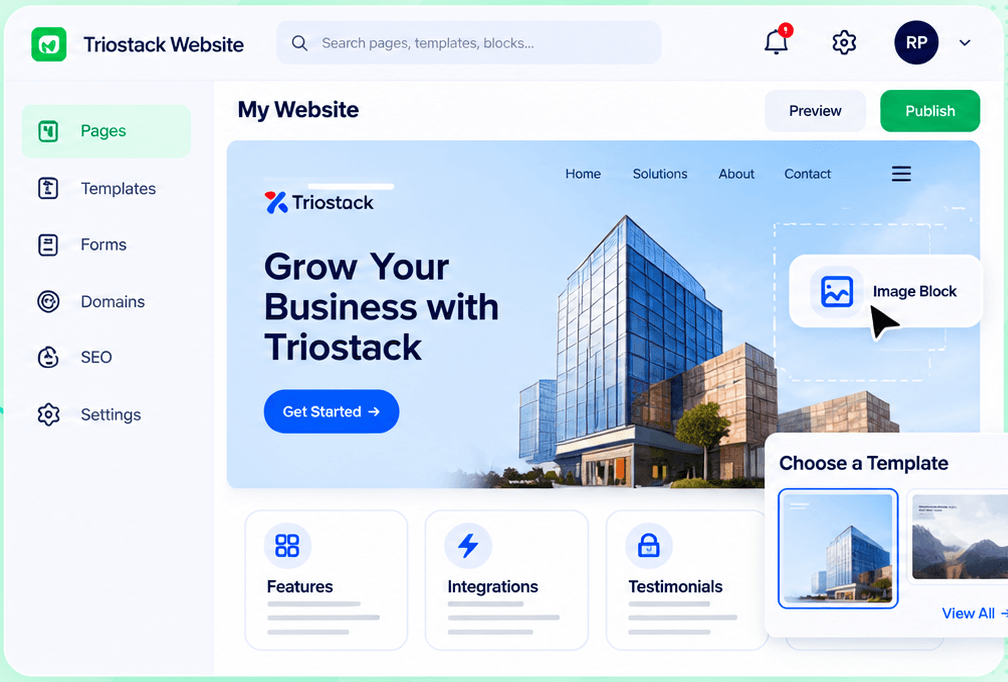
04
IntegrationsThe whole workspace.
How it fits the plan
Reply. Follow up from your own address.
Connect. Point your domain at your site.
Before you start
Execution Plan
Point your domain at your site.
Create mailboxes on the same domain.
Forms create leads.
Follow up from your own address.
Practical Guide
Before you start
A tip that helps
Create the sales address before the site goes live. Replies should come from the same name as the site.
A common mistake
Launching the site on your domain while still replying from a free-mail address.
In Real Life
Scenario 01
Domain, site and mail go live together.
Scenario 02
A reply goes out from sales@.
Scenario 03
Site and email move to a new domain together.
Straight answers about Triostack Mail, from setup to what happens next.
Have a question about Triostack Mail?
Book a free callYes. Ask us how DNS is set up for both.
Mail links emails with CRM leads and contacts.
No. Website works without it.
Yes.
Reply to website enquiries from custom-domain addresses in Triostack Mail, linked to the CRM lead each form submission created.
It runs in 4 steps: Connect, Add mail, Capture and Reply. Point your domain at your site.
The real screens on this page include Site Analytics, SEO Audit, Form-to-CRM Automation and Domains & Hosting, all captured from the product.
Request a demo or start a free trial. Our team can also walk you through a guided setup, so your first session ends with something working.
Keep Exploring
Pages, forms, SEO and hosting in one workspace, with every form submission landing in your CRM.