The best Business Suite software in India, built to help your business grow. Contact us at +91-8882435276.
[ Contact ]
Phone number
Email address
Head office
Noida office
The right team at TriostackOne will get back to you.
Positioning Assessment
Every week a campaign page is late is a week of ad spend sending visitors to the wrong place.
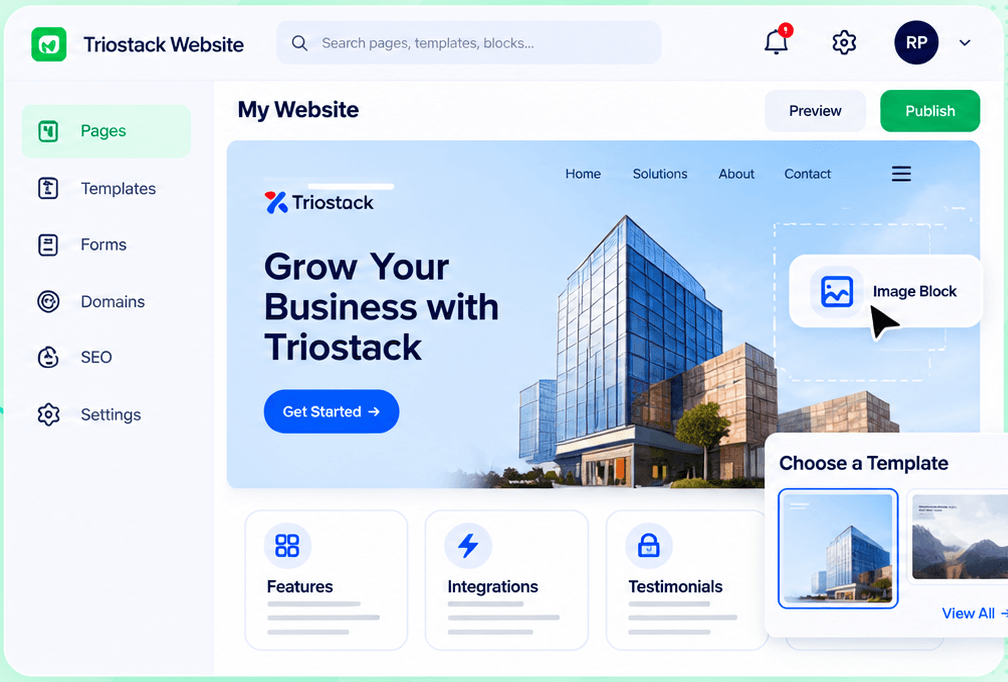
Triostack Website lets you pick a template from a gallery, assemble the page from sections such as features, integrations and testimonials, drop in your image blocks and connect the form so each submission becomes a CRM lead.
“The page was live before the ad was approved. For once, design was not the bottleneck.”
Sample team scenario
Illustrative example, not a customer testimonial
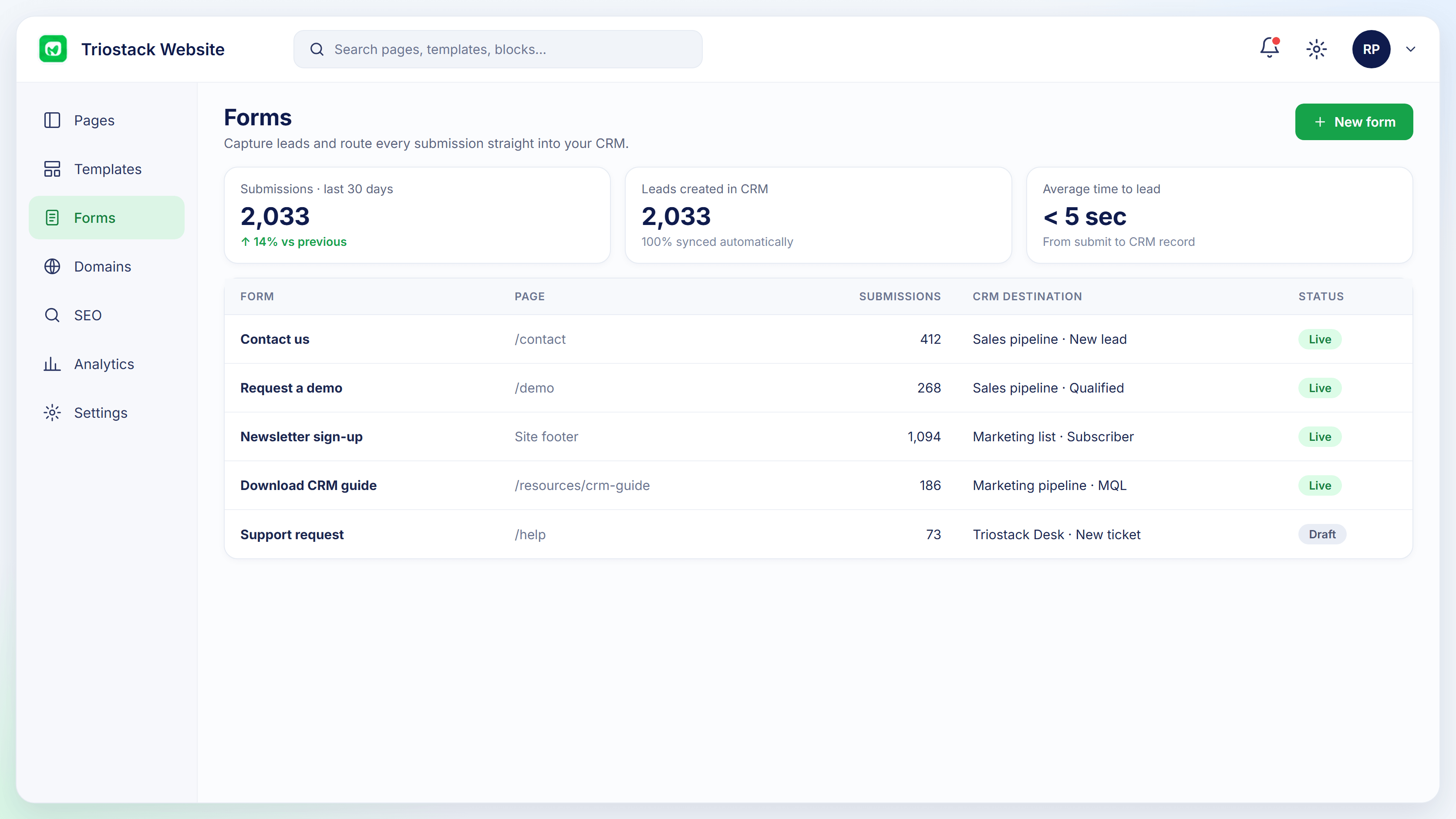
Forms
Submissions, leads created and conversion by form
In the Product
Imagine setting up a stall quickly, taking orders, and packing it away when the campaign ends.
Template first.
Visits and conversion in analytics.
Leads flow to CRM.
Platform Integrity
Professionally designed starts
Features, integrations, testimonials
Leads tracked automatically
Go live quickly
How It Works
What changes when marketing owns the page.
| Dimension | Triostack Website | Outsourced Pages |
|---|---|---|
| Start | A template | A brief |
| Build | Sections you assemble | Custom design |
| Leads | Straight to CRM | A separate integration |
| Changes | Edit yourself | Raise a ticket |
| Speed | Same day | Days or weeks |
Book a walkthrough and we will set up a sandbox with a sample site so you can try the editor, forms and SEO tools before you commit.
Live Interface Tour
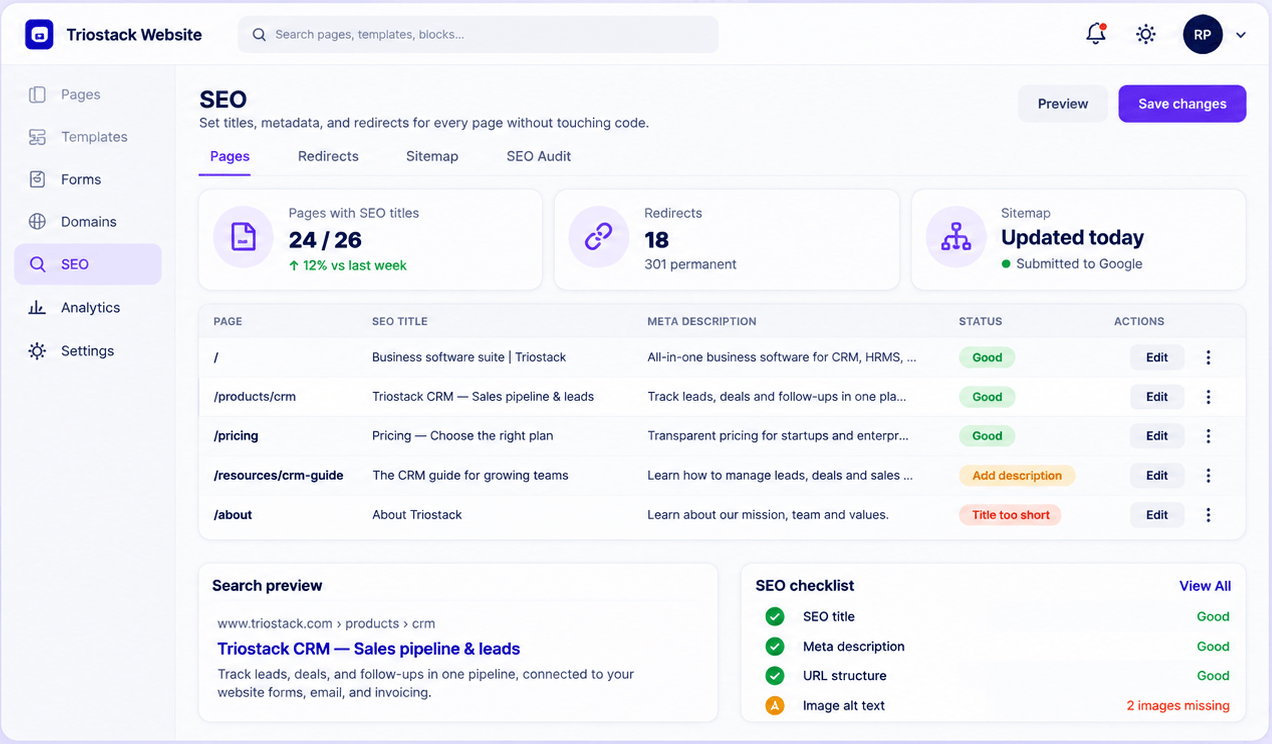
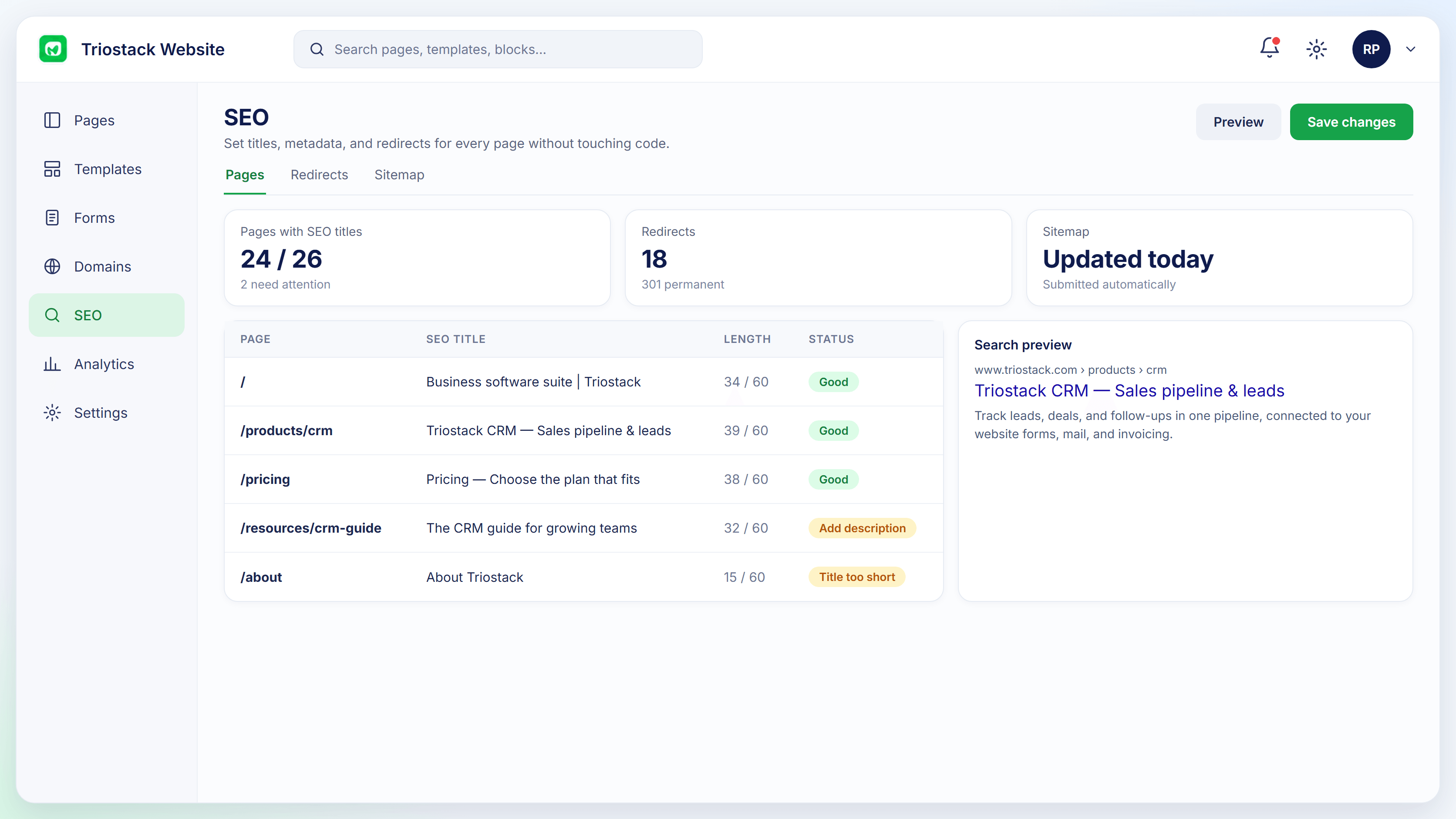
Real screens captured directly from the Triostack Website workspace.
Website Builder
Not weeks, from idea to live campaign page
Feature Breakdown
Captured from the Triostack Website workspace.
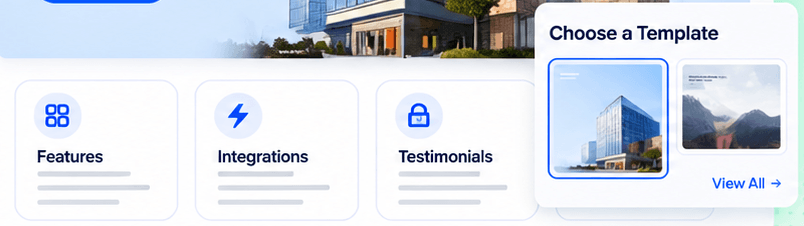
The starting point.
How it fits the plan
Pick. Choose a template.
Assemble. Add the sections you need.
Practical tip
Give each landing page one job and one button. Pages that ask for three things get none of them.
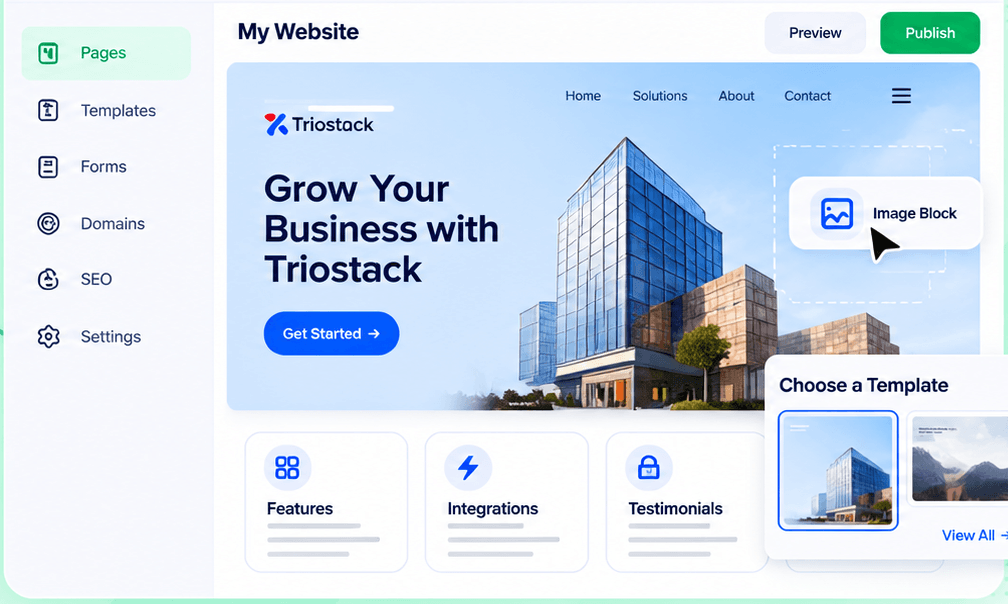
Build it.
How it fits the plan
Assemble. Add the sections you need.
Connect. Link the form to CRM.
In real life
Seasonal offer
A page is up for the weekend.
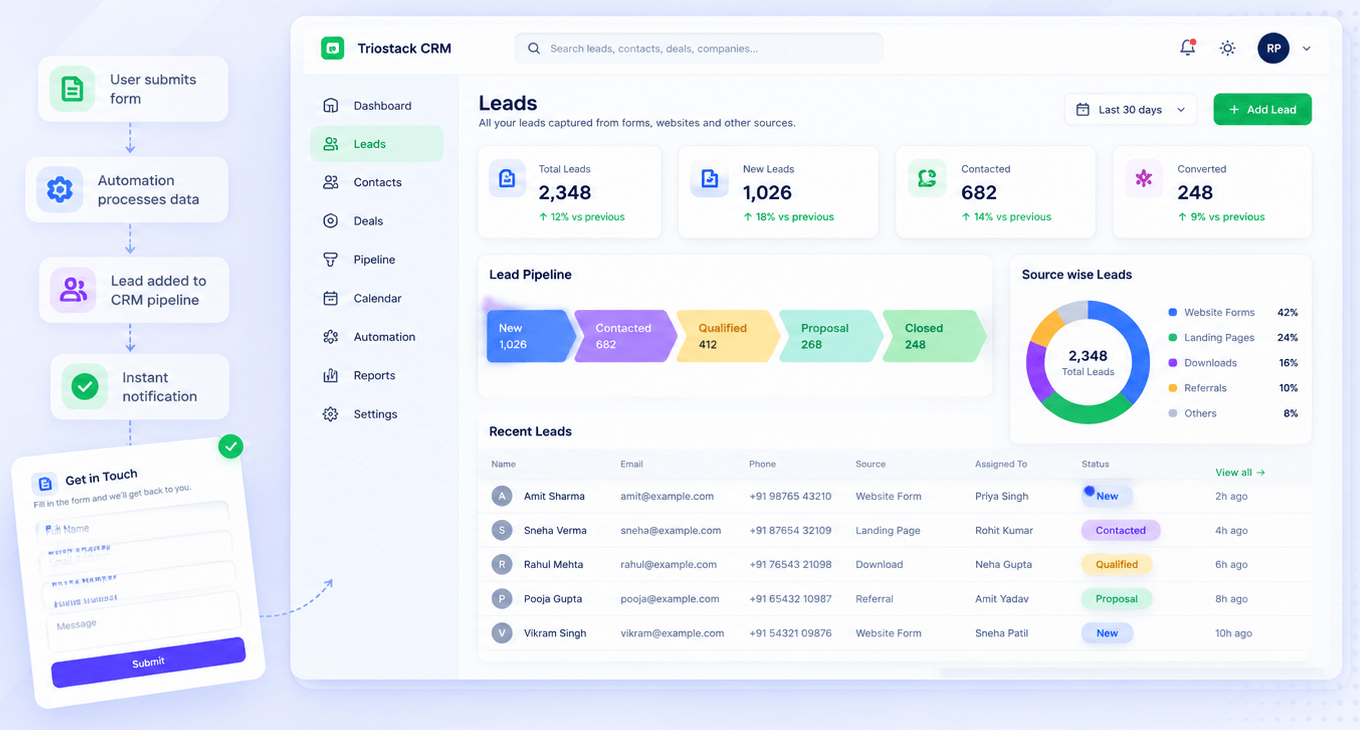
Capture leads.
How it fits the plan
Connect. Link the form to CRM.
Publish. Go live and watch the numbers.
Watch out for
Sending ad traffic to the home page when a focused page would convert better.
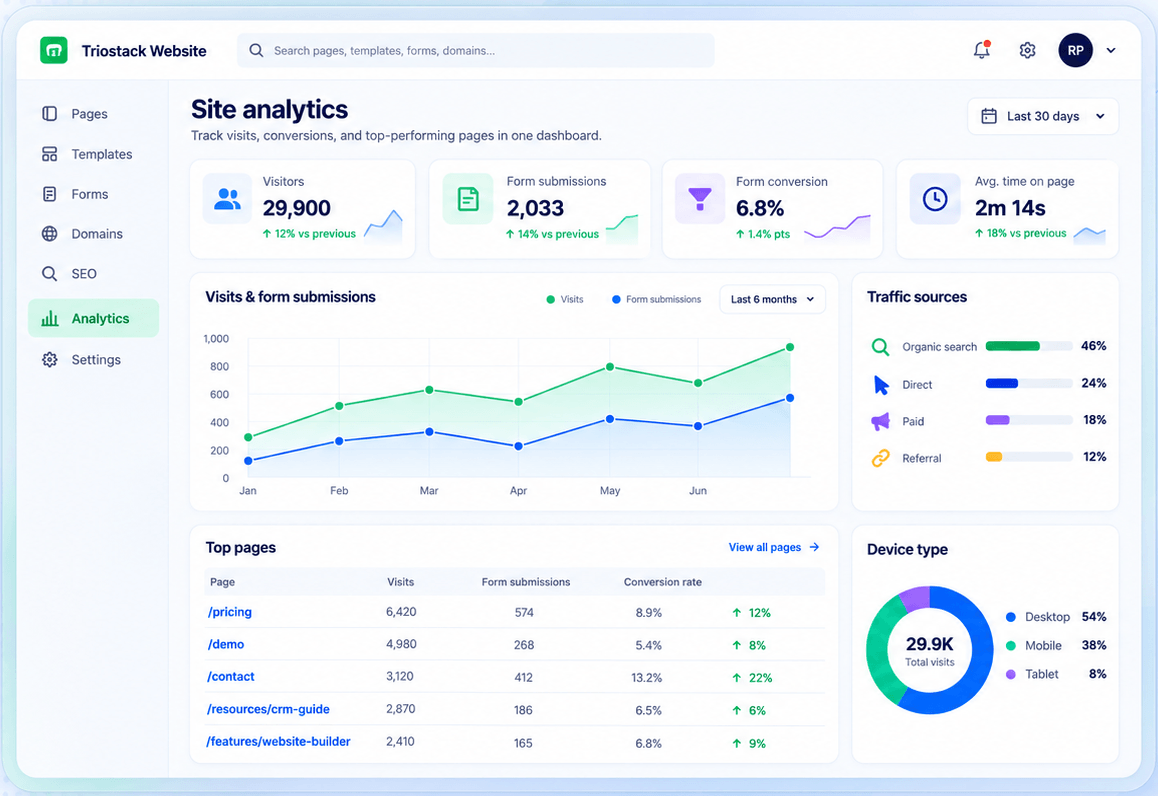
See how it does.
How it fits the plan
Publish. Go live and watch the numbers.
Pick. Choose a template.
Before you start
Execution Plan
Choose a template.
Add the sections you need.
Link the form to CRM.
Go live and watch the numbers.
Practical Guide
Before you start
A tip that helps
Give each landing page one job and one button. Pages that ask for three things get none of them.
A common mistake
Sending ad traffic to the home page when a focused page would convert better.
In Real Life
Scenario 01
A page is up for the weekend.
Scenario 02
Sign-ups land as leads.
Scenario 03
A second page is built from the first.
Straight answers about Landing Pages, from setup to what happens next.
Have a question about Landing Pages?
Book a free callYes, from a gallery of templates.
Sections such as features, integrations and testimonials.
Yes, each submission becomes a CRM lead.
Yes, in Site Analytics.
Start from a template, assemble ready-made sections such as features, integrations and testimonials, and connect the page's form to your CRM.
It runs in 4 steps: Pick, Assemble, Connect and Publish. Choose a template.
The real screens on this page include Forms, SEO Controls, Domains & Hosting and Templates & Sections, all captured from the product.
Request a demo or start a free trial. Our team can also walk you through a guided setup, so your first session ends with something working.
Keep Exploring
Pages, forms, SEO and hosting in one workspace, with every form submission landing in your CRM.
Explore All Website Features