The best Business Suite software in India, built to help your business grow. Contact us at +91-8882435276.
[ Contact ]
Phone number
Email address
Head office
Noida office
The right team at TriostackOne will get back to you.
Build
Create the form.
Choose
Pick the pipeline.
Publish
Place it on the page.
Test
Submit and check CRM.
Positioning Assessment
Connecting a form plugin to a CRM can take an afternoon and break quietly later.
Triostack Website and Triostack CRM are both part of TriostackOne, so form submissions create CRM leads directly. Choose the pipeline for each form, and leads arrive tagged and tracked, with your team notified instantly.
“We chose a pipeline for the form and that was the whole setup.”
Sample team scenario
Illustrative example, not a customer testimonial
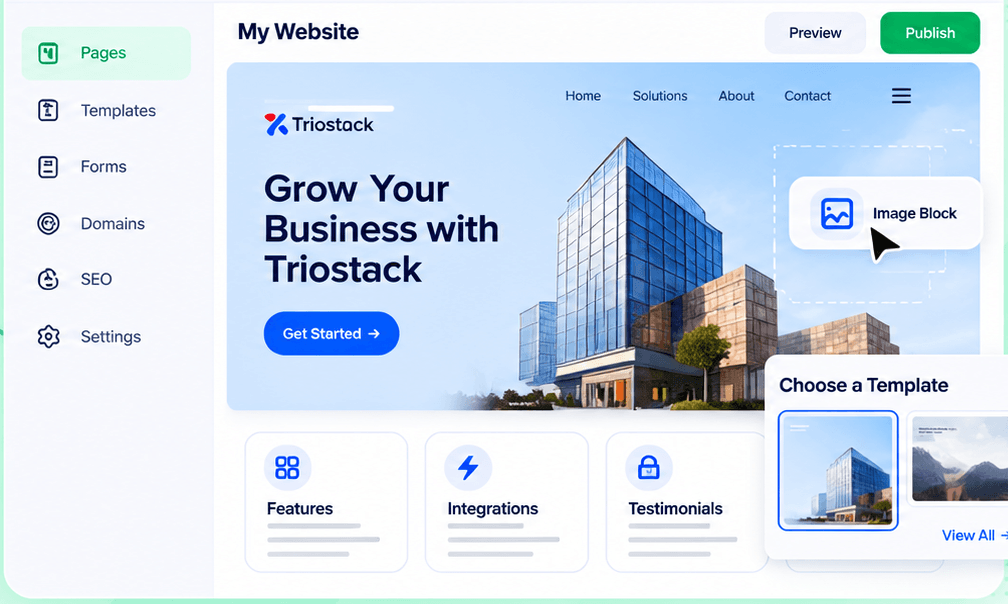
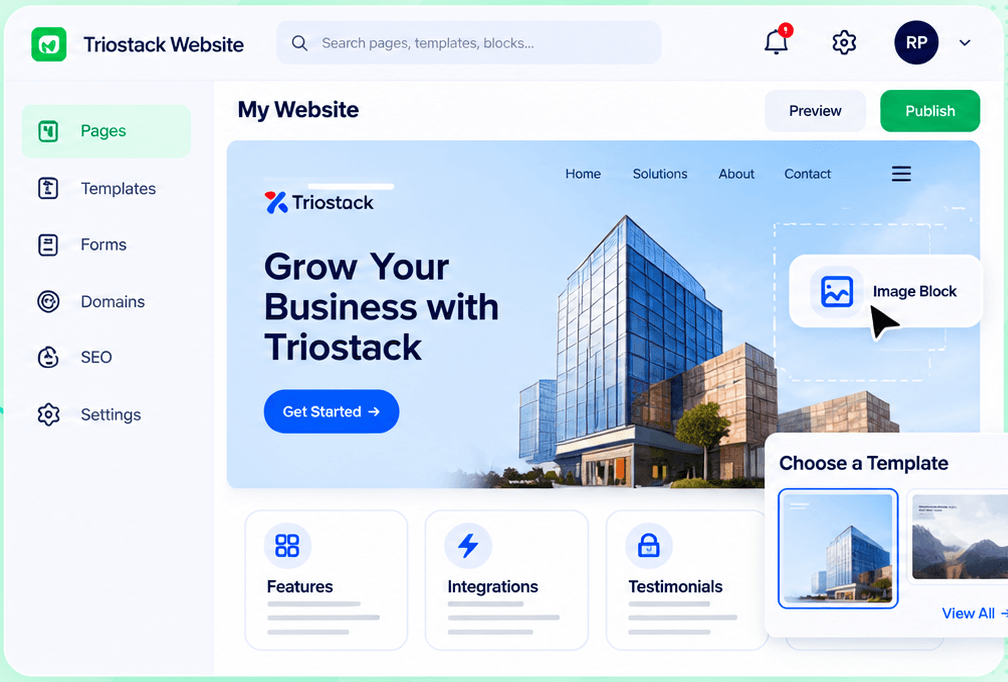
Drag-and-Drop Editor
Build a page visually and publish when it is ready
In the Product
Imagine turning on a tap and the water already running to the right room.
Same suite.
No sync delay.
No third party.
Platform Integrity
No connector
Created instantly
Per form
Know the origin
How It Works
What changes when the tools are one suite.
| Dimension | Triostack Website | Third-Party Connector |
|---|---|---|
| Setup | Choose a pipeline | Configure a connector |
| Reliability | Part of the suite | Depends on a third party |
| Speed | Instant | Varies |
| Tags | Source captured | Mapped fields |
| Cost | Included in the suite | Another subscription |
We will help you build your first page, connect a form to CRM and publish on your domain in your first session.
Live Interface Tour
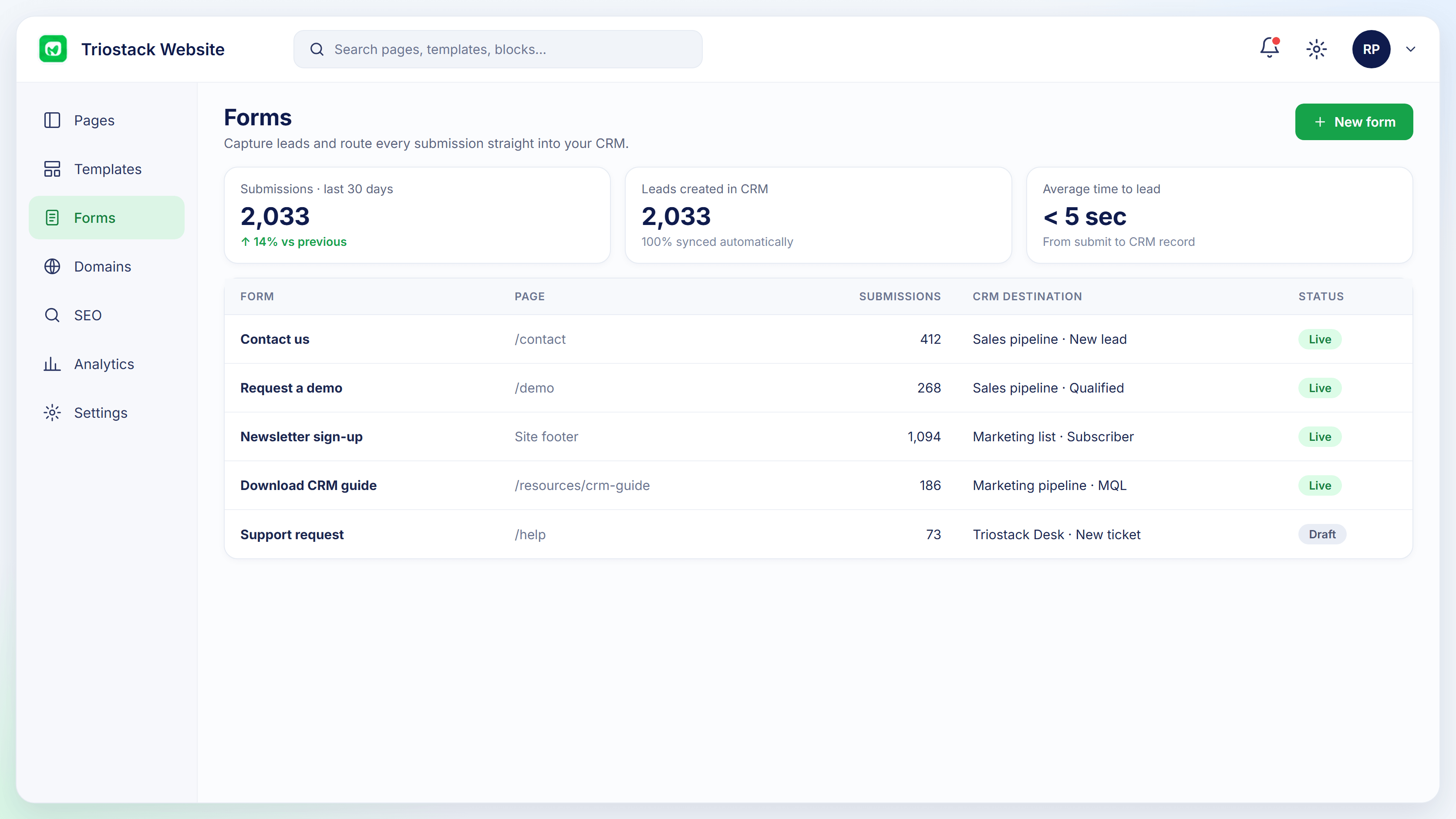
Real screens captured directly from the Triostack Website workspace.
Forms
Website and CRM share the suite
Feature Breakdown
Captured from the Triostack Website workspace.
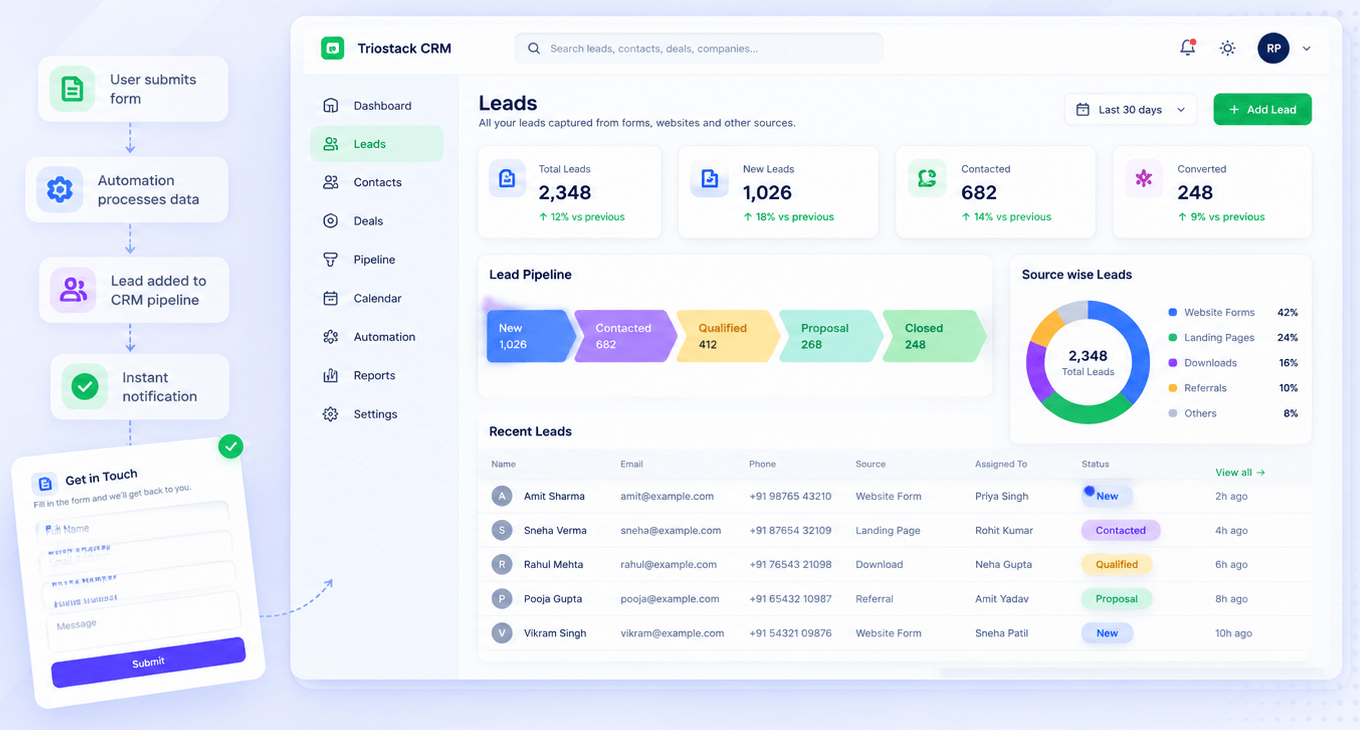
The link.
How it fits the plan
Build. Create the form.
Choose. Pick the pipeline.
Practical tip
Submit a test lead the day the form goes live. It proves the whole path works.
Where it starts.
How it fits the plan
Choose. Pick the pipeline.
Publish. Place it on the page.
In real life
New site
Forms feed the pipeline on launch day.

What converts.
How it fits the plan
Publish. Place it on the page.
Test. Submit and check CRM.
Watch out for
Assuming it works and finding out a fortnight later that leads went to the wrong pipeline.
Place forms.
On this screen: Build a page visually and publish when it is ready.
How it fits the plan
Test. Submit and check CRM.
Build. Create the form.
Before you start
Execution Plan
Create the form.
Pick the pipeline.
Place it on the page.
Submit and check CRM.
Practical Guide
Before you start
A tip that helps
Submit a test lead the day the form goes live. It proves the whole path works.
A common mistake
Assuming it works and finding out a fortnight later that leads went to the wrong pipeline.
In Real Life
Scenario 01
Forms feed the pipeline on launch day.
Scenario 02
A landing page uses a dedicated pipeline.
Scenario 03
Sales sees the source of every lead.
Straight answers about Connect to Your CRM, from setup to what happens next.
Have a question about Connect to Your CRM?
Book a free callNo. Both are part of TriostackOne.
Yes, per form.
Yes, instantly.
Yes.
Form submissions on Triostack Website become tracked leads in Triostack CRM, tagged by source and assigned to a pipeline, with no separate integration step.
It runs in 4 steps: Build, Choose, Publish and Test. Create the form.
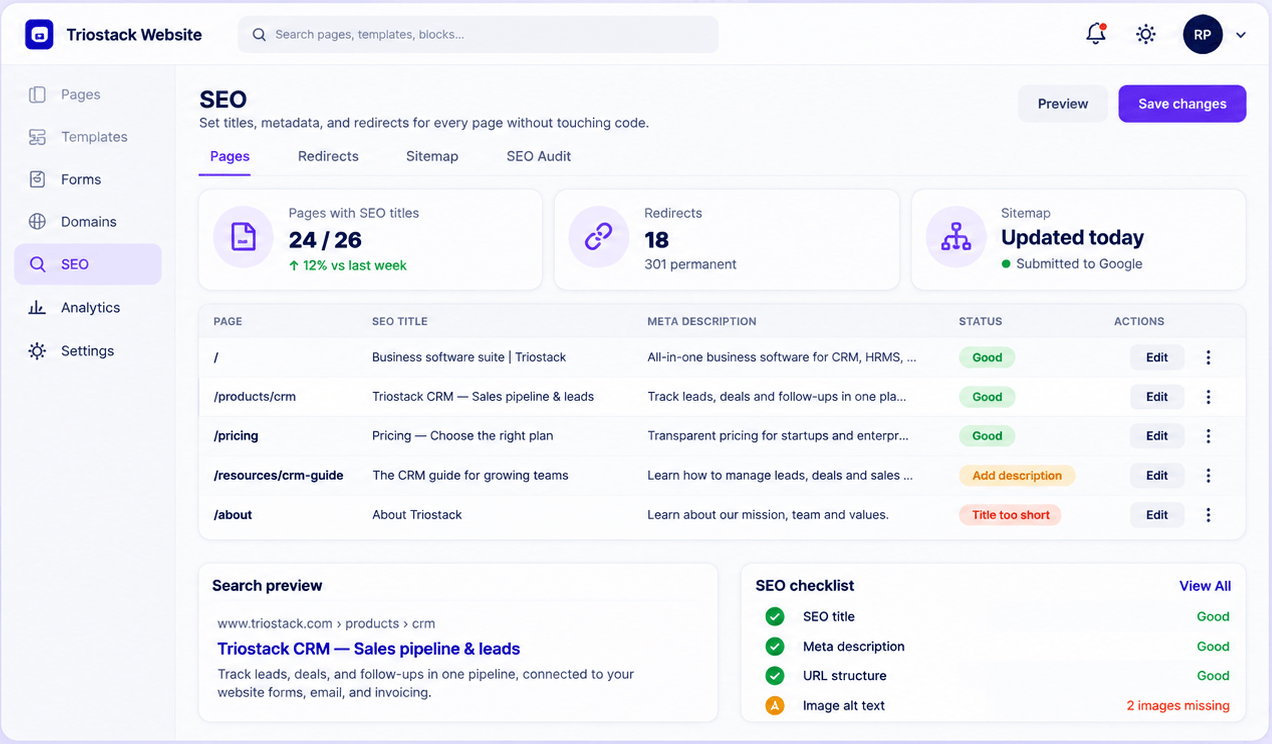
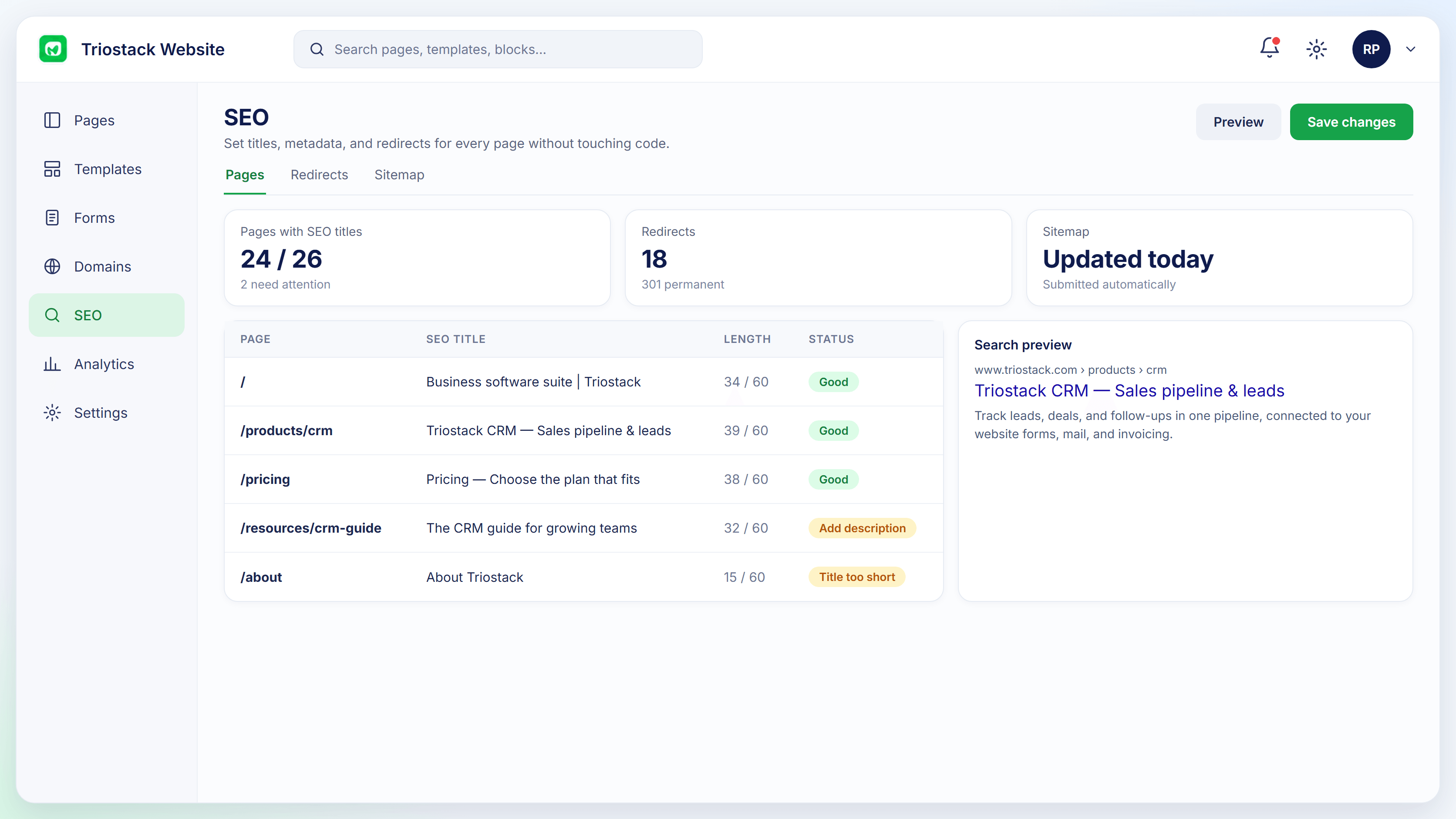
The real screens on this page include Drag-and-Drop Editor, Domains & Hosting, SEO Controls and Form-to-CRM, all captured from the product.
Request a demo or start a free trial. Our team can also walk you through a guided setup, so your first session ends with something working.
Keep Exploring
Pages, forms, SEO and hosting in one workspace, with every form submission landing in your CRM.