The best Business Suite software in India, built to help your business grow. Contact us at +91-8882435276.
[ Contact ]
Phone number
Email address
Head office
Noida office
The right team at TriostackOne will get back to you.
Editing
Varies
Leads
Plugin or connector
Hosting
Separate
SEO
Plugin
Check each vendor's current plans.
Positioning Assessment
Many sites look fine and then stop: forms disappear into inboxes, SEO is an afterthought and nobody knows which pages work.
Triostack Website combines a drag-and-drop editor, templates and sections, forms that create CRM leads, custom domains with hosting, SSL and a CDN, on-page SEO and site analytics, all inside TriostackOne.
“The website finally felt like part of the business, not an ornament.”
Sample team scenario
Illustrative example, not a customer testimonial
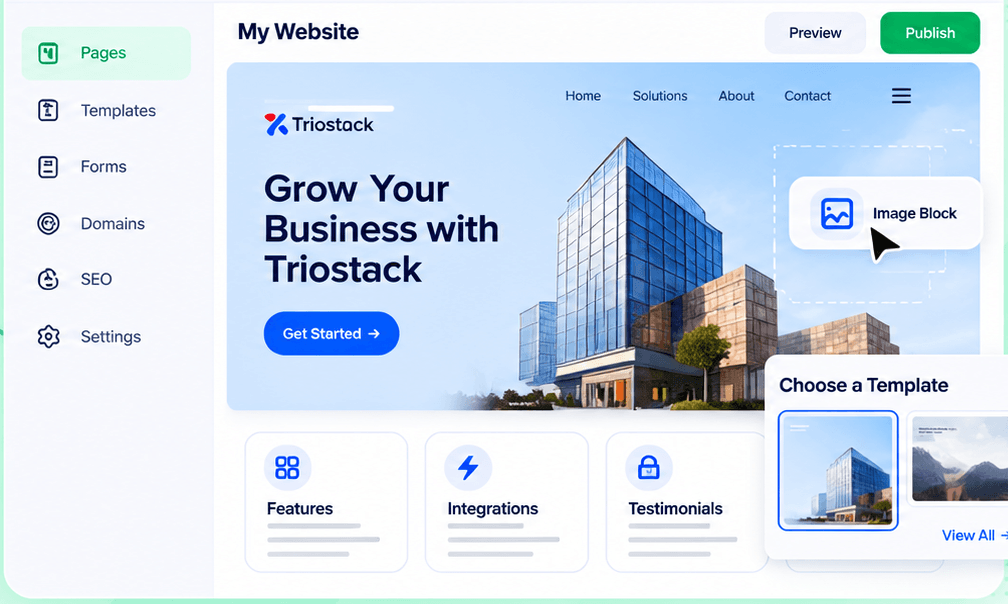
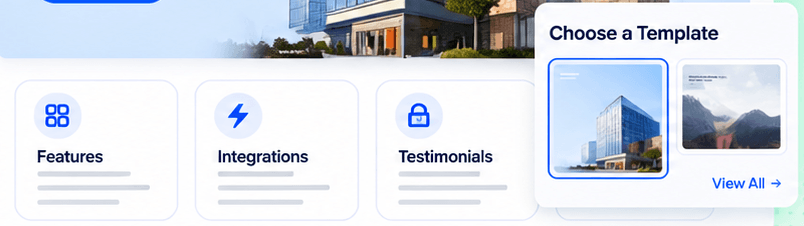
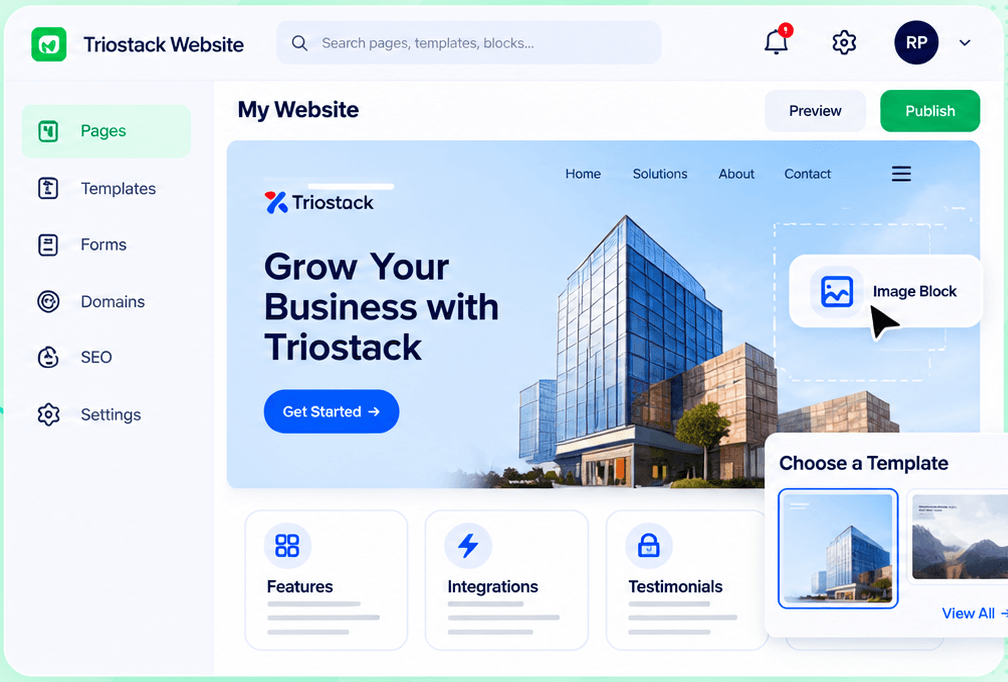
Drag-and-Drop Editor
Build a page visually and publish when it is ready
In the Product
Imagine every visitor being passed along to the right room automatically.
Fewer tools.
No forwarding.
Analytics by page.
Platform Integrity
Marketing can publish
Nothing lost
SSL and CDN
SEO and analytics
Detailed Comparison
What stands out.
Triostack Website
A Standalone Builder
Editing
Drag-and-drop, no developer
Editing
Varies
Leads
Form to CRM automatically
Leads
Plugin or connector
Hosting
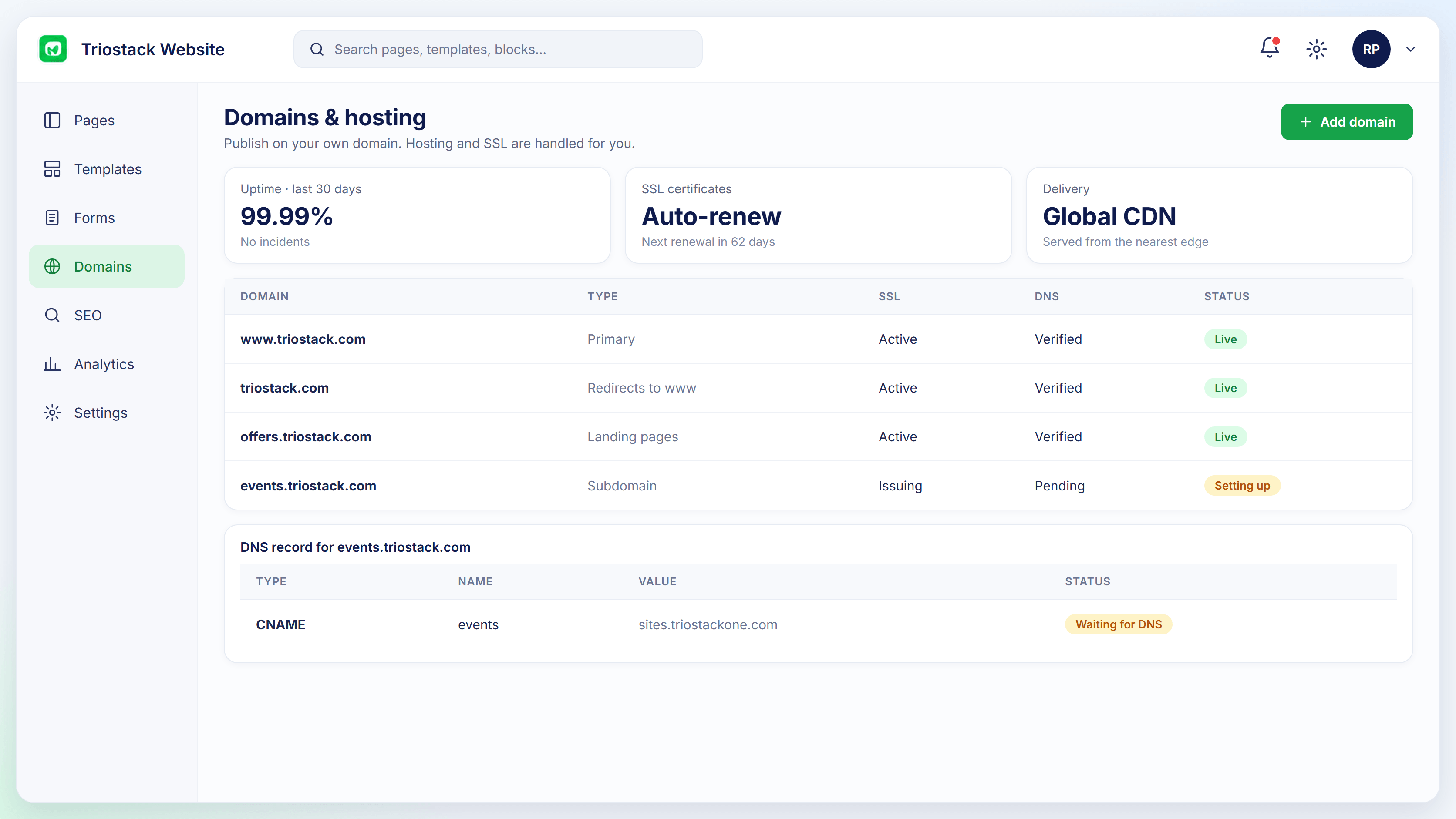
Domain, SSL, CDN handled
Hosting
Separate
SEO
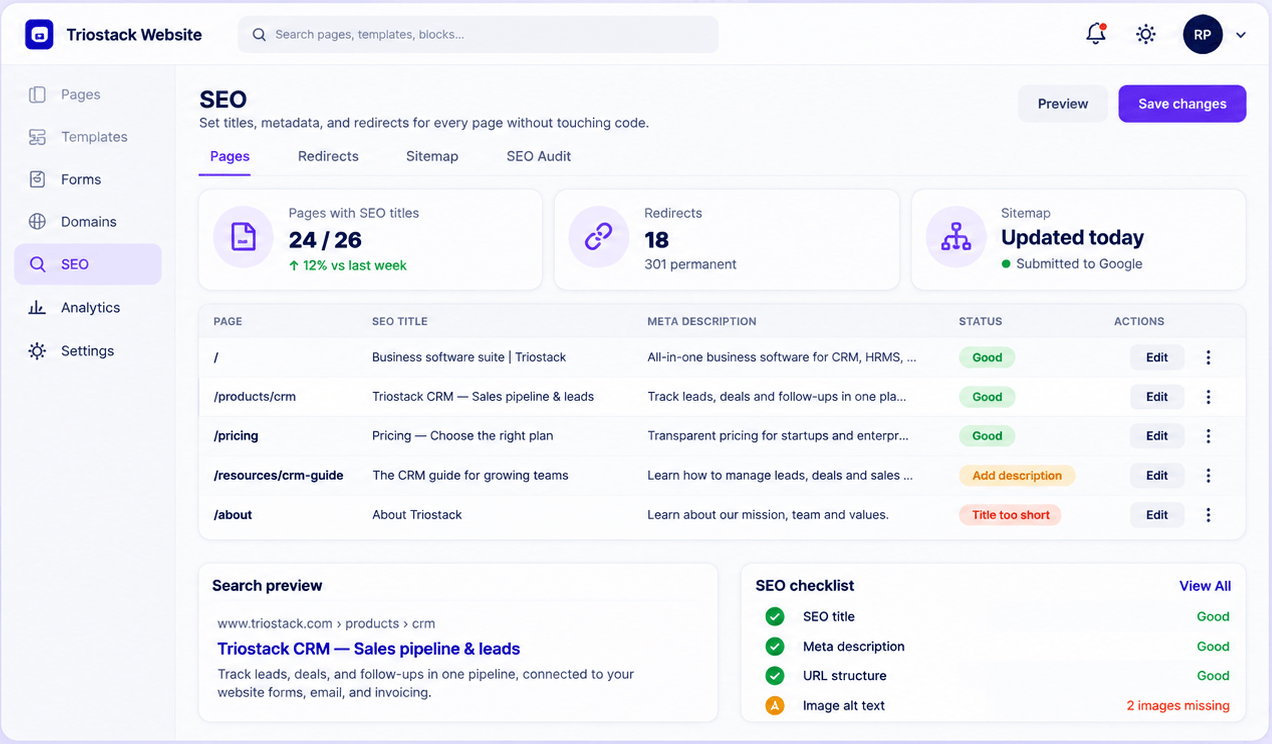
Titles, redirects, sitemap, audit
SEO
Plugin
Suite
CRM, Mail, Finance nearby
Suite
Separate
We help plan the move of your pages, forms, redirects and domain, so search rankings and leads are protected through the switch.
Live Interface Tour
Real screens captured directly from the Triostack Website workspace.
Website Builder
Build, capture, publish and measure
Feature Breakdown
Captured from the Triostack Website workspace.
Everything together.
How it fits the plan
Build. Create pages from templates.
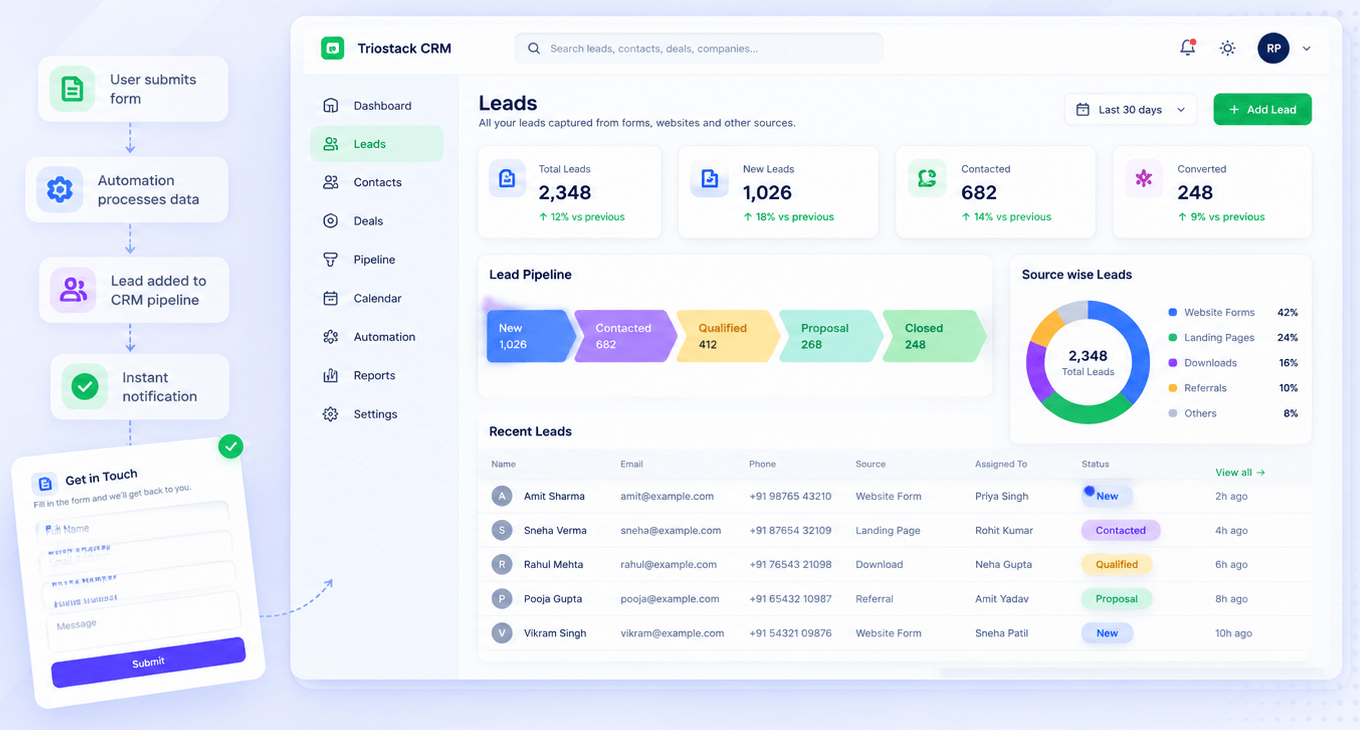
Capture. Forms create CRM leads.
Practical tip
Follow one lead from the form into the CRM. It shows the benefit faster than a feature list.
The handoff.
How it fits the plan
Capture. Forms create CRM leads.
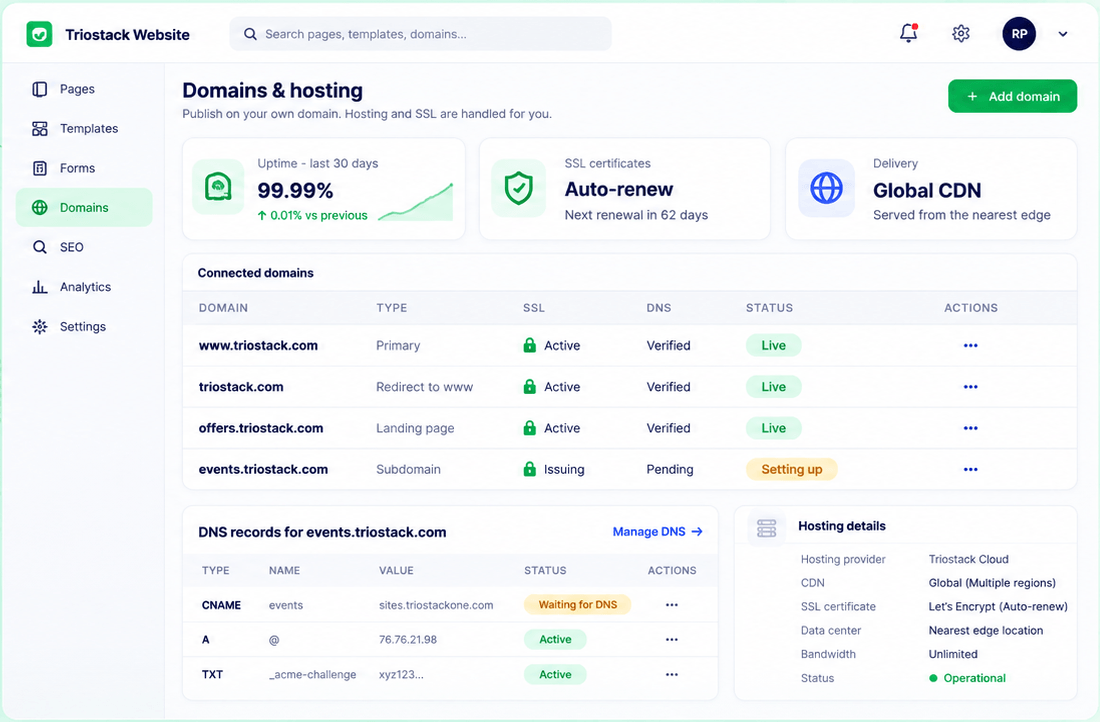
Publish. Go live on your domain.
In real life
Growing company
Marketing ships pages without tickets.
Go live.
How it fits the plan
Publish. Go live on your domain.
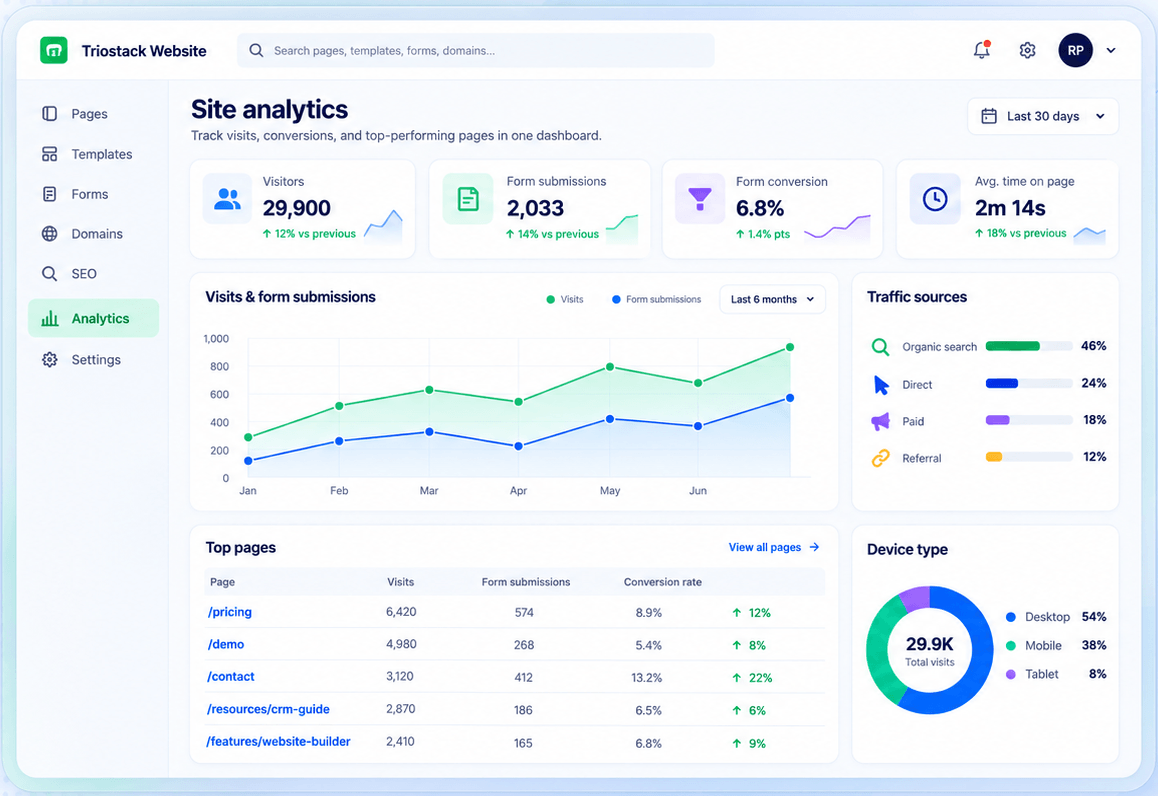
Improve. Use analytics and SEO.
Watch out for
Choosing a builder without asking what happens after a visitor submits something.
Improve.
How it fits the plan
Improve. Use analytics and SEO.
Build. Create pages from templates.
Before you start
Execution Plan
Create pages from templates.
Forms create CRM leads.
Go live on your domain.
Use analytics and SEO.
Practical Guide
Before you start
A tip that helps
Follow one lead from the form into the CRM. It shows the benefit faster than a feature list.
A common mistake
Choosing a builder without asking what happens after a visitor submits something.
In Real Life
Scenario 01
Marketing ships pages without tickets.
Scenario 02
Leads arrive tagged.
Scenario 03
A checklist shows the gaps.
Straight answers about Why Choose Triostack Website, from setup to what happens next.
Have a question about Why Choose Triostack Website?
Book a free callForms feed CRM natively, and hosting, SEO and analytics are in one workspace.
No.
Hosting includes SSL.
Yes. Start a free trial or request a demo.
Build and publish without a developer, capture every lead in CRM, and handle domains, hosting, SEO and analytics in one workspace.
It runs in 4 steps: Build, Capture, Publish and Improve. Create pages from templates.
The real screens on this page include Drag-and-Drop Editor, SEO Controls, Forms and Builder, all captured from the product.
Request a demo or start a free trial. Our team can also walk you through a guided setup, so your first session ends with something working.
Keep Exploring
Pages, forms, SEO and hosting in one workspace, with every form submission landing in your CRM.