The best Business Suite software in India, built to help your business grow. Contact us at +91-8882435276.
[ Contact ]
Phone number
Email address
Head office
Noida office
The right team at TriostackOne will get back to you.
Positioning Assessment
Form emails get missed, copied wrongly into spreadsheets or sit unseen over a weekend.
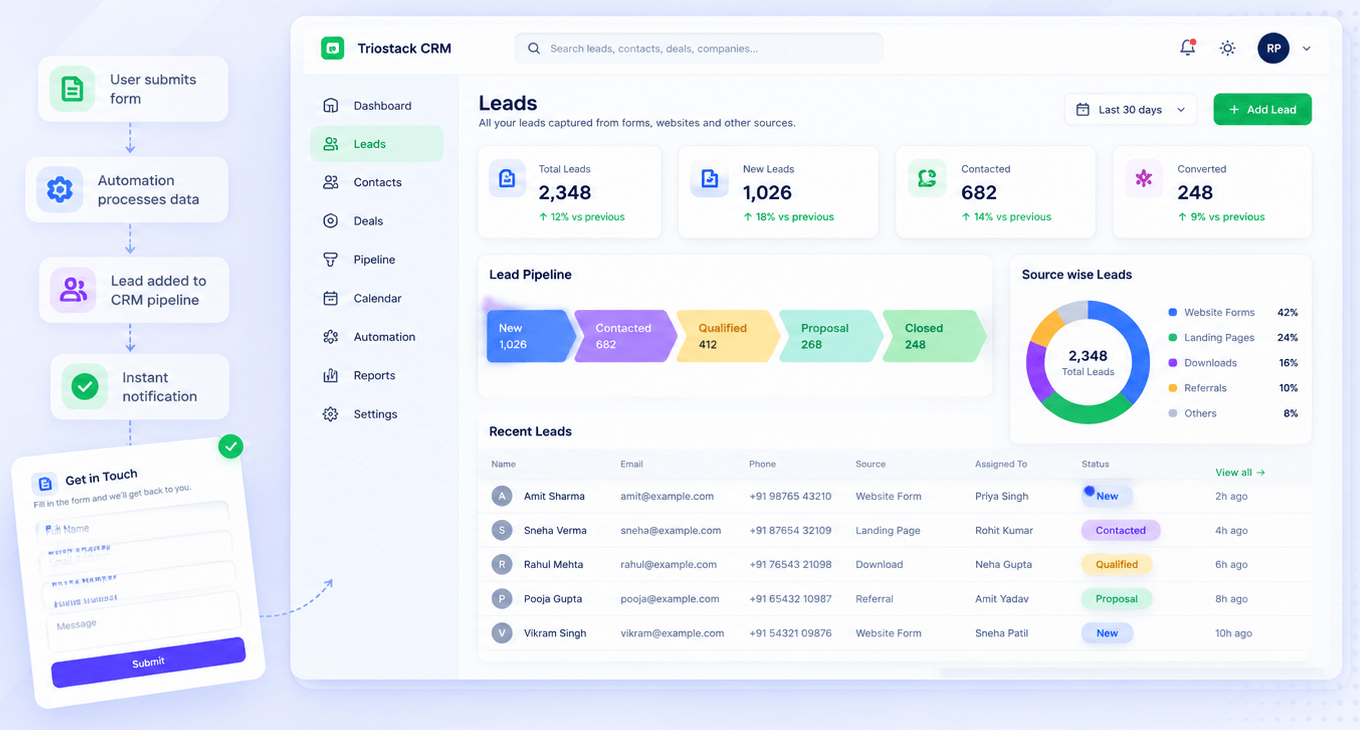
In Triostack Website, build forms with custom fields. Every submission is captured and tagged automatically, assigned to the right CRM pipeline as a tracked lead, and your team is notified instantly, so nothing waits on a manual hand-off.
“We stopped asking marketing to forward form emails. The lead was already in the pipeline.”
Sample team scenario
Illustrative example, not a customer testimonial
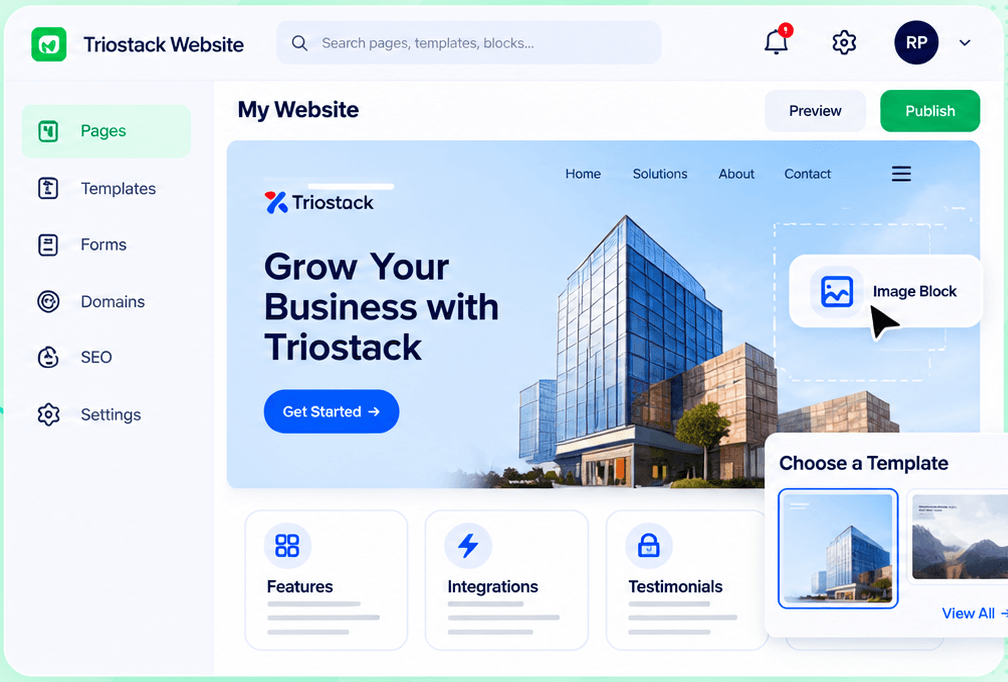
Website Builder
Pages, templates, forms, domains and SEO in one workspace
In the Product
Imagine every letter being sorted and handed to the right person the moment it lands.
Captured and tracked.
Routed to a pipeline.
Alerts go out instantly.
Platform Integrity
Ask what you need
Source captured
Assigned automatically
Team notified
How It Works
What changes when forms feed the pipeline.
| Dimension | Triostack Website | Emailed Forms |
|---|---|---|
| Capture | Stored and tagged | An email |
| Routing | To the right pipeline | Forwarded |
| Notification | Team alerted instantly | Whoever reads first |
| Tracking | A lead record | A spreadsheet row |
| Setup | Built in | A separate integration |
Book a walkthrough and we will set up a sandbox with a sample site so you can try the editor, forms and SEO tools before you commit.
Live Interface Tour
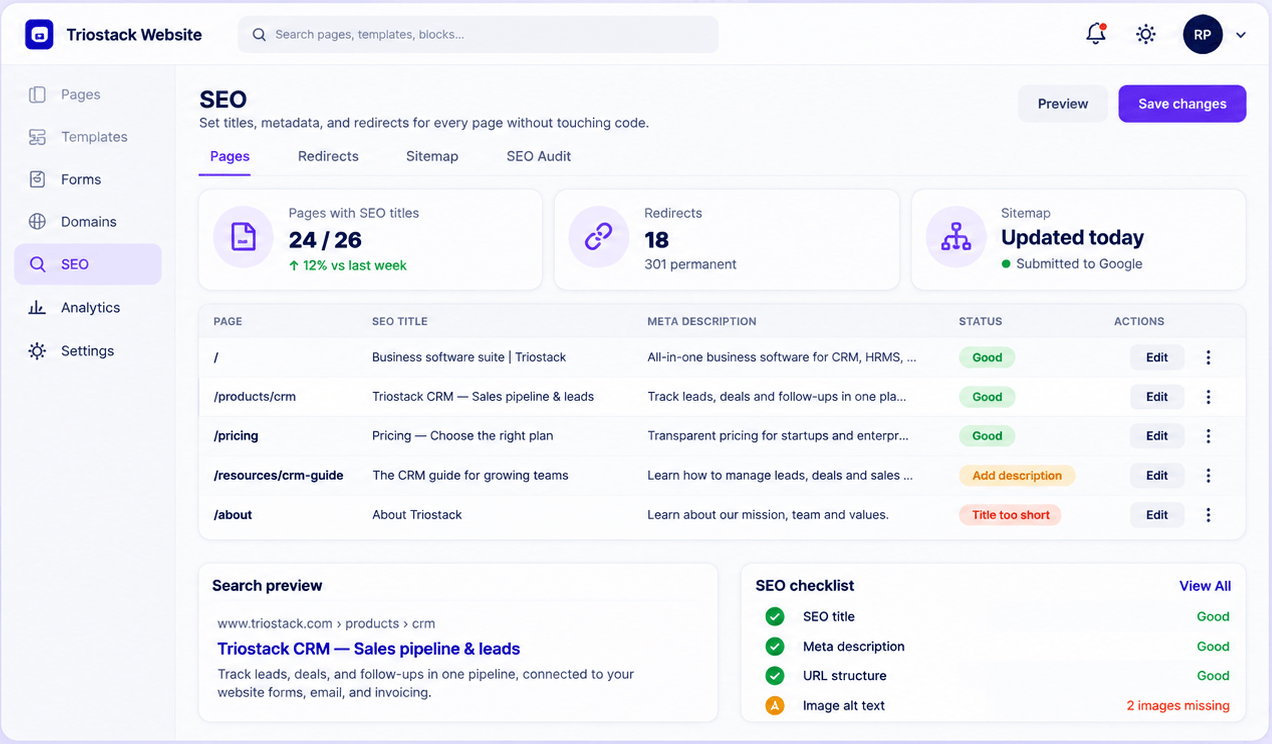
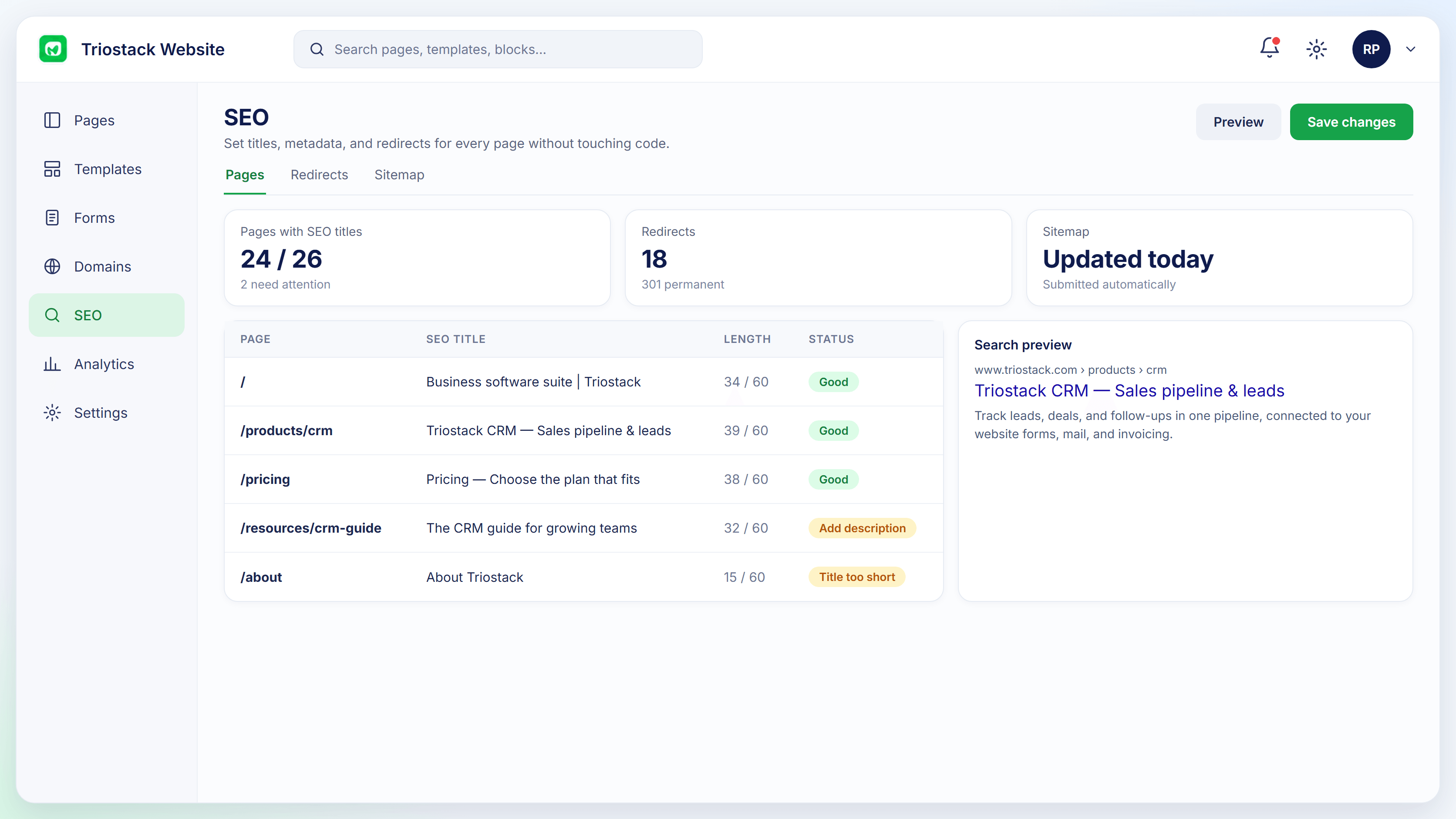
Real screens captured directly from the Triostack Website workspace.
Form-to-CRM Automation
From submit to tracked lead
Feature Breakdown
Captured from the Triostack Website workspace.
From page to pipeline.
How it fits the plan
Build. Design the form and fields.
Place. Add it to a page.
Practical tip
Ask for the fewest fields you can live with. Each extra field costs you submissions.
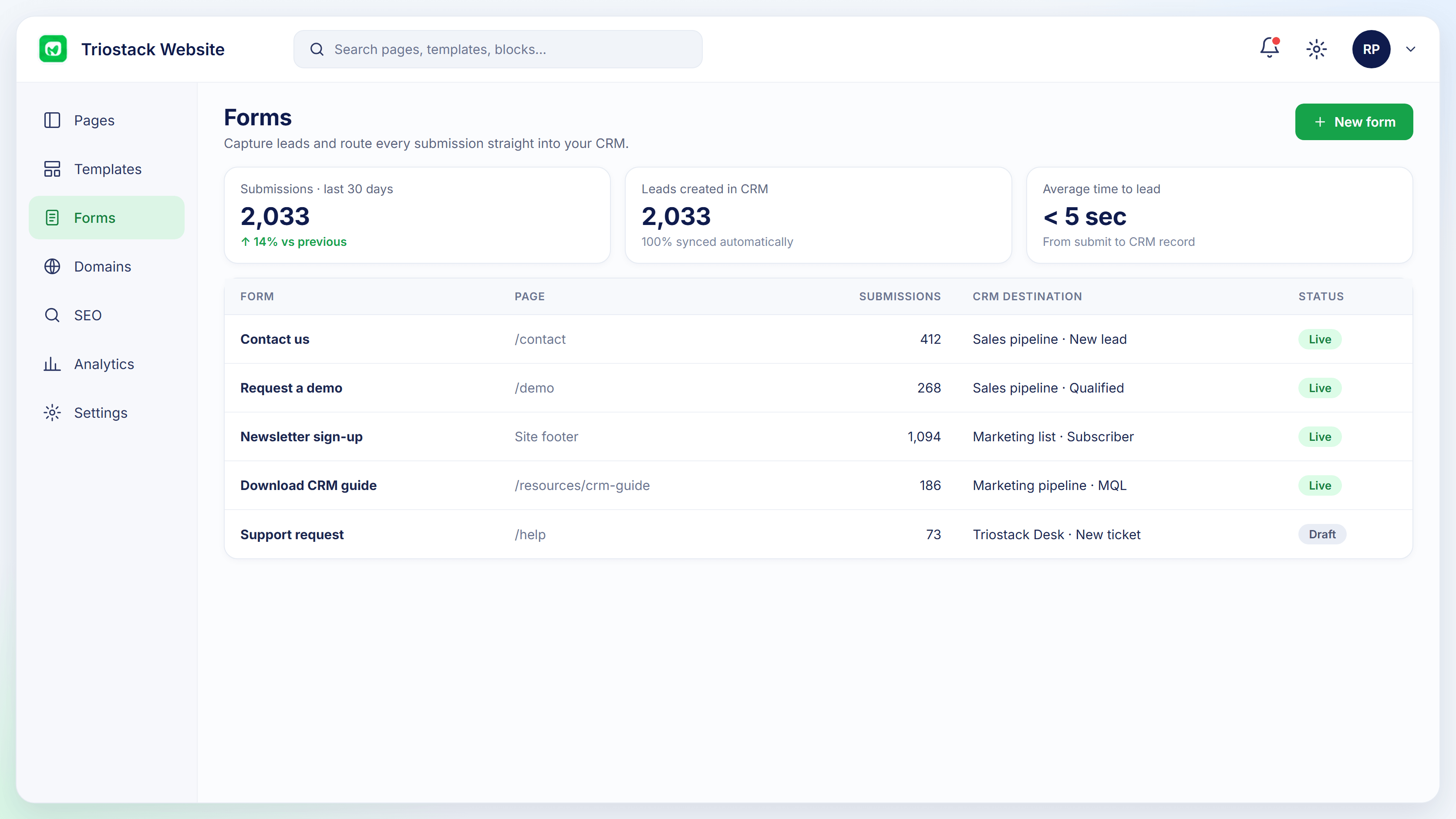
Every form at a glance.
How it fits the plan
Place. Add it to a page.
Capture. Submissions are tagged.
In real life
Weekend enquiry
The lead is waiting on Monday morning.
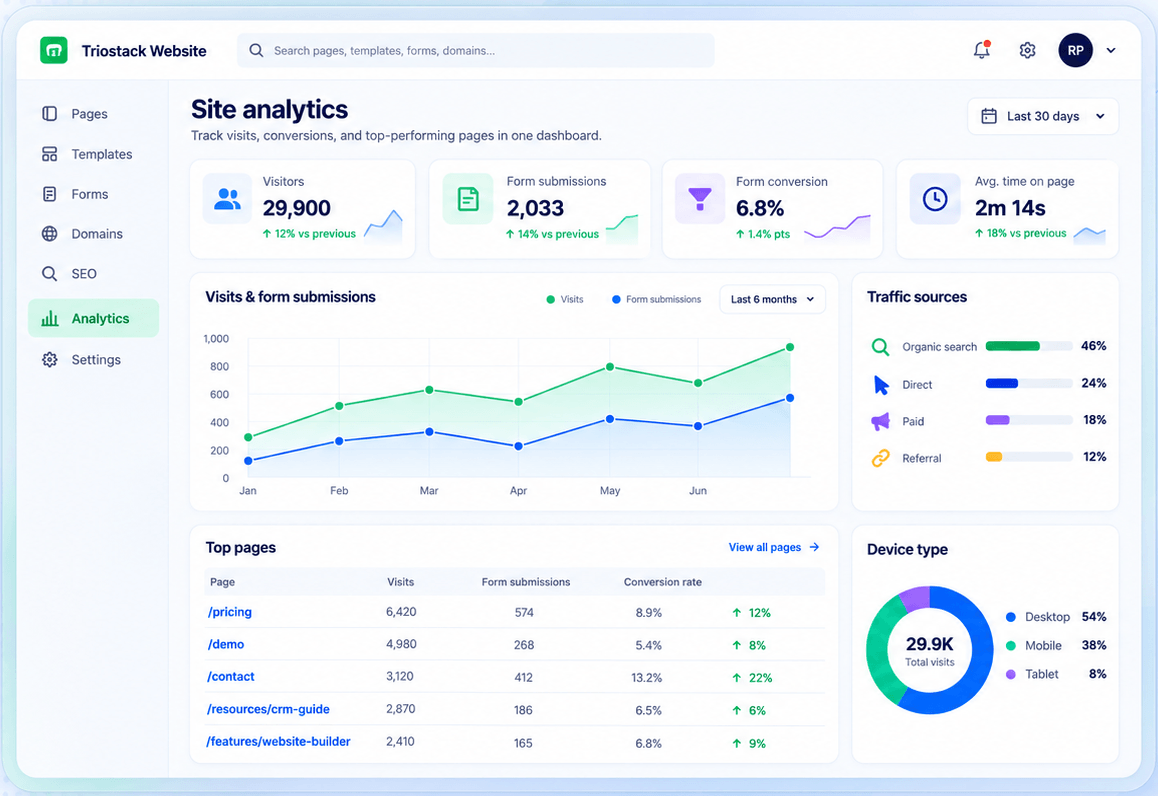
Which pages convert.
How it fits the plan
Capture. Submissions are tagged.
Route. A CRM lead is created and the team alerted.
Watch out for
Making every field required, then wondering why the form is rarely finished.
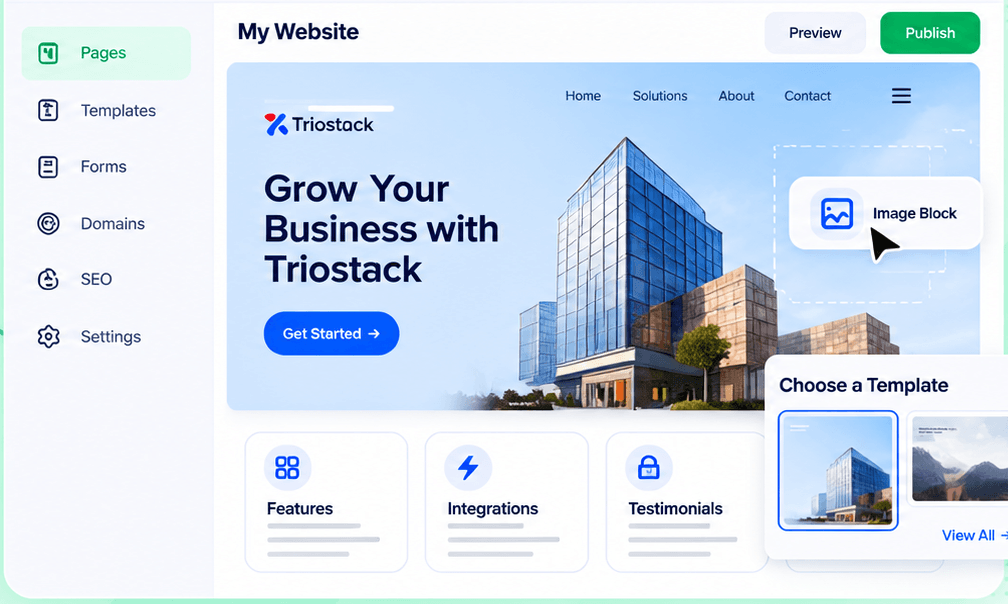
Place the form.
How it fits the plan
Route. A CRM lead is created and the team alerted.
Build. Design the form and fields.
Before you start
Execution Plan
Design the form and fields.
Add it to a page.
Submissions are tagged.
A CRM lead is created and the team alerted.
Practical Guide
Before you start
A tip that helps
Ask for the fewest fields you can live with. Each extra field costs you submissions.
A common mistake
Making every field required, then wondering why the form is rarely finished.
In Real Life
Scenario 01
The lead is waiting on Monday morning.
Scenario 02
Gated content becomes a lead.
Scenario 03
Registrations land in a pipeline.
Straight answers about Forms & Lead Capture, from setup to what happens next.
Have a question about Forms & Lead Capture?
Book a free callYes. Each submission becomes a tracked lead assigned to a pipeline.
Yes.
Yes, instantly.
No. Website and CRM are part of TriostackOne.
Build forms for sign-ups, enquiries and downloads with custom fields, and every submission is captured, tagged and assigned to the right CRM pipeline.
It runs in 4 steps: Build, Place, Capture and Route. Design the form and fields.
The real screens on this page include Website Builder, Connected Domains, SEO Controls and Form-to-CRM Automation, all captured from the product.
Request a demo or start a free trial. Our team can also walk you through a guided setup, so your first session ends with something working.
Keep Exploring
Pages, forms, SEO and hosting in one workspace, with every form submission landing in your CRM.
Explore All Website Features