The best Business Suite software in India, built to help your business grow. Contact us at +91-8882435276.
[ Contact ]
Phone number
Email address
Head office
Noida office
The right team at TriostackOne will get back to you.
Built for
Healthcare
Secure
SSL and hosting handled for you
Positioning Assessment
People look up services, hours and doctors before they call. Out-of-date information costs trust and appointments.
Triostack Website lets clinics keep service, hours and team pages current with a visual editor, collect enquiries in forms that create CRM leads, and publish on your own domain with hosting and a free SSL certificate. Ask us how it meets your specific regulatory needs.
“We keep our timetable current ourselves now, and patients have stopped calling to check.”
Sample team scenario
Illustrative example, not a customer testimonial
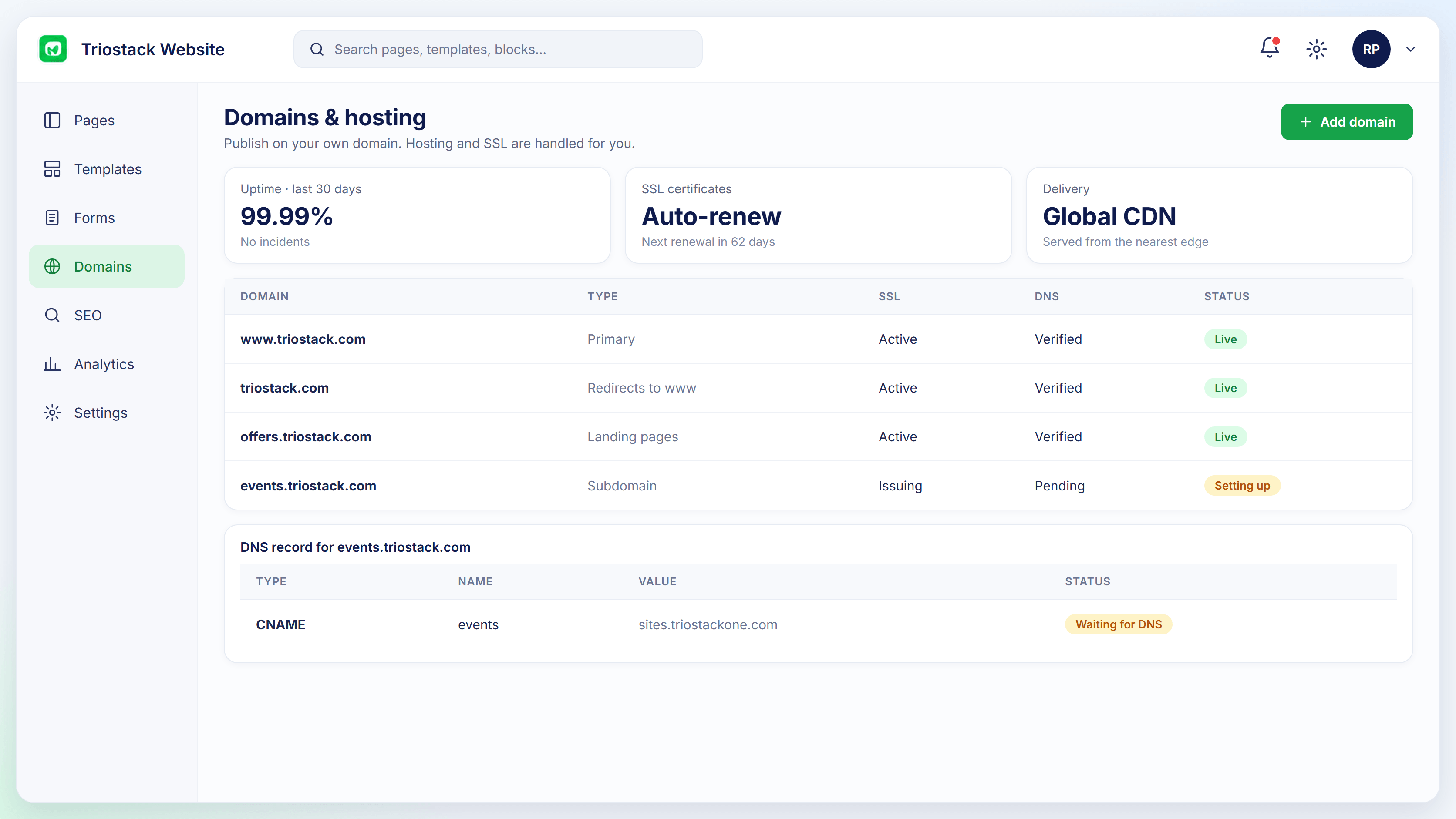
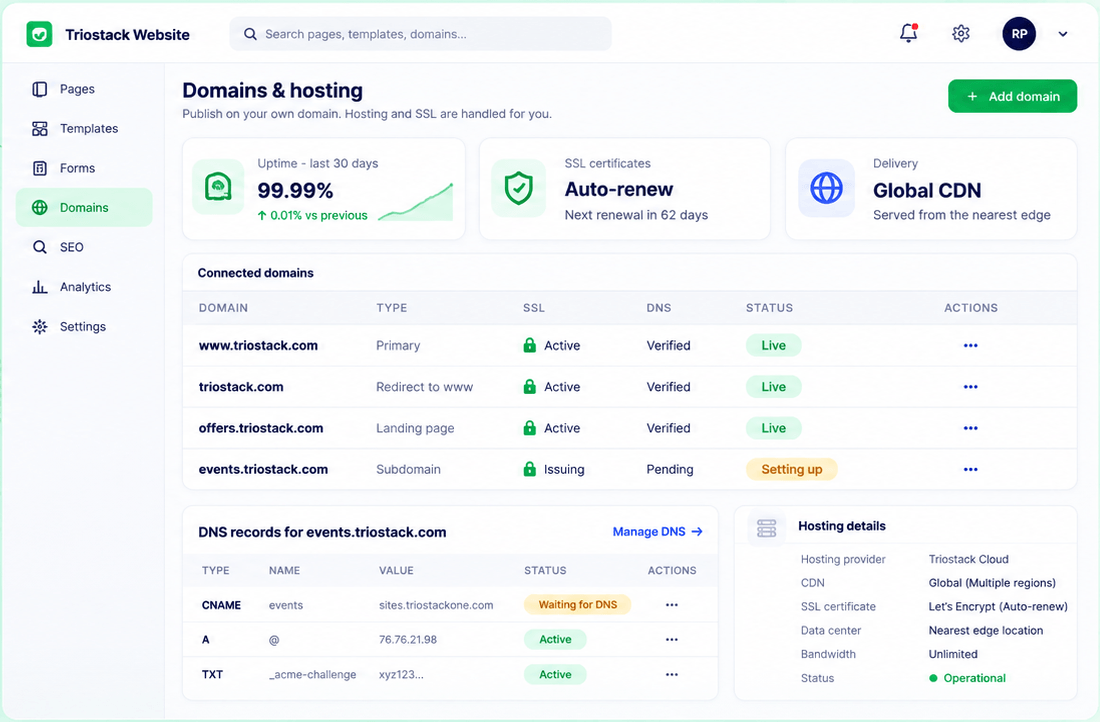
Connected Domains
Domains with SSL and DNS status
In the Product
Imagine a front desk that always has the right hours on the door.
Edits are easy.
SSL on every site.
Enquiries become leads.
Platform Integrity
Services, hours, team
Leads to CRM
Handled
Change in minutes
How It Works
What up-to-date information changes.
Information
Updated yourself
A Stale Site: Out of date
Enquiries
Captured in CRM
A Stale Site: Phone only
Security
SSL included
A Stale Site: Varies
Search
SEO fields set
A Stale Site: Missing
Compliance
Ask us about your needs
A Stale Site: Varies
Tell us about your business, your audience and how you want leads handled, and we will propose a setup that fits.
Live Interface Tour
Real screens captured directly from the Triostack Website workspace.
Domains & Hosting
SSL and hosting handled for you
Feature Breakdown
Captured from the Triostack Website workspace.
Secure and live.
How it fits the plan
Content. List services, hours and doctors.
Build. Create pages from templates.
Practical tip
Keep hours, services and doctors on separate simple pages. Patients scan; they do not read.
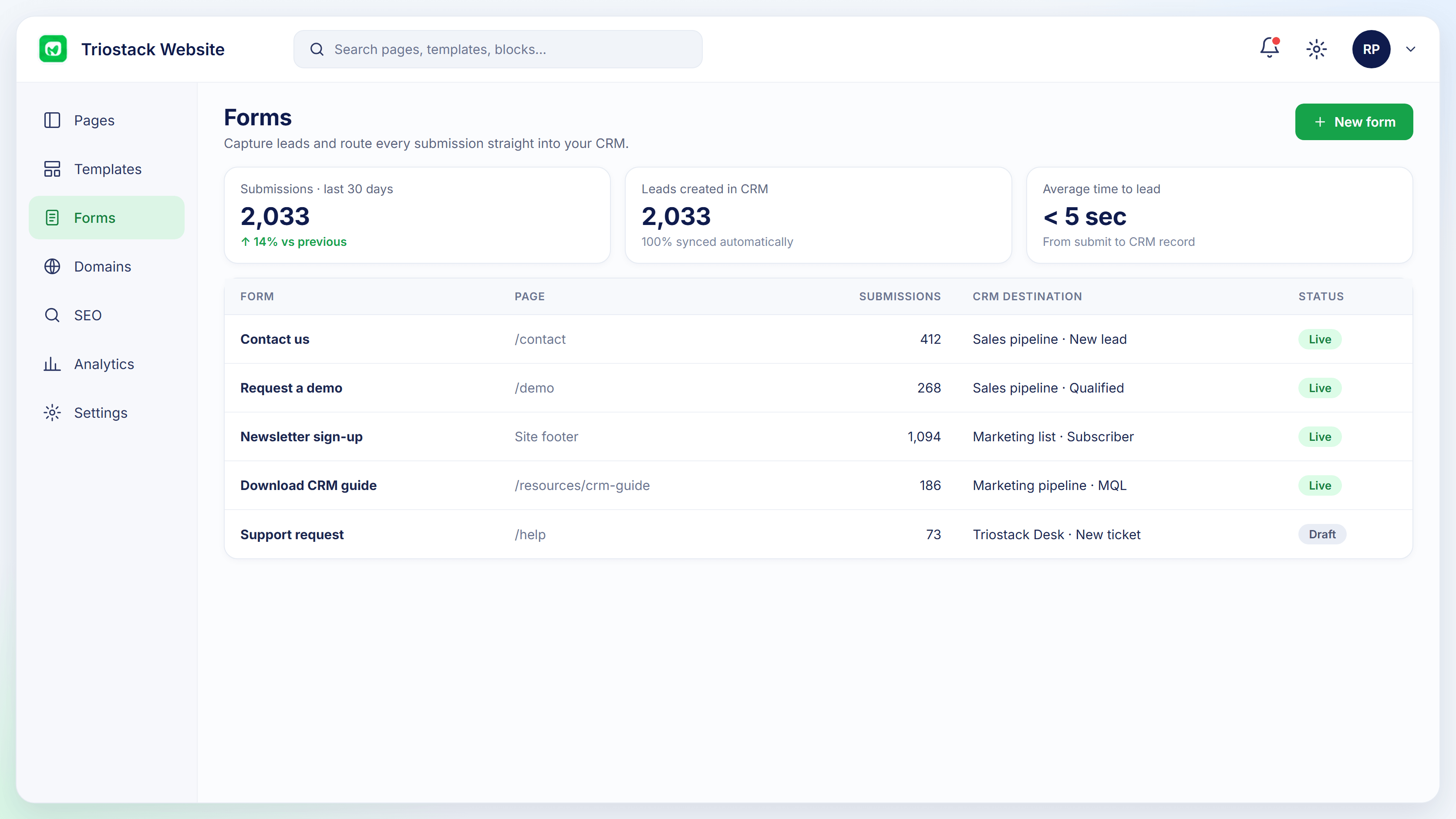
Appointment enquiries.
In real life
New clinic hours
Updated before the weekend.
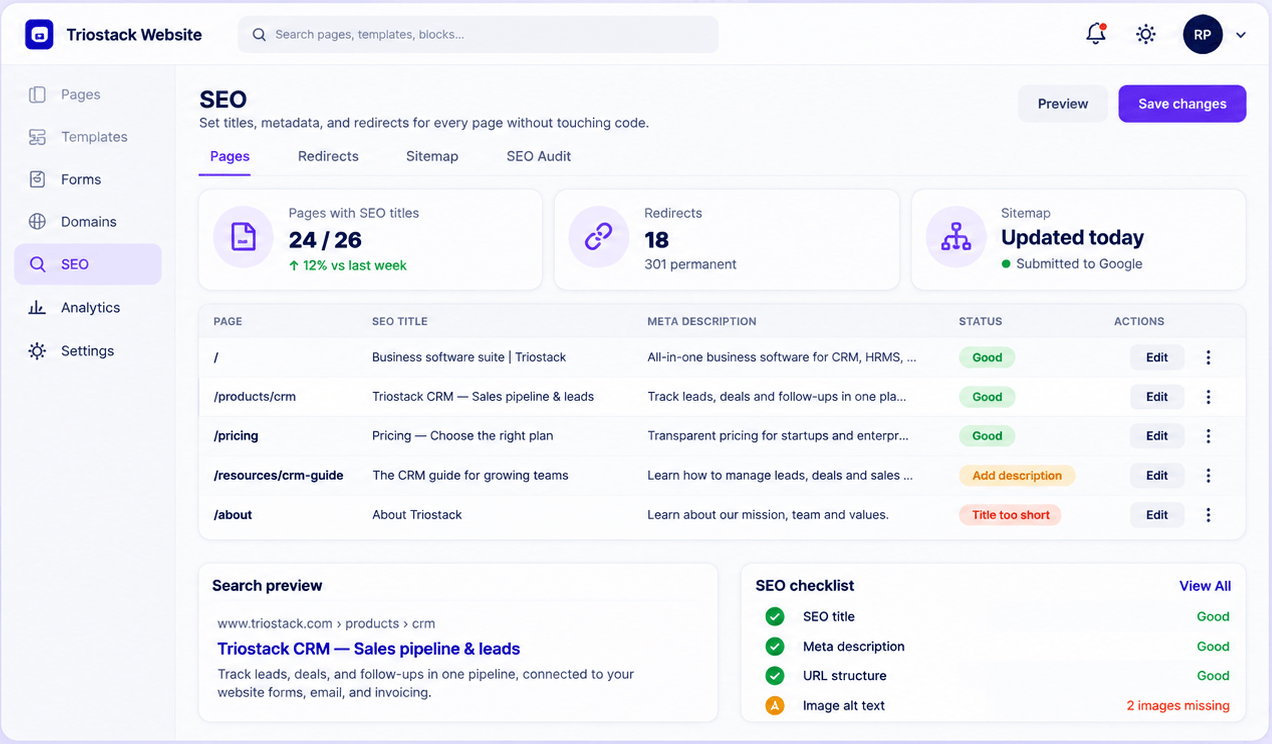
Be found.
Watch out for
Burying appointment enquiry behind several clicks.
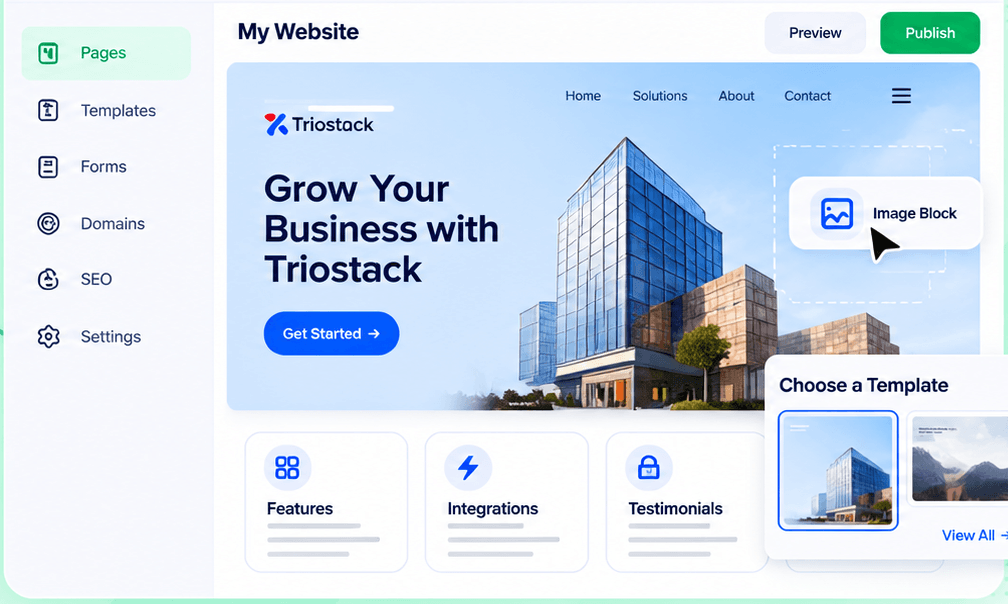
Keep it current.
Before you start
Execution Plan
List services, hours and doctors.
Create pages from templates.
Add an enquiry form.
Go live with SSL.
Practical Guide
Before you start
A tip that helps
Keep hours, services and doctors on separate simple pages. Patients scan; they do not read.
A common mistake
Burying appointment enquiry behind several clicks.
In Real Life
Scenario 01
Updated before the weekend.
Scenario 02
A page is added same day.
Scenario 03
Reaches the right person.
Straight answers about Websites for Healthcare, from setup to what happens next.
Have a question about Websites for Healthcare?
Book a free callHosting includes a free SSL certificate.
Yes, with forms that create CRM leads.
Ask us about your specific compliance requirements.
Yes, with the visual editor.
Publish clinic and service pages, capture appointment enquiries through forms and keep the site secure with SSL. Ask us about your compliance needs.
It runs in 4 steps: Content, Build, Form and Publish. List services, hours and doctors.
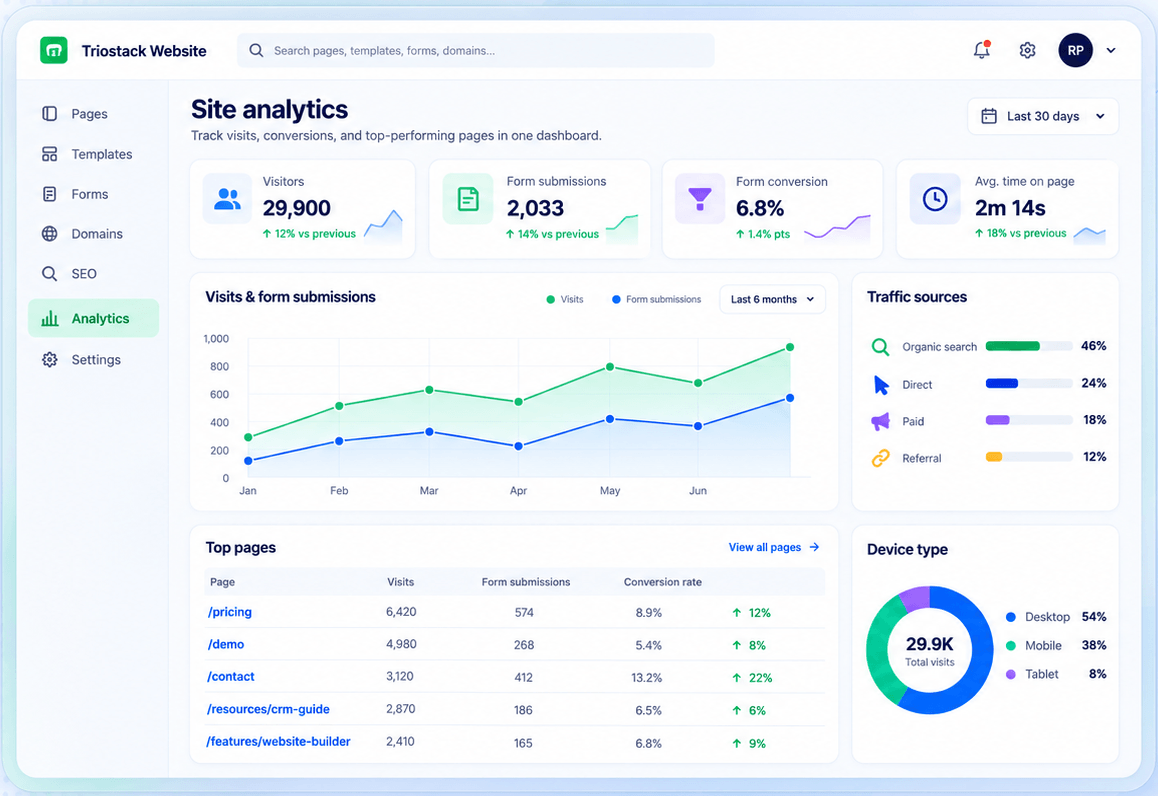
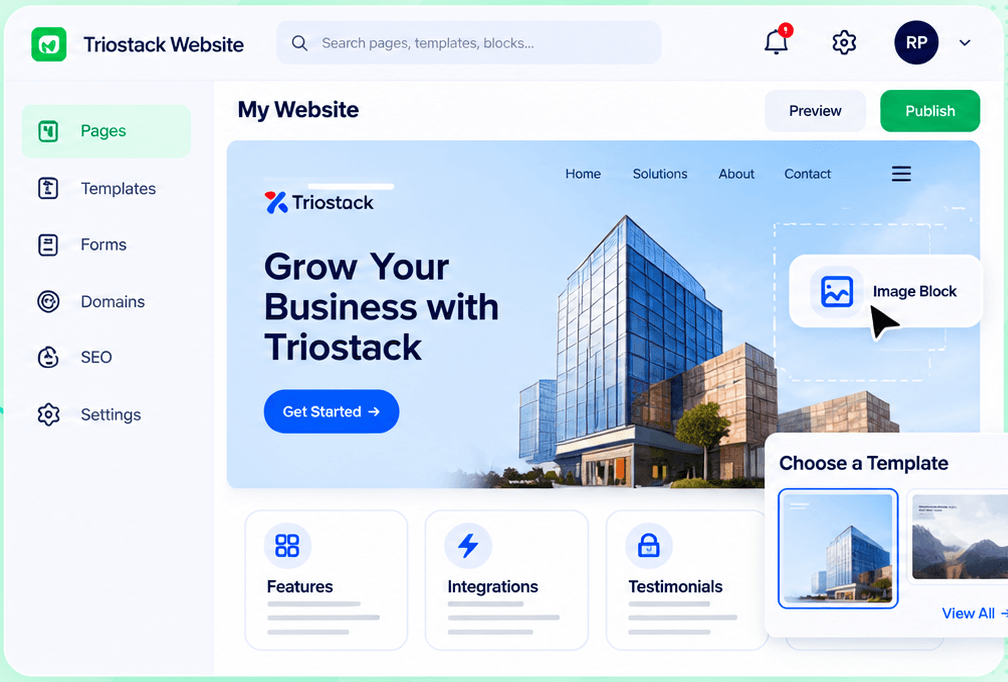
The real screens on this page include Connected Domains, Site Analytics, Website Builder and Domains & Hosting, all captured from the product.
Request a demo or start a free trial. Our team can also walk you through a guided setup, so your first session ends with something working.
Keep Exploring
Pages, forms, SEO and hosting in one workspace, with every form submission landing in your CRM.