The best Business Suite software in India, built to help your business grow. Contact us at +91-8882435276.
[ Contact ]
Phone number
Email address
Head office
Noida office
The right team at TriostackOne will get back to you.
Decide
Write the policy and who it covers.
Enable
Turn on passkeys, TOTP and the SMS fallback.
Pilot
Start with administrators.
Enforce
Make MFA mandatory for everyone.
Positioning Assessment
CRM accounts hold customer data and often connect to WhatsApp and billing, so a stolen password is expensive. Multi-factor authentication adds a second check, and a policy decides who must use it.
Triostack CRM supports several second factors. Biometric passkeys let staff sign in with a fingerprint or face on their device, which cannot be phished. TOTP authenticator apps generate a six-digit code that changes every thirty seconds. SMS OTP is available as a fallback when a user does not have an authenticator. Administrators can make MFA mandatory for all staff or for chosen roles, and users who have not enrolled are asked to do so at their next sign-in.
“We made MFA mandatory for admins first. The rest of the team followed within a month.”
Sample team scenario
A made-up scenario about Multi-Factor Authentication (MFA) and Passkeys, not a customer testimonial

All Leads
Multi-Factor Authentication (MFA) and Passkeys: every lead with its source, status and owner
In the Product
Imagine a stolen password being useless on its own.
Phishing-resistant.
So nobody is locked out.
By policy.
Platform Integrity
Phishing-resistant
Six-digit codes
When nothing else works
Enforced for staff
At a Glance
What a second factor adds.
| Dimension | Triostack CRM | Passwords Alone |
|---|---|---|
| Stolen password | Not enough to get in | Full access |
| Phishing | Passkeys resist it | Vulnerable |
| Authenticator app | TOTP supported | Not applicable |
| No device | SMS OTP fallback | Not applicable |
| Enforcement | Mandatory for all staff or chosen roles | Optional |
Book a walkthrough of Multi-Factor Authentication (MFA) and Passkeys. We set up a sandbox so you can try Biometric passkeys, TOTP authenticator and SMS OTP fallback before you commit.
Live Interface Tour
The screens below belong to Multi-Factor Authentication (MFA) and Passkeys: All Leads, Lead Pipeline and Sales Dashboard, all from the product.
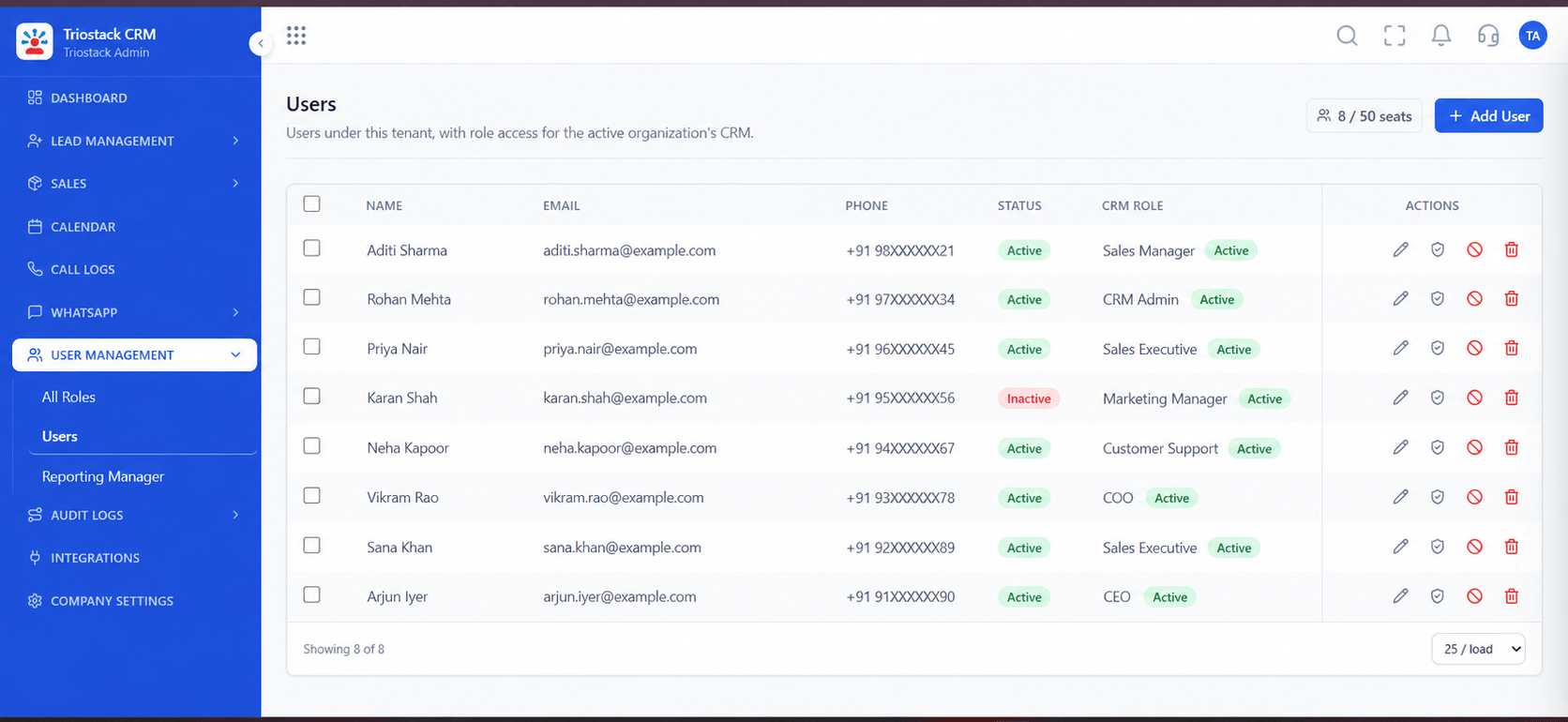
Users
Multi-Factor Authentication (MFA) and Passkeys: enforced by policy
Feature Breakdown
4 screens from the live product that show Multi-Factor Authentication (MFA) and Passkeys at work.
Who signs in.
How it fits the plan
Decide. Write the policy and who it covers.
Enable. Turn on passkeys, TOTP and the SMS fallback.
Practical tip
Keep a recovery route for lost devices, and test it, before you make MFA mandatory.
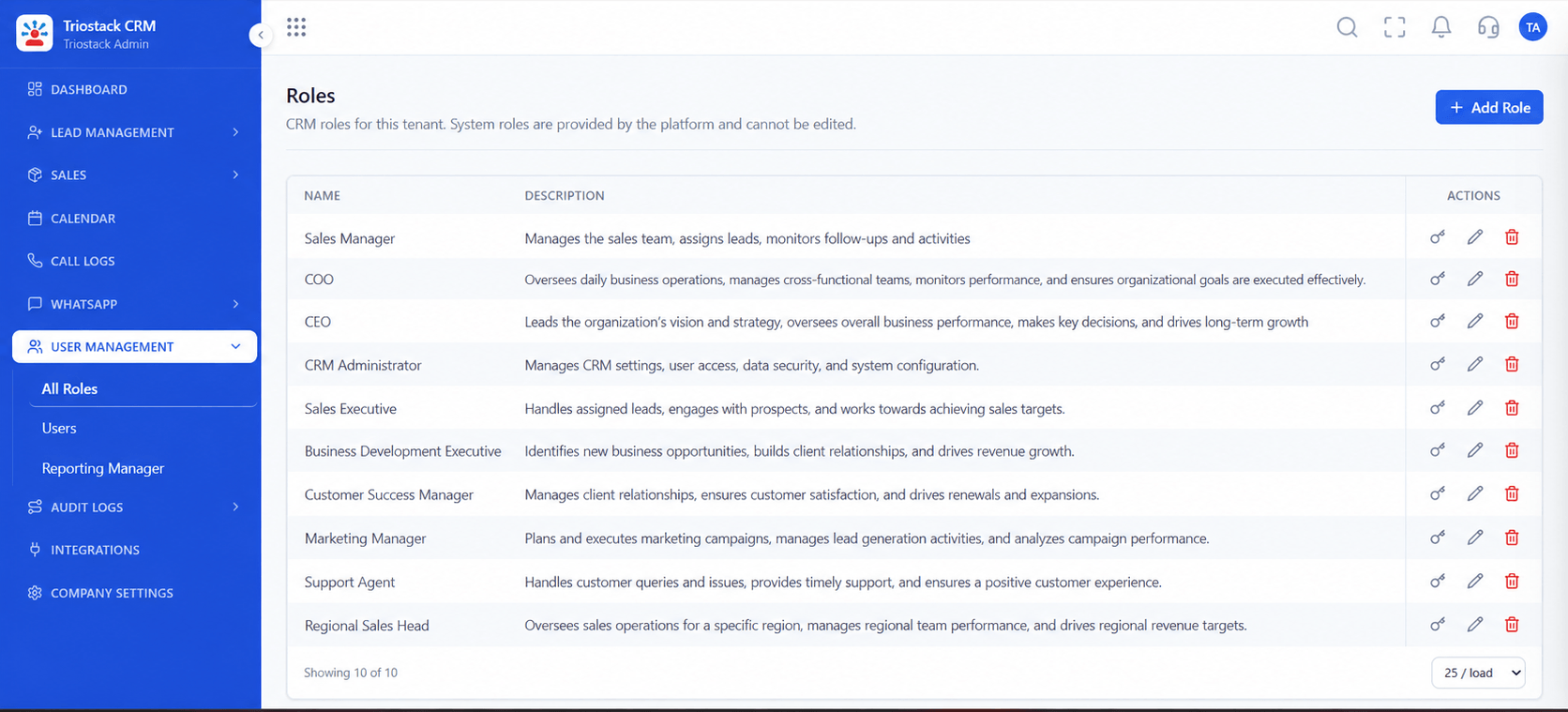
Policy by role.
How it fits the plan
Enable. Turn on passkeys, TOTP and the SMS fallback.
Pilot. Start with administrators.
In real life
Remote staff
A second check on each login.
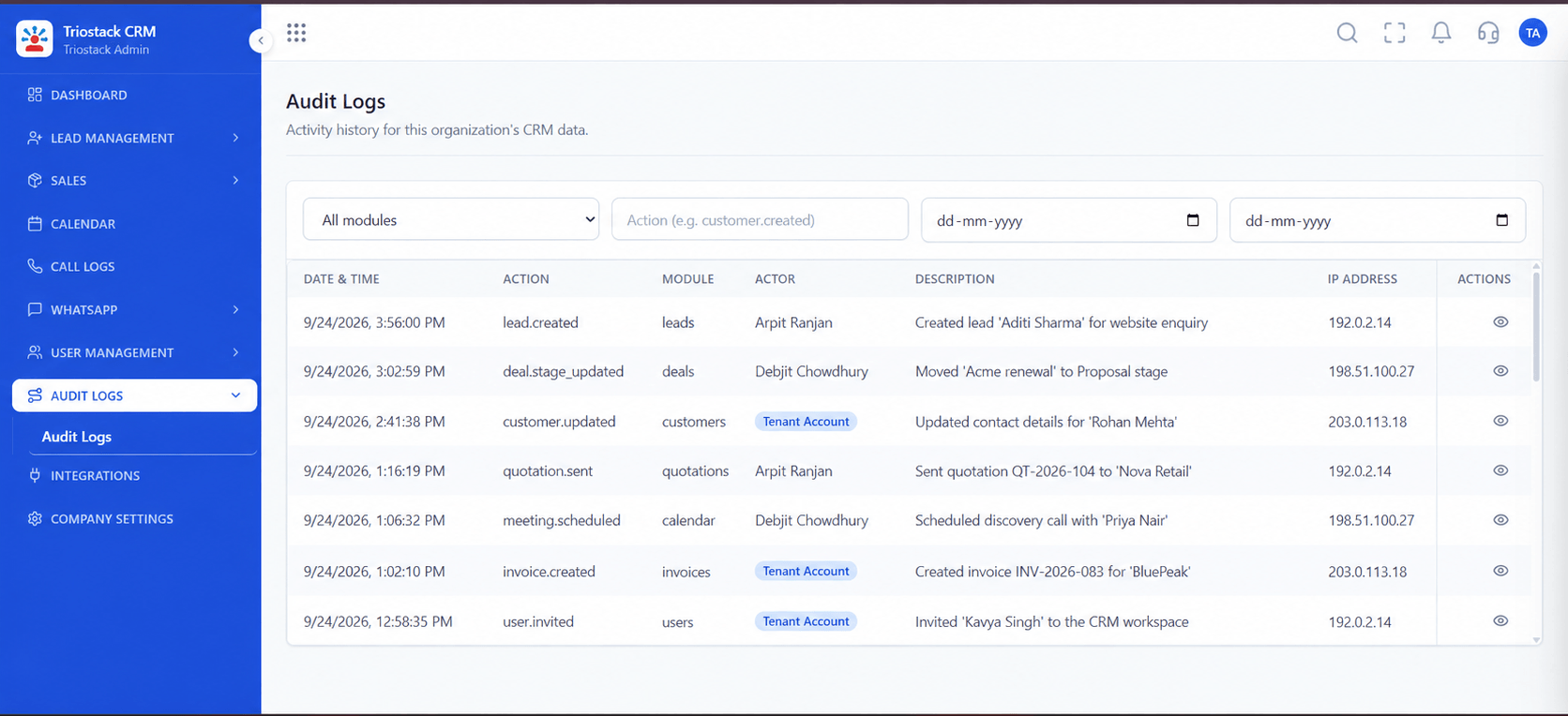
Sign-in activity.
How it fits the plan
Pilot. Start with administrators.
Enforce. Make MFA mandatory for everyone.
Watch out for
Relying on SMS alone. Prefer passkeys or an authenticator app, and keep SMS as a fallback.

Where MFA is set.
How it fits the plan
Enforce. Make MFA mandatory for everyone.
Decide. Write the policy and who it covers.
Before you start
Execution Plan
Write the policy and who it covers.
Turn on passkeys, TOTP and the SMS fallback.
Start with administrators.
Make MFA mandatory for everyone.
Practical Guide
Before you start
A tip that helps
Keep a recovery route for lost devices, and test it, before you make MFA mandatory.
A common mistake
Relying on SMS alone. Prefer passkeys or an authenticator app, and keep SMS as a fallback.
Availability: What Multi-Factor Authentication (MFA) and Passkeys covers can depend on your plan and setup. Please confirm with our team which parts are live for your account, and any prerequisites, before you plan around it.
In Real Life
Scenario 01
A second check on each login.
Scenario 02
Strongest protection first.
Scenario 03
Access is cleanly removed.
Straight answers about Multi-Factor Authentication (MFA) and Passkeys, from setup to what happens next.
Have a question about Multi-Factor Authentication (MFA) and Passkeys?
Book a free callYes, biometric passkeys let staff sign in with a fingerprint or face.
Yes, TOTP authenticator apps are supported.
Yes, an SMS OTP is available as a fallback.
Yes, administrators can enforce it for all staff or for chosen roles.
Stronger sign-in for CRM staff: biometric passkeys, TOTP authenticator apps, SMS OTP fallback and a mandatory MFA policy enforced for every user.
It runs in 4 steps: Decide, Enable, Pilot and Enforce. Write the policy and who it covers.
The real screens on this page include All Leads, Lead Pipeline, Sales Dashboard and Users, all captured from the product.
Request a demo and ask to see Multi-Factor Authentication (MFA) and Passkeys. Our team can also walk you through setup, so your first session ends with something working.
We will walk you through Multi-Factor Authentication (MFA) and Passkeys, from Biometric passkeys, TOTP authenticator and SMS OTP fallback, on sample data shaped like yours.

