The best Business Suite software in India, built to help your business grow. Contact us at +91-8882435276.
[ Contact ]
Phone number
Email address
Head office
Noida office
The right team at TriostackOne will get back to you.
Built for
Export and Import Trade CRM
Inquiry to shipment
Every buyer conversation and document on one record
Positioning Assessment
Exporters handle inquiries from fairs, portals and email, quote the same product at different incoterms, wait on letters of credit and keep a long thread of buyer messages. Most of it lives in inboxes and spreadsheets, and the person who knows the history is often the person on leave.
In Triostack CRM, each overseas inquiry is logged with the buyer, country, product, quantity and source. Quotations carry the incoterm, so an FOB price and a CIF price for the same goods stay as clearly labelled versions, with freight and insurance shown separately on the CIF one. Letter of credit status is tracked through stages such as requested, received, documents presented and paid, with the next action and date. Every email, call note and WhatsApp message with a buyer is archived against their record, so a new team member can read the whole relationship.
“The buyer asked why the CIF price differed from March. The two quotes and the freight line were on the record.”
Sample team scenario
A made-up scenario about Export and Import Trade CRM, not a customer testimonial

All Leads
Export and Import Trade CRM: every lead with its source, status and owner
In the Product
Imagine every buyer and every price in one timeline.
From every source.
Never mixed.
Stage by stage.
Platform Integrity
Logged with source
By incoterm
Stage by stage
Every message
At a Glance
What changes across a long export deal.
Inquiries
Logged with country and source
Inboxes and Spreadsheets: Found by searching email
Quotations
Versions by FOB or CIF with freight shown
Inboxes and Spreadsheets: Edited copies of one file
Letter of credit
Tracked by stage with dates
Inboxes and Spreadsheets: Remembered
Buyer history
Archived on the record
Inboxes and Spreadsheets: Scattered across mailboxes
Handover
A new person reads the timeline
Inboxes and Spreadsheets: Ask the previous owner
Book a walkthrough of Export and Import Trade CRM. We set up a sandbox so you can try International inquiries, FOB and CIF quotes and LC status before you commit.
Live Interface Tour
The screens below belong to Export and Import Trade CRM: All Leads, Lead Pipeline and Sales Dashboard, all from the product.
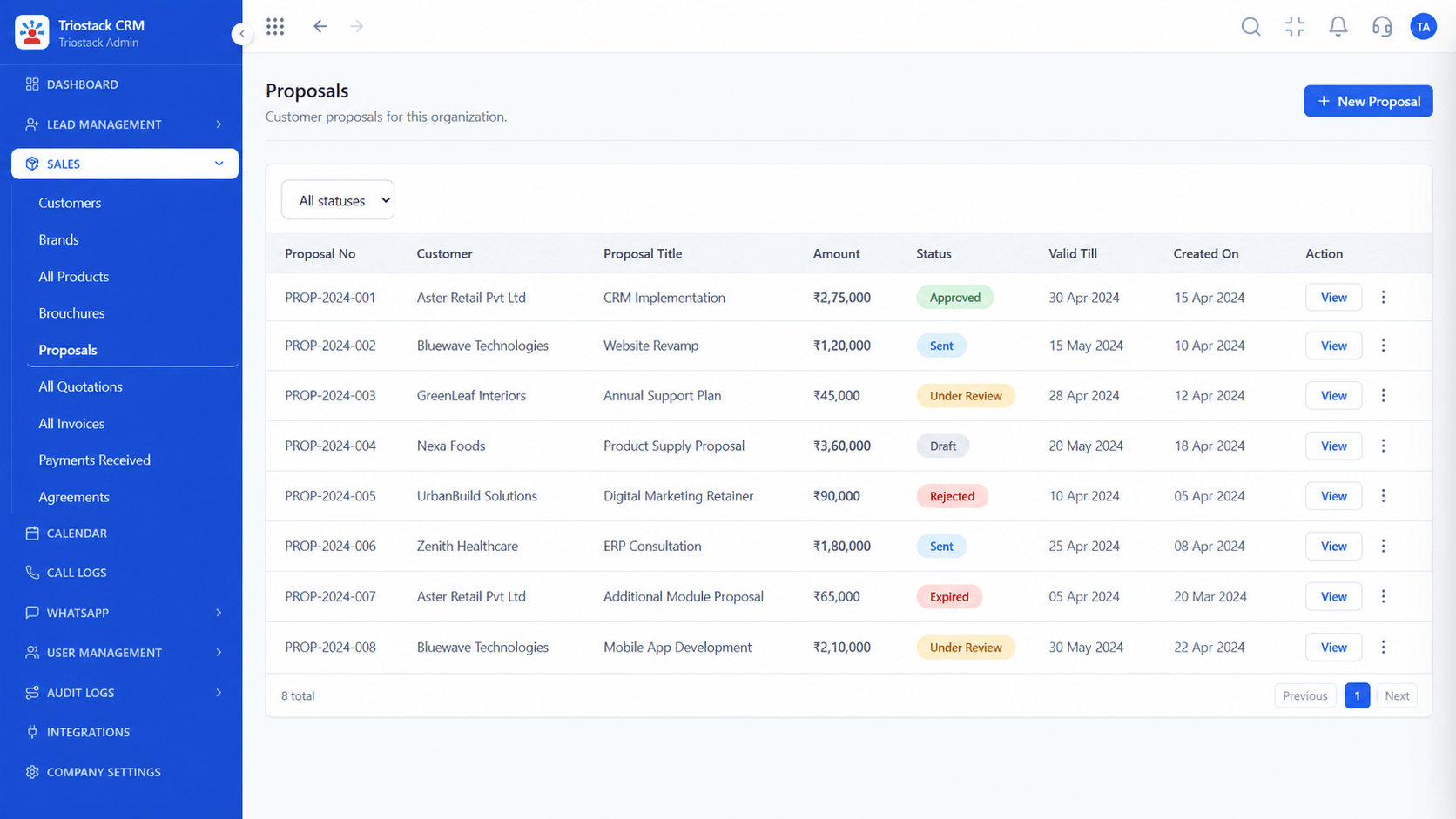
Proposals
Export and Import Trade CRM: every buyer conversation and document on one record
Feature Breakdown
4 screens from the live product that show Export and Import Trade CRM at work.
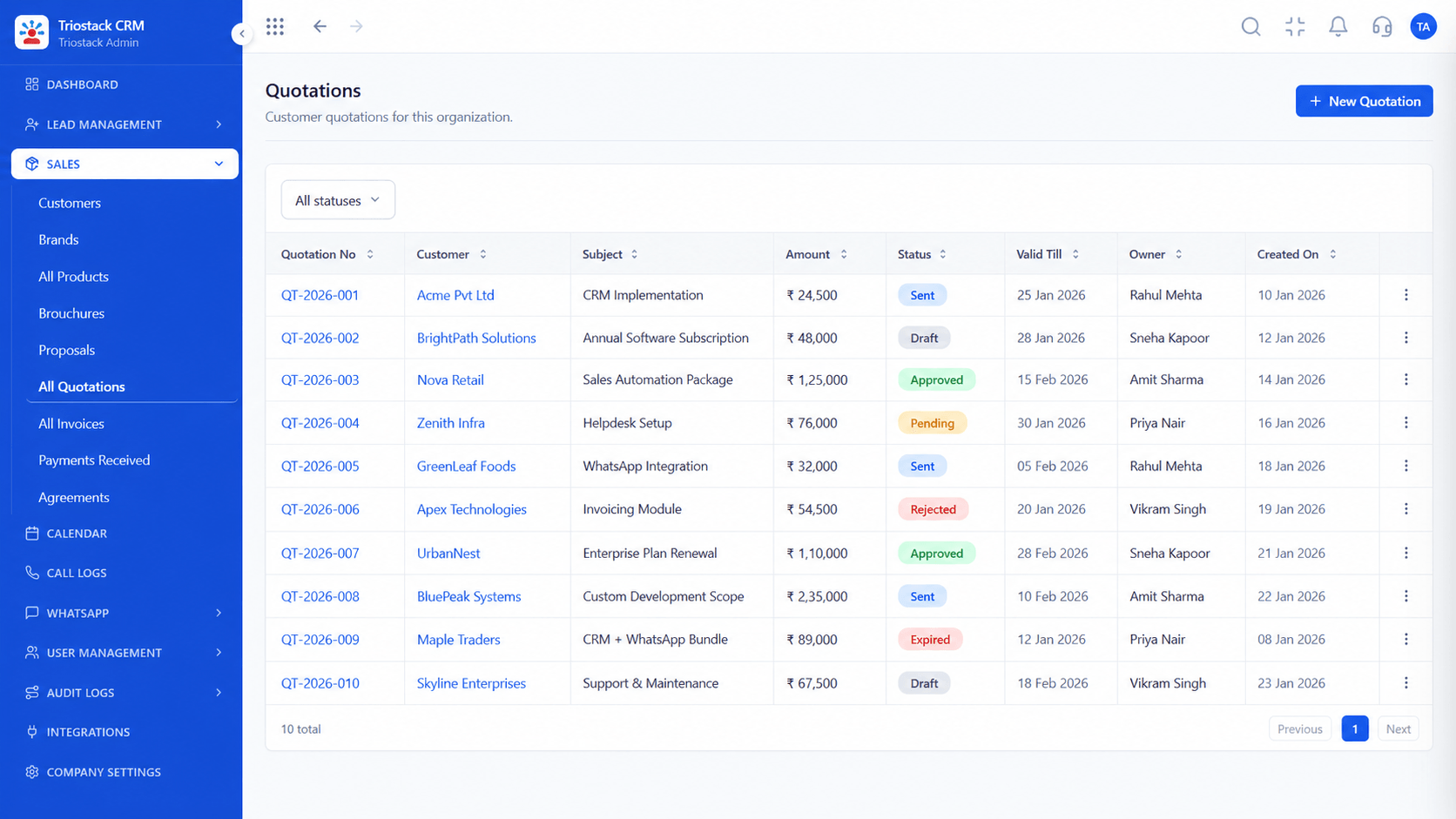
Priced by incoterm.
How it fits the plan
Log. Record the inquiry with country, product and quantity.
Quote. Send FOB and CIF versions with freight shown.
Practical tip
Put the incoterm in the quotation title, so nobody mistakes an FOB price for a landed one.
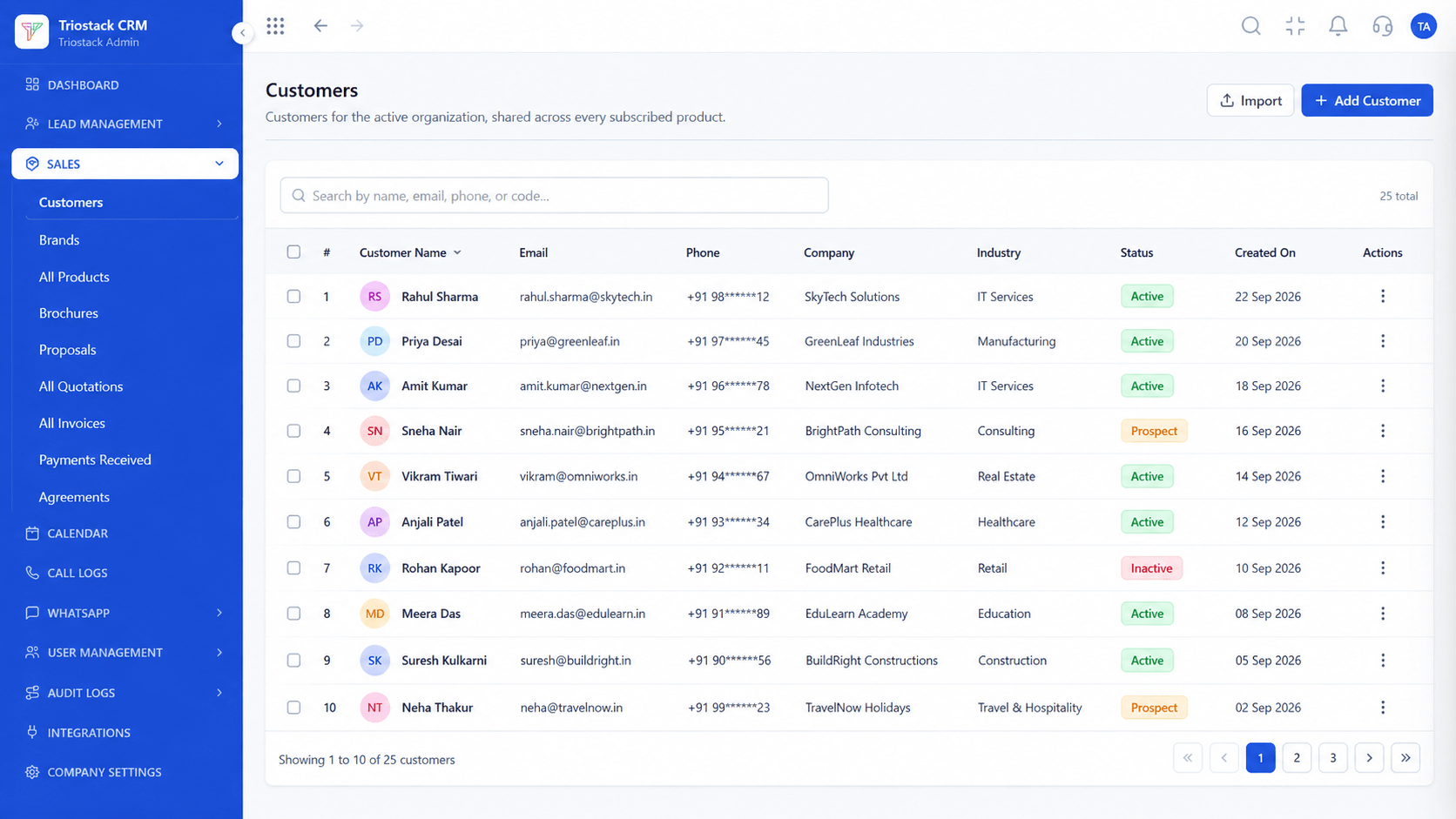
Buyer records.
In real life
Trade fair follow-up
Every inquiry has an owner.
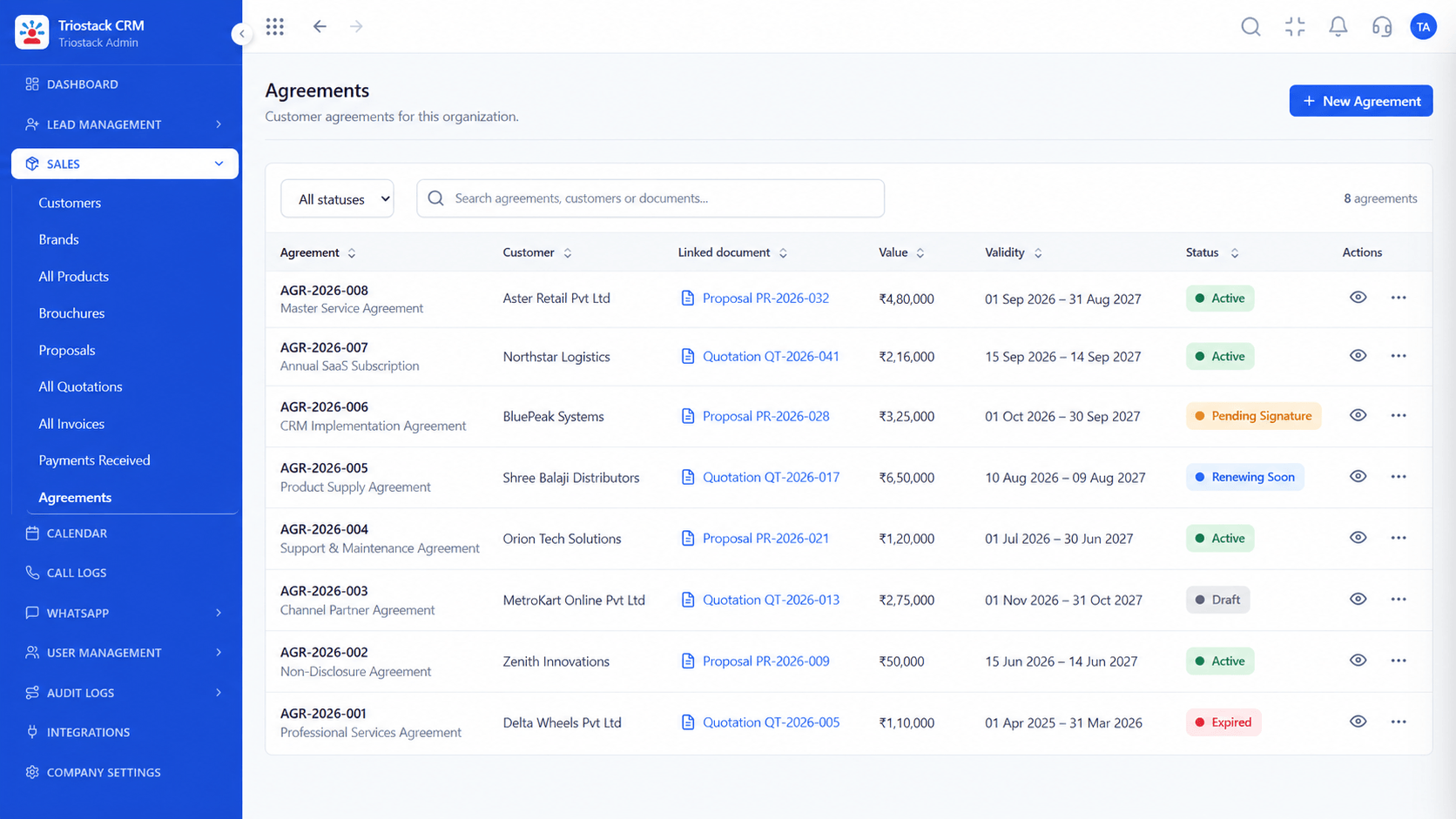
Contracts on file.
Watch out for
Re-quoting from memory when a buyer returns, instead of starting from the last version.

Chasing buyers.
Before you start
Execution Plan
Record the inquiry with country, product and quantity.
Send FOB and CIF versions with freight shown.
Follow the letter of credit stage by stage.
Keep every buyer message on the record.
Practical Guide
Before you start
A tip that helps
Put the incoterm in the quotation title, so nobody mistakes an FOB price for a landed one.
A common mistake
Re-quoting from memory when a buyer returns, instead of starting from the last version.
Availability: What Export and Import Trade CRM covers can depend on your plan and setup. Please confirm with our team which parts are live for your account, and any prerequisites, before you plan around it.
In Real Life
Scenario 01
Every inquiry has an owner.
Scenario 02
The last quote is the starting point.
Scenario 03
The history stays.
Straight answers about Export and Import Trade CRM, from setup to what happens next.
Have a question about Export and Import Trade CRM?
Book a free callYes, with buyer, country, product, quantity and source.
Yes, as labelled versions with freight and insurance shown on CIF.
Yes, by stage with the next action and date.
Yes, against the buyer's record.
A CRM for exporters and importers: international inquiry logging, FOB and CIF quotation tracking, letter of credit status and buyer communication archives.
It runs in 4 steps: Log, Quote, Track and Archive. Record the inquiry with country, product and quantity.
The real screens on this page include All Leads, Lead Pipeline, Sales Dashboard and Quotations, all captured from the product.
Request a demo and ask to see Export and Import Trade CRM. Our team can also walk you through setup, so your first session ends with something working.
We will walk you through Export and Import Trade CRM, from International inquiries, FOB and CIF quotes and LC status, on sample data shaped like yours.
Explore All Industry CRM


