The best Business Suite software in India, built to help your business grow. Contact us at +91-8882435276.
[ Contact ]
Phone number
Email address
Head office
Noida office
The right team at TriostackOne will get back to you.

Capture
Bring enquiries in from forms and ads.
Survey
Schedule the site feasibility visit.
Propose
Size the system and send the proposal.
Support
Hand over to after-sales in Desk.
Positioning Assessment
Solar installers get enquiries from ads and referrals, visit sites, prepare a proposal for a system size, handle subsidy paperwork and support the customer after installation.
Triostack CRM schedules a site feasibility assessment against the lead and records roof area, shading and load. A kilowatt proposal calculator turns those inputs and the electricity bill into a recommended system size, an estimated cost and a savings estimate, and the result becomes the proposal. A paperwork checklist tracks each document needed for the government subsidy application and its status. After installation, service requests go to Triostack Desk with the installation on record.
“The survey inputs became the proposal in minutes, and the subsidy documents were ticked off one by one.”
Sample team scenario
A made-up scenario about Solar Energy and Clean Tech CRM, not a customer testimonial

Lead Pipeline
Solar Energy and Clean Tech CRM: drag deals across your own sales stages
In the Product
Imagine every installation with its survey, size and papers in one folder.
With inputs.
In minutes.
One by one.
Platform Integrity
Roof, shading, load
Size, cost, savings
Checklist with status
In Triostack Desk
At a Glance
What changes across a long sales cycle.
| Dimension | Triostack CRM | Phone Notes |
|---|---|---|
| Site surveys | Scheduled, with inputs recorded | Agreed on WhatsApp |
| System sizing | Calculator from survey and bill | A spreadsheet per quote |
| Proposals | Generated and tracked | Documents in chats |
| Subsidy paperwork | Checklist with status per document | A folder of files |
| After-sales | Service requests on the installation | Phone calls |
Book a walkthrough of Solar Energy and Clean Tech CRM. We set up a sandbox so you can try Site feasibility, Kilowatt calculator and Subsidy paperwork before you commit.
Live Interface Tour
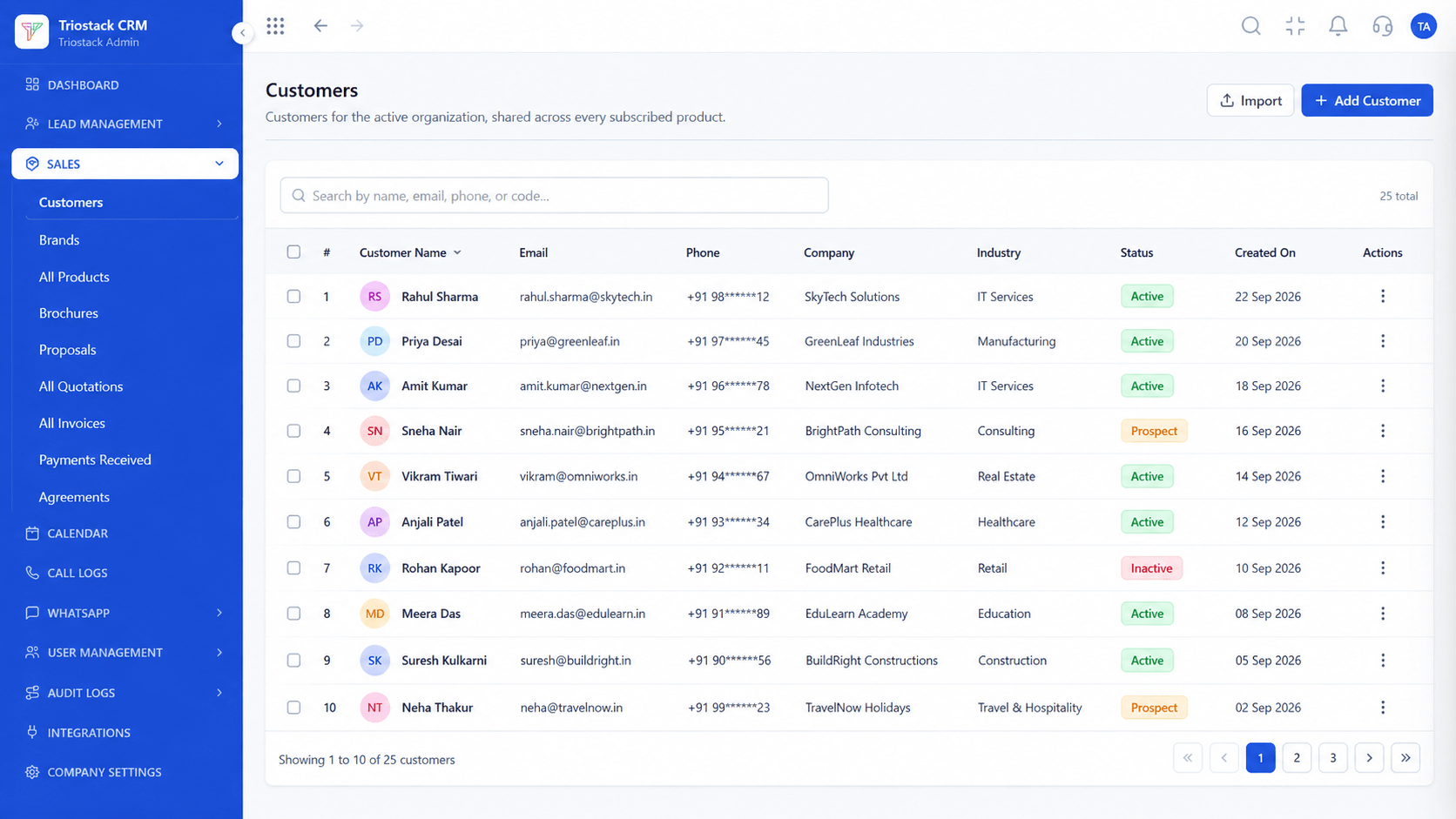
The screens below belong to Solar Energy and Clean Tech CRM: Lead Pipeline, Call Logs and Sales Dashboard, all from the product.
Calendar & Bookings
Solar Energy and Clean Tech CRM: every survey, proposal and paper tracked
Feature Breakdown
4 screens from the live product that show Solar Energy and Clean Tech CRM at work.
Survey visits.
How it fits the plan
Capture. Bring enquiries in from forms and ads.
Survey. Schedule the site feasibility visit.
Practical tip
Keep one paperwork checklist per project, so nobody asks the customer for the same document twice.
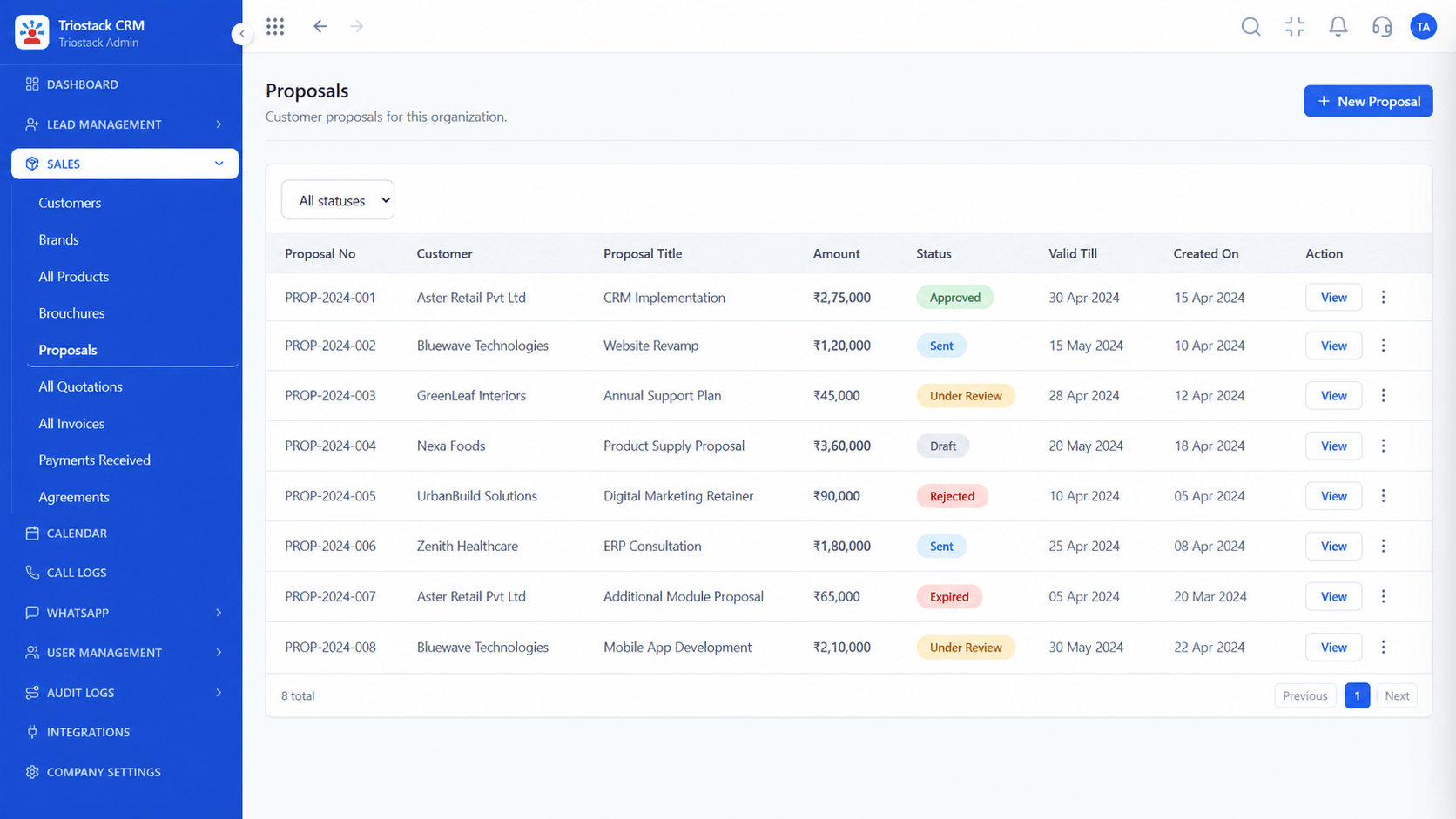
From the calculator.
How it fits the plan
Survey. Schedule the site feasibility visit.
Propose. Size the system and send the proposal.
In real life
Summer demand
Surveys get booked.

Every enquiry.
How it fits the plan
Propose. Size the system and send the proposal.
Support. Hand over to after-sales in Desk.
Watch out for
Quoting a subsidy amount without checking the current rules for the customer's state.

Updates through install.
How it fits the plan
Support. Hand over to after-sales in Desk.
Capture. Bring enquiries in from forms and ads.
Before you start
Execution Plan
Bring enquiries in from forms and ads.
Schedule the site feasibility visit.
Size the system and send the proposal.
Hand over to after-sales in Desk.
Practical Guide
Before you start
A tip that helps
Keep one paperwork checklist per project, so nobody asks the customer for the same document twice.
A common mistake
Quoting a subsidy amount without checking the current rules for the customer's state.
Availability: What Solar Energy and Clean Tech CRM covers can depend on your plan and setup. Please confirm with our team which parts are live for your account, and any prerequisites, before you plan around it.
In Real Life
Scenario 01
Surveys get booked.
Scenario 02
The customer is kept informed.
Scenario 03
Issues reach Desk.
Straight answers about Solar Energy and Clean Tech CRM, from setup to what happens next.
Have a question about Solar Energy and Clean Tech CRM?
Book a free callYes, scheduled against the lead with roof area, shading and load recorded.
Yes, it sizes the system from the survey and the electricity bill, with a cost and savings estimate.
Yes, a checklist with a status per document.
Triostack Desk, linked to the installation.
A CRM for solar installers: site feasibility assessments, kilowatt proposal calculators, government subsidy paperwork and post-installation support.
It runs in 4 steps: Capture, Survey, Propose and Support. Bring enquiries in from forms and ads.
The real screens on this page include Lead Pipeline, Call Logs, Sales Dashboard and Calendar & Bookings, all captured from the product.
Request a demo and ask to see Solar Energy and Clean Tech CRM. Our team can also walk you through setup, so your first session ends with something working.
Keep Exploring
We will walk you through Solar Energy and Clean Tech CRM, from Site feasibility, Kilowatt calculator and Subsidy paperwork, on sample data shaped like yours.
Explore All Industry CRM