The best Business Suite software in India, built to help your business grow. Contact us at +91-8882435276.
[ Contact ]
Phone number
Email address
Head office
Noida office
The right team at TriostackOne will get back to you.
Built for
Architect and Interior Design CRM
Brief to handover
Every approval and payment on the client record
Positioning Assessment
Architects and interior designers work through a brief, site visits, concepts, 3D renders, quotations and handover, with a client who changes their mind. Disputes usually begin with a missing approval or an unclear payment.
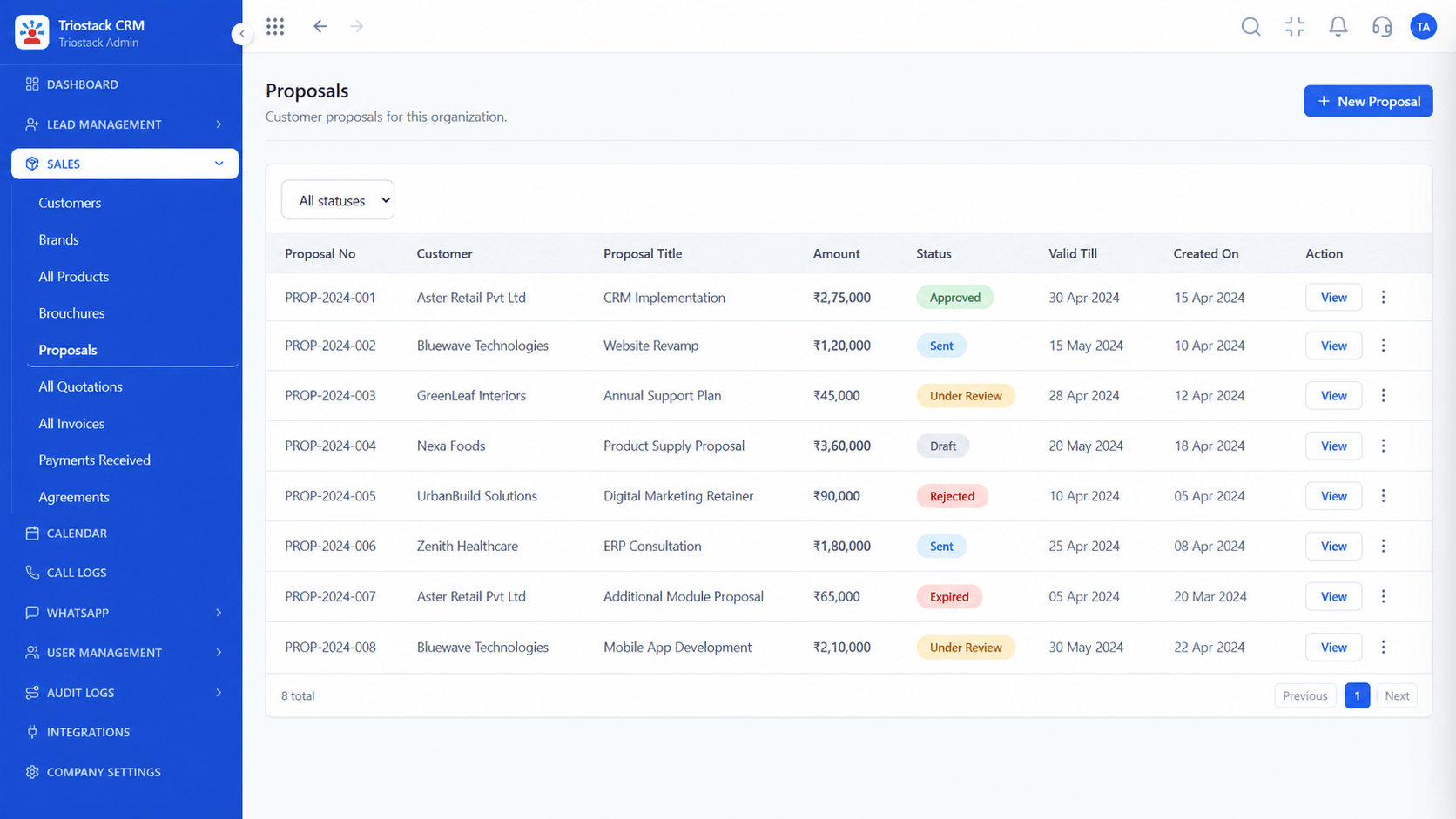
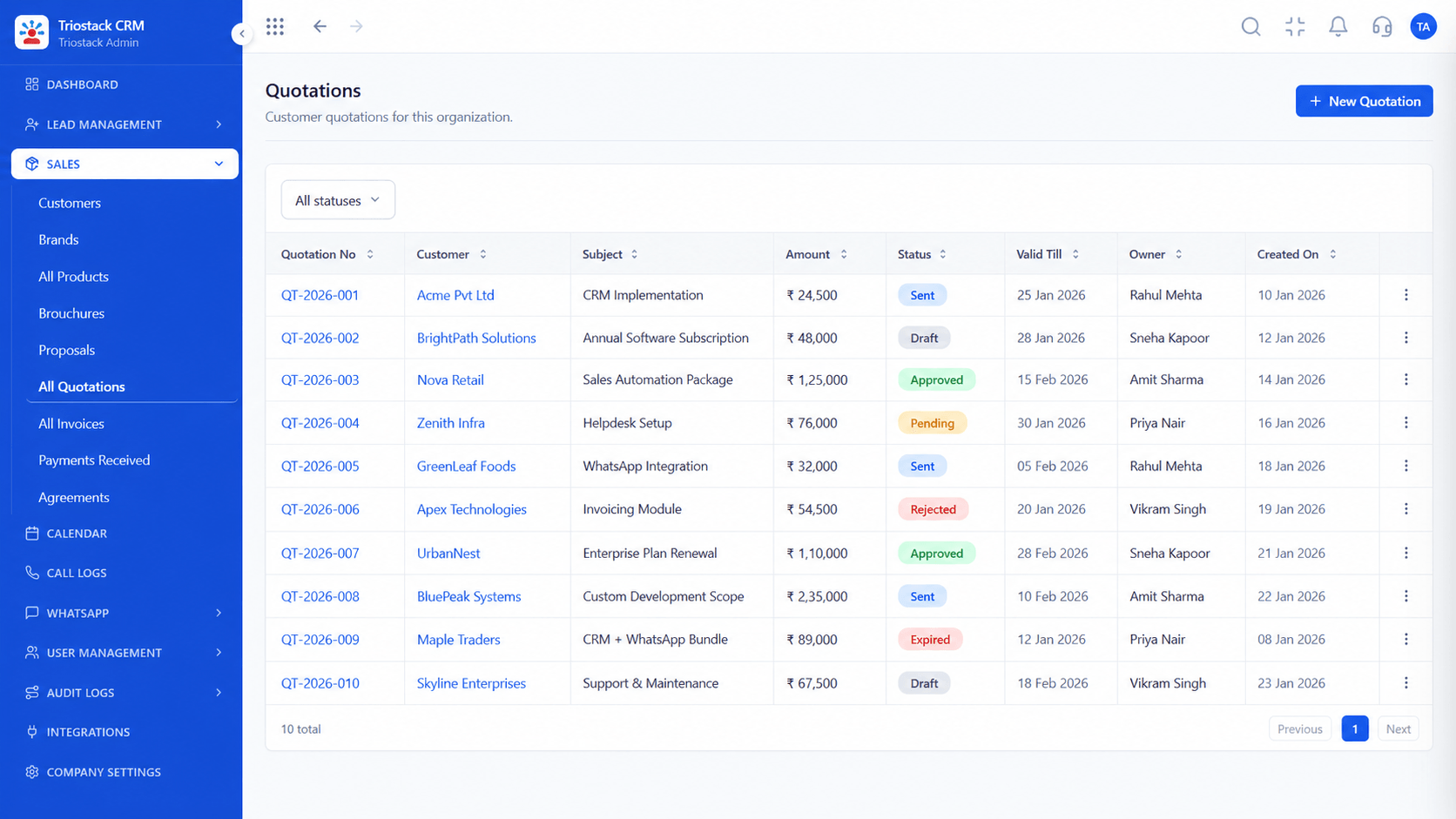
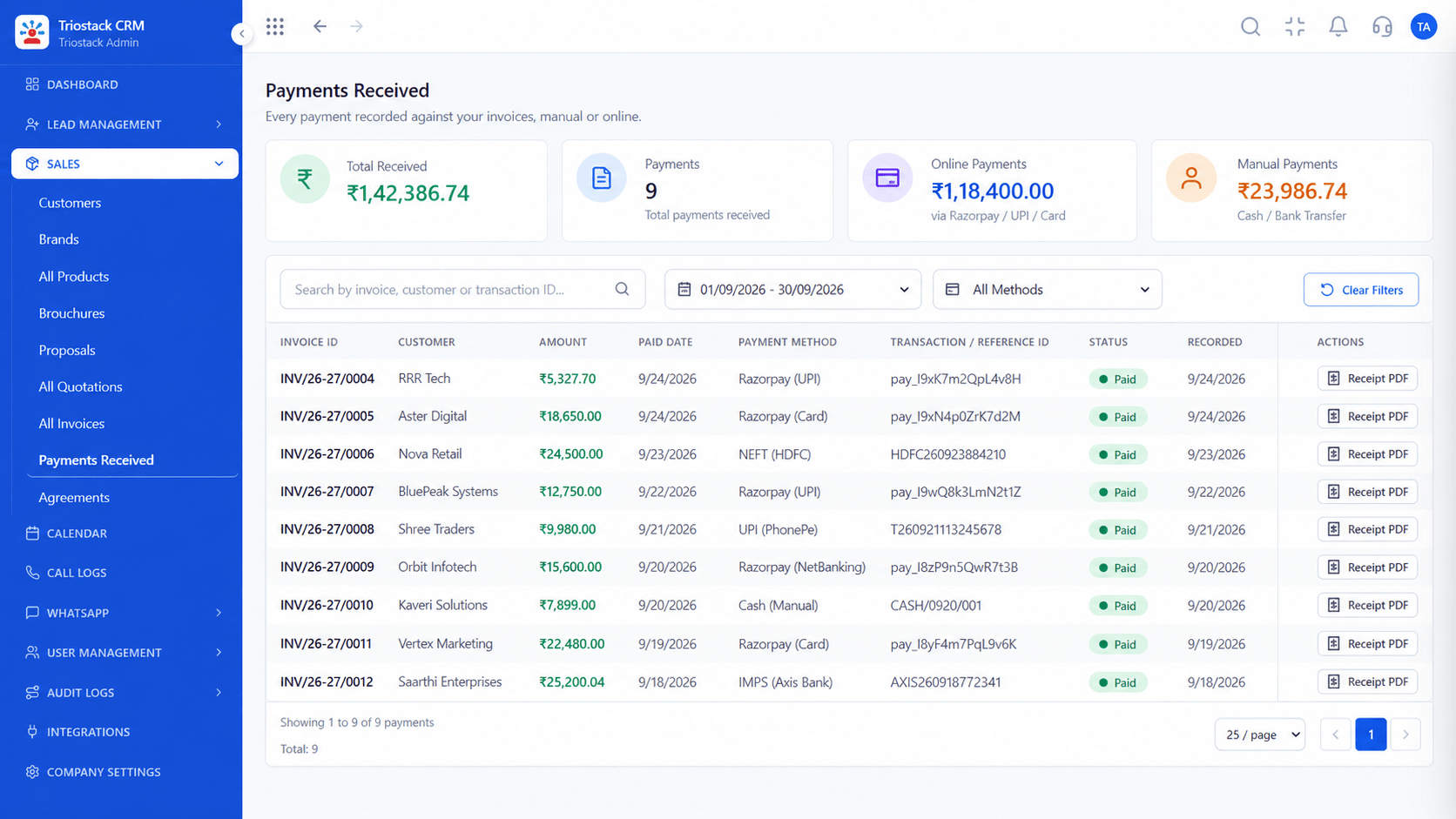
In Triostack CRM, each client has a design brief recorded in structured fields: rooms, style, budget and timeline. Site visit notes, measurements and photos are logged against the project with the date. 3D renders and quotations are sent for approval, and the client's approval or comment is recorded against the version. Project milestone payments are raised as invoices when a stage completes, with the balance tracked, so the next stage starts only when the last is paid.
“When the client asked about an earlier layout, the approved render and the date were on the record.”
Sample team scenario
A made-up scenario about Architect and Interior Design CRM, not a customer testimonial

All Leads
Architect and Interior Design CRM: every lead with its source, status and owner
In the Product
Imagine every approval and every payment on one page.
Not buried.
By version.
Tracked.
Platform Integrity
In structured fields
With photos
Version by version
By stage
At a Glance
What changes across a design project.
Design brief
Structured fields on the client
Email and Folders: Emails and calls
Site visits
Notes and photos with dates
Email and Folders: In phones
Render approvals
Recorded against each version
Email and Folders: A thread of replies
Quotation approvals
Tracked to a decision
Email and Folders: Attachments
Payments
Milestone invoices, balance tracked
Email and Folders: Reminders in a diary
Book a walkthrough of Architect and Interior Design CRM. We set up a sandbox so you can try Design brief tracking, Site visit notes and Render approvals before you commit.
Live Interface Tour
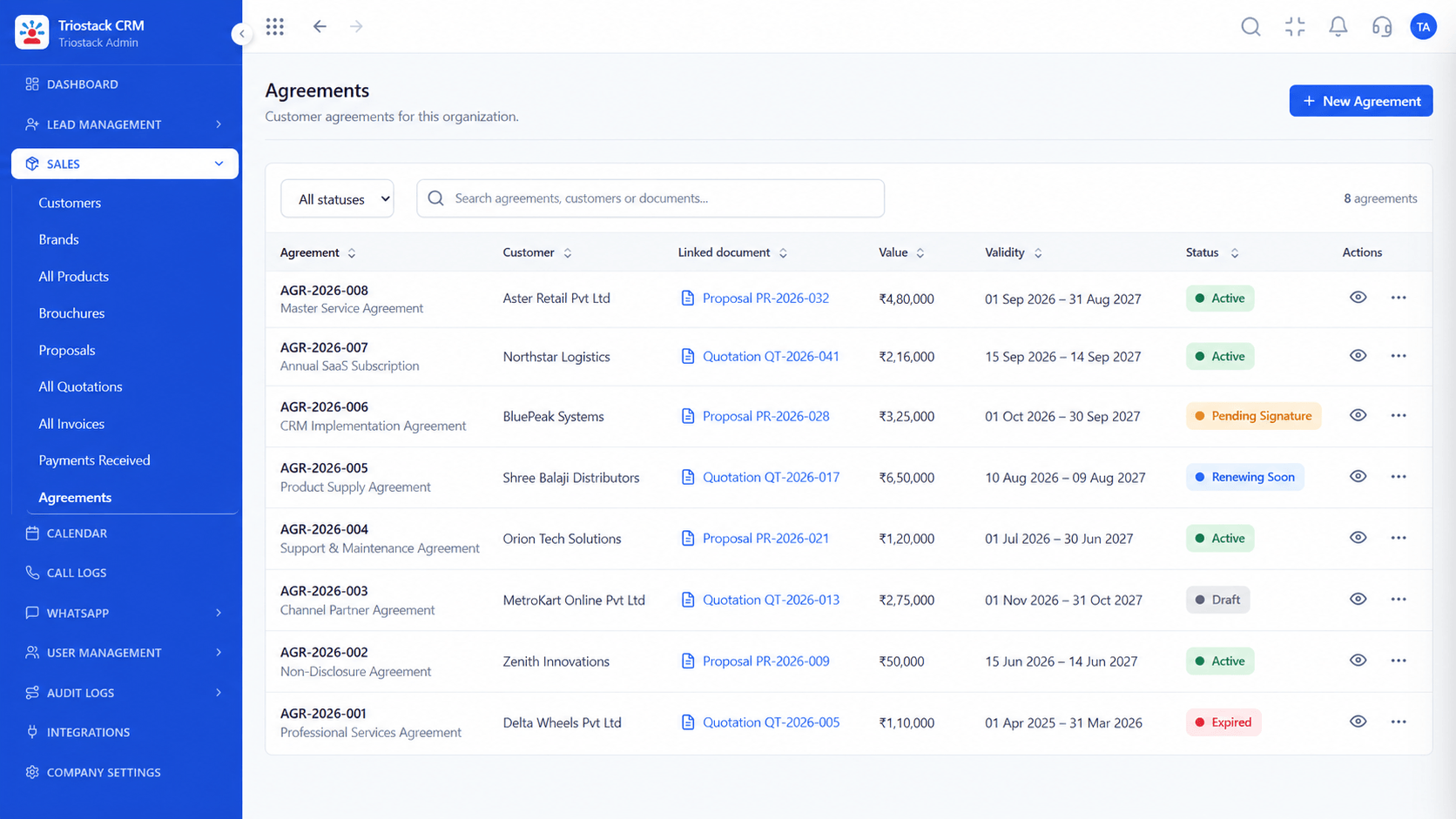
The screens below belong to Architect and Interior Design CRM: All Leads, Lead Follow-Ups and Call Logs, all from the product.
Proposals
Architect and Interior Design CRM: every approval and payment on the client record
Feature Breakdown
4 screens from the live product that show Architect and Interior Design CRM at work.
Concepts and quotes.
How it fits the plan
Brief. Record the client brief in structured fields.
Site. Log each site visit with notes and photos.
Practical tip
Number every render version and record the approval against that number. It ends most arguments.
Approvals tracked.
In real life
Design review
The approved version is clear.

Site visits.
Watch out for
Starting the next stage before the previous milestone is paid.
Milestones paid.
Before you start
Execution Plan
Record the client brief in structured fields.
Log each site visit with notes and photos.
Send renders and quotations for approval.
Invoice each milestone and track the balance.
Practical Guide
Before you start
A tip that helps
Number every render version and record the approval against that number. It ends most arguments.
A common mistake
Starting the next stage before the previous milestone is paid.
Availability: What Architect and Interior Design CRM covers can depend on your plan and setup. Please confirm with our team which parts are live for your account, and any prerequisites, before you plan around it.
In Real Life
Scenario 01
The approved version is clear.
Scenario 02
Visit notes explain why.
Scenario 03
The balance is known.
Straight answers about Architect and Interior Design CRM, from setup to what happens next.
Have a question about Architect and Interior Design CRM?
Book a free callYes, in structured fields for rooms, style, budget and timeline.
Yes, with notes, measurements and photos.
Against each version, with the client's decision and comment.
Yes, an invoice is raised as each stage completes, with the balance tracked.
A CRM for architects and interior designers: client design brief tracking, site visit notes, 3D render quotation approvals and project milestone payments.
It runs in 4 steps: Brief, Site, Approve and Bill. Record the client brief in structured fields.
The real screens on this page include All Leads, Lead Follow-Ups, Call Logs and Proposals, all captured from the product.
Request a demo and ask to see Architect and Interior Design CRM. Our team can also walk you through setup, so your first session ends with something working.
Keep Exploring
We will walk you through Architect and Interior Design CRM, from Design brief tracking, Site visit notes and Render approvals, on sample data shaped like yours.
Explore All Industry CRM