The best Business Suite software in India, built to help your business grow. Contact us at +91-8882435276.
[ Contact ]
Phone number
Email address
Head office
Noida office
The right team at TriostackOne will get back to you.
Positioning Assessment
Many teams stitch together an invoicing tool, an expense app and an accounting package. The gaps between them are where errors live.
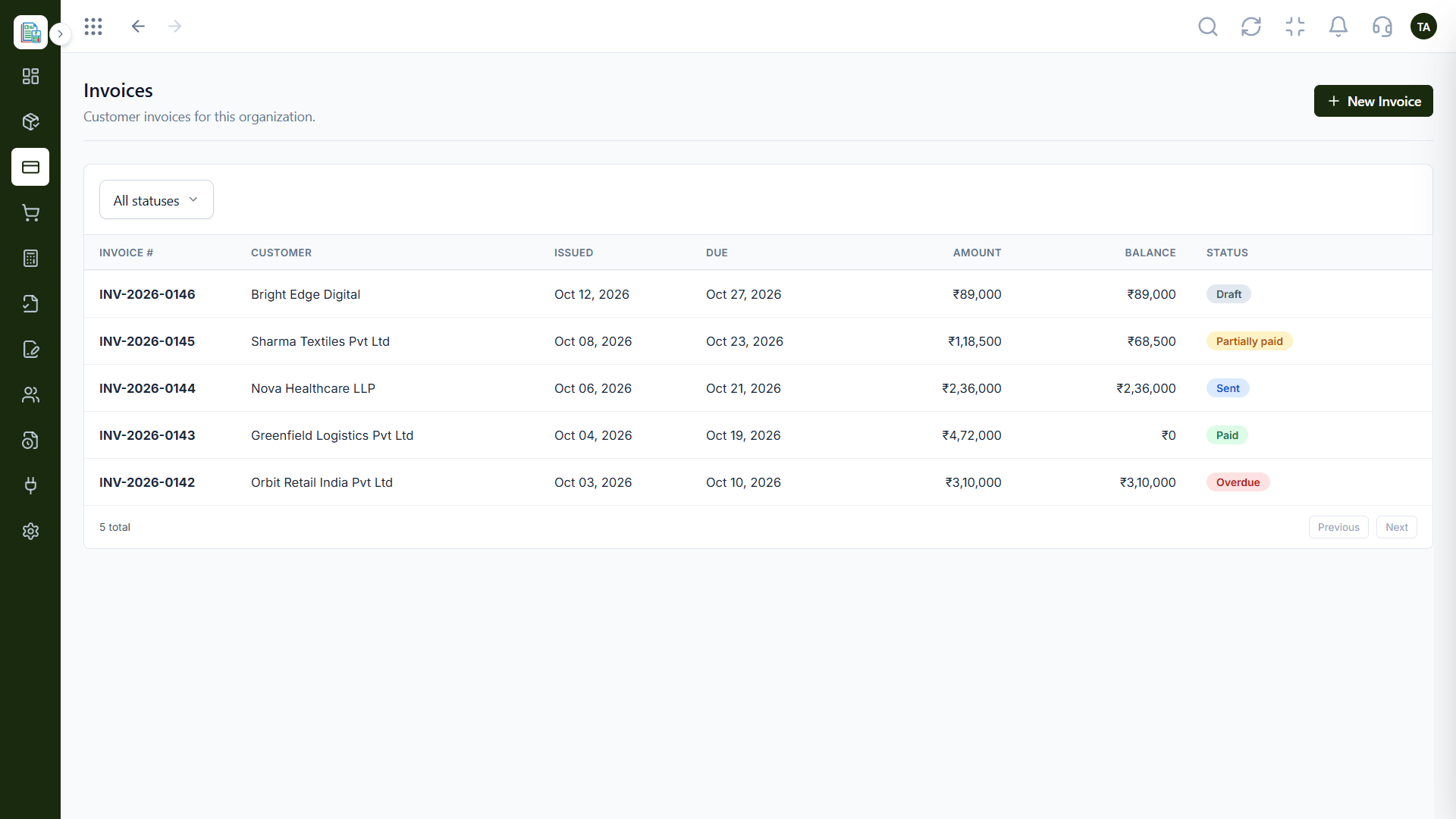
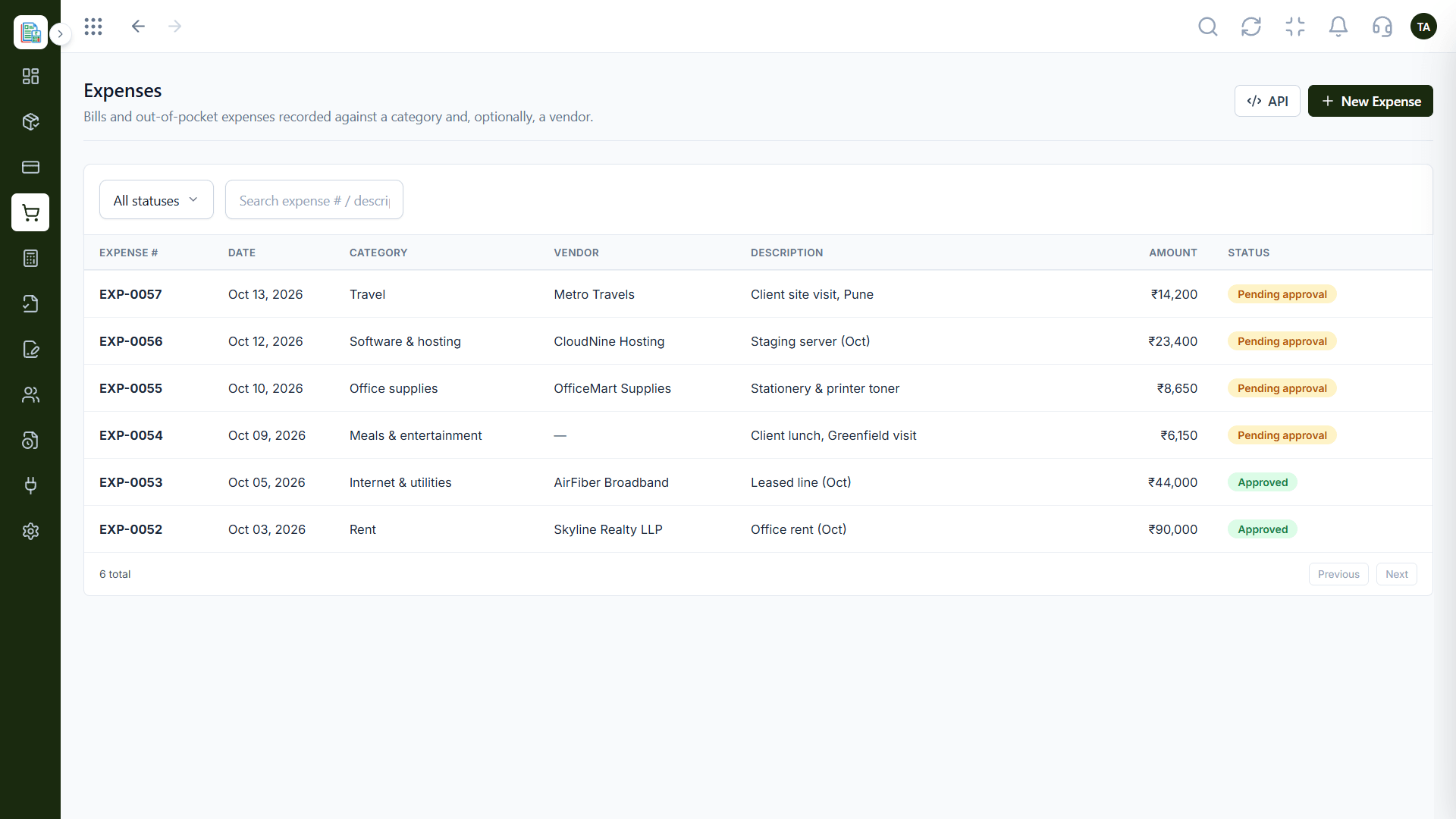
Triostack Finance covers proposals, quotations, invoices, payments, credit notes and delivery challans on the sales side; expenses, vendors and recurring bills on the spending side; and a chart of accounts, journals, ledger, reports, GST reconciliation and audit logs for the books.
“We replaced three tools with one, and the numbers finally agreed with each other.”
Sample team scenario
Illustrative example, not a customer testimonial
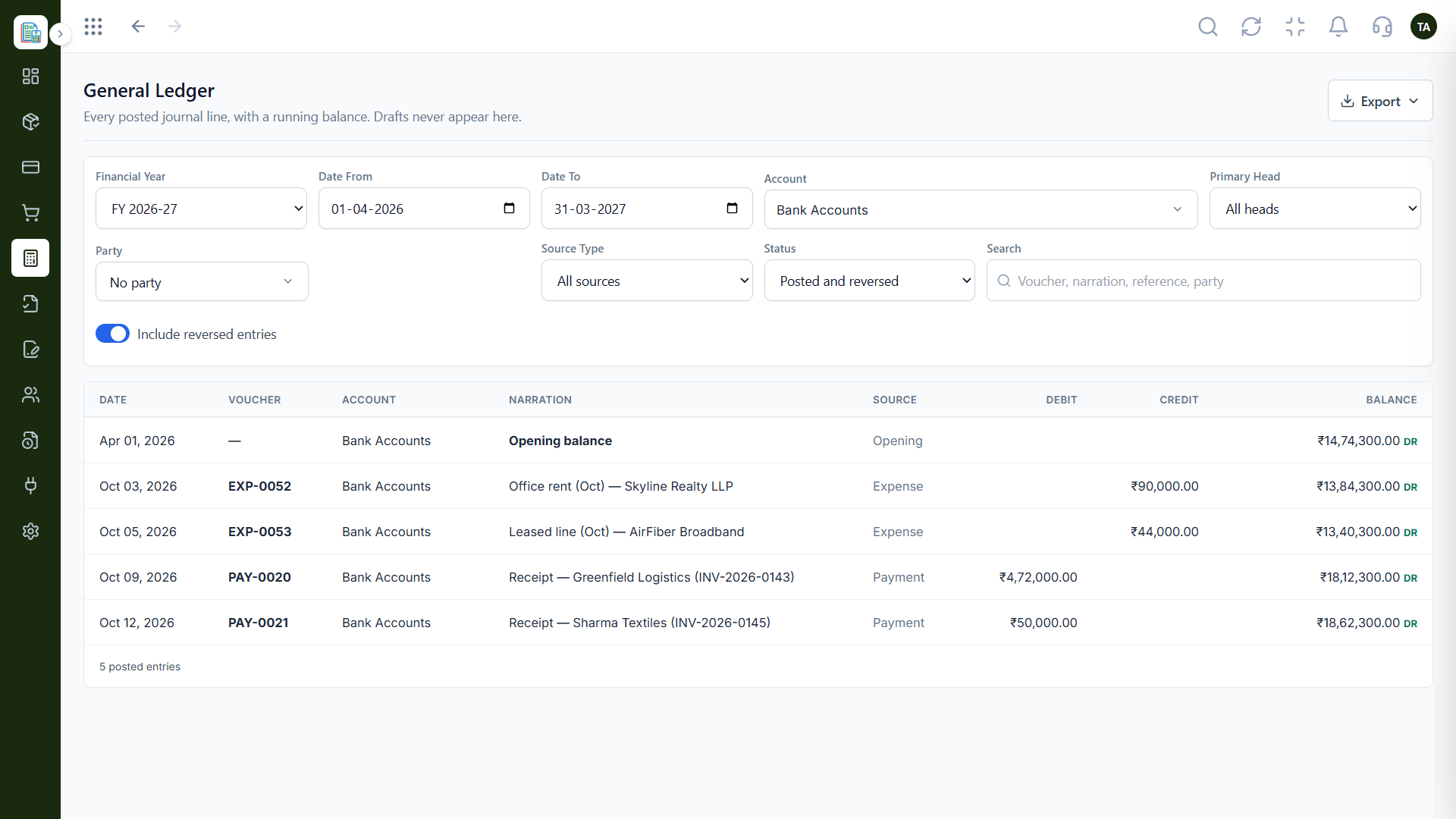
General Ledger
Every posted line with a running balance
In the Product
Imagine one desk where the quote folder, the bills tray and the ledger book are all within arm's length.
Sales, spend and books are connected.
Approvals, locks and audit history.
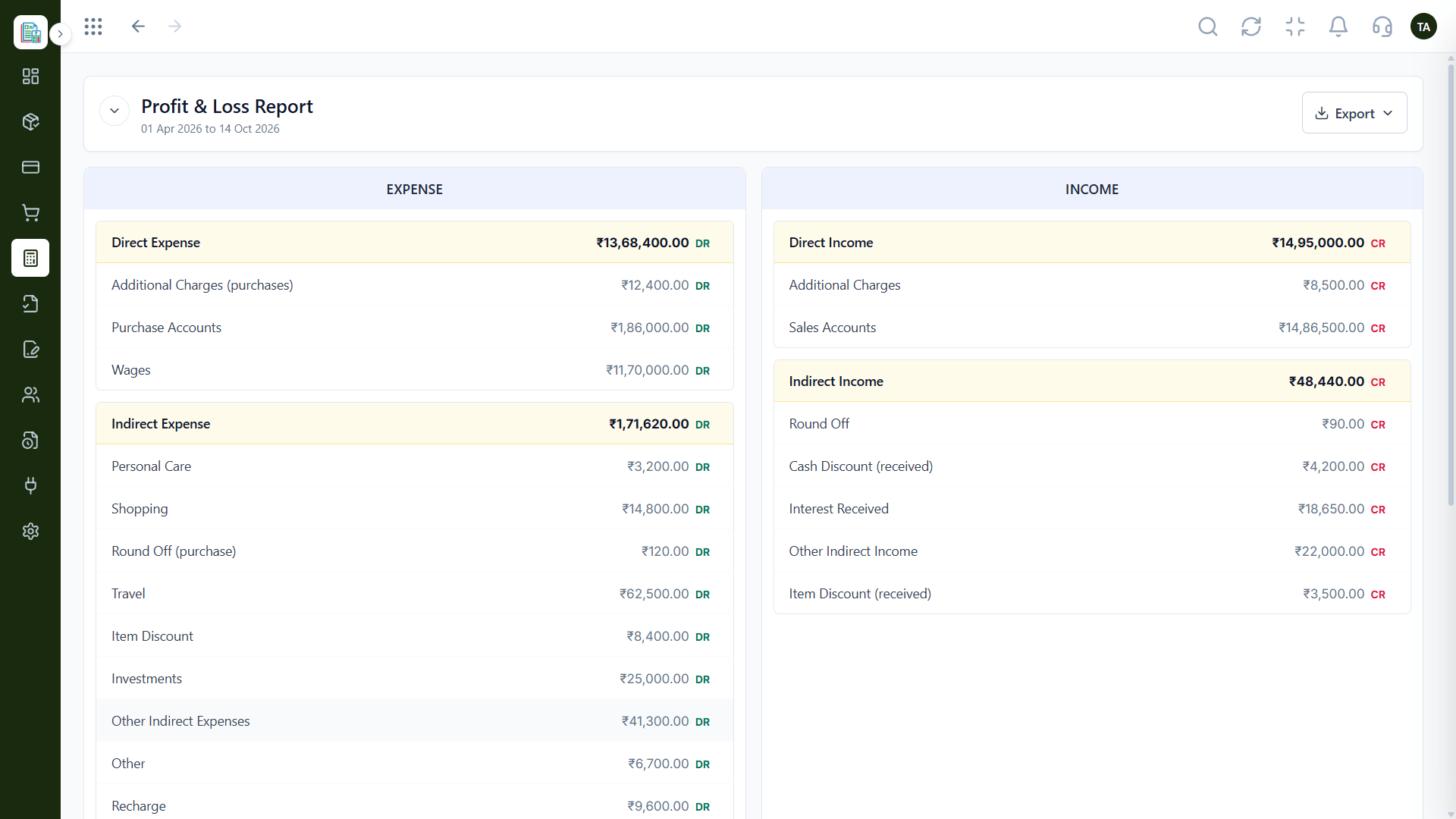
Live from posted entries.
Platform Integrity
Proposals to invoices
Expenses, vendors and recurring bills
Journals, ledger and reports
GST reconciliation and audit logs
How It Works
What a single workspace changes.
| Dimension | Triostack Finance | Separate Tools |
|---|---|---|
| Sales | Proposals, quotations, invoices | A billing app |
| Spending | Expenses, vendors, recurring | An expense app |
| Books | Chart, journals, ledger | Accounting package |
| Reports | P&L and balance sheet | Exports |
| Controls | Audit logs, lockable books | Manual checks |
Book a walkthrough and we will set up a sandbox with sample customers and invoices so you can try quotes, billing and reports before you commit.
Live Interface Tour
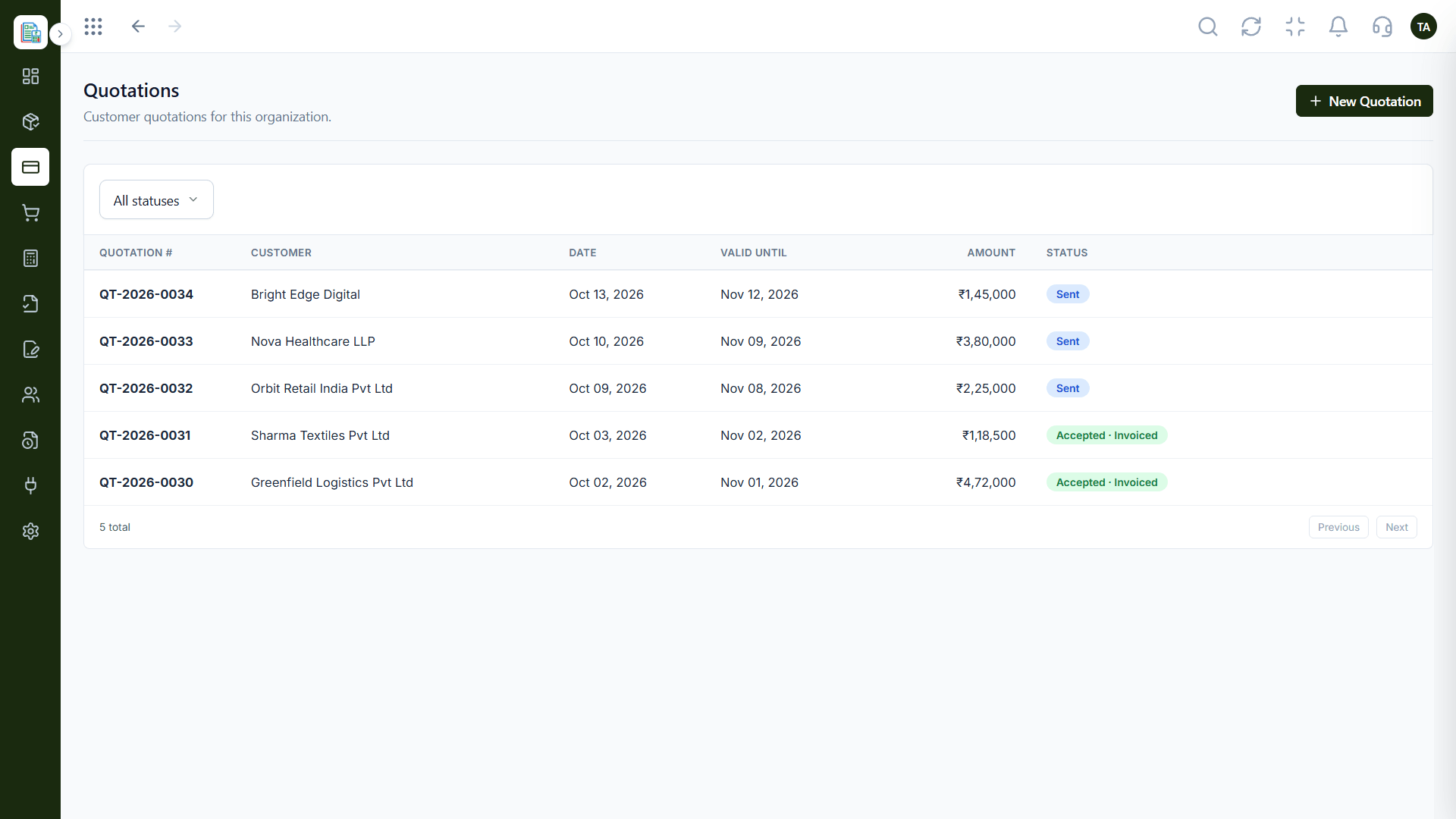
Real screens captured directly from the Triostack Finance workspace.
Quotations
Documented across invoicing, expenses and accounting
Feature Breakdown
Captured from the Triostack Finance workspace.
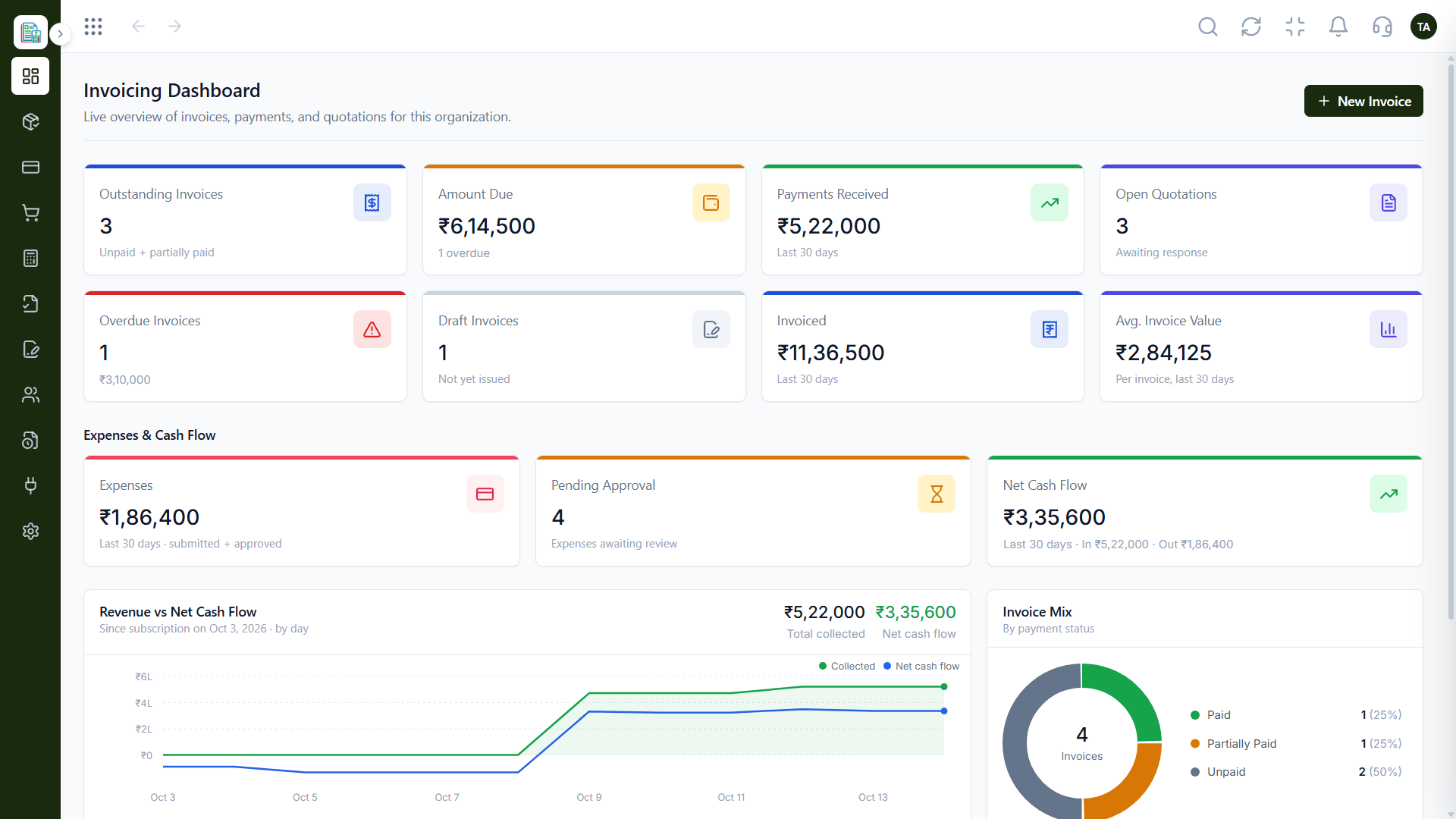
The overview.
How it fits the plan
Sell. Proposals, quotations and invoices.
Spend. Expenses, vendors and recurring bills.
Practical tip
Do not switch everything on at once. Start with invoicing and expenses, then add the accounting features once those feel natural.
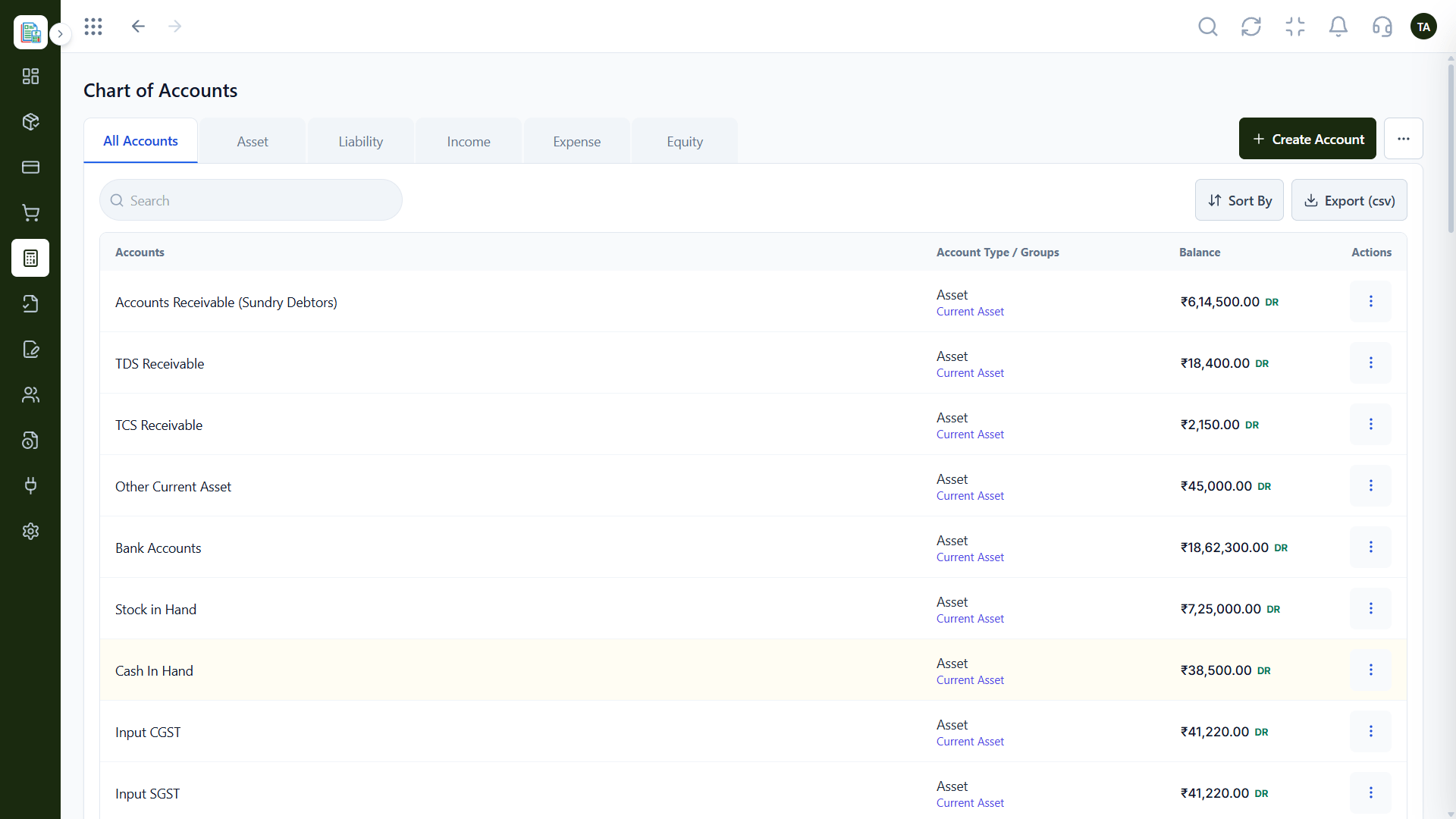
The foundation.
How it fits the plan
Spend. Expenses, vendors and recurring bills.
Record. Journals and the general ledger.
In real life
Growing team
One system replaces several subscriptions.
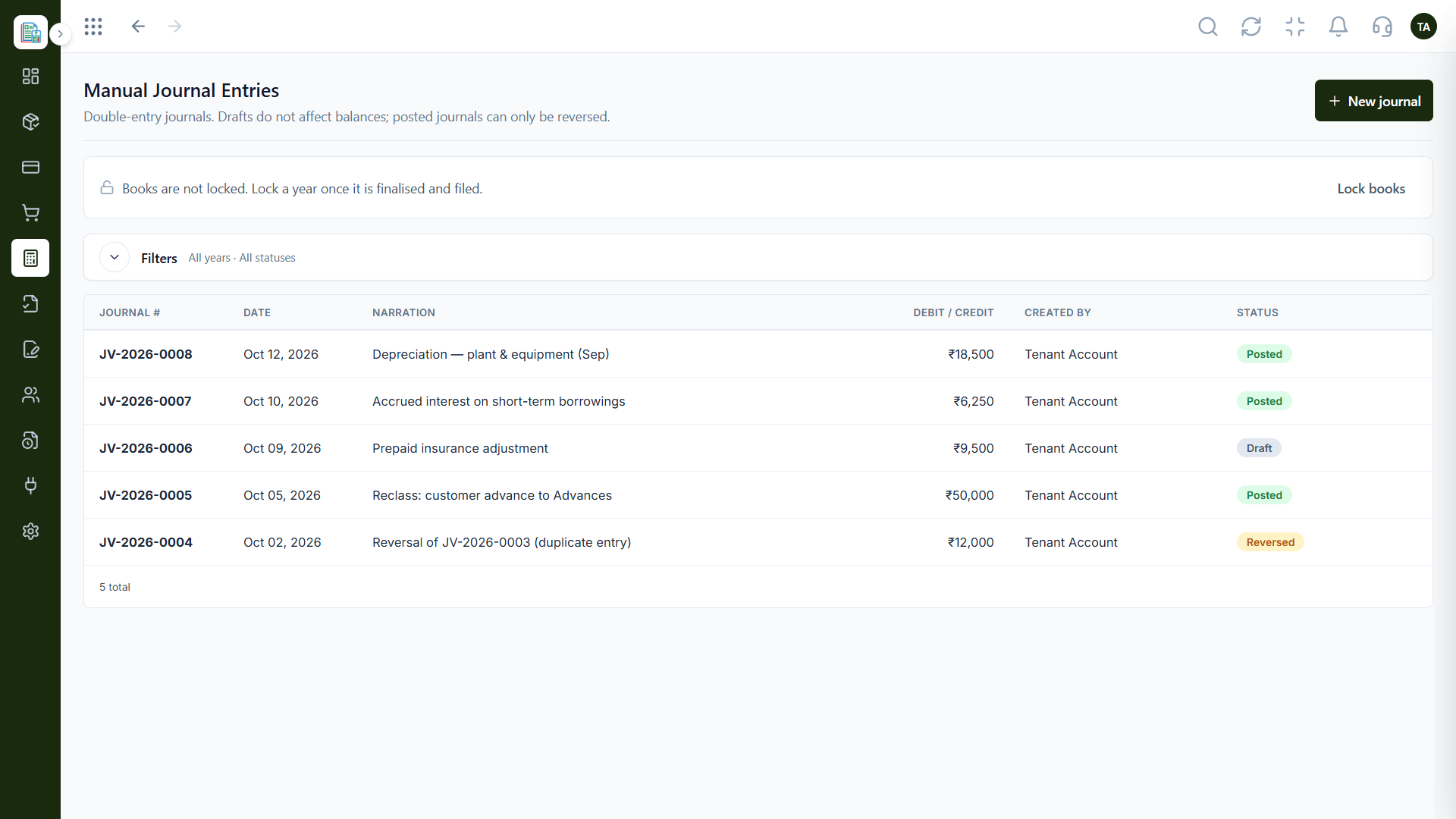
Adjustments.
How it fits the plan
Record. Journals and the general ledger.
Report. P&L, balance sheet and GST reconciliation.
Watch out for
Setting up every module in week one and abandoning half of them by week three.
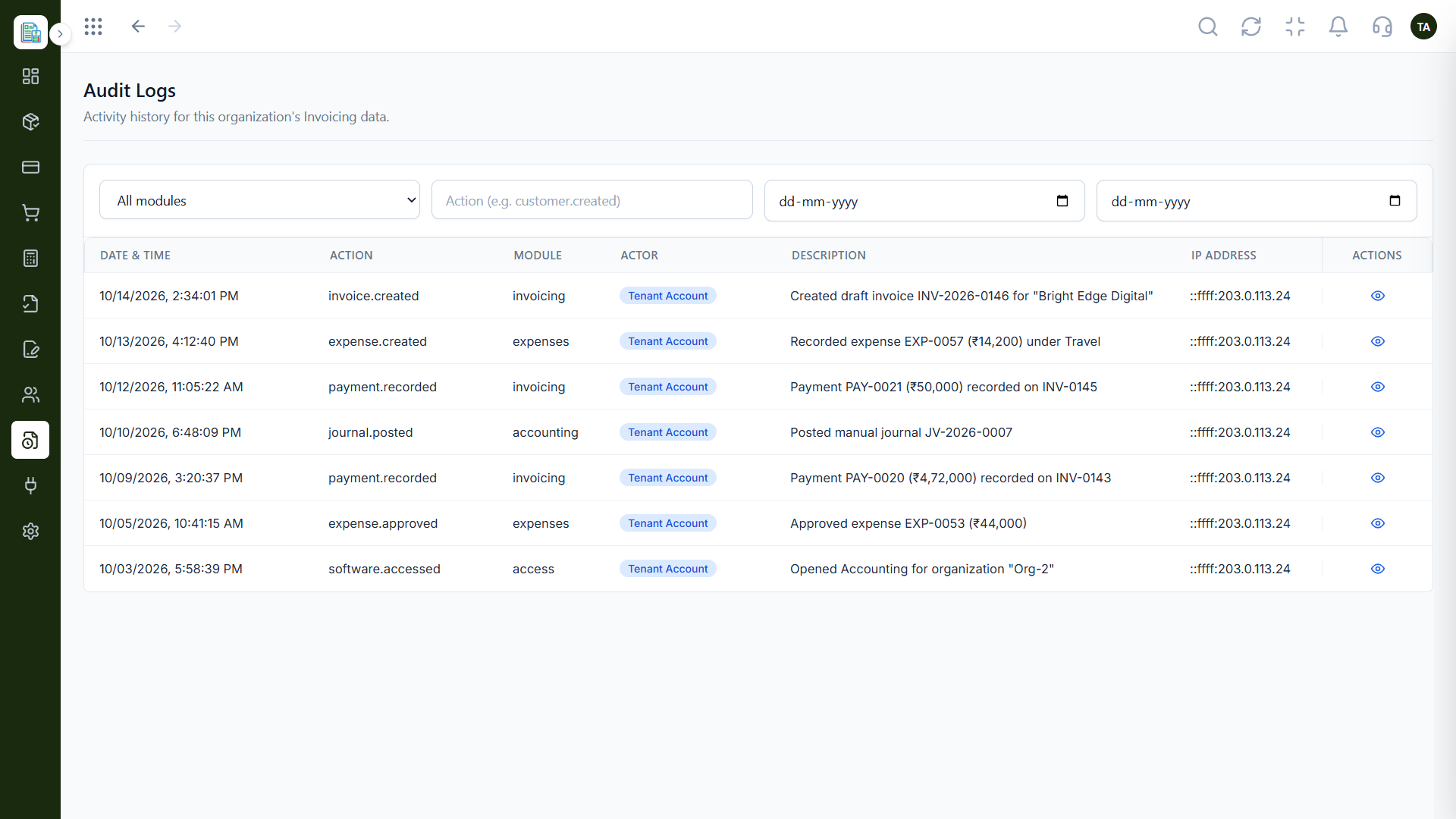
Accountability.
How it fits the plan
Report. P&L, balance sheet and GST reconciliation.
Sell. Proposals, quotations and invoices.
Before you start
Execution Plan
Proposals, quotations and invoices.
Expenses, vendors and recurring bills.
Journals and the general ledger.
P&L, balance sheet and GST reconciliation.
Practical Guide
Before you start
A tip that helps
Do not switch everything on at once. Start with invoicing and expenses, then add the accounting features once those feel natural.
A common mistake
Setting up every module in week one and abandoning half of them by week three.
In Real Life
Scenario 01
One system replaces several subscriptions.
Scenario 02
Logs and ledgers answer the questions.
Scenario 03
Books are locked and the next year begins cleanly.
Straight answers about All Finance Features, from setup to what happens next.
Have a question about All Finance Features?
Book a free callProposals, quotations, invoices, payments, credit notes, challans, expenses, vendors, recurring bills, a chart of accounts, journals, ledger, reports, GST reconciliation and audit logs.
Yes. It connects to CRM, Payroll and Projects.
Yes. Books can be locked once a financial year is finalised and filed.
Start with the overview or request a demo and we will tailor it.
From proposals and invoices to expenses, journals, the general ledger, GST reconciliation and audit logs, see everything Triostack Finance includes.
It runs in 4 steps: Sell, Spend, Record and Report. Proposals, quotations and invoices.
The real screens on this page include Quotations, General Ledger, Profit & Loss and Invoicing Dashboard, all captured from the product.
Request a demo or start a free trial. Our team can also walk you through a guided setup, so your first session ends with something working.
Keep Exploring
Invoices, expenses, accounting and GST reconciliation in one workspace, connected to sales, payroll and delivery.