The best Business Suite software in India, built to help your business grow. Contact us at +91-8882435276.
[ Contact ]
Phone number
Email address
Head office
Noida office
The right team at TriostackOne will get back to you.
Positioning Assessment
Reports built from exported data are out of date the moment they are made. Questions from an accountant or investor turn into a scramble.
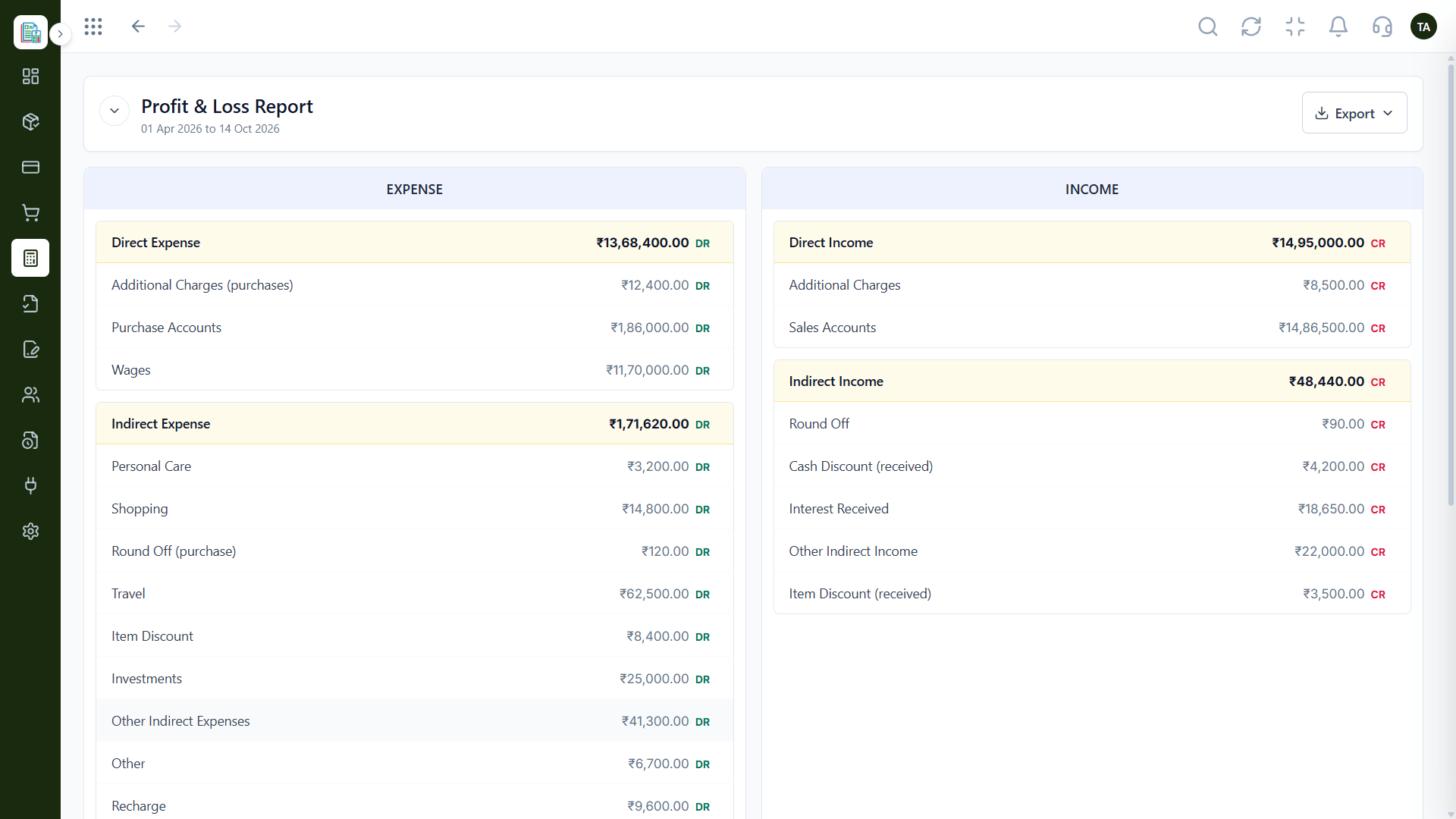
Triostack Finance draws the Profit & Loss and Balance Sheet from the same posted entries as your ledger. Read income and expenses for any period, see the position as of any date and export when needed.
“We stopped rebuilding the P&L every month. The report was just there, and it matched the ledger.”
Sample team scenario
Illustrative example, not a customer testimonial
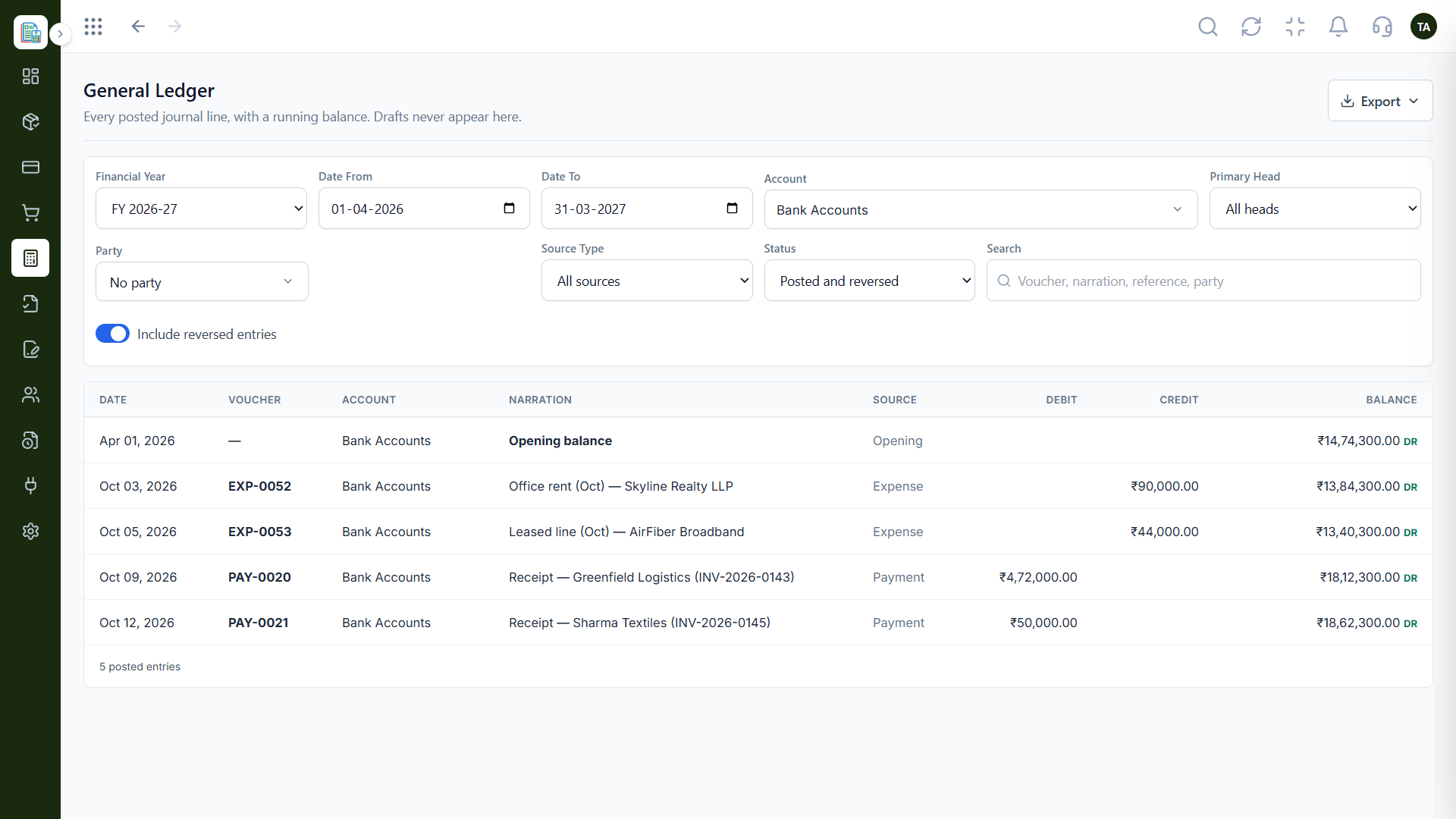
General Ledger
Every posted line with a running balance
In the Product
Imagine a report that updates as the books do, so there is never an old version in circulation.
Reports and ledger share the same entries.
Pick the period you need.
Export for anyone who asks.
Platform Integrity
Direct and indirect, side by side
As of any date
Choose your date range
Ready for your accountant
How It Works
What changes when reports come from the ledger.
| Dimension | Triostack Finance | Spreadsheet Reports |
|---|---|---|
| Source | Posted ledger entries | Exported snapshots |
| Freshness | Current when you open it | Stale after export |
| Period | Any date range | Rebuilt per period |
| Structure | Direct and indirect split | Custom layout |
| Sharing | Export when asked | Send the file |
Book a walkthrough and we will set up a sandbox with sample customers and invoices so you can try quotes, billing and reports before you commit.
Live Interface Tour
Real screens captured directly from the Triostack Finance workspace.
Profit & Loss
Reports drawn from posted entries, not spreadsheets
Feature Breakdown
Captured from the Triostack Finance workspace.
Income against expenses.
How it fits the plan
Post. Invoices, expenses and journals hit the books.
Read. Open the Profit & Loss for a period.
Practical tip
Read the Profit & Loss with the ledger open beside it. Any number that surprises you is one click from its source.
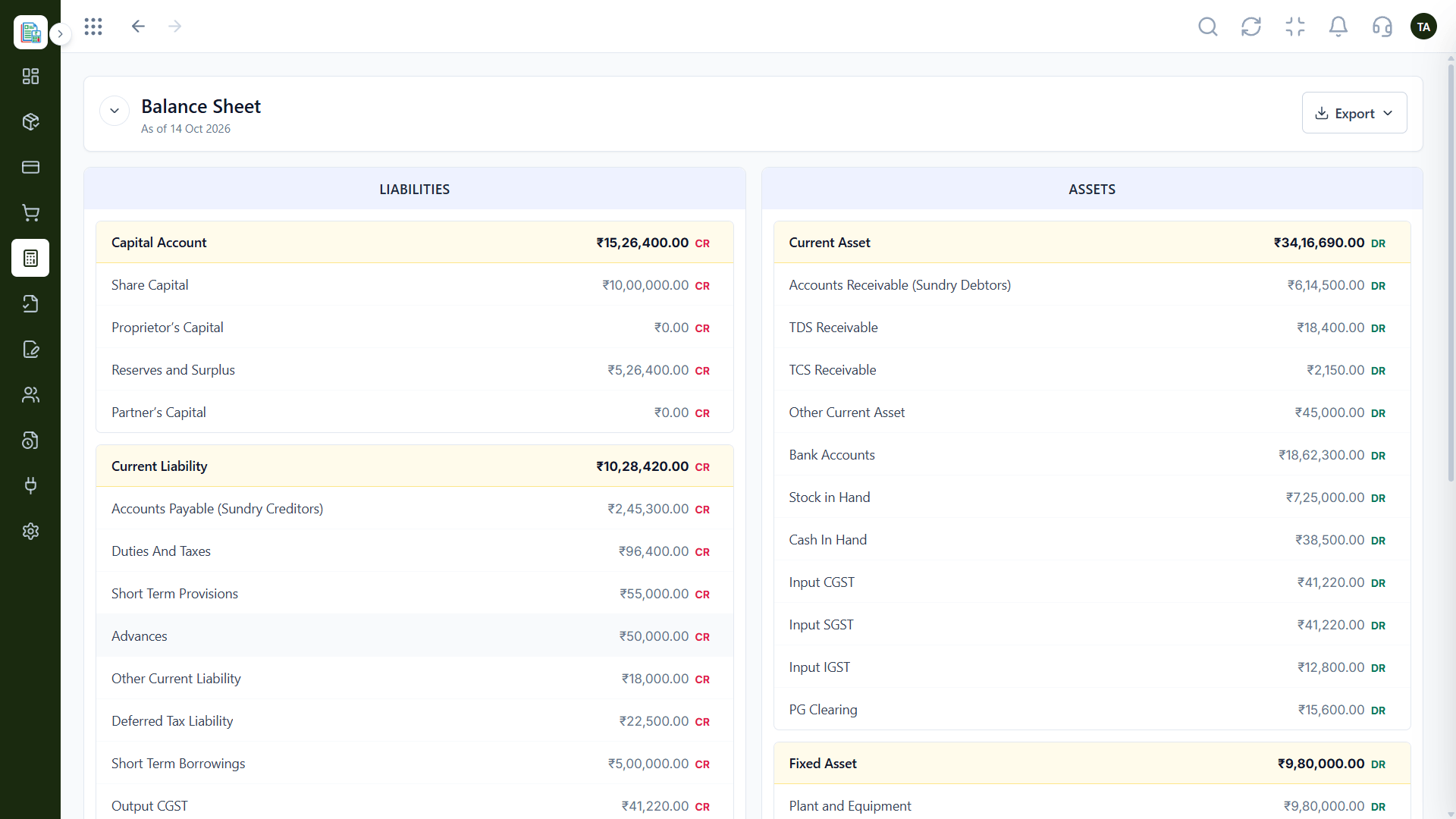
Where the business stands.
How it fits the plan
Read. Open the Profit & Loss for a period.
Check. Open the Balance Sheet as of a date.
In real life
Board meeting
The P&L for the quarter is ready without a rebuild.
The detail behind it.
On this screen: Every posted line with a running balance.
How it fits the plan
Check. Open the Balance Sheet as of a date.
Share. Export for your accountant.
Watch out for
Running reports before all invoices and expenses are posted, then wondering why the totals look low.
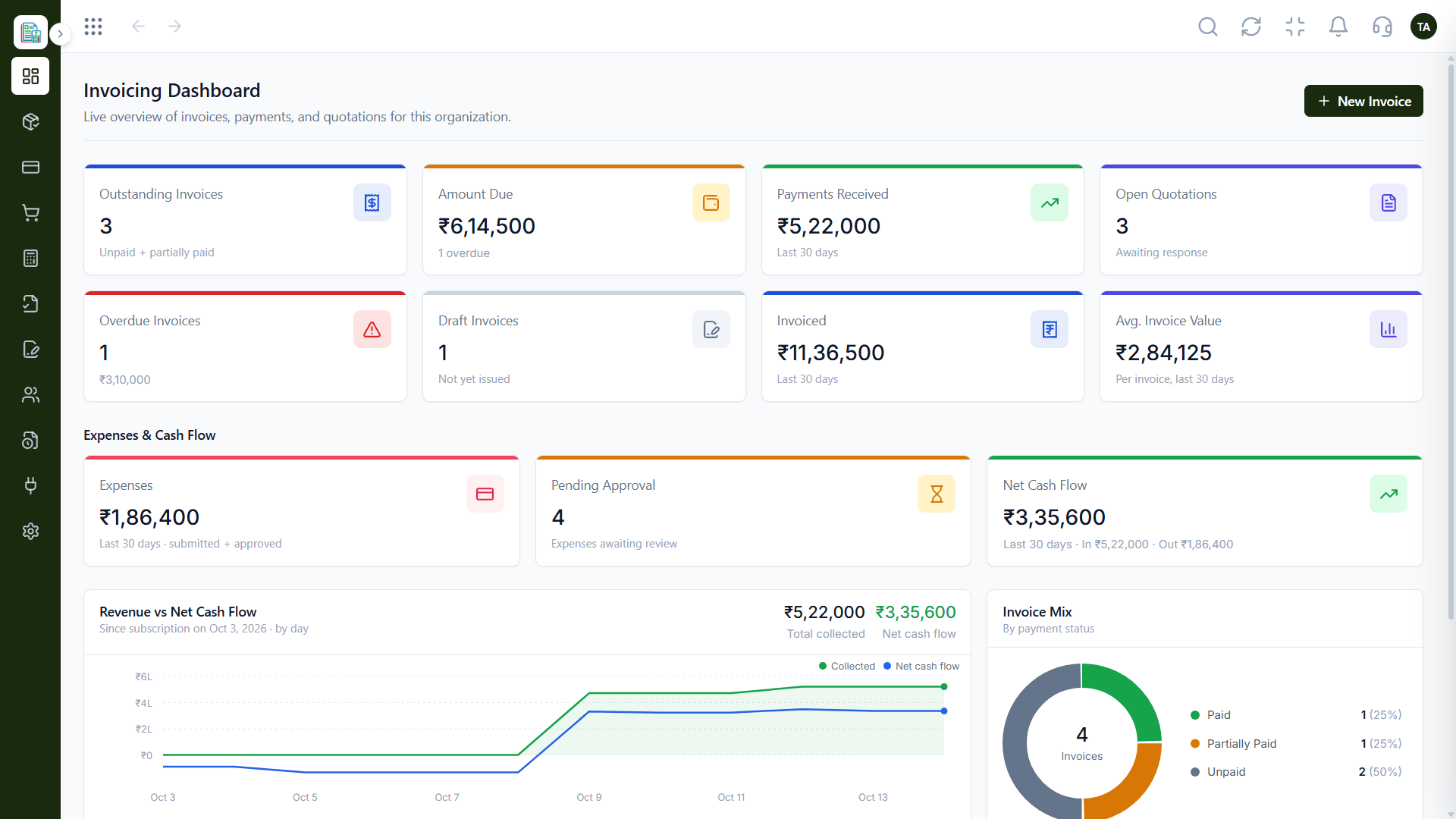
The quick view.
On this screen: Outstanding, overdue and collected at a glance.
How it fits the plan
Share. Export for your accountant.
Post. Invoices, expenses and journals hit the books.
Before you start
Execution Plan
Invoices, expenses and journals hit the books.
Open the Profit & Loss for a period.
Open the Balance Sheet as of a date.
Export for your accountant.
Practical Guide
Before you start
A tip that helps
Read the Profit & Loss with the ledger open beside it. Any number that surprises you is one click from its source.
A common mistake
Running reports before all invoices and expenses are posted, then wondering why the totals look low.
In Real Life
Scenario 01
The P&L for the quarter is ready without a rebuild.
Scenario 02
The balance sheet as of year-end is exported in a click.
Scenario 03
A founder looks at income against costs mid-month.
Straight answers about Financial Reports, from setup to what happens next.
Have a question about Financial Reports?
Book a free callYes. Read the Profit & Loss for any period and the Balance Sheet as of any date.
Yes. Income and expenses are split into direct and indirect.
Yes. Export a report when your accountant or auditor asks.
They are drawn from the same posted entries.
Read income and expenses side by side, see assets and liabilities as of any date, and export reports when your accountant asks.
It runs in 4 steps: Post, Read, Check and Share. Invoices, expenses and journals hit the books.
The real screens on this page include General Ledger, Invoicing Dashboard, Chart of Accounts and Profit & Loss, all captured from the product.
Request a demo or start a free trial. Our team can also walk you through a guided setup, so your first session ends with something working.
Keep Exploring
Invoices, expenses, accounting and GST reconciliation in one workspace, connected to sales, payroll and delivery.