The best Business Suite software in India, built to help your business grow. Contact us at +91-8882435276.
[ Contact ]
Phone number
Email address
Head office
Noida office
The right team at TriostackOne will get back to you.
Positioning Assessment
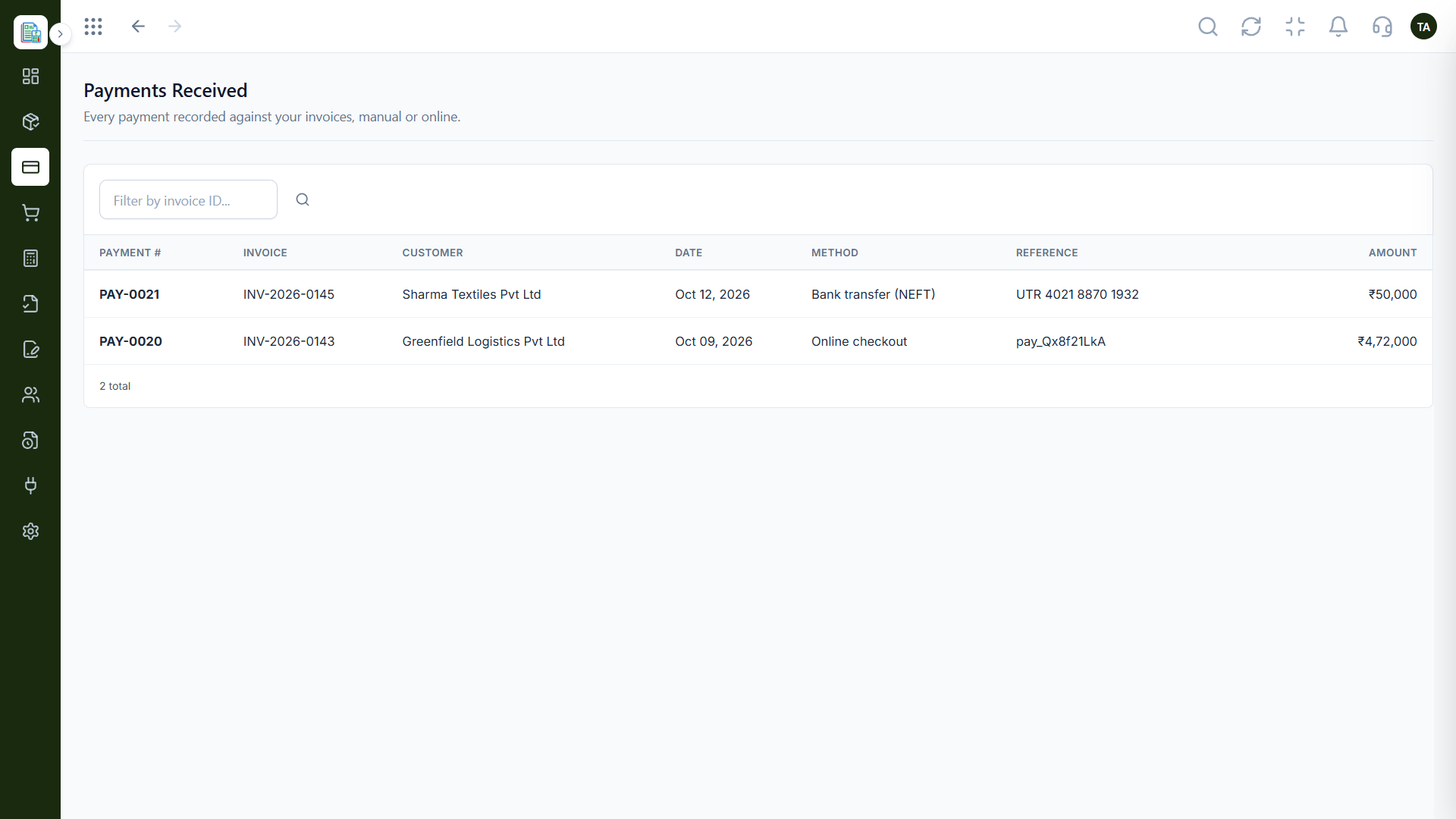
Every payment should appear twice: once at the bank and once in your books. When they do not match, someone has to find out why.
Triostack Finance records payments against invoices and posts them to the ledger with a running balance, giving you a clear trail to compare with the bank. Ask us which banks and sync options are available on your plan.
“Having each payment tied to an invoice made our bank check a ten-minute job.”
Sample team scenario
Illustrative example, not a customer testimonial
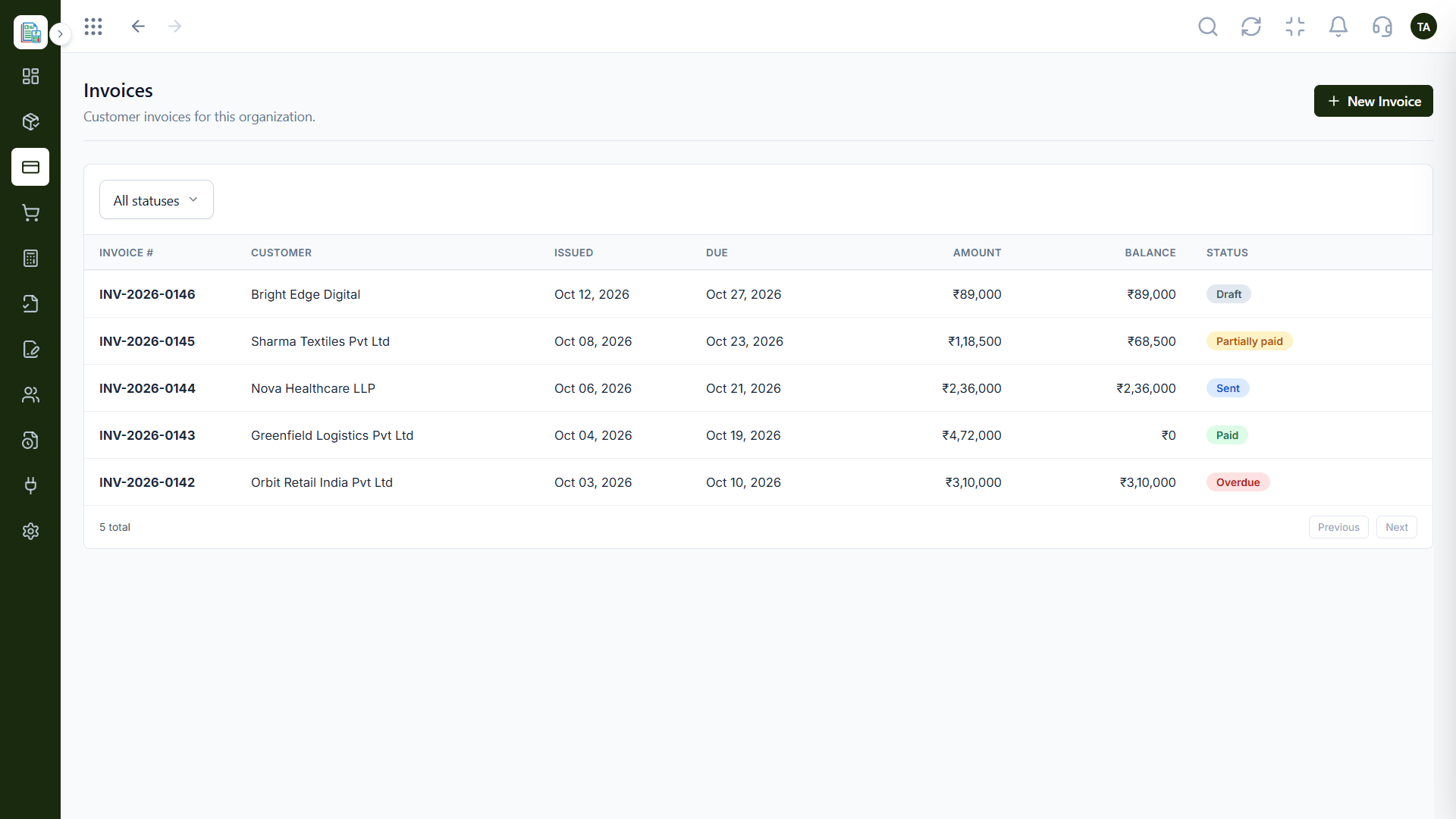
Invoices
Customer invoices filtered by status
In the Product
Imagine your bank's record and your own, side by side, with any difference flagged.
Nothing arrives anonymously.
The ledger shows how it moved.
Unmatched items stand out.
Platform Integrity
Every payment recorded
Each tied to its invoice
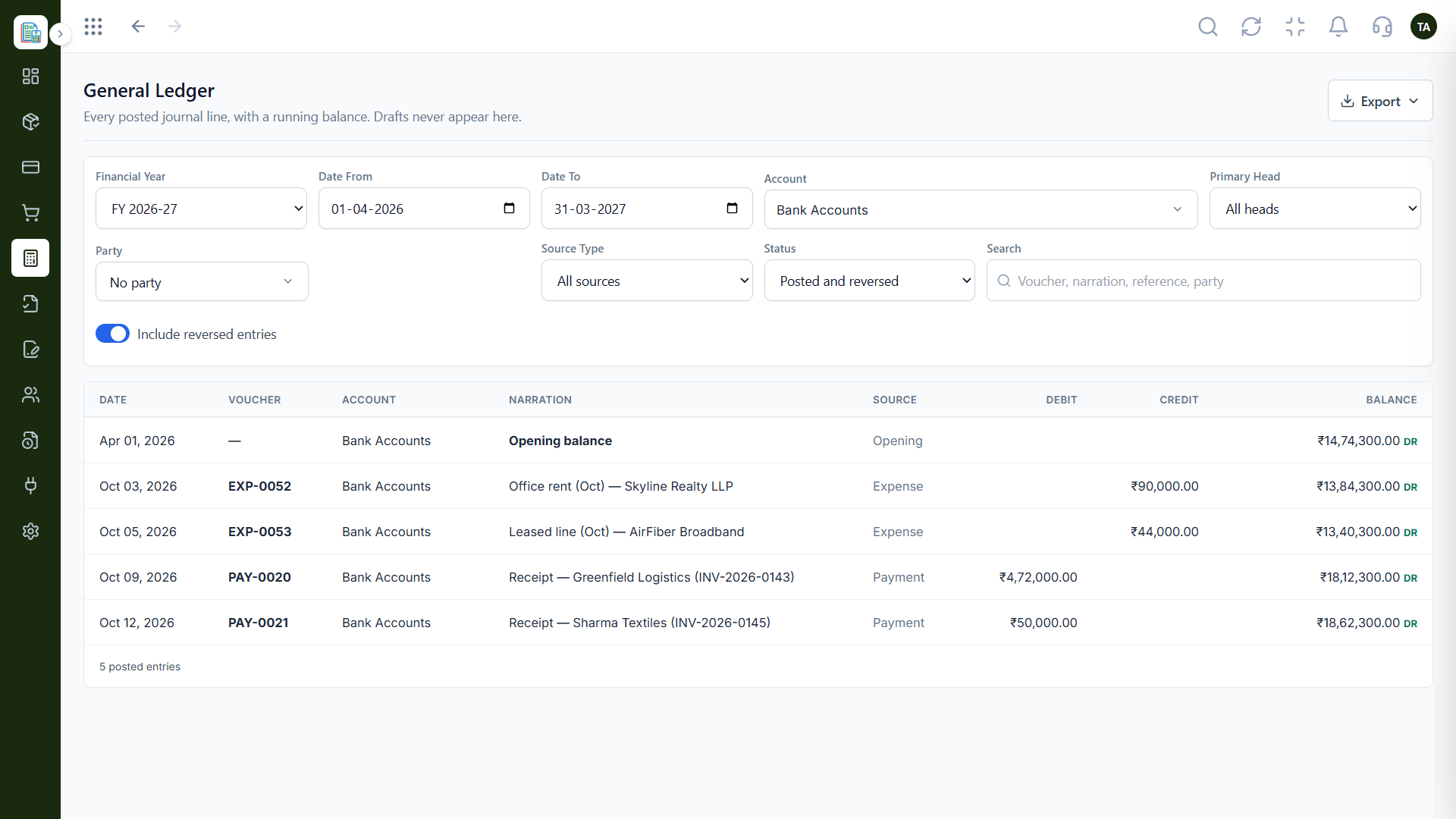
Running balance by account
Ask what your plan supports
How It Works
What changes when payments are recorded against invoices.
| Dimension | Triostack Finance | Statement Only |
|---|---|---|
| Recording | Payments saved against invoices | Amounts on a statement |
| Matching | By invoice ID | By amount and guesswork |
| Ledger | Running balance by account | Separate sheet |
| Gaps | Unmatched items are visible | Found at month-end |
| Availability | Ask us about bank sync options | Varies by tool |
Our team can walk you through the connection, permissions and a first test so Finance fits into the tools your accountant and team already use.
Live Interface Tour
Real screens captured directly from the Triostack Finance workspace.
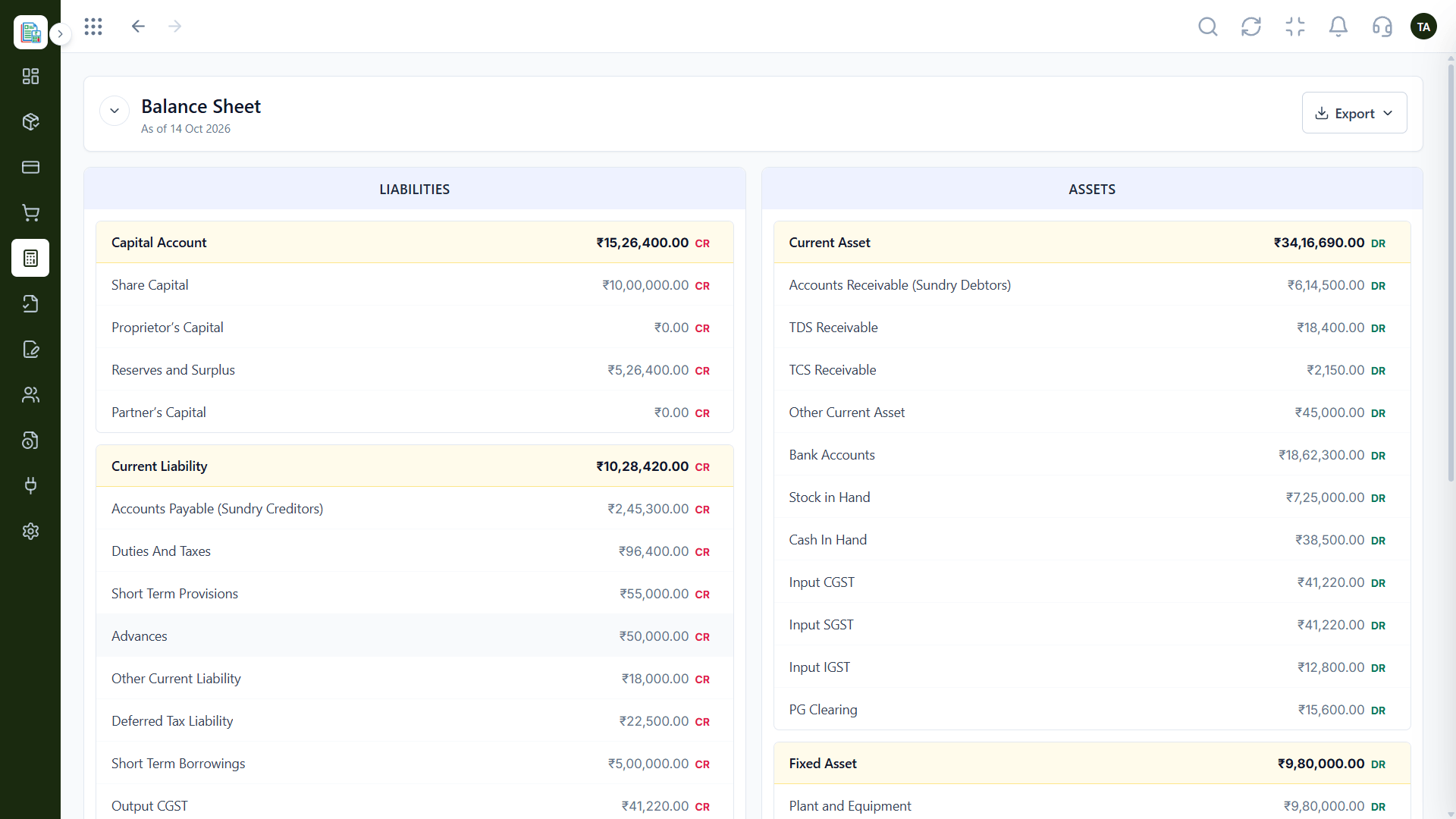
Balance Sheet
Bank activity checked against recorded payments
Feature Breakdown
Captured from the Triostack Finance workspace.
01
IntegrationsThe side to compare.
How it fits the plan
Record. Payments are saved against invoices.
Compare. Check them against bank activity.
Practical tip
Keep one bank account per ledger account. It makes the comparison with your statement a straight line.
02
IntegrationsThe account trail.
How it fits the plan
Compare. Check them against bank activity.
Investigate. Follow up on anything that differs.
In real life
Weekly check
Finance compares the week's payments in a few minutes.
03
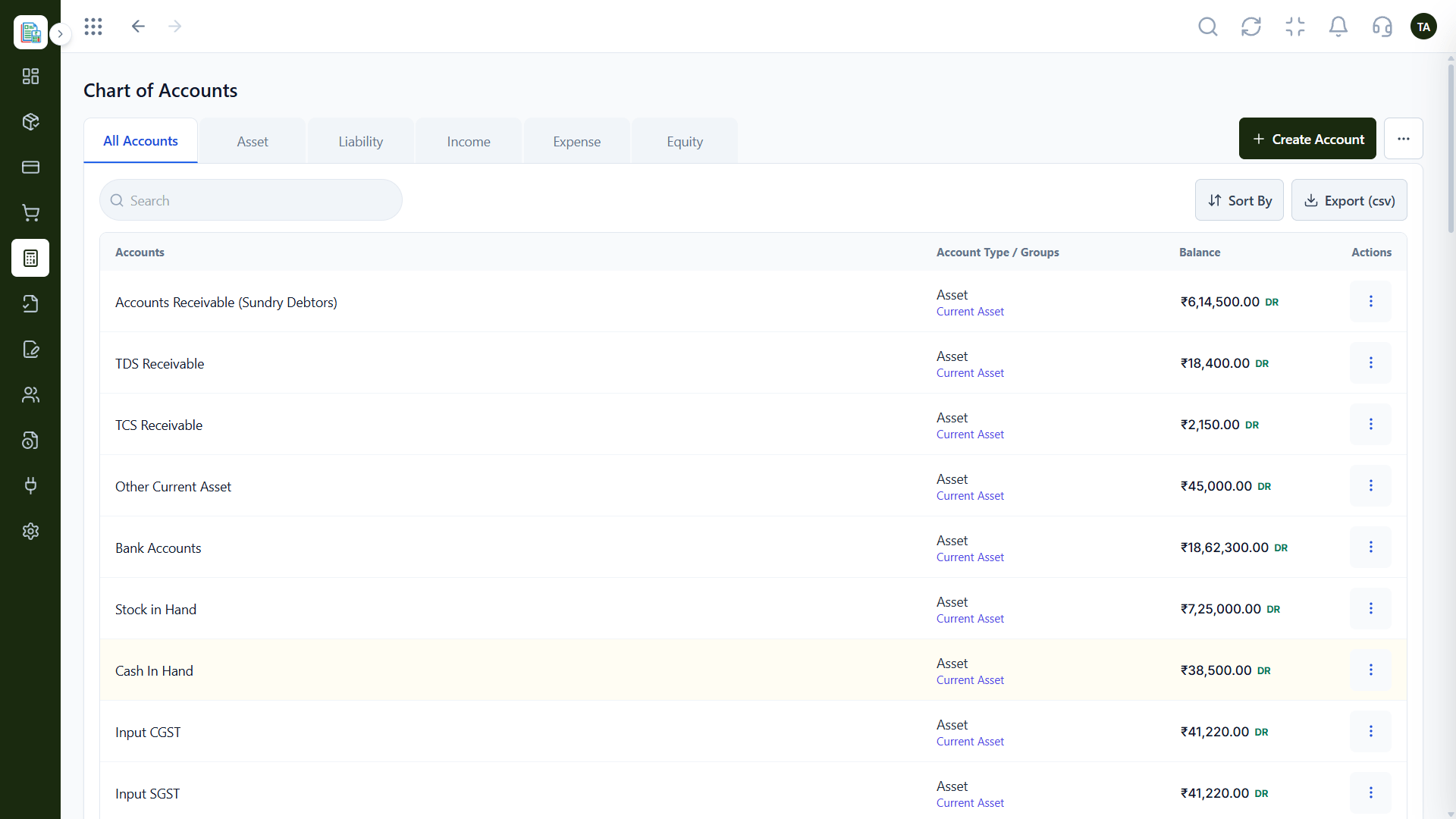
IntegrationsWhere bank accounts live.
How it fits the plan
Investigate. Follow up on anything that differs.
Close. Confirm the account is in step.
Watch out for
Comparing the bank to the books only at year-end, when a small gap has become a large mystery.
04
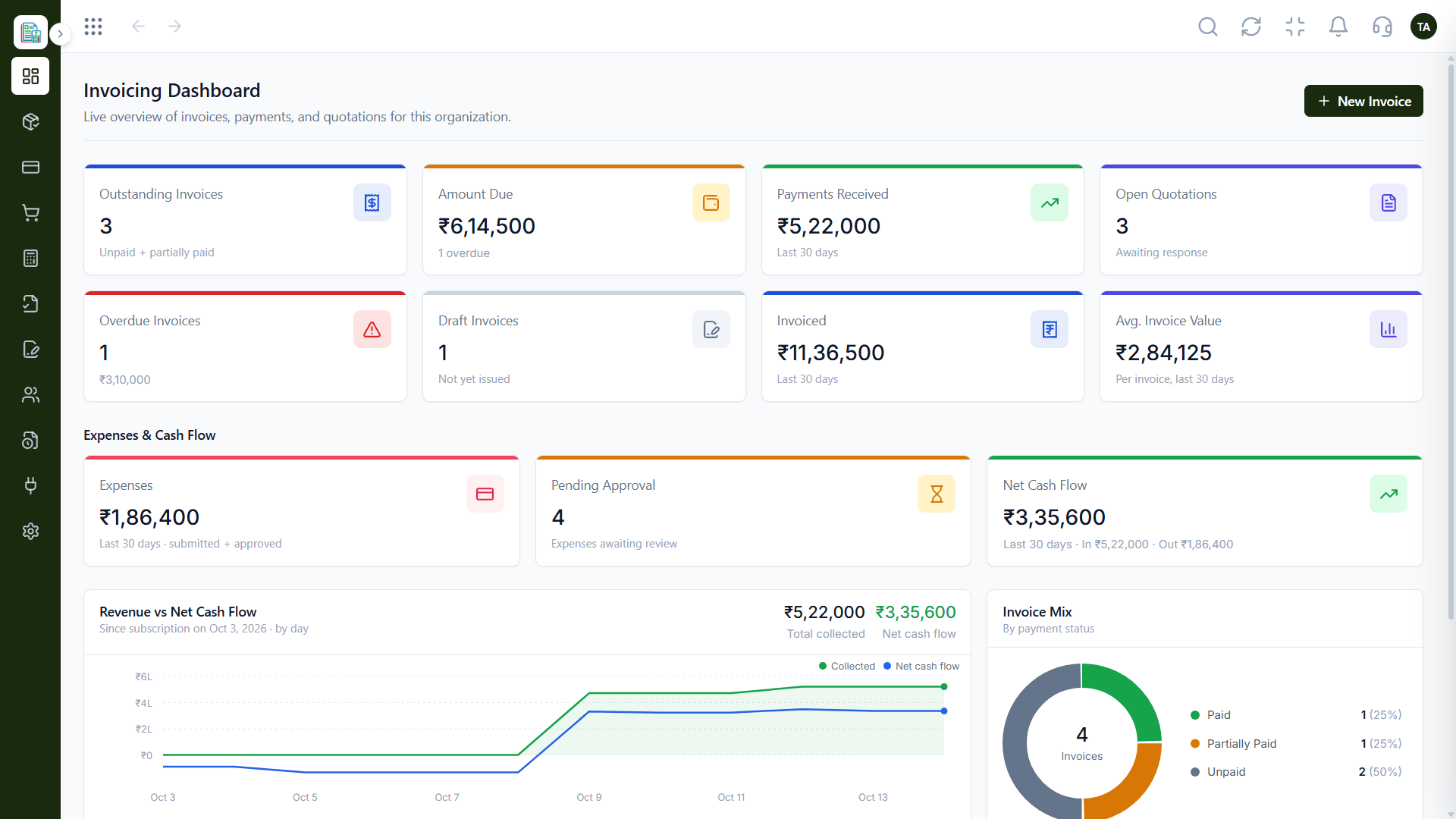
IntegrationsCash at a glance.
How it fits the plan
Close. Confirm the account is in step.
Record. Payments are saved against invoices.
Before you start
Execution Plan
Payments are saved against invoices.
Check them against bank activity.
Follow up on anything that differs.
Confirm the account is in step.
Practical Guide
Before you start
A tip that helps
Keep one bank account per ledger account. It makes the comparison with your statement a straight line.
A common mistake
Comparing the bank to the books only at year-end, when a small gap has become a large mystery.
In Real Life
Scenario 01
Finance compares the week's payments in a few minutes.
Scenario 02
An unmatched deposit is traced to its invoice.
Scenario 03
Bank accounts are confirmed before books are locked.
Straight answers about Bank Account Sync, from setup to what happens next.
Have a question about Bank Account Sync?
Book a free callAsk us which banks and sync options are available on your plan.
Compare the payments received list and the ledger with your statement.
Yes. The general ledger shows one for each account.
In the chart of accounts, under your asset accounts.
Bring bank activity alongside your invoices and payments so what the bank shows and what the books show can be checked against each other.
It runs in 4 steps: Record, Compare, Investigate and Close. Payments are saved against invoices.
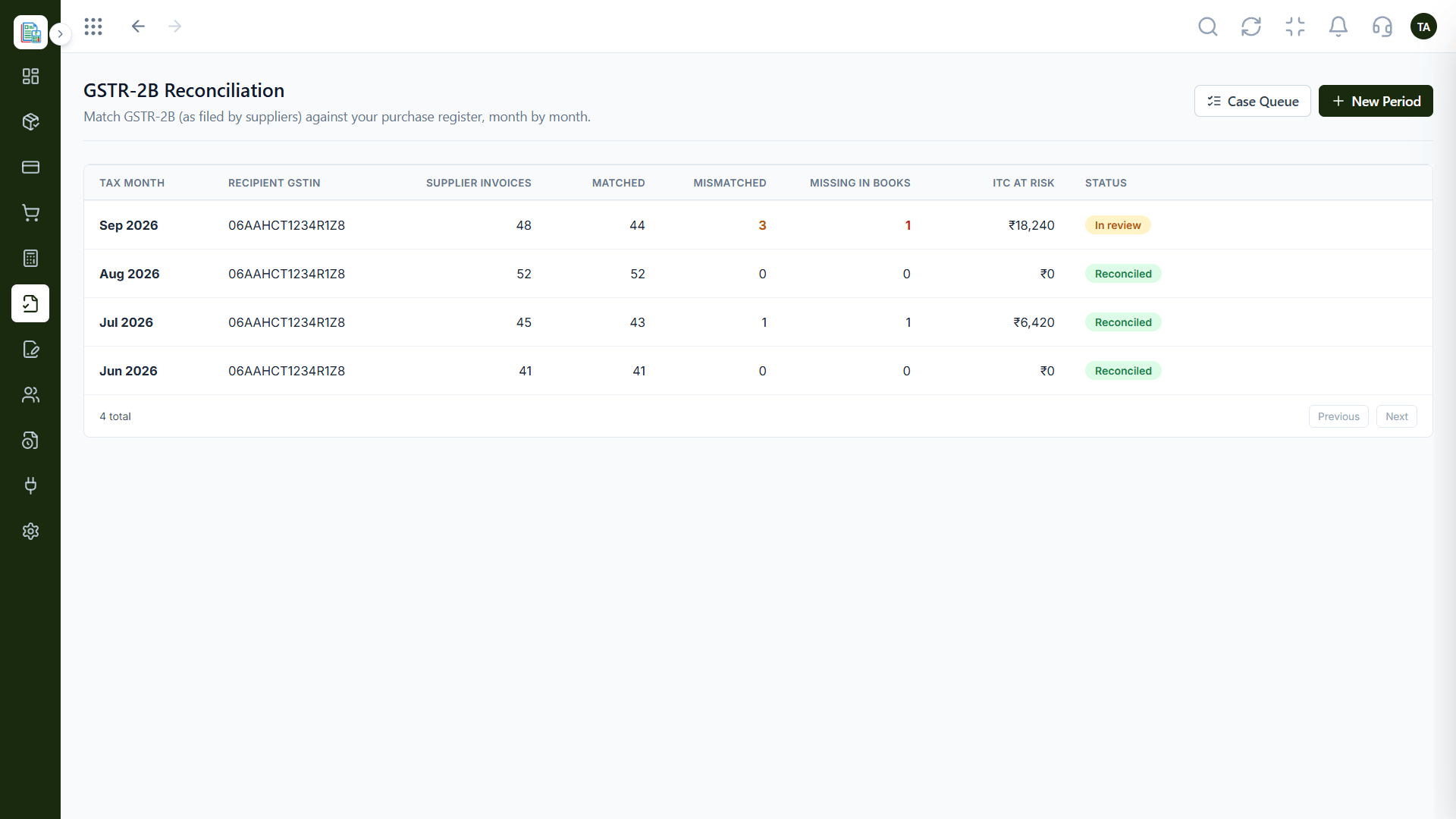
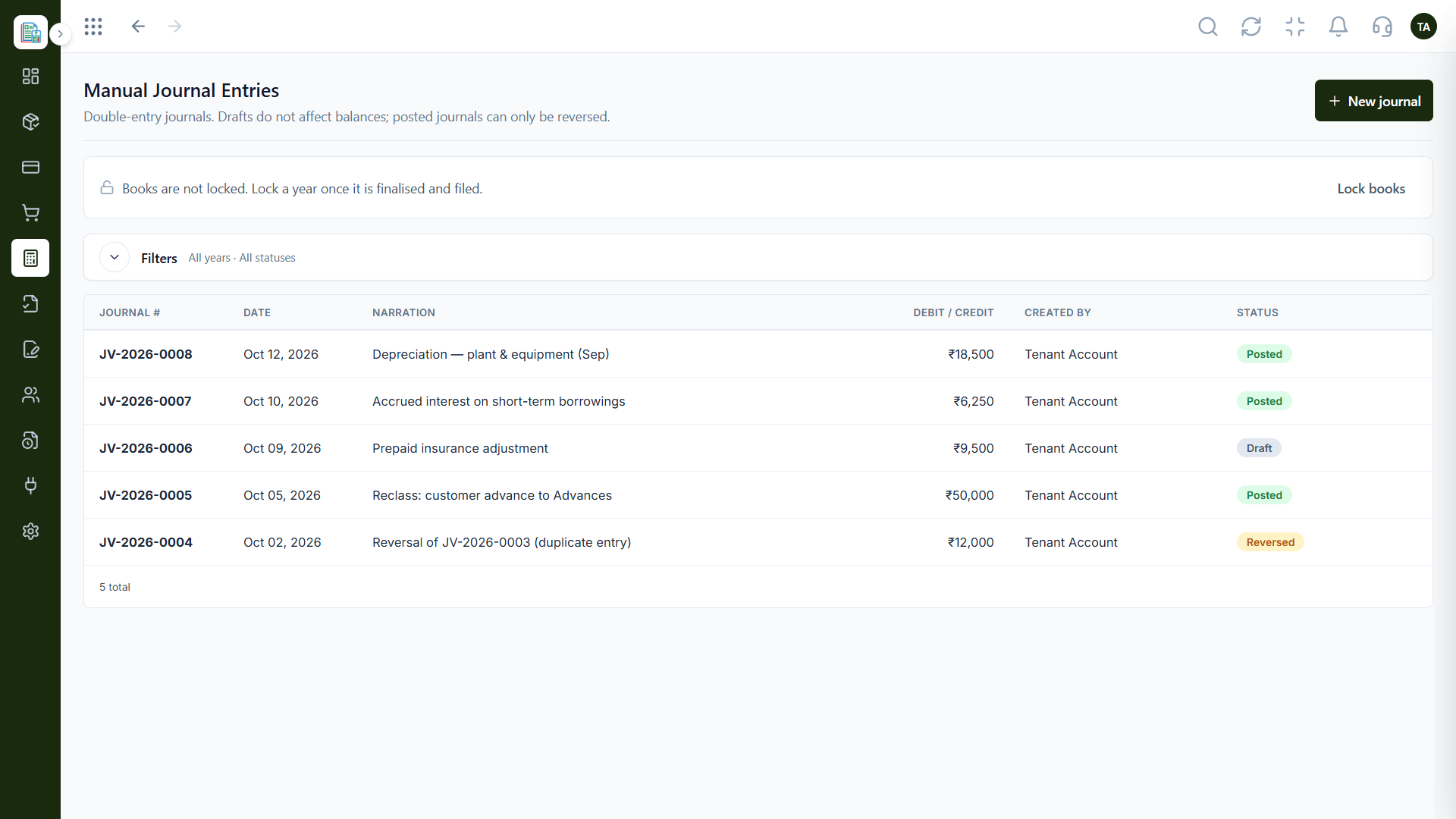
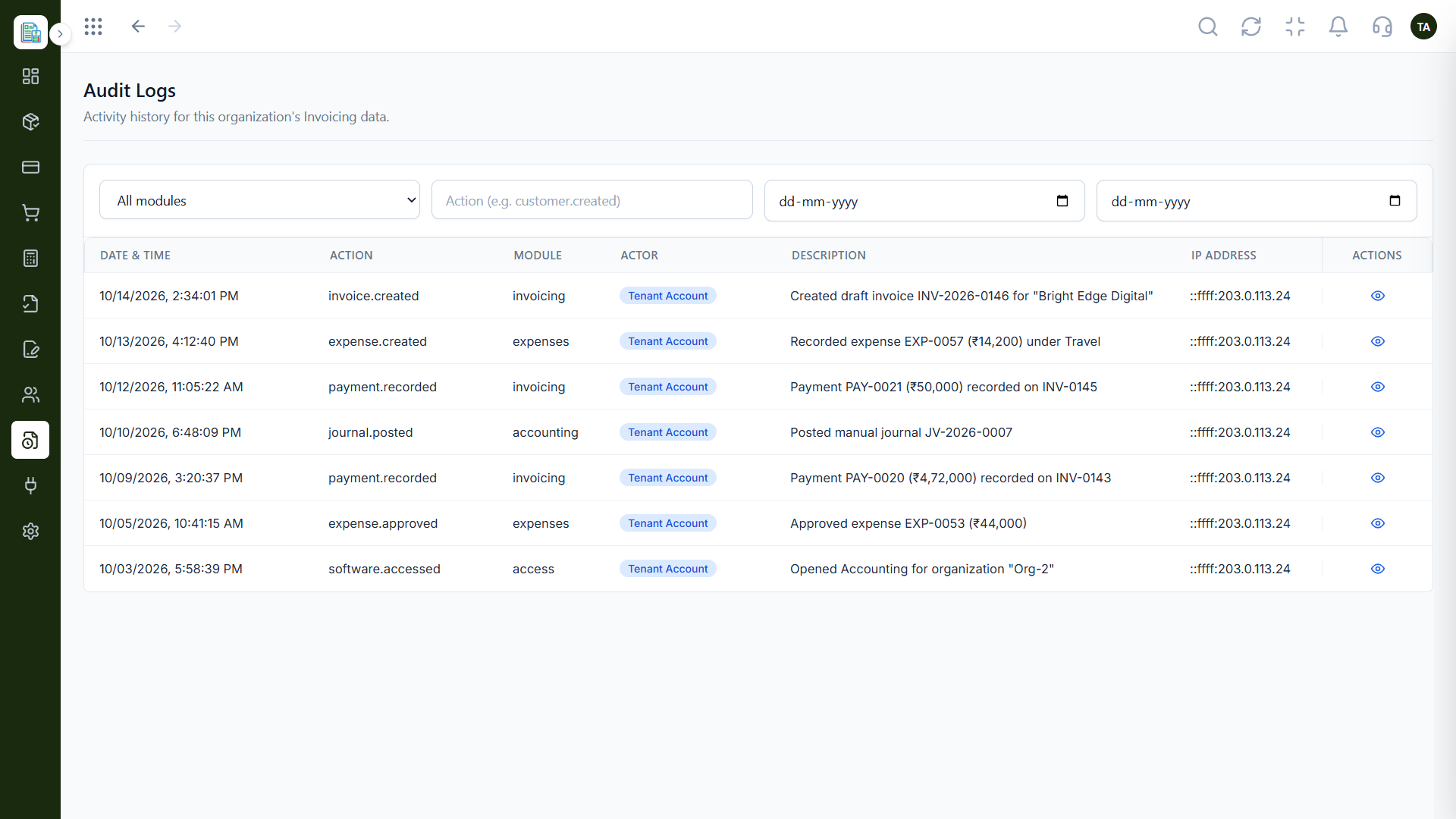
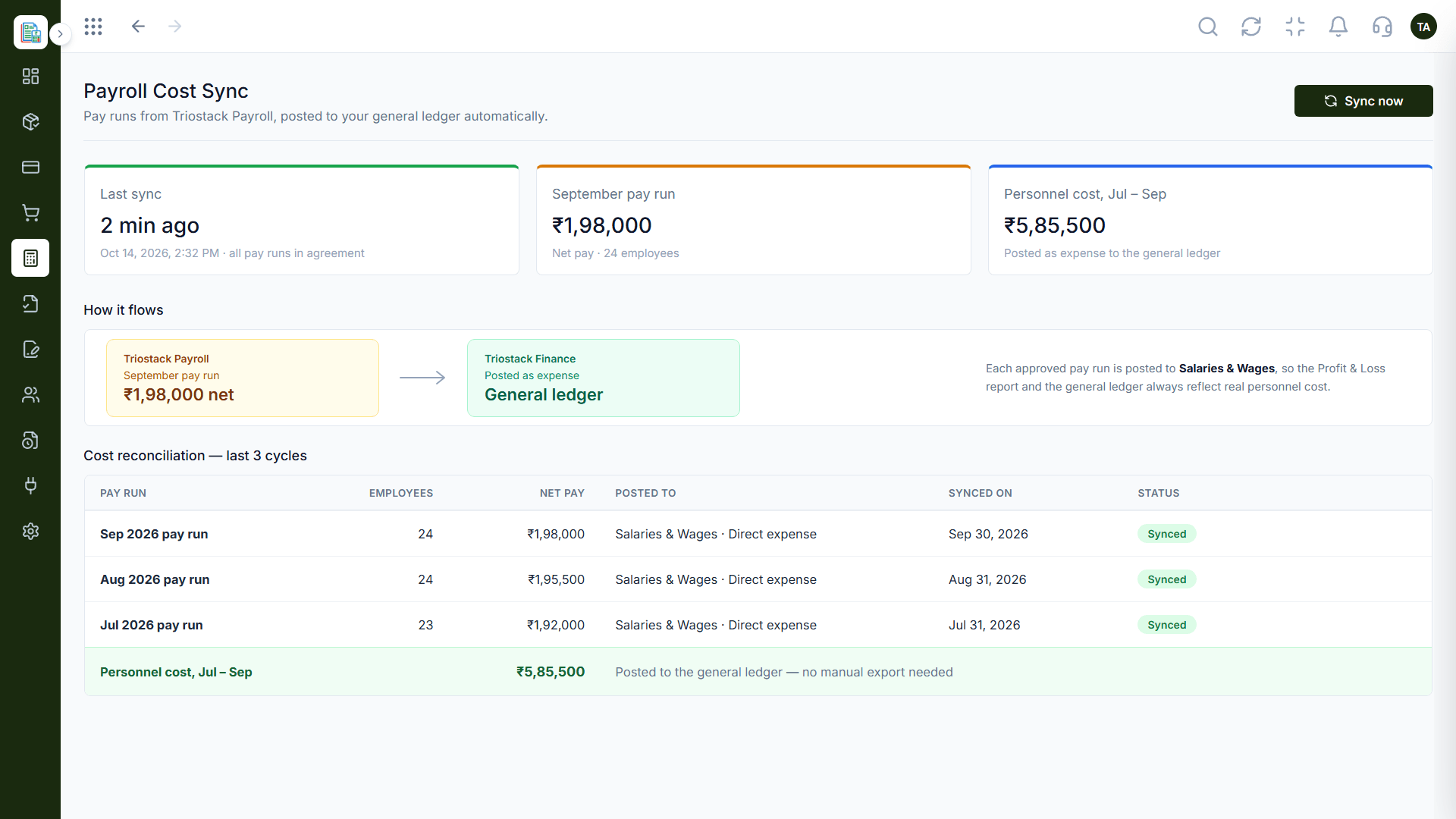
The real screens on this page include Invoices, Manual Journals, Balance Sheet and Payments Received, all captured from the product.
Request a demo or start a free trial. Our team can also walk you through a guided setup, so your first session ends with something working.
Keep Exploring
Invoices, expenses, accounting and GST reconciliation in one workspace, connected to sales, payroll and delivery.