The best Business Suite software in India, built to help your business grow. Contact us at +91-8882435276.
[ Contact ]
Phone number
Email address
Head office
Noida office
The right team at TriostackOne will get back to you.
Day-to-day billing
Review current features
Team access
Review current access options
Accountant work
Strong accountant familiarity
Suite integration
Via other tools
Check each vendor's current plans.
Positioning Assessment
Tally is familiar and powerful for accounting professionals. For business owners and teams, day-to-day billing and spending can be harder to share.
Triostack Finance is built for the whole team to bill, approve spending and see reports, while exports of the chart of accounts and reports help an accountant who prefers Tally. Check each product's current features before deciding.
“Our accountant kept Tally. We moved daily billing to Finance and sent her exports.”
Sample team scenario
Illustrative example, not a customer testimonial
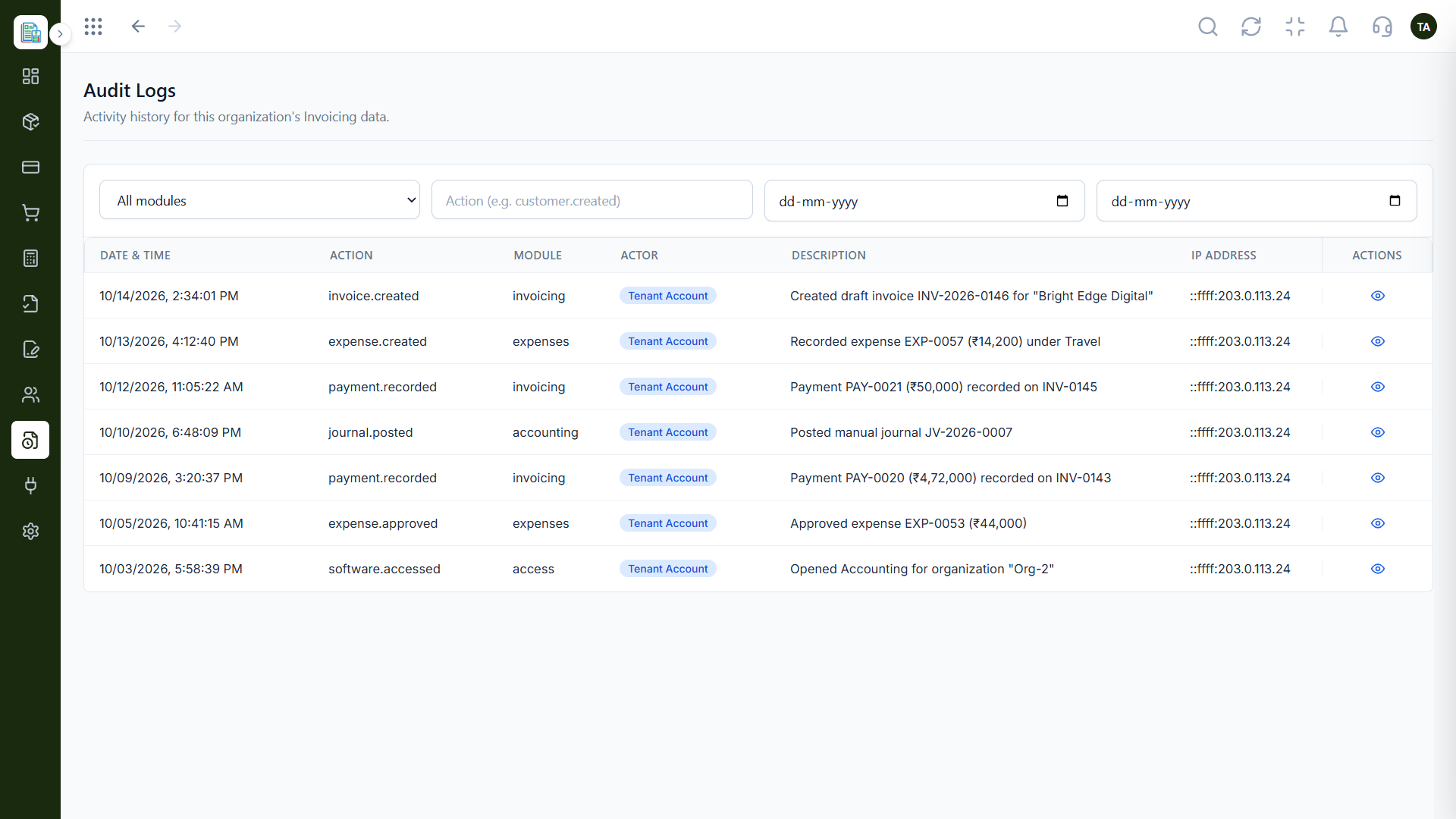
Audit Logs
A dated history of finance activity
In the Product
Imagine the pro's workshop beside a kitchen where everyone can cook.
Everyone can bill and approve.
Exports travel well.
Switch at your own pace.
Platform Integrity
Billing and approvals for everyone
Share with Tally users
CRM, Payroll, Projects
We plan the move
Detailed Comparison
A fair comparison of what to look at. Check each vendor's current plans, since both evolve.
Triostack Finance
Tally
Day-to-day billing
Quotations, invoices, payments in one flow
Day-to-day billing
Review current features
Team access
Built for many users and approvals
Team access
Review current access options
Accountant work
Exports and journals
Accountant work
Strong accountant familiarity
Suite integration
Connected to Triostack One
Suite integration
Via other tools
Pricing
See our pricing page
Pricing
Review the vendor's pricing
We help bring over customers, products and opening balances, and plan the cut-over so your books stay clean through the move.
Live Interface Tour
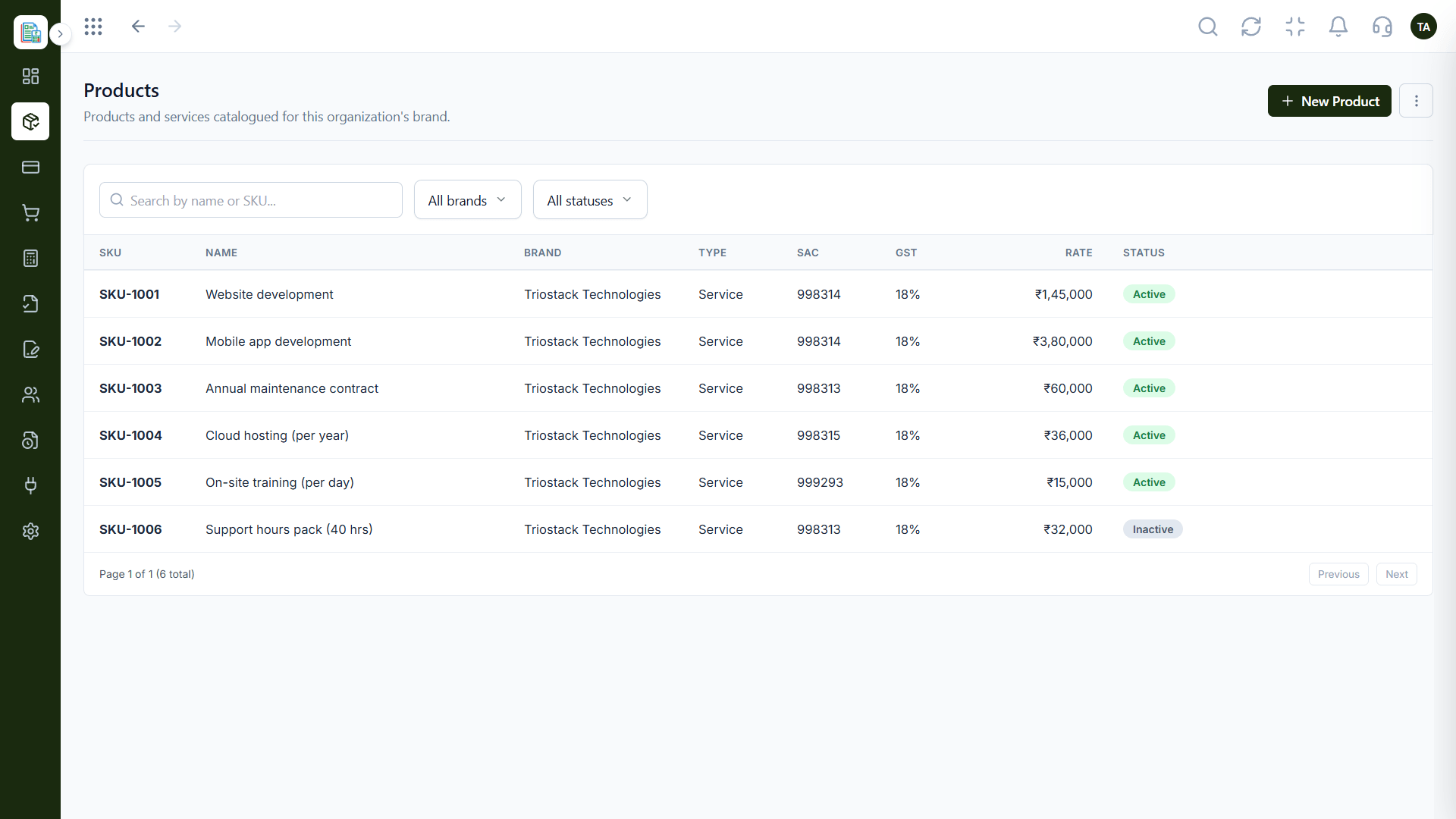
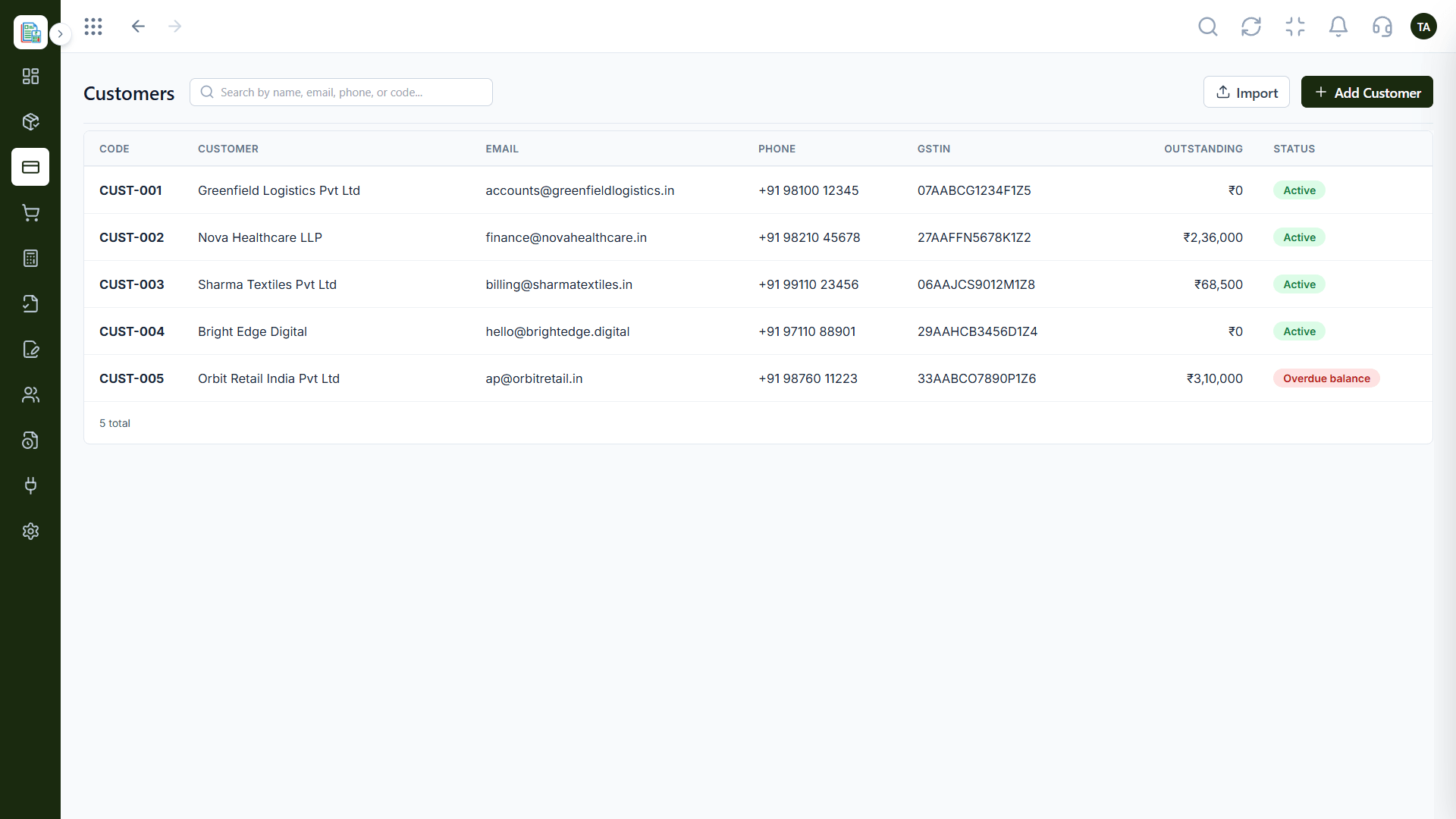
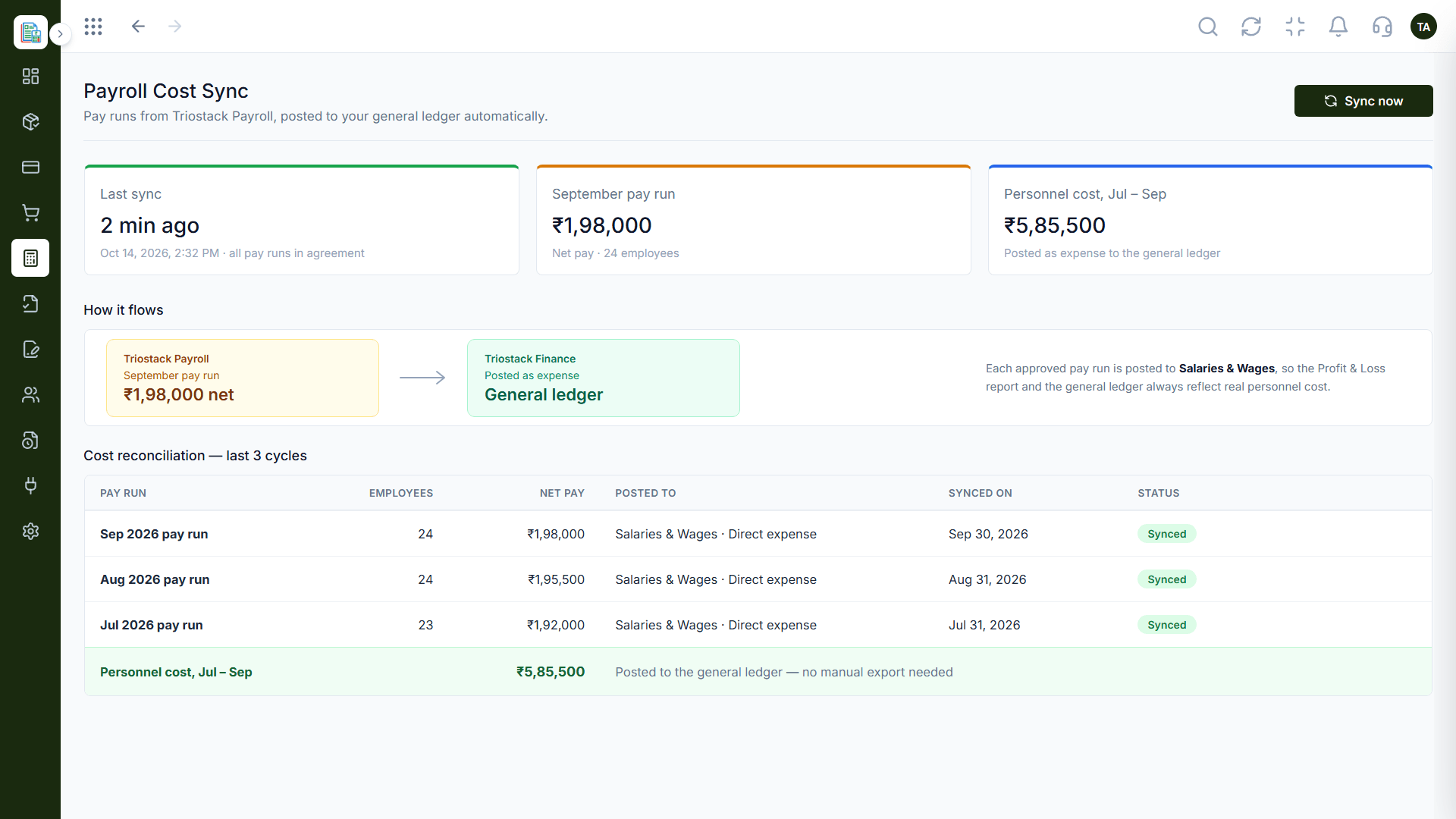
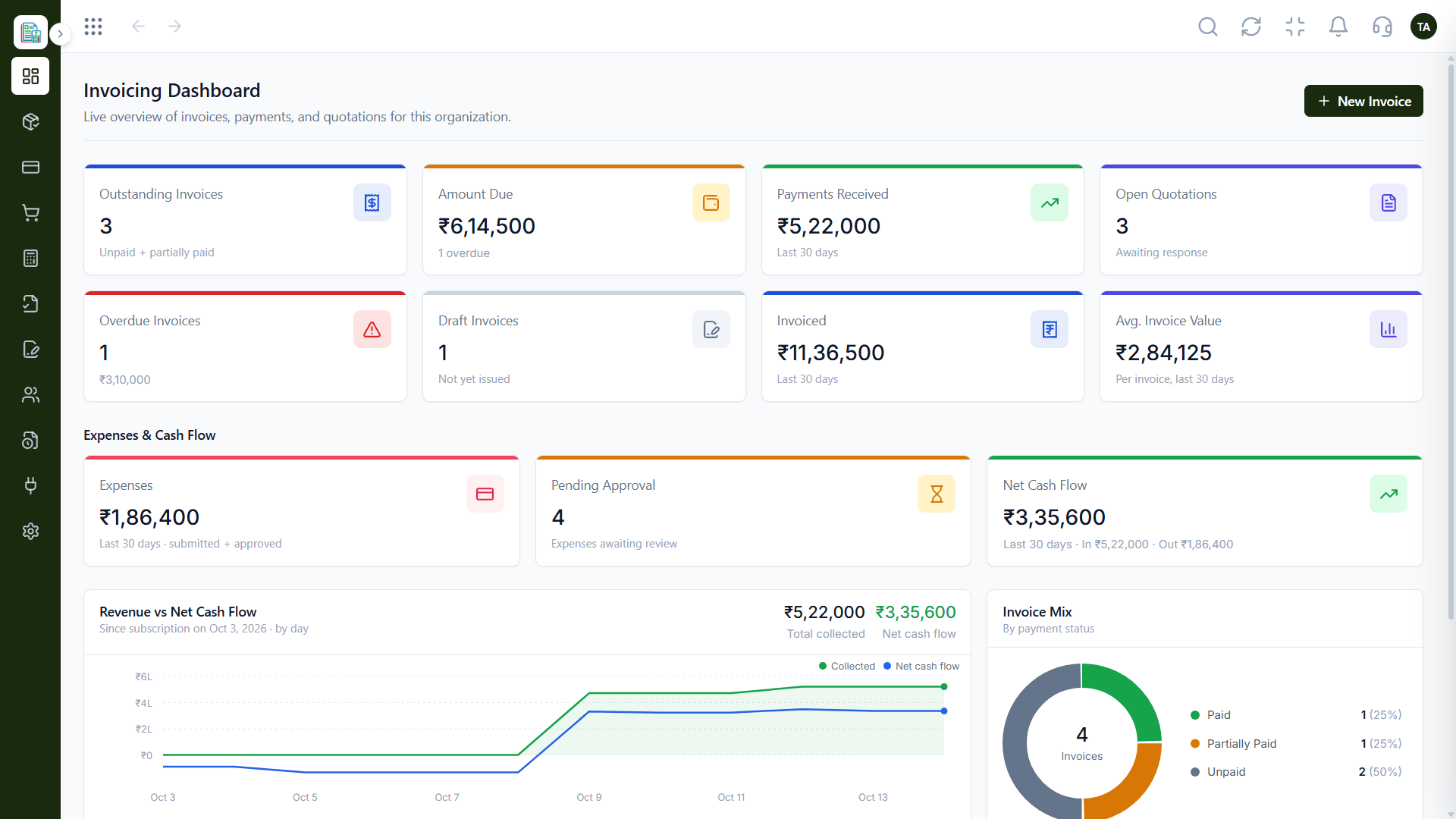
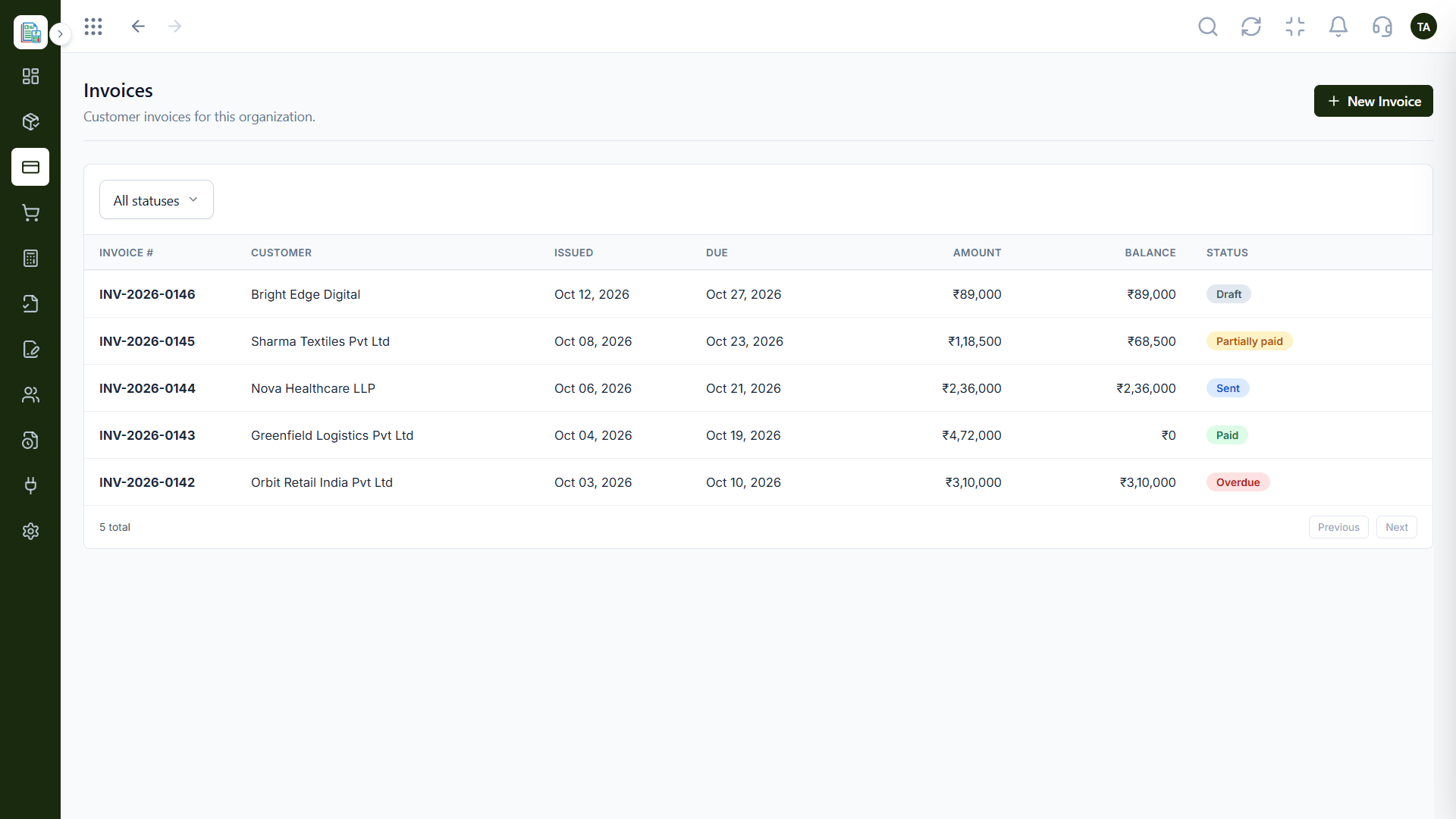
Real screens captured directly from the Triostack Finance workspace.
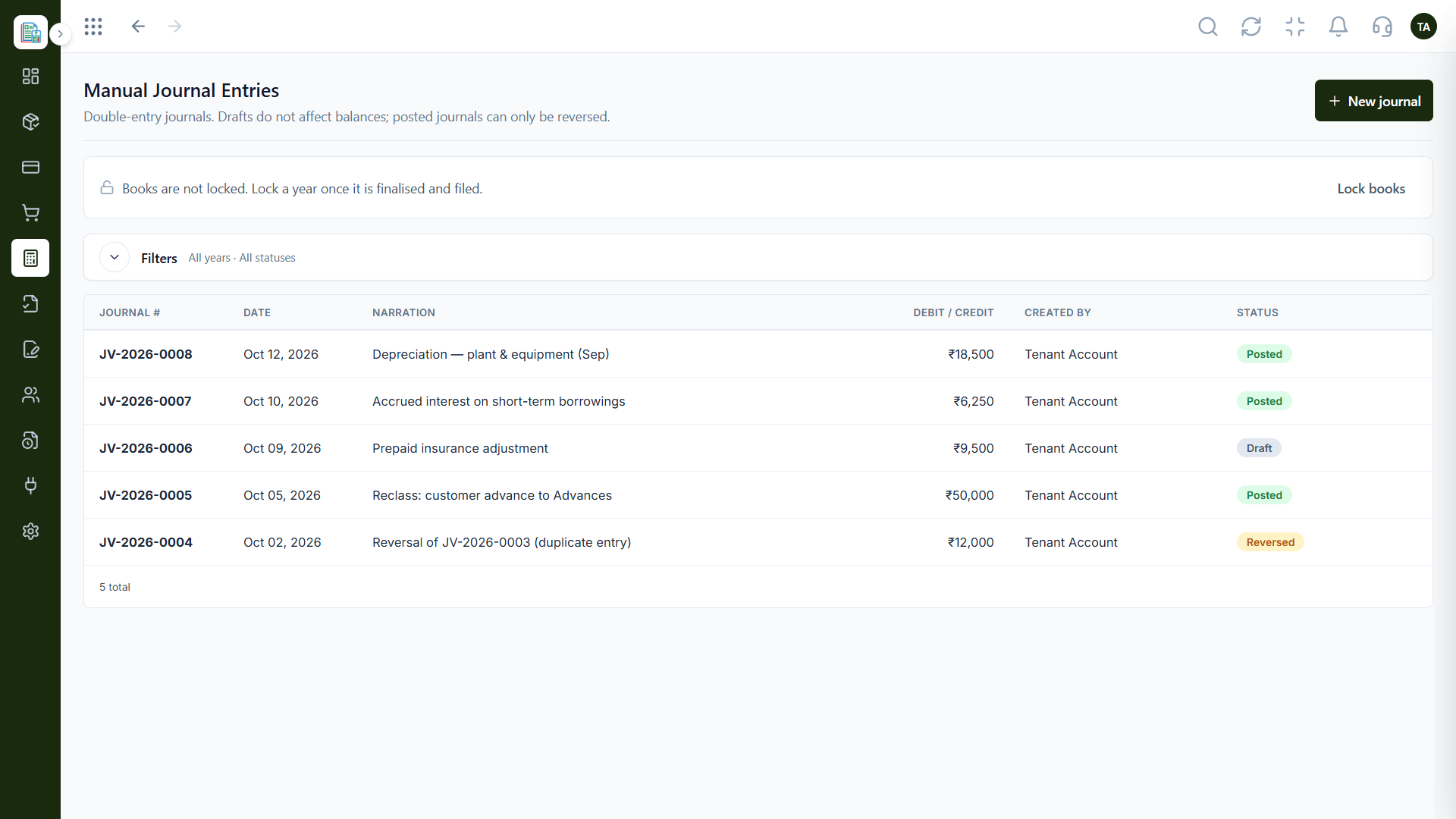
Manual Journals
Share exports with accountants who use Tally
Feature Breakdown
Captured from the Triostack Finance workspace.
Exportable.
How it fits the plan
Ask your accountant. Find out what they need.
List your team needs. Who bills, approves and reports?
Practical tip
Ask your accountant what they would be comfortable with before you decide. Their habits matter.
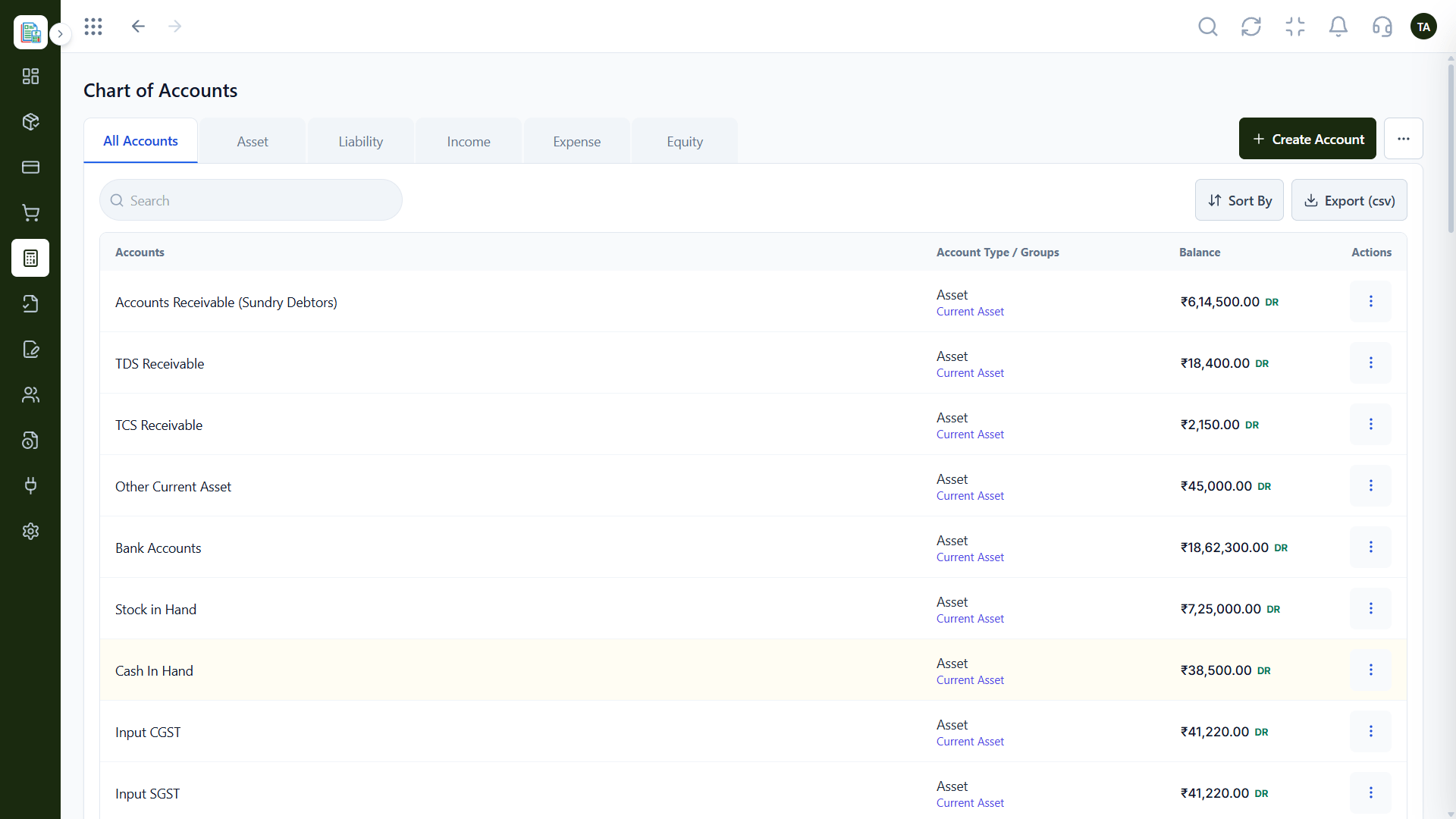
Accountant adjustments.
How it fits the plan
List your team needs. Who bills, approves and reports?
Pilot. Try a month in Finance.
In real life
Founder wants visibility
Finance gives a live view; the accountant keeps Tally.
Share with anyone.
How it fits the plan
Pilot. Try a month in Finance.
Decide. Move fully or run both.
Watch out for
Treating it as all-or-nothing when many teams run daily billing in one tool and keep Tally for the books.
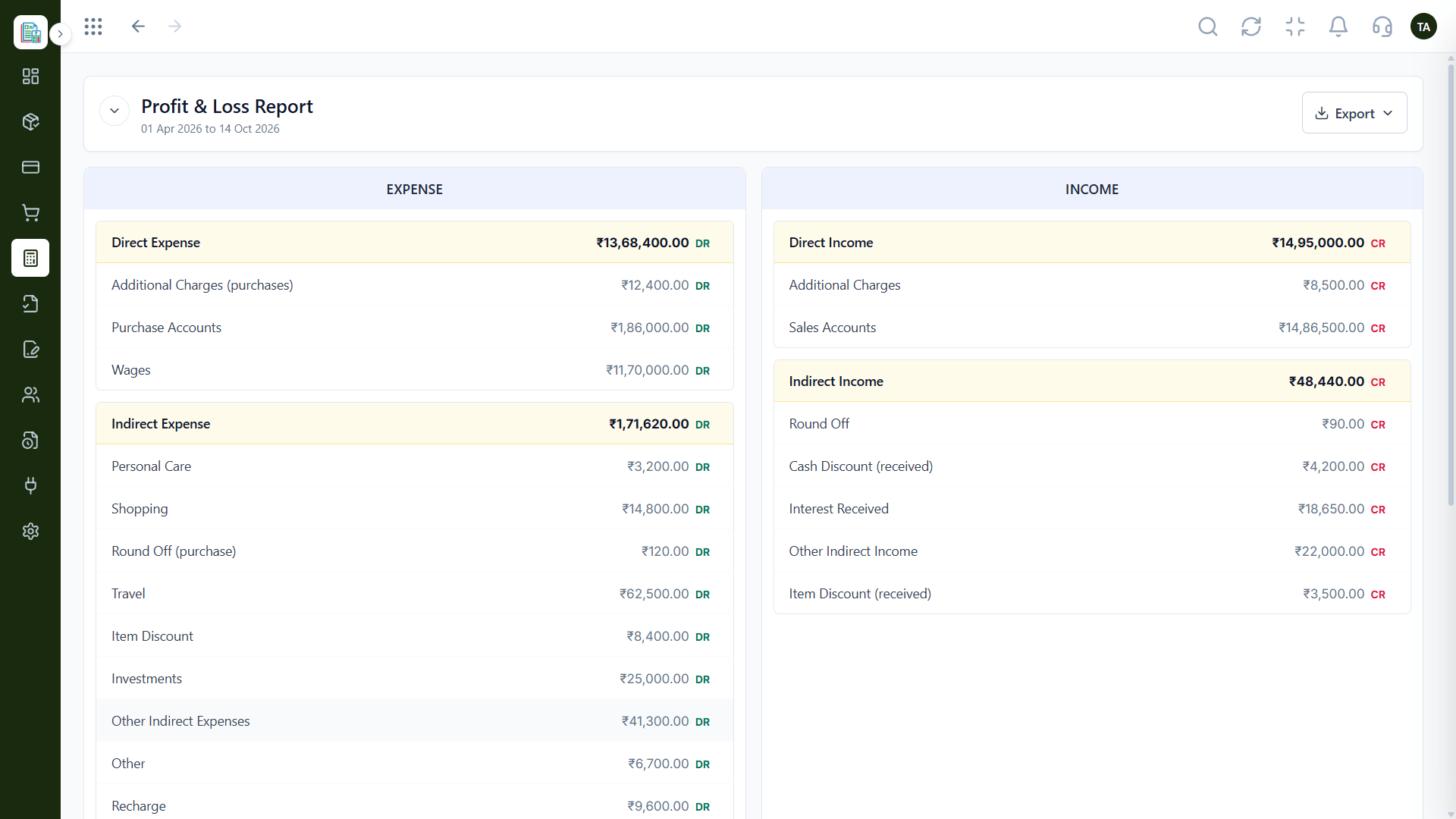
Team billing.
How it fits the plan
Decide. Move fully or run both.
Ask your accountant. Find out what they need.
Before you start
Execution Plan
Find out what they need.
Who bills, approves and reports?
Try a month in Finance.
Move fully or run both.
Practical Guide
Before you start
A tip that helps
Ask your accountant what they would be comfortable with before you decide. Their habits matter.
A common mistake
Treating it as all-or-nothing when many teams run daily billing in one tool and keep Tally for the books.
In Real Life
Scenario 01
Finance gives a live view; the accountant keeps Tally.
Scenario 02
More people bill and approve.
Scenario 03
Opening balances are planned and checked.
Straight answers about Triostack Finance vs Tally, from setup to what happens next.
Have a question about Triostack Finance vs Tally?
Book a free callNo. Many businesses run daily work in Finance and send exports to a Tally-using accountant.
Ask us which Tally options are available for your plan.
Compare current pricing for both.
We can plan the move, including opening balances.
Tally is widely used by Indian accountants. Triostack Finance is a connected workspace for invoicing, expenses and books. See where each fits and how they can work together.
It runs in 4 steps: Ask your accountant, List your team needs, Pilot and Decide. Find out what they need.
The real screens on this page include Audit Logs, Balance Sheet, Invoicing Dashboard and Chart of Accounts, all captured from the product.
Request a demo or start a free trial. Our team can also walk you through a guided setup, so your first session ends with something working.
Keep Exploring
Invoices, expenses, accounting and GST reconciliation in one workspace, connected to sales, payroll and delivery.