The best Business Suite software in India, built to help your business grow. Contact us at +91-8882435276.
[ Contact ]
Phone number
Email address
Head office
Noida office
The right team at TriostackOne will get back to you.
Open
Start with the dashboard.
Scan
Spot overdue and pending items.
Drill
Open the list.
Act
Follow up.
Positioning Assessment
When numbers take effort to get, people stop looking. A live dashboard makes checking a habit.
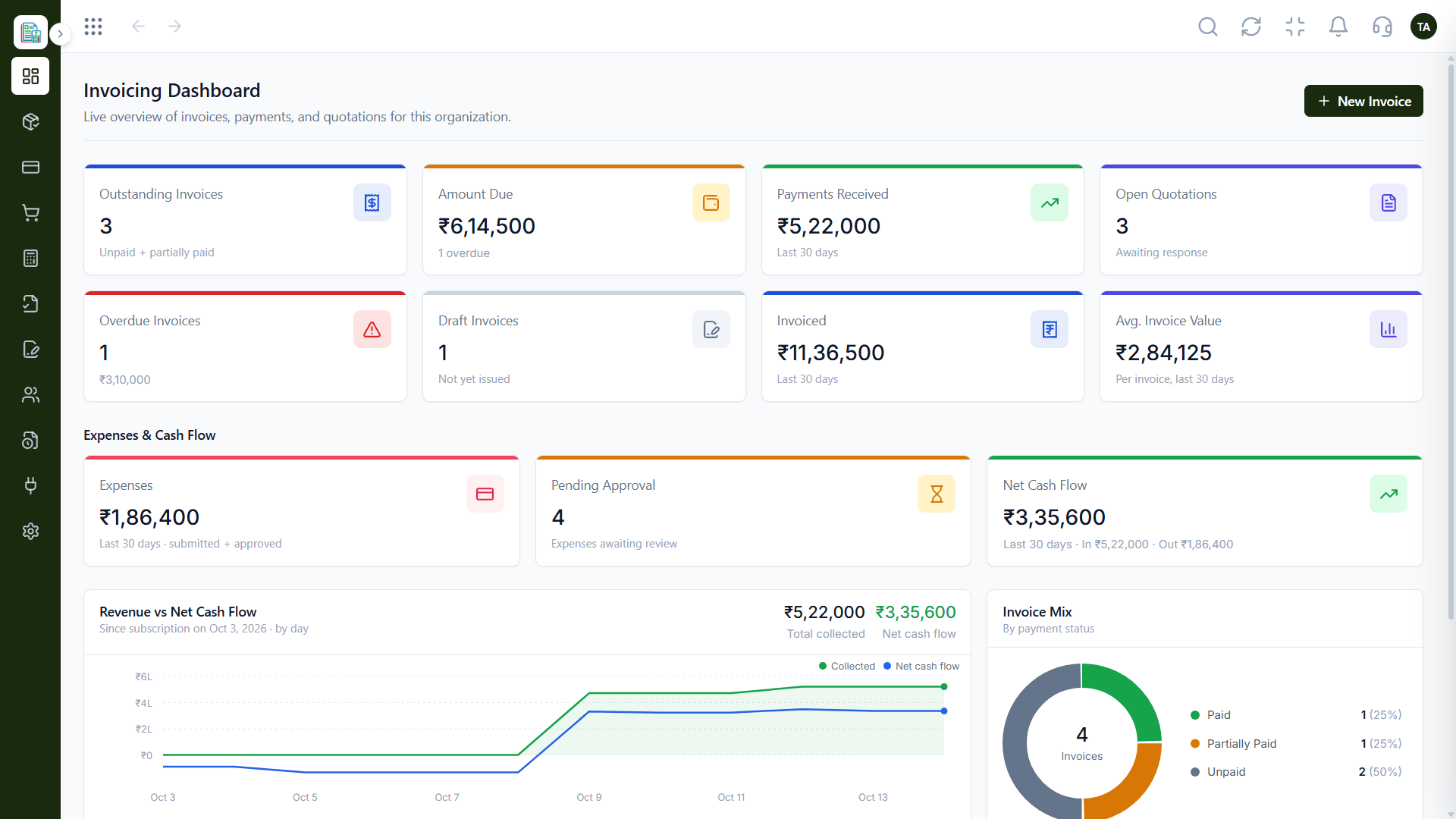
The Triostack Finance dashboard shows invoices by status, the amount due, payments received and open quotations, with expenses, pending approvals and net cash flow beside revenue. Click a figure to open the list behind it.
“Monday starts with the dashboard. We know what to chase before we open email.”
Sample team scenario
Illustrative example, not a customer testimonial
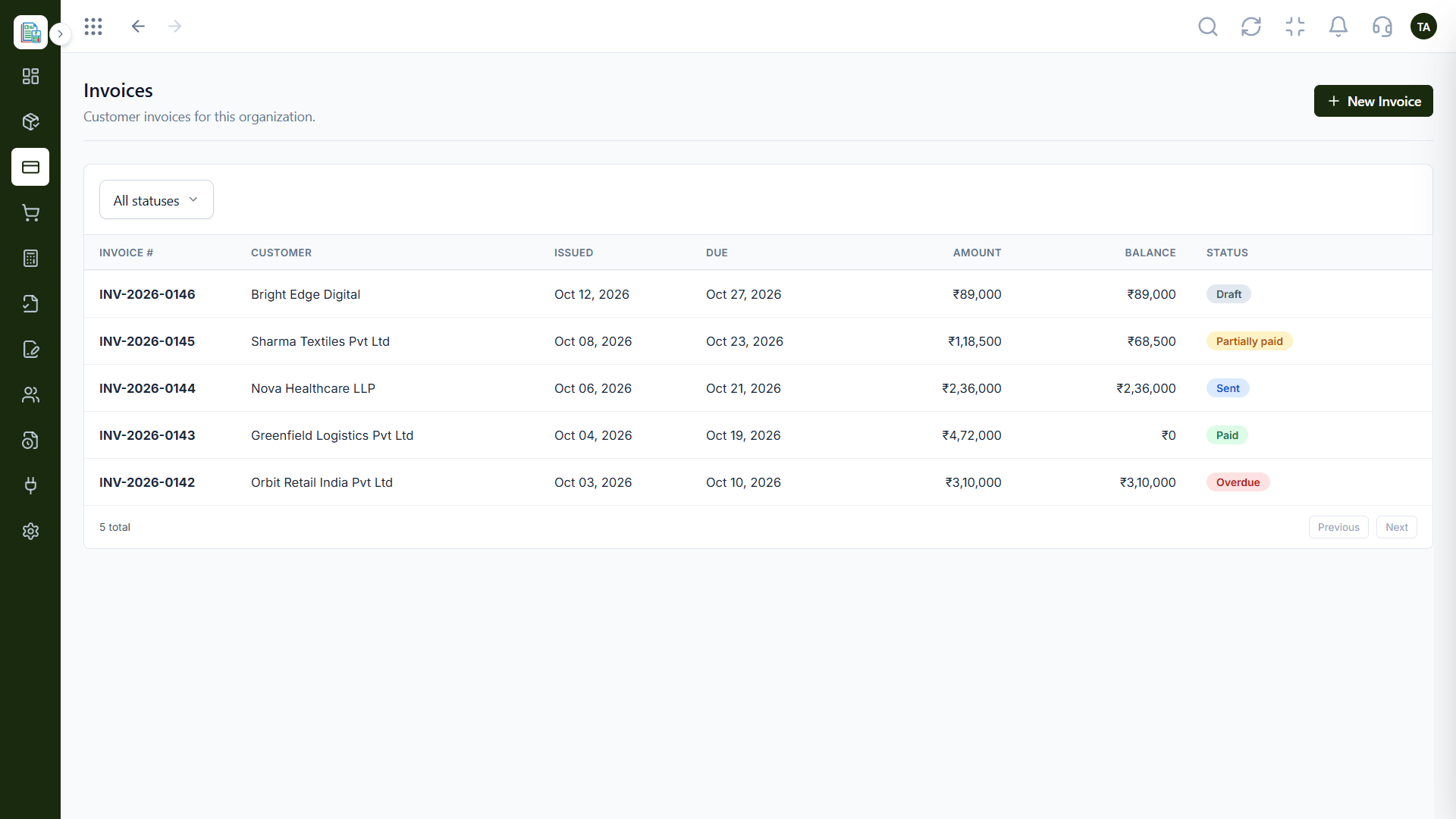
Invoices
Customer invoices filtered by status
In the Product
Imagine glancing at one dial and knowing how far you can go.
Updated as you work.
Overdue stands out.
Drill into detail.
Platform Integrity
Outstanding, overdue, draft
Payments and net flow
Expenses and approvals
Open quotations
How It Works
What changes when it is always there.
| Dimension | Triostack Finance | Periodic Reports |
|---|---|---|
| Freshness | Live | Monthly |
| Scope | Revenue, spend, cash | One at a time |
| Detail | Click to the list | Ask someone |
| Effort | Open the page | Build the report |
| Action | Spot overdue now | Find out later |
We will help you create your first customer, invoice and report end to end in your first session.
Live Interface Tour
Real screens captured directly from the Triostack Finance workspace.
Invoicing Dashboard
Updated as your books change
Feature Breakdown
Captured from the Triostack Finance workspace.
The view.
How it fits the plan
Open. Start with the dashboard.
Scan. Spot overdue and pending items.
Practical tip
Look at the overdue invoices first, then the open quotations. That order points to money.
Detail.
On this screen: Customer invoices filtered by status.
How it fits the plan
Scan. Spot overdue and pending items.
Drill. Open the list.
In real life
Morning check
Chase overdue invoices first.
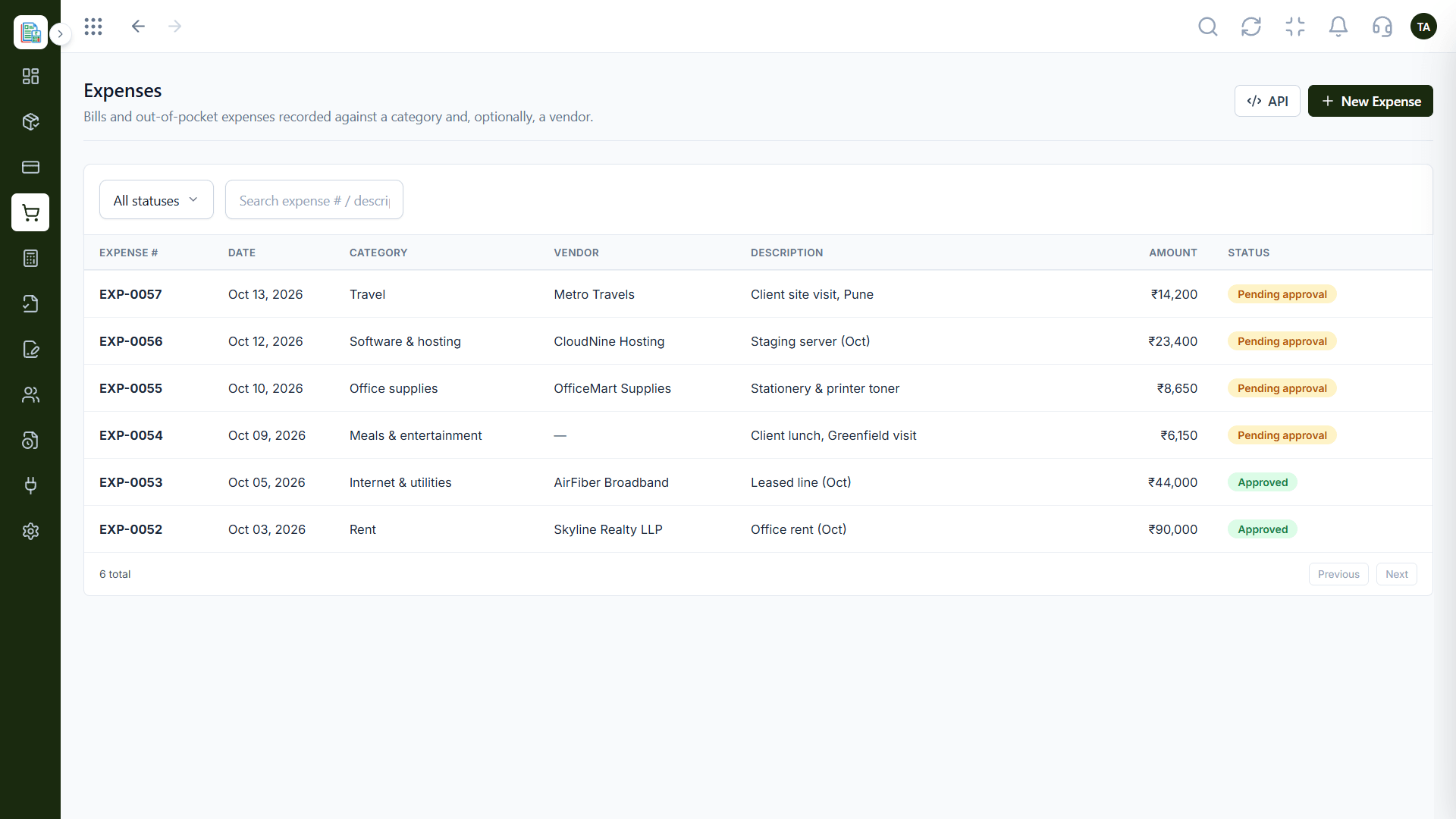
Spend.
How it fits the plan
Drill. Open the list.
Act. Follow up.
Watch out for
Admiring totals without opening the lists behind them.
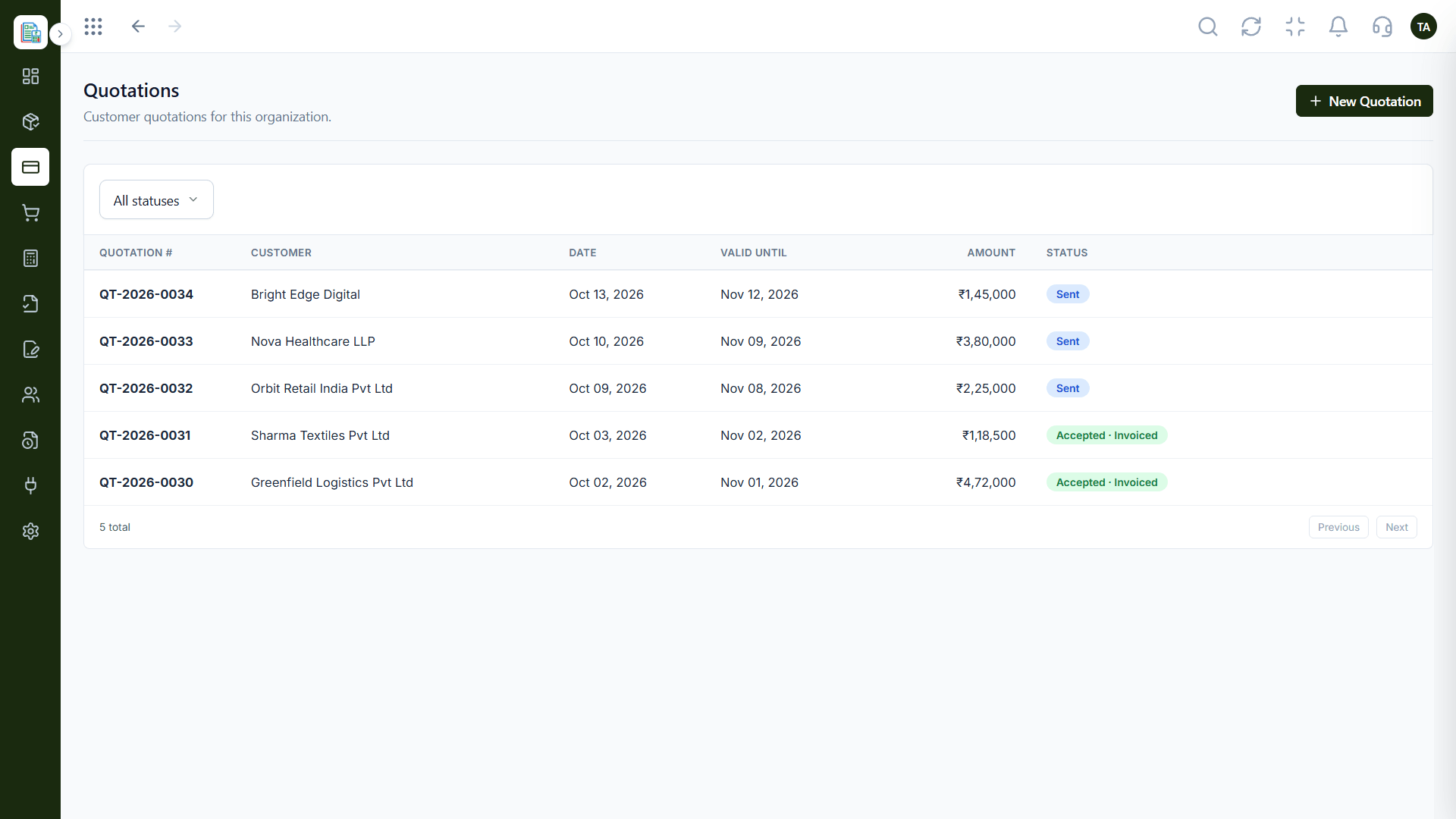
Pipeline.
How it fits the plan
Act. Follow up.
Open. Start with the dashboard.
Before you start
Execution Plan
Start with the dashboard.
Spot overdue and pending items.
Open the list.
Follow up.
Practical Guide
Before you start
A tip that helps
Look at the overdue invoices first, then the open quotations. That order points to money.
A common mistake
Admiring totals without opening the lists behind them.
In Real Life
Scenario 01
Chase overdue invoices first.
Scenario 02
See net flow before commitments.
Scenario 03
Share one screen.
Straight answers about View Real-time Dashboards, from setup to what happens next.
Have a question about View Real-time Dashboards?
Book a free callIt reflects the entries in your books as they are made.
Invoices, amounts due, payments, quotations, expenses and net cash flow.
Yes.
Ask us about mobile access.
Open one dashboard to see outstanding and overdue invoices, payments received, open quotations, expenses and net cash flow.
It runs in 4 steps: Open, Scan, Drill and Act. Start with the dashboard.
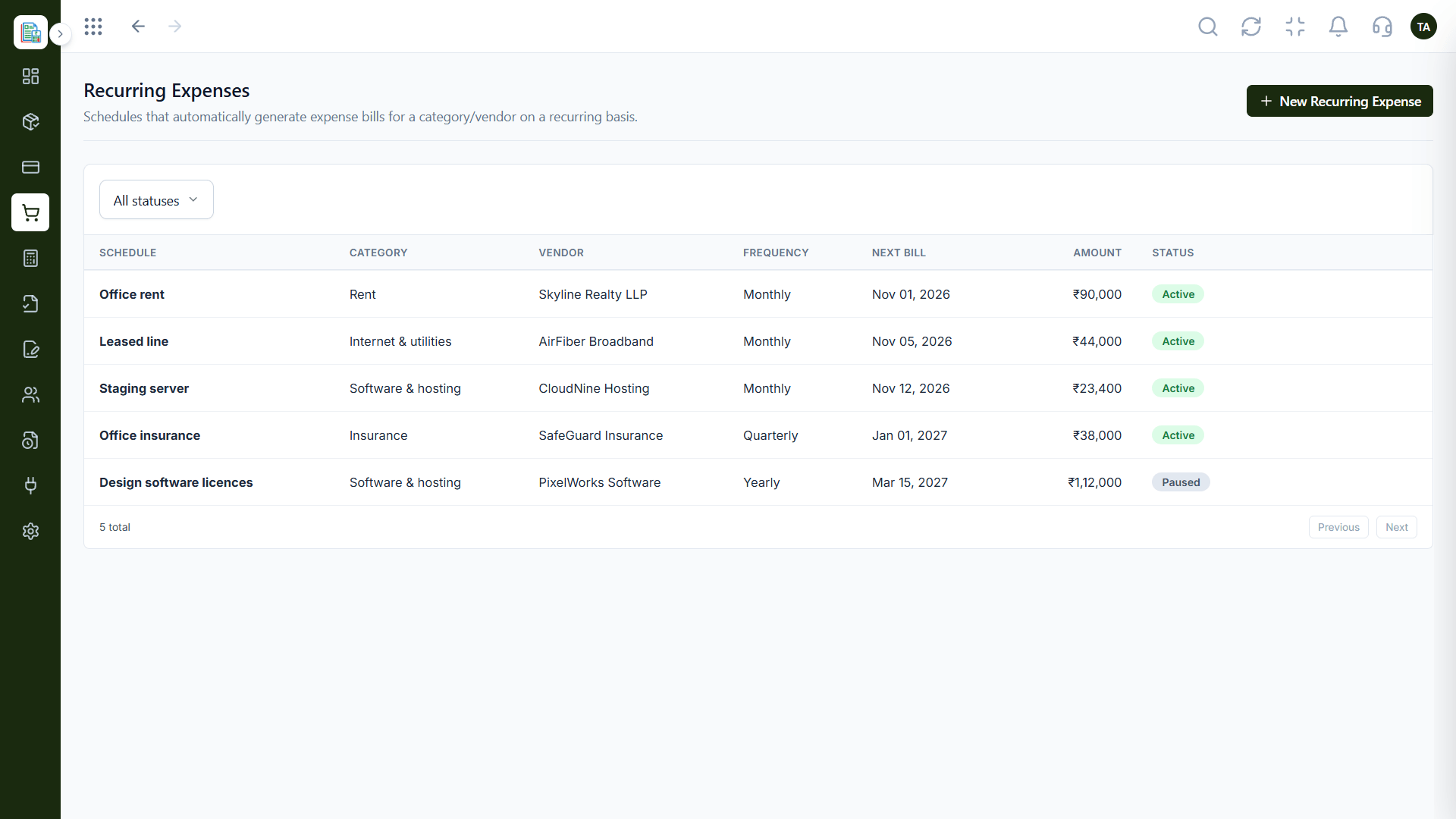
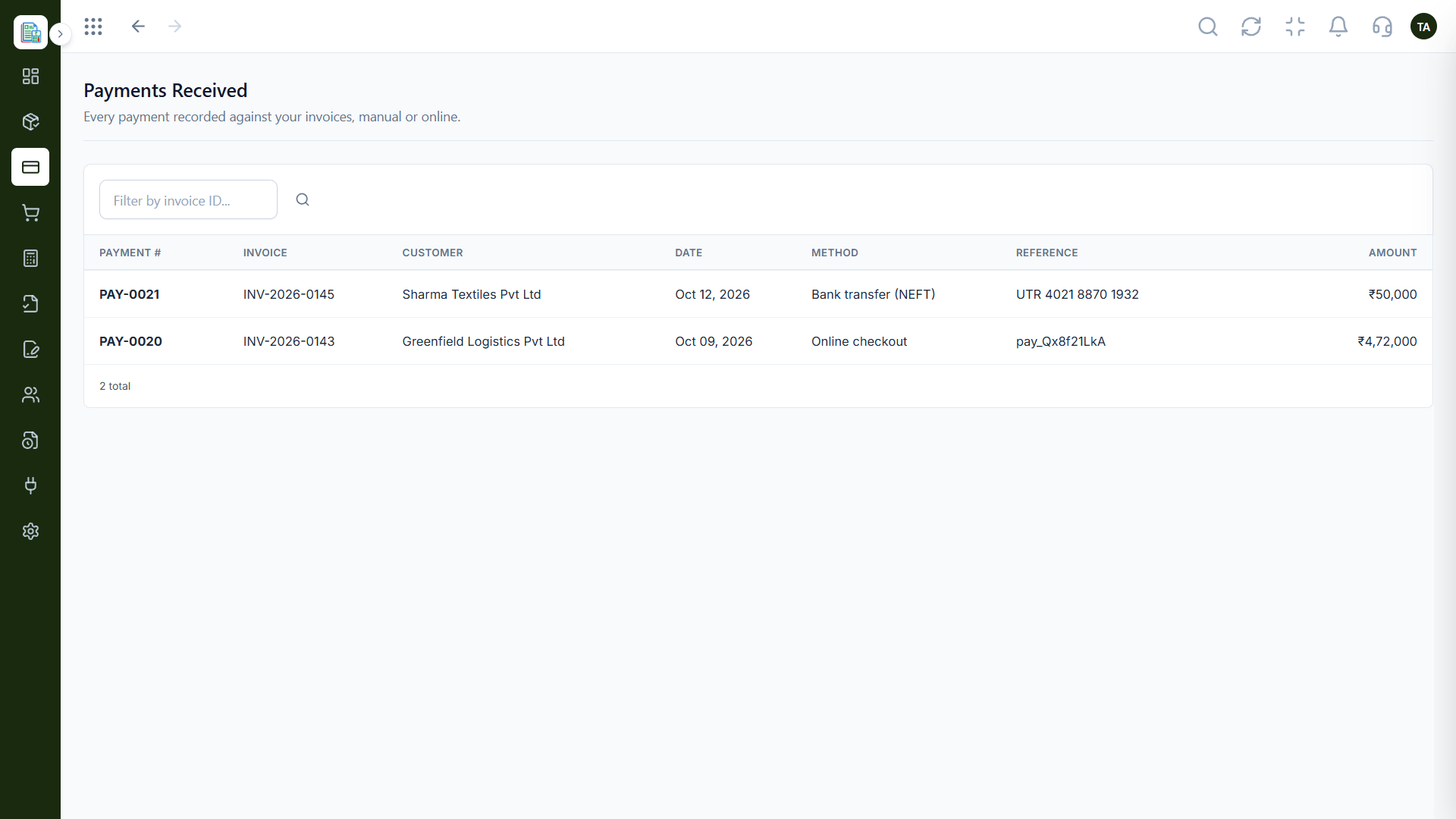
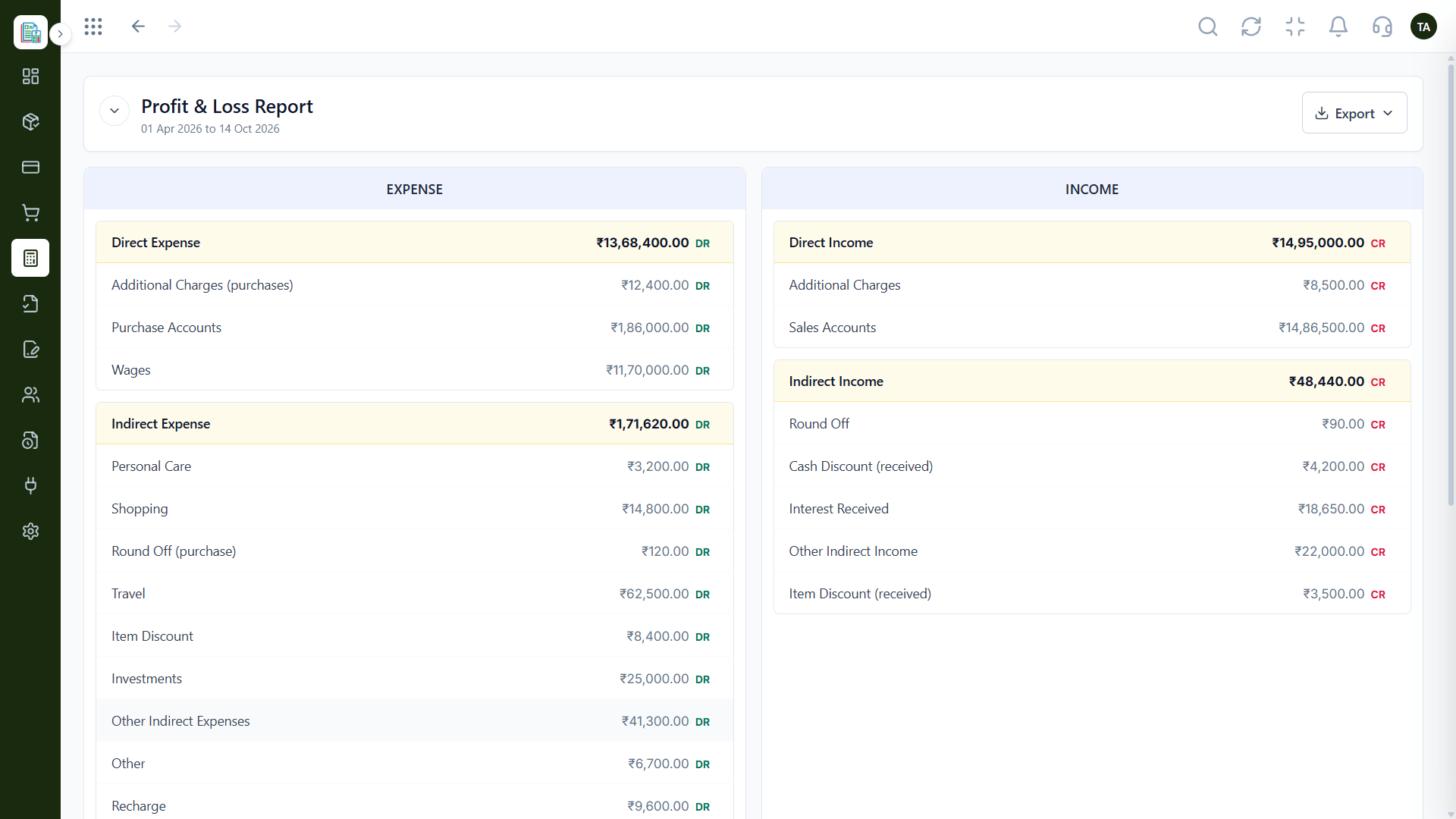
The real screens on this page include Invoices, Payments Received, Profit & Loss and Invoicing Dashboard, all captured from the product.
Request a demo or start a free trial. Our team can also walk you through a guided setup, so your first session ends with something working.
Keep Exploring
Invoices, expenses, accounting and GST reconciliation in one workspace, connected to sales, payroll and delivery.