The best Business Suite software in India, built to help your business grow. Contact us at +91-8882435276.
[ Contact ]
Phone number
Email address
Head office
Noida office
The right team at TriostackOne will get back to you.
Pick a job
Choose your biggest pain.
Set up
Use the matching page.
Run
Use it for a month.
Add more
Expand to the next job.
Positioning Assessment
Most finance work falls into a few jobs: bill customers, collect payment, record spending, keep books, stay compliant and report.
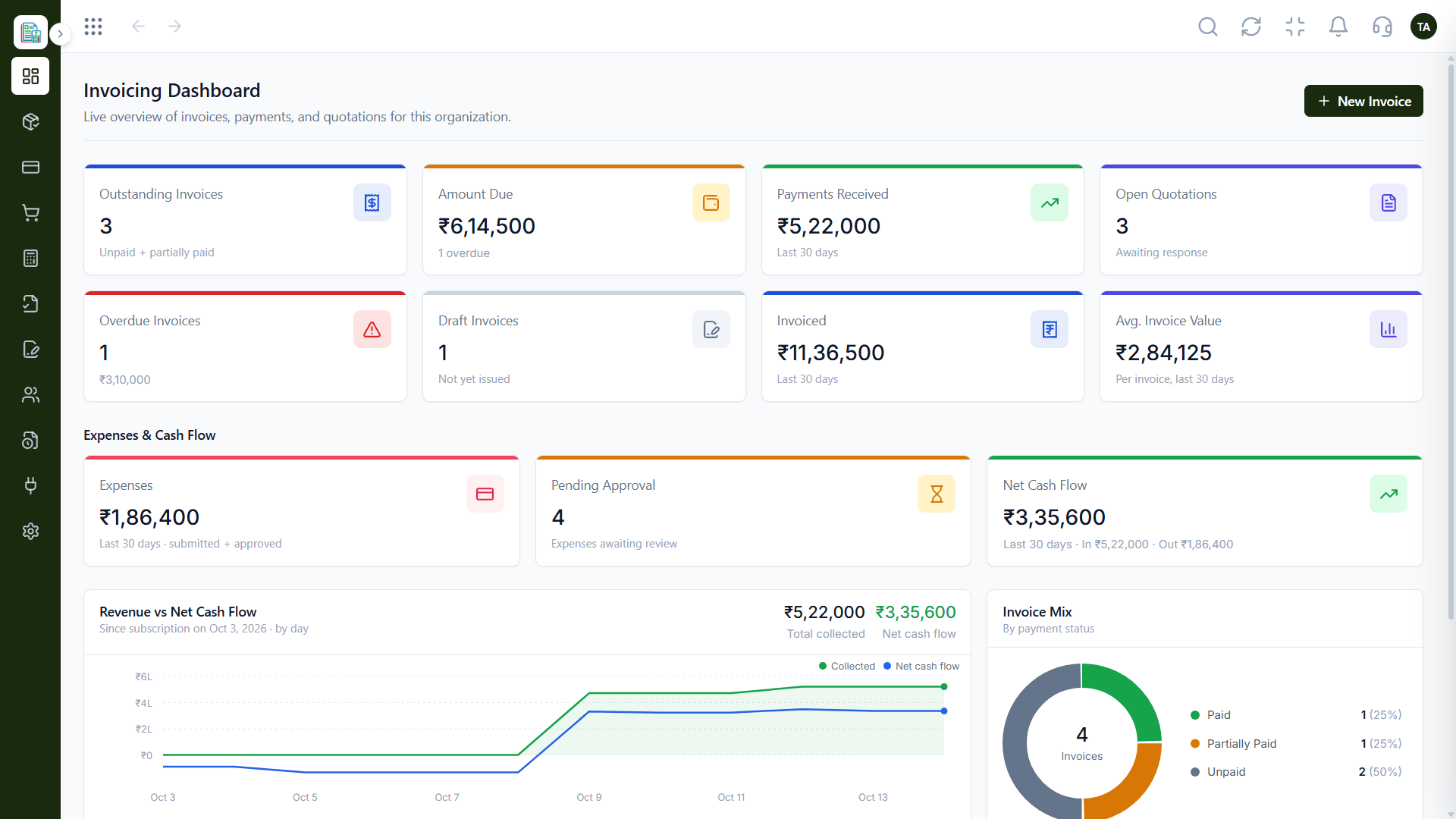
Triostack Finance covers each: create invoices, track expenses, manage payments, generate reports, stay GST compliant, view dashboards and automate recurring bills. Pick the job you most want to improve and start there.
“We started with invoicing and added the rest one month at a time.”
Sample team scenario
Illustrative example, not a customer testimonial
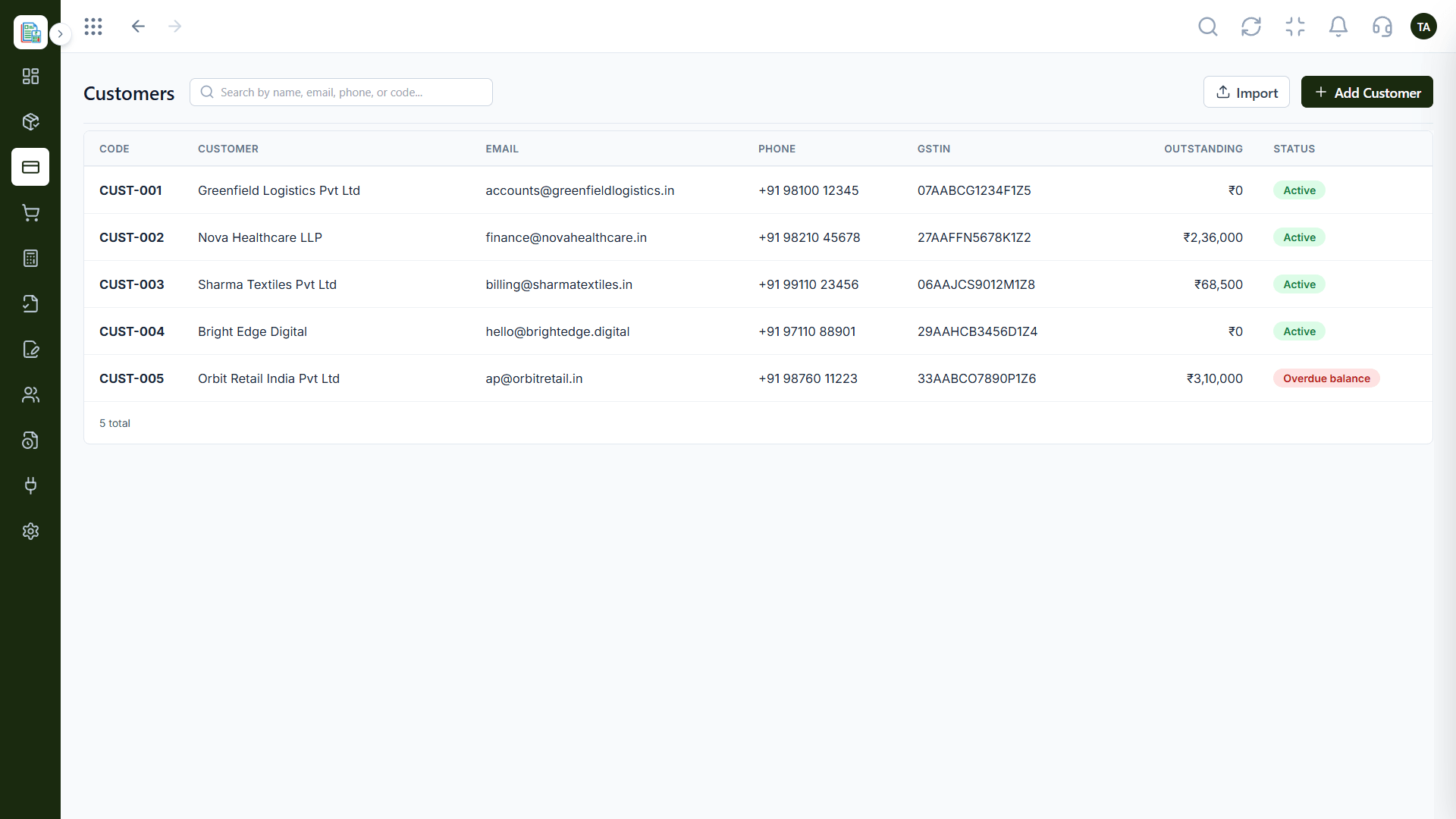
Customers
One directory for every customer
In the Product
Imagine starting with the hammer and adding tools as the work grows.
One job first.
Expand when ready.
We help you set up.
Platform Integrity
Create invoices
Track expenses
Manage payments
Reports and dashboards
How It Works
A map of the work.
| Dimension | Triostack Finance | Without Finance |
|---|---|---|
| Billing | Create invoices | Templates |
| Spending | Track expenses | Receipts |
| Collection | Manage payments | Bank lines |
| Compliance | Stay GST compliant | Deadline rush |
| Insight | Dashboards and reports | Spreadsheets |
We will help you create your first customer, invoice and report end to end in your first session.
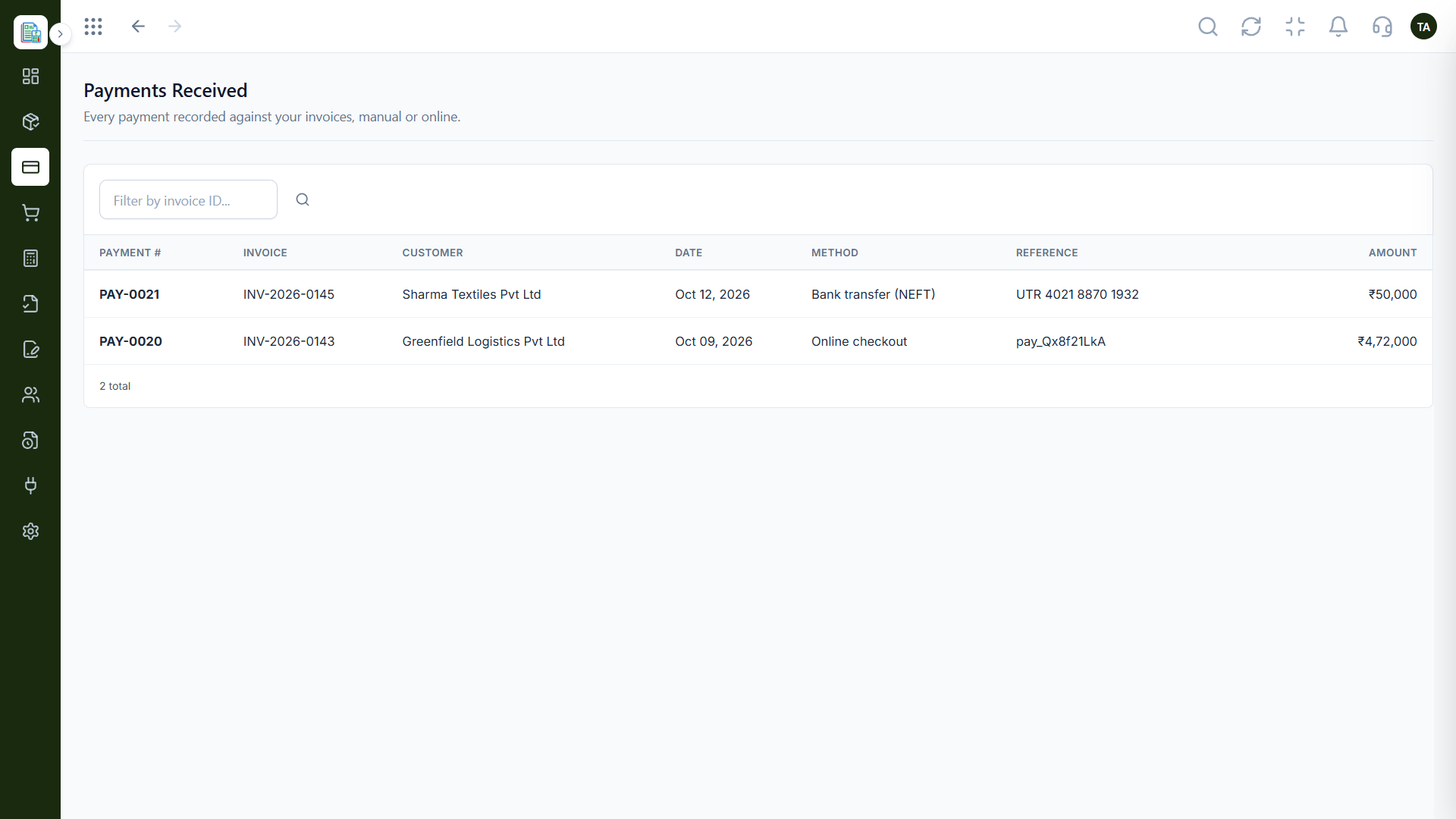
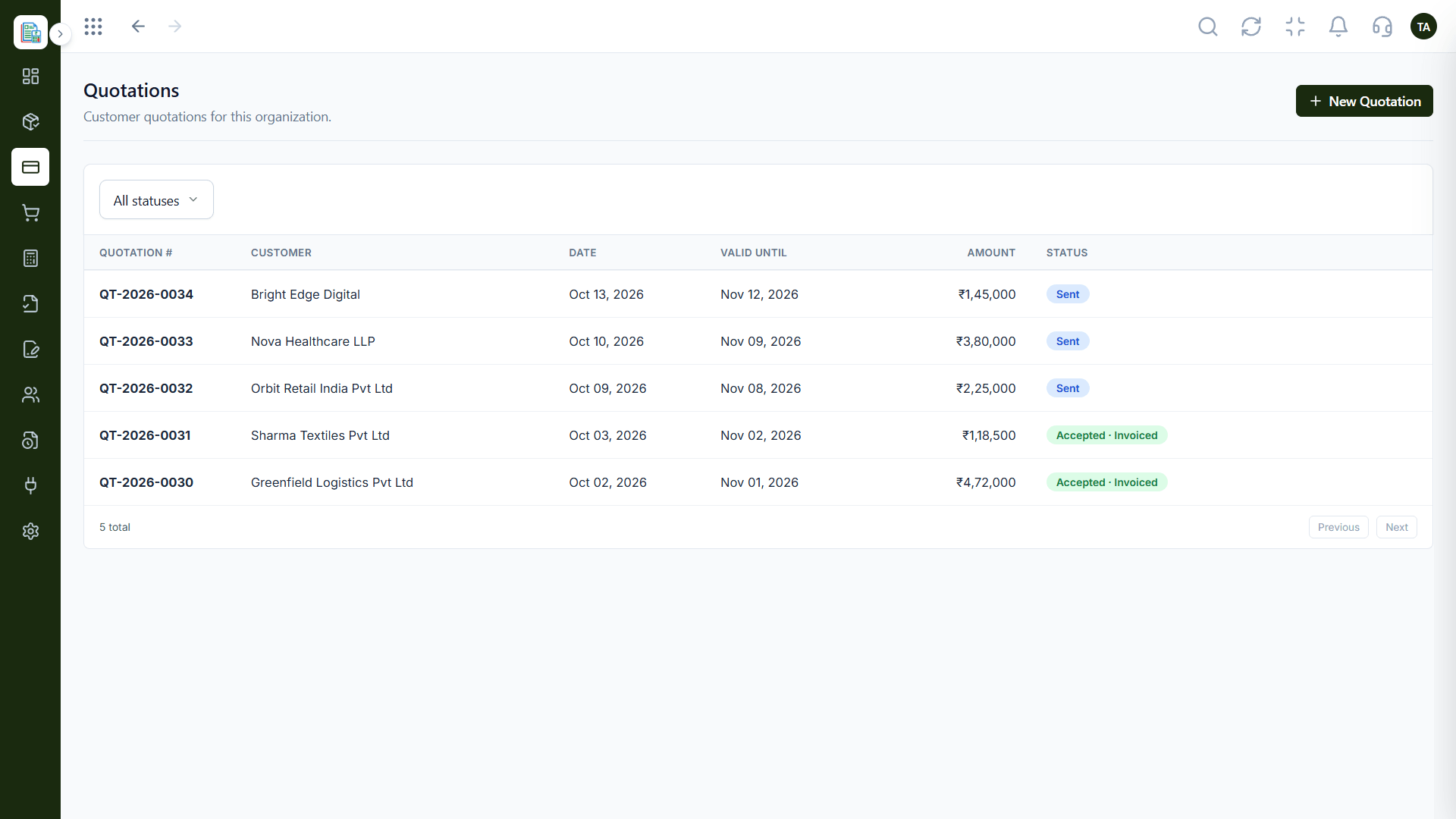
Live Interface Tour
Real screens captured directly from the Triostack Finance workspace.
Quotations
The everyday jobs Finance handles
Feature Breakdown
Captured from the Triostack Finance workspace.
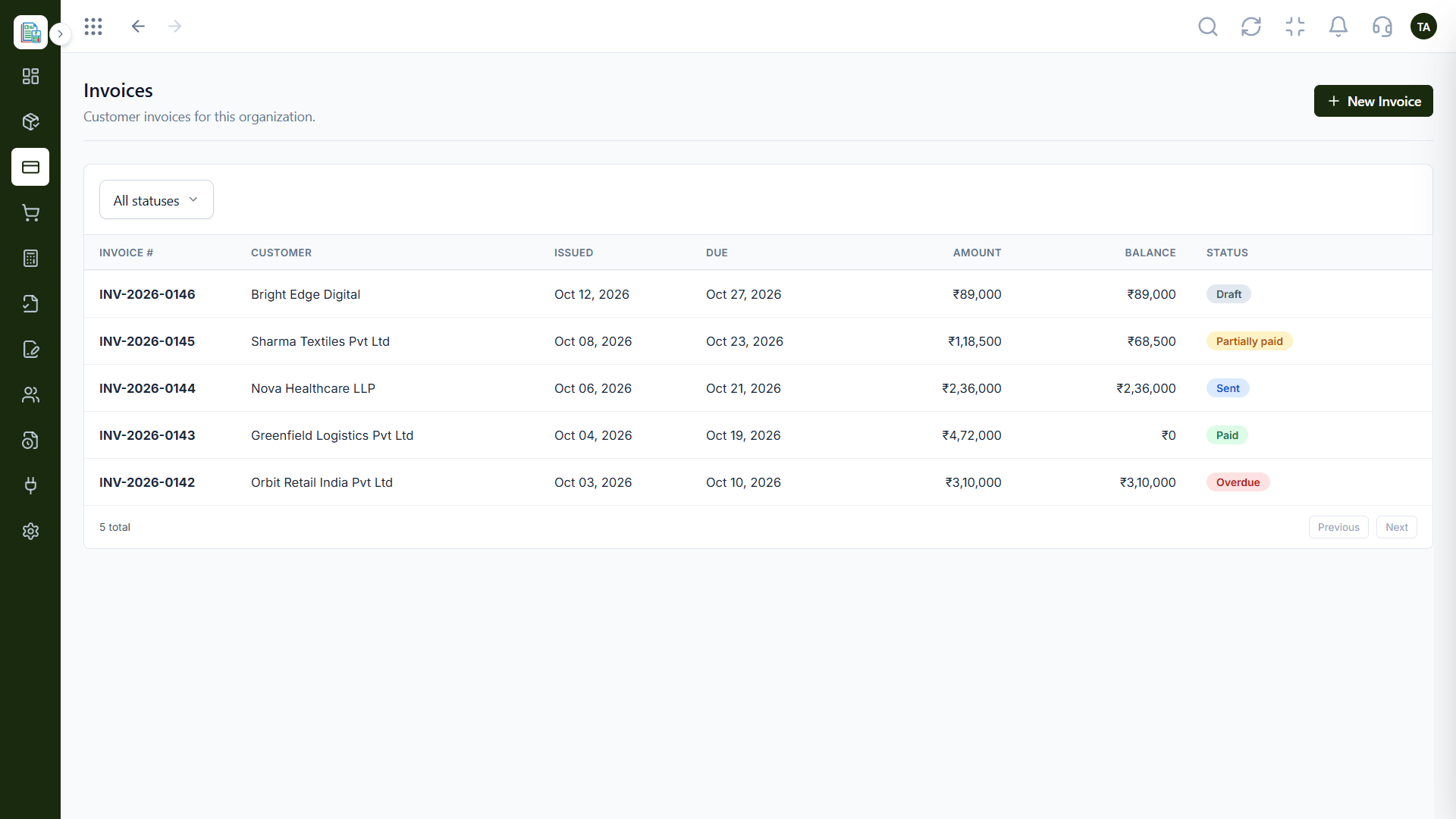
Bill.
How it fits the plan
Pick a job. Choose your biggest pain.
Set up. Use the matching page.
Practical tip
Pick the job that costs your team the most time this week. Solve that one first.
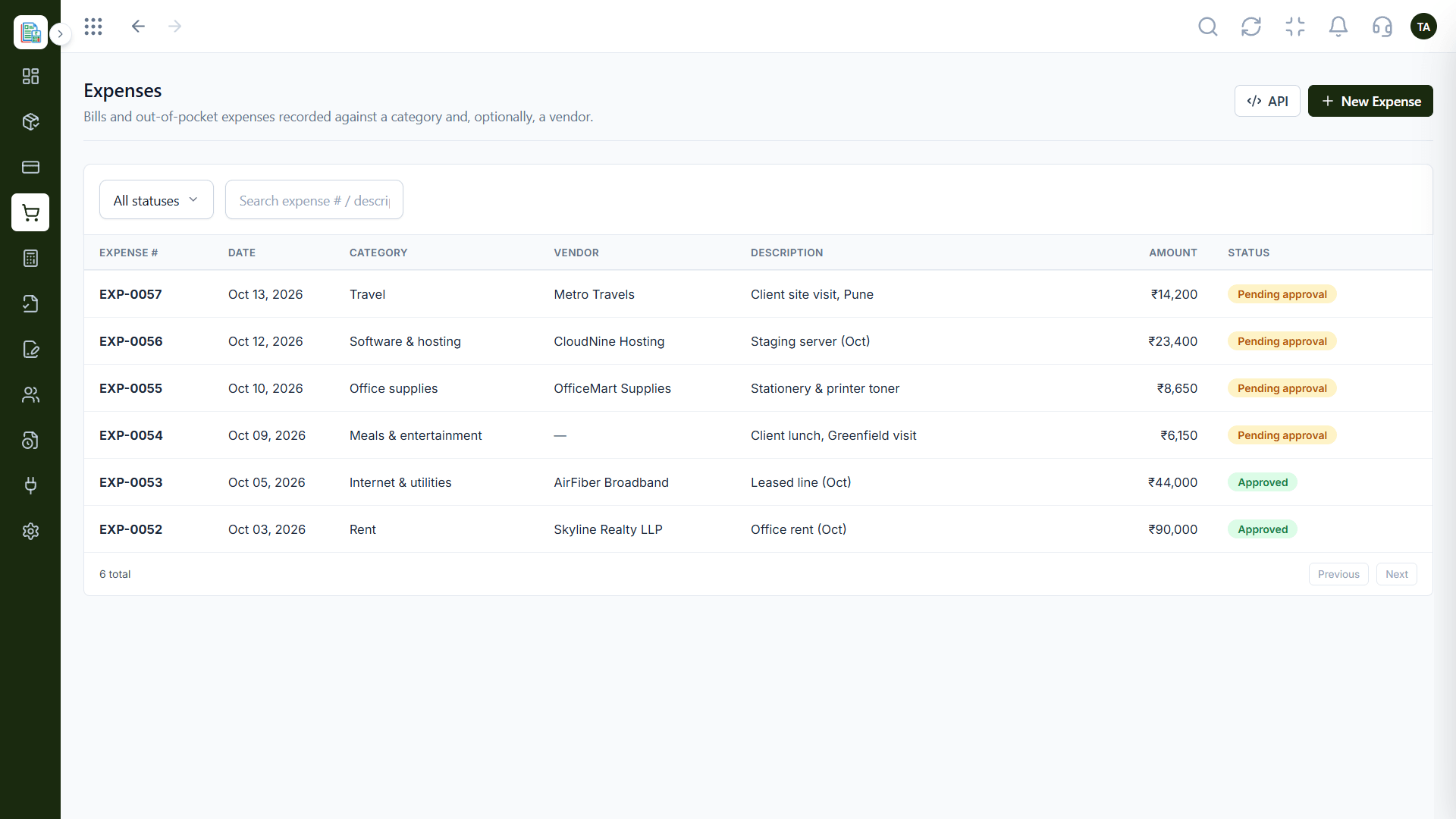
Spend.
How it fits the plan
Set up. Use the matching page.
Run. Use it for a month.
In real life
New user
Choose a starting point.
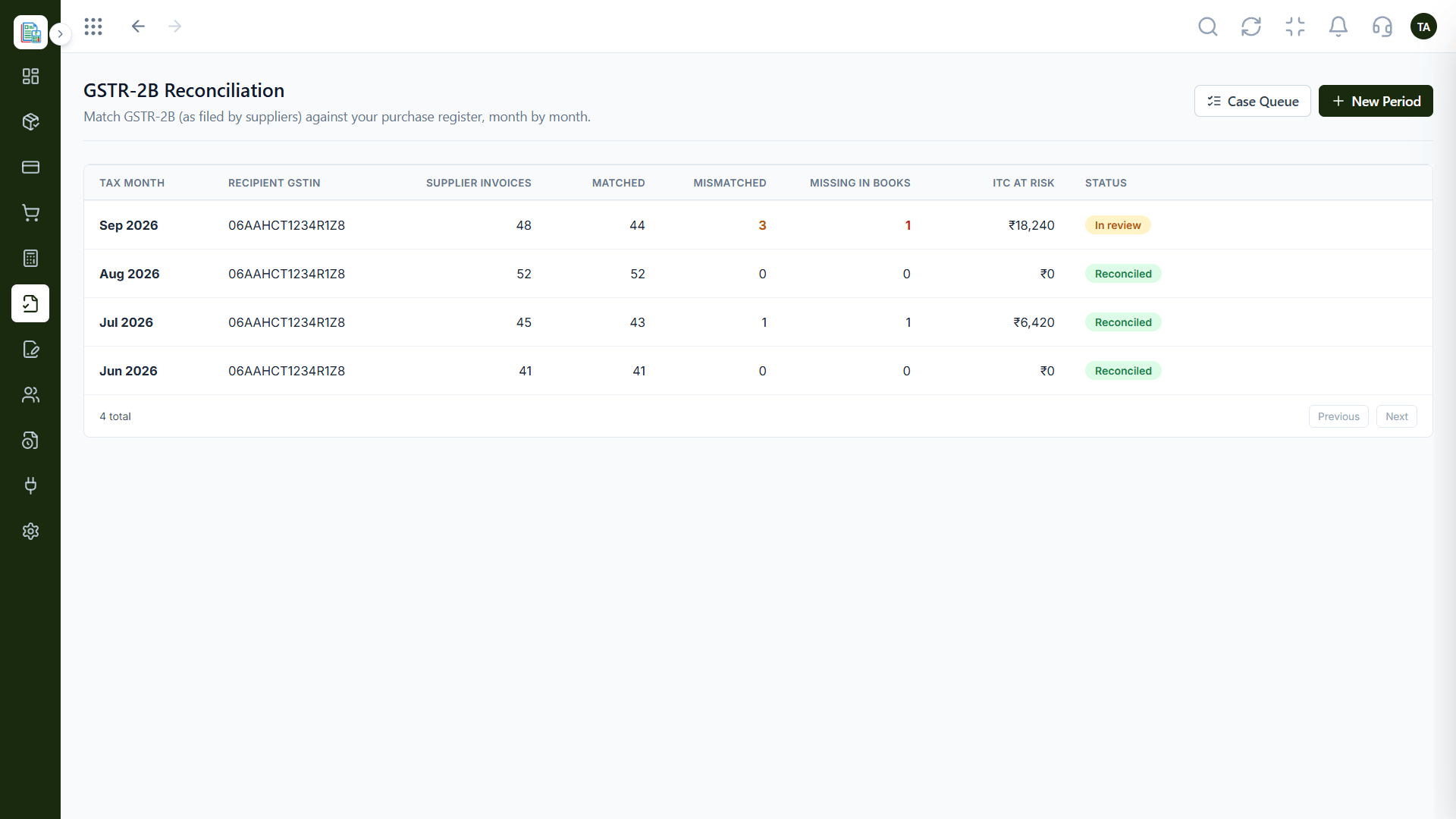
Comply.
How it fits the plan
Run. Use it for a month.
Add more. Expand to the next job.
Watch out for
Trying to roll out every use case together and finishing none.
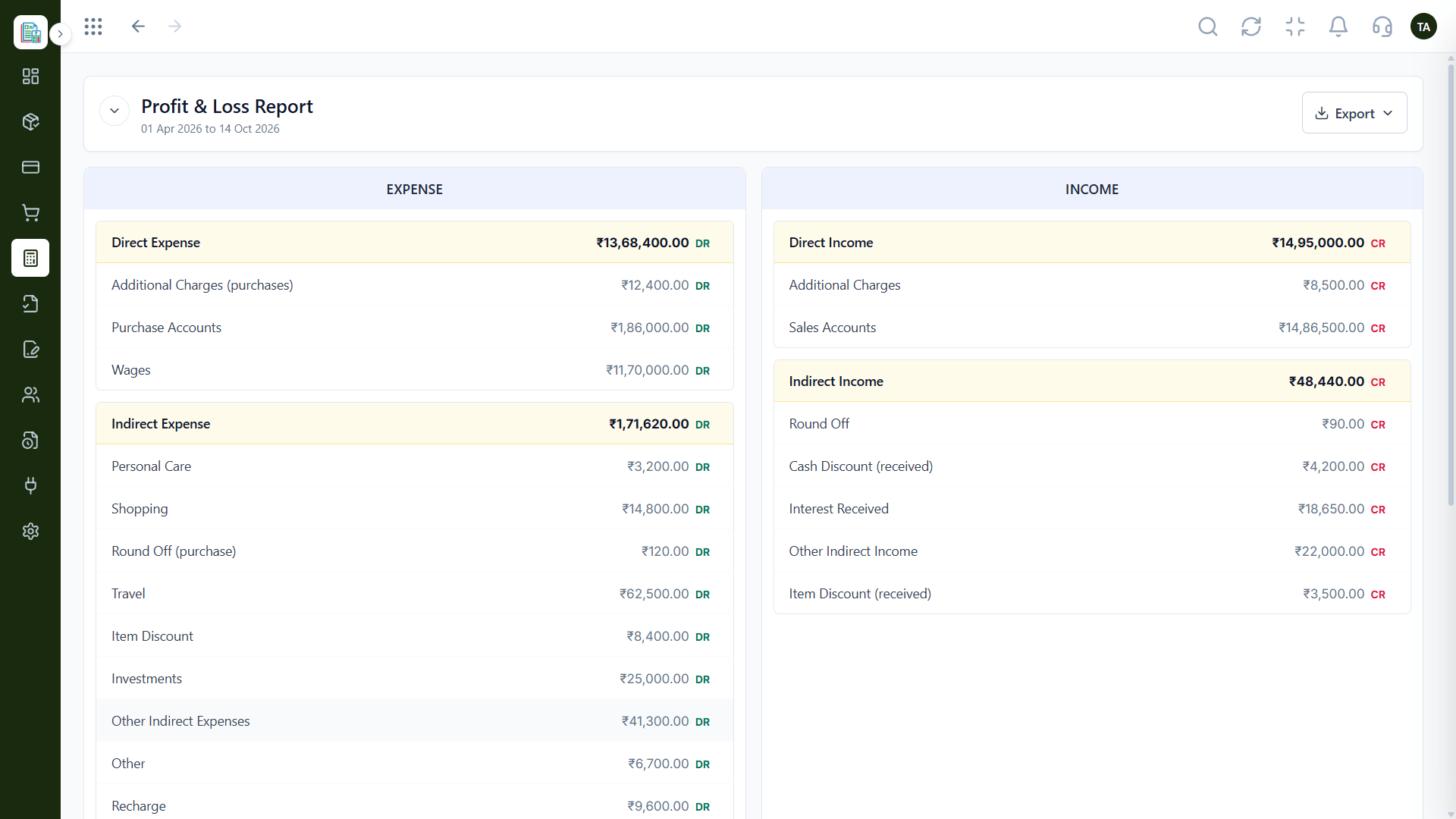
Report.
How it fits the plan
Add more. Expand to the next job.
Pick a job. Choose your biggest pain.
Before you start
Execution Plan
Choose your biggest pain.
Use the matching page.
Use it for a month.
Expand to the next job.
Practical Guide
Before you start
A tip that helps
Pick the job that costs your team the most time this week. Solve that one first.
A common mistake
Trying to roll out every use case together and finishing none.
In Real Life
Scenario 01
Choose a starting point.
Scenario 02
Plan the rollout.
Scenario 03
See the full picture.
Straight answers about Explore All Use Cases, from setup to what happens next.
Have a question about Explore All Use Cases?
Book a free callWith the job that costs you the most time.
Yes.
Yes. Request a demo or guided setup.
Yes.
From creating invoices and tracking expenses to GST reconciliation, reports and automation, see what teams do with Triostack Finance every day.
It runs in 4 steps: Pick a job, Set up, Run and Add more. Choose your biggest pain.
The real screens on this page include Customers, Payments Received, Balance Sheet and Invoices, all captured from the product.
Request a demo or start a free trial. Our team can also walk you through a guided setup, so your first session ends with something working.
Keep Exploring
Invoices, expenses, accounting and GST reconciliation in one workspace, connected to sales, payroll and delivery.